If you run an accounting firm, law office, or nonprofit, you probably know the pattern. One workstation needs updates. Another has a printer issue. A third stores sensitive files locally, which makes remote work feel risky. Then someone asks to work from home, and suddenly your “simple” office setup turns into an IT project.
That’s the business problem behind zero client computing. It isn’t about buying a fancy new box for each desk. It’s about changing where computing happens, where data lives, and how much risk sits on each employee’s device.
For firms that handle tax files, legal documents, client records, or financial systems like QuickBooks and CRM platforms, that shift can matter a lot. It can tighten security, simplify support, and make remote access cleaner. But it also comes with trade-offs. Zero clients work best when the backend environment is designed well. If it isn’t, costs and performance problems can show up fast.
A lot of businesses didn’t set out to modernize their desktop strategy. They got pushed there by daily friction.
An office full of traditional PCs creates a long list of moving parts. Someone has to patch each machine, replace failing drives, manage antivirus, troubleshoot user settings, and worry about what happens if a laptop disappears with client data on it. Add hybrid work, and the old model starts to crack.

That’s why centralized desktop access keeps gaining attention. Instead of treating every employee computer like a full standalone system, zero client computing treats the desk device more like a secure window into software and data hosted elsewhere. For firms adapting to partly remote work after the pandemic, that model is easier to understand than it first sounds.
Most non-technical owners care about a few practical questions:
Zero clients appeal because they answer those questions with a simpler endpoint. Less happens on the desk device. More happens in a controlled environment.
Zero client computing is often less about hardware preference and more about risk reduction, consistency, and easier management.
The market direction reflects that shift. The global zero client market was valued at $1.2 billion in 2024 and is projected to reach $3.6 billion by 2033, with a 13.2% CAGR, according to Market Intelo’s zero client market analysis. That growth points to a broader move toward secure, centralized IT management.
An accounting office doesn’t win business because it has the most complicated desktop setup. A law firm doesn’t improve client trust by storing more information on local machines. Most firms want the opposite. They want fewer points of failure.
That’s the core reason zero client computing keeps coming up in conversations about modernization. It aligns technology with what business owners already want. Secure access, less maintenance, and a cleaner way to support remote and office-based teams.
The easiest way to understand a zero client is to stop thinking of it as a full computer.
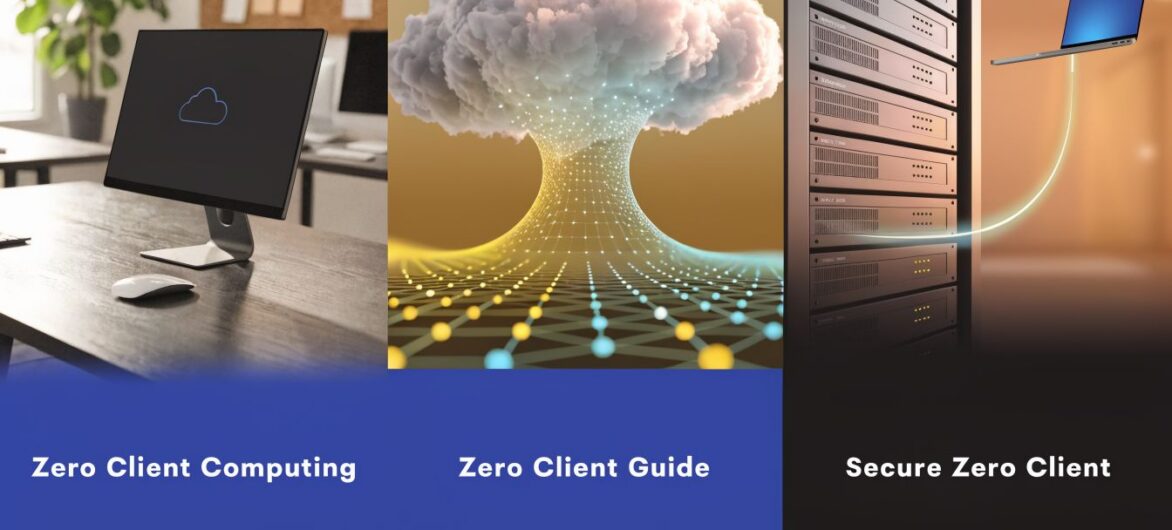
Think of it more like a screen-and-connection device. It shows your desktop, accepts your keyboard and mouse input, and connects you to a system running elsewhere. The heavy lifting happens on a central server or in the cloud, not inside the box on your desk.

For many business owners, a TV analogy helps. A traditional PC is like a smart TV doing lots of work on its own. A zero client is closer to a display connected to a cable box in another room. You still see the show. But the device in front of you isn’t storing the content or doing the processing.
People often hear that zero clients are “stateless” and tune out. In plain English, it means the device typically has no local operating system, no local storage, and no meaningful local data footprint.
That changes several things:
For a regulated business, that’s a big deal. If a front-desk terminal disappears, the business concern is very different when the device itself doesn’t hold local records.
Zero clients use specialized hardware and connection protocols to display a remote desktop efficiently. ClearCube notes that zero clients can use hardware like the TERA2 chip and the PCoIP protocol to send encrypted pixel streams instead of raw data, which reduces local data exposure and supports highly reliable, zero-touch management. You can read that in ClearCube’s overview of zero clients.
Practical rule: A zero client doesn’t bring your applications to the device. It brings the device to your applications.
That distinction clears up a lot of confusion. When your staff member opens QuickBooks or a case file in this model, the application is running in the hosted environment. The desk device is mainly handling display, input, and connection.
A hosted desktop becomes easier to standardize when the endpoint is simple. You don’t need every machine to be customized like a standalone workstation. You need a reliable connection to the same central environment.
If you want a plain-language primer on that hosted model, this hosted virtual desktop explanation lays out the basic idea well.
For a business owner, the takeaway is straightforward. Zero client computing strips the desk device down to the essentials so your software, data, and administration can live in one controlled place instead of being scattered across every office and home machine.
Many buyers become confused, because the terms sound similar but they aren’t interchangeable.
VDI is the backend concept. It stands for Virtual Desktop Infrastructure. That’s the centralized environment where desktops, applications, and user sessions run. Both zero clients and thin clients can connect to that kind of setup. VDI is the engine room. The endpoint device is just how the user gets in.
A zero client is the most locked-down endpoint option. It uses firmware instead of a general-purpose operating system and is usually tuned for a specific protocol or broker.
A thin client still aims to be lightweight, but it usually includes a small operating system. That gives it more flexibility, but it also creates more management work. There’s still something to patch, secure, and occasionally troubleshoot.
A traditional PC is a full standalone computer. It runs applications locally, stores data locally unless you redirect it, and demands the most endpoint care.
10ZiG notes that, because of their firmware-only design, zero clients have boot speeds in seconds and near-zero management overhead, while thin clients with a minimal OS can take under a minute to boot and still require periodic patching. That distinction is summarized in 10ZiG’s zero client overview.
| Feature | Zero Client | Thin Client | Traditional PC |
|---|---|---|---|
| Local operating system | No | Yes, minimal OS | Yes |
| Local storage | Typically none | Limited | Full local storage |
| Management effort | Very low | Moderate | Highest |
| Boot behavior | Fast, firmware-based | Fast, but OS-dependent | Varies |
| Security exposure at endpoint | Lowest | Lower than PC, but not zero | Highest |
| Flexibility for multiple use cases | Lower | Higher | Highest |
| Best fit | Highly controlled desktop access | Mixed environments | Local-first computing |
The confusion usually comes from assuming “thin client” and “zero client” are just two names for the same box. They aren’t.
Zero clients are built for simplicity and control. Thin clients are built for lightness with added flexibility. If your team uses one standard remote desktop method and wants very little endpoint maintenance, zero clients can make sense. If your users need broader protocol support or more varied workflows, thin clients may fit better.
A zero client is usually easier to manage because there’s less on it. A thin client is usually easier to adapt because there’s more on it.
The endpoint choice only solves part of the problem. If the virtual desktop environment behind it is complex, expensive, or hard to support, the simplicity at the desk won’t save you.
That’s one reason businesses compare VDI vs VPN approaches before choosing an architecture. The decision isn’t just about the device. It’s about how people will securely reach their applications, how much IT overhead the model creates, and how well it supports daily work.
For a business owner, here’s the clean summary. VDI is the hosted desktop system. A zero client is the simplest doorway into it. A thin client is a more flexible doorway. A traditional PC is its own room.
For regulated businesses, zero client computing becomes more compelling when you stop viewing it as a hardware category and start viewing it as a control strategy.
If your firm handles tax returns, financial statements, legal files, donor records, or HR documents, your risk isn’t just malware. It’s also data sitting in too many places. Every full PC creates one more location where information can be downloaded, cached, forgotten, or exposed.

The biggest security benefit is simple. No meaningful data lives on the endpoint. If a desk device is lost, stolen, or damaged, the event is disruptive, but it’s not the same as losing a laptop full of client records.
That model fits naturally with firms that care about access controls, documented processes, and compliance expectations. If you’re reviewing frameworks like SOC compliance requirements, endpoint simplicity supports the larger goal of tighter control over where sensitive information resides.
Here’s how that benefit shows up in real operations:
Power use is one of the easiest cost differences to grasp. Zero clients consume 8 to 20 watts, compared with 60 to 150 watts for a typical PC, according to Cloudvara’s comparison of zero clients and thin clients. For a mid-sized deployment, that can cut annual electricity costs by thousands of dollars and reduce total cost of ownership.
That doesn’t just help the utility bill. It also reflects the broader design. A simpler endpoint usually means fewer components to manage and fewer local failures to diagnose.
When a traditional PC fails, the replacement process can drag. You may need to reinstall software, restore settings, reconnect devices, and verify access rights.
With zero client computing, the endpoint is simpler. If the hosted environment is intact, replacing the desk device can be much more straightforward.
For firms that bill by the hour, every minute a professional waits on desktop repair is expensive, even if the hardware itself wasn’t.
This is also where training gets easier. Staff don’t need to understand a lot about the local device. They need to know how to connect and work inside the hosted desktop.
A short explainer can help teams visualize that shift:
Zero clients tend to make the most sense when your business values:
That profile describes a lot of accounting firms, legal practices, nonprofits, and other organizations with repeatable workflows and sensitive data.
The biggest mistake I see is treating zero clients like a plug-and-play shortcut. They’re simple at the desk, but they still depend on good planning.
If users say, “The remote desktop feels slow,” the problem often isn’t the endpoint box. It’s the environment behind it. Zero client computing shifts your attention away from desktop hardware and toward network quality, hosted application design, and user workflow fit.
Zero clients depend on steady connectivity because they’re streaming the user experience from elsewhere. That means latency matters. Zeetim notes that network latency over 50ms RTT can degrade responsiveness, especially for professionals juggling applications like QuickBooks and video conferencing. That point appears in Zeetim’s discussion of zero client limitations.
For a business owner, that means one thing. Before buying endpoints, test how your team works.
Ask practical questions:
A zero client can feel excellent in a well-designed environment and frustrating in a poorly designed one, even if the hardware at the desk is identical.
Most firms don’t fail on strategy. They fail on details nobody reviewed early enough.
A legal assistant may need dual monitors, a scanner, a signature pad, and a printer. A tax preparer may need keyboard shortcuts, multiple spreadsheets, and PDF tools open at once. A nonprofit administrator may depend on a webcam, headset, and browser-based donor system.
That means your deployment plan should include:
In this scenario, balanced advice matters. Zero clients are not the ideal answer for every workload.
If users spend much of the day in highly interactive, bandwidth-heavy tasks, you need to test carefully. Multi-monitor video calls, large file handling, browser-heavy multitasking, and newer AI-assisted workflows can expose weak spots in a central-only model. In those cases, some firms may prefer a thin client or another hosted endpoint approach that gives them more flexibility.
Don’t start with the entire office. Start with a small, representative group.
Choose users from different roles. Include someone detail-oriented, someone remote, and someone who depends on peripherals. If the pilot works for them, you’ll learn more than you would from a technical checklist alone.
A good deployment plan isn’t just about proving that zero clients can connect. It’s about proving that your staff can work comfortably, securely, and without losing momentum during a normal business day.
Zero clients look inexpensive when you focus only on the endpoint. That’s where many buying decisions go wrong.
The core question is not, “How cheap is the desk device?” The core question is, “What does the full delivery model cost once we include the hosted desktop environment, server requirements, support burden, and licensing?”

This is the trade-off many articles skip. While zero clients can be inexpensive hardware, backend infrastructure can get expensive fast.
According to Data Center Knowledge’s discussion of zero client costs, backend costs can rise by 40 to 60 percent because of VDI licensing and server requirements. The same source says a direct cloud hosting model can lower total cost of ownership by 30 to 50 percent by removing much of that complexity.
That’s the business case for pairing zero client endpoints with the right hosting model instead of building everything yourself.
A zero client on top of a poorly designed backend gives you a neat little box connected to a frustrating user experience.
A strong hosting environment does the opposite. It lets the endpoint stay simple while essential processing happens in infrastructure managed by specialists. For firms that rely on QuickBooks, Sage, Microsoft applications, CRM systems, tax software, and document management tools, that arrangement can be much easier to live with than maintaining internal VDI infrastructure.
If you’re comparing hosted models, this overview of desktop as a service is a useful reference point.
If you’re considering zero client computing for your business, use a decision process like this:
List your critical applications
Identify the exact software your staff uses every day. Include accounting tools, legal software, Microsoft apps, browser systems, scanners, and printers.
Separate users by workflow
Your receptionist, partner, bookkeeper, and paralegal may not need the same endpoint model. Group users by how they work.
Decide whether you want to build or consume the backend
This is the turning point. If your team doesn’t want to manage infrastructure, a hosted model is often the cleaner option.
Run a real-world trial
Test with live workflows, not just login screens. Open the actual applications. Print. Scan. Join meetings. Work for a full day.
The endpoint decision is the easy part. The architecture decision is the one that shapes cost, support load, and user satisfaction.
Zero client computing can deliver strong results for secure, standardized environments. But the return on investment comes from the full system, not from the endpoint alone. When businesses match simple endpoints with the right cloud platform, they get the benefit they expected in the first place. Better control, cleaner access, and less IT drag.
If you want to see whether a hosted approach fits your accounting firm, law office, nonprofit, or small business, Cloudvara offers secure application hosting for tools like QuickBooks, Sage, CRM, tax, document management, and Microsoft apps, backed by 24/7 support, daily backups, two-factor authentication, and a 15-day free trial with no contract or credit card required.




