
Your office probably didn’t plan to become a database shop.
It usually starts with a spreadsheet that works fine for a while. Then someone adds another tab for client history. Another person builds a tracking sheet for renewals or case deadlines. Soon your accounting firm, law office, or small business has the same client listed in three places, nobody trusts the latest version, and reporting turns into a monthly scavenger hunt.
At that point, SQL Server 2022 Express looks appealing for obvious reasons. It comes from Microsoft. It’s free. It feels more serious than a spreadsheet and less intimidating than buying a full database platform on day one. For many small teams, that instinct is reasonable.
The catch is that “free” only solves the licensing question. It doesn’t answer the harder business questions. Will it still perform once your records pile up? Will it support remote users cleanly? Will it fit a hosted setup, or are you buying yourself a migration project later?
Those are the questions that matter most if you’re running a firm, not an IT lab. If you’re still sorting out the difference between a system built for daily transactions and one built for reporting, this data warehouse and database guide gives useful context. And if you’re weighing deployment choices at the same time, this overview of cloud versus on-premise infrastructure helps frame the operational side.
A small accounting practice often reaches the same breaking point in stages. First, the spreadsheet becomes a shared spreadsheet. Then the shared spreadsheet becomes a folder full of “final” versions. Then tax files, billing notes, engagement history, and client contacts start living in separate tools that don’t talk to each other.
That’s when owners start asking for a real database.
SQL Server 2022 Express enters the conversation because it sounds like the right middle ground. It has the Microsoft name behind it, so it feels familiar. It doesn’t add a software license bill, so it feels low risk. And for a small internal app, a lightweight practice management tool, or a modest line-of-business database, it can be a sensible first move.
The mistake is assuming “good starting point” means “safe long-term default.”
A database is like office space. A small suite is great when you’re two people and a printer. It becomes a problem when you hire staff, add records, and start serving clients from multiple locations. SQL Server Express works the same way. If your data volume and user activity stay modest, it can carry the load. If the business grows, the limits stop being technical trivia and start affecting response times, backup windows, and daily frustration.
Practical rule: Choose Express because it fits your current workload and near-term plan, not because it postpones a decision.
For a small business owner, that’s the right lens. Don’t ask whether SQL Server 2022 Express is “good.” Ask whether it’s good for your size, your workflow, and your growth path.
SQL Server Express is Microsoft’s free entry-level edition of SQL Server. For a small firm, that means you can run a real relational database without adding a database license line to the budget on day one.

The practical value is familiar tooling, broad vendor support, and a low-cost starting point for line-of-business applications. The practical trade-off is that Microsoft built Express for smaller jobs. It sits in the same product family as Standard and Enterprise, but it is meant for lighter workloads, simpler deployments, and businesses that need to control spend while they prove out a system.
That distinction matters for accounting firms, law offices, and other SMBs because database decisions rarely stay technical. They turn into business decisions fast. A free edition can reduce upfront cost, shorten approval cycles, and get an internal application into production sooner. It can also create planning pressure later if the system becomes central to billing, case tracking, reporting, or client operations.
SQL Server 2022 Express usually fits best when the application has a clear purpose, a limited user base, and predictable activity.
Good examples include:
In those cases, Express gives you a serious database engine without the cost and operational weight of a paid edition. For many firms, that is a sensible way to start.
Express deserves a closer review if your system is likely to grow into daily operational infrastructure. I usually raise that flag when a firm expects more staff, more locations, heavier reporting, or an application that several employees will use at the same time throughout the workday.
For those businesses, Express should be treated as a starting platform with a plan behind it. That is part of managing technology infrastructure growth. It is also why capacity planning should happen before users feel the slowdown. A simple server capacity planning review can tell you whether Express still matches the workload or whether you are building future migration work into an already busy business.
A good rule is simple. If the database supports a side process, pilot app, or tightly scoped internal tool, Express can be a good fit. If it is on track to become the system your team depends on every hour, choose it with an upgrade path in mind.
A lot of small firms get comfortable with SQL Server Express right up until the day a routine task starts taking too long. A report that used to open in seconds now hangs. Staff retry searches. Someone blames the server. In many cases, the actual issue is simpler. Express has fixed edition limits, and those limits shape how far the system can grow before cost savings turn into operating friction.
The main ceilings are straightforward: each relational database tops out at 10 GB, the engine can use one physical socket or four cores per instance, and the buffer pool is limited to about 1.4 GB. Those are not tuning settings. They are product limits.
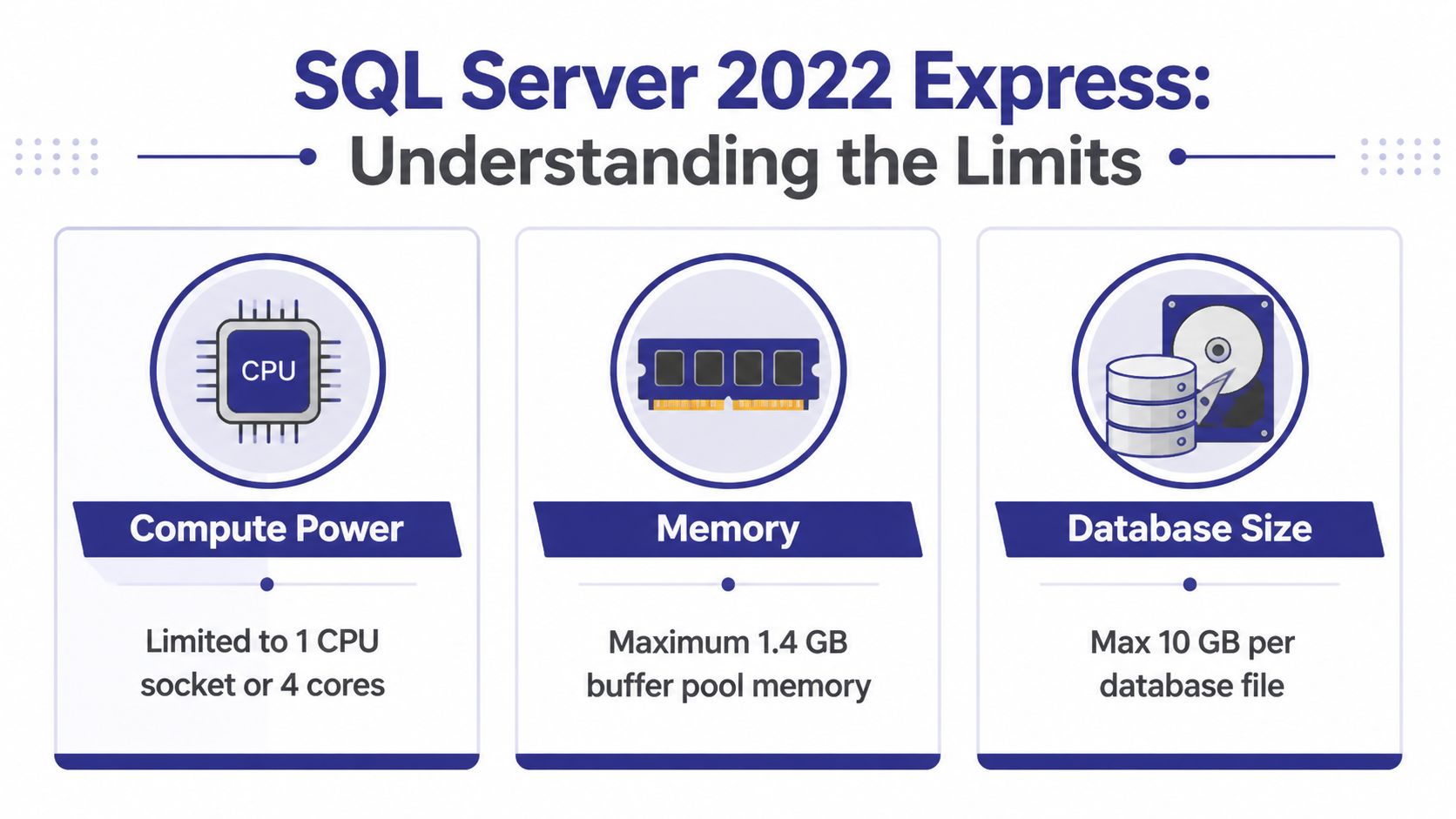
For an accounting firm, law office, or growing SMB, those technical numbers show up as business constraints.
| Constraint | Technical limit | Business meaning |
|---|---|---|
| Database size | 10 GB per database | A line-of-business app can hit a hard storage ceiling as records, attachments, and history accumulate |
| Compute | 1 socket or 4 cores | Buying a larger server does not let this edition scale much further |
| Memory | About 1.4 GB buffer pool | Heavier daily use leads to more disk reads and slower response times |
The database size cap works like a records room with a fixed number of shelves. Cleanup helps. Better organization helps. Growth still wins eventually. That matters for firms that retain client history for years, keep detailed transaction records, or run software that stores more than the staff realizes.
The memory cap usually affects user experience before the storage cap does. When frequently used data cannot stay in memory, SQL Server has to fetch it from disk more often. In practice, that means slower searches, slower dashboards, and more waiting when several employees use the same application at once.
The CPU limit has a different business consequence. It reduces the benefit of paying for stronger hardware. I have seen firms put Express on a capable server and still wonder why performance stays flat under load. The server was not the problem. The edition could not use the extra headroom.
Express still makes sense in a narrow, disciplined role:
These are good use cases because the workload stays bounded. The database supports the business without becoming the business.
Problems usually start when Express is attached to a system that keeps gaining users, reports, and retained history. That is common in bookkeeping platforms, practice management systems, custom admin apps, and operational databases that begin as a side project and become central to daily work.
At that point, edition limits turn into labor costs. Staff wait on screens. Month-end reporting takes longer. Backups become more sensitive to timing. Small outages disrupt more people because more people now depend on the same database.
If your firm is already adding staff, locations, or heavier reporting, this is partly a database decision and partly a broader issue of managing technology infrastructure growth. For a more practical forecasting step, Cloudvara’s server capacity planning guidance for growing workloads helps tie database behavior to user counts, workload patterns, and expected growth.
Free is attractive at the start. Delays during payroll, billing, or month-end close cost more than the license you avoided.
Some teams stretch Express by splitting data across multiple databases. That can delay an upgrade, but it also adds administration overhead. Backups become harder to coordinate. Reporting gets messier. Cross-database logic can make the application more fragile and harder to support.
That trade-off is easy to underestimate. The limit does not disappear. The complexity just moves from licensing into operations.
The good news is that sql server 2022 express isn’t some neglected freebie. It belongs to a modern SQL Server generation, which means small organizations can still benefit from newer platform improvements even if they aren’t buying a larger edition yet.

For a business owner, the most important point isn’t the feature name. It’s whether the newer edition makes the database easier to run, easier to integrate, and less fragile under everyday use.
If your business already uses Microsoft tools, newer SQL Server releases generally fit more naturally into that ecosystem than older versions. That matters when you want your application stack to stay current rather than operate as an aging island in the corner.
For small firms, that usually means fewer surprises when connecting business applications, working with current management tools, or planning a later move into a broader Microsoft-based environment.
One practical benefit of newer SQL Server generations is that performance troubleshooting has become more structured and manageable than it used to be. That doesn’t mean Express turns into a self-running platform. It does mean that when something slows down, the surrounding SQL Server toolset is more mature.
That’s useful for organizations that don’t have a full-time DBA. A newer edition gives your consultant or IT partner a more current foundation to work with, which often makes diagnosis, tuning, and maintenance less painful.
Newer doesn’t remove the limits. It does make life easier inside those limits.
Some firms still limp along on older SQL Server Express versions because “it still works.” That can be a costly kind of caution. Staying current reduces the gap between your small deployment and the rest of the Microsoft ecosystem.
If you’re launching a new small application, SQL Server 2022 Express is usually the better starting point than reviving an outdated Express install. You still need to respect the hard boundaries covered earlier, but you’re building on a current platform rather than inheriting yesterday’s constraints plus yesterday’s compatibility problems.
Installing sql server 2022 express isn’t difficult. Most trouble comes after the installer finishes, when the application can’t connect from another machine or the instance is left with default choices nobody reviewed.

The goal for a small business setup is simple. You want a clean install, an instance name your team can identify, secure authentication, and network access configured deliberately rather than accidentally.
Before clicking through the wizard, decide what role this instance plays.
If the database supports a single local application on one workstation, your needs are simpler. If it supports an accounting or legal application accessed over a network or through remote desktop, make those decisions up front. The hosting model affects naming, security settings, backup planning, and who should have admin rights.
For businesses that plan to run SQL Server in a hosted environment instead of on an office server, this overview of SQL Server cloud hosting options is useful because it connects the database decision to the infrastructure it will live on.
The first is authentication. Don’t treat this as a throwaway installer screen. Decide who needs administrative access and keep it limited. Small firms often create an installation that works technically but has no clear access policy, which becomes a security and support problem later.
The second is network connectivity. Express supports TCP/IP, Named Pipes, and Shared Memory, but network access must be explicitly configured through SQL Server Configuration Manager, and TCP/IP uses dynamically assigned ports by default, as described in Microsoft’s SQL Server 2022 installation and requirements documentation.
That matters because many owners assume “installed” means “available to the application.” It doesn’t. If your app or remote user needs network access, you must verify that the needed protocol is enabled and that your environment is set up to handle how the instance is listening.
Here’s a walkthrough if you want a visual overview before touching the installer:
Use this right after installation:
A clean install is only half the job. A documented install is the part that saves time when something breaks.
A lot of firms discover they have outgrown sql server 2022 express at the worst possible moment. Month-end is running late, staff are waiting on reports, and the practice management or accounting system suddenly feels slow in ways nobody can ignore.
Growth is usually the reason. More clients, more matters, more transactions, and more history all put pressure on a free edition that was designed for smaller workloads. The business signal is positive. The risk comes from waiting until performance problems start interrupting billable work.
One common frustration is that migration advice often focuses on installation, not on the actual job of moving a live database from an older SQL Server version or another platform into something the business can rely on. Microsoft’s SQL Server 2022 Express download page makes the edition limits clear, and those limits matter most during planning, before you commit time to a move that leaves little room for growth.
The warning signs usually arrive as a pattern, not a single failure.
Users start reporting delays during the busiest parts of the day. Searches and reports take longer. Your software vendor suggests operational workarounds, such as archiving more aggressively or changing how staff use certain screens, because the database is approaching what Express handles comfortably. That is often the point where the edition is shaping the way your firm works, instead of supporting it.
For firms that want a disciplined way to validate a move, these indispensable migration testing strategies are worth reviewing because they focus on proving the new environment works before staff depend on it.
Most small firms end up choosing between two practical options.
Upgrade to a paid SQL Server edition on infrastructure you control. This fits firms that already have dependable IT support, clear server standards, and a reason to keep systems in-house. The trade-off is responsibility. Your team still owns patching, backups, hardware planning, remote access, and the next server replacement cycle.
Move the workload to a managed or hosted environment. This fits firms that want to reduce day-to-day server maintenance and lower the chance that a single office server becomes a business bottleneck. For many accounting and legal practices, that can simplify remote work, backup oversight, and disaster recovery. If that route is under consideration, this guide on moving servers to the cloud gives a practical overview of what changes operationally.
Cloudvara is one example of a provider in that category, offering hosted environments for business applications and SQL Server without requiring the firm to maintain the underlying office server itself.
A rushed migration usually costs more than a planned one. The extra cost may not show up as a line item on a quote. It shows up as downtime, rework, missed validation steps, and staff frustration.
Use a simple planning sequence:
The best upgrade projects start before anyone is panicking. That gives you time to test properly, keep risk low, and choose a path that fits both your budget now and your growth over the next few years.
Even with free licensing, you are still responsible for the risks of running SQL Server 2022 Express in production. For a small accounting or legal firm, that usually shows up in plain business terms: a weak password can expose client records, a failed backup can stop billing or casework, and poor database maintenance can turn routine tasks into daily delays.
Express can work well for smaller line-of-business applications, but it has limited headroom. Microsoft documents the edition limits, including the 1 socket or 4 core cap, and those limits matter once more staff are in the system at the same time. Based on our work with accounting and legal clients, Express often starts to feel tight when multiple users are hitting the same database heavily, especially during deadline periods. That is an operational planning signal, not a line pulled from Microsoft documentation.
Start with access control.
In practice, the database is often not the first thing that fails. The actual problem is usually loose permissions that stayed in place long after the original setup.
SQL Server Express does not include the higher-end availability features found in paid editions, so backup discipline carries more weight. If the server fails and no one has tested a restore, the business is not waiting on IT convenience. It is waiting on payroll, invoicing, document access, or practice-management data.
A workable backup process includes:
For firms that want a practical operating checklist, these database management best practices connect routine admin work to uptime and recovery.
Express does not leave much room for waste. If the application is poorly indexed, if reports run against live transactional tables all day, or if years of old records stay in the active database without any archive plan, users feel it first as slowness.
The fixes are rarely exotic. Maintain indexes the application needs. Review slow queries before staff start treating a 20-second screen load as normal. Archive stale data if the software supports it. Watch memory pressure and disk performance on the server, because Express has hard limits that tuning cannot erase.
A small database can stay reliable for years when someone owns maintenance. Without that discipline, free software gets expensive in staff time very quickly.
If your firm is deciding whether to keep SQL Server Express, upgrade it, or move the workload into a managed environment, Cloudvara is one option to review for hosted SQL Server and business application infrastructure. The practical value is straightforward: your team can focus on the software and the work, while the hosting layer, remote access setup, and backup operations are handled as part of the environment.




