Stop Juggling Spreadsheets: Your Client Management Fix
If you're still tracking clients in a spreadsheet, a notes app, and your inbox, you already know where this goes. A deadline gets missed. A follow-up sits buried in email. Someone on your team talks to a client without seeing the last conversation, and now you're fixing confusion instead of moving work forward.
That mess is usually the point where a business has outgrown ad hoc tracking. Tax practices, accounting firms, legal teams, and nonprofits hit it fast because client history matters. So do documents, deadlines, ownership, and a clean record of who said what. A free app for client management won't solve every process problem, but it will give you one place to track contacts, deals, tasks, and conversations.
The catch is that "free" often means "free until your workflow gets serious." That's where most comparison articles stop too early. They tell you which tool looks polished, but not what happens when you need audit-friendly notes, remote access, tighter security, or a clean path out of the free tier.
That practical ceiling matters more than the signup screen.
If your team is starting to feel the pain of scattered data, this piece on advice for IT leaders on data strategy is worth reading alongside your CRM shortlist.
Below are the tools I'd put in front of a small firm that wants to get organized without buying an oversized platform on day one. Some are excellent free starting points. Some are only worth it for very small teams. And for firms handling client financials, tax records, or case information, I'll also show where using a cloud host like Cloudvara makes these apps easier to access and easier to control.
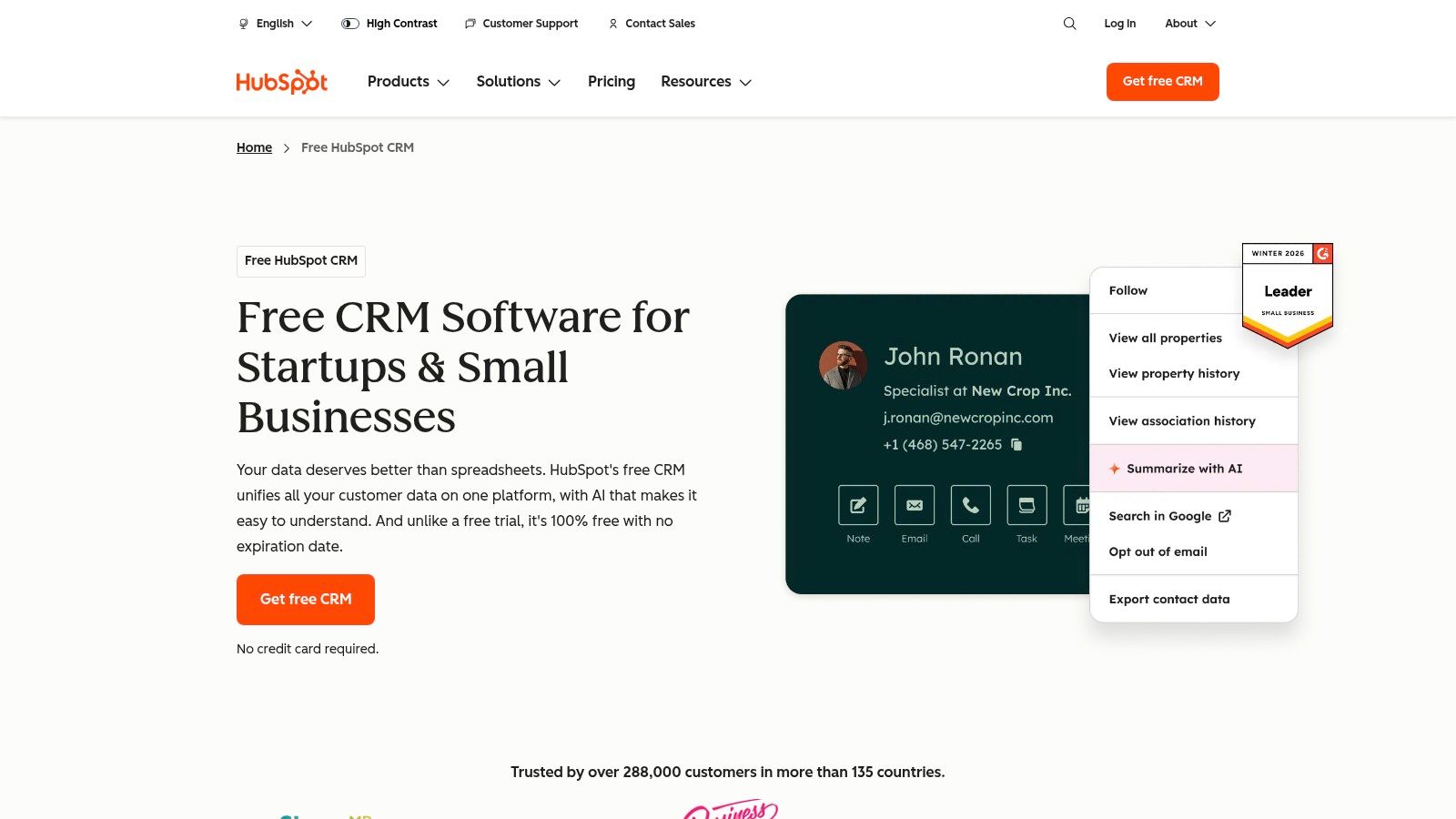
HubSpot is the easiest recommendation when a firm wants a free app for client management that doesn't feel stripped down on day one. It gives you contact records, deal pipelines, activity tracking, forms, live chat, and a decent collaboration experience without forcing an immediate upgrade.
Its scale is part of the appeal. HubSpot says its free CRM supports over 215,000 businesses worldwide as of 2025, and the platform remains a 100% free, no-expiration core CRM with unlimited contacts and upgrades starting at HubSpot CRM. That matters if you don't want to migrate again just because the tool was too small from the start.
For accounting and legal teams, HubSpot is strong when the main job is keeping a clean timeline of interactions. Calls, emails, notes, meetings, and deal movement can all live in one place. A solo CPA, intake coordinator, or small admin team can get value quickly because the interface is approachable.
It also has a clean upgrade path if you later need more than contact management. That's one reason it often comes up in discussions about the best CRM for small business.
Practical rule: If your staff won't use the system every day, the best feature list in the world won't matter. HubSpot tends to win on adoption.
The free tier is generous, but the paid ecosystem gets expensive once you add advanced reporting, heavier automation, or multiple paid hubs. That's the trade-off. HubSpot is easy to start and easy to like. It isn't always cheap to grow into.
For tax and legal firms, another limit is structure. HubSpot is excellent at general CRM work, but if you need highly specific workflows for engagements, matter stages, retention rules, or internal compliance steps, you'll either build workarounds or move upmarket.
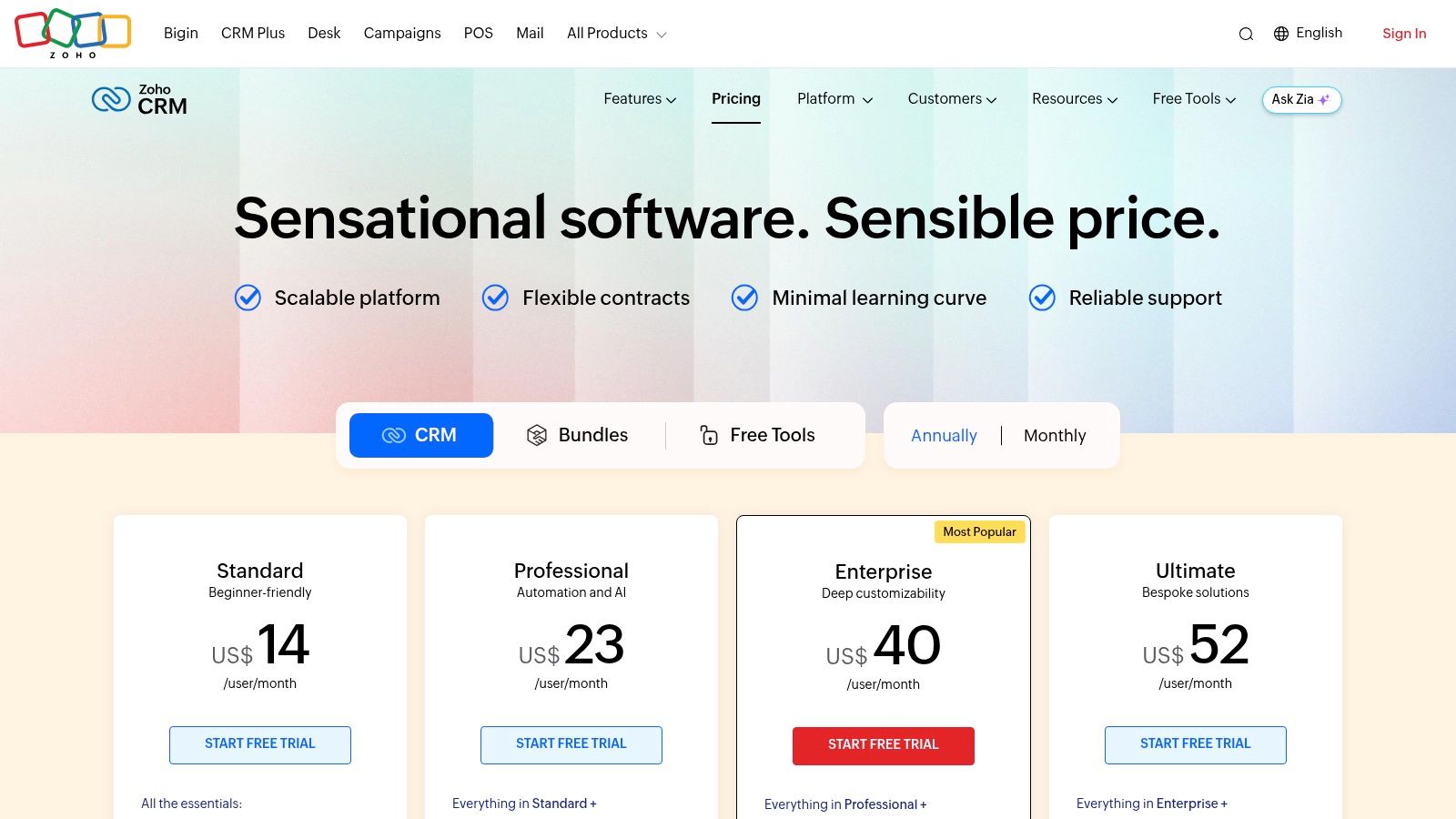
Zoho CRM Free is a better fit for firms that want a more traditional CRM structure from the start. Leads, contacts, deals, and tasks are laid out in a way that feels familiar if you've used older business systems, and that can be a plus for teams that don't want a lot of abstraction.
The free edition is also one of the more usable options for a micro-team. Market data in the verified material notes Zoho CRM Free at 21% mid-market adoption, with unlimited users, 5,000 records, workflow automation through drag-and-drop builders, and multichannel support in that comparison context via Fortune Business Insights coverage. Even if your exact experience depends on the current plan terms, Zoho's reputation is still tied to giving small teams a lot before they pay.
Zoho works well when you already expect to standardize process. If you want lead intake fields, service categories, task ownership, and custom layouts early, Zoho makes more sense than lighter CRMs. That's why it often comes up when firms look for the best CRM for accounting firms.
A small bookkeeping or tax office can also benefit if it expects to add other Zoho products later. The suite strategy is real. If you want one vendor for CRM now and adjacent business apps later, Zoho has a practical advantage.
Zoho isn't the easiest place to start if your staff is allergic to software complexity. The interface can feel dense. New users often need more setup discipline than they do in HubSpot or Capsule.
For legal and accounting firms, that's the hidden cost. Not money. Attention. If nobody owns the CRM and cleans the data, Zoho can turn into a well-organized junk drawer.

Bigin exists for teams that look at full CRM suites and think, "This is more system than I need." That's a fair reaction. A lot of small firms don't need broad automation on day one. They need a clean pipeline, contact tracking, and a clear next action.
That's where Bigin is useful. It stays focused on pipeline flow. If your practice is managing consultation requests, proposal follow-ups, engagement acceptance, or simple onboarding stages, Bigin is easy to understand fast.
The visual pipeline is the main reason to use it. Staff can see where each client or prospect sits without digging through multiple modules. That keeps intake and follow-up disciplined. For a solo attorney, consultant, or small tax office, that simplicity is often worth more than a longer feature list.
It also gives you a comfortable starting point inside the broader Zoho ecosystem. If you eventually need a more complex CRM, you're not starting from zero.
Start with Bigin if your process is mostly "new lead, consultation, proposal, won, active." Skip it if you already know you'll need layered workflows and custom reporting.
The free plan is limited, and Bigin is easier to outgrow than full Zoho CRM. Once you want deeper automation, richer analytics, or wider team coordination, you'll feel the ceiling.
That's the pattern with lighter CRMs. They're excellent when your sales or intake motion is simple. They become frustrating when your client lifecycle has too many branches. Tax resolution practices, estate law teams, and firms with multiple service lines often hit that point sooner than they expect.

Freshsales is one of the cleaner sales-first CRMs in this list. It has a modern interface, visual pipelines, and built-in communication tools that make it attractive for small teams that want contacts and deals in one place without much friction.
If your intake process includes a lot of calls and email, Freshsales can feel efficient from the start. The system is built around moving conversations forward, not just storing names in a database.
The onboarding is straightforward, and the free plan is a reasonable test bed for a very small team. If you're replacing scattered inbox activity with a proper pipeline, Freshsales gets you there quickly.
It also fits firms that want to centralize access through hosted desktops or cloud environments rather than leave business activity spread across local machines. That's one reason this type of tool pairs well with small business cloud solutions.
Freshsales gets narrower as your needs become operational rather than just sales-focused. For accounting and legal firms, that matters. Client management isn't only about closing work. It's also about service follow-through, document coordination, and a reliable record after the engagement begins.
So Freshsales works best when your priority is pipeline control, lead handling, and basic communication tracking. It works less well when you need broad practice support around the CRM.

A firm starts with Bitrix24 because the free plan looks generous. A month later, staff are using only a fraction of it, client files are piling up, and someone is asking why a simple follow-up task now lives inside a much larger workspace. That is Bitrix24's primary trade-off.
Bitrix24 combines CRM, tasks, chat, calendars, forms, and team collaboration in one platform. For the right office, that reduces app sprawl. For tax, accounting, and legal teams, it can also create extra administrative overhead if the goal is straightforward client management rather than an all-in-one internal workspace.
Bitrix24 makes the most sense for firms that want client records and internal coordination tied together. A small law office managing intake, staff assignments, and internal communication in one system may get real value from that setup. The same applies to accounting firms that want tasks attached to client records instead of split across separate apps.
That kind of consolidation works better when access is controlled centrally, especially for firms with remote staff or sensitive client data. The broader case is the same one behind the security and access benefits of cloud computing for small business. In practice, I would go one step further and host tools like this in a managed cloud environment such as Cloudvara so client data, user access, and device policies are easier to control.
The free plan has appeal, but the limits show up fast in professional services. Storage is the first pressure point. That matters more in legal and accounting work than it does in a simple sales pipeline because teams tend to accumulate engagement notes, scanned documents, and client correspondence quickly.
Complexity is the second issue.
Bitrix24 has a crowded interface, and that learning curve is real. Staff need training on what to use, what to ignore, and where the firm wants key actions documented. If you do not set those rules early, the system becomes messy fast.
For tax and accounting firms, I would consider Bitrix24 only if the team will actively use the tasking and collaboration side. For legal firms, I would be even more selective. It can support intake and internal coordination, but it is not a substitute for a purpose-built practice management platform.
More features can help. They can also create one more system your staff has to police every day.

EngageBay is a sensible choice when you don't want separate products for CRM, email, live chat, and basic service tools. It aims at small businesses that want one login and one database for sales and support activity.
That all-in-one setup is useful for service firms. A bookkeeping practice, compliance consultant, or legal intake team can keep lead tracking and client communication closer together than they could in a pure CRM.
EngageBay is practical for firms starting from zero. You can stand up a simple client management process without building a stack of disconnected apps. That matters if your current setup is spreadsheets plus inbox folders plus sticky-note reminders.
It also supports the broader case for benefits of cloud computing for small business because consolidation usually reduces app sprawl and makes remote access easier to manage.
The biggest issue is not whether EngageBay works. It does. The issue is how fast you hit plan limits if your contact list or communication volume grows. Once that happens, the "all in one" value can flip into a forced upgrade conversation.
For tax and legal professionals, I also wouldn't treat EngageBay as a compliance answer. It's a useful operating tool, not a substitute for a well-controlled hosting and security setup.

Flowlu is one of the more practical hybrid tools in this group because it doesn't stop at CRM. It also leans into projects, tasks, and invoicing. That makes it interesting for firms that do billable work and want the handoff from signed client to active job to feel tighter.
For consultants, agencies, and very small service firms, that combination can be more useful than a classic sales CRM. You don't just need to win the client. You need to manage the work after the deal closes.
The appeal is straightforward. You can track a prospect, convert them into active work, and manage tasks and simple financial activity without changing systems constantly. That's a real advantage when your team is small.
For accountants and lawyers, though, the value depends on how lightweight your operations are. If your post-sale workflow is simple, Flowlu can cover enough ground. If your firm has specialized engagement workflows, matter management requirements, or document-heavy processes, it may feel too general.
Flowlu's problem isn't usability. It's capacity. Free-tier limits make it more of a starter option than a long-term home for a growing practice.
That means it's best for freelancers, solo professionals, and firms validating process. It is not where I'd park a maturing tax or legal team that expects a growing client base and stricter internal controls.

A solo CPA gets tired of chasing client details across email, a spreadsheet, and a calendar. A small law office has the same problem with intake follow-ups and referral notes. Capsule works well in that stage because it gives you a clean place to track people, tasks, and deal progress without asking your team to learn a complicated system.
That is Capsule's main strength. It stays narrow.
For firms that want basic client management and nothing more, Capsule is easy to adopt. Contacts are readable, activity history is clear, and task management is simple enough that staff will usually use it consistently. That matters more than feature volume in a small practice.
Tax, accounting, and legal professionals can get value from that simplicity early on. If your process is mostly intake, follow-up, and status tracking, Capsule covers the basics with less overhead than larger CRM platforms.
The free plan is where the trade-off becomes obvious. As noted earlier, Capsule's free tier has a low contact cap, and that limit arrives quickly for firms with recurring clients, multiple matters per client, or a growing referral network.
That makes Capsule a starter system, not a long-term answer for many regulated practices.
A tax preparer with a seasonal client list can hit the ceiling faster than expected. A small accounting firm may also run into limits once it starts tracking prospects, current clients, former clients, and referral partners in one place. Legal teams face the same issue if they need to separate contacts by matter, organization, and opposing party.
Capsule keeps things tidy, but it does not give growing firms much room for stricter controls, deeper workflow structure, or broader operational management. If your firm needs tighter access rules, document-heavy processes, or a better way to keep client data available across locations, you will outgrow it.
That is where setup decisions matter. Some firms keep Capsule as the front-end CRM and centralize access through a cloud host such as Cloudvara so staff can reach the system securely from the office, home, or court, while keeping the wider client management stack under tighter control. That does not remove Capsule's free-plan limits, but it can make a lightweight tool easier to use in a professional environment.
If you want low friction and a short learning curve, Capsule is a solid free app for client management. If you run a growing tax, accounting, or legal practice, treat the free plan as a temporary stop while you define what your firm will need next.
A firm usually looks at Salesforce after a familiar problem shows up. Contacts are spread across inboxes, spreadsheets, billing software, and staff notebooks, and the partners want a system they will not have to replace in a year.
Salesforce earns attention for that reason. The platform has depth, a large app ecosystem, and room for stricter process control as a practice grows. For tax, accounting, and legal firms, that long-term ceiling is its main appeal.
The free tier is the part that needs a sober look.
Salesforce makes the most sense for firms that already expect complexity. That could mean multiple service lines, stricter intake steps, approval processes, segmented client records, or future reporting requirements across teams. If leadership already knows the practice will need a larger CRM framework, starting in the Salesforce orbit can be a reasonable decision.
I would still separate that from "good free app for client management" in the everyday small-firm sense. Salesforce is often a platform bet first and a simple starter CRM second.
Small firms can hit practical limits before they get much value from the brand name alone. A tax practice may need cleaner separation between leads, annual filers, business clients, and dormant accounts. An accounting firm may need better handoffs between admin staff, bookkeepers, and advisors. A legal office may need matter-specific notes, tighter permissions, and clearer distinctions between clients, contacts, and related parties.
Those needs push firms toward configuration work quickly. That is where Salesforce becomes expensive in time, setup effort, or later subscription costs.
The trade-off is straightforward. Salesforce gives you more room to grow than lighter free tools, but it usually asks for more planning earlier. If your team wants something staff can start using this week with minimal training, this will feel heavier than Bigin, Capsule, or Freshsales.
Salesforce fits firms that are planning for scale and are willing to accept a steeper setup curve now to avoid a migration later. It is less attractive for a small office that mainly needs cleaner contact records, follow-up reminders, and a shared client view.
For regulated firms, access also matters as much as features. Some teams keep Salesforce or a broader CRM stack centralized through a cloud host such as Cloudvara so staff can work securely from the office, home, or client sites while keeping data access under tighter control. That approach improves availability and security hygiene, but it does not change the limits of a free tier or remove the need for careful configuration.
Salesforce can be a smart starting point if your firm is already thinking like a larger organization. If not, the free option often serves better as a test environment than a true long-term free system.
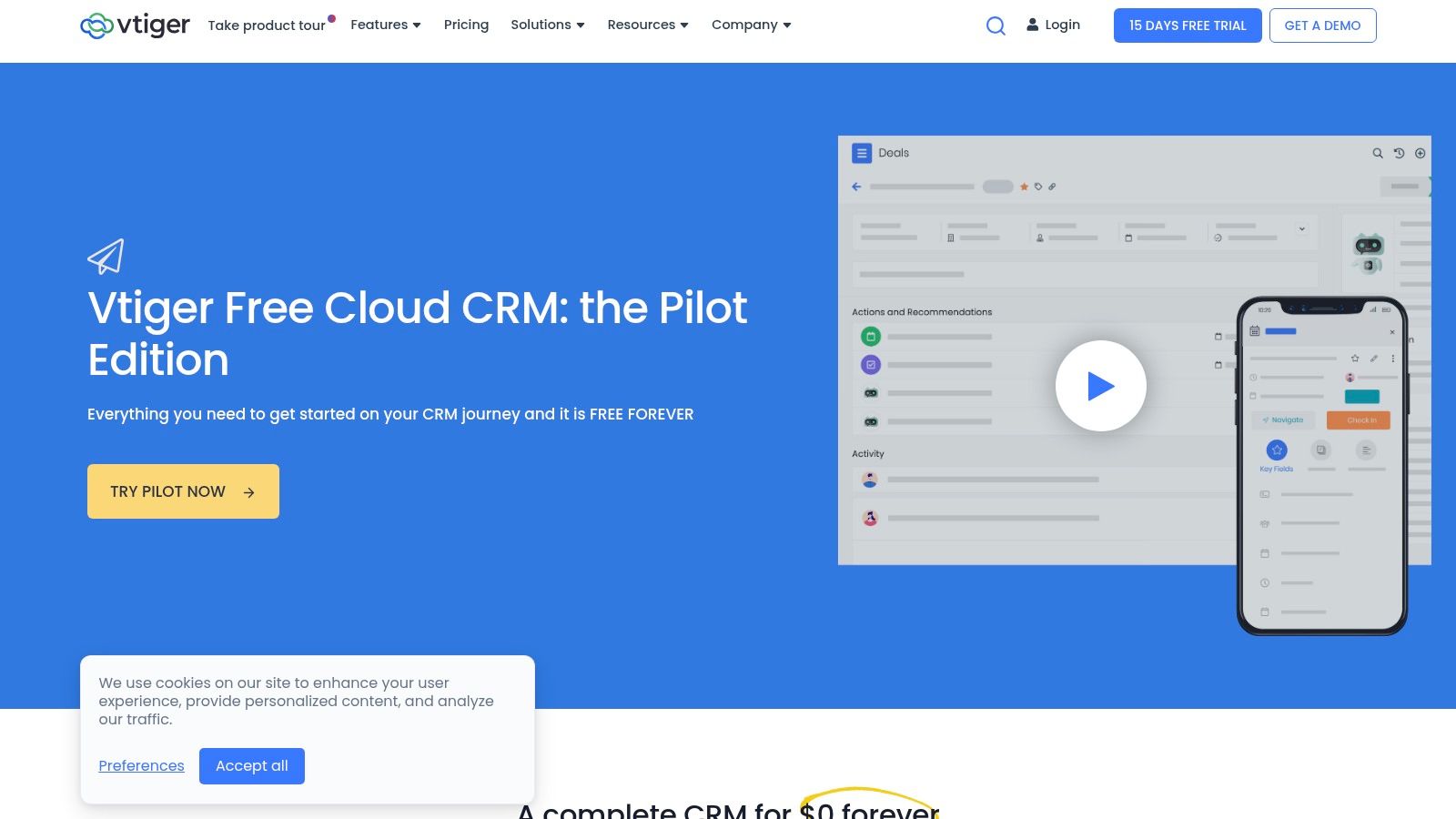
Vtiger is the most interesting option here if you want flexibility in how you deploy. You can start with the free Pilot cloud edition, or you can look at its open-source roots and think more seriously about self-hosting and customization.
That matters for firms that want more control. Vtiger was noted in 2025 evaluations as the top free option among seven best client management tools, with a free plan that supports unlimited users in basic configurations, according to Zapier's client management app review. That makes it stand out from free plans that gate access by seat count immediately.
Vtiger covers more ground than many light CRMs. It combines sales, support, marketing, project management, and client management in one platform. For a small firm trying to avoid tool sprawl, that's a real advantage.
Its open-source history also gives it a different profile from more tightly controlled SaaS products. If you have the IT capability, or a cloud host that can support the environment, you have more room to shape the system around your workflows.
Free Vtiger is still a starter environment. Once you need stronger automation, deeper analytics, or more operational polish, you'll feel the edges. And the open-source route isn't free in practical terms. It costs time, maintenance, and technical ownership.
A self-hosted path only makes sense if someone is accountable for uptime, updates, access control, and backups.
For tax, accounting, and legal firms, hosted infrastructure becomes relevant. If you want centralized access, stronger operational control, and business continuity without leaving staff to manage local machines, Cloudvara's hosted model fits the way firms often use CRM alongside other business applications.
| Product | Key features | UX & limits | Best for | Value / USP | Free tier & upgrade |
|---|---|---|---|---|---|
| HubSpot CRM (Free) | Contacts, deals, email tracking, live chat, meeting scheduler, lead capture | Modern UI, fast setup; advanced automations/reporting require paid hubs | Solo users & small teams planning to scale | Large integration marketplace; smooth upgrade path to Sales/Marketing/Service Hubs | Free CRM; paid hubs add automation/reporting (pricing scales with add-ons) |
| Zoho CRM – Free Edition | Leads/contacts/deals, dashboards, mobile apps, Zoho integrations | Mature feature set but denser UI; free supports up to 3 users | Micro-teams wanting suite expansion (Books, Campaigns) | Deep product family and cross-app integrations | Free for up to 3 users; paid tiers unlock automation and customization |
| Bigin by Zoho CRM (Free) | Kanban pipelines, contacts/companies, activities, email integration | Extremely simple and fast to set up; free limited to single user | Solo users & tiny sales teams who need a lightweight pipeline | Pipeline-centric, lightweight CRM with easy onboarding | Free single-user plan; upgrade for multi-user, automations, reporting |
| Freshsales (Freshworks CRM) – Free | Visual pipelines, in-app phone and email, basic AI tools (paid) | Clean UI and straightforward onboarding; free supports up to 3 users, tighter data caps | Small sales teams needing built-in telephony | Built-in telephony and simple path to richer automation | Free starter plan; paid tiers add multichannel engagement and automations |
| Bitrix24 – Free plan | CRM with leads/deals, tasks/projects, chat, website/forms, contact center | Very broad feature set but busy interface; free cloud plan has basic limits | Teams wanting CRM + collaboration without stitching tools | Work OS combining CRM, project management, and internal comms | Free cloud plan; paid tiers increase limits, automation, storage |
| EngageBay – Free CRM & Marketing/Service | CRM, email marketing, landing pages, live chat, help desk | Generous hub bundle in free tier; UI/reporting less advanced than big suites | Small agencies and service firms needing CRM + marketing/tools | Multi-hub free offering; low-cost upgrade path | Free multi-hub plan; paid plans scale contacts, automations, analytics |
| Flowlu – Free | CRM pipeline, invoicing/estimates, projects, Kanban tasking | Simple to use for freelancers; free limits (e.g., 2 users, ~100 contacts) | Freelancers and tiny teams needing invoicing + CRM | Combines CRM with invoicing and project management | Free with user/contact limits; paid plans add pipelines, reporting |
| Capsule CRM – Free Forever plan | Contacts/companies, activity timeline, one sales pipeline, add-ins | Clean, approachable UI; free: 2 users, 250 contacts, 1 pipeline | Small teams wanting simple CRM and common integrations | Low-friction, genuinely free-forever option for light use | Free forever for light usage; paid tiers add users, pipelines, automation |
| Salesforce – Free CRM Suite | Core contacts/leads/opps, basic service tickets, starter marketing tools | Trusted enterprise platform but free tier is basic and can feel heavy | Teams that want enterprise-grade platform and AppExchange ecosystem | Strong security/governance and massive ecosystem | Free starter suite; paid clouds and AppExchange add enterprise features |
| Vtiger – Free “Pilot” Cloud Edition | Contacts/organizations/deals, tasks, calendar; open-source option | Pilot plan is limited; open-source requires IT to self-host | Micro-teams testing CRM or orgs wanting customization/self-hosting | Forever-free cloud pilot plus open-source customization path | Free Pilot cloud and open-source edition; paid cloud tiers for automation/analytics |
Monday at 8:15 a.m. is when weak client management shows up. A tax client calls about an extension, the paralegal has the latest notes, the accountant has the prior-year documents, and the deadline sits in one person’s Outlook calendar. A free app for client management can clean up that mess fast by putting contacts, activity history, tasks, and follow-up in one system.
The harder part starts after setup.
Free plans look generous until a professional firm puts real client work inside them. HubSpot is usually the safest broad pick, but many firms hit limits once they want deeper automation or cleaner reporting. Zoho CRM gives accounting and legal teams more structure, though the interface asks for more training. Bigin is easier to adopt, but it is best for straightforward pipelines, not firms with layered workflows or intake rules. Freshsales works well for teams that spend a lot of time in calls and email, while Bitrix24 often tries to do too much at once and can slow user adoption. EngageBay, Flowlu, Capsule, Salesforce, and Vtiger each have a place, but every one of them has a ceiling that shows up sooner in regulated firms than in general small business use.
For tax, accounting, and legal practices, that ceiling is usually obvious. User caps become a problem during busy season. Contact limits show up once years of client records accumulate. Storage becomes an issue when teams attach engagement letters, source documents, tax organizers, matter notes, or correspondence. The free edition may still work for lead tracking, but it often stops working well for active client delivery.
Security and control are the next pressure points. Many free tiers are light on granular permissions, audit trails, retention controls, and workflow enforcement. Those gaps may be acceptable for a solo practitioner testing a process. They are harder to justify once multiple staff members touch client records and firms need consistent handling of sensitive information.
Software choice is only part of the decision. Many firms need more than a browser-based CRM. They need CRM, tax software, accounting applications, document management, and Microsoft 365 tools available in one controlled environment with remote access and consistent security policies. Cloud hosting solves that operational problem better than a patchwork of office PCs, remote desktop workarounds, and local file copies.
Cloudvara is built for that model. It gives firms a centralized environment with backups, two-factor authentication, managed uptime, and access to the applications staff use together. That matters more than another free CRM feature once client work depends on reliable access and tighter control.
The practical move is simple. Choose the free app that fixes today’s contact and follow-up problems with the least friction, then decide early where its limits will force a change. A solo tax preparer can tolerate tighter caps longer than a growing CPA firm. A small law office may accept a lighter CRM if hosting, permissions, and document access are handled properly around it. Free software is a solid starting point. It is rarely the full operating setup for a firm that plans to grow and protect sensitive client data.




