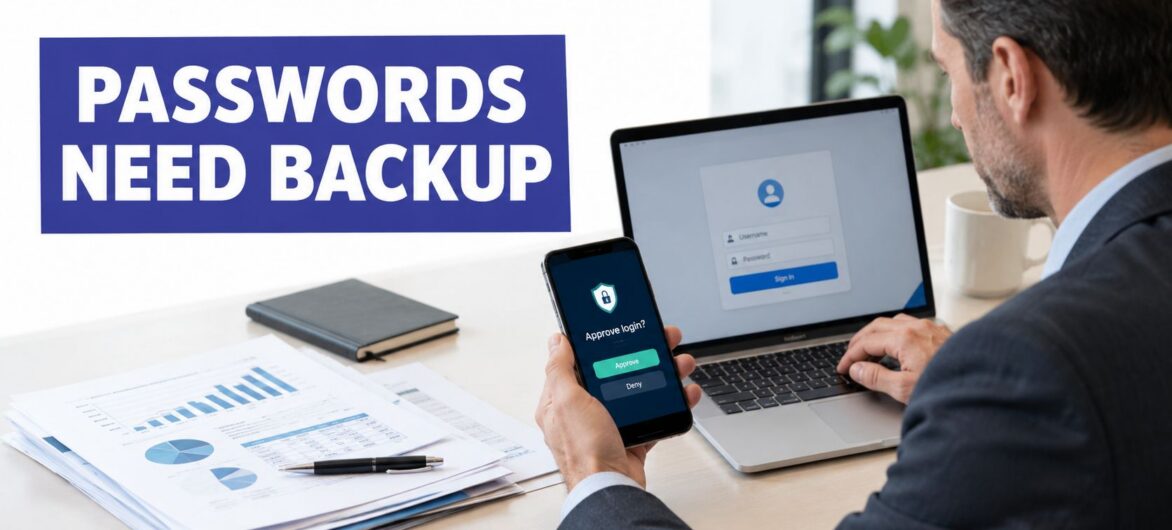
You're signing in from home to finish a tax return, review a client agreement, or approve a nonprofit's expenses. The password works, and your files open. What you can't see is whether someone else already has that same password.
That's why two factor authentication is important for business. It changes the conditions for access, so knowing a password isn't enough. But useful protection requires more than switching on a setting. Your team also needs an appropriate authentication method, a reliable recovery process, and clear responsibility for keeping access secure.
Consider a hypothetical accountant who uses the same password for a business account and an unrelated online service. After the unrelated service suffers a breach, an attacker tries the exposed credentials against the accountant's work login.
The employee hasn't necessarily done anything unusual that morning. They might be working remotely, opening financial statements, and answering client messages while the attacker attempts to enter through the same digital doorway.
This is the problem a password-breach alert represents.

The business risk depends on what the account can reach. A basic user account and an administrator identity shouldn't have equivalent permissions, yet either deserves protection when confidential information is involved.
For a professional organization, consider these possible destinations:
These are illustrative access paths, not descriptions of a documented breach. Their purpose is to help you identify what an exposed identity could put at risk in your own environment.
Start with password-management best practices, particularly unique passwords and a password manager. Those habits reduce avoidable exposure, but they don't justify relying exclusively on a password.
The central business question is simple: If someone obtains this credential, what else must they prove before entering? Without another independent requirement, the password may be the only barrier between an outsider and sensitive work.
Think of a password as a key. If someone copies it, they can operate the same lock you can. Two-factor authentication, or 2FA, adds a second lock that requires different evidence.
The distinction matters. Typing a password twice doesn't create another factor, and answering another knowledge-based question doesn't necessarily provide independent protection. The service needs evidence from different authentication categories, rather than repeated versions of the same secret.
A password-plus-authenticator login generally follows this sequence:
The visual below shows the key-and-second-lock model.

The FTC's guidance on protecting personal information explains that a stolen password alone can't complete a login protected by 2FA. It also identifies authenticator apps and security keys as more secure options than text messages.
Multifactor authentication, or MFA, is the broader term for authentication using multiple factors. Two-factor authentication is a form of MFA, so business products frequently discuss the same practical protection using either label.
A passkey may work differently from the familiar password-followed-by-code sequence. Don't judge a system solely by how many screens appear. Ask which factors it verifies and how it protects the authentication process.
Practical rule: An extra prompt isn't automatically an extra factor.
For employees, the useful habit is straightforward: complete authentication only when you initiated the login. An unexpected approval request is something to investigate, not a routine interruption to dismiss.
The strongest reason to adopt MFA is the measured difference between password-only access and access protected by an additional factor. However, the findings need to be read with their scope intact.
In a study of commercial accounts, more than 99.99% of MFA-enabled accounts remained secure during the investigation period. Across the examined population, MFA reduced compromise risk by 99.22%, including a 98.56% reduction among accounts with known leaked credentials, according to Microsoft's account-compromise research.
The illustration summarizes the study's account-security finding.

These findings describe observed accounts during an investigation. They aren't a promise that your organization will never experience compromise, nor should the relative risk reduction be interpreted as a guaranteed outcome for every deployment.
The leaked-credential result is especially relevant to business decisions. It addresses the situation security teams must plan for: a password has already escaped their control. MFA still substantially reduced the likelihood that the exposed credential would become a successful account takeover.
The pressure on passwords is also measurable. Verizon's 2025 Data Breach Investigations Report executive summary identifies compromised credentials as an initial access vector in 22% of analyzed breaches and reports credential stuffing at a median 19% of daily authentication attempts, reaching 44% on the highest observed day.
Credential stuffing means attackers automatically test exposed username-and-password combinations against other services. The additional authentication requirement interrupts that process because a password list doesn't normally contain the separate evidence needed to finish signing in.
The research supports a clear decision: require MFA rather than leaving it optional. Then connect authentication to identity and access management, so verified users receive appropriate permissions instead of unrestricted access.
Keep the limits explicit:
For another explanation of the authentication concept, consider this video.
The practical conclusion isn't that password exposure becomes harmless. It's that businesses can make it much less likely to become unauthorized entry.
Not all second factors provide equal protection. A method that asks employees to type a code into a website behaves differently from a cryptographic authenticator designed to recognize the legitimate service.
NIST's authentication guidance identifies FIDO2/WebAuthn security keys and platform passkeys as phishing-resistant approaches. It also explains that shared-secret MFA can remain vulnerable to phishing and that SMS or telephone-network authentication can be attacked.
| Second factor | Phishing resistance | Important limitation | Best practical use |
|---|---|---|---|
| SMS or email code | Not phishing-resistant | Codes can be captured or relayed; delivery-channel security matters | A constrained fallback when stronger supported methods aren't available |
| Authenticator-app one-time password | Not phishing-resistant | A user can enter the code into a fake login page | Practical fallback for applications without phishing-resistant support |
| Push approval | Not inherently phishing-resistant | Users can approve an attacker's request through confusion or deception | Supported environments with clear approval training |
| FIDO2 security key | Phishing-resistant when correctly implemented | Requires enrollment, availability, and replacement planning | Administrators and other high-risk users |
| Platform passkey | Phishing-resistant when correctly implemented | Device access and recovery need planning | Staff using compatible business applications |
An authenticator app is a delivery mechanism, not a blanket security rating. An app that displays a reusable-in-the-moment code shouldn't be assumed to provide the same phishing resistance as a properly implemented passkey.
For administrators, finance personnel, and staff with broad access to confidential records, prefer passkeys or FIDO2 security keys where the application supports them. Keep authenticator-app codes as a deliberate fallback where necessary, rather than making SMS the default for everyone.
The cryptographic distinction is important. A phishing-resistant authenticator responds to a service-specific challenge, with origin checking that prevents a fake site from successfully reusing the credential at another domain. Employees don't have to recognize every convincing imitation for that protection to matter.
Choose authentication based on the damage an account could enable, not just the easiest enrollment screen.
Keep adjacent access decisions separate. When reviewing passwordless network access, Purple's secure wifi access is a relevant resource to evaluate alongside your network requirements, but don't assume a Wi-Fi access design protects your accounting or document-system identities.
Before selecting a method, ask your provider about supported authenticators, enforcement, fallback enrollment, and replacement procedures. A stronger method is most useful when your organization can operate it consistently.
For a managing partner or nonprofit director, authentication is a business-control decision. The objective is to protect access to client information while allowing authorized staff to work reliably.
Microsoft reports that more than 99.9% of compromised accounts lacked MFA and that MFA blocks 99% of unauthorized access attempts, according to its multifactor authentication overview. Treat the blocking figure as an operational benchmark, not a guarantee against token theft, malicious consent, SIM swapping, social engineering, or weak recovery.
An employee working from home still needs access to email, financial applications, and shared documents. Require appropriate verification for sensitive access rather than assuming that a familiar username, device, or working pattern proves who is signing in.
Combine that requirement with user access controls. An attorney reviewing matter documents shouldn't automatically receive administrative privileges, and a nonprofit volunteer shouldn't inherit the same access as the finance director.
The business outcomes to pursue are practical:
Enabling 2FA doesn't automatically make an organization compliant. Applicability depends on the organization, the information involved, and the obligations governing its work.
Ask the person responsible for compliance to identify the relevant requirements and evidence. Useful documentation may include the systems covered, accepted authentication methods, enforcement settings, exceptions, and review responsibilities.
That produces a more defensible position than a screenshot showing an enabled checkbox. It also gives clients and leadership a concrete explanation of how the organization manages access, without suggesting that authentication replaces the rest of its security program.
The following scenarios are hypothetical. They illustrate how the credential attacks described in Verizon's findings could intersect with everyday professional work, not documented incidents involving particular firms.
An attacker tests an exposed password against a staff member's cloud accounting account. The credentials match, but the service requires the employee's enrolled authenticator before granting access.
The immediate recommendation is to confirm enforcement for every relevant user, not merely check whether the application offers MFA. A willing employee's enrollment won't protect a different account that still accepts password-only access.
An attorney follows a fraudulent document-sharing message and enters a password and authenticator code into an imitation login page. The attacker attempts to relay those details to the actual service.
Factor selection matters. The phishing-resistant methods discussed earlier are designed to address this kind of impersonation, while a typed code can still be surrendered.
For the firm's technology lead, the practical task is to identify which identities can open confidential matter files or administer document permissions. Those accounts deserve priority when upgrading authentication.
Someone claiming to be a former employee contacts support and asks to move authentication to a replacement phone. Their explanation sounds urgent because a donor-related deadline is approaching.
The important decision happens outside the normal login screen. Support staff need a documented way to verify identity and obtain independent approval rather than accepting urgency as evidence.
Across these examples, the useful exercise is to trace the attacker's next available route. Don't stop at the initial prompt. Examine alternative sign-ins, factor replacement, and the people authorized to make exceptions.
A secure rollout should answer two questions: how will staff authenticate, and how will verified staff regain access when their normal method is unavailable? Assign an owner for both before changing enforcement.
Use this checklist to organize the project.

Review how to secure remote access alongside the application inventory. A protected application login shouldn't distract you from an unreviewed remote-access route.
The account-protection guidance published by News4JAX reinforces the need to secure sensitive accounts. Operationally, treat factor resets as security decisions: verify identity, require independent approval, store recovery codes offline under controlled access, and remove former users promptly.
Recovery standard: Restore access to a verified person, not merely to someone who can tell a convincing story.
Document what happens during a lost-phone incident, device replacement, travel disruption, or administrator absence. Don't distribute shared backup codes as a shortcut, and don't solve an individual lockout by disabling protection for everyone.
Run a pilot that includes enrollment, normal sign-in, a denied request, and recovery. Have staff explain the process back in their own words so you can identify confusing instructions.
Keep unique passwords, password-manager use, endpoint protection, rate limiting, impossible-travel detection, and session-risk monitoring in the broader plan. MFA complements these controls rather than replacing them.
Finally, test how you would pause an unsuccessful rollout without leaving sensitive systems broadly accessible. Record who can authorize that decision, how temporary exceptions expire, and how enforcement will be restored.
The business case for 2FA isn't that it makes compromise impossible. It's that organizations shouldn't let possession of a password settle every access decision.
The research supports using an additional authentication requirement, while the operational details determine whether your team can depend on it. Factor strength, consistent enforcement, and controlled recovery belong in the same decision, not in separate projects with different owners.
Choose a high-risk system your organization depends on, such as business email, hosted accounting software, or remote desktop access. Ask its owner to verify the actual settings rather than relying on memory or the product's feature list.
Request clear answers:
Connect those answers to your data breach response plan. Staff should know whom to contact when authentication looks suspicious, and responders should know who can restrict access.
Don't postpone useful protection while waiting for every application to support your preferred method. Address the most consequential gaps, document limitations, and improve them deliberately.
At the same time, don't confuse successful enrollment with completed work. Revisit authentication when applications, responsibilities, or devices change. Business resilience requires secure access that remains usable under ordinary disruption, including staff turnover and lost devices, not just under ideal conditions.
Cloudvara offers application cloud hosting with remote desktop access and two-factor authentication for business environments. Visit Cloudvara to discuss how your accounting, legal, or nonprofit applications can be hosted with authentication and access arrangements suited to your team's work.




