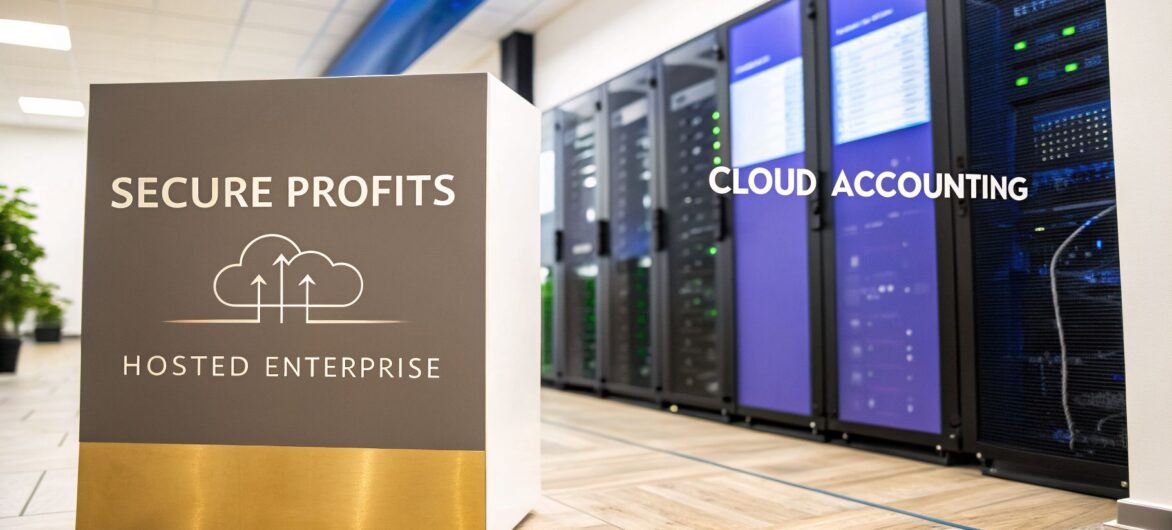
Hosted QuickBooks Enterprise gives you the full, robust power of the QuickBooks Desktop software you already know, but without being chained to a specific office computer. It lets your team access the familiar, feature-rich Enterprise interface from any device with an internet connection, blending desktop-level muscle with cloud-like freedom.

Think about your company’s entire financial world—all the critical reports, transaction histories, and inventory data. Now, imagine taking all of that and moving it into a high-security, climate-controlled digital vault that your team can instantly access from anywhere. That’s the core idea behind hosted QuickBooks Enterprise.
“Hosting” simply means we take the QuickBooks Enterprise software you own and install it on a powerful, secure server in a professional data center. Instead of living on one computer in your office, your software lives in the cloud. Your team logs in through a secure portal, and the familiar QuickBooks desktop appears on their screen, running just as smoothly as if it were installed locally.
This approach directly solves a huge challenge for growing businesses: the limits of traditional, on-premise software. It perfectly bridges the gap between the heavy-duty features of the desktop version and the “work from anywhere” convenience of modern cloud tools.
Before we get into the nuts and bolts of hosting, it helps to understand the software itself. For many companies, the search for the best accounting software for small business often leads right to QuickBooks. Understanding your options is the first step to finding the perfect fit.
The table below breaks down the three main ways you can use QuickBooks.
This table offers a quick look at the differences between running QuickBooks on your own computer, using a hosted version, and using the browser-based QuickBooks Online.
| Feature | On-Premise Enterprise | Hosted QuickBooks Enterprise | QuickBooks Online Advanced |
|---|---|---|---|
| Location | Installed on your local office server/computer. | Installed on a secure, remote cloud server. | Runs entirely in a web browser. |
| Accessibility | Limited to the physical location of the server. | Access from any device with an internet connection. | Access from any device with an internet connection. |
| Software Version | The full-featured, powerful desktop software. | The full-featured, powerful desktop software. | A separate, cloud-native version with different features. |
| IT Management | Your team is responsible for server maintenance, backups, and security. | The hosting provider manages all IT infrastructure, security, and backups. | Intuit manages all backend infrastructure. |
Each model serves a different need, but hosting is unique because it combines the best of both worlds without the usual trade-offs.
The real appeal of hosted QuickBooks Enterprise is that it ends the compromises businesses often have to make. You no longer have to sacrifice the advanced reporting, industry-specific tools, or complex inventory management that QuickBooks Enterprise is famous for just to get remote access.
This hybrid approach has become incredibly popular with accounting pros. In fact, 91% of QuickBooks Desktop Enterprise customers say the platform helps them get work done faster, and 94% agree that cloud hosting gives them the best mix of desktop power and online flexibility.
In short, you get the muscle of the desktop application with the freedom of the cloud. This allows for seamless collaboration between team members, whether they’re in different offices, working from home, or on the road. You can learn more about how to host QuickBooks in the cloud and see the specific benefits it can bring to your business.

Top accounting and law firms are increasingly moving their operations to a hosted QuickBooks Enterprise environment, and the reasons go far beyond simple convenience. This move directly addresses the critical operational bottlenecks that can stunt a firm’s growth and torpedo efficiency. It’s about completely rethinking how a firm works, collaborates, and protects its most valuable asset—its data.
This decision reflects a strategic pivot toward greater agility and stronger security. It’s not just about getting new tech; it’s about building a more resilient, future-ready business model. Ultimately, this shift empowers firms to serve clients better, boost team productivity, and sharpen their competitive edge.
To really get a feel for the advantages of a hosted solution, it helps to see the bigger picture of cloud migration. This practical guide to cloud adoption provides excellent context for making such an important business decision.
One of the biggest headaches with an on-premise setup is the friction it creates for teams. When several accountants need to dive into the same company file, a local network can quickly get bogged down, leading to errors and sluggish performance. It often forces teams into a frustrating "one at a time" workflow, which is a massive productivity killer.
A hosted QuickBooks Enterprise solution shatters this barrier. It allows up to 40 users to work in the same company file at the same time, without the lag or data conflicts that plague traditional setups. It's like having a shared digital conference room where everyone has real-time access to the same reports and financials, no matter where they are.
Imagine your entire tax team working on different sections of a complex corporate return simultaneously, from multiple locations, all inside one live company file. That’s the power a hosted environment delivers, turning a logistical nightmare into a smooth, collaborative process.
The modern workplace isn't confined to a single building anymore. A hosted solution turns the "work from anywhere" idea into a practical reality for your entire team. This isn’t just about checking a few emails; it’s about giving your staff full, secure access to the powerful desktop version of QuickBooks Enterprise from any location.
This flexibility unlocks a ton of powerful real-world scenarios:
This level of access ensures your firm’s productivity is never chained to its physical location.
Does your office network grind to a halt during month-end closing or tax season? That happens because your local server is being pushed to its breaking point. A hosted QuickBooks Enterprise environment solves this by moving your software to high-performance, commercial-grade servers in a dedicated data center.
These servers are specifically tuned to run demanding applications like QuickBooks. That means you get a major performance boost, eliminating slowdowns and ensuring your software stays snappy even when multiple users are running complex reports. The result is less frustration for your team and more billable hours in the bank.
This is a key reason why hosting remains the go-to model for serious firms. While Intuit pushes cloud-native options, QuickBooks Enterprise still commands over 62.23% of the SMB accounting software market, whereas QuickBooks Online only captures 4.35%. These numbers show that for complex operations, firms trust the power of desktop software delivered through a reliable hosted environment. You can find more insights about these market share findings.
Handing over your company's financial data can feel like a big step. When that data is the lifeblood of your business, security isn’t just a feature—it's everything. A professional hosted QuickBooks Enterprise environment, however, is built with layers of digital and physical defenses that go far beyond what a typical office can manage on its own.
This isn't about just having a good password. It’s about building a complete security system where every piece works together to protect your information from every angle.
Think about your financial data moving between your computer and the cloud server. That's when it's most exposed. This is where end-to-end encryption steps in to protect it.
Encryption essentially scrambles your data into an unreadable code the second it leaves your device, and it only gets unscrambled when it arrives at the secure server. Even if a cybercriminal managed to intercept it, all they would get is a meaningless jumble of text.
But what about someone trying to steal your password and log in? That’s where Two-Factor Authentication (2FA) comes in. Think of your password as the first lock on a door; 2FA adds a second deadbolt. After entering your password, you have to provide a second piece of proof—usually a code sent to your phone—before you can get in. This one simple step blocks the overwhelming majority of attacks that rely on stolen credentials.
Security for a hosted QuickBooks Enterprise solution doesn't stop at the software. The data centers where your information is physically stored are modern fortresses, designed from the ground up to keep data safe.
These facilities use security measures that are just not practical for a single business to build themselves. These protections usually include:
This level of physical security means your data is far safer from theft, fires, or power failures than it would be on a server sitting in a back office or a supply closet.
When you handle sensitive financial or client information, you’re often required to meet strict industry regulations. A high-quality hosting provider doesn’t just give you security tools; they offer a compliant foundation that helps your firm meet its legal and ethical responsibilities.
This works on a "shared responsibility model." The provider is responsible for securing the core infrastructure—the servers, the network, and the physical building. Your firm is responsible for managing who has access to your data and how it's used. It’s a security partnership.
Some common compliance standards to look for are:
When you choose a provider that already meets these standards, you build your business on a secure and compliant base. It makes your own audits much simpler and gives you peace of mind, knowing your data infrastructure meets the highest industry benchmarks.
When you’re thinking about a new accounting setup, it’s easy to get fixated on the monthly fees. But that surface-level view hides the Total Cost of Ownership (TCO). To make a smart financial choice, you have to look past the sticker price and dig into the hidden expenses of running QuickBooks Enterprise in your office versus the predictable cost of a hosted environment.
An on-premise model essentially forces you to run your own mini IT department, juggling a ton of unpredictable and often rising costs. A hosted solution, on the other hand, rolls all those variables into one clear monthly fee. This gives you significant long-term savings and a much clearer return on your investment.
Running QuickBooks Enterprise on a server in your office might seem cheaper at first glance, but that initial hardware purchase is just the tip of the iceberg. The real cost is spread across several categories that are easy to forget.
It’s a lot like owning a car versus using a ride-sharing service. When you own the car, you don’t just pay for the vehicle. You also have to cover gas, insurance, surprise repairs, and routine maintenance. An on-premise server is no different.
Let’s break down the usual expenses:
These costs aren't just big; they’re also unpredictable. A sudden server crash can lead to expensive emergency repairs and downtime that brings your business to a screeching halt.
A hosted solution takes this chaotic mix of capital and operational expenses and turns it into one simple, transparent monthly fee. The hosting provider bundles all the IT infrastructure, security, and maintenance you need into a single per-user price.
This is where the "Bring Your Own License" (BYOL) model really shines. You keep ownership of your QuickBooks Enterprise license, and the hosting provider gives it a secure, high-performance home in the cloud. You only pay for the managed environment, not another software subscription.
This diagram shows the core security layers—Encryption, 2FA, and Compliance—that a quality hosting package includes, taking those costs and headaches right off your plate.

By bundling these enterprise-grade security features, a hosted solution delivers a level of protection that would be far too expensive for most small businesses to build and maintain on their own.
To really see the financial impact, let’s run the numbers. Here is a table comparing the estimated 3-Year Total Cost of Ownership (TCO) for a 5-User Firm.
| Cost Category | On-Premise Server | Hosted Solution (e.g., Cloudvara) |
|---|---|---|
| Initial Hardware & Setup | $4,500 | $0 |
| IT Consultant Fees | $3,600 | $0 (Included in hosting) |
| Security/Backup Software | $900 | $0 (Included in hosting) |
| Electricity Costs | $720 | $0 |
| Hosting Fees | $0 | $10,800 (at $60/user/month) |
| Total 3-Year TCO | $9,720 | $10,800 |
At first glance, the costs seem pretty close. But remember, the on-premise number doesn't factor in emergency repairs, the staff time wasted on IT issues, or the server replacement you'll need after year three. The hosted solution's cost is fixed, predictable, and includes 24/7 support. For a more granular breakdown, check out our in-depth cloud hosting cost comparison.
The performance improvements from moving to dedicated hosted QuickBooks Enterprise infrastructure are also substantial, with firms reporting approximately 35% speed gains. This efficiency boost translates directly into more productive, billable hours.
Hosting prices can vary, of course, giving you the flexibility to find a provider that fits your budget. You can learn more about how other firms report performance gains from cloud QuickBooks and see how different providers structure their pricing. In the end, a hosted environment gives you a level of financial predictability and operational peace of mind that an on-premise setup just can’t touch.
Moving to a hosted QuickBooks Enterprise environment isn't like flipping a switch. It’s a carefully planned mission. A smooth, organized transition minimizes disruption and ensures your team can hit the ground running from day one.
Think of it as a four-phase project, where each step builds on the last to guarantee a seamless launch. This playbook will guide you through the whole process, helping you avoid common pitfalls and manage your migration with confidence.
The journey to the cloud starts with a clear-eyed look at where your firm is now and where it needs to go. This is the foundation where you define what success looks like. Start by asking some critical questions: How many users need access? Which other applications have to be hosted alongside QuickBooks? What are your non-negotiable security requirements?
Once you have a detailed picture of your needs, you can start evaluating potential hosting providers. Look beyond the monthly price tag and dig into the factors that ensure your business stays up and running.
Key evaluation criteria should include:
With a provider chosen, it’s time to prepare your most valuable asset for the move: your QuickBooks company file. A little housekeeping at this stage prevents major headaches down the road. After years of use, company files can get bloated with old data, which can slow down performance even in a high-speed cloud environment.
A common issue we see with long-term users is an oversized company file. Before migrating, it’s a best practice to use the QuickBooks Condense Data utility to clean up and reduce the file size. This can significantly improve performance in your new hosted setup.
Your pre-migration checklist is your blueprint for a clean start. Key tasks include:
For more detailed guidance on getting your data ready, our guide on cloud migration steps offers an expanded checklist.
This is where the technical magic happens, but it should be the least stressful part for you. A professional hosting provider will manage the entire data transfer from start to finish. Your main role here is to provide the clean, backed-up company file and coordinate with your team.
Behind the scenes, the provider’s technical team will securely move your file to your dedicated cloud server. They will then install and configure your QuickBooks Enterprise software and any other applications you need hosted. Finally, they'll test the entire environment to make sure everything runs correctly.
Once your new hosted QuickBooks Enterprise environment is live, the final phase is all about empowering your team to use it effectively. Don't underestimate the importance of a structured rollout.
First, you and a small group of power users should thoroughly test the new system. Run the reports you use most often, enter a few test transactions, and confirm that all integrated applications are working as expected.
Once you’ve confirmed everything is in order, roll out access to the rest of the team. A brief training session can make a world of difference. Show them how to log in, navigate the remote desktop, and point out any minor differences from the old on-premise setup. This final step ensures a smooth transition and rapid adoption, allowing your firm to quickly start reaping the benefits of its new, more powerful home in the cloud.
Picking a hosting provider for your QuickBooks Enterprise software is a decision that goes far beyond just comparing prices. You aren't just renting server space; you're entrusting a partner with the security, speed, and accessibility of your firm's entire financial backbone.
The right partner feels like an extension of your own IT department. The wrong one can quickly become a major operational bottleneck, grinding productivity to a halt and frustrating both your team and your clients.
Financial work doesn't punch a clock at 5 PM, especially during tax season or a chaotic month-end close. Imagine it’s 10 PM on a Sunday and your team can't pull a critical client file. This is the moment a hosting partner’s true value is revealed.
That’s why you should only consider providers that offer 24/7/365 US-based support. This isn’t a nice-to-have feature; it's an essential lifeline. When a problem pops up, you need an immediate connection to a knowledgeable expert who can fix it, not a ticket number that leaves you waiting until the next business day.
Beyond round-the-clock support, two features form the bedrock of business continuity for any firm using a hosted QuickBooks Enterprise solution. These are the promises that shield you from crippling downtime and irreversible data loss.
First is the uptime guarantee. This number, which should be 99.5% or higher, is the provider's commitment to keeping your system online and accessible. It’s a direct reflection of their infrastructure's reliability.
Second are automated daily backups. A quality provider doesn't just back up your data—they do it automatically, every single day, without you having to lift a finger. This ensures that if a file gets corrupted or someone makes a mistake, you can restore a recent, clean version with minimal disruption.
Choosing a provider is a significant commitment. Our comprehensive guide on how to choose a hosting provider can walk you through even more detailed evaluation criteria to ensure you find the perfect fit.
Many providers will try to lure you in with a low introductory rate, only to tack on hidden fees for backups, premium support, or adding extra applications. A true partner offers transparent, all-inclusive pricing. You should know exactly what your bill will be each month, with no surprises.
Finally, you should never have to make this decision blind. The best way to evaluate a provider is to test their service for yourself. Look for a free trial that lets you experience the platform with zero risk. This gives you a chance to gauge the actual performance and, just as importantly, see how their support team responds before you sign a contract.
By connecting with a provider like Cloudvara, you can make an informed choice based on real-world experience, ensuring your firm is built on a reliable and secure foundation.
Moving to a hosted environment is a big step, and it’s natural to have questions. Getting clear, straightforward answers is the key to making a decision you can feel good about. Here are the most common questions we hear from firms just like yours.
Yes, you absolutely can. Most reputable hosting providers use a “Bring Your Own License” (BYOL) model. This simply means you transfer your current, valid QuickBooks Enterprise license over to the new hosted server.
You don't get locked into buying new software from the hosting company. This approach lets you keep full ownership of your license while you pay the provider to handle the IT heavy lifting—the infrastructure, security, and remote access.
This is one of the most important distinctions to understand. Hosted QuickBooks Enterprise gives you the full-featured desktop version of the software, complete with all its advanced reporting, deep inventory management, and industry-specific tools. You’re just accessing that powerful desktop software through the cloud.
QuickBooks Online (QBO) is an entirely separate, browser-based product made by Intuit. It has a different interface and a much more limited feature set, especially if you have complex inventory or manufacturing workflows. Hosting gives you desktop power with cloud freedom.
One of the best parts of having a private hosted server is the ability to create a complete virtual office. You aren't limited to just a single application. You can host other essential business software right alongside your hosted QuickBooks Enterprise file.
This creates a single, secure workspace your entire team can log into from anywhere. We often see firms host a combination of tools, including:
Centralizing your apps this way unifies your workflow, strengthens security, and takes a huge amount of IT complexity off your plate.
Ready to see how a dedicated cloud environment can transform your firm's productivity and security? Cloudvara offers a risk-free way to experience the benefits firsthand. Explore our solutions and start your free 15-day trial today at https://cloudvara.com.




