A managing partner discovers the problem six weeks into discovery. Two former associates' mailboxes disappeared when their licenses lapsed, the firm's chat platform retained only recent conversations, and nobody can say whether the relevant files still exist in a backup. The firm had a records policy, but it had no operational process that connected the policy to cloud administration, employee departures, legal holds, or forensic collection.
That failure isn't unusual. Evidence preservation now depends on everyday technology decisions made by law firms, accounting practices, and small businesses. Cloud mail, Slack, Microsoft Teams, mobile phones, shared drives, accounting systems, and automatic deletion settings can determine what survives a subpoena, regulatory audit, breach investigation, or contract dispute.
Preservation means actively identifying, securing, and maintaining records so they remain authentic, complete, traceable, and producible. It isn't the same as keeping a folder somewhere. It requires a defensible process, technical controls, and records that show what happened to the evidence from collection through final disposition.
The managing partner in that opening scenario didn't necessarily authorize anyone to destroy evidence. The loss happened through routine administration. Former employees left, their licenses were removed, and the firm's cloud environment applied its ordinary lifecycle rules. By the time counsel asked for the mailboxes, the firm couldn't confidently explain what had been deleted, what remained, or whether a backup could restore the original state.
That is why evidence preservation has moved out of the courtroom and into daily operations. A firm administrator who disables an account, an IT provider who rotates backups, or a controller who changes a document-management setting may affect future evidence without realizing it. The same issue affects a CPA practice retaining workpapers and a small business responding to a customer dispute.
A practical cloud computing guide for law firms should be read alongside the firm's preservation procedure, not instead of one. Cloud hosting changes where records live and who controls the underlying systems, but it doesn't transfer the organization's responsibility to identify relevant data or explain how that data was protected.
The U.S. National Institute of Justice explains that chain of custody documents who handled an item, where it was kept, and when it moved from collection through final disposition. Without an intact chain, evidence may be excluded or given less weight at trial. Alabama forensic guidance likewise requires documentation of each link's receipt, safeguarding, and ultimate disposition, as summarized in NIJ guidance on chain of custody.
The standard is simple enough for a managing partner to test: Can the firm identify what existed, who controlled it, what actions occurred, and why the evidence presented today is the same evidence collected earlier? If the answer is uncertain, the preservation program needs work.
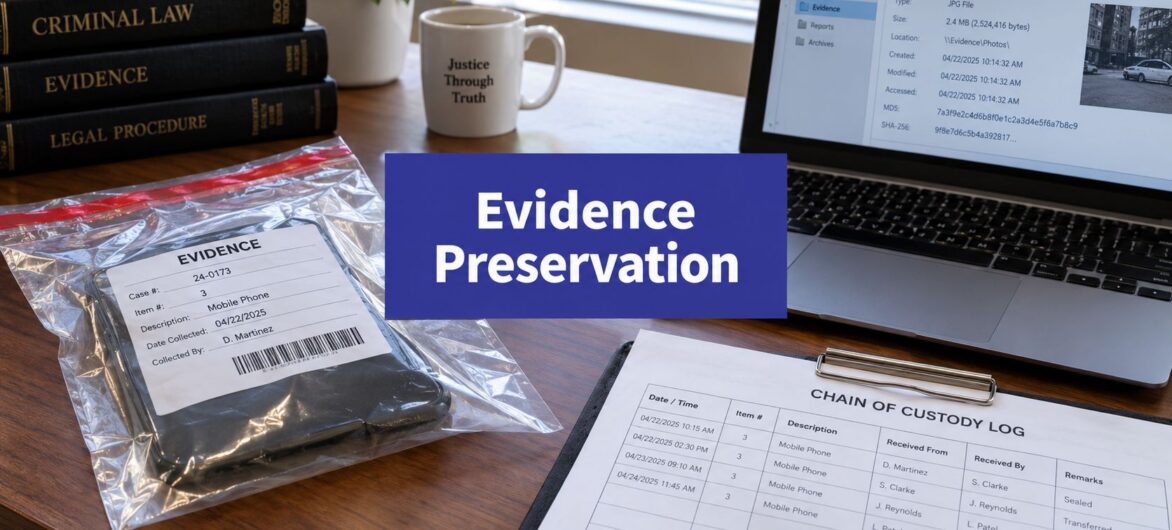
Chain of custody is the evidence's travel log. It begins when someone identifies and collects a file, device, message export, or paper exhibit, then continues through storage, examination, transfer, production, and final disposition. Each handoff should identify the item, the person responsible, the date and time, the purpose of the transfer, and the destination.
NIST and NIJ materials describe the record as a trail covering collection, safeguarding, transfer, and analysis. By 2026, that practical record includes the date and time of each transfer and every person who handled the evidence. The principle applies to a seized laptop, a PDF exported from a document-management system, and a message archive supplied by a cloud provider.

For a broader explanation of how lineage, custody, and transformation records support trustworthy datasets, data provenance in 2026 provides useful background. The terminology differs across legal and data-management teams, but the operational concern is the same. You need a reliable history of where the information came from and what happened to it.
Practical rule: If the team can't answer who touched a file and when, assume the chain is incomplete until the records prove otherwise.
An audit trail supports that answer. A useful audit trail explanation should translate into system requirements, including immutable access records, administrator activity logs, export histories, and alerts for unauthorized changes. A screenshot of a file list won't establish those facts. The courtroom test isn't whether the file looks right. It's whether the firm can demonstrate that the file presented is connected to the original source and remained protected throughout the process.
Paper files are visible, physical, and comparatively stable. Digital evidence is distributed, duplicated, versioned, and often destroyed by processes that appear harmless. A message may exist in a user's device, a provider archive, a compliance export, a backup, and a colleague's reply, while each location carries different metadata and retention rules.
The first operational question is volatility. Investigators should capture the most changeable information before moving to less volatile sources. Memory, running processes, encryption keys, active sessions, and live message states may disappear when a device powers down or a security control activates. Files stored on disk generally last longer, while archived backups are usually less volatile, although they can still expire or be overwritten.
| Evidence Type | Typical Lifespan Without Active Preservation | Preservation Priority |
|---|---|---|
| RAM, running processes, active sessions, encryption keys | May disappear when the device state changes | Immediate |
| Live mobile and messaging states | Can be affected by auto-delete, lockout, reboot, or remote wipe behavior | Immediate |
| Cloud mail, chat, and collaboration data | Depends on account status, provider settings, and deletion rules | High |
| Local files, shared-drive versions, and application databases | Often persists until users or systems overwrite it | High |
| System, security, and access logs | May rotate under ordinary operational schedules | High |
| Archived backups and exported records | Can remain available, but only if retention and integrity controls apply | Planned and verified |
The visible document is only part of the evidence. Author identity, timestamps, edit history, GPS coordinates, message IDs, file paths, permissions, and version relationships may establish who created or changed the record. Preserving a screenshot while losing the underlying metadata can leave counsel with an attractive image but a weak evidentiary foundation.
Routine workflows create hidden exposure. Mailbox retention can remove old messages, Teams policies can delete chats, mobile devices can purge content, revoking an OAuth token can affect access to connected application data, and cloud-storage optimization can replace local files with placeholders. A firm needs to know which system owns the authoritative copy, what the provider retains, and how an export preserves the container as well as the content.
The move from paper tracking to digital lifecycle preservation is reflected in NIST's publication on digital evidence preservation. Digital evidence needs documented continuity because authenticity and admissibility depend on more than the words visible on screen.
For firms managing large document collections, document management for law firms is relevant to the technical design. Matter structure, permissions, version history, and search are useful only when administrators can preserve the records and metadata that give each document context.
A retention policy is a technical control. It determines which systems retain data, how many versions exist, where immutable copies sit, who can delete them, and how a legal hold overrides ordinary destruction. Calling it an administrative schedule while leaving deletion to default SaaS settings is a predictable path to spoliation arguments.
Start with legal exposure, then document the decision. Retention should account for the applicable statute of limitations, professional obligations, tax requirements, engagement terms, contractual commitments, and the possibility of post-conviction or regulatory review. NIST's biological evidence recommendations state that homicide evidence should be retained indefinitely and other offense evidence at least for the statute of limitations, because premature destruction can prevent retesting or post-conviction review. That principle applies broadly: destroying evidence before the defensible retention period ends can eliminate future options.
Keep active matters and frequently accessed records in primary systems. Move older material to a controlled archive with searchable metadata, then place long-term records in immutable object storage with object-lock or an equivalent control. Backups should have documented retention, access restrictions, restoration testing, and a record of when each copy was created.
The recycle bin is not a retention policy. Neither is a provider's recover-deleted-items window. Those features may help recover an accidental deletion, but they don't replace a legal hold, an archive, or a documented destruction process.
| Record Category | Minimum Retention | Legal Basis | Disposal Method |
|---|---|---|---|
| Client matter files | Set by professional rules, engagement terms, and matter-specific holds | Professional obligations and client agreement | Approved deletion after hold release and documented review |
| Tax workpapers | Set by applicable tax and professional requirements | Tax rules, engagement terms, and professional standards | Secure deletion or controlled destruction |
| Payroll and personnel records | Set by employment, tax, and labor requirements | Applicable employment and tax obligations | Restricted deletion with an auditable authorization |
| Vendor contracts | Through the contract, dispute, audit, and limitation exposure | Contract terms and dispute risk | Destroy after expiration and hold review |
| Backups | Aligned to the records they contain and the recovery design | Business continuity and preservation requirements | Expire by documented schedule, unless placed under hold |
Make indefinite-hold categories explicit. Deeds, trust instruments, pension plan documents, litigation files, and whistleblower records may require indefinite preservation based on their legal and practical value. The policy should state who can approve an exception and how the system records that decision.
A practical data governance guide for cloud success can help administrators connect governance language to access, backup, lifecycle, and accountability controls. Before opposing counsel asks for documents, expect them to ask for the retention policy. A defensible policy shows that the organization made consistent decisions before the dispute, then suspended ordinary destruction when the duty to preserve arose.
A preservation notice should trigger action immediately. Legal receives it, records the receipt time and matter, assesses scope, and identifies the people and systems that may contain relevant information. Waiting for a polished memo or a meeting with every department gives deletion rules more time to run.
The trigger is reasonable anticipation of litigation, a regulatory inquiry, or an internal investigation. Once that trigger exists, the organization must preserve relevant information, including information that would ordinarily be deleted under an approved schedule.

Incident response changes the sequence: preserve before remediation. Reimaging a compromised system before taking a forensic image can destroy the original evidence needed to understand the event.
Ransomware, a breach, or suspected employee theft requires coordination between IT, legal, compliance, and an examiner. Capture relevant system state and logs before reimaging, isolate affected devices without casually altering them, and maintain a record of every command, transfer, and decision. The data breach response plan should identify who can authorize imaging, where images are stored, and how the original remains untouched.
Keep hold memos, custodian sign-offs, exception logs, collection notes, forensic image records, hash values, and the preservation certificate attached to each production. Those artifacts demonstrate that the organization didn't merely intend to preserve evidence. It executed a controlled process.
The embedded training resource below can help teams visualize the decisions required during the initial response.
Generic preservation checklists often assume the organization controls the data and can capture a stable device image. That assumption fails when the evidence sits with a foreign cloud provider or lives in a locked, auto-deleting phone.
A U.S. legal request doesn't automatically produce data held by a provider in another jurisdiction. The provider may need to evaluate local law, privacy restrictions, transfer mechanisms, and the requesting authority's process. Preservation can also collide with deletion rights and other legal requirements in the jurisdiction where the data resides.
Europol's 2025 SIRIUS electronic evidence report calls for increased training for cross-border access requests. That recommendation matters operationally. Teams still struggle with how to request, retain, and hand over provider data across multiple legal regimes.
Map data residency in each provider's trust center and contract. Require the provider to disclose storage regions, preservation assistance, export formats, legal-request procedures, subcontractors, and deletion timelines. Add a contractual preservation rider where the provider will preserve identified data during a dispute, even if ordinary account lifecycle rules would otherwise remove it.
Legal should coordinate the request. IT shouldn't assume that an administrator export is sufficient, and counsel shouldn't assume that a U.S. hold overrides the provider's local obligations.
Mobile evidence is even less forgiving. Location-based security, auto-reboots, USB restrictions, ephemeral artifacts, anti-forensics applications, and auto-delete settings can reduce recoverable data as soon as a phone is seized. A 2025 digital-forensics roundup reports that SWGDE advocates immediate onsite acquisition because degradation can begin at seizure.
Treat a phone as a live evidence source, not a filing cabinet. Coordinate quickly with qualified examiners, preserve the device state, capture available cloud-side archives, and document whether the device was locked, powered on, connected, or subject to remote management. Don't rely on a later handset export to recreate messages that have already disappeared.
Signal disappearing messages, WhatsApp auto-delete, encrypted cloud configurations, and mobile-device-management wipes can defeat a hold that covers only email and shared drives. The preservation plan should identify messaging platforms, configure hold-related controls before a dispute, and address devices issued to or used by custodians. Generic advice skips these failure modes. Your plan can't.
The same cloud architecture creates different preservation duties depending on the organization using it. A law firm protects client confidences and matter records. A CPA practice must preserve workpapers and engagement evidence. A small business may focus on contracts, customer records, employee files, and regulatory obligations.
| Organization Type | Primary Retention Drivers | High-Risk Data Classes | Cloud Controls to Require |
|---|---|---|---|
| Law firm | Professional rules, client agreements, litigation holds, ethical duties | Matter mailboxes, work product, discovery exports, trust records | Matter-level permissions, ethical walls, immutable logs, region controls, tested restoration |
| CPA practice | Tax obligations, professional standards, engagement letters, audit requirements | Workpapers, bookkeeping data, client portal files, review notes | Exportable audit trails, immutable backups, access separation, provider deletion commitments |
| Small business | Contracts, employment rules, customer-data obligations, disputes | CRM records, payroll, shared-drive files, support messages | Version history, retention overrides, offsite copies, access logging, restoration testing |
For a mid-size law firm, separate case-matter retention from administrative records. Enforce ethical walls in the document-management system, preserve email journaling as evidentiary infrastructure, and ensure former employees' accounts are preserved before licenses are removed. A matter hold should cover collaboration channels and personal devices used for firm work where permitted by policy and law.
A CPA practice should connect retention to engagement-letter terms and applicable professional requirements. Bookkeeping platforms need exportable logs that show who changed a transaction, when the change occurred, and how the export was generated. Preserving only the final report can conceal the workpaper history that explains the professional judgment behind it.
A general small business should map contract terms, regulatory minimums, and customer-data laws such as CCPA to actual cloud settings. Shared-tenant environments introduce risks around provider-side deletion, regional outages, permissions, and restoration. Require region-locked storage where appropriate, immutable backups, contractual deletion timelines, and tested restoration.
A practical law firm cybersecurity guide can complement the preservation program by helping firms evaluate identity controls, access management, backups, and incident readiness. Security isn't preservation, but weak security can destroy the evidence preservation program before legal ever learns there is a matter.
The cloud contract deserves the same attention as the policy. Ask who owns the data, who can access it, how quickly the provider can preserve it, what happens when an account closes, and whether the organization can retrieve metadata and audit logs in a usable format.
Evidence preservation succeeds when governance, operations, and response work together. A written policy without immutable storage is incomplete. A backup without chain-of-custody records is difficult to defend. A litigation hold without custodian monitoring is only an instruction sent by email.

Three habits prevent most failures. Decide retention in writing before a crisis. Treat backups as evidentiary assets, not only disaster-recovery copies. Document every preservation action when it occurs, because reconstructing the record months later invites gaps and guesswork.
Audit one critical dataset this quarter. Trace a matter mailbox, accounting workpaper set, or customer-dispute folder from source through backup and restoration, then ask whether the cloud provider supports immutable storage, region pinning, usable audit logs, and contractual deletion protections. If the answer is no, the preservation risk is already visible.
Cloudvara provides cloud hosting for business applications, including accounting, tax, document-management, CRM, and Microsoft environments, with controls such as backups, access management, and support for centralized operations. Visit Cloudvara to assess whether your current cloud setup can support documented evidence preservation, controlled access, and reliable recovery before the next hold or incident arrives.




