The big question of cloud vs. on-premise costs boils down to a simple trade-off: do you prefer a hefty upfront capital investment in hardware you own, or a predictable, recurring subscription for resources you rent? Your answer shapes not just your IT budget, but your entire financial strategy.
Deciding between cloud and on-premise infrastructure is one of the most significant financial decisions a modern business will make. There's a common belief that the cloud is always the cheaper route, but that often glosses over the complete financial picture. A real comparison demands a detailed Total Cost of Ownership (TCO) analysis that goes far beyond surface-level price tags.
This guide is built for professional organizations like accounting and law firms. For these businesses, where consistent, predictable access to critical applications is non-negotiable, the cost structure is a top-tier concern.
At its core, the financial distinction is about how you pay for your IT. An on-premise solution is a Capital Expenditure (CapEx)—you purchase and own the physical servers and networking gear. A cloud solution, on the other hand, is an Operational Expenditure (OpEx), where you pay a recurring fee to a provider for access to their infrastructure.
This initial table breaks down the primary financial models and what you can expect to invest upfront. It sets the stage for a much deeper analysis.
| Financial Aspect | On-Premise Infrastructure | Cloud Infrastructure |
|---|---|---|
| Primary Cost Model | Capital Expenditure (CapEx) | Operational Expenditure (OpEx) |
| Initial Investment | High: Requires purchasing servers, networking equipment, and software licenses. | Low: Minimal to no upfront hardware costs; setup fees may apply. |
| Ongoing Expenses | Variable: Includes electricity, cooling, maintenance, IT staff, and periodic hardware upgrades. | Predictable (with variance): Monthly or annual subscription fees based on usage. |
| Asset Ownership | You own and control the physical hardware. | You are renting capacity on the provider's hardware. |
As you can see, the initial cash outlay is the most obvious difference, but the long-term financial implications are far more nuanced.
This choice reverberates far beyond your IT budget; it affects your company's entire financial strategy. A CapEx model like on-premise allows you to depreciate assets, which can offer some tax advantages. However, it also ties up a significant amount of capital that could be funneled into other growth initiatives.
The OpEx model of the cloud provides greater financial flexibility and scalability. It allows businesses to align IT costs directly with current needs, avoiding the risk of over-provisioning expensive hardware that sits underutilized.
For a deeper look into the specific characteristics of each model, our guide on on-prem vs off-prem solutions provides additional context.
Ultimately, the right decision hinges on your firm's workload predictability, security requirements, and long-term financial goals. This guide will give you the framework to evaluate these factors and determine the most cost-effective path for your business.
When comparing cloud vs. on-premise costs, it’s easy to focus on the initial hardware purchase. But that invoice is just the tip of the iceberg. The real financial commitment of running your own servers extends far beyond day one, wrapping in a complicated mix of direct and indirect expenses.
To get an accurate Total Cost of Ownership (TCO), you have to look at the complete picture. On-premise infrastructure is fundamentally a Capital Expenditure (CapEx), meaning you're buying and owning physical assets. This initial investment is significant and often the most visible cost, but it's far from the last.
The first wave of expenses hits when you acquire all the pieces to build your IT environment from scratch. This isn’t just about buying a server; it's about creating a fully functional, secure, and resilient ecosystem in your office.
Your primary CapEx costs will include:
For firms new to this, a detailed server setup tutorial can shed light on the hands-on work involved. This initial phase demands not just significant capital but also specialized expertise to ensure everything is configured correctly from the start.
Once your hardware is up and running, the financial commitment shifts to ongoing Operational Expenditures (OpEx). These recurring costs are frequently underestimated but can easily match or even exceed the initial CapEx over the server's lifespan.
The biggest hidden cost in an on-premise setup isn't the hardware, but the people. The salaries and time of skilled IT staff needed for constant management, maintenance, and security patching represent a massive, ongoing investment.
These operational costs build up quietly but consistently over time.
Many organizations don't account for the full range of recurring expenses tied to physical servers. These "hidden" costs are absolutely critical for a realistic comparison against a cloud subscription model.
Key hidden costs include:
When you map out these comprehensive costs, it becomes clear that the initial purchase price is merely the entry fee. The long-term financial reality of owning and operating on-premise servers is a far more complex—and costly—endeavor.
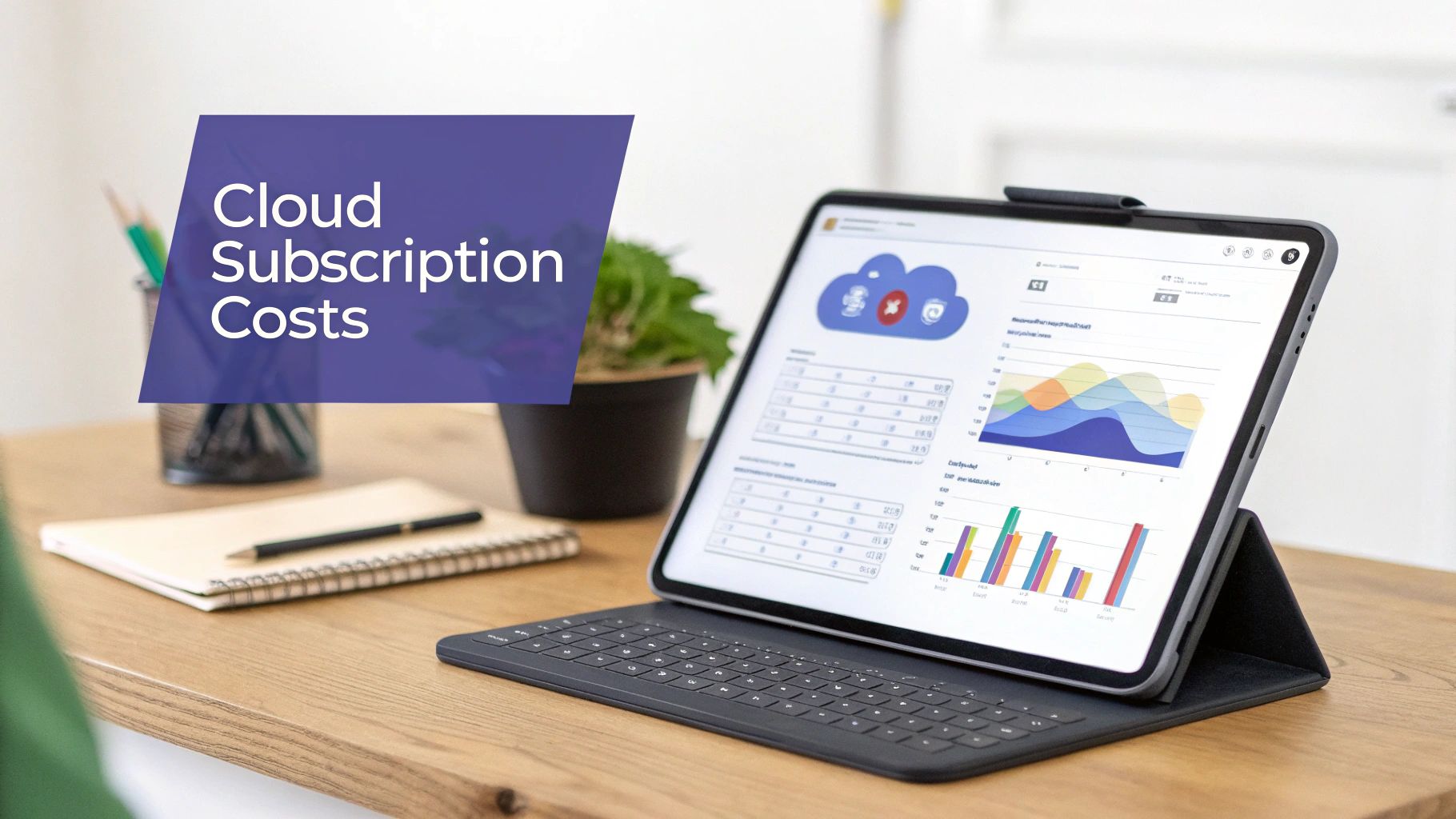
The biggest financial draw of the cloud is how it swaps large, upfront hardware purchases for a more digestible subscription model. This pay-as-you-go approach turns IT spending into a predictable Operational Expenditure (OpEx) instead of a massive Capital Expenditure (CapEx), which is a huge win for cash flow and business flexibility.
You’re no longer buying expensive servers that might just sit there, half-used. Instead, you pay for the resources you actually consume. It’s perfect for businesses with fluctuating demand, letting them scale up or down in an instant. But that same flexibility can introduce a tricky financial unpredictability.
For firms with very stable workloads—think accounting or law firms running the same critical software day in and day out—the variable nature of cloud costs can easily lead to budget overruns.
A classic mistake when comparing cloud vs on premise costs is to only look at the advertised monthly price. The real cost of a cloud subscription is almost always higher, thanks to a host of extra fees that can inflate your bill without warning. They aren't always obvious, and they demand constant monitoring.
These variable costs make budgeting a real challenge. What looks cheap on paper can get expensive fast as your team gets busier and your needs evolve.
The greatest risk of the pay-as-you-go model for stable businesses is paying a premium for flexibility you don't use. Over a multi-year period, the cumulative subscription fees for consistent workloads can easily surpass the amortized cost of owning dedicated hardware.
Getting a handle on these extra charges is the first step to controlling your cloud spend.
Several factors can cause your cloud bill to creep up unexpectedly. These charges are tied directly to your usage, meaning your invoice can swing wildly from one month to the next.
Here are the key variable costs to keep an eye on:
To really manage these ongoing expenses, it’s vital to adopt a proactive strategy. Resources that break down the fundamentals, like this guide on What Is Cloud Cost Optimization and How to Start Saving, are invaluable. Without a clear plan, these "small" charges will accumulate into a major financial headache. A more detailed cloud hosting cost comparison can also show how different providers structure these fees.
For firms with consistent operational needs, the simplicity of a subscription can mask a more expensive long-term reality. The perpetual nature of monthly payments means you never reach a point where the asset is "paid off," unlike with on-premise hardware. This makes a thorough Total Cost of Ownership analysis essential before committing to a cloud-first strategy.
To really get a handle on the long-term financial picture of cloud vs. on-premise costs, you have to look past the initial price tags and monthly subscription fees. The only way to get a true comparison is with a Total Cost of Ownership (TCO) analysis that spans the realistic lifecycle of your hardware—which for most servers is about five years.
This five-year window is especially important for professional firms in accounting and law. Their workloads are usually highly predictable and stable. Day in and day out, they rely on the same core applications, whether it's QuickBooks or specialized case management software. This kind of consistency can completely flip the financial script, making the pay-as-you-go cloud model surprisingly more expensive over time.
An on-premise server kicks things off with a significant Capital Expenditure (CapEx). That big upfront cost makes the first year the most expensive by a long shot. But once that hardware is bought and paid for, the heaviest financial lift is over. From there, the ongoing costs—electricity, maintenance, IT oversight—are much more manageable.
On the other hand, a public cloud subscription is a perpetual Operational Expenditure (OpEx). Those monthly or annual fees simply never go away. While year one might look like a bargain compared to buying a server outright, those costs just keep piling up. Over five years, that steady financial drain can easily overtake the amortized cost of the on-premise hardware.
For businesses with stable workloads, there is a clear breakeven point, typically around the two-to-three-year mark, where the cumulative cost of a cloud subscription surpasses the total cost of owning and operating an on-premise server. After this point, the on-premise model becomes progressively more cost-effective each year.
Let's walk through a hypothetical comparison for a mid-sized firm to see how this plays out. This projection rolls up all the major direct and indirect costs, giving you a more realistic view of what you're committing to financially with either option.
| Illustrative 5-Year TCO Projection Mid-Sized Firm | ||
|---|---|---|
| Cost Category | On-Premise (5-Year Cumulative) | Public Cloud (5-Year Cumulative) |
| Initial Hardware & Software | $50,000 | $0 |
| Recurring Subscription Fees | $0 | $150,000 |
| IT Staff & Maintenance | $75,000 | $10,000 (Monitoring/Management) |
| Electricity & Cooling | $15,000 | Included |
| Data Egress & API Calls | $0 | $12,500 |
| Hardware Refresh (Year 4) | $40,000 | Included |
| Total 5-Year TCO | $180,000 | $172,500 |
Note: These figures are for illustration only and will vary based on specific business needs and provider pricing.
As you can see, the costs are nearly a wash over five years. The key difference? The on-premise model leaves you with a fixed asset at the end of the term. For firms that can accurately forecast their needs, owning the hardware can provide a clear financial advantage. As you build your own TCO analysis, it's critical to factor in common blind spots by understanding why tech spend can feel high and ROI low, which can skew the final numbers.
This financial advantage isn't just theoretical. For businesses running predictable applications day in and day out, the savings can be massive. For instance, a detailed analysis comparing on-premise infrastructure to public cloud services for stable workloads revealed a staggering cost difference.
Over a realistic 5-year operational lifespan—a perfect match for the stable workloads in tax and accounting firms—the cumulative savings from sticking with on-premise servers reached an impressive $3,434,504 compared to on-demand cloud pricing. Even if a firm opted for a 1-year cloud savings plan, they would still save $2,519,390.60 over five years by owning their hardware. The gap just keeps getting wider each year.
This stark difference underscores why a long-term TCO is so vital. Our guide on reducing total cost of ownership offers more strategies to fine-tune these figures. For any business with predictable IT needs, a five-year analysis is the only way to see the true financial picture and make a decision that supports long-term fiscal health.
When you weigh cloud vs. on-premise costs, it’s easy to get stuck on hardware and subscription fees. But the real budget-busters are often lurking in the background: security, compliance, and uptime. A single data breach or a day of downtime can easily wipe out years of perceived savings, which is why a true TCO analysis has to account for risk.
With an on-premise server, you have total physical control over your data, and that can feel reassuring. The flip side? That control comes with immense responsibility. You’re on the hook for everything—from locking the server room door to configuring firewalls and deploying intrusion detection systems.
The chart below gives a high-level look at how these cumulative costs, including the often-underestimated expenses of security and management, can diverge over time.
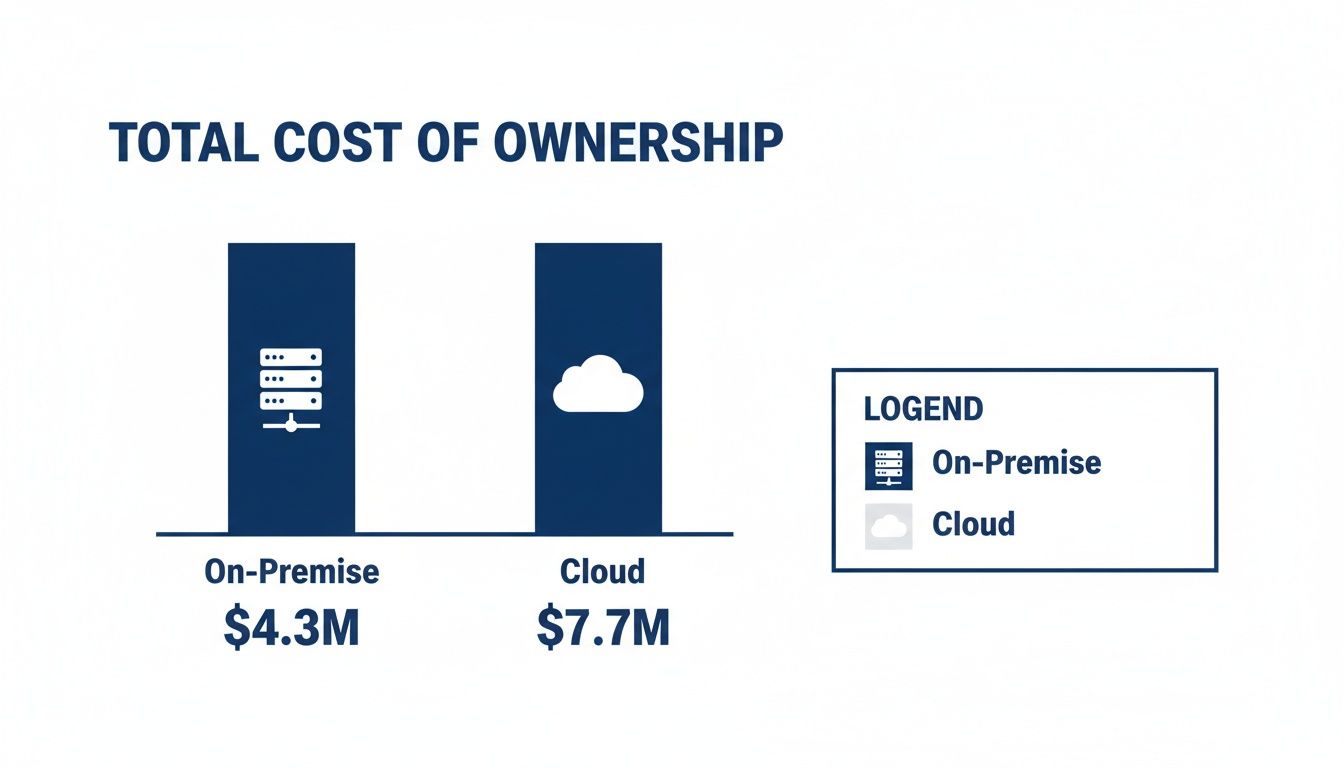
This kind of visualization makes it clear how long-term financial commitments differ. For stable, predictable workloads, on-premise can sometimes show lower overall costs once every factor is on the table.
Building a truly robust security posture in-house is a significant and never-ending operational expense. It starts with hiring a dedicated team of security experts, whose salaries alone are a major line item. These aren't just IT generalists; they're specialists needed for 24/7 monitoring, threat analysis, and immediate incident response.
On top of that, achieving and maintaining compliance with regulations like HIPAA or PCI-DSS is a complex and expensive job. This process typically involves:
The real cost of on-premise security isn't the technology; it's the relentless investment in specialized human expertise needed to manage it all. A single misconfiguration or a delayed security patch can expose your entire firm to massive risk.
Cloud providers operate on what’s called a shared responsibility model. They invest billions in building enterprise-grade security infrastructure—far more than any mid-sized firm could justify. This includes everything from advanced threat detection systems and global data center security to entire teams of dedicated cybersecurity professionals.
This model lets you offload the massive cost and complexity of physical and network security to your provider. For professional firms in regulated industries, this is a game-changer. Many cloud hosts offer environments that are pre-certified for various compliance standards. For example, figuring out what is SOC compliance becomes much simpler when your provider has already done the heavy lifting to meet those rigorous auditing standards, saving you a tremendous amount of time and money.
Finally, let’s talk about the financial hit you take when the power goes out. Reputable cloud providers back their services with service level agreements (SLAs) that guarantee a specific level of uptime, often 99.5% or higher. If they don't meet that promise, they typically have to compensate you.
Trying to achieve that same level of reliability with an on-premise system means building a fully redundant environment. We're talking backup power generators, uninterruptible power supplies, and failover internet connections—all of which represent a massive capital expense. Without that investment, a simple local power outage can grind your operations to a halt, leading to lost revenue and productivity that can quickly overshadow any savings you thought you were making.
Making the final call between cloud and on-premise costs isn’t about finding a single “best” option. It’s about finding the best fit for your firm’s specific operational realities, financial structure, and long-term goals. Instead of a one-size-fits-all answer, this decision requires a careful, strategic evaluation of your own unique circumstances.
This final step pulls everything we’ve covered into a practical framework. By measuring your organization against a few key criteria, you can move from theoretical comparisons to a confident choice that truly serves your business.
The nature of your workload is arguably the most important factor in this whole decision. Ask yourself: do our computing needs stay relatively consistent from month to month, or do they fluctuate wildly?
For professional firms like accountants and lawyers, workloads are often remarkably stable. You rely on the same core applications every single day with predictable usage patterns. In this scenario, the premium you pay for the cloud's on-demand scalability might not deliver a worthwhile return, making the amortized cost of on-premise hardware far more attractive over time.
The next critical question revolves around your team. Do you have dedicated, in-house IT staff with the expertise to manage, secure, and maintain physical server infrastructure?
On-premise solutions demand a significant investment in human capital. If you don't have this internal talent, the costs of hiring or contracting IT specialists can quickly wipe out any potential hardware savings. Cloud models, by contrast, offload the vast majority of infrastructure management, freeing up your team to focus on more strategic work.
The decision often comes down to a simple trade-off: would you rather invest your capital in physical hardware you control or in a service that manages the complexity for you? Your answer depends entirely on your firm's core competencies and financial priorities.
How does your organization prefer to handle its finances? The choice between a large, one-time Capital Expenditure (CapEx) for on-premise hardware versus a predictable, recurring Operational Expenditure (OpEx) for a cloud subscription has major implications for your budget and cash flow.
A CapEx model is often favored by established firms with available capital, while the OpEx model provides flexibility for growing businesses that need to conserve cash. Likewise, your long-term growth plans matter. If you anticipate rapid expansion or entry into new markets, the cloud’s inherent scalability offers a clear advantage that’s hard to ignore.
For many professional firms, the ideal solution isn't found at either extreme but somewhere in the middle. Managed hosting emerges as a powerful hybrid model that strategically merges the best attributes of both on-premise and cloud environments.
This approach gives you the dedicated performance and cost-effectiveness of an on-premise setup but without the immense burden of maintenance, security, and backups. It effectively converts a capital-intensive project into a predictable operational expense, all while providing the secure, anywhere access that defines the cloud experience. It offers a strategic path forward, eliminating the need to compromise between control and convenience.
When you're weighing the costs of cloud versus on-premise servers, a few key questions always come up. Let's tackle them head-on to clear up the confusion.
Not always, but it often is for firms with stable, predictable workloads. Public cloud models are built for fluctuating demand, and you pay a premium for that flexibility. For the consistent application use you see in most professional firms, those recurring monthly fees can easily outpace the amortized cost of on-premise hardware over a 3-5 year cycle.
The only way to know for sure is to run a thorough Total Cost of Ownership (TCO) analysis. You have to account for every direct and indirect expense for both models to see the real financial picture.
The sticker price of the server is just the beginning. The real costs are the ongoing operational investments that many organizations completely underestimate.
Think about these expenses:
Managed hosting hits the sweet spot between the two extremes. It’s a compelling hybrid approach that gives you the best of both worlds while sidestepping their biggest drawbacks.
With managed hosting, you get the financial predictability and dedicated performance of an on-premise environment without the large upfront capital investment or the hands-on burden of maintenance, security, and backups.
This model effectively turns a capital-heavy project into a predictable operational expense. It’s all handled by experts, giving your firm secure, reliable access to its critical applications from any device, anywhere, without the headaches of managing physical infrastructure. For many professional firms, it's the ideal middle ground.
At Cloudvara, we specialize in secure, managed hosting that delivers the performance of on-premise with the flexibility of the cloud. See how our tailored solutions can lighten your IT load and deliver predictable costs. Learn more at Cloudvara.com




