The real difference between business continuity vs disaster recovery boils down to scope and timing. Think of it this way: Business continuity is the broad, proactive game plan your entire organization follows to keep critical operations running during any kind of disruption. In contrast, disaster recovery is a reactive, IT-focused playbook that’s just one part of that larger strategy, designed to restore technology and data after a crisis has already hit.
Business Continuity and Disaster Recovery (BCDR) are two sides of the same resilience coin, but they solve very different problems. Mixing them up is a common mistake that can leave critical gaps in your ability to handle a disruptive event. While disaster recovery zooms in on getting technology back online, business continuity takes a much wider view, covering the people, processes, and assets needed to keep the entire business functional.
Imagine a major flood swamps your office.
Your Disaster Recovery Plan (DRP) is what kicks in to get your servers running at a secondary data center and restore your critical applications from backups. It's a technical, reactive process focused on getting the digital lights back on.
But your Business Continuity Plan (BCP) was activated the moment the flood became a threat. It answers the bigger questions:

Simply put, the two plans operate on different levels but absolutely must work together. A successful DRP is a vital piece of a great BCP, but it can never replace it. You can have a perfectly restored IT environment, but if you don't have a plan for your people and processes, the business remains at a standstill.
| Attribute | Business Continuity | Disaster Recovery |
|---|---|---|
| Focus | Holistic business operations and functions | IT systems, applications, and data |
| Objective | Maintain essential services during a crisis | Restore technology after a crisis |
| Scope | Entire organization (people, processes, assets) | IT department and infrastructure |
| Timing | Proactive (planning before an event) | Reactive (activated after an event) |
A well-structured BCP ensures your business survives, while a well-executed DRP ensures your technology recovers. One without the other is an incomplete strategy that leaves your organization vulnerable.
To deepen your knowledge of the technical pillars that support disaster recovery, especially in modern cloud setups, this article on understanding Disaster Recovery and the necessity of a separate cloud backup system for Microsoft 365 is a great resource. Of course, knowing how the cloud enhances these strategies is also crucial; you can learn more about building resilience with a robust business continuity cloud solution.
When you get down to the business continuity vs. disaster recovery discussion, the biggest difference between them is their focus—what they aim to achieve and how wide they cast their net. A Business Continuity Plan (BCP) is the big-picture strategy. It’s designed to keep the entire organization running through any kind of disruption, ensuring you can still serve customers and meet obligations.
The scope of a BCP is intentionally broad and proactive. It has to be. It looks at every corner of the business to figure out what could go wrong and how to keep things moving.
A BCP is all about the survival of the entire enterprise. That means it covers people, processes, and assets that live far outside the server room. It’s built to answer the tough, practical questions:
The COVID-19 pandemic was a brutal lesson in this. An estimated 100,000 small businesses in the U.S. shut their doors for good simply because they lacked a solid resilience strategy. On top of that, a global survey revealed that 51% of companies didn’t even have a formal business continuity plan, exposing just how vulnerable many are to events that go beyond a simple IT outage. You can discover more insights about business continuity preparedness on RiskAndResilienceHub.com.
Business continuity is about maintaining operational momentum and protecting the entire business ecosystem. It’s a strategic, proactive discipline focused on organizational resilience, not just technical recovery.
In contrast, a Disaster Recovery Plan (DRP) has a much tighter, more technical focus. Its job is purely reactive: to get IT infrastructure and data back online after a major incident has already happened. The DRP is a critical component that sits inside the BCP, acting as the playbook for the specific tech-focused tasks needed to restore systems.
A DRP’s goals are measured with laser-focused metrics:
The scope of a DRP is strictly the IT environment—your servers, networks, applications, and data. It’s a detailed, step-by-step guide for the IT team to execute under pressure. For a closer look at how to build this technical blueprint, check out our guide on how to create a disaster recovery plan.
At the end of the day, BCP asks, "How do we keep the business running?" DRP answers, "How do we get the technology running again?"
When you get down to the brass tacks of business continuity vs. disaster recovery, the real difference shines through in their core processes. Each one follows a unique path designed for a specific outcome—one is about the big-picture survival of the business, and the other is laser-focused on getting the tech back online. Getting a handle on these workflows is the key to building a truly resilient company.
This infographic does a great job of showing the fundamental split in their approaches. BCP is proactive and looks at everything, while DRP is reactive and zeroes in on the technical side.
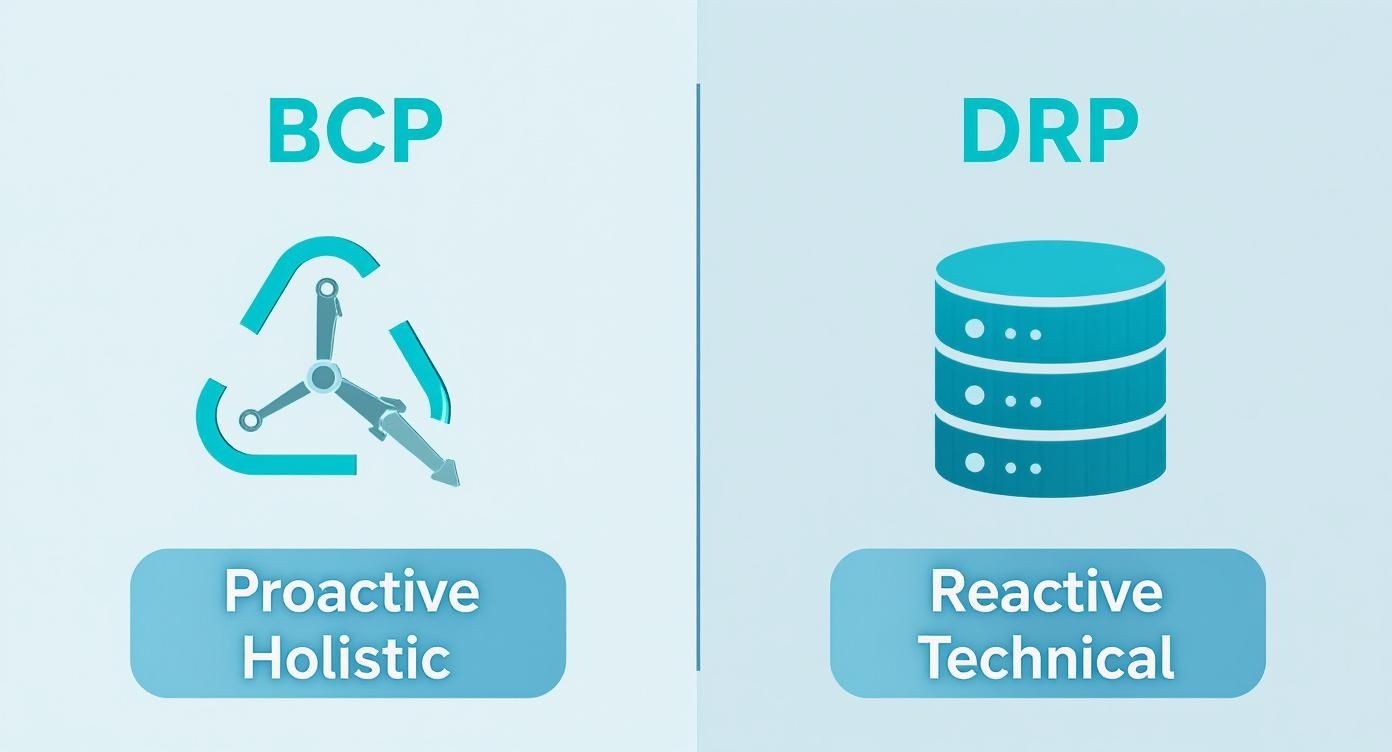
As the visual shows, even though they're related, their starting points and what they cover are worlds apart. That means they need completely different planning activities.
To help you see the difference in action, here’s a quick side-by-side look at their core attributes.
| Attribute | Business Continuity (BCP) | Disaster Recovery (DRP) |
|---|---|---|
| Primary Goal | Keep the entire business running during and after a disruption. | Restore IT infrastructure and data after a disaster. |
| Scope | Holistic: People, processes, technology, and facilities. | Technical: Servers, networks, applications, and data. |
| Focus | Proactive strategy and prevention. | Reactive response and restoration. |
| Driver | Business Impact Analysis (BIA) and risk assessments. | Recovery Time/Point Objectives (RTO/RPO) set by the BCP. |
| Key Question | "How do we keep serving customers?" | "How do we get our systems back online?" |
This table makes the distinction clear: BCP is the "why" and "what" of business survival, while DRP is the technical "how" for one critical piece of the puzzle.
A Business Continuity Plan (BCP) starts with a wide-angle lens, taking in the entire organization to figure out what makes it tick. Think of it as a strategic, top-down process.
The essential steps look something like this:
A BCP isn't an IT document; it's a business survival guide. Its methodologies are designed to answer one question: "How do we continue to serve our customers and make money when things go sideways?"
In contrast, a Disaster Recovery Plan (DRP) is a tactical, bottom-up process focused squarely on the IT environment. It gets its marching orders from the BCP but turns those business needs into concrete technical actions.
Its core methods are highly technical and precise:
Ultimately, while BCP sets the strategic framework for resilience, DRP provides the technical engine to execute a vital part of that strategy—restoring the digital backbone of the business.
The line between business continuity and disaster recovery sharpens when you see them play out during a real crisis. Definitions are one thing, but watching how each plan is triggered and executed in a live scenario makes the distinction tangible. Let’s walk through three different events to see how these parallel plans work together.
Imagine your organization gets hit by ransomware. Every critical server is encrypted, and your operations grind to a halt.
The Disaster Recovery Plan (DRP) activates immediately. The IT team’s first priority is getting the technology back online. They isolate the infected systems, wipe the encrypted servers, and start restoring data from clean, immutable backups. The whole point is to hit predefined Recovery Time Objectives (RTOs) and Recovery Point Objectives (RPOs) to get the digital infrastructure running with minimal data loss.
At the exact same time, the Business Continuity Plan (BCP) kicks in to handle the massive operational fallout. While IT is busy restoring systems, the BCP is managing everything else. This means activating the crisis communication plan to update customers and stakeholders, telling employees how to use manual workarounds for critical tasks, and working with legal teams and cybersecurity insurance providers. The BCP keeps the business running while the DRP rebuilds the tech.
Now, picture a hurricane causing a widespread power outage and flooding your primary data center. In a situation like this, you can really see how interconnected the two plans are.
First, the BCP gets triggered by the weather warnings. Proactive steps are taken, like sending employees home to work remotely and communicating safety procedures. The plan focuses on keeping people safe and operations running from alternate locations.
As the disaster hits and the data center goes offline, the DRP executes its technical job. This involves failing over all critical applications and data to a secondary data center in a completely different geographic location. You can get a deeper look into this process in our guide on protecting data from natural disasters. While the DRP ensures the systems stay available, the BCP continues to manage the broader human and logistical challenges.
Disaster recovery is a sprint to restore technology. Business continuity is a marathon to navigate the entire crisis, ensuring the organization survives with its reputation and customer trust intact.
Finally, let's look at a disaster that has nothing to do with IT. Your main supplier for a critical manufacturing component suddenly goes out of business, stopping your production line cold.
In this case, the DRP might not be activated at all since no IT systems have actually failed. The BCP, however, goes into immediate effect. This plan contains predefined strategies for exactly this situation, including protocols to engage backup suppliers, adjust production schedules, and manage customer communications about potential delays.
The sheer frequency of IT outages makes a DRP essential. One global survey revealed that 100% of companies reported losing revenue from IT outages, with organizations experiencing an average of 86 outages per year. These numbers highlight the severe financial risks of technology failures. These scenarios show that a DRP saves your data, but a BCP saves your business.
The real power in the business continuity vs. disaster recovery discussion isn't about choosing one over the other. It’s about weaving them together into a single, cohesive strategy. When IT handles disaster recovery in one silo and operations handles business continuity in another, you create dangerous gaps. Real business resilience only happens when these two plans are tightly integrated.
Think about it: a successful IT recovery is pointless if the business itself can’t get back to work. Imagine the IT team flawlessly restores every server in under an hour, but employees have no idea where to work or how to access the restored systems. This disconnect is exactly where siloed plans fall apart.
Creating a unified Business Continuity and Disaster Recovery (BCDR) framework means making sure technology recovery directly enables business continuity. It’s about transforming two separate documents into a single, actionable playbook for navigating a crisis from start to finish. For any modern organization, this integration is a strategic must.
The financial stakes are staggering. The average cost of unplanned downtime was estimated at $14,056 per minute in 2024, a figure that balloons into millions during a prolonged outage. The scary part is that many organizations aren’t confident in their ability to recover, often due to a lack of testing. This leaves them completely exposed when a real disaster strikes. You can read a full report on 2025 BCDR trends and challenges on The Hacker News.
True resilience isn't just about restoring systems; it's about restoring business capability. An integrated BCDR plan ensures that technology recovery efforts are perfectly aligned with the immediate needs of the business, minimizing both financial loss and reputational damage.
Integrating your plans requires deliberate action and teamwork across departments. The entire goal is to make your disaster recovery efforts serve the broader business continuity objectives.
Here are a few best practices to get you there:
To build true business resilience, it's essential to not only plan for recovery but also to integrate robust preventative measures. For example, understanding key cybersecurity tips for small businesses can significantly reduce potential disruptions from threats like ransomware. This proactive defense strengthens your overall BCDR posture.
Even when the definitions seem clear, the real-world application of business continuity and disaster recovery can bring up some tricky questions. Let's tackle some of the most common ones that come up when putting these plans into practice.
Technically, yes—but it's an incredibly risky move. Having a Disaster Recovery Plan (DRP) without a Business Continuity Plan (BCP) means you've figured out how to restore your IT, but you have no strategy for your people, processes, or customer communication.
Your servers might come back online, but your team could have nowhere to work, and your customers are left completely in the dark. It’s like fixing a ship’s engine in a storm but having no map or captain to steer it to safety. A DRP is a technical fix; a BCP is a full-on business survival guide.
Think of it this way: Disaster recovery gets your tools back on the shelf. Business continuity ensures your team knows how to use them to keep the business running. One is nearly useless without the other.
Recovery Time Objective (RTO) and Recovery Point Objective (RPO) are the heart and soul of disaster recovery, but their marching orders come directly from business continuity. The BCP process starts with a Business Impact Analysis (BIA), which is where you identify which business functions are most critical and how long you can afford for them to be down.
That analysis is what sets the targets. It dictates the required RTO (how fast systems must be restored) and RPO (how much data loss is survivable) for the IT infrastructure supporting those functions. In short, the BCP sets the goals, and the DRP builds the technical game plan to hit them.
For a small business, this isn't an either/or question. Both are vital, but the key is to create an integrated and practical resilience plan. Forget about creating two separate, complicated documents. The goal is a single, streamlined strategy focused on one thing: serving customers and making money through a crisis.
Start with a business continuity mindset by asking these questions:
Your "disaster recovery" plan then becomes the technical support system for those answers. It might be as simple as reliable cloud backups, a straightforward remote work policy, and a customer contact list.
Regular testing is completely non-negotiable. An untested plan is just a document; a tested plan is a lifeline when a real disaster strikes.
A solid testing schedule looks something like this:
Consistent validation is what turns plans into reliable processes. To make sure your technical recovery procedures are solid, it helps to understand what disaster recovery testing entails.
At Cloudvara, we provide the resilient cloud infrastructure that underpins both your business continuity and disaster recovery strategies. By centralizing your applications on our secure, high-availability platform with automated daily backups, you build a foundation for true business resilience. Discover how Cloudvara can protect your operations today.




