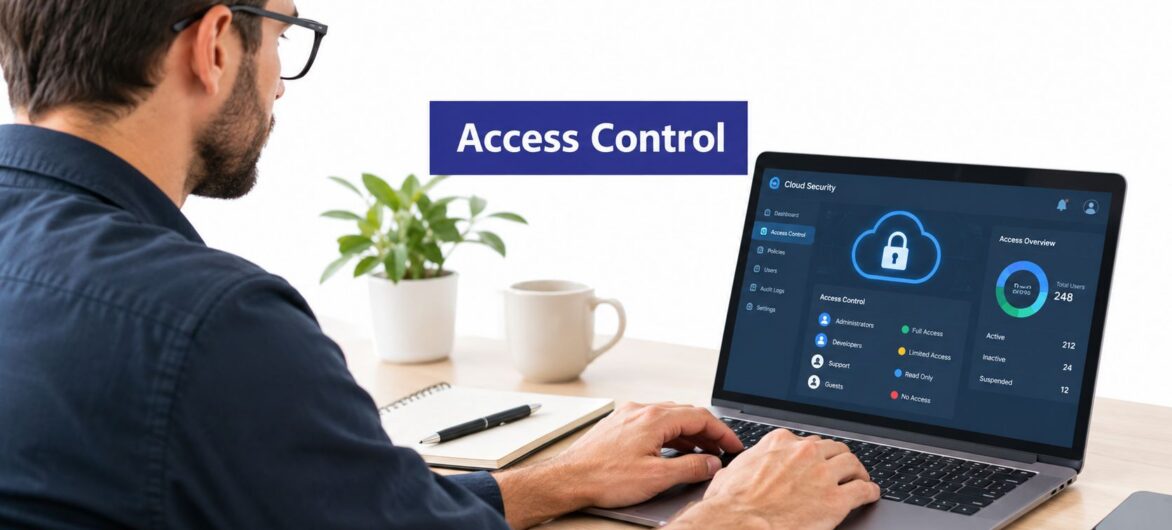
Most client data exposure in a small accounting, legal, or nonprofit office starts with an account that should never have had that reach. It might be a departed employee's still-active login, a bookkeeper with permissions beyond the job, or a shared administrator password passed around during tax season. Cloud applications make collaboration easier, but they also make weak access decisions easier to repeat across QuickBooks, Sage, CRM platforms, Microsoft applications, document systems, and hosted desktops.
The best practices for access control below are ordered by practical priority. Each one includes implementation guidance, common trade-offs, compliance considerations, and a short action list for firms that don't have a dedicated identity administrator. The aim isn't to build an elaborate security program overnight. It's to make sure the right person can perform the right task, for the right client or system, and that someone can prove what happened later.
Role-based access control, or RBAC, assigns permissions according to a person's job function instead of configuring every account from scratch. A small firm might begin with Administrator, User, and Viewer roles, then add more precise roles such as accountant, reviewer, payroll administrator, attorney, paralegal, tax associate, or client user.
This model works well because responsibilities tend to repeat. A Sage accounts-payable employee may need to create and review invoices but not change system settings. A CRM salesperson may need assigned client records but not the entire database. A Microsoft application administrator may manage accounts without receiving routine access to client documents.
Start with the smallest role set that reflects real work. Overly broad roles recreate the same problem as individual over-permissioning, while too many narrowly defined roles create administrative work and encourage exceptions.
Document each role in plain language. Record which applications it can use, which client or matter groups it can reach, and which actions are allowed. Include actions such as viewing, editing, exporting, deleting, inviting users, and changing permissions.
Use access-control software to support consistent per-user permissions across hosted applications, but don't treat the platform as a substitute for policy ownership. A manager still needs to approve the business reason for access.
Practical rule: If a role description can't explain why a permission exists, remove the permission or require a documented exception.
A stolen password can open a cloud accounting or legal system from anywhere. Multi-factor authentication, or MFA, adds another verification step, such as an authenticator application, security key, or passkey. It won't decide whether the person should access a payroll database, client file, or backup console. That remains an authorization question. MFA confirms identity, while access control determines reach.
The operational risk is clear. Verizon's 2025 Data Breach Investigations Report research found compromised credentials were an initial access vector in 22% of reviewed breaches. The same research found credential stuffing represented a median 19% of daily authentication attempts in analyzed single-sign-on provider logs, reaching 25% at enterprise-sized companies and 12% at small businesses.
Small offices should prioritize accounts in a sensible order. Protect email, administrators, finance systems, remote access, and backup accounts first. Then extend MFA to every user and application that supports it.
Authenticator apps and hardware security keys are generally preferable to relying on SMS alone. Where supported, prioritize FIDO2 or WebAuthn security keys and passkeys. Keep backup codes in an approved password manager, and document who can restore access when an employee loses a device.
Use two-factor authentication setup guidance during onboarding, and train staff before tax season begins. Don't wait for an emergency to discover that nobody knows where recovery codes are stored.
During tax season, a staff member may need QuickBooks, Sage, a CRM, and shared Microsoft files at the same time. That workload does not justify giving every employee unrestricted access. Grant each user, application, service, and administrator only the permissions required for current duties, then remove access that no longer has a clear purpose.
Set permissions around specific tasks. A bookkeeper may enter transactions without deleting them. A junior tax associate may view supporting documents but need supervisor approval to change a return. A paralegal may open assigned matter files without editing court filings. A support employee may troubleshoot an application with view-only rights instead of access to every client environment.
NIST places least privilege within a wider risk-management approach. Its Special Publication 800-53 Revision 5 catalogs controls for hostile attacks, human error, natural disasters, structural failures, foreign intelligence threats, and privacy risks. For a small firm, the practical benefit is clear: narrower permissions limit the effect of mistakes, conflicts of interest, accidental disclosure, and compromised accounts.
Permanent exceptions become invisible over time. Use just-in-time elevation when someone needs extra rights for a defined task. Require approval, set an expiry time, and record the action. Keep ordinary and administrator identities separate. Use dual approval for destructive changes, including backup deletion, retention changes, or MFA disablement.
Before granting access, confirm:
Practical user access controls should limit the blast radius without forcing workarounds. Recheck permissions after role changes, during staff turnover, and before busy filing periods. Least privilege is an ongoing operating routine, not a one-time role-setting exercise.
During tax season, a staff member may open hundreds of client files in QuickBooks, Sage, a CRM, or Microsoft 365. An access list shows who could enter. An audit log shows what happened after entry. That distinction helps a small accounting, legal, or nonprofit office answer client questions, investigate suspected misuse, and support a compliance review.
Record authentication events, authorization decisions, permission changes, exports, downloads, data edits, and administrator actions. A login record alone provides little context. Useful entries identify the actor, resource, action, policy, device, and outcome. Those details separate routine work on a client file from an unusual bulk download.
Protect logs from ordinary users and store them separately from the systems they describe. Use tamper-resistant storage where available. Alert on privilege escalation, dormant-account use, repeated failed logins, bulk downloads, and unusual administrator activity.
A small office cannot investigate hundreds of alerts each day. Start with events that could expose shared client files or change security settings. Assign an owner to review high-risk alerts daily or weekly, and record the response when an alert fires. During staff turnover, these records can also show whether a former employee used an account after access should have ended.
Capture these record types:
Set retention according to contractual, regulatory, and legal requirements. Vendor defaults may not meet the firm's obligations. Audit records help only when staff can retrieve and understand them, then connect them to an incident-response process.
Permission reviews work best when tied to real office events. A bookkeeper moves into tax work, a partner takes over a client, or a seasonal contractor finishes an assignment. Without a review, access to QuickBooks, Sage, the CRM, Microsoft applications, and shared client folders can outlast the job that justified it.
Assign each review to a manager who understands the work. An administrator can generate the report, while the department manager confirms whether each permission still fits the person's duties. That division keeps technical checks separate from business judgment.
Use different review schedules for different levels of access. Check privileged and external-user permissions monthly, standard employee access quarterly, and permissions immediately after termination, role change, or client disengagement. The 2025 Verizon SMB snapshot identifies privilege misuse as a recurring SMB breach pattern, with 6% of breaches associated with that category.
Certification should name the access being approved. Show the user, role, application, client or matter scope, available last-use data, approver, decision, exception, and person responsible for correction. A manager should be able to answer, “Why does this person still need this file or system?”
Keep the process short enough to complete during tax season and repeat after staff changes. Put reviews on the firm's operating calendar. Send unresolved items to the owner or managing partner, especially when shared client files or administrative controls are involved.
Access changes should follow the employee record, role, and employment dates. A new accountant can receive approved QuickBooks, Sage, Microsoft, CRM, and shared-folder access on the start date. A tax-season contractor should receive only the systems required for the assignment, with an automatic end date. A departing employee should lose access across email, hosted applications, remote desktops, VPNs, document stores, CRM, and backups without relying on several administrators to remember each task.
Use approved role packages for accounting, tax, legal, support, nonprofit, and temporary staff. Each package should define applications, folders, client or matter scope, and the manager who approves it. Extend the same discipline to physical entry points with this guide to multifamily gate access control, so digital and physical offboarding are handled together.
Revocation protects the firm, while recovery keeps client work moving. Before disabling an account, transfer ownership of files, client assignments, workflows, and scheduled jobs. Preserve records under the firm's retention requirements. Revoke active sessions and rotate shared secrets the person may have accessed.
For an unexpected departure, keep an emergency removal procedure ready. Record who can trigger it and how the firm confirms that access has been removed. Document a recovery path for cases where the only administrator loses a device or is accidentally disabled.
An HR or directory system can trigger the workflow, but automation does not assign accountability. Someone must approve access, verify client scope, transfer needed work, and confirm that shared files and business processes remain available after departure. Schedule a test before tax season, then repeat it after staff changes or application migrations.
A small firm may manage identities across QuickBooks, Sage, a CRM, Microsoft applications, tax software, and shared document storage. Separate account lists make it difficult to confirm who still works there and which client files each person can open.
A centralized identity and access management system provides one place for accounts, groups, authentication rules, and lifecycle events. Microsoft Entra ID, Okta, and similar platforms can provide single sign-on and conditional access when the applications and hosting environment support them.
Centralization reduces duplicate password stores and makes offboarding more consistent. The SecureOps case study shows how a global enterprise standardized identity operations at scale, a pattern small accounting, legal, and nonprofit offices can apply in miniature.
The trade-off is concentration of risk. An outage or bad configuration in the identity platform can interrupt access to several systems during tax season or a busy client deadline. Maintain monitored break-glass accounts and test recovery before relying on the central service.
Start with email, remote access, finance applications, and administrator accounts. Map directory groups to application roles, then document which system owns each user attribute. A group named “Accounting” may not justify access to every client organization or matter.
Centralization should make control easier to verify, not hide decisions behind directory settings. Test group-to-role mappings with representative staff accounts, including seasonal workers and contractors, before expanding access across the office.
A tax return in a shared drive should not have the same access as a marketing brochure. The same applies to legal case files, donor records, payroll reports, and accounting workpapers. Clear classifications help small offices protect sensitive client files without slowing routine work in QuickBooks, Sage, CRM systems, or Microsoft applications.
Use a short scheme staff can remember: Public, Internal, Confidential, and Restricted. Attach specific controls to each label. Restricted data may need partner approval, limited membership by client or matter, stronger monitoring, and tighter export rules. Internal data may be available to employees but blocked for external users.
Apply the classification wherever the file travels. A document labeled Restricted should keep its controls when copied to a shared folder or attached to an email. Otherwise, a careful decision in one system can disappear during ordinary tax-season work.
Assign an owner for each classification and write down the required handling steps. Labels or metadata can support enforcement, but automatic classification still needs review. Begin with records that create the greatest client, legal, or financial exposure.
Use a documented data classification framework to connect labels with permissions, retention, backup priority, and data-loss prevention rules. Keep the framework simple enough for an office manager to apply and precise enough for an administrator to enforce. Review it after staff turnover, new applications, or changes to client-file workflows.
A compromised administrator account can change permissions, disable MFA, delete backups, or reach every QuickBooks, Sage, CRM, and Microsoft 365 environment your office manages. Treating that account like a normal employee login gives one mistake an office-wide impact.
Privileged access management (PAM) places extra controls around administrative identities. Useful features include credential vaulting, approval workflows, just-in-time elevation, session recording, automatic expiry, and a separate process for emergency access. These controls matter most when a small office has one IT provider supporting several client environments.
Use a clear request record for every privileged session. A system administrator may need temporary production access to troubleshoot a hosted application. A partner may require an administrative function for one client. A contractor may need access only until an engagement ends. Record the owner, business reason, approval, systems covered, and expiry.
Administrators should use a standard account for email, browsing, and document editing, then switch to a separate administrative account for higher-risk tasks. Require phishing-resistant MFA where available, and monitor each privilege escalation.
Break-glass accounts need a monitored exception process. Keep them available for genuine outages or recovery work. Any use should create an alert, require a written reason, and trigger a follow-up review.
PAM must include non-human identities. Research on AI agents and machine identities reported that 46% of surveyed organizations give AI-powered tools access to critical systems and data, while 76% do not consistently govern those identities under privileged-access policies. It also reported that 28% had full visibility into non-human identities across cloud, on-premises, and SaaS environments.
For every integration or AI assistant, document the owner, purpose, permissions, key expiry, and revocation method. Separate read access from write access, use short-lived credentials where possible, and include service accounts in access reviews. This prevents an unattended integration from retaining broad access after staff turnover, application changes, or the end of tax season.
A compromised QuickBooks, Sage, CRM, or Microsoft 365 account can look legitimate at first. Monitoring helps identify activity that does not fit the user's role, device, location, schedule, or usual data volume.
Context prevents wasted investigations. An accountant signing in from a new device may be visiting a client. The same account exporting unrelated client files, changing permissions, and failing MFA challenges needs prompt review. A tax associate may work late during tax season, so an after-hours rule alone will create noise.
Set a normal activity profile for each role. Compare access with assigned clients, matters, applications, and administrative duties. Combine signals rather than reacting to one event. A new location may be harmless. A new location followed by repeated MFA failures and a bulk download warrants escalation.
Use alert levels to separate information, warnings, and urgent incidents. Protect actions that can expose shared client files or weaken controls, including exports, permission changes, backup deletion, MFA changes, and dormant-account use. Adjust thresholds for tax deadlines, reporting periods, and other predictable peaks.
Every urgent alert needs an assigned investigator. That person should confirm whether the activity was expected, contact the user or manager, suspend access when appropriate, and record the decision. Review false positives, missed events, and response times after each investigation.
Small offices can start with sign-in, MFA, application, administrator, and endpoint events. Connect those sources where the tools support it. A practical alert process should let an office manager answer three questions quickly: what happened, whether the access was expected, and what action is required now. This keeps monitoring focused on protecting client records without burying a small team in alerts.
| Control | Implementation complexity | Resource requirements | Expected outcomes | Ideal use cases | Key advantages |
|---|---|---|---|---|---|
| Implement Role-Based Access Control (RBAC) | Medium, requires role design and mapping | Moderate, admin time, role management tools | Streamlined permissions, easier audits, reduced errors | Firms with clear job functions and many users (accounting/legal) | Scales well, simplifies onboarding/offboarding, enforces least privilege |
| Enforce Multi-Factor Authentication (MFA) | Low–Medium, enablement and integration | Low–Moderate, auth apps, tokens, user support | Dramatically reduced account takeover risk | Remote access, admin accounts, sensitive-data access | Strong protection against credential compromise, compliance support |
| Apply the Principle of Least Privilege (PoLP) | High, granular policies and JIT workflows | Moderate–High, policy design, tooling, reviews | Minimized attack surface and limited damage from breaches | High-sensitivity environments and multi-tenant setups | Reduces exposure, complements RBAC/MFA, improves forensic clarity |
| Maintain Comprehensive Audit Logs and Access Records | Medium, enable logs, centralize and secure storage | High, storage, SIEM, analysis personnel | Forensic trails, compliance evidence, anomaly detection | Regulatory audits, incident response, forensic investigations | Accountability, detection of misuse, supports audits |
| Conduct Regular Access Reviews and Recertifications | Medium, workflow setup and scheduling | Moderate, manager time, review tools | Removal of stale access, reduced privilege creep | Organizations with frequent role changes or high turnover | Keeps access current, creates audit-ready documentation |
| Implement Automated Onboarding and Offboarding Processes | High, HR/system integrations and templates | Moderate–High, integration effort, workflow tooling | Timely provisioning/deprovisioning, fewer orphaned accounts | Seasonal staffing (tax season), frequent hires/terminations | Consistent access application, reduces manual errors and delays |
| Use Centralized Identity and Access Management (IAM) Systems | High, integrations and phased rollout | High, licensing, integration work, ongoing maintenance | Unified identity, SSO, easier provisioning/deprovisioning | Organizations with many apps or MSPs managing multiple tenants | Simplifies management, improves visibility, enforces consistent policies |
| Establish and Enforce Data Classification and Access Policies | High, policy development and classification rollout | Moderate–High, tools, training, metadata/tagging | Targeted protections, informed access decisions, better governance | Firms handling varied sensitivity data (client tax/legal files) | Enables consistent controls, supports DLP and retention rules |
| Implement Privileged Access Management (PAM) for Administrative Accounts | High, deploy PAM platform and workflows | High, licensing, storage for session records, admin effort | Secured admin credentials, audited privileged sessions | Environments with powerful admin accounts and shared credentials | Limits privileged abuse, session accountability, JIT elevation |
| Monitor and Alert on Anomalous Access Patterns and Behavior | Medium–High, baseline creation and tuning | High, analytics/SIEM, data sources, security analysts | Early detection of compromises and insider threats | Continuous monitoring environments, insider-threat risk contexts | Detects unusual activity early, correlates behavior across systems |
Don't attempt to implement every control at once. Start with role definitions, least privilege, and MFA. Those measures address the most common sources of unnecessary reach and compromised-account access. Then add centralized identity, audit logging, quarterly reviews, and HR-linked onboarding and offboarding.
Create one access register for the firm. It should list users, roles, applications, client or matter scope, privileged accounts, service accounts, approvers, and review dates. Keep it understandable enough for an office manager to maintain, and detailed enough for an administrator to investigate a permission decision.
The routine should include a short monthly check of privileged and external access, a quarterly employee access review, and an immediate workflow for termination, role change, or client disengagement. Tie every exception to an owner and expiry date. If an exception has no expiry, it will likely become permanent.
Recovery deserves equal attention. Test what happens when the only administrator loses a device, when a departing employee's account must be disabled immediately, or when a permission change blocks payroll or tax work. Measure time to revoke access, time to restore an accidentally disabled administrator, and whether privileged accounts have independent recovery paths. Security that prevents work without a recovery process can push staff toward shared credentials and undocumented workarounds.
For organizations running QuickBooks, Sage, CRM, tax, document management, and Microsoft applications, Cloudvara can centralize those tools on a secured cloud platform with per-user permissions, remote access, and two-factor authentication. Its hosted environment can make role-aligned authorization, consistent access changes, backups, and collaboration easier to manage across a small firm or nonprofit. Prospective customers can test the platform through a free 15-day trial with no contract or credit card required.
The right standard isn't perfect complexity. It's repeatable control. A staff member should know how to request access, a manager should know what they're approving, an administrator should know how to revoke it, and the organization should be able to show what happened afterward.
Cloudvara hosts QuickBooks, Sage, CRM, tax, document management, and Microsoft applications in a centralized cloud environment with per-user permissions, remote access, and two-factor authentication. If you want to apply these access-control practices more consistently, visit Cloudvara to explore the platform and start a free 15-day trial without a contract or credit card.




