If you’ve ever wondered what “the cloud” really means for your business, you’re in the right place. Simply put, cloud hosting is a way to run your software and store your files on a powerful network of computers over the internet, instead of on a single, physical server sitting in your office.
Think of it as renting access to a massive, professionally managed IT department. This frees you from the headache and expense of buying and maintaining your own hardware, giving you flexibility, security, and accessibility without the heavy lifting.
Let's imagine you run a busy accounting firm. The old-school way would be to buy a clunky, expensive server and stick it in a back closet. All your critical software—like QuickBooks or Sage—and every single client file would live on that one machine. Your team could only access it from computers physically connected to your office network.
This setup is riddled with problems. What happens if that server crashes during tax season? Who’s responsible for running security updates and backing up mountains of data every night? And when you hire more staff, you’re forced to buy an even bigger, more expensive server. That’s the traditional, on-premise model in a nutshell.
Cloud hosting completely flips this script.
The easiest way to understand cloud hosting is to think of it like your electricity service. You don't build a power generator in your backyard to keep the lights on; you just plug into the grid and pay a predictable monthly fee for the power you use. The utility company handles all the complex infrastructure, maintenance, and repairs behind the scenes.
Cloud hosting is a model where your applications and data live on a network of remote servers accessed via the internet. Your provider manages the hardware, security, and maintenance, allowing you to focus on your business, not your IT infrastructure.
With this approach, you're no longer on the hook for the physical hardware. Your most important software and data are stored in a secure, professionally managed data center with enterprise-grade security, redundant backup systems, and 24/7 expert monitoring.
When you partner with a cloud hosting provider, you're essentially outsourcing three critical IT functions, letting you get back to what you do best.
This model is a game-changer for professionals like accountants, lawyers, and small business owners who need rock-solid, reliable access to their tools from anywhere, without having to become IT experts themselves.
To make it even clearer, here’s a quick comparison showing how cloud hosting stacks up against a traditional in-office server. The differences highlight why so many businesses are making the switch.
| Feature | On-Premise Server | Cloud Hosting (like Cloudvara) |
|---|---|---|
| Initial Cost | High (purchase server hardware) | Low (monthly subscription fee) |
| Maintenance | Your responsibility (or hire IT staff) | Managed by the provider |
| Accessibility | Limited to office network | Access from any device, anywhere |
| Security | Your responsibility to implement | Enterprise-grade security included |
| Scalability | Difficult and expensive to upgrade | Easily add or remove users |
| Backups | Manual process you must manage | Automated and managed by provider |
As you can see, the cloud model shifts the burden of cost, maintenance, and security from your shoulders to a specialized provider, giving you more freedom to focus on growth.
To really get the value of cloud hosting, it helps to peek under the hood at the technologies that make it all possible. These aren't just buzzwords; they’re the building blocks that deliver the security, reliability, and flexibility your business depends on. The magic of the cloud really comes down to three key ideas working together.
At the heart of it all is the raw computing power, software, and storage that runs your applications.
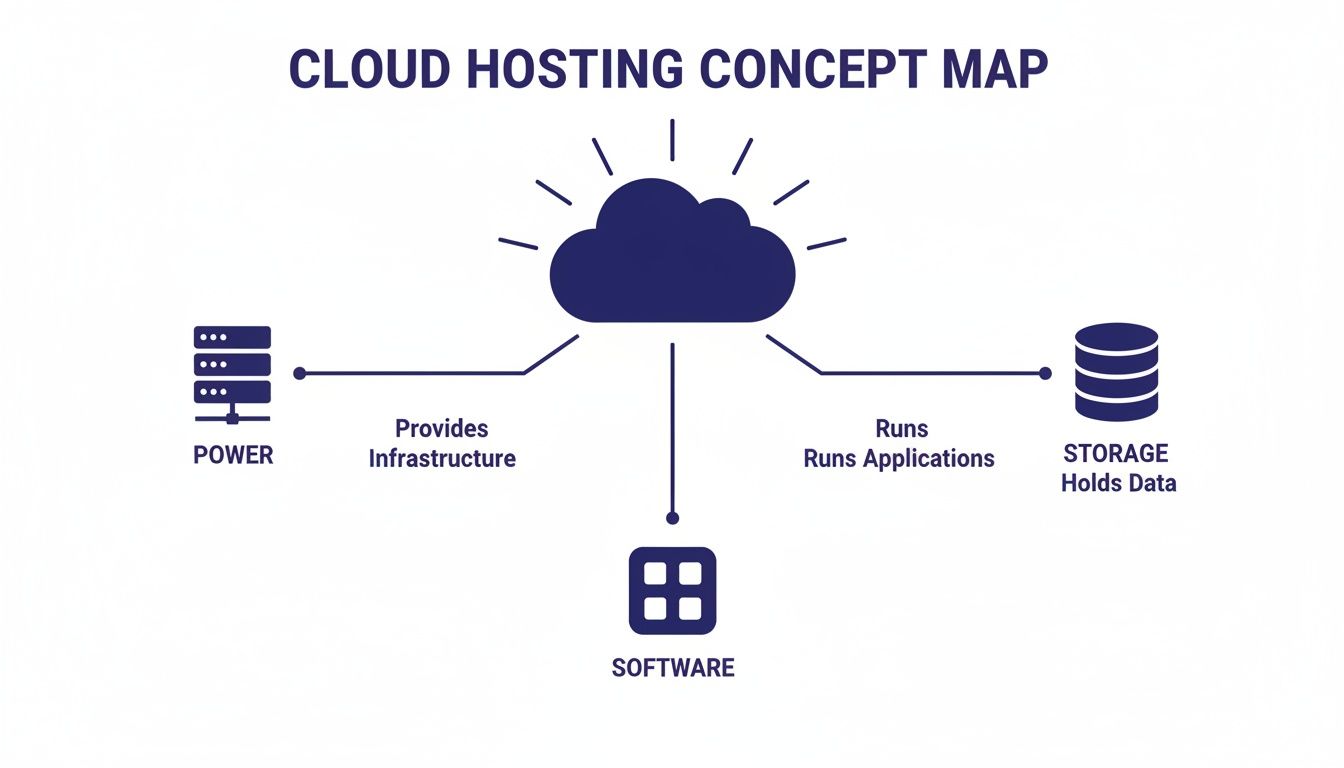
This graphic shows how a central cloud system delivers essential resources—server power, software, and data storage—to you. It’s a great reminder that cloud hosting isn't just one thing, but an integrated system of powerful components.
The first and most critical technology is virtualization. Imagine a single, immensely powerful physical server. Instead of giving that whole machine to just one business, virtualization software cleverly divides it into multiple, independent virtual servers.
Each virtual server acts like its own separate computer, complete with its own operating system and dedicated resources like memory and processing power. This means your accounting firm's virtual server is completely isolated from the law firm's virtual server next door, even though they share the same physical hardware. It’s the secret sauce that makes cloud hosting so efficient and affordable.
Want to go a bit deeper? We have a detailed guide on what server virtualization is and how it powers modern IT.
Building on virtualization, multi-tenancy lets multiple customers—or "tenants"—use the same infrastructure safely and privately. Think of it like a high-security apartment building.
Every tenant lives in the same building (the physical server) and shares utilities like electricity and plumbing (the underlying resources). But each one has their own private, locked apartment (their virtual server) where their belongings (data) are secure. No tenant can just wander into another's apartment, which guarantees complete privacy for everyone. This model allows providers to offer powerful resources at a fraction of the cost of owning the whole building yourself.
Multi-tenancy is an architecture where a single instance of software on a server serves multiple tenants. This efficiency is a core reason why cloud hosting is so cost-effective for small and mid-sized businesses.
The adoption of these technologies is nearly universal at this point. A stunning 96% of companies worldwide now use public cloud services, while 84% also use private cloud infrastructure, often creating a hybrid strategy. For professionals who handle sensitive client data, this model strikes an ideal balance between accessibility and control.
Finally, what happens if a server in the data center fails? This is where redundancy comes in. Cloud hosting providers don't just keep your data in one spot. They create and maintain multiple, identical copies of your data across different physical servers, and sometimes even in different geographic locations.
This built-in safety net is all about business continuity. If one server goes offline for maintenance or has an unexpected issue, the system automatically switches over to a backup copy. You experience zero downtime. For a law firm that needs constant access to case files or an accountant finalizing returns, this guaranteed uptime is non-negotiable. It provides a peace of mind that on-premise solutions just can't match.
Once you get the hang of how cloud hosting works, you quickly realize it’s not a one-size-fits-all solution. The term "cloud" actually covers a whole spectrum of services, and each one offers a different balance of control, convenience, and cost. Picking the right one is a big deal—it directly shapes your budget, security, and how much IT work lands on your team's plate.
To make sense of it all, let's use a simple analogy: ordering a pizza. This comparison breaks down the main service models into something everyone can understand, helping you see which one fits your business.
Think about all the ways you can get a pizza for dinner, from making it from scratch to having it show up at your door, hot and ready. Cloud hosting services follow a surprisingly similar pattern.
Infrastructure as a Service (IaaS): This is the “take and bake” pizza. The cloud provider gives you the essential ingredients—the servers (the oven), networking (the kitchen), and storage (the pantry). But you’re in charge of the rest. You bring your own dough, sauce, and toppings (your operating system, applications, and data) and do all the cooking. IaaS gives you the most control, but it also demands the most technical know-how.
Platform as a Service (PaaS): This is like buying a pizza kit at the store. The provider gives you the kitchen, the oven, and even the pre-made dough and toppings. Your only job is to assemble it and pop it in to bake. In the tech world, this means the provider manages the servers, storage, and operating system. You get a ready-made platform where you can build and run your applications without ever touching the hardware underneath.
Software as a Service (SaaS): This is the easiest option of all—ordering pizza for delivery. It arrives fully cooked, and all you have to do is eat it. SaaS applications are the tools you use every day over the internet, like Gmail, Dropbox, or your favorite tax software. The provider handles absolutely everything behind the scenes, from the servers to the software updates.
The incredible growth in the cloud computing market, which is on track to hit nearly $2.4 trillion by 2030, is fueled by the flexibility these different models provide. While SaaS is currently the biggest piece of the pie, IaaS is growing the fastest as more businesses look for greater control over their digital environments. You can see more on the global cloud computing market growth on grandviewresearch.com.
Beyond the "as-a-service" models, you also need to think about where your cloud lives. This choice comes down to who owns the infrastructure and how it’s shared.
For many professional firms, none of these models are a perfect fit. They need the benefits of the cloud without the headaches of managing it. This is exactly where Managed Cloud Hosting comes in.
Managed cloud hosting is a service where the provider takes care of everything for you—from the infrastructure and security to the application updates and daily backups. It’s the "personal chef" of cloud services, delivering a customized, hassle-free experience.
With managed hosting, you get a dedicated team of experts handling all the technical heavy lifting. It's the ideal path for businesses that want to focus on their clients, not on becoming IT specialists. Making the right choice here is critical, and it helps to review a detailed guide on how to choose a cloud provider that aligns with your specific needs. This approach gives you all the power of the cloud—remote access, security, and scalability—with none of the complications.
The theory behind cloud hosting is one thing, but what really counts is how it helps your firm on a day-to-day basis. For accountants, law firms, and small businesses, the benefits go far beyond IT jargon—they’re about serving clients better, locking down sensitive data, and building a more resilient operation.

Moving from an on-premise server to a secure cloud environment delivers concrete improvements from the moment you log in. Let's dig into the most significant advantages your firm can expect.
When you handle confidential client information—from tax returns to legal case files—security is non-negotiable. Cloud hosting takes the risk out of relying on a single in-office server and replaces it with a multi-layered security system that most small businesses could never build or afford on their own.
Professional cloud providers bake robust security measures into their service from the ground up. These protections are essential for keeping client trust and meeting strict industry compliance standards.
This comprehensive approach lets you operate with confidence, knowing your clients’ most sensitive data is protected by industry-best practices.
The modern professional firm isn't tied to a single physical office. Your team needs the flexibility to work from home, a client’s office, or on the road. Cloud hosting makes this a reality by putting your essential desktop applications, like QuickBooks and Sage, in a secure, central hub that’s accessible from any internet-connected device.
A team member in the field can access the exact same software and files as someone back at the office, ensuring everyone is working with up-to-the-minute information. This gets rid of clumsy VPNs or the risky practice of emailing sensitive files back and forth.
This capability is a game-changer for productivity and client responsiveness. It ensures your operations run smoothly, no matter where your team members happen to be.
What would happen to your firm if a fire, flood, or simple hardware failure destroyed your office server? For many, it would mean catastrophic data loss and paralyzing downtime. Cloud hosting provides a crucial safety net with automated business continuity and disaster recovery protocols built right in.
Your data gets backed up automatically, every single day, to a secure, offsite location. If something unexpected hits your office, your entire digital environment can be restored quickly from these backups, often with little to no disruption. This built-in redundancy delivers the peace of mind that a local disaster won't put you out of business.
Managing an on-premise server is full of financial surprises. You have the huge upfront cost for hardware, plus all the unexpected expenses for repairs, upgrades, and IT emergencies. Cloud hosting changes all that, converting those unpredictable capital expenses into a flat, predictable monthly operational cost. Budgeting becomes far simpler.
On top of that, cloud hosting offers unmatched scalability. An accounting firm can add ten temporary users during the busy tax season and scale right back down afterward. A growing law practice can onboard new attorneys in minutes, not weeks. This agility means you only ever pay for the resources you actually need, right when you need them.
Deciding between keeping a server in your office closet and moving to the cloud is one of the most important calls a business can make. An on-premise server might feel familiar, but it comes with a bundle of hidden costs and headaches that can pull you away from what you do best.
When you stack them side-by-side, it becomes clear why so many professional firms are choosing a managed cloud solution instead.
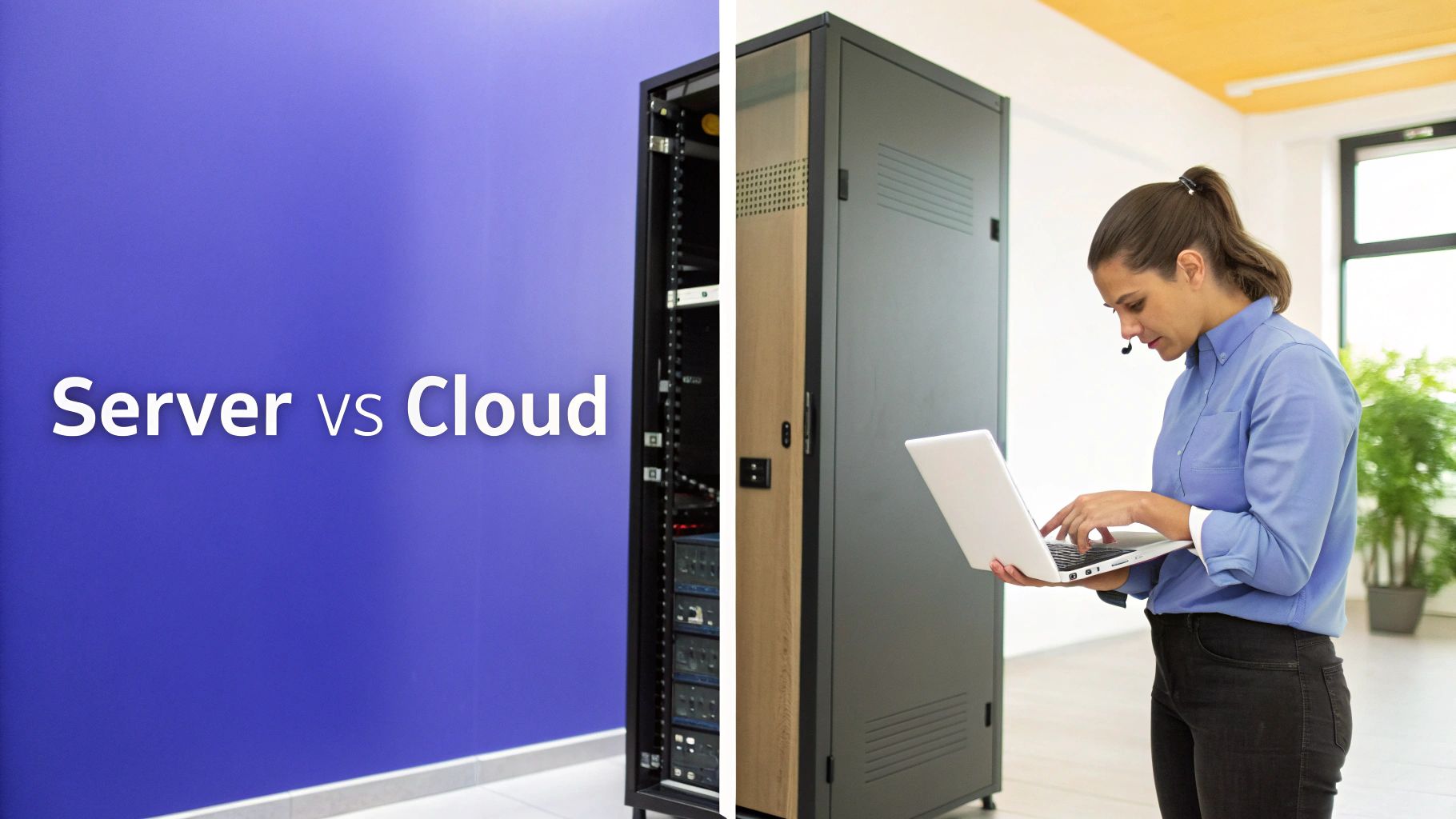
The traditional on-premise model makes you an unwilling IT manager. You’re on the hook for the massive upfront hardware bill, never-ending software licenses, constant security patches, and daily data backups. And when something inevitably breaks, the downtime and repair costs are all yours.
It’s easy to underestimate what an in-house server really costs. Beyond the sticker price, a whole host of ongoing expenses creep onto the balance sheet, often catching business owners by surprise.
A managed cloud hosting provider rolls all of these costs into one predictable monthly fee. This shifts your IT spending from a lumpy capital expense to a smooth operational one, making it much easier to budget. For a closer look, our article offers a more detailed cloud vs on-premise comparison to help you weigh the financial impact.
The public cloud is dominated by giants like Amazon Web Services (AWS), Microsoft Azure, and Google Cloud, which together command 63% of the global market. These platforms are incredibly powerful, but they’re also incredibly complex. They’re built for dedicated DevOps teams, not for the typical accounting or law firm. They give you the raw materials, not the finished product.
This is where a specialized provider makes all the difference. Instead of giving you a box of tools, a managed partner builds the solution for you, with dedicated support for the specific applications your firm relies on every day, like QuickBooks or Sage.
The table below breaks down the key differences, highlighting why a managed cloud approach is a game-changer for businesses that need rock-solid reliability without the IT overhead.
Here’s a straightforward breakdown of what you get with each option. For most small and mid-sized firms, the choice becomes obvious when you see the responsibilities side-by-side.
| Factor | On-Premise Servers | Managed Cloud Hosting (Cloudvara) |
|---|---|---|
| Initial Investment | High capital expense for hardware | No upfront hardware costs |
| Ongoing Maintenance | Your responsibility (time and money) | Included in the monthly fee |
| Security Management | Your team must configure and monitor | Handled by certified security experts |
| Accessibility | Limited to the office network | Secure access from any location |
| Application Support | General IT support | Specialized support for your key software |
Ultimately, it all comes down to focus. Do you want your team spending time and money becoming IT experts? Or do you want them focused on serving your clients and growing your business? An on-premise server pulls you into the weeds of IT management, while managed cloud hosting frees you to do what you do best.
Making the move to cloud hosting feels like a massive project, but it doesn't have to be. When you break it down into clear, manageable steps, the whole process shifts from a source of stress into a smart business upgrade. This checklist is your roadmap to a smooth and successful transition.
A good migration plan is all about eliminating surprises and minimizing disruption. The goal here is to move your operations with confidence, knowing every detail has been thought through before you flip the switch.
Before you touch a single file, you need to understand exactly what you're working with. This phase is all about discovery—taking a detailed inventory of your current IT setup. Getting a clear picture now prevents major headaches down the road.
Audit Your Applications: Make a complete list of every piece of software your firm relies on day-to-day. Note which applications are mission-critical (like QuickBooks or your practice management software) and flag any older programs that might have compatibility issues.
Assess Security and Compliance Needs: Document your specific regulatory requirements. For a law firm, this could mean HIPAA or other client data privacy rules. This step is absolutely non-negotiable for protecting both your clients and your business.
Choose the Right Provider: You're looking for a partner, not just a vendor. A great provider should offer expert support for your specific applications, have a proven track record with businesses like yours, and give you transparent, predictable pricing. Don't be shy about asking for case studies or references.
A successful cloud migration isn’t just a technical shift; it's a business evolution. Planning carefully ensures that your new cloud environment is perfectly aligned with your operational needs and long-term goals.
Before fully committing, it's often a smart move to run practical proof of concepts for cloud products to make sure performance and compatibility are exactly what you expect.
With a solid plan in your hands, it’s time to focus on the technical side of the move and—just as importantly—get your team ready for the change.
Plan the Data Migration: Work with your provider to get the data transfer on the calendar. This is almost always done over a weekend or after hours to ensure zero downtime for your daily operations. A good provider will handle all the heavy lifting for you.
Prepare Your Team: The human element is critical. Schedule a few training sessions to walk your staff through logging in and accessing their applications in the new cloud environment. For a complete guide, check out our comprehensive cloud migration checklist for more detailed steps.
Moving to a new way of working always brings up questions. It's only natural. Understanding how cloud hosting affects your firm's security, software, and daily rhythm is a critical step. Most business owners have the same valid concerns before they make the switch, so let’s tackle them head-on.
Getting these answers helps clear up the mystery and builds confidence in the move. A good partner won't just have answers—they'll work with you to solve each concern before it becomes one.
This is almost always the first question, and for good reason. The answer is a firm yes. A professionally managed cloud environment is almost always more secure than a typical server closet down the hall. Your data is wrapped in multiple layers of security that most small businesses could never afford or manage on their own.
These aren't optional extras; they're the foundation of the service:
The thought of migrating crucial applications like QuickBooks or your industry-specific practice management software can feel daunting. But with a managed cloud provider, you are not doing it alone. The entire process is handled by experts who have moved firms just like yours hundreds of times.
A managed migration means the provider’s technical team handles the entire transfer for you. They’ll schedule it during off-hours, usually over a weekend, to ensure zero business disruption. Your team leaves work on Friday and comes back Monday to their familiar desktop and applications, now running smoothly in the cloud. It’s that simple.
This is a common point of confusion. It’s important to separate the provider's uptime from your local internet connection. Your cloud provider guarantees that your applications and data are running and available on their end—often with a 99.5% uptime guarantee or even higher.
If your office internet goes down, you can simply switch to another connection. Just connect your laptop to a mobile hotspot or your home Wi-Fi, and you’ll be right back in business, with full access to all your software and files. Your business stays online even when your office isn't.
Nope. In fact, many businesses find their applications get a performance boost. Your software will be running on enterprise-grade hardware with far more processing power and faster storage than a standard office server could ever provide. This powerful infrastructure is built for heavy workloads, making sure your software runs quickly and smoothly, even with your entire team logged in at once.
Ready to see how a secure, high-performance cloud environment can reshape your firm’s operations? Cloudvara offers a completely hands-off, managed solution built for your essential applications. Experience the benefits for yourself with a free 15-day trial—no credit card required. Get started today at cloudvara.com.




