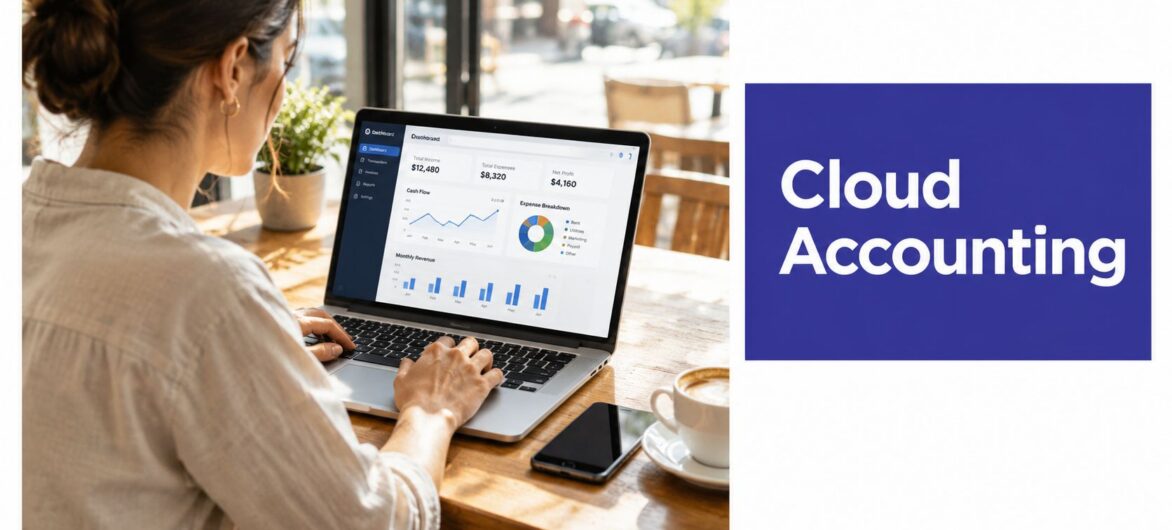
Cloud deployment accounted for 61.7% of global small business accounting software revenue in 2025, making cloud accounting the default operating model rather than an emerging alternative. That share is projected to reach 74.3% by 2034.
The important question for a small business isn't whether cloud accounting has arrived. It has. The practical question is whether your business can migrate its records, permissions, workflows, and staff habits without creating new risks.
After helping firms move away from desktop systems and local servers, I've found that software selection is rarely the hardest part. The difficult work involves deciding who can approve payments, how bank feeds are reviewed, how old records are cleaned, and what happens when an employee leaves. A cloud platform can give your team faster access and stronger continuity, but only if the operating model changes with it.
The market has already made the decision many owners are still debating. Cloud deployment represented 61.7% of global small business accounting software revenue in 2025, and the same market analysis projects that figure to reach 74.3% by 2034 (global small business accounting software market data). Cloud accounting is now the baseline for firms that need their financial information available beyond one office computer.
Consider a small professional-services firm with an owner visiting clients, a bookkeeper working remotely, and an external accountant preparing monthly reports. In a desktop-first setup, each person depends on a specific machine, a shared drive, or a manually transferred backup. A cloud workflow puts the current ledger, invoices, receipts, and reports in one controlled environment. The owner can review cash activity while travelling, the bookkeeper can reconcile transactions without waiting for a file transfer, and the accountant can work from the same records.
That convenience doesn't remove responsibility. It changes where responsibility sits. Instead of maintaining a computer, installing updates, and remembering manual backups, the business must manage user access, approval rules, integrations, and data quality.
A move to small business cloud accounting works best when the firm redesigns its routines rather than copying old habits into a new application. Bank feeds need review rules. Recurring invoices need owners. Digital receipts need a consistent naming and storage process. Reports need agreed definitions, so “profit” means the same thing to the owner and the accountant.
Practical rule: Treat migration as a process redesign, not a software installation.
Cloud hosting can be especially useful when a firm wants to keep using licensed desktop applications while making them accessible remotely. QuickBooks cloud hosting and business growth guidance offers useful context for owners comparing hosted applications with a move to a fully browser-based product.
The firms that gain the most aren't necessarily the ones with the most features. They're the ones that establish clear ownership for reconciliations, approvals, reporting, and access reviews before the first transaction enters the new system.
Cloud accounting is accounting software hosted on remote servers and accessed through an internet connection, rather than installed exclusively on a local computer. The provider manages the underlying hosting environment, while the business uses the application through a browser, mobile app, or hosted remote desktop.

The distinction matters because the architecture determines how people work. With traditional desktop software, records may live on one workstation or a local network. Updates, backups, and access often depend on an internal administrator. With a cloud system, the provider operates the servers and delivers the application over the internet, while the business controls users, permissions, workflows, and connected services.
Access changes first. A cloud platform can support work from an office computer, laptop, or phone, subject to the provider's controls and the user's connection. That makes it easier for an owner and accountant to review the same records without passing files between devices.
Collaboration becomes simultaneous. Instead of creating duplicate copies of a company file, authorized users work against a shared dataset. This reduces version confusion, but it also makes permission design more important. A user who can edit supplier details or release payments needs a different access level from someone who only submits receipts.
Maintenance moves to the provider. Cloud providers generally handle application updates and hosting infrastructure. The business still needs to test integrations, understand changes, and maintain internal procedures. Removing server maintenance doesn't remove governance.
A useful technical overview is Everglow Prosperity cloud accounting advice, particularly for businesses comparing hosted finance tools with local installations.
Not every cloud environment works the same way. Browser-based accounting applications are built to run online, while hosted desktop accounting places an existing application on a remote server and gives users access through a remote desktop session. Both can support distributed teams, but their compatibility, integration methods, printing, reporting, and user experience differ.
Before choosing, list the applications your firm can't replace, including payroll, tax preparation, inventory, document management, and reporting tools. Then confirm whether each application is natively supported, accessed through hosting, or connected through an integration. This plain-language guide to cloud accounting can help owners establish the distinction before they compare vendors.
Small and medium enterprises are not a minor audience for cloud accounting. SMEs represented 65.8% of the cloud accounting solution market in 2025, establishing them as the dominant user base (cloud accounting solution market analysis). That matters because providers increasingly design around the practical needs of growing firms, including remote collaboration, automated bookkeeping, bank connectivity, reporting, and lower infrastructure demands.
The adoption pattern also explains why cloud accounting feels less like a technology project and more like an infrastructure decision. A small company may begin with invoicing and expense capture, then add bank feeds, payroll, payment processing, inventory, or tax workflows. Each connection can reduce rekeying, but each also creates another point where incorrect mapping or weak permissions can affect the ledger.
A local server requires someone to manage hardware, updates, backup routines, access from outside the office, and recovery procedures. Many small businesses don't have a dedicated IT function, so those duties fall to an owner, an accountant, or an informal “person who knows the system.” Cloud accounting transfers much of the infrastructure work to a specialist provider.
That transfer has a trade-off. The firm loses some direct control over the hosting environment and becomes dependent on vendor availability, support quality, export options, and contract terms. A responsible decision therefore weighs operational fit against provider dependency instead of assuming that cloud automatically solves every finance problem.
A business can be counted as a cloud user while still relying on manual workarounds. Staff may download spreadsheets, email reports, use shared passwords, or postpone reconciliations. Those habits preserve the weaknesses of the old model inside a newer platform.
The implementation question is more useful than the adoption question:
Cloud accounting becomes valuable when those decisions become visible and repeatable. The software supplies the environment. The firm still supplies the controls.
Desktop accounting can work well for a stable business with a controlled office, reliable internal support, and a tested backup process. Problems appear when the company needs remote access, several people must work on the same records, or the application becomes dependent on one aging computer.
Cloud accounting shifts the cost and responsibility profile. Instead of buying and maintaining local infrastructure, the business usually pays for access to a hosted service or hosted application. That can reduce internal maintenance, but monthly subscriptions, user charges, integration fees, and migration services need to be included in the actual budget.
| Feature | On-Premise Desktop | Cloud Accounting |
|---|---|---|
| Location | Software and data sit on a local computer or server | Software and data are hosted remotely |
| Access | Often tied to office hardware or a configured network | Available through supported internet-connected devices |
| Collaboration | Depends on network setup and file-locking behavior | Authorized users can work from a shared environment |
| Updates | Business or IT contact installs and tests updates | Provider generally manages application updates |
| Backups | Staff must schedule, monitor, and test them | Provider may automate backups, subject to plan and terms |
| Scaling | May require hardware, network, or license changes | Usually handled through plan, user, or hosting changes |
| Control | Direct control over local hardware and files | Greater reliance on provider policies and availability |
| Migration risk | Low if the existing process remains unchanged | Requires data conversion, testing, training, and cutover planning |
A local installation can provide predictable offline behavior and direct control over the physical environment. Some firms also have specialized add-ons or legacy reports that don't translate cleanly to a browser platform. If a business has a carefully maintained server, tested backups, and limited remote requirements, migration may not be urgent.
The weakness is often not the software itself. It's the surrounding dependency. If the only current copy sits on one machine, if backups run to the same location, or if one employee understands the setup, the firm has a continuity risk regardless of how familiar the application feels.
Cloud hosting can preserve an existing application while changing where it runs. A licensed QuickBooks or Sage installation, for example, may be hosted on dedicated servers and accessed remotely, which can suit firms that need continuity with established desktop workflows. The key is to confirm application compatibility, printing and scanning requirements, user concurrency, backup terms, and support responsibilities.
This cloud versus on-premise comparison is useful when the choice is between replacing an application and relocating it to a managed hosting environment.
Cloud isn't automatically cheaper, faster, or simpler. It tends to work better when the business values shared access, outsourced infrastructure, and regular recovery procedures. It may work less well when the provider has weak support, unclear export policies, poor integration coverage, or pricing that grows unpredictably with users and connected services.
Security shouldn't be judged by the word “cloud.” Judge the controls, configuration, monitoring, and responsibilities behind the service.

Reputable providers commonly protect hosted accounting environments with password-controlled access, SSL/TLS encryption, firewall-protected servers, and automatic cloud backups (QuickBooks guidance on cloud accounting security). Those provider-level controls matter, but they don't protect an account whose users reuse passwords or approve unexpected login prompts.
Start with identity. Require unique passwords and multi-factor authentication for every user, especially administrators and external accountants. MFA reduces the chance that a stolen password alone gives an attacker access.
Next, apply least privilege. A bookkeeper may need to reconcile accounts but not create new payment recipients. An employee may submit an expense without editing the chart of accounts. Review permissions when responsibilities change, and remove access promptly when someone leaves.
Then monitor activity. Providers and administrators should investigate suspicious logins, unusual exports, failed authentication attempts, and unexpected changes to supplier or bank details. Staff training belongs in the control environment too, because phishing frequently targets people rather than servers.
For readers assessing provider governance, this explanation of what is SOC 2 compliance provides useful background on how independent controls reporting can fit into vendor due diligence.
A cloud provider's backup arrangement is another critical layer. Industry guidance on cloud accounting backups notes that providers perform regular backups and store copies in geographically redundant locations, helping protect records from hardware failure or cyberattacks. Ask how long backups are retained, whether they're encrypted, how restoration is requested, and whether the business can test a restore.
Security test: If your team can't explain who has access, how access is challenged, and how records are restored, the control environment isn't finished.
For a practical small-business security checklist, see small business cloud security guidance.
Use the following video as a supplementary overview, not as a substitute for reviewing a provider's security documentation and service terms.
The most persistent migration myths usually come from treating cloud accounting as a feature purchase instead of an operating change.
One common assumption is that cloud systems are automatically less secure because the data is outside the office. That comparison is incomplete. A local server may give the owner physical proximity, but physical proximity doesn't guarantee MFA, encrypted backups, timely patching, restricted permissions, or monitored access. Cloud security depends on the provider's controls and the firm's configuration.
A second assumption is that remote access means unrestricted access. It shouldn't. A properly configured system makes access more convenient for approved users while still enforcing identity checks, role permissions, and session controls. Convenience and control aren't opposites when the access model is designed deliberately.
The difference between using a cloud platform and benefiting from it is visible in industry survey data. Although 85% of firms had adopted cloud platforms, 40% still hadn't realized easier access from anywhere and 36% hadn't realized enhanced security, according to Xero's 2025 US State of the Industry report.
Those figures point to an implementation problem, not a failure of the underlying idea. Staff may still save files locally, avoid mobile approvals, or use broad permissions because nobody has shown them a safer workflow. Training should therefore focus on tasks: how to approve an invoice, attach a receipt, respond to an MFA prompt, identify a suspicious login, and escalate an incorrect bank-feed match.
A controlled migration can begin with a documented inventory. Identify the current file, connected bank accounts, open invoices, unpaid bills, recurring transactions, payroll dependencies, custom reports, and integrations. Decide which history must be converted, which records can remain archived, and who signs off on the opening balances.
Use this cloud migration checklist to structure the work, then run a test conversion before committing to a cutover date. Compare trial balances, customer balances, supplier balances, tax codes, and bank-reconciliation status. Keep the old system available in read-only form where appropriate, and give users a clear rule for which system becomes the source of truth.
The right platform is the one that fits your workflow, control requirements, applications, and people. A long feature list doesn't compensate for weak support or a migration process that leaves opening balances unreliable.
Start with the work your firm performs every week. A service business may prioritize invoicing, time capture, bank feeds, and project profitability. A retailer may need inventory and point-of-sale integration. An accounting practice may need client separation, standardized access, reporting consistency, and efficient accountant collaboration. Map those requirements before watching product demos, because demonstrations tend to emphasize what a product can do rather than what your team will really use.
Ask prospective vendors to explain:
Pricing deserves particular scrutiny. A low entry price may not remain low after you add payroll, extra entities, payment processing, accountant access, or specialist integrations. Compare the full operating cost against the time and infrastructure the system replaces, not against the first advertised plan.
A browser-based product may be appropriate when the business is comfortable changing its accounting application and processes. Hosted desktop software can be more suitable when the firm depends on existing QuickBooks, Sage, tax, document, or Microsoft applications and wants remote access without abandoning them.
Some businesses also compare financial management tools outside traditional accounting. For example, Compass+ as an alternative to Rocket Money illustrates why buyers should define the financial task first, then assess whether a tool addresses business accounting requirements or a different personal-finance use case.
Cloudvara is one hosting option for businesses that need licensed applications such as QuickBooks or Sage on dedicated cloud servers, with remote desktop access and automated daily backups. The decision should still rest on compatibility testing, permissions, support, recovery procedures, and transparent pricing.
Choose a platform only after a test migration, user acceptance review, and documented cutover plan. Then assign one person to own the new process, schedule permission reviews, and measure success through cleaner reconciliations, dependable reporting, and fewer manual handoffs.
If your firm needs help moving QuickBooks, Sage, tax, or other business applications into a managed cloud environment, Cloudvara provides hosted access, automated daily backups, and remote desktop support. Review your current workflow, identify the applications and controls that matter, and contact Cloudvara to discuss a migration path suited to your team.