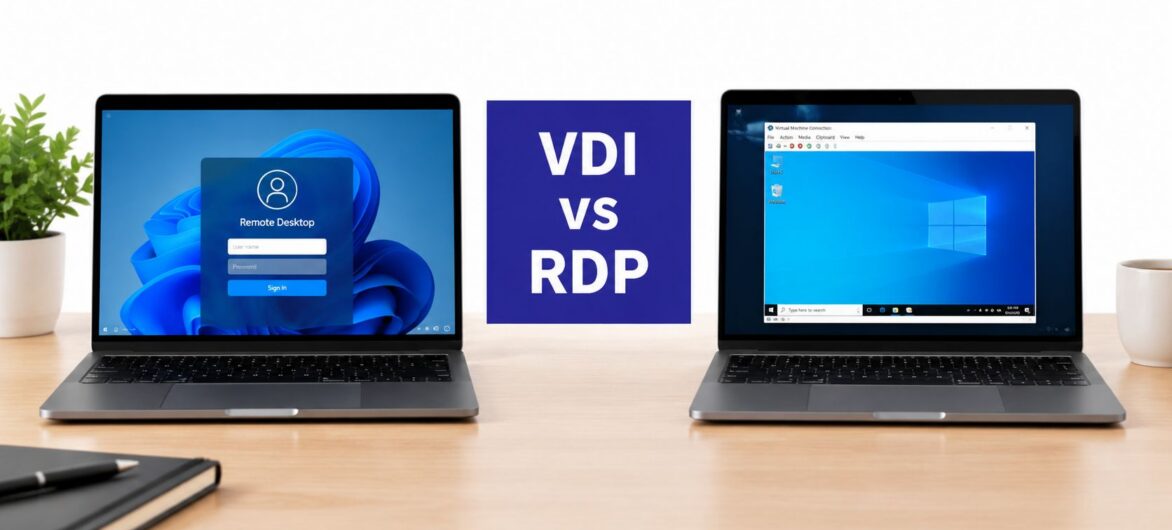
RDP is the protocol that carries your screen and input, while VDI is the architecture that gives each user an isolated virtual machine. A firm using RDP for general productivity may not need VDI at all.
An accountant is working from home, trying to open tax software, client files, and email before a deadline. The connection works, but the firm's IT manager is now asking whether a shared remote desktop is sufficient, whether every employee needs a virtual machine, and whether the existing setup creates an unacceptable security risk.
That uncertainty usually starts with the terminology. VDI and RDP aren't competing products at the same architectural level. RDP describes how a remote session communicates. VDI describes how desktops are created, hosted, and isolated. Once that distinction is clear, the practical decision becomes easier: match the delivery model to the firm's applications, risk profile, user patterns, and ability to manage infrastructure.
A small accounting practice might have employees connect to a hosted Windows server to use QuickBooks, Microsoft Office, document management, and a practice management application. If users share a controlled session-host environment and the workload is mostly standard office productivity, introducing a dedicated virtual machine for every employee could add operational work without solving a real business problem.
A law firm may face a different situation. Attorneys and paralegals could need separate application environments, strict control over confidential files, predictable access during discovery work, and a stronger boundary between user sessions. In that case, desktop isolation may justify the added design and management burden.
The mistake is treating the choice as a technology popularity contest. A professional firm should ask four practical questions:
For CPA firms evaluating centralized application access, the practical context is outlined in cloud hosting for CPA firms. The relevant question isn't whether VDI sounds more secure or RDP sounds cheaper. It's whether the architecture provides enough control for the firm's exposure without creating infrastructure that nobody has the time or expertise to maintain.
RDP is a communication protocol. It transmits display updates from a remote computer or server to a client and sends keyboard and mouse input back. The protocol doesn't decide whether the remote environment is a shared server session, a user's assigned workstation, or a virtual machine.
VDI is a desktop-delivery architecture. It hosts virtual desktops centrally and generally assigns each user a dedicated virtual machine. That machine runs its own operating system, applications, settings, and allocated resources, subject to the design of the VDI platform.

The relationship is the important part. A VDI deployment frequently uses RDP, or another display protocol, to deliver the virtual machine's screen to the user. Choosing VDI doesn't mean abandoning RDP. It usually means adding a virtualized desktop architecture around the connection layer.
RDP handles the remote interaction:
A shared Remote Desktop Services environment can place multiple users on a common server while keeping their sessions logically separate. That approach often works well when employees use the same applications and don't require highly personalized desktops.
VDI adds the infrastructure that creates and manages individual virtual machines. A typical design includes a hypervisor, desktop images, storage, a connection broker, authentication controls, monitoring, and a process for patching and updating the environment.
The historical distinction is also useful. RDP traces back to Microsoft's Windows NT 4.0 Terminal Server Edition era, which shipped in 1998, and the platform was later renamed Remote Desktop Services in Windows Server 2008 R2, as documented in this overview of VDI versus RDP. VDI emerged as a more isolated, per-user desktop model built on centralized virtualization.
This is why the comparison is usually shared-session remote access versus isolated virtual desktops, with RDP potentially serving both. A technical overview of virtual desktop infrastructure can help teams map the components before they compare vendors or licensing models.
Once the layers are separated, the decision should be made against operational outcomes rather than feature lists. A shared RDP session can be efficient and straightforward. VDI can provide stronger per-user boundaries and more predictable allocation, but it introduces more infrastructure to operate.
| Dimension | RDP-Based Access | VDI Architecture |
|---|---|---|
| Architecture | Connects users to a shared session host or assigned remote computer | Hosts individual virtual desktop machines centrally |
| Workload fit | Strong for standardized office, accounting, browser, and administrative work | Better for varied, isolated, or resource-sensitive desktop environments |
| Bandwidth behavior | Can be efficient for productivity, but demand rises with media-heavy activity | Depends on the display protocol, desktop design, and user workload |
| Isolation | Depends heavily on host hardening, segmentation, authentication, and session controls | Provides a separate virtual machine boundary for each user |
| Management | Simpler host and session administration | Requires image, VM, storage, broker, capacity, and lifecycle management |
| Cost profile | Lower initial complexity when existing infrastructure is suitable | Higher infrastructure and licensing complexity, with value tied to isolation and control |
| Best operational use | Straightforward remote access with common applications | Regulated or diverse environments where desktop separation matters |
RDP can be very efficient for ordinary office work. In a controlled academic comparison of Desktop-as-a-Service protocols, the reported average upstream rate for RDP was 14.10 Kb/s for an office profile, 32.74 Kb/s for web browsing, and 149.01 Kb/s for video. Those figures come from the published protocol comparison, and they illustrate the planning issue clearly: the user's activity matters more than the label attached to the platform.
A tax preparer reviewing documents and entering figures may have modest network requirements. A user working with video, graphics, large monitors, or visually intensive applications needs a different test. VDI doesn't automatically remove latency or bandwidth constraints. It gives administrators more control over resource allocation, desktop images, and capacity planning.
VDI isolates users through separate virtual machines, which can limit the impact of a compromised session and reduce opportunities for direct cross-user interference. That doesn't make VDI invulnerable. Administrators still need strong authentication, patching, monitoring, segmentation, endpoint controls, and well-designed access policies.
RDP relies more directly on the security of the host, gateway, identity system, and network path. Hardening matters, but internal-only access doesn't eliminate risk. A 2026 remote-access study reported a 75% incident rate among organizations with internet-exposed RDP and a 48% incident rate among internal-only RDP users, as reported in RealVNC's remote access trends coverage. Those figures shouldn't be treated as a prediction for every firm, but they do challenge the assumption that removing public exposure solves the entire problem.
Practical rule: Never evaluate RDP security by asking only whether the port is exposed. Review identity, privilege, patching, segmentation, session monitoring, endpoint posture, and what an attacker could reach after login.
RDP usually has the simpler operating model when users need a common set of applications. Administrators maintain the host, user sessions, access controls, and application stack. At larger scale, shared resources can create contention, and consistent governance becomes harder if exceptions accumulate.
VDI shifts the burden rather than removing it. Teams must maintain master images, user profiles, virtual hardware allocations, storage performance, broker services, hypervisors, licensing, backups, and capacity. The VDI market outlook reports market estimates ranging from USD 19.6 billion in 2024 to USD 77.9 billion by 2034, and from USD 24.87 billion in 2024 to USD 156.48 billion by 2035. Those are projections from different market sources, not a budgeting model for an individual firm. They do, however, reflect why VDI is increasingly considered for centralized, high-control desktop delivery.
The correct cost comparison includes implementation, support, compliance tooling, backup, recovery, licensing, network capacity, and staff time. RDP is not automatically inexpensive when every exception requires custom administration. VDI is not automatically wasteful when isolation prevents a costly operational or compliance failure.
For firms reviewing authentication, gateways, segmentation, and endpoint controls, this remote desktop security guidance provides a useful checklist for the RDP side of the decision.
The right architecture changes with the firm's work. A seasonal tax practice, a litigation team, a nonprofit with limited IT capacity, and a growing local business may all use remote access, but they don't carry the same operational constraints.

Tax firms often need reliable access to accounting software, tax applications, email, scanners, document repositories, and client records. A managed RDP environment can be a sensible fit when staff use a shared application set and the firm can enforce strong identity and access controls.
VDI becomes more compelling when users need isolated environments, contractors require controlled access, or different teams need incompatible application configurations. Seasonal hiring also changes the equation. The firm should assess whether new users can be provisioned from a standardized image without creating more image-management work than the business can support.
Legal practices need to protect confidential matter data while keeping billing, document management, research, and collaboration tools available. Shared sessions may work for a small, standardized team, but isolated desktops can offer a clearer boundary when lawyers handle matters with different access requirements or when the firm wants tighter control over data leaving the hosted environment.
Remote staffing also affects the design. Firms exploring finding virtual staff for law firms should define access roles before onboarding people. A remote assistant who needs a narrow set of applications shouldn't automatically receive the same desktop privileges as an attorney or litigation support specialist.
Nonprofits often have limited internal IT resources, so a simple, managed RDP environment may be more sustainable than self-managed VDI. The design should still include multifactor authentication, least-privilege access, patching, backups, and a documented recovery process.
An SMB expecting rapid growth may choose VDI if it needs repeatable desktop provisioning and meaningful user isolation. Otherwise, centralized application hosting with hardened RDP can deliver a cleaner balance. The deciding factor is not company size alone. It's whether the firm's workflow complexity and exposure justify maintaining a virtual machine per user.
Many firms spend too much time debating RDP versus VDI because their applications are scattered across office servers, local workstations, and ad hoc remote tools. Centralizing the software stack can reduce that decision to a more manageable question: what access model does the provider operate for the firm's actual users and applications?

List the applications users open every day, who needs them, where data is stored, and which integrations must continue working. Include QuickBooks, Sage, CRM platforms, tax software, document management, Microsoft applications, scanners, printers, and reporting tools.
Don't migrate based only on server names. A small application may hold a critical integration, while an old file share may contain sensitive records that require a retention and access decision before relocation.
Test a representative group of users and workloads. Include ordinary office work, document-heavy activity, browser use, printing, scanning, large files, and any application that has historically performed poorly over remote connections.
Measure responsiveness qualitatively and investigate bottlenecks before the full migration. If video or graphics are part of the workflow, use the workload-specific bandwidth evidence discussed earlier rather than assuming productivity performance will translate.
A managed platform should be evaluated on more than desktop access. Review authentication, permissions, backups, restoration procedures, monitoring, support coverage, application compatibility, and exit arrangements. Remote teams also need clear rules for personal devices, downloads, screenshots, local storage, and shared credentials. Guidance on data privacy for remote teams is useful when turning those concerns into written operating policies.
For smaller firms, managed cloud hosting solutions can centralize applications and remote access under one operating model. Cloudvara offers hosted virtual desktop and remote desktop services, including VMware Horizon VDI options, so the provider's delivery architecture can be assessed against the firm's workload rather than selected from a misleading protocol-only comparison.
Start with the failure you're trying to eliminate. If the problem is inconsistent access to shared accounting or office applications, hardened RDP on managed infrastructure may be enough. If users need isolated desktops, different application stacks, stricter separation, or more controlled handling of sensitive information, VDI may justify its added overhead.
Use this short decision test:
Don't choose a platform because its label sounds more modern. Use the provider-selection criteria in this guide to choose a cloud provider, then validate performance, controls, and support with a trial. Cloudvara offers a free 15-day trial with no contract or credit card required, giving a firm a practical way to test whether managed RDP or hosted VDI fits its daily work.
Cloudvara centralizes applications such as QuickBooks, Sage, CRM, tax, document management, and Microsoft software in a managed cloud environment with remote desktop access, backups, and support. Visit Cloudvara to test a practical remote-work setup and determine whether your firm needs hardened RDP access, hosted VDI, or a managed combination of both.




