Let's clear the air on one of the biggest points of confusion in the accounting software world: Sage 50 Cloud. The name itself suggests a fully web-based application, but that’s not quite what it is.
In reality, Sage 50 Cloud is the same powerful, feature-rich desktop software that many businesses have relied on for years. The "Cloud" part refers to a set of cloud-connected features layered on top, like remote data access and integrations with Microsoft 365. It's a hybrid, not a true cloud-native tool. Think of it as a bridge to the cloud, not a destination.
Here’s a good way to think about it. Imagine your trusty office desktop computer—powerful, reliable, and loaded with all your essential software. Now, you plug in a Wi-Fi adapter. It can suddenly connect to the internet, sync files to Dropbox, and send emails, but the machine itself hasn't moved. Its processor, memory, and core operations are all still happening right there at your desk.
Sage 50 Cloud works the same way. The software is fundamentally installed on a local PC or server, and its performance is completely tied to that machine’s hardware. The "cloud" features are valuable add-ons, but they don't change the software's core identity as a desktop application.
Getting this distinction right is key to avoiding frustration down the road. These two terms describe entirely different software models.
This is why just upgrading to Sage 50 Cloud doesn't magically solve the challenges of remote work. You still run into performance bottlenecks, frustrating file-locking issues, and a heavy reliance on a single office machine.
The core takeaway is simple: Sage 50 Cloud connects your desktop software to the cloud. It doesn’t move your desktop software into the cloud. This subtle but critical difference impacts accessibility, collaboration, and scalability.
So, how do you get the robust, feature-packed experience of Sage 50 desktop with the genuine "work from anywhere" freedom of the cloud? The answer isn't in the software's name—it's in where the software lives.
Instead of running Sage 50 on a computer tucked away in your office, you can move it to a dedicated hosted environment.
This is where a provider like Cloudvara comes in. We take your existing Sage 50 desktop license and install it on our secure, high-performance cloud servers. Your team then logs in through a remote desktop connection, effectively turning any laptop, home PC, or tablet into a secure portal to your accounting system.
This approach gives you the best of both worlds. You keep the familiar interface, deep reporting, and powerful features of the desktop version you love, but you gain the centralized access, top-tier security, and maintenance-free benefits of a true cloud solution. For businesses ready for a modern workflow, a properly Sage 50 cloud-based hosted setup is the essential next step.
When you hear "Sage 50 Cloud," it's easy to assume the software runs entirely online like a website. But the reality is a bit more nuanced. There are two very different paths to using Sage 50 with cloud features: the standard "hybrid" model included with your subscription and a fully hosted cloud environment.
Understanding the real-world difference between these two is key. It’s not just about technology—it’s about how your team works. One path keeps your software tied to a specific computer with some remote perks, while the other completely liberates it, turning your trusted desktop program into a true work-from-anywhere tool.
The standard Sage 50 Cloud subscription offers what's best called a hybrid experience. You still install the desktop software on a specific office computer, just like you always have.
The "cloud" part simply bolts on a few web-connected features. The main one is Sage Remote Data Access, which syncs a copy of your company file to other computers that also have Sage 50 installed. It also connects to Microsoft 365 for backups and some basic integrations.
Think of it like having a main office where all your work gets done, but you use a service that can forward important mail to your home. The office is still the central hub. While you can get information remotely, the core operations are still tethered to that physical machine. It feels familiar but creates real bottlenecks for teams needing to collaborate in real-time.
A fully hosted model is a complete game-changer. It transforms your traditional Sage 50 desktop software into a genuine, full-featured cloud application.
Instead of installing the software on your local PC, a provider like Cloudvara installs your licensed copy on a secure, high-performance server in a professional data center. Your team then accesses the full, powerful desktop program through a secure remote connection from any device—a PC, Mac, or even a tablet.
This is like moving your entire office into a high-tech, fully serviced building. You don't own the building or worry about security, maintenance, or the power bill. You just log in and get to work. We handle all the backend IT headaches, from daily backups and security updates to performance tuning, letting your team focus completely on their jobs.
A fully hosted Sage 50 environment moves the entire application—not just the data—to the cloud. This solves the fundamental limitations of the hybrid model by centralizing the software itself, enabling true multi-user access and eliminating reliance on local hardware.
The practical differences between a "cloud-connected" setup and a truly hosted one become crystal clear when you look at accessibility, performance, and who manages what. For a deeper dive, our guide on the difference between cloud and on-premise solutions lays out these concepts in more detail.
To make the choice even clearer, let's put the two models head-to-head. Seeing the differences side-by-side helps highlight which option truly fits your business's day-to-day needs.
| Feature | Sage 50 Cloud (Hybrid) | Fully Hosted on Cloudvara |
|---|---|---|
| Primary Access | Requires local software installation on a specific PC. Remote access is limited. | Access the full desktop software from any device (PC, Mac, tablet) via a secure login. |
| Multi-User Collaboration | Relies on slow data syncing, which often causes file-locking issues for simultaneous users. | All users work on the same centralized company file in real-time, just like being in the office. |
| Performance | Dependent on the speed and reliability of the local computer where the software is installed. | Runs on high-performance cloud servers, ensuring fast and consistent speed for all users, always. |
| IT Management | You are responsible for local hardware maintenance, security, and manual software updates. | We manage all server maintenance, enterprise-grade security, and automated daily backups. |
| Scalability | Adding users means buying and setting up new computers and installing software locally. | Easily add or remove users with no new hardware required. The environment scales with you. |
| Security | Security is limited to your local machine's defenses and whatever manual backups you run. | Enterprise-grade security with advanced firewalls, data encryption, and 24/7 monitoring. |
Ultimately, the hybrid model is a small step, offering a few remote conveniences while keeping your core operations tied to an on-premise machine. A fully hosted environment is the complete solution. It delivers the true flexibility and security of the cloud without forcing you to abandon the powerful desktop software you already know and trust.
Moving beyond the standard hybrid model of Sage 50 Cloud to a fully hosted environment unlocks tangible, day-to-day advantages that solve common business frustrations. It's the difference between having a single key to your office and giving your entire team secure keycards that work from anywhere.
This shift delivers more than just convenience; it builds a more resilient, efficient, and secure operational foundation. By offloading IT management, businesses free up critical resources to focus on growth and client service instead of server maintenance.
One of the most immediate benefits is the end of data silos and file-locking frustrations. In a standard setup, if one user is working remotely via Sage Remote Data Access, the file is often locked, preventing others from making real-time entries.
A fully hosted environment solves this entirely. The Sage 50 application and the company file both live in one centralized location on a high-speed cloud server.
This means multiple team members can log in and work in the same company file simultaneously, just as if they were sitting side-by-side in the office. An accountant in one city can run reports while a bookkeeper in another processes invoices—all in real-time, without sync errors or delays.
For any business handling sensitive financial information, security is non-negotiable. A local office server is vulnerable to physical theft, hardware failure, and cyber threats that can bypass basic antivirus software. A hosted environment elevates your security posture to an enterprise level.
Key security upgrades include:
This robust framework not only protects your business but also helps meet growing compliance demands from regulatory bodies that govern data privacy and security.
Is your Sage 50 slowing down when running large reports or during month-end closing? Performance bottlenecks are often tied to the limitations of the local computer or server running the software.
When you move to a hosted Sage 50 Cloud environment, your application runs on powerful, commercial-grade servers optimized for accounting workloads. These servers have far more processing power, memory, and faster storage than a typical office PC.
The result is a consistently faster and more responsive experience for everyone on your team, regardless of their location or the complexity of their tasks. This reliability is backed by a guaranteed uptime, eliminating the costly downtime associated with on-premise hardware failures.
The push toward smarter tech is undeniable, with 73% of U.S. SMBs increasing their digital investments over the last year. This trend has enabled advancements like Sage's AI-powered Copilot, which is now globally available to streamline accounting tasks. This adoption mirrors a broader movement, as European SMEs have seen an 85% growth in AI usage since early 2023, with the vast majority reporting significant productivity gains.
One of the biggest wins from a fully hosted Sage 50 environment is the potential for major cost savings. For a deep dive, exploring AWS cost optimization strategies can be incredibly insightful. By eliminating the need to purchase, maintain, and upgrade expensive on-premise servers, you convert a large capital expense into a predictable operating expense. The benefits of cloud hosting for small businesses extend far beyond just hardware, encompassing reduced IT labor costs, lower energy bills, and minimized downtime.
Moving your Sage 50 setup to a hosted cloud environment can feel like a huge undertaking. But with a solid plan, it becomes a straightforward and manageable process. Breaking the migration down into clear, logical steps takes the guesswork out of the equation and ensures a smooth switch with almost no disruption to your day-to-day work.
Think of this checklist as your roadmap. It’s designed to guide you from your current on-premise server to a fully functioning, secure, and fast hosted Sage 50 Cloud environment. The whole point is to prepare thoroughly, execute cleanly, and get your team up and running from day one.
The first thing you need to do is take a good, hard look at your current setup. This is the foundation for everything that follows. Getting this right ensures your new cloud environment is built to handle your actual business needs, preventing performance headaches or surprise costs later on.
Start by gathering a few key metrics:
With this information in hand, you can start looking for the right hosting provider. You’ll want to compare potential partners on their security measures, support availability, and, most importantly, their experience with Sage 50 hosting. A provider who knows the ins and outs of the software will make your life a lot easier. For a complete guide, check out our detailed cloud migration checklist to make sure you don’t miss a thing.
Once you’ve picked a provider, it’s time to get your data ready for the move. Clean, organized data is much easier to migrate and dramatically reduces the risk of running into errors.
Key Insight: A migration is the perfect excuse to do some spring cleaning. Archiving old data and tidying up user permissions will not only speed up the move but will also make your new cloud environment run faster every single day.
Your hosting provider will work with you to schedule the migration at a time that makes sense for your business, usually after hours or on a weekend to avoid downtime. You'll need to give them a final, clean backup of your Sage 50 company file. This backup is the snapshot of your business that will be installed on the new cloud server.
The infographic below shows the core benefits that come from this process—it all flows from better security to smoother team collaboration and top-tier performance.
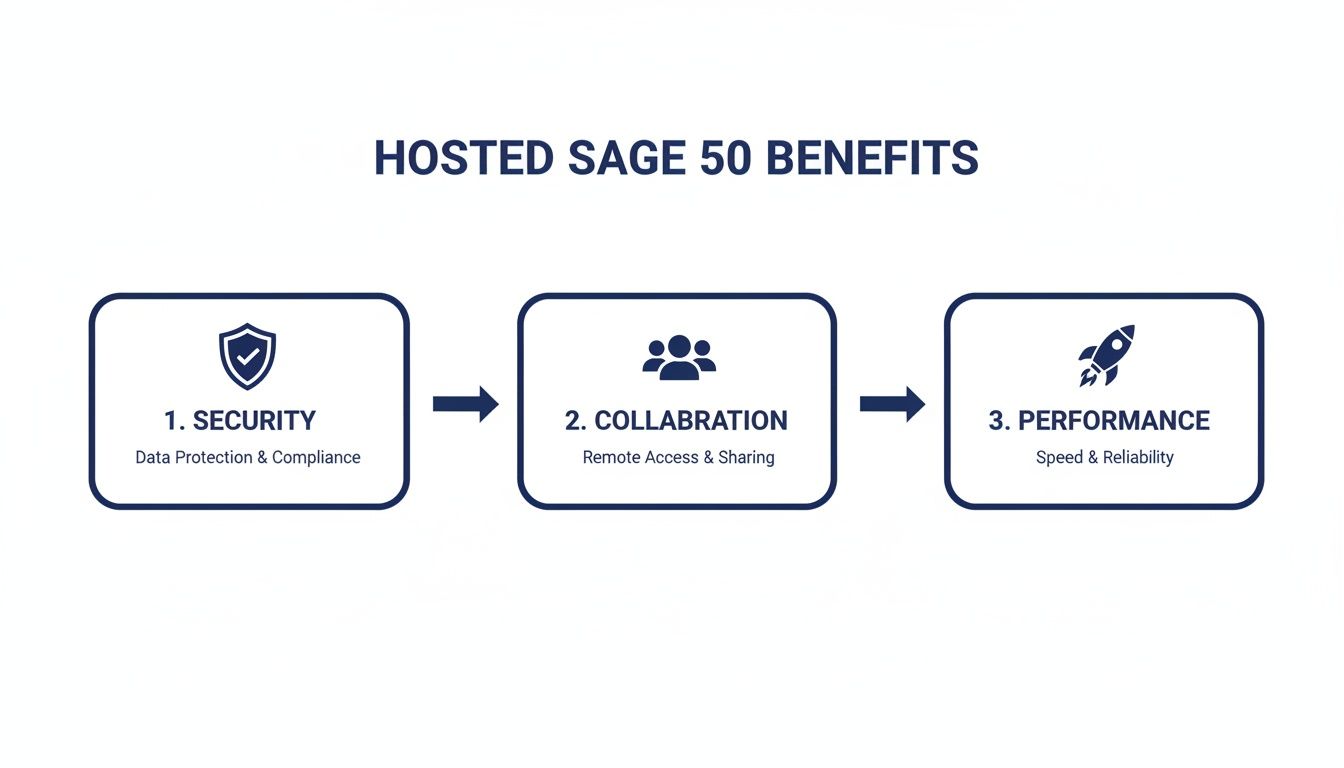
This visual flow highlights how a managed migration directly leads to a more secure, collaborative, and efficient accounting workflow for your entire team.
This is where the magic happens, but it should be the easiest part for you. Your managed hosting provider will do all the heavy lifting. They'll take the data backup you provided and install it on your dedicated cloud server.
They’ll also configure the environment, create user accounts with the right permissions, and install any of those third-party applications you identified earlier. Your only job here is to be available in case they have any last-minute questions.
Once the setup is finished, it's time to go live. This involves two final, critical steps:
A well-planned migration ensures your business barely skips a beat, leaving your team with all the benefits of a true Sage 50 Cloud solution without any of the headaches.
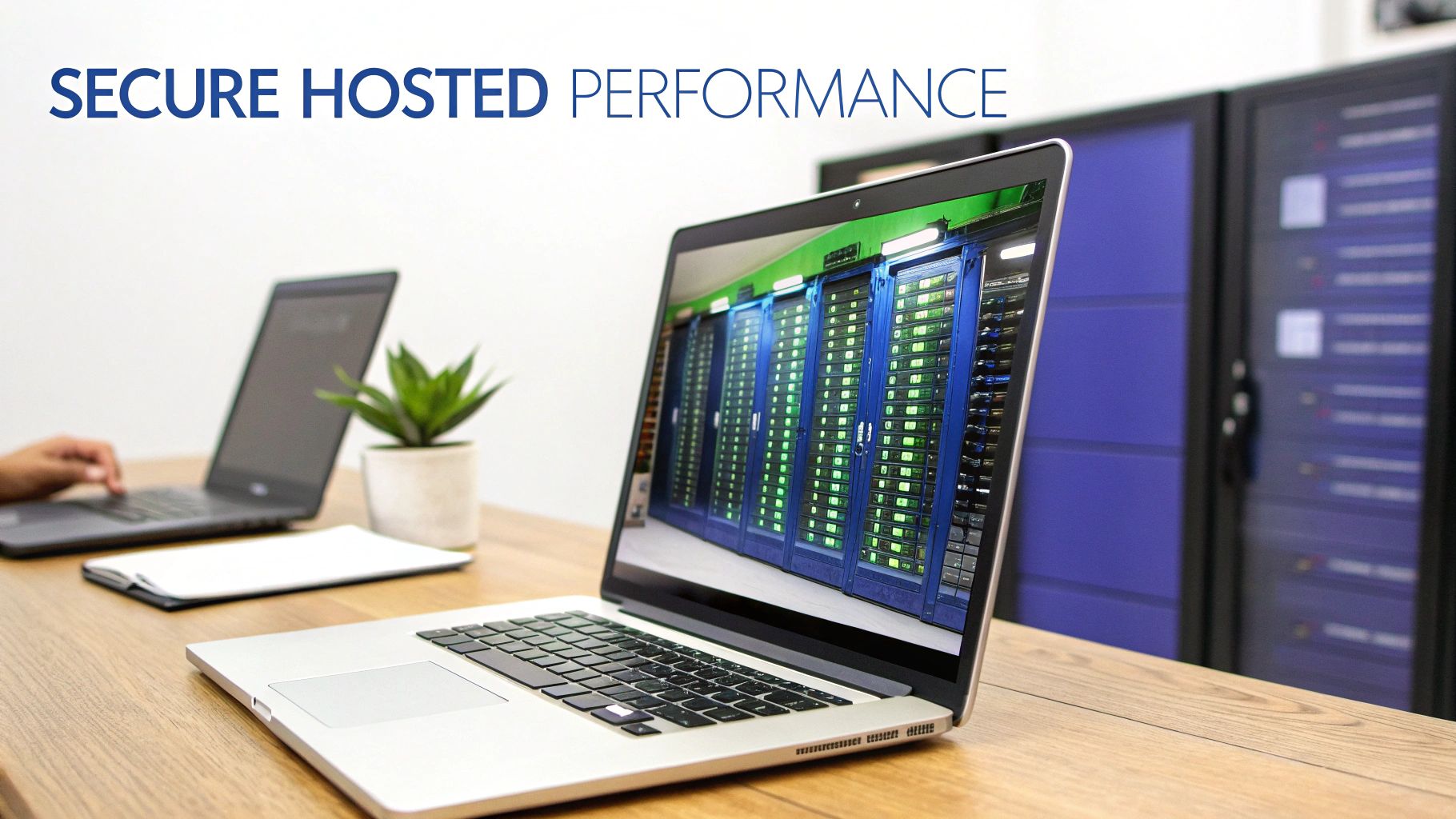
For any business in accounting, law, or another sensitive field, data security isn't just a feature—it's the foundation of your reputation. When you move your Sage 50cloud software to a hosted environment, you're doing more than just enabling remote access. You're fundamentally upgrading your entire security and performance infrastructure.
This move shifts the burden of physical and digital protection from your office server closet to a commercial-grade data center. It’s the difference between locking your front door and storing your assets in a bank vault with 24/7 armed guards, video surveillance, and biometric scanners.
A managed hosting provider brings a multi-layered defense system that a typical small business simply can't replicate on its own. This includes everything from advanced firewalls and intrusion detection systems to round-the-clock monitoring by security experts.
The security improvements you'll see in a hosted environment are immediate and substantial. Instead of relying on a single server vulnerable to local threats like theft, fire, or a simple hardware failure, your data lives in a purpose-built facility designed for maximum uptime and protection.
This professional oversight goes far beyond physical security. Key digital protections become standard practice:
By moving to a hosted platform, you adopt a security posture that would otherwise be financially and logistically out of reach. It centralizes your defenses and places them in the hands of dedicated experts.
Making sure your Sage 50cloud environment meets industry best practices is critical. Understanding key cloud security compliance standards helps fortify your data and meet rigorous requirements for regulations like GDPR.
Compliance is a huge concern for any firm handling client financial data. A managed hosting environment is specifically designed to meet these stringent regulatory standards. The best providers operate out of data centers that are audited for frameworks like SOC 2, which governs how organizations should manage customer data.
This means your provider has proven controls in place for security, availability, processing integrity, confidentiality, and privacy. For your business, this translates to peace of mind, knowing your data management practices align with legal and professional obligations. For a comprehensive look, check out our guide on how to implement effective cloud security solutions.
The momentum toward secure, accessible accounting is undeniable. Sage 50cloud has seen a staggering 74% increase in cloud-connected subscriptions in the U.S. alone. This trend mirrors what's happening across the wider Sage Group, where subscription penetration has hit 83%, driving serious revenue and profit growth.
Security isn't the only major upgrade—performance is often where you'll feel the most immediate difference. Running Sage 50 on a local machine means its speed is limited by that computer's processor, RAM, and hard drive. For large company files or multiple users working at once, this often leads to frustrating lag, slow reports, and even crashes.
When you host Sage 50, the application runs on powerful, dedicated cloud servers engineered for heavy accounting workloads. These servers offer far more raw computing power than any standard desktop PC ever could.
The result is a faster, more reliable, and consistent experience for your entire team. Reports that used to take minutes now generate in seconds. Month-end closing runs smoothly without bottlenecks, and multiple users can work at the same time without dragging performance down for everyone else. This jump in speed and stability directly translates to more productivity and way less frustration.
As we've walked through this guide, one thing has become crystal clear: the best way to get genuine "anytime, anywhere" access for your Sage 50 software is by partnering with a dedicated hosting provider. This single move solves the biggest headaches of remote work, IT overhead, and data security—challenges the standard hybrid model just wasn't built to handle.
When you move your existing Sage 50 license to a managed cloud environment, you’re not just changing its location. You're transforming it from a tool chained to a specific desktop into a powerful, central hub for your entire business. No more late-night server maintenance or frustrating remote access limits. Just seamless, secure access for everyone on your team.
Imagine a single, secure virtual desktop where your Sage 50 software runs right alongside all your other essential programs—from Microsoft Office to your specialized tax software. This isn't a futuristic dream; it's the reality a hosted solution delivers today.
It’s an environment built from the ground up for modern business, giving you:
The software has remained a top choice for a reason. Sage 50cloud still holds a solid 10.3% market share in the accounting world, largely due to its unbeatable strength in inventory and cost management. For many businesses, it’s indispensable, and hosting ensures those powerful features are finally accessible from anywhere. You can dive deeper into the numbers by checking out the latest accounting software market share report.
If you're tired of being tethered to the office and drowning in IT headaches, it’s time to see what a fully hosted Sage 50 cloud environment can do for your productivity and peace of mind.
Ready to see the difference for yourself? Cloudvara offers a free, no-obligation 15-day trial to let you experience the full benefits of a truly flexible Sage 50 cloud solution.
Of course. Here is the rewritten section, crafted to sound like an experienced human expert and match the provided examples.
Moving your Sage 50 setup to a hosted environment is a big step, and it’s natural to have a few questions. Getting a handle on the practical details is the best way to see just how simple—and valuable—the switch can be. Let’s walk through the most common things business owners ask when they’re thinking about making this move.
My goal here is to give you clear, straightforward answers that show how a hosted solution fits right into your current workflow and solves a lot of the usual operational headaches.
Absolutely. This is probably one of the biggest reliefs for anyone considering a move to the cloud. You don't need to go out and buy new software. A hosting provider like Cloudvara simply takes the Sage 50 license you already own and installs it on a secure, private cloud server dedicated to your company.
This approach keeps the transition clean and financially simple. You still own your software, but you get all the perks of cloud accessibility, security, and performance without the sticker shock of buying new licenses.
This is a critical distinction, and one that trips up a lot of people. Sage's built-in Remote Data Access is really just a file-syncing tool. It's fine if you have one person working remotely now and then, but it quickly creates bottlenecks for teams. Why? Because it often locks the main company file, stopping other people from making entries at the same time.
A true hosted environment gives you genuine, real-time multi-user access. Everyone on your team logs into a single, centralized version of Sage 50 and works on the exact same company file simultaneously, just like they would if they were all sitting in the same office. No more sync delays or frustrating file-locking issues.
A hosted solution is about more than just your accounting software. Think of it as moving your entire digital office to the cloud. You can create a unified, secure virtual desktop where your whole team can work together seamlessly.
Many businesses host these applications right alongside Sage 50:
This approach consolidates all your IT into one place, simplifies how your team accesses their tools, and wraps all your critical applications in the same enterprise-grade security and backup protocols. It creates a single, powerful workspace for your entire business.
Ready to experience a faster, more secure, and truly flexible Sage 50 Cloud environment? Cloudvara offers a free 15-day trial to let you see the difference firsthand, with no obligation.
Explore the benefits by visiting https://cloudvara.com today.




