
Sage 100 cloud hosting is a straightforward idea: we take your powerful Sage 100 desktop software off your local server and run it in a secure, specialized data center. This means you can use the full desktop version you already know—with all its features and customizations—from anywhere, on any device. It’s the best of both worlds: the robust power of the traditional application with the modern flexibility of the cloud.
Let's clear up a common point of confusion right away. The product named "Sage 100cloud" has some handy cloud-connected features, but it's not a true, browser-based application like QuickBooks Online. It still needs to be installed on a server somewhere, which is where the choice between keeping it on-premise or moving it to a hosted environment becomes so important.
Think of your Sage 100 software as a high-performance engine. Running it on-premise is like building, securing, and maintaining your own private garage for that engine. You’re on the hook for the hardware, the security, the backups, and keeping the lights on.
Sage 100 cloud hosting, on the other hand, is like moving that same engine into a professional, high-security, fully-serviced facility. Your familiar software runs on enterprise-grade servers managed by a team of experts, and you just access it when you need it.
The core concept is to separate the software you love from the hardware headaches you don't. For accounting, tax, and legal firms, this shift is a game-changer. Instead of worrying about a server crashing in the middle of tax season or trying to budget for surprise hardware upgrades, you get a predictable, reliable service that just works.
The results are simple but powerful:
To make the differences even clearer, let's break them down.
This table offers a high-level comparison of the key differences between managing Sage 100 on your own local servers and using a dedicated cloud hosting service like Cloudvara.
| Aspect | On-Premise Sage 100 | Sage 100 Cloud Hosting (with Cloudvara) |
|---|---|---|
| Initial Cost | High (servers, licenses, setup) | Low (no hardware to buy) |
| Accessibility | Limited to office network/VPN | Anywhere with an internet connection |
| IT Management | Your team's responsibility | Managed entirely by the hosting provider |
| Security | Your responsibility to build & maintain | Enterprise-grade physical & digital security |
| Backups & Recovery | Manual or self-configured | Automated daily backups, disaster recovery included |
| Scalability | Difficult; requires new hardware | Easy; resources can be adjusted on demand |
| Predictable Costs | Unpredictable (repairs, upgrades) | Fixed, predictable monthly fee |
The key takeaway is the transfer of responsibility. With cloud hosting, you offload the capital expenses, risks, and time sinks associated with IT infrastructure, freeing up your firm to focus on client work.
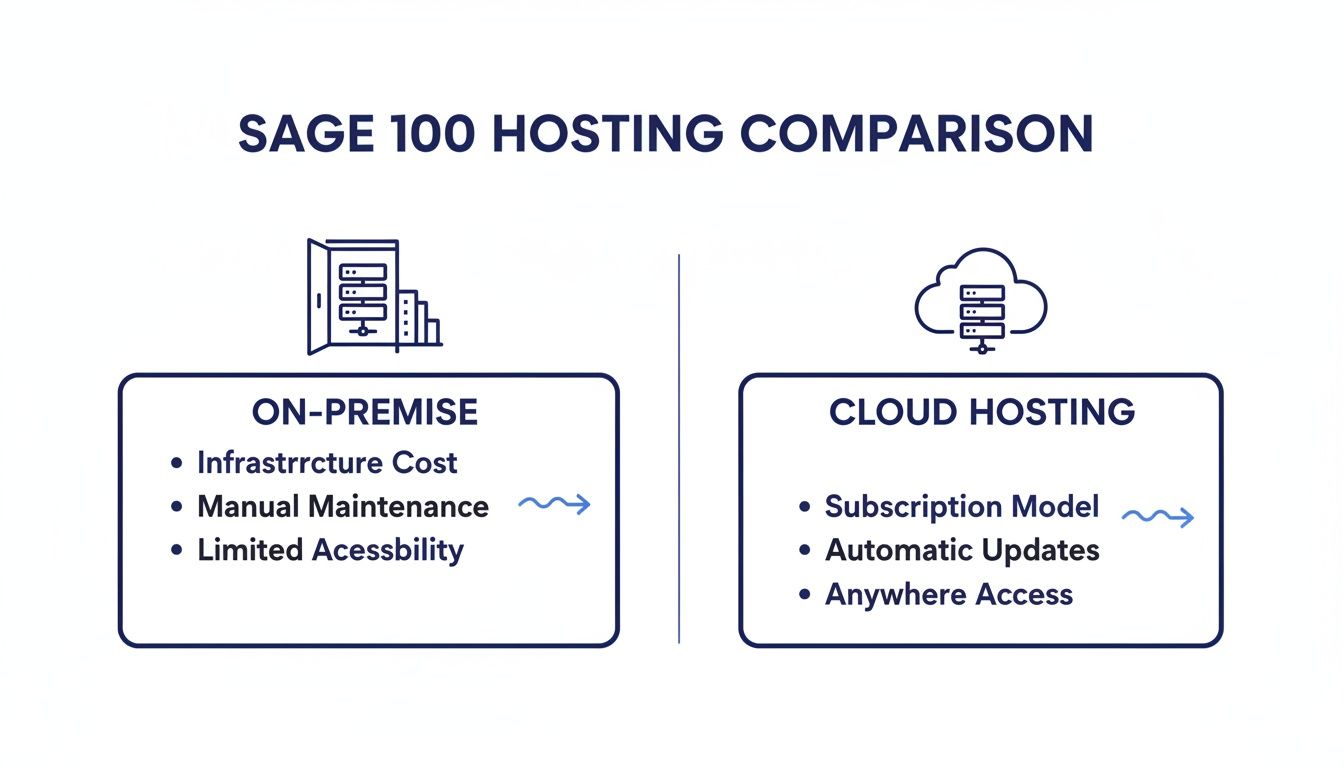
This hosting model truly took off with the launch of the Sage Partner Cloud Program in late 2020. Sage created it to address a critical gap in the market. They recognized that while their "cloud-connected" products were a step forward, the core Sage 100 software still needed expert partners to deliver a true, fully-managed cloud experience.
This program essentially standardized how businesses could move these powerful platforms to the cloud, making it a reliable and mainstream strategy for firms of all sizes. You can dive deeper into the platform's specific features in our guide on the Sage 100c accounting software. For more on the history of Sage deployments in the cloud on swktech.com, their resources offer great context.

Moving your Sage 100 to the cloud is much more than a technical upgrade. It's a strategic shift that solves the real-world headaches that accounting, legal, and professional service firms face every day. The benefits ripple out far beyond a simple line item like "reduced IT costs." It’s about fundamentally changing how your firm operates, protects client data, and prepares for the future.
Think about the thousands of dollars you currently earmark for server hardware, emergency IT consultant fees, and disruptive software updates. Now, imagine redirecting that capital toward client acquisition, staff training, or other activities that actually generate revenue. This isn't just about saving money; it's about reallocating your resources from maintenance to growth.
For any firm handling sensitive financial and legal data, security is non-negotiable. An on-premise server might have a firewall, but that's just one piece of a much larger puzzle. Professional cloud hosting delivers a multi-layered security posture that is simply out of reach for most small and mid-sized businesses.
This includes:
Consider this all-too-common scenario: an accounting firm's local server crashes on April 10th, right in the thick of tax season. The result is catastrophic downtime, lost billable hours, frantic calls to IT support, and immense client frustration. With Sage 100 cloud hosting, that disaster becomes a minor hiccup. Automated, daily backups mean your system can be restored quickly—often within minutes—turning a potential catastrophe into a non-event.
This level of business continuity is a core benefit. Whether you're facing a local power outage, a hardware failure, or even a natural disaster, your team can keep working seamlessly from any location with an internet connection.
Your business needs are never static. For an accounting firm, the demand on your system skyrockets from January to April. For a law firm, landing a large case can suddenly require more users and processing power. With an on-premise server, scaling up is a slow and expensive process that involves buying new hardware.
Cloud hosting, on the other hand, offers true elasticity. You can add or remove users and adjust computing resources on the fly. This ability to scale on demand isn't a luxury anymore; it's a necessity for growth. In fact, a recent study showed that 64% of SMBs see the ability to scale their technology as critical to hitting their business goals—a sentiment that hits home for firms relying on essential software like Sage 100.
The modern workforce expects flexibility. Giving your team secure, reliable remote access to Sage 100 lets them be productive from anywhere—whether that’s at home, a client's office, or on the road. This is more than a convenience; it's a competitive advantage for attracting and keeping top talent.
By removing the geographical chains of a physical server, you create a more resilient and efficient operational model. This flexibility is one of the key benefits of cloud hosting for small businesses that directly improves your bottom line through higher productivity and employee satisfaction. Ultimately, hosting Sage 100 in the cloud transforms it from a static accounting tool into a dynamic, accessible platform that supports your firm’s growth and resilience, no matter what comes next.
For firms handling sensitive client financial or legal data, security isn't just a feature—it's the foundation of your reputation. When you think about moving Sage 100 to a hosted environment, it's completely natural to wonder just how that data is protected. Let's translate the technical jargon into real-world confidence.
A professionally managed hosting environment is fundamentally more secure than the typical server closet found in most offices. Think of a top-tier data center as a digital Fort Knox for your Sage 100 database. It’s built with layers of protection that go far beyond a locked door and a basic firewall.
Before we even get to the digital side, the physical security of a data center is immense. It’s a purpose-built fortress designed to protect the servers running your software.
This includes measures like:
This physical protection creates a stable and secure foundation, eliminating risks like theft, accidental damage, or environmental failures that can threaten an in-office server.
Once the physical hardware is secured, the focus shifts to protecting the data itself—both as it moves across the internet and while it's stored. This is where crucial technologies like firewalls and encryption come into play.
A firewall acts as a vigilant gatekeeper for your network, inspecting all incoming and outgoing traffic. It blocks malicious connection attempts before they can ever reach your server, effectively shutting the door on unauthorized access.
Encryption is the process of scrambling your data into an unreadable code. Think of it like sending a message in a secret language that only you and the intended recipient can understand. This protection is applied in two critical states, ensuring comprehensive security for your firm's information.
This dual protection is non-negotiable for Sage 100 cloud hosting. It ensures that even in the unlikely event of a breach, the data itself remains completely useless to anyone without the proper decryption key. When considering security, it’s essential to have a foundational understanding of the technologies protecting your data in transit, which involves understanding fundamental encryption protocols like TLS.
Beyond the data center's protections, you also have powerful tools at your fingertips to secure user access. The most important of these is two-factor authentication (2FA).
You already use 2FA in your daily life—it's when your bank texts you a code to log in from a new device. Requiring both your password (something you know) and a code from your phone (something you have) adds a critical layer of security. This single step can prevent over 99.9% of account compromise attacks.
Implementing these practices is a core part of a strong security posture. You can learn more about how to apply these and other strategies by exploring our guide on 12 essential cloud security practices for businesses.
By combining the robust infrastructure of a professional data center with smart user-level controls, Sage 100 cloud hosting delivers a far more secure environment than what most firms could achieve on their own. This layered approach gives you peace of mind, knowing your client's sensitive data is rigorously protected.

The thought of uprooting your entire accounting system can feel daunting. It conjures images of downtime, lost data, and general chaos. But a well-managed migration to a Sage 100 cloud hosting environment isn't a leap of faith; it's a carefully orchestrated process. Think of it less like a frantic, last-minute move and more like a planned renovation with a clear blueprint.
A structured migration follows a proven, four-phase roadmap. By breaking the journey into manageable stages, we eliminate surprises and keep your team feeling confident and in the loop from start to finish.
This approach demystifies the whole project, transforming a complex technical shift into a series of logical steps that lead to a smooth, successful launch.
This first phase is easily the most important because it sets the foundation for everything that follows. It's the architectural blueprint stage—every detail gets mapped out before a single file is moved. The goal here is simple: to fully understand your current setup, your team's needs, and your business goals.
Our team will work alongside yours to conduct a thorough review, asking critical questions:
The answers to these questions feed directly into a custom migration plan. This document details the project scope, a precise timeline, and the exact server resources needed for your new cloud environment. This ensures your hosted server is perfectly configured for your firm’s unique workload from day one.
Once the plan gets your green light, our technical team starts doing the heavy lifting. This is the "construction" phase, where we securely transfer your Sage 100 database, company files, and connected applications from your in-house server to its new home in the cloud.
A core principle here is minimizing operational disruption. The main data transfer is almost always scheduled after business hours or over a weekend. This timing means your team can log off on Friday from the old system and walk in Monday morning ready to log into the new, faster cloud environment without missing a beat.
This is more than just copying files. We make sure every integration is reconnected properly and all user permissions are replicated exactly as they were. Precision and security guide every step of the transfer. For teams that want to get ahead, our detailed cloud migration checklist offers a great look at all the moving parts.
Before we flip the final switch, your team gets to take the new environment for a test drive. This is the "final inspection" phase where we hand you the keys to make sure everything feels right. Your key users log into the cloud-hosted Sage 100 and run through their typical daily tasks.
This is their chance to confirm everything works just as it should:
This testing phase is crucial for building confidence and smoothing out any minor wrinkles before the official launch. It guarantees there are no surprises when your entire team makes the transition.
The "Go-Live" is the official cutover. Once testing is complete and we have your team's approval, we formally shut down the old on-premise server and point all users to the new Sage 100 cloud platform.
But our job isn't done. This moment marks the beginning of an ongoing partnership. Your firm gets 24/7 technical support from our expert team. Whether it’s a quick "how-to" question or a more complex technical issue, help is always just a call or click away. This continuous support, combined with our proactive system monitoring and maintenance, ensures your Sage 100 environment stays secure, fast, and reliable for the long haul.

To make a smart case for moving to the cloud, you have to look past the monthly hosting fee and see the complete financial picture. Simply comparing a fixed hosting subscription to a new server’s price tag is like comparing apples to oranges. The real value shows up when you dig into the Total Cost of Ownership (TCO) of your current setup.
An on-premise server brings a long list of hidden and unpredictable expenses that quietly drain your budget and time. These are the costs that rarely show up on a single invoice but add up fast over a server's typical three-to-five-year lifespan. Once you start spotting these overlooked expenses, the ROI from Sage 100 cloud hosting becomes impossible to ignore.
This shift changes your IT spending from a reactive, volatile model to a predictable operational expense, which makes budgeting far easier and more accurate.
Let’s pull back the curtain on what it really costs to run your own server. Many firms only think about the initial hardware purchase, but that’s just the tip of the iceberg. A true TCO calculation needs to include both the direct and indirect expenses.
Think about these common costs you might be forgetting:
By switching to a fixed, all-inclusive monthly hosting fee, these variable and often surprising expenses disappear completely. This helps you build a much stronger business case for a predictable, secure, and cost-effective model.
Once you’ve added up the true costs of your on-premise infrastructure, the financial upside of cloud hosting becomes clear. You're not just buying server space; you’re investing in reliability and predictability.
The core financial benefit of cloud hosting is transforming a collection of unpredictable capital expenditures (CapEx) and surprise operational costs into a single, manageable operational expense (OpEx). This simplifies budgeting and frees up capital for growth-focused initiatives.
The table below gives you a framework to compare these two models. Use it to map out your current annual expenses against what a typical hosting plan would look like. For a deeper dive, you can explore a full breakdown of cloud vs on-premise costs to help you calculate a precise ROI for your firm.
Here’s a simple checklist to help you calculate the total cost of ownership (TCO) for your on-premise server versus the predictable costs of a hosting provider. Fill in your own estimates to see the difference.
| Cost Category | On-Premise (Annual Estimate) | Cloud Hosting (Annual Estimate) |
|---|---|---|
| Hardware Costs (amortized) | $1,500 – $3,000 | $0 |
| Software Licensing | $500 – $1,500+ | Included in Fee |
| IT Labor & Support | $1,200 – $5,000+ | Included in Fee |
| Energy & Cooling | $400 – $800 | Included in Fee |
| Downtime Risk (potential) | Varies (Potentially High) | Minimal (Covered by SLA) |
| Total Estimated Cost | Variable & Unpredictable | Fixed & Predictable |
This direct comparison lets you see past the monthly subscription and understand the genuine, long-term financial advantages of a professionally managed cloud environment.
Not all cloud providers are created equal, especially when it comes to hosting something as vital as your Sage 100 software. Picking a partner is one of the biggest decisions you'll make in this entire process. The right one becomes a true extension of your team, while the wrong one can cause more headaches than they solve.
The process of choosing a Sage 100 cloud hosting partner requires the same diligence you'd apply when hiring specialized consultants for other critical business functions. You have to look past the flashy marketing and get into the nitty-gritty of their services, support, and actual expertise.
Arm yourself with these questions to quickly separate the genuine experts from the generalists. A provider who can't give you clear, confident answers should be an immediate red flag.
These initial questions will help you filter out the pretenders and focus on the real contenders.
Beyond their Sage know-how, you need to verify a provider's technical promises and the strength of their infrastructure. This is where you confirm their commitment to keeping your firm online and your data safe.
A Service Level Agreement (SLA) isn't just a document; it's a provider's contractual promise for uptime and performance. A strong SLA, guaranteeing at least 99.5% uptime, demonstrates a provider's confidence in their infrastructure and their financial commitment to keeping your firm online.
Make sure you get clear answers on these points:
Thinking about moving to the cloud? It’s natural to have questions. Here are straightforward answers to the ones we hear most often from firms just like yours. Our goal is to clear up any practical concerns so you can feel confident in your decision.
Nope, you don't. This is one of the biggest reliefs for our clients. With Sage 100 cloud hosting, you bring your existing licenses with you. We simply take your licensed copy of the software and install it on our secure cloud servers.
This approach saves you a significant amount of money right from the start. It also means your team can keep using the exact version of Sage 100 they already know and love, so there’s no disruption, no learning curve, and no retraining required. It's your software, just running in a much better environment.
Absolutely. One of the best parts of having a private cloud is its flexibility. We can host nearly any desktop application your firm uses, putting everything right alongside Sage 100. This creates a single, secure digital workspace for your entire team.
We often host a full suite of tools for our clients, including:
Consolidating your software this way makes IT management a breeze. Your team logs into one remote desktop to get all their tools. Everything is backed up and maintained in one place, creating a seamless and incredibly efficient workflow.
The ability to host your entire application stack in a single, secure cloud environment is a powerful advantage. It transforms your operations by creating a centralized digital headquarters accessible from anywhere, ensuring every team member has the exact same tools and data access, regardless of their physical location.
This is a great question, and the answer is surprisingly simple: printing and scanning work exactly like they do now. Your local devices—the printer on your desk or the scanner down the hall—connect seamlessly to your cloud desktop.
When you click "Print" on a report in your hosted Sage 100, the command is securely sent right to your local printer. If you scan a document, you can save it directly to a folder in your cloud environment. There are no weird workarounds or complicated steps. It’s all integrated to feel natural and keep your office running without a hitch.
Ready to experience the security, flexibility, and reliability of a professionally managed cloud environment? Cloudvara offers a seamless transition to the cloud with expert support every step of the way. Start your free 15-day trial today and see how Sage 100 cloud hosting can transform your firm's operations.




