A lot of small firms realize they need a risk assessment methodology at the worst possible moment. A partner can't open QuickBooks. A staff member clicked a link that looked like a client document. A donor database export was emailed to the wrong person. Nobody knows whether this is a minor issue or the start of a serious incident.
That uncertainty is the problem. Most firms in tax, law, and nonprofit work aren't short on responsibility. They're short on a practical way to identify what matters most, decide what to fix first, and explain those decisions in business terms. That's where a usable risk assessment methodology earns its keep.
A law office doesn't need a lecture on confidentiality. An accounting firm doesn't need to be told that client files matter. A nonprofit doesn't need a reminder that donor trust is fragile. What many of these organizations do need is a repeatable method for deciding which risks deserve action now, which ones can wait, and who owns the fix.
I've seen small firms treat risk in two unhelpful ways. One group avoids the topic until an auditor, insurer, or client questionnaire forces the issue. The other group buys a template built for a large enterprise and ends up with pages of scoring fields nobody uses after the first meeting. Neither approach works.
Most owners already know the broad threats:
The missing piece is structure. A sound risk assessment methodology turns vague concern into a list of assets, threats, vulnerabilities, priorities, and treatment decisions.
A risk assessment is not a technical exercise for IT. It's a management tool for protecting revenue, reputation, and continuity.
This matters beyond cybersecurity. Hiring, offboarding, role changes, and insider access all affect risk. If your people processes are loose, your technical controls won't hold for long. That's why resources like this guide to better HR risk assessments are useful alongside your security review.
For firms that also need a compliance lens, it helps to connect operational risk with documented obligations. A practical example is reviewing how your controls map to policies, vendor obligations, and audit expectations through a compliance risk management process.
Instead of saying, "We should probably improve security," you can say:
That clarity is what keeps a small firm from making expensive decisions based on guesswork.
Think of your firm like a castle. Not because you need medieval drama, but because the analogy is useful. Every castle has valuables, weak points, likely attackers, and limited resources for defense. A risk assessment methodology follows the same logic.

In a castle, you protect the treasury, gates, food supply, and records. In your firm, the equivalent assets are client files, tax software, email, document management, accounting data, laptops, cloud applications, and the people who keep work moving.
A strong methodology starts with asset identification because vague lists produce vague decisions. The most useful asset inventories aren't huge. They're focused on what would disrupt operations or expose confidential information.
A practical asset list usually includes:
Good data governance makes this step easier. If you haven't already sorted where sensitive data lives and who should access it, this guide on data governance best practices is a useful companion.
Once you know what matters, ask two separate questions. What could go wrong, and why is it currently possible?
Threats are the bad events. Vulnerabilities are the openings that let those events happen. A phishing email is a threat. Weak user training and no access review are vulnerabilities. A server outage is a threat. Unverified backups are a vulnerability.
One practical model uses Risk = Threat × Vulnerability × Consequence and builds around nine core template elements, including scope definition, a critical asset inventory, a threat source checklist, and a risk register for tracking metrics, as described by Base Operations' security risk assessment methodology.
Practical rule: Never discuss threats without naming the vulnerability that makes them credible. Otherwise you end up chasing headlines instead of managing your own environment.
Many teams overcomplicate things. You don't need a PhD in statistics to decide whether a risk is likely enough and damaging enough to deserve action.
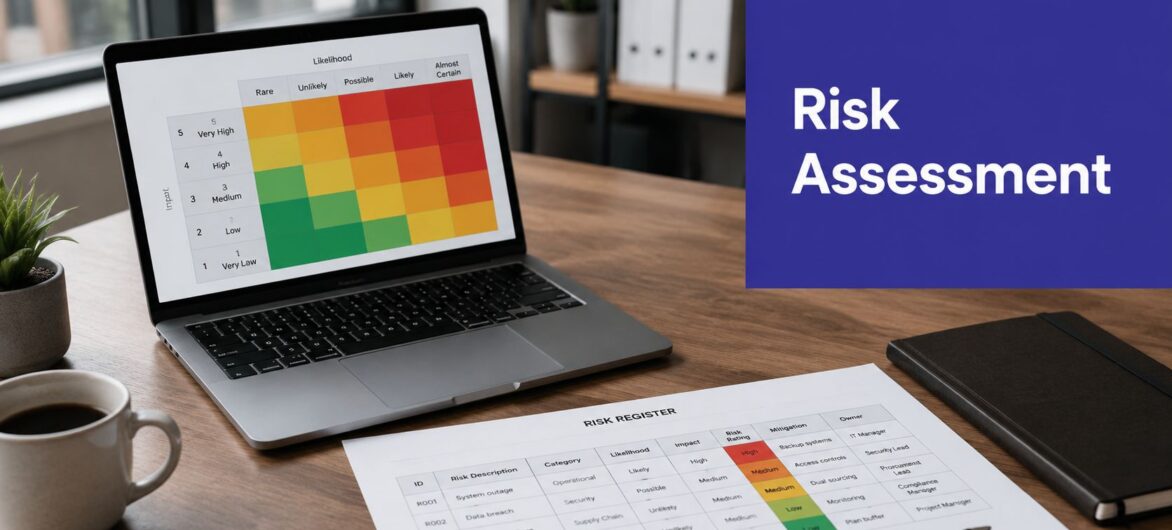
Use a simple scoring approach that your team can apply consistently. Likelihood asks, "How plausible is this scenario in our current setup?" Impact asks, "If it happens, how much business pain follows?" The answer should reflect client service, downtime, legal exposure, and recovery effort, not just technical inconvenience.
The final component is action. Once a risk is understood, you choose a treatment. Most firms use some version of these options:
| Treatment | What it means in practice |
|---|---|
| Accept | The risk is real, but the current exposure is tolerable |
| Mitigate | Add controls such as MFA, access reviews, backups, training, or vendor changes |
| Transfer | Shift some financial or operational burden through insurance or contract terms |
| Avoid | Stop the activity or retire the risky process entirely |
A risk assessment methodology isn't complete until these choices are documented, assigned, and reviewed again later.
A law firm with 12 staff does not need a spreadsheet full of formulas for every risk. It also should not label everything "high" and call that a method. The right approach is the one that helps the owner decide what to fix first, what can wait, and where limited budget will reduce the most exposure.
For smaller tax practices, law offices, and nonprofits, the primary constraint is not theory. It is time, clean data, and decision-making capacity. That is why the choice between qualitative, quantitative, and hybrid methods should be based on how your firm operates.

A qualitative assessment uses plain-language ratings such as low, medium, and high, or simple numeric scores for likelihood and impact. For firms doing their first formal assessment, that is often the best place to start.
It works because the discussion stays grounded in business consequences. Can staff still serve clients? Would confidential files be exposed? How hard would recovery be? Those are questions a managing partner or executive director can answer without needing actuarial data.
The trade-off is subjectivity. If "high impact" means one thing to the office manager and something else to outside IT, priorities drift. The fix is simple. Define each rating in operational terms before the scoring session starts.
Quantitative assessment puts numbers on loss scenarios so the firm can estimate exposure in dollars, downtime, or recovery cost. One common model is Annual Loss Expectancy (ALE), which multiplies Single Loss Expectancy (SLE) by Annualized Rate of Occurrence (ARO), as outlined in the ISACA discussion of risk assessment and analysis methods.
That kind of analysis is useful for a narrow set of decisions. Should the firm pay more for managed detection? Is cyber insurance coverage too low? Is replacing an aging server cheaper than carrying the outage risk for another year?
The limitation is practical. Smaller firms rarely have enough historical data to quantify every scenario with confidence, and forcing precision where none exists gives a false sense of certainty.
If you are comparing broader structures, this overview of effective risk management frameworks is useful because it shows how to keep structure without adding unnecessary complexity.
In my experience, hybrid is the method that holds up best in smaller professional firms. It starts with simple scoring across the whole environment, then adds financial analysis only where the decision justifies the extra effort.
This matters for non-technical leaders in tax, legal, and nonprofit organizations. They need a method rigorous enough to justify spending decisions, but light enough to run with a small team and an outside consultant. Recent HHS guidance for HIPAA allows organizations to use qualitative, quantitative, or combined methods, which supports a practical hybrid approach instead of an enterprise-heavy model. The same gap between formal frameworks and small-firm reality is discussed in this LinkedIn analysis of SME risk methodology gaps.
If your firm cannot explain why a risk scored the way it did, the score will not survive scrutiny. Hybrid methods work because the first pass is simple and the second pass is specific enough to support budget decisions.
A workable hybrid model usually looks like this:
If your firm is reviewing security risk alongside aging systems and operational dependencies, a business technology assessment can help connect those issues into one decision-making process.
A firm owner usually feels the need for a risk assessment at the worst moment. The accounting system is down on payroll day. A staff member cannot open a client matter. Someone asks whether donor records were exposed, and nobody can answer with confidence. A useful template helps you get ahead of that conversation with a process small teams can maintain.
The working document is the risk register. It should support decisions, not sit in a folder after one meeting. If the format is too detailed, staff stop updating it. If it is too vague, leadership cannot use it to set priorities or justify spending.
Build the register in a working session with people who see different parts of the firm. For most tax, legal, and nonprofit organizations, that means one operational lead, one person responsible for systems or vendors, and one decision-maker who can assign ownership and approve remediation.
Use a simple table first.
| Asset | Threat | Vulnerability | Likelihood (1-5) | Impact (1-5) | Risk Score (L x I) | Treatment Plan |
|---|---|---|---|---|---|---|
| QuickBooks company file | Data corruption or ransomware | Inconsistent backup verification and weak endpoint controls | 4 | 5 | 20 | Verify backups, tighten endpoint protection, test restore process |
| Case management system | Unauthorized access to matter files | Shared credentials or excessive permissions | 3 | 5 | 15 | Enforce unique accounts, review access rights, require MFA |
| Donor database | Data leak | Poor export controls and unsecured file sharing | 3 | 4 | 12 | Limit exports, apply access approvals, train staff on handling donor data |
This format works because it ties each risk to something the firm depends on, the way it could fail, and the weakness that makes that failure more likely. That is the gap many non-technical leaders struggle with. They do not need enterprise jargon. They need a record that connects client data, operations, and budget decisions.
Small firms often over-score familiar risks and under-score quiet ones. A server outage gets attention. Excessive access rights often do not, until a staff departure or mistaken file share turns into an incident.
Keep the scoring discussion grounded in evidence.
Use a cybersecurity audit checklist alongside the register if your team tends to rely on memory. It gives the discussion a factual base and helps expose gaps that do not come up in casual conversation.
The strongest entries read like business problems with technical causes.
Do not try to assign a dollar figure to every line in the register. That wastes time and creates false precision. For a small firm, the better approach is to estimate financial effect only for the risks that would materially disrupt operations or expose sensitive data.
That estimate can be simple. Ask what one incident would cost in lost staff time, delayed billing, outside recovery help, client notification, or temporary workarounds. Then ask how often the scenario could reasonably occur. As noted earlier, that second-pass review is where basic quantitative analysis becomes useful.
A few practical examples usually get leadership engaged fast:
For tax, law, and nonprofit leaders, this is often the point where risk assessment stops feeling theoretical. The trade-off becomes visible. Spending on backups, access control, or user training can be weighed against real interruption and recovery costs.
A register without ownership does not change anything. Each treatment item needs a named owner, a target date, and a review date. If the action depends on an outside IT provider or software vendor, record that too.
I usually advise small firms to review the register quarterly, and sooner after a major system change, staff turnover, office move, or vendor transition. The method does not need to be complex. It needs to stay current enough to protect client data and keep the firm operating when something goes wrong.
A small firm can buy a well-hosted application and still create its own incident. I see it often. QuickBooks is in the cloud, the document system is managed by a vendor, and leadership assumes the hard security work is covered. Then a former employee still has access, a staff member downloads client files to a personal laptop, or no one knows how long a restore will take after data is deleted.

Cloud hosting changes who handles which risks. It does not remove them.
Your provider may secure the infrastructure, backup platform, physical environment, and core service uptime. Your firm still decides who gets access, how sensitive data is used, whether multi-factor authentication is enforced, and how quickly permissions are removed when roles change. For tax firms, law offices, and nonprofits, that line matters because the business owner often assumes the vendor covers more than the contract states.
Customer-side mistakes cause many cloud incidents. A hosted system can be well maintained and still be exposed by weak passwords, shared logins, broad admin rights, or careless file sharing. Wolters Kluwer's overview of GRC risk methodologies is a useful reminder that risk assessment has to account for operational dependencies, not just technical controls.
For small firms, the goal is not an enterprise vendor review with a 200-question spreadsheet. The goal is to answer a short list of questions that affect client data, downtime, and recovery.
Start with the controls that change outcomes:
If you need a practical starting point, these cloud security best practices for hosted business applications are useful for checking access, encryption, backups, and vendor review.
Many firms stop at "the vendor looks secure" and move on. That misses the operational risk.
A hosted provider should appear in your risk register as a dependency tied to specific business processes. Record what the provider handles, what your staff still own, how support requests escalate, and what happens if an account is compromised or a restore becomes urgent during tax season, before a filing deadline, or during active litigation.
If you're using a hosted environment from a provider such as Cloudvara, keep the entry factual. Note the application involved, the recovery assumptions, the contact path for urgent support, and any gaps your firm still needs to cover internally. That gives leadership something they can act on, especially in smaller organizations where one vendor problem can stall billing, client service, or program delivery the same day.
A risk assessment methodology only becomes useful when leadership can read it quickly and act on it. Partners, executive directors, and board members don't need a technical dump. They need a short report that answers three questions. What are our biggest risks, what are we doing about them, and what needs a decision?
Use one page if you can. Two pages is usually enough.
A strong summary includes:
Quantitative risk models often calculate Risk Score = Likelihood Value × Impact Value using a 1 to 5 scale, which creates a consistent metric that can be tracked over time and included in executive reporting, as explained in UpGuard's discussion of risk assessment methodology.
A static report creates false comfort. Leaders need to know whether risk is changing.
Use a small set of trend indicators such as:
Report risk in business language. "Unauthorized access to donor records due to broad permissions" gets attention faster than "identity and access control gap."
Too many reports stop at description. A useful report ends with a recommendation. Accept, mitigate, transfer, or avoid. Then say what that requires.
That makes risk reporting part of management, not paperwork.
A practical risk assessment methodology doesn't need a giant committee or a long consulting engagement to get started. It does need discipline. The checklist below works well for firms that need a straightforward operating routine they can consistently follow.

Define scope clearly
Decide what you're assessing first. Start with the systems and data that would hurt most if exposed, corrupted, or unavailable.
Name the right participants
Include someone from leadership, operations, and technology. If you outsource IT, bring that partner into the discussion.
List critical assets
Write down your major applications, sensitive data stores, and essential business processes. Keep the first pass focused.
Map realistic threats and vulnerabilities
Don't list every possible disaster. Focus on the events your current setup makes plausible.
Score likelihood and impact
Use consistent definitions. If your team can't explain why a risk got its score, revisit it.
Choose a treatment decision
For each high-priority item, decide whether to accept, mitigate, transfer, or avoid the risk.
Assign ownership and deadlines
Every treatment plan needs a person and a review date. Otherwise the register won't move.
Review on a schedule
Reassess after major system changes, staffing changes, vendor changes, or incidents. Risk shifts when the business shifts.
A few patterns cause small firm assessments to fail:
Start small, document what you decide, and review it regularly. Consistency beats complexity.
A small firm that follows this checklist will usually make better decisions than a larger organization with a fancy framework nobody uses.
If your firm needs a simpler way to host critical applications while improving continuity and security oversight, Cloudvara is one option to evaluate. It provides hosted environments for software such as QuickBooks, Sage, tax, CRM, and document applications, which can help firms centralize systems, strengthen backup routines, support remote access, and fit those dependencies into a more practical risk assessment methodology.




