Think of Microsoft Remote Desktop Services (RDS) as a central, digital headquarters for your most important business software. Instead of installing your accounting, legal, or CRM applications on every single employee's computer, you host them on one secure, powerful server.
Imagine a single, secure vault where all your critical business applications live. Instead of juggling installations, updates, and security patches on dozens of different laptops and desktops, everything is managed in one place. That’s the core idea behind Microsoft Remote Desktop Services (RDS). It’s a technology that lets your team access full Windows desktops and applications hosted on a remote server.
It works a lot like a streaming service, but for your business software. The application itself runs on a high-performance server, and your employees simply “stream” the user interface to their local device—whether that's a PC, a Mac, a tablet, or a simple thin client. They can click, type, and interact with the software just as if it were running on their machine, but all the heavy lifting—the processing, data storage, and security—happens back on that central server.
This approach completely changes how businesses manage their software.
The real magic here is centralized control combined with universal access. Your team gets a secure 'key' (their login credentials) to this digital workspace, and they can use it from any location with an internet connection. For any organization supporting a flexible or remote workforce, this is a game-changer that doesn't sacrifice security or performance.
Here are a few of the biggest wins when you adopt an RDS environment:
By hosting applications and desktops in one place, RDS ensures every user gets a standardized, secure, and reliable experience. It effectively separates the software from the physical hardware, giving your business incredible flexibility in how it operates and grows.
This technology lets you standardize your software environment, strengthen security, and empower your team to work from anywhere, all without the headache of managing a fleet of individual computers. Before we get into the nuts and bolts of the architecture, it’s helpful to understand what a remote desktop connection is in the first place. You can learn more about the fundamentals of a remote desktop connection in our detailed guide. This foundational knowledge will set the stage for a deeper look at how it all comes together.
To really get a feel for how RDS delivers such a smooth remote experience, it helps to peek behind the curtain at its core architecture. RDS isn't a single, giant piece of software. Instead, it’s more like a highly coordinated team of specialized components all working in sync.
Think of it like a well-run hotel. Every department has a distinct and vital job, from the concierge at the front door to the staff managing the rooms, all to ensure every guest's stay is seamless and secure. This "hotel model" helps take the mystery out of the technical roles involved, showing how they communicate to manage user connections, run applications, and keep everything safe. Without that coordinated effort, giving centralized access to hundreds or thousands of users would be a chaotic mess.
This concept map gives a great visual of how the server sits at the heart of it all, enabling remote access from any device to your centralized applications.
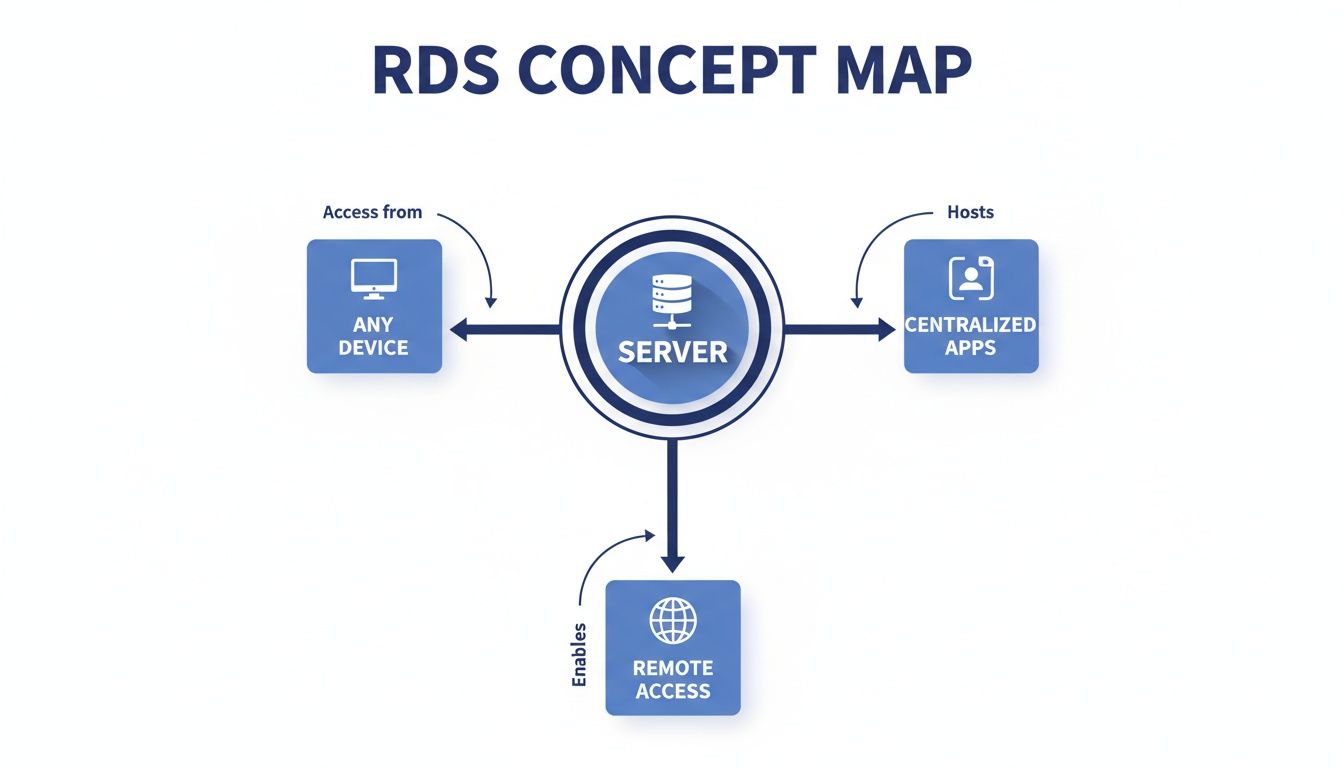
As you can see, it boils down to three key pillars: a central server managing everything, the freedom for users to connect from anywhere, and the efficiency of keeping all your applications in one managed place.
Let's check in and meet the "staff" of our RDS hotel. Each of these server roles is a specialist, handling a specific part of the user's journey from the moment they try to connect until they log off. Getting to know these roles is the first step in appreciating just how powerful and secure the system is.
These aren't just abstract ideas; they are actual services you'll configure on your Windows Server to bring your RDS environment to life. Each one is a critical piece of the puzzle.
To make this crystal clear, let's break down the essential server roles within an RDS setup and see what each one does.
| RDS Role | Analogy | Primary Function |
|---|---|---|
| RD Connection Broker | The Hotel Concierge | Manages all incoming user connections, seamlessly reconnects users to their existing sessions, and balances the workload across servers to keep things running fast. |
| RD Session Host | The Hotel Rooms | This is where the real work happens. These servers host the Windows desktops and applications that your users actually see and interact with. |
| RD Gateway | The Secure Front Door | Acts as a fortified entry point for anyone connecting from outside your company network, wrapping all their traffic in a secure, encrypted HTTPS tunnel. |
| RD Web Access | The Online Booking Portal | Provides a simple, user-friendly web page where people can log in and launch their available remote apps or desktops right from a browser. |
| RD Licensing | The Front Desk Manager | Manages all the necessary client access licenses (RDS CALs) required for each user or device connecting to the system, ensuring compliance. |
Each role handles a specific job, and when they work together, the result is a smooth, secure, and reliable remote access system for your team.
When a user wants to launch an application, they don't connect directly to the server running it. They start at the "front door" or the "booking portal."
For example, a remote employee might open their web browser and go to the RD Web Access portal. After they log in, they'll see a list of applications they're allowed to use. When they click an icon, the request zips over to the RD Connection Broker.
The Connection Broker, our "concierge," first checks if that user already has a session running. If so, it reconnects them instantly. If not, it finds the best available RD Session Host server and directs the connection there. If the user is outside the office, the entire connection is securely tunneled through the RD Gateway.
This orchestrated process ensures that resources are used efficiently, connections are always secure, and the user experience remains consistent and reliable, regardless of how or where they connect from.
Finally, the RD Licensing server quickly confirms the user has a proper license, completing the "check-in." This whole sequence happens in seconds, creating a fluid and responsive experience for the end-user. For those curious about how this fits into bigger IT strategies, you can learn more about desktop and app virtualization solutions here.
It’s one thing to understand the technical bits and pieces of RDS Microsoft Remote Desktop Services, but the real magic happens when you see how it solves everyday business problems. This isn't just another IT tool; it’s a practical solution for getting work done efficiently and securely, whether your team is under one roof or spread across the country.
The move to remote and hybrid work isn't just a trend—it's the new standard, and the market growth reflects that. The global remote desktop software market was valued at USD 3.92 billion in 2025 and is expected to climb to a staggering USD 14.73 billion by 2034. That explosive growth shows just how much businesses rely on these tools to keep operations running smoothly. You can see the full market analysis from Fortune Business Insights here.
For any accounting or CPA firm, tax season is a pressure cooker. Efficiency and security are everything. RDS acts like a central nervous system for their operations, hosting essential apps like QuickBooks, Sage, or Drake Tax Software on a single, secure server.
This setup means accountants can access the exact same software and client files from the office, a client’s site, or their home office. No more emailing sensitive files back and forth or using unsecured USB drives—a huge security risk. Better yet, multiple team members can jump into the same client file simultaneously, which cuts down on errors and makes collaboration seamless.
RDS completely changes the game for professional services. It locks down sensitive data in one place, gives everyone the same software environment, and provides the flexibility needed to serve clients from anywhere.
With everyone on the same page, you eliminate version conflicts and ensure the data is always accurate and up-to-date.
Law firms handle some of the most sensitive information on the planet, so data security and compliance aren’t just best practices—they're non-negotiable. Using RDS, every case file, practice management tool, and billing application lives on a hardened central server, not on individual laptops that can be lost or stolen.
This centralized architecture is a massive security win. Attorneys and paralegals can securely pull up confidential documents from a courthouse, a client meeting, or while on the road, without ever downloading the actual files to their local device. This is absolutely critical for maintaining client confidentiality and meeting strict regulatory standards.
One of the biggest roadblocks for small and mid-sized businesses (SMBs) is the steep cost of building and maintaining their own IT infrastructure. Buying servers, juggling software licenses, and hiring dedicated IT staff can drain a budget fast.
RDS, especially when managed by a hosting partner, flips that script entirely. Instead of a huge upfront investment, it becomes a predictable monthly operational expense. This model is incredibly scalable—a business can add or remove users with a few clicks and only pay for what they need. This flexibility allows SMBs to access the same kind of powerful technology as large corporations without the enterprise-level price tag, freeing up cash and resources to focus on what they do best: growing their business.
While Microsoft Remote Desktop Services (RDS) has been a trusted workhorse for years, the remote access world has grown. Today, businesses have compelling alternatives like Azure Virtual Desktop (AVD) and Citrix Virtual Apps and Desktops. Figuring out where RDS fits in this new landscape is the key to making the right call for your company.
The goal isn’t to find the single “best” platform, but the best fit for your specific needs. Each one shines in different situations, depending on your budget, management overhead, in-house expertise, and long-term goals. Think of it like choosing a vehicle: you could go for a dependable sedan (RDS), a sleek electric car tied to a specific charging network (AVD), or a heavy-duty truck with endless customization options (Citrix).
Microsoft RDS is often the go-to for organizations that need total control and a predictable cost model. Since it’s typically deployed on servers you own or lease—whether in your office or with a private cloud host—the financial structure is refreshingly straightforward.
You usually purchase perpetual licenses for Windows Server and RDS Client Access Licenses (CALs). This means a one-time capital expense with smaller, manageable costs for ongoing maintenance. This model is perfect for businesses that prefer budget certainty over the fluctuating monthly bills that come with consumption-based services.
For many small businesses, law firms, and accounting practices, RDS hits the sweet spot. It delivers essential remote access without the complexity or enterprise-level pricing of more expansive platforms.
This setup gives you complete ownership. Your IT team or managed service provider has direct authority over every piece of the infrastructure, from security rules to hardware specs.
Azure Virtual Desktop (AVD), once known as Windows Virtual Desktop, is Microsoft's vision for cloud-first remote computing. AVD lives entirely within the Microsoft Azure ecosystem, which is both its greatest strength and its main differentiator. It was built from the ground up for rapid, elastic scaling.
Instead of buying servers, you pay only for the Azure resources you consume—virtual machine compute time, storage, and networking. This consumption-based model is a game-changer for businesses with fluctuating demand, like a tax firm that needs to triple its user count during tax season and then shrink back down.
Of course, this model requires comfort with the Azure cloud and can lead to unpredictable costs if you don’t manage it carefully. It’s an ideal choice for organizations already invested in the Microsoft cloud. To get a better sense of how these services are delivered, you can explore the concept of Desktop as a Service (DaaS) in our comprehensive article.
Citrix has been a major player in virtualization for decades, often seen as the premium choice for large enterprises with complex and demanding requirements. While it can run on any cloud or on-premise infrastructure, its real strength is in its advanced features and deep, granular control.
Citrix is famous for its HDX protocol, which delivers an exceptional user experience even over spotty, high-latency network connections. It also offers extensive support for peripherals and rock-solid security controls that are non-negotiable in highly regulated industries like healthcare and finance.
All that power comes at a cost. Citrix licensing is typically more expensive, and its complexity often demands specialized IT expertise to manage effectively. It’s the right tool for the job when user experience and granular control are the absolute highest priorities, justifying the added investment.
To help you see the differences at a glance, here’s a quick comparison.
| Feature | Microsoft RDS | Azure Virtual Desktop (AVD) | Citrix |
|---|---|---|---|
| Ideal Use Case | SMBs, firms needing control and predictable costs. | Businesses in the Azure ecosystem needing elastic scale. | Large enterprises with complex security and UX needs. |
| Cost Model | Capital Expenditure (Perpetual Licenses) | Operational Expenditure (Consumption-Based) | Premium Subscription (Higher Per-User Cost) |
| Management | Full control; requires more hands-on IT management. | Simplified; Microsoft manages the control plane. | Complex; requires specialized expertise. |
| Primary Platform | On-premise or private cloud infrastructure. | Exclusively on Microsoft Azure. | Cloud-agnostic (any cloud or on-premise). |
Ultimately, the right choice depends entirely on your company’s unique DNA—your budget, your team's technical skills, and your vision for growth.
When your business handles sensitive information, security isn't just a feature—it's the foundation of trust. A properly configured RDS Microsoft Remote Desktop Services environment fundamentally strengthens your security by creating a digital fortress around your data and applications. The secret sauce is centralization.
Instead of your critical information being scattered across dozens of vulnerable devices like employee laptops, it all lives on a single, hardened server. Think of it this way: if an employee's laptop gets stolen from their car, no client data is compromised because that data never actually left the secure server. This simple shift from distributed to centralized data management is a monumental security win.
This centralized approach isn't just a good idea; it's a proven strategy. The IT and telecommunications sector is leading the charge in remote desktop adoption, expected to hold a 21.35% market share by 2026. Industries like healthcare, finance, and professional services aren't far behind, recognizing that remote desktop solutions are essential for secure, flexible operations. The broader market is projected to hit roughly USD 15 billion by 2033, showing widespread confidence in the technology.
A truly secure RDS setup isn’t about one single tool—it's built with multiple defensive layers. The RD Gateway role is your first line of defense, acting as a secure checkpoint for all external connections. It wraps every session in strong encryption, making your data completely unreadable to anyone trying to snoop on the connection.
But encryption alone isn't enough. You also need to verify who is connecting. Passwords, unfortunately, are no longer enough to stop a determined attacker.
Implementing Two-Factor Authentication (2FA) is one of the single most effective security measures you can take. It forces users to provide a second form of verification—like a code from their phone—in addition to their password, effectively slamming the door on the vast majority of unauthorized access attempts.
This simple step transforms a vulnerable password into a robust security checkpoint. You can explore our guide to learn more about adding Two-Factor Authentication to your Remote Desktop setup.
Beyond preventing breaches, centralization makes it far easier to meet strict compliance standards like HIPAA or GDPR. With all activity happening on one server, you can meticulously monitor who accesses what data and when. This centralized control simplifies audits and clearly demonstrates due diligence.
Here are a few key compliance benefits:
Because RDS is a cornerstone for enabling remote work, it's critical to pair its technical strengths with smart policies. Understanding and implementing robust remote work security best practices protects your distributed workforce and the core infrastructure they rely on. By combining the built-in security of RDS with good habits, you give your business both powerful protection and invaluable peace of mind.
This is the big fork in the road for your RDS Microsoft Remote Desktop Services deployment. Will you build, manage, and maintain the entire environment yourself, or will you bring in a managed hosting partner? The choice you make here directly impacts your costs, day-to-day responsibilities, and how much time you can actually spend on your business.
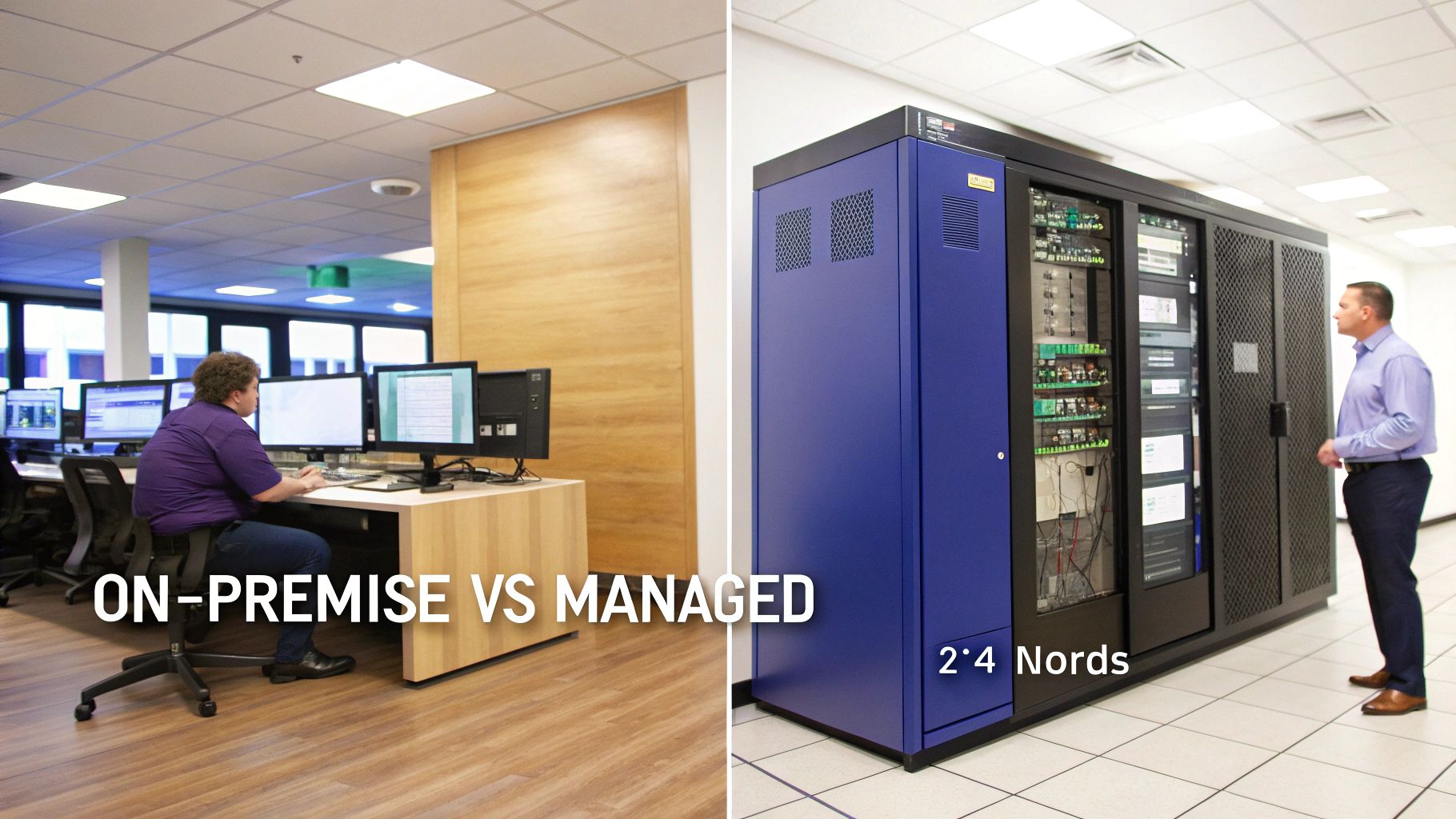
Hosting on-premise gives you total control, but that control comes with a catch: you're responsible for everything. Kicking things off requires a hefty upfront investment in server hardware, networking gear, and even physical security for the room where it all lives.
Once you’ve bought all the equipment, the real work begins. The ongoing burdens fall squarely on your team's shoulders. You'll be managing complex software licenses, constantly running security updates and patches, troubleshooting every hiccup, and planning for when the hardware eventually needs to be replaced. It's a massive commitment of time, money, and specialized expertise.
If you're leaning toward the on-premise route, get ready to own these critical tasks:
On the other hand, a managed partner lifts this entire weight off your shoulders. Those huge upfront hardware costs disappear, replaced by a predictable monthly operational expense. This model gives you immediate access to a team of experts who handle all the maintenance, security, and backups around the clock.
Choosing a managed partner is a strategic decision that provides guaranteed uptime, robust security, and the freedom to focus on your business instead of becoming a full-time IT department.
This approach effectively turns your IT from a major capital expense into a scalable service. When looking at managed partners for RDS, you'll hear about concepts like multi-tenant architecture, which is how providers efficiently deliver services to many clients from a shared, highly optimized infrastructure.
A managed solution lets you offload all the technical headaches while keeping the powerful benefits of RDS. You can check out a detailed comparison of cloud vs on-premise hosting to see which model truly fits your business goals. For most small to mid-sized businesses, this partnership offers enterprise-grade infrastructure without the enterprise-level price tag, ensuring your remote desktop environment is always secure, updated, and running at its best.
As you start thinking about bringing RDS Microsoft Remote Desktop Services into your business, a few key questions always come up. Getting clear, straightforward answers is the best way to make a decision you feel good about. This section tackles the most common questions we hear from business leaders trying to figure out if RDS is the right move for them.
We'll break down some important differences, touch on practical things like software licensing, and set some real-world expectations for performance. Think of this as the final piece of the puzzle, giving you the confidence to move forward.
This is easily one of the most common points of confusion, so let's clear it up with an analogy.
A virtual machine (VM) is like a standalone house. It has its own dedicated plot of land (server resources), its own foundation and utilities (a complete operating system), and a totally private structure. It’s completely self-contained.
An RDS session, on the other hand, is more like renting an apartment in a high-end building. All the tenants (users) live in the same building (the server) and share the core infrastructure—like the foundation, plumbing, and electricity (the server’s operating system and hardware). Each tenant gets their own secure, private apartment (their session), but the underlying resources are shared to keep things efficient.
While both give you a way to work remotely, RDS is built for efficiency by sharing a single OS across many users. A VM gives each user their own isolated OS, which is powerful but uses far more resources.
Most of the time, yes—but you absolutely need to check first. The majority of major software companies, like Microsoft and the big names in accounting software, have licensing models that work just fine in a shared RDS environment. The devil, as they say, is in the details of your End-User License Agreement (EULA).
Some software is licensed per device, while other licenses are per user. To be compliant on RDS, you'll typically need licenses that allow for server-based deployment where multiple users can access the program. Your best bet is to review your agreements or have a quick chat with your software vendor to make sure everything is above board and avoid any surprise costs down the line.
When it’s set up correctly, an RDS session can feel just as snappy and responsive as working on your local computer. It really boils down to two things: the power of the server hosting the sessions and the quality of your internet connection.
A beefy server with plenty of CPU, RAM, and fast storage can juggle dozens of user sessions without even breaking a sweat. At the same time, a stable, low-latency internet connection on the user’s end makes sure every keystroke and mouse click feels instant. A good hosting provider manages the server-side performance for you, guaranteeing resources are always optimized to deliver a smooth experience that truly rivals a local machine.
Ready to see how a professionally managed RDS environment can empower your business? Cloudvara delivers a secure, reliable, and high-performance cloud hosting solution that takes the complexity out of IT management. Focus on your business, and let us handle the rest. Start your free 15-day trial today!




