
An off site backup is simply a copy of your business data stored somewhere else—in a secure location, geographically separate from your office. Think of it as a digital insurance policy. It protects your most critical information from local disasters like fires, floods, or even simple hardware failure, ensuring you can get back up and running even if your entire workplace is out of commission.
This strategy is the bedrock of genuine business resilience.
Imagine a burst pipe floods your office, or a neighborhood power outage takes down your building for days. What happens to your data? If your backups are stored on an external hard drive or a server in the closet, they're just as vulnerable as your primary computers.
An off site backup solution breaks this dangerous single point of failure. By creating physical distance between your original data and its duplicate, you transform a simple file copy into a powerful business continuity tool. It’s the difference between hoping a disaster won't happen and having a concrete plan for when it does.
For any serious business—especially those in regulated fields like accounting, law, or healthcare—this isn't just an IT upgrade. It's a non-negotiable part of modern risk management.
In a world where your data is one of your most valuable assets, the threats are constant and come from all directions. A solid off site backup solution acts as your ultimate safety net against a whole range of catastrophes that could otherwise shut you down for good.
Here's a look at the common business risks that off site backups are designed to counter, and how they provide a layer of protection that local backups simply can't match.
| Threat | Risk to Business | How Off Site Backup Helps |
|---|---|---|
| Physical Disasters | Fires, floods, or storms can destroy an entire office, including on-site servers and backup drives, leading to total data loss. | An off site copy remains untouched and available for a full recovery, no matter what happens to your physical location. |
| Hardware Failure | Servers and hard drives have a limited lifespan. When they fail, years of critical financial records, client files, and operational data can vanish. | You can restore your systems to new hardware without losing valuable information, turning a potential crisis into a manageable task. |
| Ransomware & Cyberattacks | Modern malware is smart—it often seeks out and encrypts local backups to make recovery impossible and force a payout. | An isolated, off site backup is typically invisible to attackers, giving you a clean, uninfected copy of your data to restore from. |
| Human Error | Accidental deletion of a critical folder or file is one of the most common causes of data loss. It happens to everyone. | With version history, you can simply "rewind" to a point before the mistake was made, recovering the lost data in minutes. |
A well-planned off site strategy ensures that whether the threat is a natural disaster or a simple mistake, your business has a clear path forward.
Ultimately, the goal is to keep your business running, no matter what. An off site backup is a critical piece of any real disaster recovery plan, ensuring you can get back on your feet quickly and with minimal data loss. The peace of mind this provides is invaluable. It lets you focus on serving your clients instead of worrying about what could happen to your data.
The tangible cloud backup benefits stretch from enhanced security all the way to better operational efficiency.
For businesses without a robust backup plan, the costs of downtime can be staggering—sometimes climbing into the hundreds of thousands of dollars per hour. An off site backup is an affordable insurance policy against that kind of catastrophic financial and reputational damage.
As businesses rely more and more on digital records, this strategy becomes essential. Market trends reflect this shift. The global cloud backup market, a key type of off-site solution, is projected to grow from USD 6.6 billion in 2025 to nearly USD 50 billion by 2035. This explosive growth, detailed in recent research on cloud backup market growth, shows a clear consensus: off-site backups are no longer optional.
Not all off-site backup solutions are created equal. The first step in picking the right strategy is understanding the different architectures available, because each one strikes a unique balance between speed, security, and cost.
Think of them as different insurance policies for your data. Some offer basic coverage, while others provide comprehensive, near-instant protection for almost any disaster scenario you can imagine. Let's break down the most common approaches.
The diagram below shows how an off-site backup fits into a complete data protection plan, shielding your business from both physical and digital threats.
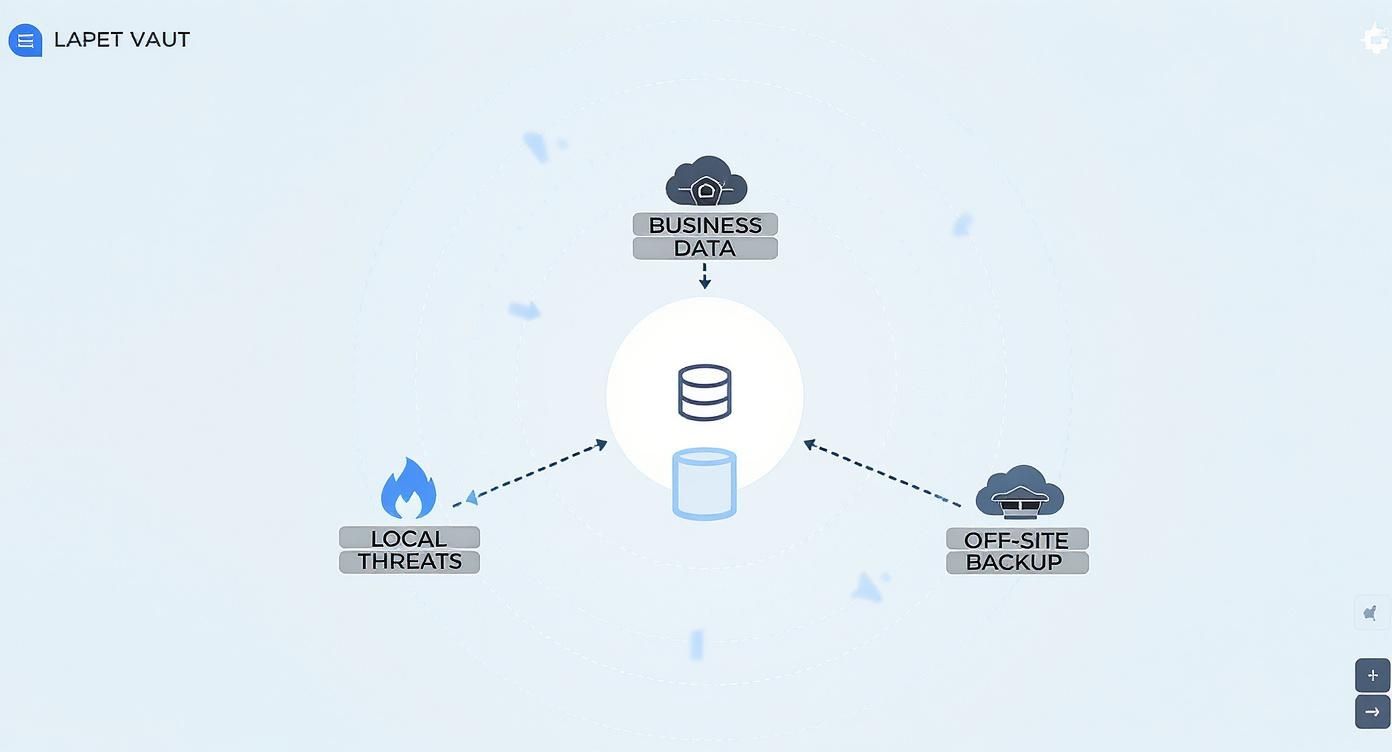
This visual drives home a key point: an effective strategy has to account for multiple types of risk. Off-site storage is your ultimate safeguard against a catastrophic, business-ending loss.
Today, the most popular choice by far is cloud backup. Imagine renting a highly secure, climate-controlled storage unit for your data from a specialist like Amazon Web Services (AWS) or Microsoft Azure. You don’t own the building, but you get guaranteed access and top-tier security.
This model, often called Backup-as-a-Service (BaaS), automates the entire process. Your data is encrypted and sent over the internet to the provider's data center, which means it's scalable, cost-effective, and frees you from managing any physical hardware.
A key advantage of cloud backup is its operational simplicity. For a small business, this means you can achieve enterprise-grade data protection without needing a dedicated IT team to manage complex backup infrastructure.
With a trusted partner like Cloudvara, these automated backups run daily without anyone needing to lift a finger, ensuring your data is consistently protected. You can learn more about how we simplify this with our comprehensive managed backup as a service offerings.
If cloud backup is like a secure storage unit, then replication is like having a fully furnished, identical twin of your office ready to go at a moment's notice. This method creates a "live mirror" of your entire IT environment—servers, applications, and data—in a secondary, off-site location.
This approach is non-negotiable for businesses that simply cannot afford any downtime. If your primary system goes offline from a hardware failure or a natural disaster, you can "fail over" to the replicated environment almost instantly. It’s all about keeping the business running with minimal disruption.
Snapshots are exactly what they sound like: a "digital photograph" of your system at a specific moment in time. This method captures the state of your files, applications, and configurations at that precise point.
So, if you’re hit with a ransomware attack or suffer from data corruption, you can simply revert your entire system to a clean, uncorrupted snapshot. It’s different from a traditional backup that just copies files; a snapshot captures the state of the system, making it incredibly powerful for recovering from cyberattacks or logical errors.
A hybrid backup strategy combines the best of local and off-site backups into one robust plan. It works by creating one backup on a local device for fast, everyday restores—like recovering an accidentally deleted file—and a second copy in the cloud for true disaster recovery.
This two-pronged approach delivers both speed and resilience.
To help you decide which off-site backup approach is best for your needs, consider the pros and cons outlined in this comparison of local vs. cloud backup solutions. This structure gives businesses a balanced and robust data protection plan, effectively covering all bases.
When you're choosing an off-site backup solution, security isn't just a feature to check off a list—it's the entire foundation. Without it, your backup is just another weak spot waiting to be exploited. This means you need to look past simple password protection and understand the core technologies that keep your data safe from today’s threats.
The first, non-negotiable layer is end-to-end encryption. Think of it as a sealed, armored truck for your data. Encryption scrambles your files into an unreadable mess before they even leave your office. They stay scrambled while traveling across the internet (in transit) and while sitting in the off-site data center (at rest).
Only you hold the decryption key. This simple but powerful process ensures that even if a cybercriminal managed to intercept your data, all they’d get is useless gibberish.

Beyond encryption, your next line of defense is data immutability. This is a powerful concept that basically turns your backup into a "write-once" digital vault. Once a backup is saved and marked as immutable, it cannot be changed, overwritten, or deleted for a specific period. Not even by an administrator with the highest privileges.
This feature is your silver bullet against ransomware, which loves to encrypt or delete backup files to cut off your escape route.
An immutable backup is your ultimate safety net in a cyberattack. If ransomware hits your live systems, you have a guaranteed clean, unchangeable copy of your data ready to restore. The attacker's leverage is gone.
This one feature transforms your off-site backup solution into a fortress, protecting the integrity of your recovery points against any kind of malicious tampering.
For businesses in accounting, legal, and healthcare, protecting data isn't just good practice—it's the law. Failing to meet strict regulatory standards can lead to staggering fines, legal battles, and a complete loss of client trust.
A good off-site backup provider helps you navigate these tricky requirements. Here are a few key regulations to keep on your radar:
Partnering with a provider who gets these frameworks is a game-changer. They should offer solutions with the right certifications and controls to help you meet your obligations. For instance, understanding specific certifications like SOC 2 compliance requirements is vital for verifying the trustworthiness of a vendor. These audits serve as independent proof that a provider meets high standards for security, availability, and confidentiality.
Choosing a vendor with a solid compliance record lifts a huge regulatory weight off your shoulders. Instead of you needing to become an expert on complex legal frameworks, you can lean on their infrastructure and expertise. You can learn more about what is SOC compliance and why it's so important when evaluating potential partners. At the end of the day, a compliant off-site backup solution lets you focus on your business, confident that your data is not just secure but also stored in a way that satisfies both industry and government rules.
Before you can choose the right off-site backup solution, you need to answer two simple but powerful questions that get right to the heart of your business continuity needs. These questions define your recovery objectives, and they’ll steer every decision you make, from the type of backup you choose to the partner you work with.
These two critical metrics are your Recovery Time Objective (RTO) and your Recovery Point Objective (RPO). Getting a firm grip on these is the first real step toward building a data protection strategy that actually works when you need it most.
Think of your RTO as your "downtime tolerance." It’s the absolute maximum amount of time your business can be offline after a disaster before you start seeing serious damage—lost revenue, angry customers, and a bruised reputation. This is measured in minutes, hours, or even days.
RTO isn't just an IT metric; it's a core business metric. If your e-commerce site crashes during a holiday sale, an RTO of eight hours could translate into thousands in lost sales and shattered customer trust. But for a less critical internal system, a 24-hour RTO might be perfectly fine.
To figure out your RTO, you have to ask: "How long can we truly afford to be down?" Your answer directly shapes the kind of off-site backup solution you’ll need. A very low RTO (just a few minutes) demands a sophisticated setup like live replication, whereas a higher RTO (a day or more) can be handled by a more standard cloud backup service.
Next up is your RPO, which is all about your "data loss tolerance." It defines the maximum amount of data—measured in time—that you can afford to lose without causing major disruption. An RPO of one hour means you absolutely cannot lose more than an hour's worth of transactions, client emails, or file changes.
This metric is what determines how often you need to back up your data.
Defining your RPO demands a brutally honest look at your daily operations. If you only run backups at midnight, your RPO is automatically 24 hours. Are you really okay with the idea of re-doing an entire day's worth of work after a server fails?
The goals you set for RTO and RPO are the blueprints for your entire recovery strategy. A mismatch between your objectives and your backup solution's capabilities is a recipe for failure. Clearly defining these upfront ensures your investment in an off site backup solution delivers the protection your business actually needs.
Here’s a quick look at how these objectives might look across different industries, giving you a practical sense of how RTO and RPO are applied in the real world.
| Business Type | Example Critical Data | Suggested RPO | Suggested RTO |
|---|---|---|---|
| E-commerce Store | Customer orders, inventory levels, payment transactions | < 15 minutes | < 1 hour |
| Law Firm | Client case files, billing records, court deadlines | 1–4 hours | 4–8 hours |
| Accounting Firm | Tax filings, financial statements, client payroll | 4 hours | 8 hours |
| Nonprofit Organization | Donor databases, grant applications, program records | 24 hours | 24–48 hours |
As you can see, a business that lives and dies by real-time transactions has far more aggressive recovery targets than one with less time-sensitive data. Matching your plan to your operational reality is key.
These metrics form the very core of a strong disaster recovery framework. You can find more practical steps on building this out in our guide on how to create a disaster recovery plan. This crucial planning phase ensures your technical solution aligns perfectly with your real-world business requirements.
Picking a provider for your off-site backup isn't just another IT purchase—it's a critical business decision. You're entrusting a partner with your most valuable asset: your data. That's why it's essential to look past the price tag and really dig into a vendor’s security, reliability, and support for the long haul.
This choice will directly impact how well you recover from a disaster, so asking the right questions upfront is non-negotiable. A great vendor acts less like a supplier and more like an extension of your team, making sure their services line up with your operational goals and security needs.
Your first checkpoint should always be security. Think of a vendor’s data centers as the physical vaults holding your digital assets—they need to be fortresses. Look for providers who can back up their security claims with independent, third-party certifications.
Here are the key credentials to ask about:
These certifications aren't just acronyms on a sales sheet; they're tangible proof that a vendor takes data protection seriously.
When a crisis hits, the quality of your vendor’s technical support becomes everything. You need a partner who offers immediate, expert help around the clock—not a ticket system that leaves you waiting for hours. A good test? See how responsive they are during your evaluation phase.
Equally important is scalability. Your business is going to grow, and your data will grow right along with it. Your off-site backup solution has to scale effortlessly without forcing you into a complex and costly overhaul. A good provider offers a clear path for growth, letting you add storage and resources as you need them.
A vendor’s support team is your lifeline during a recovery event. Choosing a provider with 24/7 expert support ensures that when you need help most, a knowledgeable professional is there to guide you through the restoration process, minimizing downtime and stress.
For many small and mid-sized businesses, partnering with a managed service provider (MSP) for backups is a game-changer. This approach, often called Backup-as-a-Service (BaaS), offloads the complexity of managing, monitoring, and testing your backups to a team of experts.
Instead of your team stressing over backup schedules and recovery drills, the MSP handles it all. It’s no surprise this market is growing so quickly. The BaaS market is projected to expand from USD 8.34 billion in 2025 to USD 33.18 billion by 2030, a clear sign that businesses are catching on. You can explore more data on this impressive market growth to see the trend for yourself.
Working with an MSP like Cloudvara means your backups are not just automated but also professionally managed and verified, ensuring your recovery plan is always ready to go. Mastering that relationship is key, and you can get more tips from our guide on IT vendor management best practices. This kind of partnership transforms your backup solution from a simple tool into a fully managed safety net.

Turning your off-site backup strategy from a concept into a reliable safety net requires a clear, strategic roadmap. A well-structured plan takes the guesswork out of the equation, helps you sidestep critical missteps, and ensures your data is protected from day one. We can break this process down into five manageable stages that guide you from the initial assessment all the way to final validation.
Following a proven framework doesn’t just simplify the deployment; it builds real confidence in your ability to recover when things go wrong. It's a bit surprising, but a recent study found that only 40% of IT professionals fully trust their backup systems to work in a crisis. You can learn more about these data backup insights and see why a meticulous implementation is so important. A well-executed plan is the single best way to close that trust gap.
A successful rollout moves logically from understanding what data you have to confirming your solution actually works as expected. This step-by-step approach ensures all your bases are covered, preventing common headaches like missed data sets or improperly configured schedules.
Data Assessment: First thing’s first: you need to identify and categorize your data. Figure out which files, applications, and systems are absolutely mission-critical—think client databases or financial records—versus those that are less essential. This crucial first step dictates all your backup priorities.
Vendor Selection: Using the checklist from the previous section, it's time to finalize your partnership. Before you move another inch, confirm the provider meets your security, compliance, and support needs.
Initial Seeding: This is the first full backup of all your data. If you have a massive amount of data, this process can be time-consuming and put a serious strain on your internet bandwidth. Some vendors offer physical seeding, where they ship you a storage device to load your data onto, which is then sent back to their data center.
Configuration: Now you get to set the rules. This is where you establish automated backup schedules (daily, hourly), define your data retention policies (how long to keep backups), and set up alerts for any backup failures.
Validation and Testing: This is the final and most important step. You absolutely have to perform a test recovery. Restore a few files or a small server to a test environment to validate that your off-site backup solution works correctly and that your team knows the recovery procedure inside and out.
Even with a solid plan, you might run into a few challenges. The most common hurdle is managing that initial data transfer without bogging down daily operations, especially if your bandwidth is limited. Migrating from an old, unreliable backup system can also be tricky, as you have to make sure no data gets lost in the transition.
A proactive approach is key. Discuss potential challenges like bandwidth limitations with your vendor beforehand. A quality provider will help you strategize the initial seed and offer guidance on migrating from legacy systems, ensuring a smooth and efficient deployment.
By anticipating these issues and sticking to a structured plan, you can implement your off-site backup solution seamlessly. It will quickly become a powerful and dependable asset for your business continuity.
Jumping into the world of data protection can feel a bit technical, but getting the right answers is the first step toward securing your business. Here are some of the most common questions we hear about off-site backup solutions.
It’s a great question, and the answer is all about scope. Think of your off-site backup as a critical ingredient in a much larger recipe: your disaster recovery (DR) plan.
A backup is simply a secure copy of your data stored in a separate location. Disaster recovery, on the other hand, is the entire playbook for getting your business back online after a major disruption. A complete DR plan uses your off-site backups but also details everything from network configurations and application recovery steps to how you'll communicate with staff and clients.
Your off-site backup is like having a spare engine for your car. Your disaster recovery plan is the detailed instruction manual, tool kit, and trained mechanic you need to actually install it and get back on the road.
This really comes down to one simple question: how much data can you afford to lose? The answer to that defines your Recovery Point Objective (RPO).
For a busy law firm updating case files by the minute or an e-commerce store processing orders 24/7, backups might need to run continuously. For many other small businesses, automated daily backups are a solid, reliable standard.
To find your sweet spot, ask your team: "If our systems crashed right now, what’s the real-world impact of losing an entire day's worth of work?" Your answer will tell you exactly how often you need to run your backups.
No, and this is a critical distinction that trips up a lot of businesses. Services like Dropbox or Google Drive are fantastic for syncing files and collaborating with your team, but they are not a true business backup solution.
Here’s why these platforms fall short for real business continuity:
A dedicated off-site backup solution is built differently. It’s isolated, its data is unchangeable (immutable), and its sole purpose is recovery, not just file sharing.
An effective off-site backup solution isn't just a "nice-to-have"—it's the foundation of modern business continuity. At Cloudvara, we build that foundation for you with fully managed cloud hosting that includes automated daily backups. We make sure your critical data is always secure, compliant, and ready for a fast recovery.




