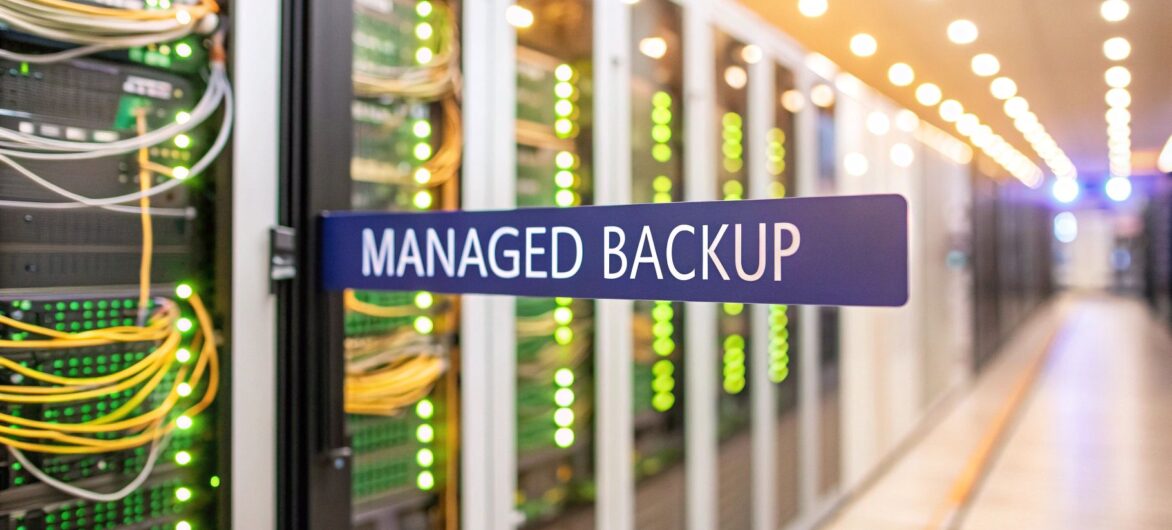
Think of a managed backup service as hiring a dedicated security team for your data, rather than just installing an alarm system and hoping for the best. It’s a ‘set it and forget it’ approach where seasoned professionals handle every piece of your data protection, letting you get back to running your business.

At its heart, a managed backup service is when a third-party expert takes complete ownership of protecting your company’s most valuable asset—its data. This goes way beyond renting a bit of storage space online; it’s a full-service partnership covering the entire data protection lifecycle.
The process kicks off with strategy and setup, where specialists figure out your needs and build a custom backup plan. From there, they take over daily monitoring to make sure backups run without a hitch. And when things go wrong—because sometimes they do—they lead a swift, expert-guided recovery to get you back up and running.
The real magic is in the "managed" part. Instead of your internal team juggling backup schedules, software updates, or recovery drills, the service provider handles it all. This hands-on management is designed to give you genuine peace of mind, guaranteeing your data is not just saved but also secure, compliant, and always recoverable.
Grasping modern data security concepts is key to understanding what’s involved, as robust security is the core of the service. This proactive shield has become non-negotiable for businesses of every size.
A managed service transforms data backup from a reactive, often-neglected IT chore into a proactive, guaranteed business continuity strategy. It shifts the responsibility from your shoulders to a team of dedicated specialists.
This shift is a game-changer for small and medium businesses (SMEs) that often lack a dedicated IT security staff. In fact, SMEs now make up 69.5% of the market share for cloud-based backup services. With the market projected to grow from USD 5.9 billion to USD 27.3 billion by 2035, it's clear that more and more businesses see the value in professional data protection.
Ultimately, this service model is built on top of sophisticated, secure offsite data centers. To get a better feel for the foundation of these services, you can learn more about the fundamentals of what is cloud storage and how it powers modern data protection.
To really get how a managed backup service protects your business, you need to look under the hood. It’s far more than just copying files to a hard drive. We're talking about a strategic process, a blend of smart technology and expert oversight, built on core principles that keep your data safe and ready for a quick recovery when things go wrong.
At the heart of any professional backup strategy, you’ll find two critical ideas: Recovery Time Objective (RTO) and Recovery Point Objective (RPO). Think of them as the twin pillars holding up your business continuity plan.
RTO (Recovery Time Objective): This is the absolute maximum amount of time your business can afford to be down after a disaster. Say a server fails in your office. An RTO of one hour means your managed service provider has a 60-minute window to get your systems back online. It answers the question, "How fast do we need to be back in business?"
RPO (Recovery Point Objective): This measures the maximum amount of data you can stand to lose, measured in time. If your RPO is 15 minutes, your backups need to run at least every quarter-hour. In a worst-case scenario, you’d only lose the data created since the last successful backup—a much easier pill to swallow than losing an entire day's work.
A simple analogy helps make this clear: RTO is how quickly you can reopen your shop after a fire. RPO is how many of the most recent sales receipts you can afford to lose forever. A great managed backup service works with you to figure out what’s acceptable for your business and then builds a technical strategy to hit those targets.
Hitting these goals efficiently requires a mix of different backup types. Constantly running a full backup of all your data would chew up a massive amount of storage and network bandwidth. So instead, providers use a much smarter, more strategic approach.
Full Backups: This is your baseline—a complete copy of every single file. It’s the most thorough but also the most resource-heavy, which is why it's usually done periodically, maybe once a week.
Incremental Backups: These are the fast and efficient players. They only capture the data that has changed since the last backup of any kind (full or incremental). Because they're small and quick to create, they are perfect for meeting frequent RPO targets.
Differential Backups: This type copies all the data that has changed since the last full backup. They’re a bit larger than incremental backups, but they make restoration much faster. To get everything back, the provider only needs the last full backup and the latest differential one.
A managed service provider will expertly combine these methods into a tailored schedule. For instance, they might set up a full backup every Sunday, run differential backups nightly, and perform incremental backups every hour during the business day. This hybrid model perfectly balances speed, storage efficiency, and recovery reliability—a core benefit you get when you automate backups with a professional service.
Beyond the mechanics of copying data, security is an absolute non-negotiable. Any good managed backup service ensures your data is protected with end-to-end encryption. This means your data is scrambled before it even leaves your network, stays encrypted while it travels to the provider's data center, and remains encrypted while it’s stored. You—and only you—hold the key to decrypt it, making it unreadable to anyone else.
Finally, the service helps you navigate the often-confusing world of data retention policies. Industries like accounting and law have strict rules about how long client data must be kept. A managed service automates this, making sure you hang onto backups for the required duration—whether that’s seven years or even longer—and then securely delete them when they're no longer needed. This keeps you compliant without you having to lift a finger.
Choosing how to protect your business data is one of the most critical decisions you'll make. The path you take directly impacts your ability to recover from a disaster, whether it's a server failure, a cyberattack, or a simple human error. The decision typically boils down to two distinct approaches: partnering with a managed backup service or handling everything in-house with a Do-It-Yourself (DIY) solution.
At first glance, a DIY approach might seem like a way to save money. You buy the hardware, select the software, and assign an internal team member to manage it all. But that view often overlooks the hidden complexities and costs that sneak up on you. It’s not just a one-time setup; it's an ongoing, resource-intensive job that can easily pull your team away from their primary, revenue-generating duties.
A managed backup service, on the other hand, operates on a fundamentally different model. Instead of a large upfront capital expense, you pay a predictable monthly fee. This operational expense covers everything from the initial strategy and implementation to round-the-clock monitoring, software updates, and expert-led recovery when you need it most.
The Total Cost of Ownership (TCO) is where the differences between these two models really start to show. For a DIY solution, the costs are often unpredictable and layered.
A managed service transforms these variable, often unforeseen costs into a single, predictable line item in your budget. This financial stability is a huge plus, especially for accounting and legal firms that need to manage cash flow carefully.
The infographic below shows how a managed service strategically combines different backup types to protect your data efficiently.

This strategic flow ensures your data is protected frequently without overwhelming your network, balancing recovery speed with resource efficiency.
To make the choice clearer, it helps to see the two approaches side-by-side. Each has its own implications for your budget, your team's time, and your overall risk.
| Feature | Managed Backup Service | In-House (DIY) Backup |
|---|---|---|
| Initial Cost | Low to none; no hardware purchase required. | High; requires upfront purchase of servers, storage, and software licenses. |
| Ongoing Costs | Predictable monthly subscription fee. | Unpredictable; includes electricity, maintenance, software renewals, and staff time. |
| Expertise Required | None; managed by a team of dedicated backup specialists. | High; requires in-house staff with expertise in backup, recovery, and security. |
| Management Burden | Minimal; the service provider handles all monitoring, updates, and troubleshooting. | Significant; all tasks fall on your internal team, distracting from core duties. |
| Scalability | Simple; storage and resources can be adjusted easily as your business grows. | Complex; requires purchasing and configuring new hardware. |
| Recovery Success | High; experts manage the recovery process, ensuring it's done correctly and quickly. | Varies; depends on the skill of your internal team and the quality of your setup. |
| Security & Compliance | Handled by the provider, often with certifications to meet industry standards. | Your responsibility; requires constant vigilance to keep up with threats and rules. |
Ultimately, a managed service offloads both the technical work and the risk, while a DIY approach keeps it all on your shoulders.
Beyond the financials, you have to consider the critical factor of expertise. A DIY approach places the entire burden of data protection on your internal team. Are they certified backup specialists? Do they have experience recovering an entire organization's data under the extreme pressure of a real disaster? For most small and mid-sized businesses, the answer is no. This creates a significant risk.
Human error is a leading cause of data loss and failed recoveries. A misconfigured backup job, an overlooked alert, or an improperly tested restore process can render your backups useless right when you need them most. A managed service provider mitigates this risk by bringing a team of dedicated specialists to the table. Their only job is to protect data.
A managed backup service isn't just an outsourced task; it's an outsourced outcome. You're not just buying storage space; you are buying the guaranteed recoverability of your business operations.
This shift toward professional services reflects a broader industry trend. The global Backup-as-a-Service (BaaS) market, estimated at USD 25.97 billion, is projected to hit USD 30.74 billion in the coming year, growing at an impressive 18.14%. This rapid adoption shows how businesses are increasingly choosing the reliability and cost-efficiency of managed solutions over traditional in-house models. You can read more about the growing BaaS market to see how this trend is reshaping IT infrastructure.
In the end, the choice comes down to a simple question: Is data backup an IT chore you want to manage, or is it a critical business function you want to guarantee?

While the technical specs of a managed backup service are important, the real value is what it does for your business's health and bottom line. It's not just an IT expense; it's a strategic investment that pays dividends through operational stability, predictable costs, and genuine peace of mind.
The benefits go way beyond just having copies of your files. They help you build a more resilient and forward-thinking organization.
At the very top of the list is true business continuity. Downtime isn't a mere inconvenience—it's a direct hit to your revenue and reputation. Every minute your systems are offline, you're losing money, productivity, and the trust you've worked so hard to build with your clients.
A managed backup service takes your disaster recovery plan off the shelf and turns it from a theoretical document into a practiced, guaranteed process. When something goes wrong, you have a team of experts ready to execute a proven recovery plan and get you back online fast, minimizing the damage.
In a world of constant cyber threats, a managed service adds a powerful layer of defense. These providers live and breathe data security. They use robust measures like end-to-end encryption, secure data centers, and proactive monitoring to shield your information from ransomware, corruption, or unauthorized access.
This stronger security posture makes compliance much simpler. For accounting and legal firms, staying on the right side of regulations like GDPR, HIPAA, or Sarbanes-Oxley is non-negotiable. A professional managed backup service helps you meet those strict data retention and protection rules automatically.
The core benefit of managed services is weaving together enhanced data security and business continuity. Many providers offer comprehensive solutions, like a Premier Protection Plan, to safeguard your entire operation. This approach turns a complex burden into a solved problem, letting you focus on client work with confidence.
One of the biggest wins here is the shift from unpredictable capital expenditures (CapEx) to predictable operational expenses (OpEx). Instead of getting hit with a massive, unexpected bill when a server dies or you suddenly need more storage, you pay a consistent monthly fee. This smooths out your budget and frees up capital for growth.
That financial stability is mirrored by the strategic freedom it gives your internal IT team. When your staff is no longer buried in the reactive, time-sucking tasks of managing backups, troubleshooting errors, and running restores, they can finally focus on innovation.
By outsourcing the tactical responsibility of data protection, you empower your internal team to become a strategic asset. They can dedicate their time to projects that drive efficiency, improve client services, and directly contribute to business growth.
This strategic shift is a huge reason why the Backup-as-a-Service market is growing so quickly, especially in North America, which accounts for about 32% of global market expansion. The sector is projected to grow by USD 53.81 billion with an accelerating CAGR of 38.4%. It's a clear signal that businesses are prioritizing the strategic edge that managed services provide.
Exploring the many cloud backup benefits shows how this service model creates a foundation for a more agile, secure, and strategically focused business.
Picking a managed backup provider is a lot more than just a technical decision—it’s a partnership that directly affects your firm’s ability to weather a storm. Not all providers are the same, and the right one will feel like a true extension of your team. To make a confident choice, you need to look past the sales pitch and start asking the tough questions.
Think of it like hiring a financial advisor for your data. You wouldn’t hand over your company's finances without digging into their credentials, processes, and reputation. The same level of care is needed here. A structured evaluation helps you separate the real experts from the rest.
It comes down to checking their security, understanding their contractual promises, and making sure they have the expertise to help when things go wrong.
Your first stop should always be security. Your data is your most valuable asset, and the provider will be its guardian. You need solid proof that they live up to the highest standards of data protection.
Start by asking for their compliance certifications. These aren't just fancy badges; they are independent, third-party audits that prove a provider’s security controls and daily operations are up to snuff. Look for key attestations that matter to your industry.
Don't settle for anything less. These certifications prove the provider has woven a culture of security into their DNA, not just their marketing materials.
A Service Level Agreement (SLA) is your contract. It's the document that spells out the provider's commitments, and you need to read it with a fine-tooth comb. If a provider has a vague or non-existent SLA, that’s a major red flag.
An SLA is more than a legal document; it is the blueprint for your disaster recovery plan. It outlines what you can expect and when, transforming promises into measurable, enforceable guarantees.
Within the SLA, zoom in on a few key metrics:
Getting these details straight is essential. For a broader look at picking the right partner, our guide on how to choose a cloud provider offers more valuable insights.
Finally, look at the human side of the service and its ability to grow with you. A managed backup service is only as good as the experts running it. Check their support availability—is it genuinely 24/7/365 with access to skilled engineers, or just a basic ticketing system? When a crisis hits, you need to talk to someone who can fix your problem, right now.
Also, ask about their process for regularly testing backups. A good provider should be able to give you reports showing that your backups are not just finishing but are also verified as recoverable. Lastly, make sure the service can scale with your business. As your data grows, your backup solution should expand right along with it without needing a painful and expensive overhaul.

Choosing a managed backup provider is about more than just technology; it’s about finding a partner you can trust with your firm's continuity. At Cloudvara, we don’t just understand the theory of data protection—we deliver it flawlessly, day in and day out. We build partnerships grounded in expertise, reliability, and a deep understanding of the professional services world.
We specialize in crafting backup solutions specifically for accounting and legal firms. This isn't a side gig for us; it's our entire focus. That means we’re not just familiar with your challenges—we’ve built our services to solve them. We know the intense pressure of compliance, the non-negotiable need for client confidentiality, and the devastating cost of downtime in your field.
When a crisis hits, the last thing you want is a confusing phone tree or a promise to call you back. We get it. That’s why we guarantee 24/7/365 support from our US-based team of experts. When you call Cloudvara, you speak directly to a knowledgeable professional who can start solving your problem immediately. No runaround, just clarity and confidence when you need it most.
Our entire approach is built on proactive management, not reactive fixes. We use constant monitoring to spot and address potential issues before they can ever become a data loss event. This vigilance is what makes a backup service truly "managed."
A partnership with Cloudvara means you're not just buying a backup plan; you're investing in a guaranteed outcome. Our job is to ensure your data is always secure, compliant, and—most importantly—recoverable.
Our robust security infrastructure is designed from the ground up to protect your sensitive client data against modern threats. With end-to-end encryption and secure data centers, we create a fortified environment for your backups, giving you and your clients peace of mind. We go beyond being just another vendor to become a true extension of your team, dedicated to your operational resilience.
Ready to see how a dedicated partnership can change your data protection strategy? We invite you to experience the Cloudvara difference firsthand. Let's build a backup solution that lets you focus on your clients, not on your IT.
Schedule a free consultation with our team today and discover what a true managed backup partnership feels like.
When you're thinking about moving from a DIY backup system to a professional service, a lot of practical questions come up. It's a big step, and you need to be confident about the costs, reliability, and what’s actually covered before making a move.
Let’s walk through some of the most common questions business owners ask. Getting clear, straightforward answers will help you see exactly how a managed service can protect your firm's critical data.
One of the biggest reliefs of switching to a managed service is ditching the huge, unpredictable hardware costs of an in-house setup. Instead, you get a predictable subscription model that makes budgeting a whole lot easier.
Most providers use one of a few common pricing structures:
The best model really depends on your firm’s specific setup. A company with a few massive servers might save money with per-device pricing, while a business with dozens of smaller devices could find the per-gigabyte model much more cost-effective.
This is the most important question of all. A backup that you can't restore is completely useless. The core value of a managed backup service is the built-in, constant verification and testing. You shouldn't have to cross your fingers and hope your data is safe—your provider should be proving it to you.
Professional services include regular, documented recovery tests. They’ll periodically restore a file, a database, or even an entire server in an isolated sandbox environment just to confirm the backups are healthy and viable. You get detailed reports from these tests, giving you tangible proof that your data is recoverable and your business continuity plan is solid.
A backup service without routine, documented recovery testing is not a managed service—it's just managed storage. The "proof of life" for your data comes from these successful test restores, turning hope into certainty.
Yes, 100%. It’s a huge misconception that cloud apps like Microsoft 365 or Google Workspace are automatically backed up for you. That’s just not how it works. These platforms operate on a shared responsibility model.
In simple terms, this means Microsoft and Google are responsible for keeping their massive infrastructure up and running. But you are responsible for protecting your own data that lives inside that infrastructure. They aren't going to help you recover an important email or a folder full of files that an employee accidentally deleted.
A managed backup service can extend its protection to these SaaS applications, shielding you from data loss caused by human error, malicious deletion, or even ransomware that slips through. For a deeper dive, check out our resources on comprehensive cloud data protection.
At Cloudvara, we provide transparent, expert-led managed backup solutions tailored for the unique compliance and security needs of accounting and legal firms. We handle the complexity so you can focus on your clients with complete peace of mind. https://cloudvara.com




