
File share encryption is the process of scrambling sensitive files on a shared drive or server, turning them into unreadable code. Think of it like a digital vault—only users with the right key can unlock and view the information inside. This is a foundational security step that protects your data both when it's stored (at rest) and when it's moving across a network (in transit).
In a world driven by data, an unsecured file share is a massive liability. It's an open invitation for cybercriminals and a common source of internal data leaks. Implementing encryption shifts your data protection strategy from hope to a deliberate, enforceable control. It’s the difference between leaving your office unlocked overnight and securing it with a state-of-the-art alarm system.

Every time an employee accesses a client file, financial record, or legal document from a shared server, that data is exposed. Without encryption, a compromised network or a stolen laptop could give an attacker a direct line to your most sensitive information. This technology acts as a powerful last line of defense, ensuring that even if other security measures fail, the data itself remains useless to unauthorized eyes.
The demand for better data security is clear. The global encryption software market hit USD 15.9 billion in 2024 and is expected to grow significantly, driven by an urgent need to protect information. This trend highlights a core business reality: encryption is an investment in resilience and client trust.
Protecting shared files offers several key advantages beyond just basic security:
Before we dive deeper, it's helpful to see these ideas laid out clearly. Here’s a quick look at the core principles that make file share encryption so effective.
| Principle | Description | Primary Benefit |
|---|---|---|
| Confidentiality | Converts data into an unreadable format, ensuring only authorized users with a key can access it. | Protects sensitive information from unauthorized viewing, even if a system is breached. |
| Integrity | Protects data from being altered or tampered with by unauthorized parties during storage or transit. | Ensures the data you rely on is accurate and trustworthy, preventing malicious modifications. |
| Defense in Depth | Acts as a final layer of security. If firewalls or access controls fail, the data itself remains protected. | Reduces the impact of a successful cyberattack by rendering stolen data unusable. |
| Compliance | Helps meet regulatory requirements (e.g., HIPAA, GDPR) that mandate data protection safeguards. | Avoids costly fines and legal penalties associated with non-compliance. |
These principles work together to create a robust security posture that's no longer a "nice-to-have" but a fundamental part of modern business operations.
Ultimately, file share encryption isn't just about technology; it's about safeguarding your business's reputation, maintaining operational continuity, and fulfilling your duty to protect the confidential information entrusted to you.
Encryption is also part of a bigger picture. When data is no longer needed, it must be disposed of securely to prevent future recovery. For a complete approach, it’s worth understanding data sanitization. This concept complements encryption by covering the entire data lifecycle, from creation to secure deletion, forming a comprehensive defense against exposure.
Choosing the right file share encryption method is like selecting the right kind of lock. A simple padlock works for a garden shed, but you'd want a high-tech vault for priceless jewels. Each approach offers a different level of security and operational convenience, tailored to specific risks and workflows.
Understanding these differences helps you build a security strategy that is both effective and practical. We can group these methods into three main categories, each with a distinct approach to securing your sensitive data.
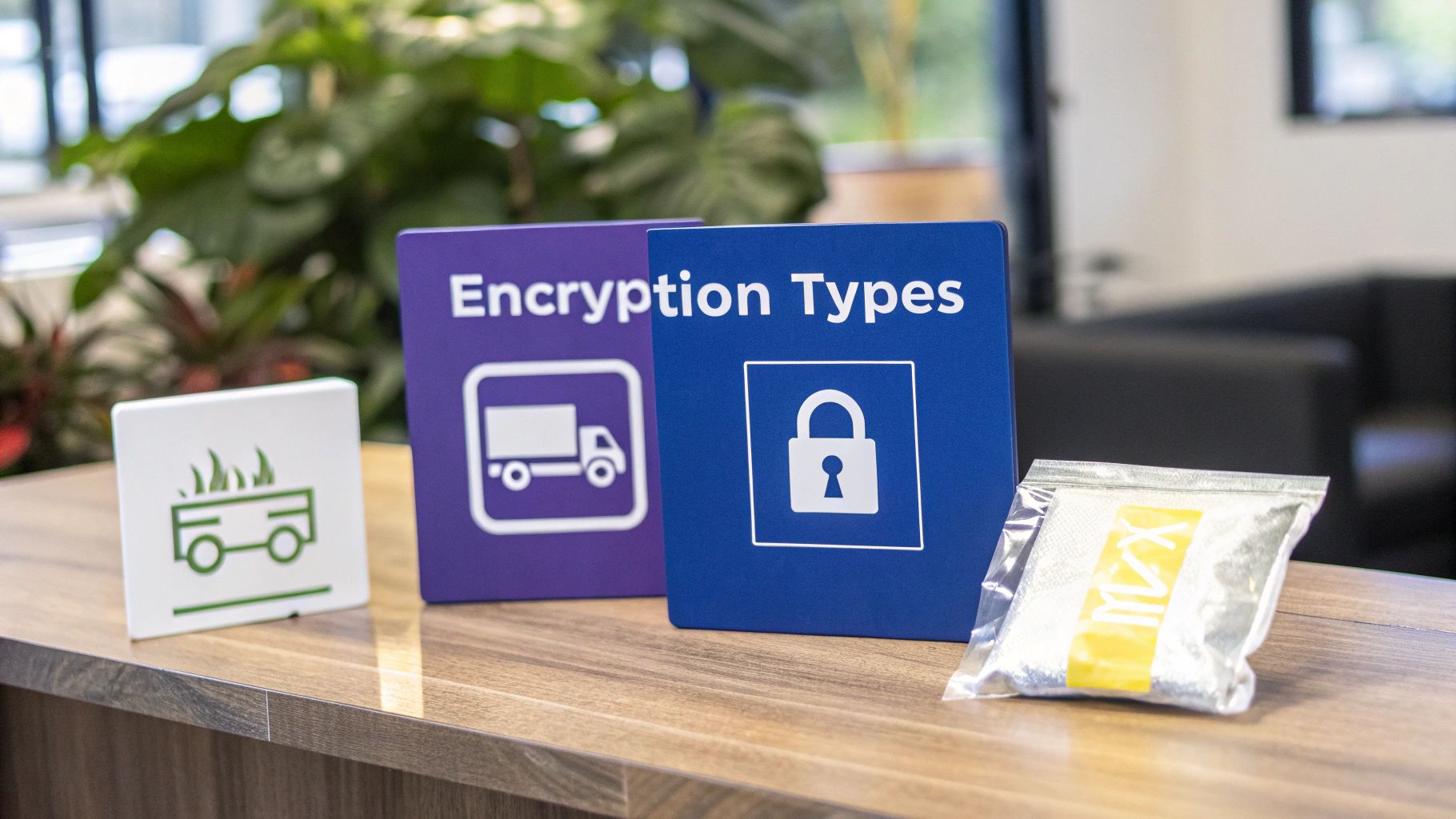
Full-disk encryption (FDE) is the broadest form of protection you can implement. Think of your entire server as a large warehouse filled with valuable goods. FDE is like putting a single, powerful lock on the main entrance. Once the warehouse is locked, nobody can get in to access any of the packages inside.
This method encrypts every bit of data on a hard drive—from the operating system to temporary files and, of course, your shared folders. Technologies like BitLocker for Windows are a perfect example.
This approach is a foundational layer of security. It protects your data at rest by default, making it an excellent baseline defense for any server that stores sensitive client information.
This method works quietly in the background, providing a crucial safety net. It’s a set-it-and-forget-it solution that ensures your stored data is secure if the physical hardware is ever compromised.
While full-disk encryption secures the "warehouse," protocol-level encryption secures the "armored truck" that moves your data across the network. This method focuses on protecting data in transit, ensuring that no one can eavesdrop as files travel between a user's computer and the file server.
Common protocols that handle this are Server Message Block (SMB) 3.0 and newer versions, which have encryption built right in. It's like creating a secure, private tunnel for your data to travel through. Anyone trying to peek inside during transmission will only see scrambled, useless information.
This type of file share encryption is vital for preventing "man-in-the-middle" attacks, where an attacker intercepts network traffic to steal credentials or sensitive files. Without it, data sent over a local network or the internet is exposed, which is a massive risk for teams working remotely.
The most granular approach is file-level or client-side encryption. Returning to our warehouse analogy, this is like putting each individual package inside its own locked safe before it even enters the warehouse or gets loaded onto the truck.
Technologies like Encrypting File System (EFS) or various third-party tools allow you to encrypt specific files or folders. Only the user who encrypted the file—or those they've granted access to—can open it. The protection is tied directly to the file itself, so it stays locked no matter where it goes.
So, when is this method most useful?
This targeted approach is a cornerstone of a zero-trust security model. For a deeper look into protecting your data in cloud environments, you can find valuable insights in our guide covering 12 essential cloud security practices for businesses.
Each of these methods serves a different purpose, and they often work best when used together. A strong security posture might involve using BitLocker to protect the server drive, SMB encryption to secure network traffic, and file-level encryption for the most sensitive client records. This layered approach covers all your bases.
Here’s a quick breakdown to help you compare them at a glance.
| Encryption Method | Best For | Pros | Cons |
|---|---|---|---|
| Full-Disk Encryption | Protecting data at rest; securing against physical device theft. | Comprehensive, always-on protection with minimal performance impact. | Only protects data when the device is off; does not protect against network threats. |
| Protocol Encryption | Protecting data in transit; securing remote access and internal network traffic. | Prevents eavesdropping and interception of data on the network. | Does not protect data once it is stored on the server or endpoint device. |
| File-Level Encryption | Granular control over specific files; securing data in the cloud. | Data remains secure regardless of where it's stored or moved. | Can be more complex to manage keys and user access permissions. |
Ultimately, selecting the right file share encryption strategy involves understanding your specific threats and operational needs. By layering these methods, you create a robust defense that protects your sensitive data at every stage of its lifecycle.
For businesses in tightly regulated fields like finance and law, strong data security isn't just a good idea—it's a legal and ethical requirement. This is where file share encryption becomes more than a technical tool; it’s a core piece of your business strategy. It gives you a tangible, auditable way to prove you’ve done your due diligence to protect sensitive client information.
Frameworks like the Health Insurance Portability and Accountability Act (HIPAA) and the General Data Protection Regulation (GDPR) have strict rules about handling personal data. A slip-up can lead to crippling fines, legal battles, and a reputation that’s hard to rebuild. Encryption tackles these rules head-on by making data completely unreadable and useless to anyone who shouldn't have it.
When auditors come knocking, they want to see concrete proof of data protection. Just saying your files are secure won’t cut it. A solid file share encryption solution creates a defensible audit trail, showing you're serious about safeguarding confidential information.
This is especially critical for firms that live and breathe sensitive data. An accounting firm needs to protect client tax records and financial statements. A law firm has to secure confidential case files, contracts, and privileged communications. Strong encryption is clear evidence that you've taken proactive steps to prevent a data disaster.
Encryption can act as a 'safe harbor' if a data breach happens. Many regulations, including HIPAA and GDPR, may lower or even waive breach notification rules if the stolen data was properly encrypted. Why? Because the information is still protected and inaccessible.
This single provision can be a game-changer. It dramatically limits the financial and reputational damage from a security incident, turning encryption from a simple feature into a powerful risk management tool.
Different industries have their own unique compliance headaches, and file share encryption is a versatile solution that helps with all of them. For example, if you're in healthcare, understanding the specifics is key. A deep dive into HIPAA compliant data transfer shows just how essential these safeguards are for patient information.
Here’s a quick look at how encryption applies across a few key sectors:
The demand for these protections is sending the market soaring. The global secure file transfer market is on track to hit $3.57 billion by 2029, driven by the constant threat of data breaches and the non-negotiable need for compliant data security.
Ultimately, meeting compliance is all about building a framework of trust and accountability. For firms that need to show a high level of security controls, it's vital to understand specific frameworks like SOC. You can learn more about what SOC compliance entails and see how it aligns with your security goals. By putting the right encryption strategy in place, you can meet your obligations with confidence and assure clients that their most sensitive data is in safe hands.
Knowing the theory is one thing, but putting it into practice requires a clear, methodical plan. Implementing file share encryption isn't as simple as flipping a switch; it's a strategic project that demands careful assessment, precise configuration, and ongoing vigilance. This checklist will walk you through the entire process, ensuring a smooth and secure deployment from start to finish.
Think of it like building a secure vault. You wouldn't pour concrete without a blueprint, and you shouldn't start encrypting files without a clear implementation strategy. Each step here builds on the last, creating layers of protection that work together to safeguard your firm's most valuable digital assets.
This diagram shows how a single file moves through the encryption process to achieve compliance.
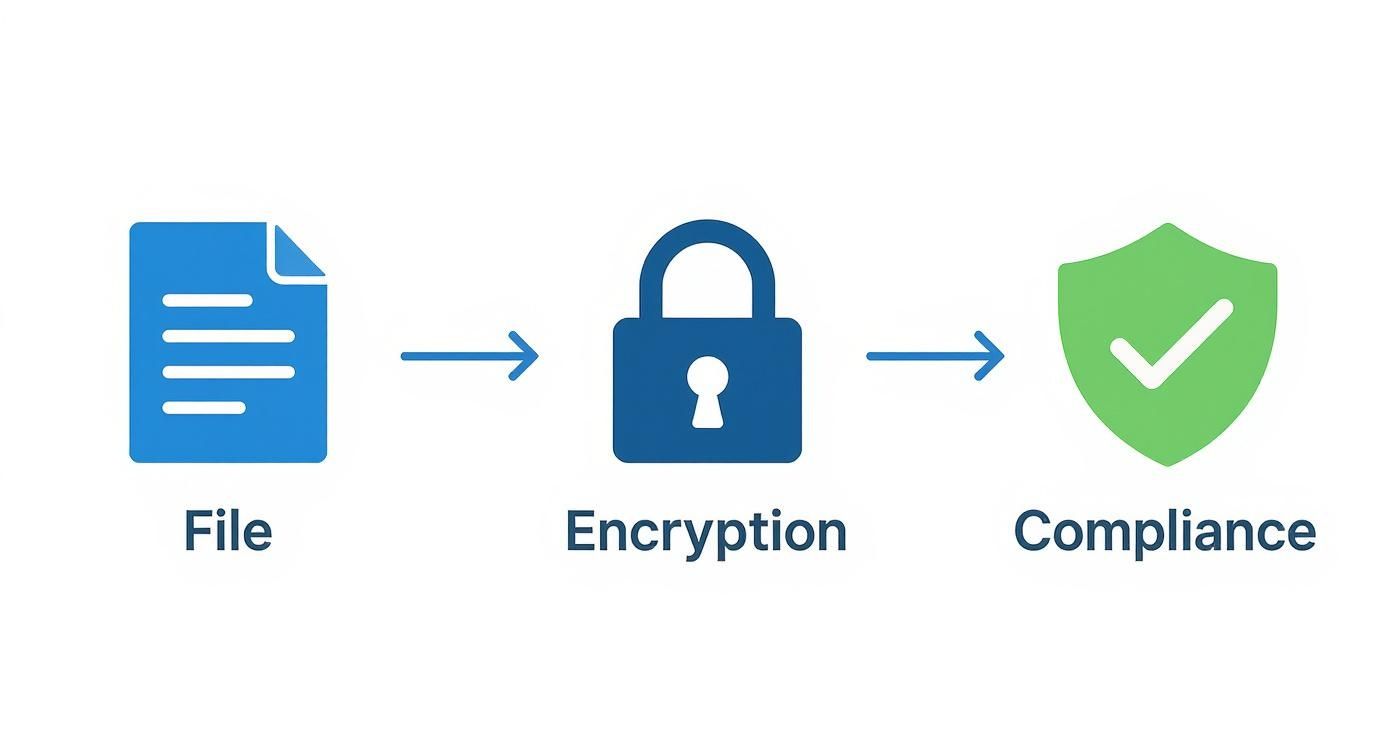
The journey from an unprotected document to a locked, compliant asset really brings home the essential role encryption plays in any modern data security framework.
Before you touch any new technology, a thorough assessment is non-negotiable. This first phase is all about understanding what you have, identifying what needs protection, and defining the scope of your project. Rushing this stage is a surefire way to end up with security gaps or unnecessary complexity down the road.
Start by getting a complete inventory of your data. You can't protect what you don't know exists.
Identify and Classify Data: Go through your servers and locate all shared data. Then, classify it based on sensitivity—think public, internal, confidential, or restricted. This helps you prioritize which file shares to encrypt first, letting you focus on high-risk information like client financial records or sensitive legal case files.
Define Your Security Goals: What are you actually trying to achieve? Your goals could be anything from meeting specific compliance mandates (like HIPAA or GLBA) to preventing data leaks or securing access for a remote workforce. Clearly defined objectives will guide every choice you make, from the tools you pick to how you configure them.
Evaluate Existing Infrastructure: Take a hard look at your current servers, network, and user authentication systems. You need to be sure your hardware and software are compatible with the encryption methods you're considering. For instance, an older server might not have the processing power to handle real-time encryption without grinding to a halt.
With a solid plan in hand, it’s time to choose the right tools for the job. Your selection should directly align with your security goals, your existing infrastructure, and the unique needs of your organization—especially for a busy accounting or law firm.
A key principle here is defense in depth. Relying on a single layer of security is just too risky. A stronger strategy combines multiple encryption methods, such as full-disk encryption for the server and protocol-level encryption for network traffic.
Here’s how to approach the setup:
Now it's time to roll out the solution and add those extra layers of security. A phased deployment, starting with a pilot group or less critical data, is almost always the safest approach. It lets you identify and fix any issues before you go all-in.
Perform a Full Backup: Before you encrypt a single byte of data, perform a complete and verified backup of all file shares. This is your safety net. If anything goes wrong during the encryption process, you can restore your data without missing a beat. To make this foolproof, it's wise to automate backups as a standard part of your operations.
Enable Multi-Factor Authentication (2FA): Passwords alone just don't cut it anymore. Enforce 2FA for all users who access the encrypted file shares. This adds a critical security layer that makes it significantly harder for an attacker to get in, even if they manage to steal a user's credentials.
Establish Monitoring and Alerting: Set up continuous monitoring of your file shares. Your system should log all access attempts—both successful and failed—and generate real-time alerts for any suspicious activity. Keep an eye out for patterns like multiple failed logins, access from unusual locations, or abnormally large data transfers.
Conduct User Training: Technology is only half the battle. You have to train your employees on the new security policies and procedures. Make sure they understand their role in protecting sensitive data, how to work with encrypted files, and who to contact if they spot something fishy. A well-informed team is your best first line of defense.
Making the switch to an encrypted file share system is a huge win for data security. But like any major IT project, it needs a solid plan to sidestep potential headaches. A smooth migration keeps your daily operations running without a hitch, while knowing how to handle common issues ensures your new setup stays secure and efficient for the long haul. The goal is a seamless transition from planning to a fully encrypted workflow.
Think of it like moving your company into a new, high-security office building. You wouldn’t just show up on day one with all your employees and expect things to work. You'd take inventory, move teams in phases, and train everyone on the new security protocols. A successful encryption migration follows that same practical logic.
A structured approach is everything. This checklist breaks the process into manageable steps, making sure you've covered all your bases before, during, and after the move. A clear plan is your best defense against data loss, downtime, and a confused team. For a deeper dive, our comprehensive cloud migration checklist offers a great framework.
Full Data Inventory and Backup: First things first. Before you touch anything, know exactly what data you're encrypting. Then, perform a complete, verified backup of everything. This is your safety net. Don't skip it.
Plan a Phased Rollout: Don't try to boil the ocean. Start with a less critical dataset or a small pilot group of users. This lets you work out any technical kinks or workflow snags on a small scale, where the stakes are low.
Conduct User Training: Your team is your first line of defense, so get them ready. Train them on how the new system works, why the change is important, and any new steps they need to follow for accessing and saving files securely.
Validate and Test: After migrating a set of data, test it relentlessly. Confirm that authorized users can open their encrypted files without a problem and that all the data is intact and uncorrupted.
With so many teams collaborating on cloud platforms, file share encryption has become a non-negotiable part of modern data security. A well-planned migration is what makes all its protective benefits a reality.
The market reflects this shift. The global cloud encryption market hit a value of USD 4.45 billion in 2024 and is expected to grow at a blistering 30.2% compound annual rate through 2030, all thanks to the massive move to cloud services. You can read the full analysis of the cloud encryption market for more details.
Even with the best plans, you might run into a few common challenges after turning on file share encryption. Knowing what to look for—and how to fix it—can save you a world of frustration.
Performance Slowdowns: Modern encryption is pretty lightweight, but if you notice things lagging, check your server's CPU and memory usage. Make sure your hardware isn't being pushed to its limits. It’s also a good idea to configure any antivirus software to exclude the encryption processes from its real-time scans.
Key Access or Permission Errors: If a user suddenly can't access a file they should be able to, it's almost always a permissions or key management issue. Double-check their access rights in the system and make sure the correct decryption key is available to them.
Backup and Recovery Failures: Encrypted backups can fail if they aren’t configured just right. The only way to know for sure is to test your backup and restore process regularly. This validation is absolutely crucial for business continuity—you don’t want to discover a problem when you’re in the middle of a real emergency.
Even with a solid plan, it's natural to have a few questions about how file share encryption works day-to-day. We see it all the time. Getting comfortable with new security isn't just about the tech—it's about understanding how it fits into your firm’s workflow.
Let's walk through some of the most common questions we hear from accounting and legal firms. The goal here is to give you straight, practical answers so you can move forward with confidence.
This is easily the number one concern: will encrypting everything grind my network to a halt? The short answer is almost always no. For most businesses, the performance hit is so small you won't even notice it.
Modern server CPUs are built for this. They come with special hardware features (like AES-NI) designed specifically to handle encryption and decryption without breaking a sweat. While there's technically a tiny bit of processing overhead, it's rarely the bottleneck.
If you ever do notice a slowdown, it’s far more likely to be caused by something else, like your internet bandwidth, an overloaded server, or slow storage drives. The massive security upgrade you get from encryption is well worth the negligible trade-off.
Understanding this distinction is fundamental to good data security. A truly secure strategy needs to cover both.
Encryption at Rest: This is about protecting data when it’s just sitting there on a hard drive, a server, or a backup tape. Think of it as locking your files in a vault when they’re not in use. If someone physically steals a server, this is what stops them from reading what's on it.
Encryption in Transit: This protects data while it's moving across a network—whether that's inside your office or over the public internet. It’s the digital equivalent of using an armored truck. This prevents anyone from snooping on your data as it travels from point A to point B.
For your data to be truly safe, it needs protection at every stage. Locking down data both at rest and in transit closes the gaps attackers love to exploit, whether they’re hacking your network or walking out the door with your hardware.
A complete file share encryption strategy handles both, making sure your sensitive client information is protected no matter where it is or what it’s doing.
Losing your encryption keys is the digital equivalent of locking your valuables in a safe and then throwing the key into the ocean. It can lead to permanent data loss. Without the key, your encrypted files are just a jumble of useless code, forever.
This is exactly why having a robust Key Management Service (KMS) or a well-thought-out key management plan isn't just a good idea—it's absolutely essential.
Key management best practices include:
For most firms, leaning on a managed KMS is the smartest path. These services are built with extreme redundancy and recovery protocols, taking the immense risk of key management off your shoulders and ensuring your data always stays accessible to you.
Yes, you absolutely can, but it’s not something you do on a whim. Encrypting existing data requires careful planning and a methodical approach—you can't just flip a switch.
Most modern encryption tools are designed for "in-place" encryption, meaning they can scramble the data right where it sits. While the process is generally safe, it's not foolproof.
The single most important rule is to perform a full, verified backup of all your data before you begin. Think of this backup as your ultimate safety net. If anything goes wrong—a power outage, a server crash—you have a clean copy of your data that you can restore from. Starting with less critical file shares first is also a great way to build confidence and work out any kinks in the process.
Ready to secure your firm's data without the complexity? At Cloudvara, we provide fully managed cloud hosting with built-in security features, including robust file share encryption and automated backups. Let us handle the IT heavy lifting so you can focus on your clients. Discover a simpler, more secure way to work with Cloudvara.




