Tax season exposes weak hardware fast. One staff accountant opens QuickBooks Desktop, a few browser tabs, Outlook, and a workbook packed with formulas. Then the machine starts pausing at the worst possible moment. The delay isn't just annoying. It slows reviews, stretches close cycles, and makes routine work feel unstable.
That's why buying the best laptop for accountants isn't about chasing a flashy model or the highest benchmark score. It's about matching the device to the work. A bookkeeper who lives in cloud apps needs something different from a forensic accountant handling huge Excel files and local desktop software all day.
I usually advise firms to stop asking, “What's the best laptop?” and start asking, “Where does the work happen?” If the workload is local, buy for sustained performance. If the workload is mostly hosted or cloud-based, the smarter move may be a secure, lighter laptop paired with centralized infrastructure.
A few years ago, many firms could get by with average business laptops because most work stayed inside a fairly predictable office setup. That changed when remote and hybrid accounting became normal. The machine on an accountant's desk is now also the machine used at home, in client meetings, and during review sessions on the road.
The workload changed too. Modern accounting work rarely means one application open at a time. It usually means QuickBooks, Excel, a tax platform, PDF documents, browser-based portals, Teams or Zoom, and email all running together. The wrong laptop turns that stack into friction.
In the shift toward remote accounting, the hardware baseline moved up. The 2020 pandemic accelerated cloud integration, boosting laptop demand by 35% for remote accounting, while QuickBooks Online users grew to 7 million globally. The same source notes that SSD storage over 512 GB became important because it reduced load times by 50% versus HDDs in remote accounting workflows, according to this remote accounting trend discussion.
The visible problem is lag. The hidden problem is interruption. Every freeze during reconciliation or workbook refresh breaks concentration, increases the chance of entry errors, and drags out work that should be straightforward.
A procurement decision has to account for more than sticker price:
A laptop for accounting isn't a generic office expense. It's a production tool tied directly to turnaround time and service quality.
There isn't one universal answer. The best laptop for accountants depends on where processing happens, how large the datasets are, and how often the user juggles multiple business applications at once.
That decision matters most. Buy enough machine for the job. Don't overbuy for light work, and don't underbuy for tax, audit, or reporting workloads that punish weak hardware.
Spec sheets confuse buyers because they list components, not outcomes. Accountants don't care about components in isolation. They care whether the laptop can keep QuickBooks, Excel, browsers, and document tools open without choking.
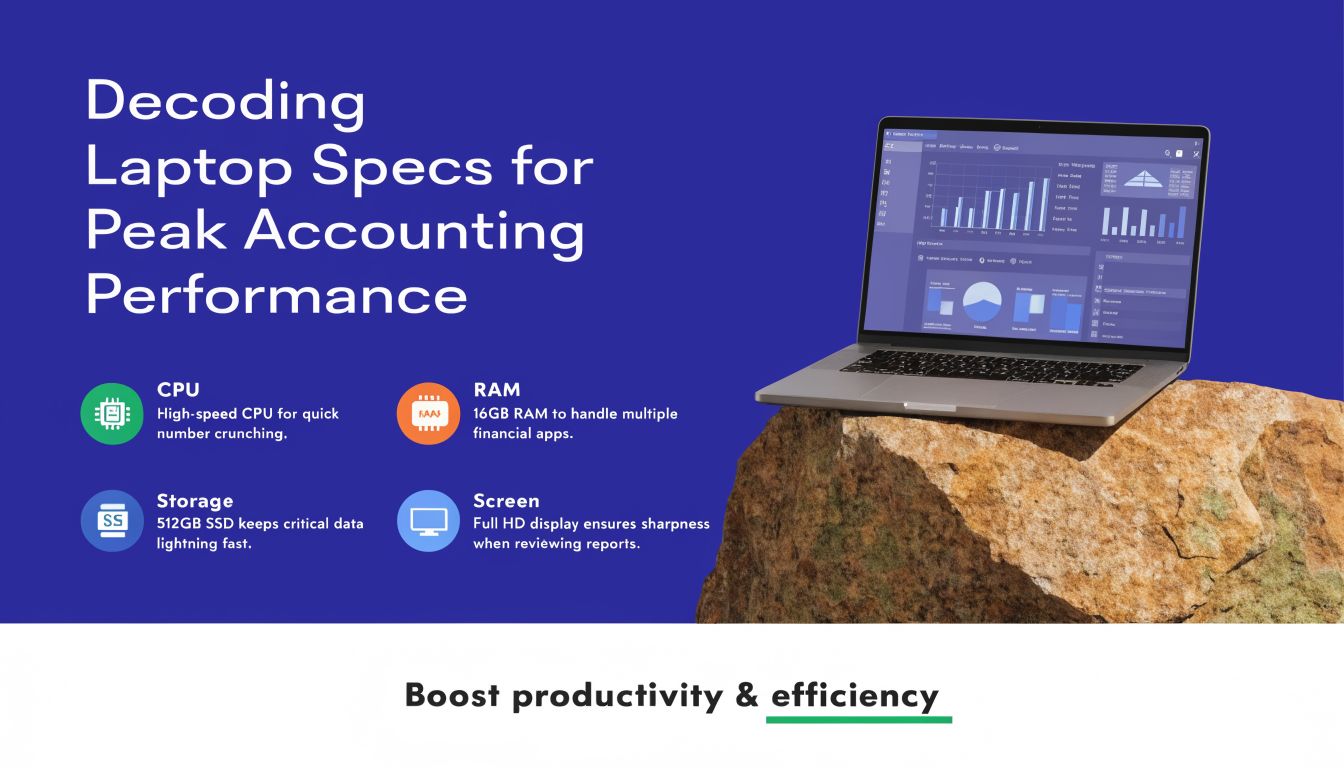
Start with the processor. For accounting work, the CPU matters less for basic data entry and much more for multitasking, large workbook calculations, and desktop accounting software running alongside communication tools.
A modern quad-core processor is the minimum, and a hexa-core or better setup is the safer buy for most full-time accounting professionals. More cores help when users bounce between Excel, QuickBooks, web portals, and PDF tools throughout the day. If the laptop will stay in service for years, it makes sense to buy above the minimum.
RAM is the easiest spec to explain. Think of it as desk space. A cramped desk forces you to stack papers and constantly reshuffle them. A bigger desk lets you work smoothly.
For demanding accounting workloads, 32GB DDR5 RAM is critical. Traditional 8GB to 16GB configurations can lead to paging to SSD, increasing latency by 200% to 500% during peak workloads, according to Ace Cloud Hosting's guidance on laptops for CPAs and accountants.
That matches what firms see in practice. With lightweight work, 16GB can still be acceptable. With large Excel files, QuickBooks Desktop, multiple browsers, and simultaneous windows, 32GB stops the machine from feeling constantly one step behind.
Practical rule: If the user regularly says, “I always have ten things open,” don't buy 16GB unless the heavy lifting happens elsewhere.
Many buyers still focus on storage capacity first. Capacity matters, but speed changes daily experience more. An NVMe SSD gives faster boots, faster application launches, and less waiting when opening or saving large files.
For accountants, that translates into less drag during repetitive tasks. Local file-heavy users should avoid old spinning drives entirely. They're the wrong tool for modern finance workloads.
Long accounting sessions are brutal on mediocre screens and shallow keyboards. A sharp display helps with spreadsheets, side-by-side review, and reduced zooming. A comfortable keyboard with a proper number pad can improve data-entry speed and reduce fatigue, especially for AP, bookkeeping, and payroll staff.
A few practical points matter more than flashy marketing:
Some accountants also work adjacent to investment reporting or portfolio analysis. In those cases, the ability to analyze digital asset performance on CoinStats can be useful alongside traditional finance workflows, which is another reason display clarity and multitasking headroom matter.
A laptop may be the core device, but the actual productivity setup often includes external monitors. Many accountants work faster when they can keep source documents on one screen and accounting software on the other. If that's your pattern, confirm the laptop handles dual-display work cleanly, or review a practical setup for remote desktop with two monitors.
The mistake I see most often is buying by brand reputation alone. A premium badge doesn't save a weak configuration. For accounting work, the right internals beat the fashionable chassis every time.
Performance gets attention. Security keeps firms out of trouble. For accountants, that's not a side issue. The laptop often touches tax records, payroll data, banking details, client identifiers, and internal financial documents. A consumer-grade machine with weak security controls creates risk that isn't worth the savings.

The urgency is real. Recent data from 2025-2026 shows 62% of accounting firms were hit by ransomware, yet many laptop roundups still gloss over TPM 2.0, biometric authentication, and compliance needs such as SOC 2 or GDPR, according to Dell's discussion of computers for accountants.
If I'm advising a firm, I'd rather see a solid business laptop with proper safeguards than a faster consumer machine with weaker controls. The essentials are straightforward:
A laptop can earn high marks for battery life and screen quality and still be a poor fit for a CPA firm. Consumer reviews usually optimize for media use, travel convenience, or general office productivity. Accounting environments have a different threshold because the consequences are different.
Buy for the sensitivity of the data, not just for the speed of the spreadsheet.
That's why business families like ThinkPad, EliteBook, and Latitude often make more sense than stylish consumer ultrabooks. They're built for fleet management, policy enforcement, and predictable deployment.
A lot of firms think about compliance at the server or software level, but the laptop is part of the control environment. If staff work remotely, the endpoint becomes even more important. Device encryption, multifactor access, and access policies shouldn't be optional.
For a more detailed look at accountant-specific endpoint risk, this guide on cyber security for accountants is a useful reference point.
If a procurement shortlist doesn't include security criteria, the shortlist is incomplete.
The best laptop for accountants changes by role. A partner reviewing files in meetings doesn't need the same setup as an analyst pushing giant workbooks through local models. Procurement gets easier when you sort users into tiers instead of trying to standardize everyone onto one machine.
| Spec Tier | Ideal User | CPU | RAM | Storage | Key Feature |
|---|---|---|---|---|---|
| Mobile Practitioner | Bookkeepers, advisors, managers working mostly in cloud apps | Modern quad-core or hexa-core | 16GB | NVMe SSD | Lightweight design and battery life |
| Multitasking Powerhouse | CPAs using QuickBooks, Excel, tax apps, PDF tools, and browsers all day | Hexa-core preferred | 16GB to 32GB | NVMe SSD | Smooth multitasking under business workloads |
| Data Analytics Pro | Forensic accountants, power users, reporting and modeling specialists | High-core-count modern processor | 32GB+ | Large NVMe SSD | Handles large datasets and heavy local processing |
This is the right tier for professionals whose work is mostly browser-based, portal-based, or tied to remote systems rather than heavy local computation. Portability matters more here. So does battery life.
For this group, I'd look at machines like the Microsoft Surface Laptop 7, HP EliteBook 845 G11, or Lenovo ThinkPad X1 Carbon Gen 13 as examples of the type of system that fits the role qualitatively. The target isn't raw power. It's a dependable business laptop that starts quickly, travels well, and doesn't struggle with standard multitasking.
A modern 16GB configuration is usually the sensible floor for this tier if the user handles regular business workloads and not just email.
This is the center of the market for most firms. These users keep many applications open at once, switch constantly between tasks, and often use desktop accounting software along with large spreadsheets.
According to Lenovo's 2025 accounting laptop guidance, high-performance models with hexa-core processors improve financial software runtime by 25% to 30% compared to entry-level devices, and 16 GB RAM is preferred for demanding projects, while 8 GB suits only basic tasks, reducing slowdowns by up to 40% in large dataset processing in the right workload context, as outlined in Lenovo's accounting laptop recommendations.
That's why this tier is where I usually recommend buying a bit ahead of today's needs. Good examples of the class include the Dell XPS 15, Lenovo ThinkPad X1 Carbon, and Apple MacBook Pro 14 for firms that support macOS in their workflow.
If a user spends the day moving between Excel, tax software, PDF review, email, and meetings, this is the tier that prevents “death by a thousand pauses.”
Some accounting roles are heavier. Think forensic accounting, BI-heavy finance teams, audit groups handling complex supporting files, or power users with giant local workbooks. These users burn through RAM and processor headroom fast.
For them, 32GB or more is the right baseline, paired with a strong multi-core CPU and fast SSD storage. Devices in the class of a MacBook Pro 14, Dell XPS 15, or a well-configured ThinkPad make sense here, depending on software compatibility requirements.
This is also the group where local workflow testing matters. If staff are opening giant workbooks, using advanced Excel features, running desktop accounting apps, and maintaining several active windows all day, underbuying will be obvious within weeks.
I'd avoid three common mistakes:
The right policy isn't “buy the most expensive laptop.” It's “buy the right tier for the role.”
A lot of firms assume the answer to slow accounting work is buying increasingly expensive laptops. Sometimes that's correct. Often it isn't. If the most demanding applications can run in a hosted environment, the local machine no longer has to carry the full processing burden.

That changes the procurement math. Instead of buying every staff member a premium performance laptop, firms can pair secure business laptops with hosted desktops or application environments. The result is often better standardization, easier support, and more predictable access across locations.
In a hosted model, the laptop acts more like a secure endpoint than a self-contained workstation. That means firms can focus local hardware decisions on reliability, screen quality, keyboard comfort, webcam quality, and security controls, rather than trying to max out every internal component.
Lenovo's 2025 guidance notes that for Cloudvara users, a hexa-core CPU and 16GB+ RAM on the local machine can ensure smooth remote access to hosted QuickBooks via any device, while benefiting from 99.5% uptime for uninterrupted workflows, without requiring the highest-end hardware for local processing.
The cloud-first or hybrid approach is especially practical when the firm wants:
A firm doesn't always need a more powerful laptop. Sometimes it needs a better architecture.
Hosted environments are also worth considering when growth makes ad hoc device management too messy. If your team is evaluating that model, it helps to understand how hosted virtual desktops change both user experience and hardware planning.
This isn't an argument against strong laptops. It's an argument against buying expensive local compute when the actual need is secure, centralized application delivery.
A good hardware decision should survive budget review, tax season, remote work, and compliance scrutiny. If it only looks good on a spec sheet, it's not the right decision yet.
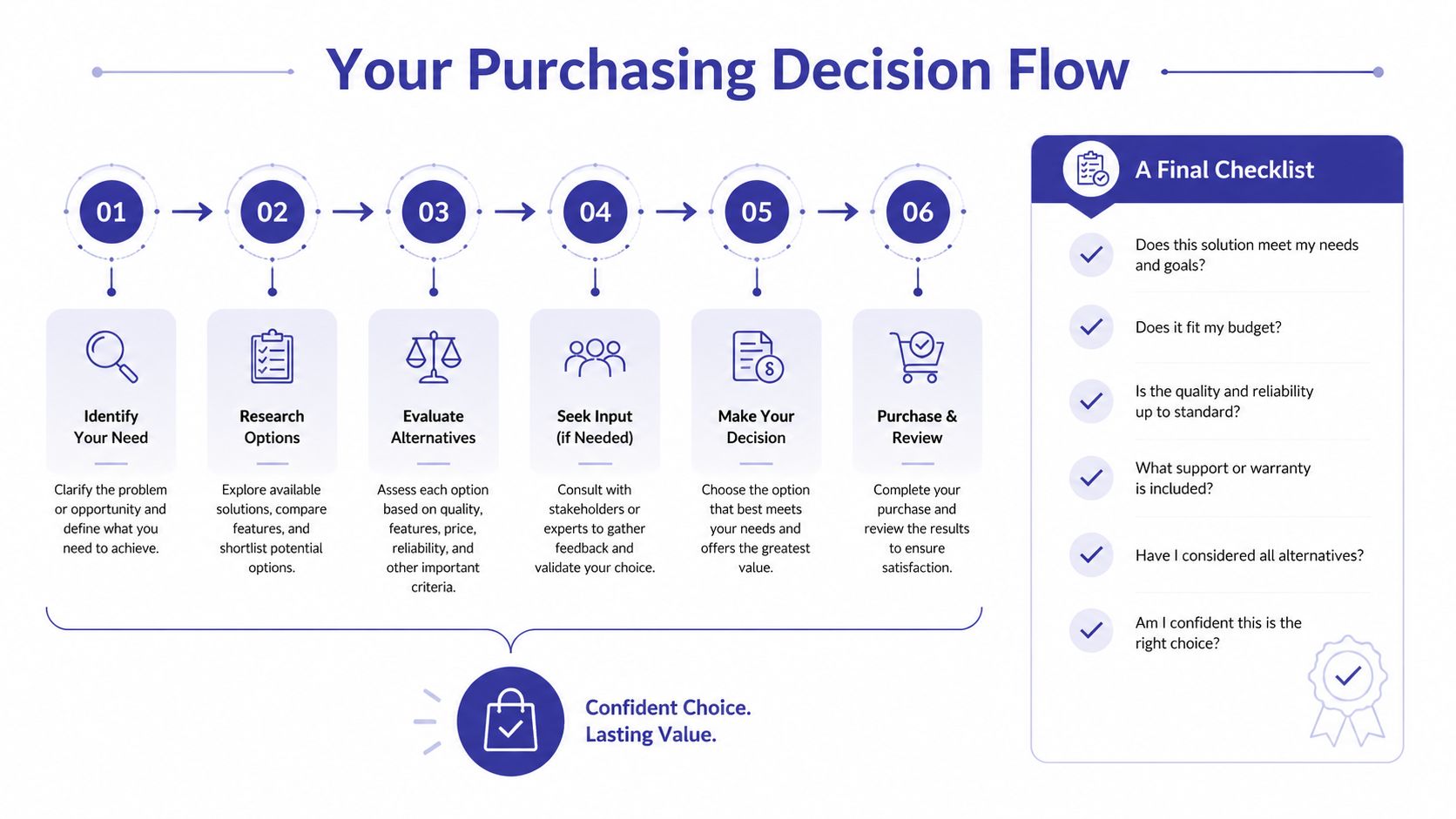
Ask the first question plainly. Does this user do heavy local work every day, or mostly access cloud apps and remote systems?
If the answer is heavy local work, don't compromise on processor, RAM, or SSD quality. That user belongs in the Powerhouse or Data Analytics tier. If the answer is mostly remote access, browser-based work, and standard office multitasking, a lighter business laptop may be the smarter allocation of budget.
Some users don't need top-tier local performance, but they do need stronger security controls. Partners, managers, payroll staff, and anyone handling sensitive client data should be assigned a business-class device even if their compute load is moderate.
Use this quick checklist before approving a purchase:
If the accountant works in large local files, opens many applications at once, and complains about lag today, buy up. If the accountant mainly needs secure access to centralized systems and values portability, buy smart rather than big.
Choose the laptop that fits the workflow your firm wants to standardize, not the one that looks strongest in isolation.
For firms still sorting through remote access, security, and hardware trade-offs, a checklist is only useful if it reflects actual operations. That's why many procurement conversations now overlap with broader infrastructure planning around mobility, support, and endpoint consistency.
Yes, if the firm's accounting stack supports macOS or browser-based workflows. The main issue isn't quality. It's software compatibility. If your core tax, bookkeeping, or audit tools are Windows-first, a MacBook can create extra friction unless the firm has already planned for that.
Usually not the best fit. Gaming laptops can offer strong performance, but they're often heavier, louder, and less practical for office and client-facing use. Business laptops typically offer better security, better keyboard layouts for professional work, and easier fleet management.
Upgrade timing depends on workload growth, software changes, battery health, and security policy. Firms should replace devices when performance starts affecting work or when the device no longer fits security and support standards. Don't wait for complete failure during a busy season.
If your firm wants to reduce laptop overspending, tighten security, and give staff reliable access to QuickBooks, Sage, tax software, and Microsoft apps from anywhere, take a look at Cloudvara. It's a practical option for firms that want centralized performance and business continuity without forcing every user onto a maxed-out local machine.




