Your firm runs QuickBooks or PCLaw on a tower server in the back office. Three people connect over the local network, the partner wants in from a courthouse, the bookkeeper works two days from home, and every software update means a trip to that closet on a Friday evening. Someone has suggested moving the whole arrangement to a hosted environment, and the quote in front of you uses words like cloud, virtual desktop, application hosting and terminal server as if they all mean the same thing.
They don't, and the difference decides what you pay for and who you call when a Tuesday morning session refuses to open. What follows separates the parts, traces one login from start to finish, and hands you the questions that expose a provider who is guessing. The trade-offs are real: hosted delivery suits most accounting and legal workflows and is awkward for a few.
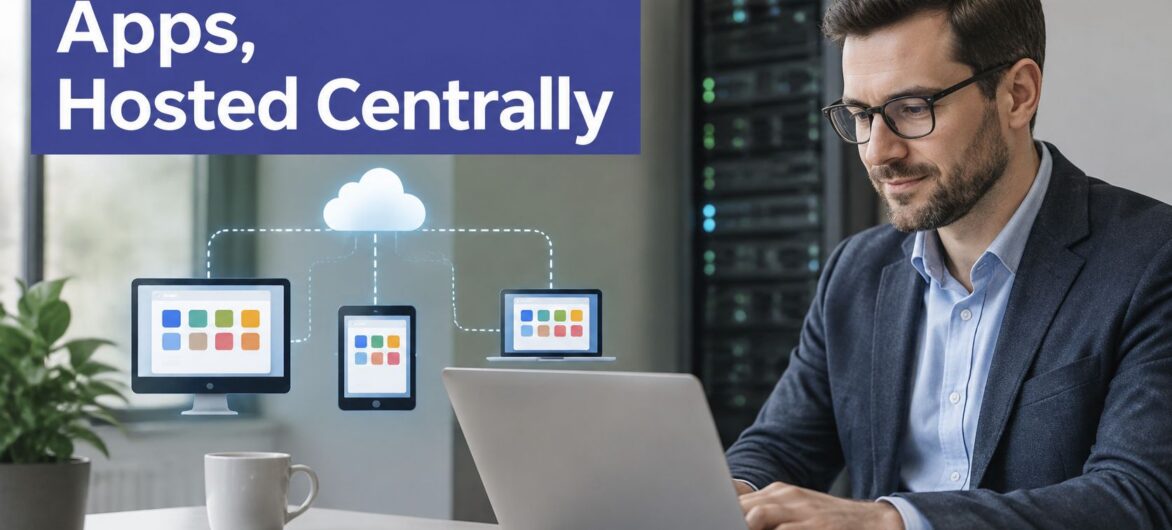
An application virtualization hosting environment is provider-run infrastructure that packages or hosts a business application on central servers and delivers it to users as a streamed or remote session. The laptop, Mac or iPad in front of your user needs only a client or a browser. The processing, the file locks and the data all live in a data centre.
That definition hides three separate things people merge into one word. Virtualization is how the application runs: inside its own isolated runtime on a shared machine, apart from the other applications on that machine, rather than installed on the user's own device. Hosting is who owns the metal: servers, storage, backups, network and patching become the provider's job instead of yours. Remote delivery is how a person reaches it: a session streams screen output to a PC, Mac or iPad and sends keystrokes and clicks back.
Get the split wrong and you buy the wrong thing. Ask for virtualization alone and you may get software that wraps an app but leaves the server sitting in your closet. Ask for hosting alone and you may get a bare server with nothing packaged on it. Ask for remote access alone and you may get a VPN and a remote desktop window pointed at the same overloaded machine you already had.
The commercial kitchen is the analogy that makes this click. A restaurant kitchen cooks, plates and serves the dish. The diner doesn't rebuild a kitchen at home to eat dinner, and doesn't need the recipe. Your firm needs the dish: the QuickBooks company file, the PCLaw matter, the Drake return. The kitchen is the provider's data centre, and remote delivery is the waiter carrying it to the table.
If you want a plain-language walkthrough of what cloud infrastructure actually includes before you compare quotes, start there. Then use this list to interrogate each quote you receive.
| Layer | What it does | What to verify |
|---|---|---|
| Application packaging and delivery | Wraps the application and its dependencies so it runs on the host without a local install | Version pinning and how updates are rolled out to all users |
| Session and remote-access gateway | Authenticates users, places each session on a host and streams screen, keyboard, mouse and print traffic | Client support for PC, Mac and iOS, plus disconnect and reconnect behaviour |
| Identity and access control | Decides who may open which application, and with what rights | Multi-factor authentication, per-user permissions and audit logging |
| Compute host | Runs the isolated application runtime with assigned CPU and memory | Whether you get a dedicated server or a shared host |
| Storage and backup | Holds company files and application data, with scheduled copies | Backup frequency and whether restores are actually tested |
| Network security perimeter | Firewalls, filtering and inspection between users, applications and data | Packet filtering, stateful inspection and antivirus coverage |
| Management and monitoring | Handles patching, capacity, session health and user support | Support hours and who owns maintenance |
The management and monitoring layer is where monthly fees really accumulate, because it's labour rather than hardware. A reference on managed hosting costs for UK businesses is worth reading for how those line items are built, even though the platform differs.
The layer most firms underrate: storage and backup. Uptime is the number providers advertise; restore time is the number that decides how long a bad Tuesday actually lasts.
Ask a provider when they last performed a timed restore of a customer's data, and how long it took. A four-hour restore turns a small outage into a lost afternoon for every preparer in the office. Two-hour backups that have never been tested are a promise, not a plan.
Picture one session opening at 8:40am on a filing deadline. The mechanics compress into five stages: sign in, gateway check, session hosted, work in the app, save.

Here is the longer version, with the reason behind each step and the failure that usually hides in it.
Latency rarely comes from the processor. It comes from distance to the gateway and from a storage array serving too many sessions at once.
That matters when you're evaluating a new machine. A modest processor with a short network path and a well-separated disk array beats a fast processor 800 km from the gateway every time. Test from the worst-connected office, not the one next door to the fibre cabinet.
The pattern to refuse is a VPN plus a remote desktop shortcut aimed at one overloaded server. That is a terminal server arrangement with none of the management wrapped around it, and it reproduces every problem you already have, one user at a time.
Five mechanisms justify the monthly fee, and each one is a before-and-after rather than a slogan.
The benefits of virtual desktops lay out the same mechanisms from the end-user side if you need to make the case internally.
The global application virtualization market was valued at approximately US$3.8 billion in 2025 and is projected to reach US$10.9 billion by 2032, a 16.3% compound annual growth rate, according to GlobeNewswire's 2026 market report. Read that as a projection of market size, nothing more. It tells you the category is expanding and that providers will be competing on features, not that any particular migration will go well.
Every gain above is conditional on correct sizing and a decent connection to the gateway. A host sized for 12 concurrent users that receives 25 during a filing deadline converts one build to patch into one bottleneck for everyone, and the cost saving evaporates in the same week.
Every hosted application sits behind a wall. The design question is how thick that wall is and what the thickness costs you per user.
By the mid-2020s this stopped being experimental. Red Hat's 2025 state of virtualization survey, covering 1,010 IT decision-makers and virtualization practitioners across the United States, United Kingdom and English-speaking Asia-Pacific, found that 84% of organizations used server virtualization, with current workloads split across 61% traditional virtual machines and 38% containers. It also found that 85% used a hybrid-cloud model and 72% used multiple clouds. Translation for a buyer: no provider runs one uniform data centre, so ask which model your application lands on rather than accepting "the cloud" as an answer.
In container-style application virtualization, several applications share the host operating system kernel. Deployment density rises, startup gets faster, and management becomes consistent, but a kernel flaw or a runaway process can reach neighbouring sessions. In full virtual machines, each instance carries its own guest operating system, which costs overhead and patching per instance but separates tenants properly.
NIST's application container security guidance treats the host kernel, container runtime, images, registries, orchestration controls and application configuration as separate security domains rather than assuming that packaging alone provides isolation. Turn that into requests you can put in an email: signed and vulnerability-scanned application images, immutable production versions, least-privilege execution, explicit CPU and memory quotas, and separate network policies for databases, file services and the user-session gateway.
Ask this question: "If one hosted application goes haywire at 10am, what stops it from taking the neighbouring sessions down with it?"
James, an operations lead at a 14-person firm, would get a straight answer to that question from a provider who understands their own architecture, and a brochure sentence from one who doesn't.
| Model | Isolation boundary | Density and startup | Best for | Watch-outs |
|---|---|---|---|---|
| Shared-kernel containers | Applications share the host operating system kernel | Highest density, fastest start | Standard packaged applications used by many people | A kernel flaw or runaway process can affect neighbouring sessions, so CPU and memory quotas are mandatory |
| Full virtual machines | Each instance runs its own guest operating system | Moderate density, slower boot | Mixed operating systems and stronger tenant separation | Guest-OS overhead and patching on every instance |
| Dedicated physical host | The whole server is assigned to one customer | Lowest density, highest cost per user | Regulated tax, legal and client-confidential workloads | Cost, plus the need for tested failover and redundancy |
The verdict follows the workload. Many users on standard packaged applications points to shared-kernel containers. A mix of operating systems or a need for firmer separation points to virtual machines. Tax and legal work that demands single-tenant hardware points to a dedicated host, and you should expect to pay for it.
A primer on virtualization on Linux explains the underlying model if someone on your team wants the mechanics rather than the commercial answer.
Hosting pays off first where a server is already standing between your people and their work.
Accounting and tax practices feel it earliest. A shared company file in QuickBooks or Sage 50/100/300 that four people need to open at once, followed by a ten-week stretch when seasonal headcount triples for Drake, Lacerte, ProSeries, ATX or CCH ProSystem fx. The migration question that decides success isn't storage size, it's how the application locks records when several preparers touch the same client at the same moment.
Legal firms come at this from a different angle. PCLaw, Time Matters, ProLaw, Abacus, iManage and Smart Advocate all hold matter data that should never sit on a personal laptop, and the value of hosting is an attorney opening the file from a courthouse without syncing anything to a local drive.
Document-heavy work and small teams round it out. eFileCabinet, FileCenter and FileMaker Pro live or die on storage throughput once scanning starts, while Act!, Goldmine, Office and SQL Server sit in organisations with no IT department to patch a server on a Sunday.
The instinct to pilot rather than migrate everything at once has a documented origin. A 2012 MeriTalk study of U.S. government IT professionals, reported by Informationweek, found that 82% of federal respondents and 77% of state and local respondents said their agencies had implemented server virtualization. Application virtualization lagged: only 7% of federal agencies and 8% of state and local agencies planned to virtualize all applications for all users, while 28% of federal and 15% of state and local respondents planned to virtualize selected applications for all users.
Treat those figures as historical and specific to U.S. government agencies, not as today's adoption rates. The lesson survives intact: organisations began with targeted applications, then expanded as central management and remote access proved themselves. Pilot one demanding application, prove it on real deadlines, then extend.
| Workload | Typical applications | Why hosted delivery helps | Controls to verify |
|---|---|---|---|
| Accounting and tax preparation | QuickBooks, Sage 50/100/300, Peachtree, Drake, Lacerte, ProSeries, ATX, CCH ProSystem fx | Shared company file, ten-week concurrency spikes, access from multiple offices | File locking behaviour under concurrency, per-user permissions, restore testing |
| Legal practice management | PCLaw, Time Matters, ProLaw, Abacus, iManage, Smart Advocate | Confidential matter data kept off personal laptops, attorneys working remotely | Audit trails, encryption in transit and at rest, session logging |
| Document management | eFileCabinet, FileCenter, FileMaker Pro | Scanning, large files and retention rules | Storage throughput, backup frequency, retention and deletion policy |
| CRM and front office | Act!, Goldmine, Microsoft Office, SQL Server | Small teams with no capacity to maintain a server | Support hours, multi-factor authentication, whether application and database are hosted together |
A single utilisation graph tells you almost nothing about how a hosted environment will behave. Measure compute, memory, storage I/O and network separately, because virtualization overhead depends entirely on the workload.

Comparative virtualization research evaluates platforms with compute-intensive, I/O-intensive, memory-intensive and system benchmarks precisely because a host that excels at CPU-heavy work may produce poor interactive-session performance when many users open databases and generate reports at once. NIST's full-virtualization guidance also treats storage placement, network topology, available bandwidth and management systems as architectural decisions that shape the result, not as details to settle later.
Storage deserves the most attention. Shared random I/O creates queueing that users experience as sluggish software while processor load looks perfectly healthy. Separate operating-system disks, application data, user profiles and backup traffic so they don't compete for the same throughput, and check queue depth during the backup window rather than at 11am.
For a visual version of the same mechanics, play the walkthrough below.
| Metric | What to capture | Pass signal |
|---|---|---|
| Peak concurrent users | The highest number of staff working in the application at the same time today | Host sized above this peak with headroom |
| Application launch time | Seconds from click to usable screen | Matches the in-house baseline |
| Transaction latency | Time to save or post a typical entry | Matches the in-house baseline |
| Disk queue depth | Average and peak queue length on data volumes | Stays low during the backup window |
| Memory pressure | Paging and free memory under peak load | No sustained paging |
| Session reconnection time | Seconds to resume after a disconnect | Within the delay users accept today |
Build capacity for backup windows, software updates and failover instead of planning to run at the ceiling, and validate with a realistic concurrency test such as twenty preparers opening returns at once. A server capacity planning framework helps you convert those numbers into a brief. Then compare every metric against your current in-house baseline, and refuse any migration plan that omits launch time or reconnection time. Those two are the metrics plans forget, and they're the ones your staff will notice first.
Three or more of these mean hosted delivery usually wins: several offices or remote staff; specialised software that needs its own server or heavy hardware; no in-house capacity for patching and maintenance; client or patient data that must stay in a controlled location; concurrency that spikes seasonally rather than staying flat.
Write the answers down and compare them with the baseline checklist from your sizing work. A provider who can't answer question three in plain language is selling a remote desktop and calling it a platform.
When Cloudvara is the provider under review, the same seven questions apply. Our Workgroup Server is a fully managed environment that includes 24×7 support, server maintenance and daily data backups, and its security includes multiple hardware firewalls, anti-virus protection, packet filtering and stateful inspection policies. Ask for those details in writing like you would from anyone else.
Take one action this week. Request a pilot on your most demanding application, confirm the trial terms in writing, and judge the result on launch time and reconnection time against your in-house baseline. Ignore the demo. The demo always runs on a quiet host.
Cloudvara centralizes the applications your firm already owns on dedicated servers, so a QuickBooks company file, a PCLaw matter or a FileMaker solution opens from a PC, a Mac or an iPad with two-factor authentication, hardware firewalls and automated daily backups behind it. Support runs 24×7 and the environment is fully managed, which means nobody on your team owns patch night. Test it with a free 15-day trial, no contract and no credit card, and score it against your own launch-time and reconnection-time numbers at Cloudvara.