A terminal server is a centralized Windows server that hosts applications and desktops for multiple remote users simultaneously, letting them work from almost any device without installing those applications locally. In Microsoft's lineage, this model became a mainstream enterprise product on June 16, 1998, with Windows NT Server 4.0 Terminal Server Edition.
You may be dealing with the problem right now. One employee has the current accounting software, another has an older release, a third keeps important client files on a laptop, and a new hire is waiting while someone installs applications and configures permissions. The office may have reliable computers, yet every workstation has become its own small IT project.
A terminal server was designed to put those applications, files, and user sessions in one controlled environment. That basic idea still matters, but the words terminal server, Remote Desktop Services, VDI, and cloud-hosted applications now overlap in ways that confuse many business owners. The right choice depends less on terminology and more on who manages the infrastructure, where the data lives, how users connect, and how much operational risk your firm can carry.
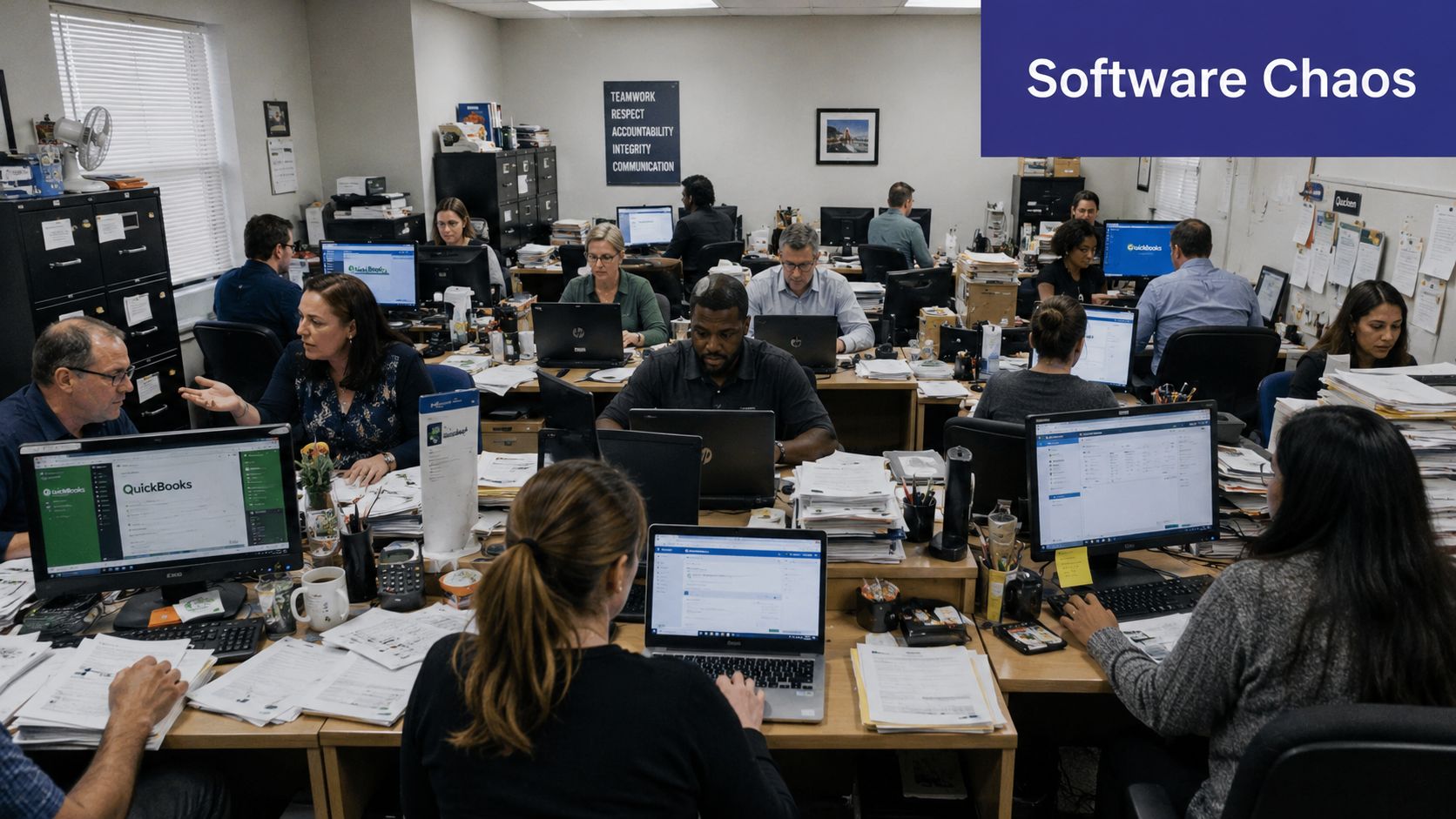
Consider a 15-person accounting firm with a mixture of laptops and desktop computers. Staff use different software versions, data is scattered across local machines, and a new employee can't begin work until someone installs applications, applies updates, maps files, and checks licenses. During a busy period, a single failed workstation can interrupt work that depends on client deadlines.
The traditional terminal server offered a direct fix. Instead of installing every application on every computer, the firm installed the software on one Windows server. Employees connected to that server and worked inside their own remote sessions. Their keyboard and mouse actions traveled to the server, while the server returned the visible desktop and application output.
Microsoft and Citrix announced their joint terminal server development effort in May 1997. Microsoft then announced the release to manufacturing of Windows NT Server 4.0 Terminal Server Edition at PC Expo on June 16, 1998, describing it as an extension of Windows NT Server that could host multiple simultaneous client sessions on one server. The development code name was Hydra. Microsoft's release announcement documents that milestone and the product's centralized application model.
The appeal for professional services firms was practical:
This architecture didn't eliminate administration. It concentrated administration. The server became more important, so backups, monitoring, patching, capacity planning, and access controls became responsibilities that couldn't be ignored.
Microsoft later incorporated the capability into the Windows server family under Terminal Services, helping establish centralized computing as a standard enterprise option. Microsoft documentation) defines the modern Windows concept as a multi-user version of Windows NT that hosts simultaneous client sessions. The term has changed, but the central business question remains the same: should every user's computer run and store everything locally, or should the firm operate from a shared, managed environment?
The simplest way to understand a terminal server is to separate the system into the server, the user session, and the connection.
The server runs Windows Server with the Remote Desktop Services role. That role creates separate sessions for authorized users. Each person sees a desktop and runs applications inside their own session, even though many sessions share the same physical or virtual server resources.
An apartment building is a useful analogy. The building represents the server. Each tenant has a private unit, representing a user session. Tenants share the building's structure and utilities, but one tenant shouldn't be able to walk into another tenant's apartment. Session isolation provides a similar boundary for applications, processes, settings, and user activity.
The user starts a connection.
A remote desktop client sends credentials and connection information to the environment.
The connection reaches the appropriate service.
In a small deployment, the connection may go directly to the session host. Larger environments can use an RD Connection Broker to direct users to available hosts and reconnect them to an existing session.
The server creates or resumes a session.
Windows loads the user's profile and presents the applications and desktop permitted for that account.
RDP carries the interaction.
The user's keyboard input, mouse clicks, and display updates pass between the client device and server through the Remote Desktop Protocol. Microsoft describes RDP as encapsulated and encrypted within TCP. The client isn't receiving a complete copy of the application or database. It's interacting with software running on the server.
The server performs the work.
Application processing, file access, and most of the session state remain centralized. The endpoint mainly displays the interface and sends user input.

A production environment often includes more than the session host:
Microsoft's Remote Desktop Services overview describes RD Session Host as the role that delivers session-based desktops and RemoteApp programs. In current Microsoft language, RD Session Host is the closest equivalent to what many people still call a terminal server.
For a more practical product-level explanation, see Cloudvara's remote desktop server guide. The key distinction is simple: the server runs the applications, while the client device provides the window through which the user interacts with them. That design lowers endpoint requirements, but it also means server CPU, memory, storage, and session management become shared constraints as more people work at once.
These terms describe related approaches, not interchangeable products. A legacy terminal server usually means an on-premises Windows Server running the Remote Desktop Services role. Modern RDS uses the same session-based architecture, but the servers may sit in a private data center, a public cloud, or a hybrid environment.
VDI, or virtual desktop infrastructure, gives each user an individual virtual machine or dedicated desktop environment. Products and services such as VMware Horizon and Azure Virtual Desktop can support VDI patterns, although their deployment models vary. Cloud-hosted applications place the infrastructure and much of the administration with a provider, so the customer connects to a managed environment rather than operating the underlying servers.
| Criteria | Legacy Terminal Server | Modern RDS | VDI | Cloud-Hosted Apps |
|---|---|---|---|---|
| Infrastructure | Usually owned and operated by the firm | On-premises, cloud, or hybrid | Individual virtual desktops | Provider-managed hosting environment |
| Upfront cost | Hardware, licenses, storage, and setup | Infrastructure or cloud configuration costs | Higher design and desktop management investment | Lower infrastructure ownership burden, recurring service cost |
| Ongoing complexity | Internal team manages nearly everything | Shared between the firm and its providers | High, because each desktop may need lifecycle management | Provider handles much of the platform administration |
| User experience | Shared Windows server sessions | Shared sessions with modern access controls | More individualized desktop experience | Depends on provider, application compatibility, and connection quality |
| Scalability | Limited by purchased hardware | More flexible, especially in cloud deployments | Flexible but operationally involved | Provider expands or adjusts the hosted environment |
| Maintenance burden | Firm handles patching, backups, capacity, and security | Responsibility varies by design | Firm or service partner manages desktop fleet | Provider manages core infrastructure, while the firm manages users and applications |
| Best fit | Firms with capable IT and existing equipment | Organizations wanting centralized desktops with control | Workloads requiring stronger per-user separation | Firms seeking centralized applications without server administration |
Cost comparisons need caution. The plan notes for this topic identify VDI as costing 3–5x more than a terminal server, but that figure isn't supported by a cited source in the verified data, so it shouldn't be treated as a universal rule. VDI can make sense when users need distinct operating environments, specialized configurations, or stronger desktop-level separation. It can be excessive when a firm needs the same accounting or document application delivered consistently.
For many smaller accounting and legal practices, the decision is between modern RDS and a managed hosted service. The former preserves more control and may suit a firm with internal IT capability. The latter reduces infrastructure work and shifts dependence toward a provider. Cloudvara describes this hosted model through its RDS and Microsoft Remote Desktop Services resource.
The spectrum runs from full do-it-yourself ownership to fully managed convenience. Neither end is automatically safer or cheaper. The appropriate point depends on your staff, applications, compliance obligations, and tolerance for after-hours troubleshooting.
Accounting and legal work creates an awkward technology combination. Professionals need powerful desktop applications, shared client records, dependable access during deadlines, and strict control over confidential information. They also work from changing locations, while software vendors impose licensing and compatibility rules that can make workstation-by-workstation administration tedious.
Centralized application delivery addresses the operational issue at its source. A firm can host applications such as QuickBooks Enterprise, CCH ProSystem fx, Thomson Reuters products, and practice management systems in one managed Windows environment. Staff connect to the same application installation and approved data location instead of maintaining separate local copies.
A tax team may need temporary staff during its busiest period. With a centralized environment, the administrator can create accounts, assign access, and provide a connection method without preparing an entirely new physical workstation for every person. The process still requires licensing and security review, but the technical work is concentrated.
A law firm presents a different example. During a deposition, an attorney may need to reach case materials from a location outside the office. If confidential documents remain in the hosted environment, the attorney can work through a remote session rather than downloading an entire case folder to a personal device. That doesn't remove every risk, and access policies must still govern printing, copying, downloads, and local storage.
Practical rule: Centralization reduces the number of places you must secure. It doesn't make the remaining place self-securing.
Centralization can also reduce version conflicts. If users open the same application from one controlled installation, the firm is less likely to find that staff are working from incompatible releases or storing separate copies of a shared file. Database applications still need vendor-approved configurations, proper permissions, and backup procedures. A terminal server isn't a substitute for application administration.
Licensing audits are easier to organize when administrators can identify applications, users, and permissions in one environment. Support teams can troubleshoot the server-side installation rather than asking every employee to reproduce the same issue on a different workstation.
That concentration creates a dependency, however. If the server is unavailable, many users may lose access at once. Firms should therefore treat redundancy, backups, recovery testing, monitoring, and access logging as part of the application design, not optional extras.
For broader context on technology decisions and governance, Ares offers this tech guide for law firm leaders. It can help partners connect infrastructure choices with operational and client-service responsibilities.
Cloud-hosted QuickBooks is one example of this model in practice. Firms evaluating that workflow can review how to host QuickBooks in the cloud. The important question isn't whether centralization sounds modern. It's whether the firm can operate one controlled environment more reliably than it can maintain many separate endpoints.
A terminal server can improve control, but an exposed terminal server can also concentrate risk. Attackers commonly look for publicly reachable remote access services, guess or reuse credentials, exploit unpatched systems, and move through accounts that have more permission than their jobs require.
The most important warning is straightforward: don't expose an RDS session host directly to the public internet. Use a controlled access design, such as an RD Gateway, VPN, or a zero-trust access layer, and require strong identity verification before a session reaches internal applications.
Recent terminal-server-related vulnerabilities show why third-party components deserve the same attention as Windows itself. Check Point documented two authenticated-local-user vulnerabilities affecting Identity Agent for a Terminal Server and reported that both were fixed in version 81.084.0000. The Check Point security advisory illustrates the need to track the exact products and versions installed in a remote session environment.

Security also depends on operations. Someone must review alerts, test backups, remove departed users, investigate strange sign-ins, and confirm that patches didn't break a critical application. A small internal team may configure a secure deployment correctly and still struggle to maintain it months later.
Firms handling privileged client data should document who can connect, from which devices, through which gateways, and with what permissions. A remote desktop security guide can support that review, but the final controls must match the firm's applications, users, contractual duties, and risk profile.
Moving away from a self-managed terminal server shouldn't begin with copying files. Begin with an inventory of applications, databases, integrations, printers, scanners, user groups, and workflows. Ask which programs staff use daily, which files they need, and which processes depend on local devices or outdated settings.
A practical migration sequence looks like this:
The migration should have a rollback plan. Keep the original environment available until the business confirms that critical workflows, reports, integrations, and recovery procedures work as expected.
A managed provider can take responsibility for infrastructure tasks that small firms often struggle to sustain, such as server maintenance, backups, security configuration, capacity management, and support coverage. Cloudvara describes a hosted model that includes dedicated infrastructure, remote desktop access, two-factor authentication, automated backups, and support for business applications. Its published material also describes a 99.5% uptime guarantee, so firms should compare that commitment with their own continuity requirements and the exact service agreement.
The guide to moving servers to the cloud is useful when partners need to evaluate the project as a business-risk decision rather than a hardware replacement. The purpose isn't to put a server somewhere else. It's to replace fragile ownership tasks with documented service responsibilities, tested recovery, and a support path that remains available when an outage occurs outside office hours.
A traditional terminal server can still fit a firm with existing hardware, capable internal IT staff, stable applications, and a reason to keep infrastructure under direct control. Data sovereignty requirements, specialized integrations, or an established support operation may justify that approach.
Modern RDS is a sensible middle ground when the firm wants centralized sessions but prefers a cloud or hybrid deployment. It offers more flexibility than a fixed on-premises server, although the firm still needs to understand who owns patching, backups, security, licensing, and troubleshooting.
A managed hosted platform generally suits firms that want centralized applications without operating the underlying environment. Smaller accounting practices and law firms with limited IT capacity should pay particular attention to support coverage, authentication, backup verification, recovery procedures, application compatibility, and contract terms. Team size matters, but workload patterns and risk tolerance matter just as much.
Remote workplace services are also expanding from USD 38.16 billion in 2025 to USD 48.3 billion in 2026, with a projected USD 156.34 billion by 2031, according to Mordor Intelligence's remote workplace services market data. Those figures are projections and market estimates, not a reason to migrate by themselves. Audit your current setup, list the recurring failures, and ask providers to model a phased transition with minimal disruption and clear user training.
Cloudvara provides hosted remote desktop environments that centralize business applications and make them accessible across devices, with services such as two-factor authentication, backups, and technical support. Visit Cloudvara to review the available hosting approach and discuss whether it fits your firm's applications, security requirements, and migration plans.




