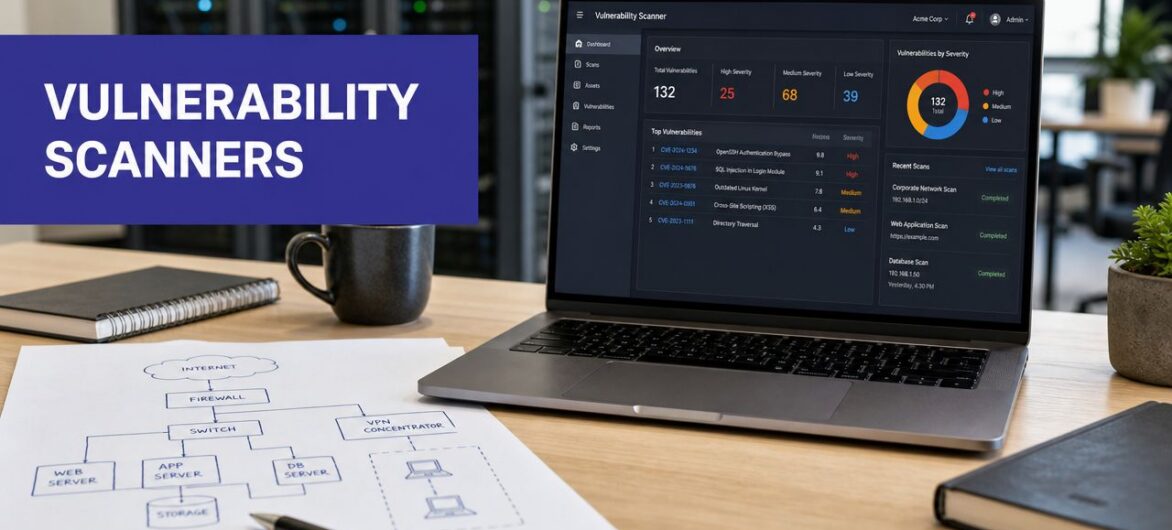
Your firm may already have a firewall, antivirus, and multi-factor authentication in place. That's a good start, but it doesn't answer a basic question: what's exposed right now on the systems your staff use every day?
For accounting firms, law offices, nonprofits, and other SMBs running cloud-hosted applications, that question matters more than ever. A missed patch on a remote desktop server, a weak configuration inside a hosted QuickBooks environment, or an overlooked internet-facing service can create the kind of issue attackers look for first. Vulnerability scanning tools help you catch those problems before someone else does.
This isn't just an enterprise concern. Teams handling tax records, client contracts, donor data, and financial systems need a repeatable way to check servers, endpoints, cloud workloads, and hosted apps for known weaknesses. If you're trying to protect properties with vulnerability assessments, the scanner you choose affects how much is revealed, how noisy your reports are, and whether your team can act on findings without getting buried in them.
The market reflects that urgency. The global vulnerability scanning market is projected to grow from a valuation of USD 5,727.21 million in 2026 to USD 6,269 million in 2027, according to 360 Research Reports on vulnerability scanning market growth. For small and mid-size businesses, that growth matters because better tools are getting pushed into more practical deployment models, including SaaS, agents, and hybrid options that don't require a large security team.
Below are the tools I'd shortlist for a small to mid-size business, especially one using cloud-hosted applications and remote access.
Tenable is still one of the safest recommendations when a business wants proven, broad scanning coverage without overcomplicating the first rollout. Nessus works well when you want a traditional scanner you can control closely. Tenable Vulnerability Management makes more sense when you need SaaS delivery, broader visibility, and less infrastructure to maintain.
For SMBs, the appeal is simple. It handles classic network and host scanning well, supports credentialed scans, and gives you enough policy and reporting options to build a real process instead of running occasional one-off checks.
Nessus is a strong fit for firms with a defined internal network, a few servers, remote endpoints, and compliance pressure from clients or auditors. If you host line-of-business apps in a private environment or on a managed platform, you can use it to validate patching, uncover misconfigurations, and check externally exposed services.
Tenable's style is practical rather than flashy. It's good at finding things. It's less compelling if what you really want is a highly business-contextualized executive dashboard right out of the box.
Practical rule: If your scanner can't log in securely to the systems that matter, you're only seeing part of the problem.
Tenable is also a sensible choice when compliance is driving the conversation. Firms working through controls tied to payment environments should pair scanning with a clear understanding of PCI DSS compliance requirements.
Use Tenable's official platform if you want a mature scanner first and a broader exposure management stack later.
Qualys VMDR is the tool I usually bring up when a client has grown beyond occasional scanning and needs continuous assessment across remote endpoints, cloud assets, and branch locations. It's cloud-delivered, broad, and built for environments that don't sit neatly behind one office firewall anymore.
That makes it relevant for accounting groups with seasonal contractors, law firms with hybrid work, and nonprofits juggling managed devices, BYOD pressure, and cloud services.
Qualys combines asset discovery, scanning, prioritization, and remediation guidance in one platform. That unified model is helpful when a small internal IT team can't afford to stitch together four different products just to understand exposure.
Its strength is reach. Agents, scanners, and passive options give you flexibility if some assets are always on-network and others are rarely in the office. The broader vulnerability management market, which includes scanning as a core function, was valued at USD 15.9 billion in 2023 and is forecasted to reach USD 34.7 billion by 2032, with a CAGR of over 9.2%, according to GM Insights on vulnerability management market expansion. That kind of sustained growth tracks with what tools like Qualys are built for: ongoing visibility, not annual audits.
What I'd flag as a trade-off is complexity. Qualys can do a lot, and that means the interface can feel heavy if you just want a simple “tell me what to patch first” experience.
Run a pilot with your actual remote endpoints and hosted workloads. Qualys often looks strongest after the asset inventory starts filling in.
It's a strong option if your business already has documented data security best practices and needs a scanner that can support them at scale.
Start with Qualys VMDR if your environment is distributed and you need one platform to keep pace with it.
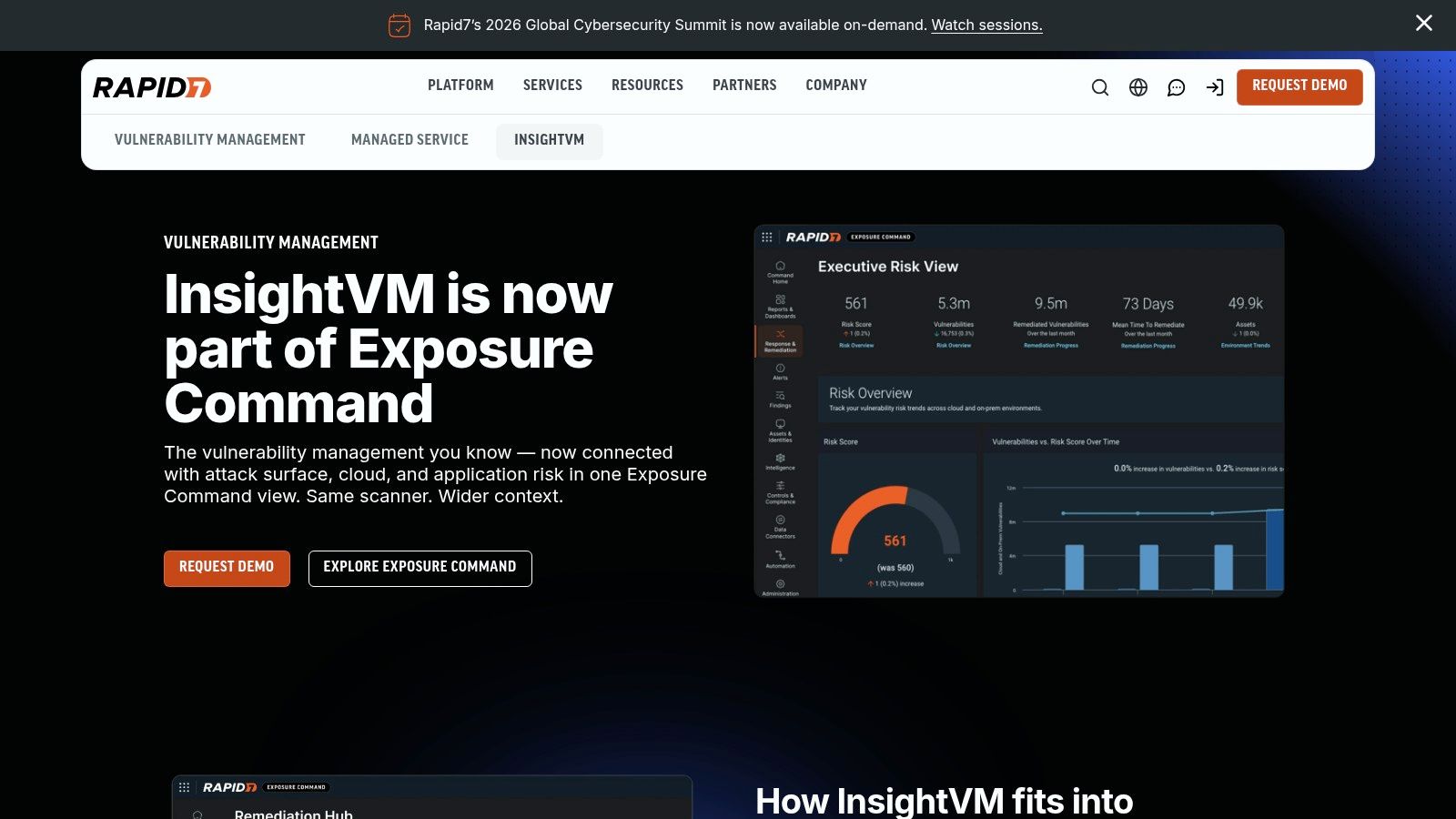
Rapid7 InsightVM stands out when remediation matters as much as detection. A lot of vulnerability scanning tools are good at producing findings. Fewer are good at helping operations teams turn those findings into tickets, ownership, and follow-through.
That's why InsightVM often lands well with SMBs that already have a help desk, an MSP, or internal admins who need findings to flow into existing work queues.
Rapid7 blends agent-based and network scanning with dashboards and exploit context. The useful part isn't just “this vulnerability exists.” It's the extra signal around whether the issue is more than theoretical and how your team should tackle it.
For firms with remote workers and hosted applications, that workflow focus matters. If you support tax software, document management systems, and virtual desktops across multiple locations, the scanner has to fit the way your team already works. That's why I like InsightVM for businesses investing in broader cybersecurity solutions for small business, not just one security checkbox.
Rapid7 also benefits from its research depth. That can help small teams make better decisions when they don't have dedicated threat analysts reviewing every advisory.
Use Rapid7 InsightVM if your biggest pain point isn't finding vulnerabilities. It's getting them fixed in an orderly way.

If your business runs heavily on Microsoft 365, Intune, Entra ID, and Defender for Endpoint, Microsoft Defender Vulnerability Management is often the most practical answer. Not the most exciting one. The most practical one.
The big advantage is operational simplicity. You're not standing up a separate scanning stack if you're already living in Microsoft security tooling.
MDVM gives you asset inventory, exposure insight, remediation guidance, and baseline-related recommendations through the broader Defender ecosystem. That's especially attractive for professional services firms where the endpoint fleet is mostly Windows laptops, a handful of servers, and cloud-managed productivity tools.
I usually recommend it when a client says some version of this: “We already pay for a lot of Microsoft security. Are we overlooking something we already have?” Often, the answer is yes.
The main caution is coverage expectations. It's strongest when your environment aligns with Microsoft's management and security stack. If your estate includes more non-Windows systems, specialized appliances, or mixed cloud workloads, you may still need another scanner for full visibility.
A lean internal IT team can get a lot from MDVM because it reduces the number of consoles and moving parts. For many SMBs, that matters more than buying the most feature-rich scanner on the market.
See Microsoft Defender Vulnerability Management if your security stack is already mostly Microsoft and you want to keep it that way.

CrowdStrike Falcon Spotlight is the vulnerability module that makes the most sense when Falcon is already on your endpoints. In that situation, it's low-friction and fast to operationalize. You're building on an agent you already trust instead of introducing another moving piece.
For firms with remote users, that's a real advantage. Agent-based visibility follows the endpoint instead of waiting for it to reconnect to the office network.
Spotlight is strongest on endpoints. It gives near-real-time visibility into vulnerable software and ties findings back to host context, which helps teams decide what deserves attention first.
That can work well for cloud-hosted professional services environments where the biggest operational risk sits on user devices, jump hosts, and remote access systems. If your staff relies on hosted accounting or legal applications, the endpoint often becomes the practical control point.
The easiest scanner to maintain is usually the one that piggybacks on an agent you've already deployed well.
The trade-off is scope. Spotlight started from an endpoint-first approach, and broader unmanaged asset and network exposure coverage comes through expanded modules. That's useful, but it means you need to be honest about whether endpoint visibility alone covers your risk.
CrowdStrike also fits naturally into a broader zero trust security implementation approach, especially when you want tighter visibility around devices before they access sensitive hosted apps.
Use CrowdStrike Falcon Spotlight if Falcon is already in place and your main need is fast, low-overhead vulnerability visibility on endpoints.
Amazon Inspector is the obvious shortlist tool when workloads live primarily in AWS. If you're scanning EC2 instances, ECR images, and Lambda functions, staying native to the platform reduces setup friction and keeps your workflow close to where those assets already live.
That matters for small teams. The fewer side systems you need to maintain, the better the scanning program usually holds up over time.
Inspector is a good match for software firms, growing SMBs, and service providers with cloud infrastructure centered in AWS. It automates continual scanning and ties into the rest of the AWS ecosystem cleanly.
For professional services firms, the fit is narrower but still relevant. If your hosted applications, supporting infrastructure, or custom integrations sit in AWS, Inspector gives you practical visibility without introducing a separate full enterprise platform.
The limitation is straightforward. It's primarily an AWS tool. If your environment includes on-prem servers, third-party hosted apps, Microsoft-heavy endpoints, and only a slice of AWS, Inspector should be one layer, not the whole answer.
Use Amazon Inspector when your priority is securing AWS workloads with as little operational overhead as possible.
Wiz changed the conversation for cloud security because it made context easier to understand. Instead of handing you isolated vulnerability lists, it correlates vulnerabilities, misconfigurations, identities, and data exposure across cloud environments.
That's useful when a client asks a practical question, not a security-vendor question: “Which issue is most likely to lead to an actual breach path?”
Wiz is API-driven and largely agentless for cloud onboarding, which gives it fast time-to-value in AWS, Azure, and GCP environments. For businesses with cloud-first operations, that speed matters.
Its prioritization model is also worth noting. According to Tanium's discussion of vulnerability scanning priorities, over 60% of vulnerabilities with CVSS scores below 7.0 were exploited in the wild within 30 days, which is a strong reminder that raw CVSS severity can mislead remediation teams. Wiz is one of the platforms now supporting native EPSS and CVSS correlation, which is much closer to how I'd want a modern team to prioritize work.
For SMBs, the challenge is cost and fit. Wiz is powerful, but it's usually a better match for organizations with meaningful cloud complexity. If your environment is mostly hosted desktops, standard business apps, and a few cloud services, it may be more platform than you need.
A useful companion read for cloud-focused teams is this Wiz Cloud Security explainer.
Go with Wiz if your cloud footprint is large enough that context and attack-path visibility matter more than classic network scanning alone.
Orca Security is one of the cleaner options for teams that want cloud vulnerability visibility without agent rollout projects. Its snapshot-based approach is attractive to organizations that want broad multi-cloud insight with low operational drag.
That's the main reason it keeps showing up in serious evaluations. It doesn't ask much from already-busy infrastructure teams.
Orca pulls together vulnerabilities, cloud misconfigurations, identity issues, and data exposure into one picture. For security teams supporting cloud migrations or inherited cloud estates, that consolidated view is useful.
I'd consider Orca when the environment is heavily cloud-based, the internal team is small, and there's little appetite for deploying and maintaining agents across every workload. That's a common scenario in nonprofits and midsize service organizations that rely on cloud platforms but don't have dedicated cloud security staff.
The trade-off is the same one you see with several cloud-first tools. It won't replace strong on-prem scanning on its own. If your business still runs internal servers, office infrastructure, or specialized hosted legacy apps, you'll likely need another tool alongside it.
Use Orca Security if agentless, multi-cloud visibility is the priority and you're willing to supplement on-prem coverage elsewhere.
Prisma Cloud is the tool I'd bring in when vulnerability scanning can't be separated from cloud architecture, containers, CI pipelines, and runtime policy. It's broader than a classic scanner and more opinionated about cloud-native security operations.
For many SMBs, that's overkill. For the right environment, it's exactly the point.
Prisma Cloud covers vulnerabilities across build pipelines, registries, VMs, containers, Kubernetes, and runtime environments. That makes it a better fit for product companies, SaaS teams, and more mature cloud shops than for a typical small law office.
Still, some midsize businesses on hosted cloud platforms have enough application complexity to justify it. If your internal systems include custom integrations, cloud workloads, and containerized apps, a point scanner may leave too many blind spots.
Palo Alto Networks also highlights an issue many SMBs miss when they rely only on external scanning. According to Palo Alto Networks' explanation of vulnerability scanning, unauthenticated scans often generate 30 to 50% false positives, while authenticated scans can reduce false positives by up to 70%. That's especially relevant for businesses running cloud-hosted legacy applications where accurate patch status matters more than noisy reports.
For firms that want stronger cloud security best practices, Prisma Cloud can become part of a broader control framework rather than just a scanning tool.
Use Prisma Cloud if your real need is code-to-cloud visibility and you have enough cloud complexity to use it well.
Greenbone and OpenVAS remain relevant because not every SMB can justify enterprise platform pricing on day one. If budget is tight, internal skill is decent, and the team can tolerate more setup and tuning, OpenVAS is still a viable starting point.
That doesn't make it the easiest option. It makes it the most cost-conscious one.
OpenVAS works best in labs, private environments, side-by-side validation, and smaller deployments where a team wants transparency and control. It's also useful as a second opinion scanner if you want to compare findings against a commercial platform.
Greenbone's commercial offerings matter because they give you a supported path forward. That's often the right move once the environment grows and the cost of internal maintenance starts outweighing the license savings.
What doesn't work well is pretending community tooling is free in operational terms. Someone still has to maintain feeds, tune scans, validate findings, and keep the platform stable.
Open-source scanners save license cost first. They don't automatically save staff time.
A broader point from the market is that organizations increasingly expect scanners to support credentialed and non-credentialed checks, timely updates, actionable reporting, and integration with existing security systems, as noted in SAFE Security's overview of vulnerability scanning tools. OpenVAS can be part of that picture, but it usually needs more hands-on effort to get there.
Use Greenbone products if you need a lower-cost entry point and have the technical discipline to maintain it.
| Solution | Deployment & Scope | Core features | Strengths | Best for | Pricing model |
|---|---|---|---|---|---|
| Tenable Nessus / Tenable Vulnerability Management | On‑prem (Nessus) or SaaS; host & network focus | Large plugin feed; credentialed & agent scans; policy templates | Mature coverage; fast time‑to‑value for classic scanning | Traditional infra teams, enterprises | Subscription or perpetual (quote/license) |
| Qualys VMDR | Cloud‑delivered for hybrid/distributed estates | Continuous discovery; agents, scanners, passive sensors; TruRisk prioritization | Scales well; strong compliance/content | Large distributed or regulated orgs | Quote‑based subscription |
| Rapid7 InsightVM | Agent + network scanning; live dashboards | Risk analytics; exploit/threat context; remediation integrations | Strong remediation workflows; research-driven context | Teams needing automated remediation & ticketing | Subscription (license tiers) |
| Microsoft Defender Vulnerability Management (MDVM) | Integrated in Defender for Endpoint; single‑agent | Asset inventory; exposure analytics; Intune/Defender remediation | Low overhead in MS ecosystems; tight MS integration | Microsoft‑centric organizations | Add‑on / included with Defender licensing |
| CrowdStrike Falcon Spotlight / Exposure Management | Agent‑based via Falcon; endpoint‑centric (expanding to network) | Near‑real‑time endpoint visibility; CVE correlation; remediation guidance | Low friction if using Falcon EDR; fast posture updates | Organizations already on CrowdStrike Falcon | Quote‑based add‑on to Falcon subscriptions |
| Amazon Inspector | AWS‑native: EC2, ECR, Lambda; agented & agentless | Continuous scanning; CIS checks; SBOM export; AWS integrations | Frictionless for AWS workloads; pay‑as‑you‑go | AWS‑centric cloud workloads & dev teams | Metered pay‑as‑you‑go |
| Wiz | API‑driven agentless for multi‑cloud & hybrid | Cloud API discovery; security graph; attack‑path prioritization | Rapid cloud onboarding; contextual, breach‑path prioritization | Multi‑cloud/cloud‑first enterprises | Enterprise quote‑based |
| Orca Security | Agentless SideScanning across AWS/Azure/GCP | Snapshot-based discovery; unified risk (vulns, misconfigs, identity) | Very low ops overhead; broad multi‑cloud visibility | Teams wanting agentless multi‑cloud posture | Quote‑based enterprise pricing |
| Palo Alto Prisma Cloud (Compute) | CNAPP: code → registry → runtime (VMs, containers, serverless) | Build/registry/runtime scans; agent & agentless; CI integrations | End‑to‑end code‑to‑cloud coverage; strong compliance | Cloud‑native apps, DevSecOps pipelines | Quote‑based enterprise licensing |
| Greenbone / OpenVAS | Open‑source scanner + commercial appliances/cloud | OpenVAS engine; regular feeds; on‑prem flexibility | Lowest entry cost; good for labs & learning | SMBs, labs, private clouds, budget teams | Community free; commercial via quote |
Choosing among vulnerability scanning tools comes down to fit, not hype. The right product for your business depends on where your systems reside, how much internal IT capacity you have, and whether you need classic host scanning, cloud visibility, endpoint-based assessment, or a mix of all three.
For most SMBs, the biggest mistake isn't buying a weak scanner. It's buying one that doesn't match the environment. A Microsoft-heavy professional services firm may get excellent value from Defender Vulnerability Management. A company already invested in Falcon may get faster results from Spotlight. A hybrid business with remote endpoints, hosted servers, and compliance pressure may be better served by Tenable, Qualys, or Rapid7. A cloud-first team may need Wiz, Orca, Prisma Cloud, or Amazon Inspector instead of a traditional network scanner.
I'd also be careful about two operational traps.
First, don't rely only on unauthenticated scans if your business depends on accurate reporting for hosted applications and regulated data. They can be useful for external exposure checks, but they often miss the internal details your team needs to patch with confidence. For accountants, legal firms, and nonprofits using cloud-hosted applications, that usually means combining external visibility with authenticated or agent-based insight.
Second, don't let CVSS alone drive your remediation queue. A lower-severity issue on a critical system can matter more than a higher-severity issue sitting on an isolated asset. The better tools now help with context, but your team still needs to apply business judgment. Which server holds client records? Which endpoint has privileged access? Which cloud workload is internet-facing? Those questions should shape your priorities.
The practical next step is to trial one or two tools against your real environment. Not a vendor demo environment. Your environment. Scan a subset of endpoints, a hosted server group, an external IP range, or a cloud account. Then review the results with three questions in mind:
That last point matters. Vulnerability scanning only reduces risk when it becomes routine. A scanner that your team can run consistently, interpret accurately, and tie to remediation will beat a more impressive platform that sits underused after rollout.
For firms running business-critical applications in the cloud, the scanner is only one layer. The hosting foundation matters too. A secure environment, strong access controls, reliable support, and stable backup and continuity practices all make vulnerability management more effective. When you combine a solid scanning program with a managed hosting platform built for sensitive business applications, you move from ad hoc security work to a repeatable defense model that protects client data, operations, and reputation.
Cloudvara gives accounting firms, law offices, nonprofits, and SMBs a secure foundation for the applications they rely on every day. If you're hosting QuickBooks, Sage, tax software, document management, CRM, or Microsoft apps in the cloud, Cloudvara can help you reduce infrastructure burden while improving remote access, backup consistency, and day-to-day security operations.




