Imagine giving your entire team a secure, high-performance computer they can access from any device, anywhere in the world. That’s the core promise of virtual desktop solutions. It’s like having your office computer streamed directly to your screen—much like a movie from Netflix—ensuring everyone has the exact tools they need to do their best work, no matter where they are.
At its heart, a virtual desktop solution separates the user’s desktop environment—the operating system, apps, and data—from their physical machine. Instead of running on a local laptop or PC, this entire workspace lives on a powerful central server, either in your own data center or hosted by a cloud provider. Users just connect to their dedicated desktop over a secure network.
This approach is quickly becoming the new normal as companies embrace more flexible work models. The market numbers tell the story: the global market for this technology was valued at USD 15.9 billion in 2024 and is expected to skyrocket to over USD 81.5 billion by 2032. This explosive growth shows a massive shift toward more agile and secure digital workspaces. For a deeper dive, you can find a full market analysis from Consegic Business Intelligence.
To give you a clearer picture, here's a quick look at the core ideas we'll be covering.
| Concept | Core Idea | Primary Benefit |
|---|---|---|
| Centralization | Desktops run on a server, not individual devices. | Simplified IT management and updates. |
| Accessibility | Access your full desktop from any device, anywhere. | Unlocks true remote work flexibility. |
| Security | Company data stays on the server, not on endpoints. | Drastically reduces risk from lost or stolen devices. |
| Consistency | Every user gets the same high-performance experience. | Boosts productivity and reduces tech friction. |
This table just scratches the surface of how virtual desktops can reshape the way your team works.
The appeal of virtual desktops comes from their ability to solve several modern business headaches at once. For IT departments, it means a huge reduction in complexity. Instead of patching, updating, and securing hundreds of individual machines, they can manage a single "golden image" that's instantly deployed to all users. This centralization is a pillar of effective digital workplace solutions and dramatically cuts down administrative busywork.
For the business itself, the benefits are clear and powerful:
At its core, this technology is about delivering a consistent, secure, and powerful user experience regardless of the physical hardware. It’s a foundational element for building a truly agile and resilient organization.
Throughout this guide, we'll dive into the two main ways to deliver these powerful environments: Virtual Desktop Infrastructure (VDI), where you manage your own servers, and Desktop-as-a-Service (DaaS), where you subscribe to a fully managed service. Getting a handle on these models is the first step toward building a more efficient and secure workplace.
To really get what makes virtual desktops tick, you have to look under the hood. The whole concept is built on a technology called server virtualization. Think of it like a digital partition: you take one powerful, physical server and slice it up to host multiple, independent virtual machines (VMs). Each one of these VMs acts like a completely separate computer, with its own operating system and software.
This digital magic is run by a piece of software known as a hypervisor. The hypervisor is the master coordinator, taking the server’s physical resources—processing power, memory, storage—and distributing them across all the virtual desktops it’s hosting. This is the bedrock concept for both of the main delivery models. To dig deeper into this core technology, you can check out our complete guide to server virtualization.
This visual below breaks down the two main paths you can take: building it yourself or buying it as a service.
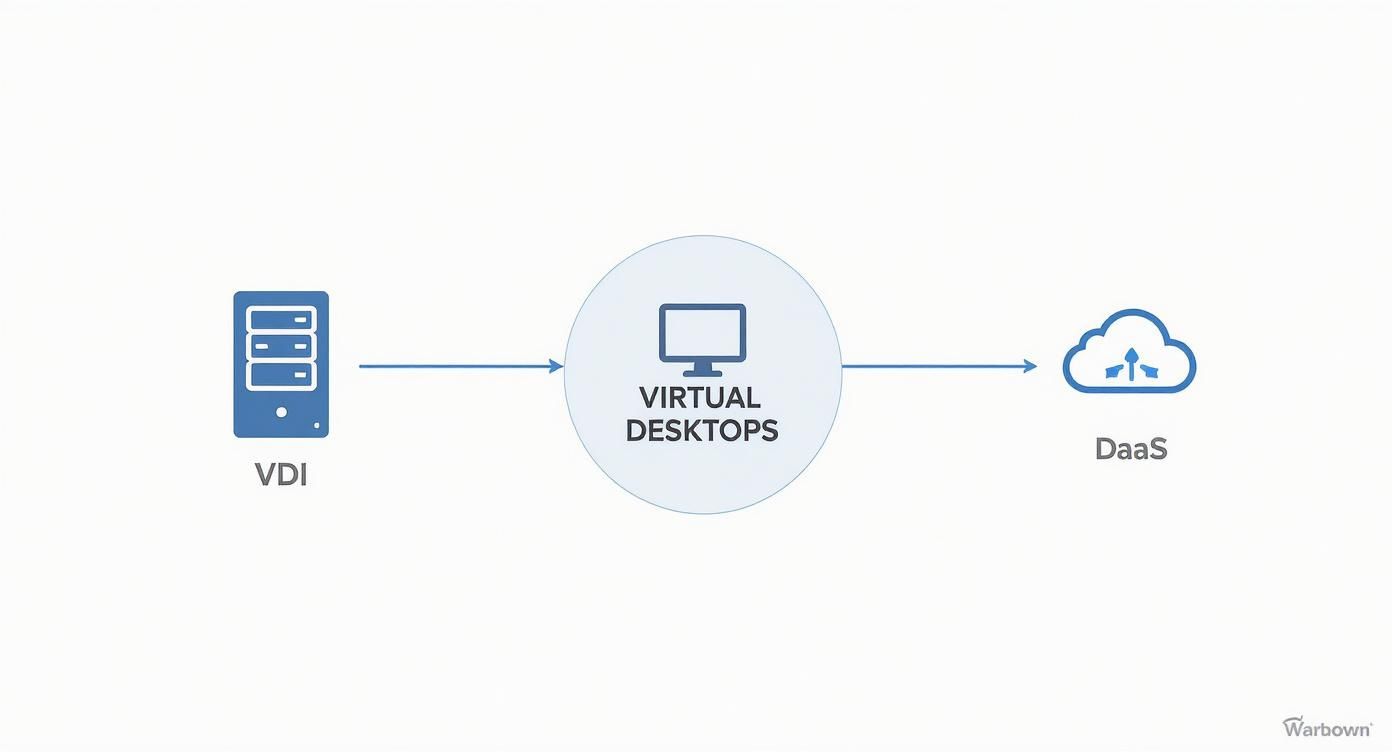
The key takeaway here is that both VDI and DaaS get you to the same place, but the management and infrastructure models are quite different. Each offers unique perks depending on what your business actually needs.
When it comes to rolling out virtual desktops, organizations usually go one of two ways: Virtual Desktop Infrastructure (VDI) or Desktop-as-a-Service (DaaS). While the experience for the end-user feels almost identical, how they operate behind the scenes couldn't be more different.
Virtual Desktop Infrastructure (VDI) is the classic DIY approach. With VDI, your company owns, runs, and maintains all the server hardware and software right in your own on-premise data center. You have total control over every nut and bolt of the environment, from security rules to hardware specs.
This model is like owning your own power plant. You have complete say over the output and infrastructure, but you're also on the hook for all the maintenance, fuel, and operational costs.
On the flip side, Desktop-as-a-Service (DaaS) is a fully managed, cloud-based subscription. A third-party provider hosts and manages the entire backend for you. Your IT team just focuses on managing the virtual desktops and apps, while the provider handles all the hardware, updates, and upkeep.
Understanding the trade-off between control and convenience is essential. The table below lays out the key differences between these two primary virtual desktop solutions, helping you see which model aligns best with your resources and goals.
| Feature | Virtual Desktop Infrastructure (VDI) | Desktop-as-a-Service (DaaS) |
|---|---|---|
| Management | Your internal IT team manages everything. | The DaaS provider manages the backend infrastructure. |
| Cost Structure | High upfront capital expenditure (CapEx). | Predictable monthly operating expense (OpEx). |
| Scalability | Scaling requires purchasing and installing new hardware. | Easily scalable up or down based on demand. |
| Control | Complete and granular control over the entire environment. | Less control over backend hardware and infrastructure. |
Ultimately, the choice hinges on your company's capital, IT expertise, and need for customization versus a predictable, hands-off service.
Whether you go with VDI or DaaS, a few key components work in sync to deliver that smooth virtual desktop experience to the user.
The Hypervisor: As we covered, this is the foundational software that carves up the physical server and runs the virtual machines. It's the engine of the whole system.
The Connection Broker: Think of this as the traffic controller. When a user tries to log in, the connection broker checks their credentials and directs them to their assigned virtual desktop. It makes sure the right person gets to the right digital workspace every single time.
The Client Software: This is the small application installed on the user's physical device, whether it's a laptop, tablet, or a simple thin client. It creates a secure connection to the data center and streams the desktop interface to the user's screen, making the remote desktop feel like it's running locally.
Together, these pieces form a reliable and secure system that can deliver powerful computing from a central hub to any device, anywhere.

Understanding how virtual desktops work is one thing, but seeing how they drive real business value is what truly matters. Moving to virtual desktop solutions isn't just another IT upgrade; it’s a strategic decision that delivers concrete advantages across your entire company, from the balance sheet to day-to-day operations.
These benefits all stem from a simple but powerful idea: by centralizing desktops on a secure server, you completely change how your company manages data, supports employees, and protects its most valuable assets. Let's break down the four pillars that make this technology so compelling for modern businesses.
In a traditional setup, every employee's laptop is a potential security weak point. It’s a walking data drive filled with sensitive company information. If that device is lost, stolen, or hacked, the consequences can be disastrous.
Virtual desktops flip this model on its head. All applications and data live on a secure, centralized server, not on the local machine. The user's device—whether it’s a laptop, tablet, or thin client—is merely a window to their desktop.
Picture this: an employee leaves their work laptop in a coffee shop. In a typical office, this triggers a frantic emergency to wipe the device remotely and hope for the best. With a virtual desktop, the fix is simple: you just sever the connection. The laptop itself contains no critical data, so the company’s information remains completely safe in your data center.
By decoupling data from the endpoint device, you dramatically shrink your attack surface. The security perimeter shifts from hundreds of individual machines to a single, manageable, and highly protected central environment.
This level of control is why demand for these solutions is climbing. According to GM Insights, the sector's rapid growth is fueled by the rise in data theft and loss incidents, which has pushed companies to seek more secure environments. Large enterprises are leading the charge, given their scale and financial ability to invest in advanced VDI solutions.
Managing a fleet of physical desktops is a logistical nightmare for IT teams. They spend countless hours on tedious tasks like installing software, deploying patches, and fixing hardware issues on individual machines. All that reactive work pulls them away from more strategic projects.
Virtual desktop solutions centralize this entire process. Instead of updating 500 separate PCs, an IT administrator can update a single "golden image" and push it out to every user instantly. This ensures consistency and frees up an enormous amount of time.
This simplification leads to several operational wins:
On top of that, virtual desktops are key to unlocking significant business process automation benefits by creating standardized work environments that are a breeze to manage.
While there's an initial investment, virtual desktop solutions often lead to substantial long-term savings. The cost reductions come from a few key areas.
First, since the server does all the heavy lifting, you can extend the life of your existing hardware. Older PCs and laptops can be repurposed as simple access terminals, delaying expensive refresh cycles. You can also deploy low-cost thin clients—minimalist devices designed only for connecting to a virtual desktop—which use less power and last much longer than traditional computers. A detailed breakdown of the financial advantages of virtual desktops can give you a clearer picture of the potential ROI.
Finally, these solutions provide the ultimate flexibility for a modern workforce. Employees can securely access their full work desktop from any device, anywhere with an internet connection. This empowers your team to be productive whether they're at home, in the office, or on the road.
This model is the key to successfully implementing Bring Your Own Device (BYOD) policies. Employees can use their favorite personal devices to connect to their work environment without mixing company data with personal files, ensuring security and compliance are never compromised.
Technology is only as good as the problems it solves for real people. The true power of virtual desktop solutions isn't in their technical specs, but in how they tackle the unique challenges different industries face every single day. By moving computing power and data into a central hub, they create secure, flexible, and surprisingly efficient work environments for everyone from doctors to designers.
Let's dive into how different sectors are putting this technology to work, turning abstract benefits into concrete business results. You'll see how each industry bends the core strengths of virtual desktops to fit their specific needs, proving just how adaptable these solutions can be.
In healthcare, protecting patient information is non-negotiable. Doctors, nurses, and administrative staff need to pull up Electronic Health Records (EHR) in an instant, whether they're in the ER, at a nursing station, or right at a patient's bedside.
Physical desktops are a massive liability here. An unlocked terminal or a stolen laptop could expose sensitive patient data, triggering serious compliance violations under regulations like HIPAA.
Virtual desktops neatly solve this by making sure no patient data ever lives on the local device. A clinician can log into their personal, secure desktop from any hospital terminal, get the records they need, and log out, leaving zero data behind. This model delivers:
The financial services world runs on speed, security, and absolute reliability. Trading firms and banks have to give their teams high-performance desktops, whether they're on a packed trading floor or working from a home office. The trick is delivering that power without compromising the security of incredibly sensitive financial data.
Virtual desktops provide a rock-solid solution. A trader can connect to a powerful virtual workstation hosted in a secure data center, giving them access to the beefy applications and real-time data feeds they depend on.
For financial firms, the biggest win is isolating high-stakes activity inside a controlled bubble. The company keeps total control over the desktop, blocking unauthorized software or data transfers, even when an employee is hundreds of miles away.
This approach allows firms to manage a distributed workforce securely, all while upholding the intense performance and security standards that define financial operations.
Engineers, architects, and designers live in graphics-heavy applications like CAD and 3D modeling software. Traditionally, that meant giving every single user a beast of a physical workstation—a huge capital expense that was a nightmare to manage and upgrade.
With virtual desktops supercharged by GPU acceleration, these pros can now run their most demanding programs from a standard laptop or a simple thin client. All the heavy lifting happens on powerful servers in the data center, which stream the visual output to the user's screen in real-time.
This shift unlocks some game-changing advantages:
By virtualizing these power-hungry applications, engineering and design firms can operate with far more agility and keep their costs in check.

Moving to a virtual desktop environment is a whole lot more than a simple tech upgrade. It’s a strategic shift that demands careful planning to get the most out of it. A successful rollout isn’t about just flipping a switch—it’s about making sure the technology actually fits how your team works. The real work should start long before you buy a single piece of software or hardware.
The very first step is getting a clear picture of your users. Not everyone in your company does the same job, so a one-size-fits-all approach to virtual desktop solutions is almost guaranteed to miss the mark. When you understand how different groups operate, you can build a system that empowers everyone without wasting money on resources they'll never use.
Start by sorting your employees into a few key user groups, or "personas." This simple exercise is incredibly powerful because it helps you tailor performance and application access for each group, keeping everyone happy and your costs in check.
Once you’ve sketched out these personas, you can map their specific needs to the right virtual desktop setup.
With your user needs figured out, it's time to look at the foundation: your infrastructure. A smooth user experience is completely dependent on having a solid base to build on. Two areas are especially critical—network capacity and storage performance.
Your network is the highway connecting users to their virtual desktops. Not enough bandwidth or too much latency will lead to a laggy, frustrating experience, no matter how fast your servers are. You have to make sure your network can handle all the new traffic from desktop streaming, especially for anyone working remotely.
Storage is where your virtual desktops actually live. Slow storage means slow boot times, sluggish app launches, and just plain bad performance. Investing in high-performance storage, like solid-state drives (SSDs), is absolutely essential for making the system feel snappy and responsive for everyone. For businesses still weighing their options, taking a closer look at hosting virtual desktops can really help clarify these infrastructure needs.
Before you even think about a company-wide deployment, you must run a Proof of Concept (PoC). A PoC is just a small-scale, real-world test drive of your plan. Grab a few representative users from each persona and have them use the virtual desktop environment for their actual day-to-day work.
A Proof of Concept isn't just a technical test; it's your first and best opportunity to gather direct user feedback. This step allows you to validate performance, iron out any user experience issues, and build confidence in the solution before a full rollout.
During the PoC, collect performance data and, more importantly, talk to your test users. Did their apps load quickly? Was the connection stable? This feedback is pure gold for fine-tuning your configuration and avoiding expensive mistakes later on.
Last but not least, don't forget the human side of the equation. Solid training and change management are what make or break a smooth transition. Show your team how to get into their new virtual desktops, highlight the perks—like being able to work from anywhere—and make sure they know exactly where to go for help.
Smart planning is also about looking ahead. The desktop virtualization market is set to grow quite a bit, pushed by trends like BYOD policies and increased government IT spending. A little research into VDI market projections and their drivers can help you see where the industry is headed. By training your team proactively, you ensure they can take full advantage of this powerful technology from day one.
So, we've walked through the ins and outs of virtual desktops. Now for the big question: which path is right for your business? Getting this right isn't just a technical choice—it's about matching your company's DNA. Whether you build an on-premise VDI or subscribe to a cloud-based DaaS, you’ll unlock stronger security, incredible flexibility, and saner IT management.
The decision really boils down to control versus convenience. Do you have the IT crew and capital to build your own private infrastructure for maximum control? Or does a predictable, managed service that lets your team focus on what they do best sound like a better fit?
There’s no single "best" answer here, only the answer that’s best for you. To figure that out, you need to weigh a few key variables against your operational reality.
As you look at different virtual desktop solutions, it's smart to see what kind of support is out there. To get a feel for the landscape, you can explore potential service providers and see what they offer. A solid list of top VDI cloud providers can also help you compare specialized partners side-by-side.
The right choice isn’t just about technology; it's a business decision. It hinges on aligning your IT strategy with your financial model, your team’s skills, and your long-term goals.
Feeling a little overwhelmed? Don't be. The smartest way forward is to take one small, confident step. Before you jump into a full-scale migration, launch a pilot project. Pick a small group of users—a mix representing your different employee roles—and get them set up in a virtual desktop environment.
This lets you gather real-world feedback, check performance, and spot any potential snags in your own environment. A successful pilot builds momentum and gives you the hard data you need to make the final call with total confidence. By starting small, you set your organization up to embrace the future of work, one secure and flexible desktop at a time.
Jumping into the world of virtual desktops can bring up a few practical questions. While the main idea is straightforward, the little details are often what make or break an implementation. This section cuts straight to the chase, answering the most common queries we hear from businesses exploring this technology.
We'll clear up the everyday concerns that pop up when moving to a virtualized environment. From performance needs to software licensing, getting these things right is the key to a smooth rollout and happy users.
Choosing between a Virtual Desktop Infrastructure (VDI) and Desktop-as-a-Service (DaaS) is one of the first big decisions you'll make. There’s no single "better" option—the right choice comes down to your company's specific needs, resources, and goals.
Choose VDI if: You need absolute control over your data and infrastructure. Companies in highly regulated fields often lean toward VDI because it allows for granular security tweaks and keeps all data inside their own on-premise data center. Just know that it requires a significant upfront investment in hardware and a skilled IT team to keep it running.
Choose DaaS if: You're looking for convenience, easy scalability, and predictable costs. DaaS hands off the heavy lifting of infrastructure management to a third-party provider, turning a massive capital expense into a simple monthly operating cost. This model is perfect for agile businesses or those without a large in-house IT department.
Here's a simple way to think about it: VDI is like building and owning your own house. You have total control, but you're also responsible for all the maintenance. DaaS is like leasing a premium apartment in a managed building—you get a great space without ever having to worry about the plumbing or the roof.
Performance is a huge concern with any virtual desktop solution, and it’s tied directly to internet connectivity. A weak connection can cause lag and frustration, completely undermining the benefits you’re trying to achieve.
While your exact needs will depend on the kind of work being done, here are some solid guidelines for a single user:
It’s also crucial to remember that it's not just about download speed. Latency—the time it takes for data to travel to the server and back—is just as important for making the experience feel responsive and real-time.
Software licensing in a virtual environment can get tricky, since most agreements were originally written for traditional, one-computer installations. Pretty much every major software vendor, including Microsoft, has specific rules for virtualized setups.
In most cases, you’ll need to make sure your licenses are cleared for VDI or DaaS use. This often means moving to a Volume Licensing agreement or a specific subscription model that allows use on virtual machines. It is critical to review your existing license agreements and talk to your software vendors to stay compliant and avoid surprise bills down the road.
They absolutely can. Modern virtual desktop solutions are more than capable of running demanding, graphics-heavy software like CAD, video editing tools, and 3D modeling programs. The secret sauce is a technology called GPU acceleration.
By outfitting the host servers with powerful Graphics Processing Units (GPUs), the system can offload the intense graphical rendering tasks. The visual output is then streamed efficiently to the end-user's device, letting them run powerhouse applications smoothly on a standard laptop or thin client. This gives your power users the performance they need without chaining them to a bulky, expensive physical workstation.
Ready to simplify your IT and empower your team with a secure, flexible workspace? Cloudvara provides reliable, all-in-one cloud hosting solutions tailored to your business needs. Start your free 15-day trial today and experience the difference at https://cloudvara.com.




