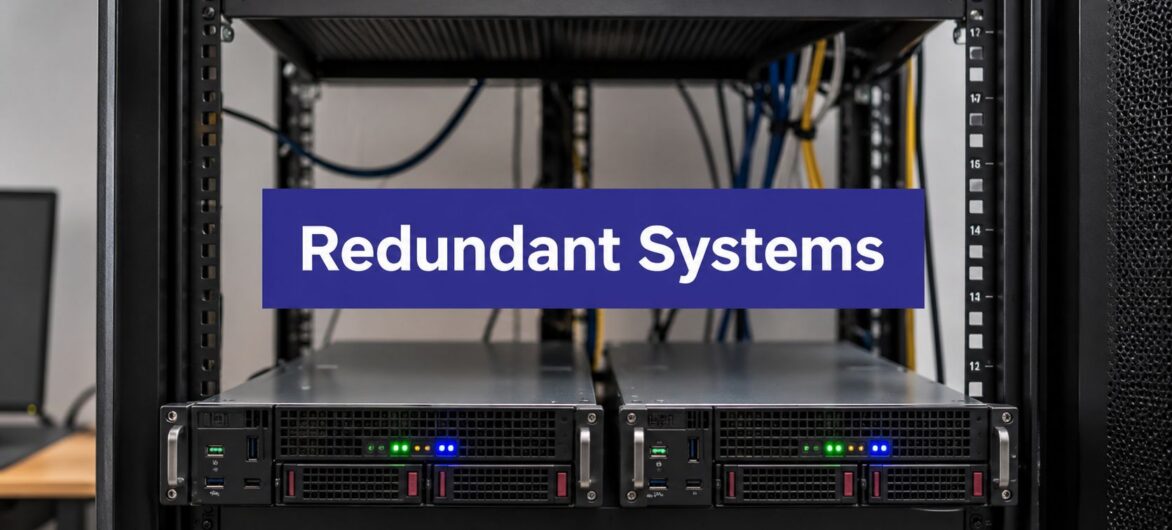
Monday morning, the partner calls the office, and QuickBooks won't load because the server in the back room died over the weekend. No invoices went out, payroll is paused, the staff is waiting, and the client deadline doesn't care that the hardware picked today to quit. That's the problem redundant systems are supposed to solve, and if you run an accounting or law firm, this isn't an enterprise-only issue, it's a survival issue.
Most small firms hear “redundancy” and think it means buying a second server and hoping for the best. That's the lazy version. The useful version is targeted resilience, which means you protect the workloads that keep the firm open, you accept controlled downtime where it's reasonable, and you stop paying for duplicate infrastructure that won't change the outcome. Microsoft's redundancy guidance makes the point plainly, redundancy only helps when duplicate instances are independent, and NASA's reliability work points toward diverse designs when high reliability matters (Microsoft redundancy, replication, and backup guidance).
If your office still depends on one aging server for billing, document storage, or practice management, the question isn't whether you need backup. The question is whether you've built a system that can survive the same incident twice. For a quick baseline on what to monitor, start with server uptime monitoring, because you can't fix what you're not measuring.
The phone rings, the receptionist cannot open the shared drive, the accountant cannot post entries, and the managing partner wants to know why one box in a closet has frozen the whole firm. That is a business stoppage, plain and simple.
A lot of firms buy servers the way they buy insurance. They assume the presence of equipment means protection. Then the hard drive fails, the operating system corrupts, or the office loses power, and everyone learns that one device can still be a single point of failure.
I push owners to think in terms of continuity, not hardware count. A redundant system keeps work moving when one piece fails, but only if the rest of the stack can carry the load. If the backup sits on the same power circuit, uses the same image, or depends on the same admin who is out sick, you have paid for a comforting illusion. That is why the details in data center power infrastructure explained matter. Power paths, load handling, and failover design decide whether redundancy holds up.
The practical payoff of reading further is simple. You will see the main redundancy patterns worth paying for, the trade-off between cost and availability, and the migration checklist I would hand to a firm that wants to stop gambling on a single server. For a planning framework that forces the same discipline, redundancy planning guide for assets is worth a look because it makes you decide what deserves duplication and what does not. If you want a deeper hardware-side baseline while you read, use server uptime monitoring to track whether the system is available.
Practical rule: if a failure takes out billing, document access, and payroll at the same time, you do not have an IT issue. You have a continuity design problem.
A redundant system is a setup with a backup path ready to take over when the primary path fails. In plain English, it is a parachute with a second parachute already packed. The point is not bragging rights, it is making sure one failure does not stop the firm cold.
For professional services firms, redundancy should be targeted. A file server that holds live client work, a practice management system, or a document repository deserves real failover design. A test box, a vanity dashboard, or some low-impact internal tool usually does not. If you want the cleanest definition of the term before you start planning, what data redundancy means is the right place to anchor the conversation.
Hardware redundancy means duplicate physical components. Mirrored disks in a RAID set, redundant power supplies, or a second server ready to assume the workload if the first one dies all fall into this category. A small firm might use this for QuickBooks or a file server that cannot afford a hard stop.
Network redundancy means more than one internet path or carrier. If one connection goes dark, traffic shifts to the other, which matters when a CRM or remote desktop session has to stay live during client calls.
Geographic redundancy puts systems and copies of data in separate locations. If one site loses power or suffers a localized outage, the other location keeps the workload reachable. A law firm's document management system is a good example because access often matters more than the machine name.
Application redundancy means the software itself can fail over, usually through clustering or automatic promotion of a standby instance. Practice management platforms and case systems often depend on this pattern because the user does not care which node answers, they care that the app opens.
Data redundancy means the same information exists in more than one place, through backups, snapshots, or replicated storage. For accounting firms, this is the difference between restoring last night's records and explaining to a client why the books disappeared.

A useful mental shortcut is simple. If the vendor proposal only talks about “backup,” ask what kind. Backup files, backup power, backup links, and backup applications solve different problems.
For firms that want a planning framework, the redundancy planning guide for assets forces the right question, what deserves duplication and what does not. That is the level of discipline you want before you pay for extra infrastructure.
A redundant architecture is only meaningful when the failover path is already engineered, not improvised during the outage.
Two servers do not automatically mean safety. If both servers sit on the same power feed, share the same hypervisor image, use the same storage array, or get patched in the same maintenance window, they can fail together and leave the firm in the same outage.
That shared weakness is common-mode failure, and it is the trap many small firms miss. The setup looks redundant on paper, but operationally it is one failure domain with two labels. Redundancy only works when the failure paths are independent, the configuration is controlled, and the backup path is not exposed to the same outage conditions as the primary.
The right question is direct. Can the backup survive the same incident that takes down the primary? That is where diversity matters. Identical systems often share identical weak points, so a second copy of the same stack does not buy much if both copies depend on the same service, the same patch cycle, or the same administrator mistake.
This matters for firms that run standardized environments. Accounting and legal stacks are often built to look tidy, but tidy can hide shared risk. If the primary and backup use the same vendor path, the same storage layer, or the same maintenance window, the redundancy is thinner than it appears.

Cloud teams that do this well separate power, storage, network, software versions, and maintenance schedules. A quick read on what is high availability helps frame the difference, because uptime only matters when the recovery path is isolated from the failure path.
Practical rule: identical equipment is not resilience. Independent failure paths are resilience.
Before you buy any redundancy, define two numbers. RPO is how much data you can afford to lose. RTO is how long you can afford to be down. If a firm can't answer those questions, it's guessing with money.
A tax practice in filing season usually needs a far tighter recovery target than an internal archive. A CRM outage is annoying, but a practice management outage during client deadlines can stop the day. An email outage is disruptive, but many firms can tolerate a short delay if phones, billing, and document access still work.
Tier 1 workloads are mission-critical, things like QuickBooks, Sage, practice management, and document management. These deserve full redundancy, disciplined backups, and a tested failover path because the firm can't function without them.
Tier 2 workloads are important but not existential, such as CRM and email. These need strong backup discipline and a short recovery target, but they don't always justify the same architecture as the books or client records.
Tier 3 workloads are nice to have, internal reference tools, training files, and nonessential shared folders. These can usually tolerate slower restoration as long as the backup is dependable.
That framework keeps owners from overbuying. It also keeps them from underprotecting the systems clients notice first when they break.
If you can't define the workload tier, you're not ready to compare vendors. You're just comparing monthly bills.
Insurance can help with the financial side, but it won't reopen your office after a failure. If you want the risk-transfer angle, review business interruption insurance options alongside your recovery plan, not instead of it.
For planning purposes, what is recovery time objective is a good companion read because it forces the downtime conversation into numbers, even when you don't publish those numbers externally.
Redundancy only helps when firms treat it as an operating discipline, not a hardware purchase. If nobody has rehearsed failover, the firm still has one point of failure, just with a backup label on it.
The right setup starts with the workload, not the vendor pitch. Accounting, legal, and other professional services firms need to protect the systems that stop billing, client work, and document access first, while accepting lighter coverage for lower-impact tools.
Automate daily backups. Don't leave this to memory or a Friday afternoon manual export. Verify backups with checksum checks so you know the files are usable, not just present.
Lock down administrative access with two-factor authentication. If an attacker or a former employee can get into the console, your redundancy can be turned against you.
Keep backup copies geographically separated. One fire, flood, or building failure shouldn't erase the primary and the backup at the same time.
Write a failover runbook. Assign who calls whom, which service moves first, and how you confirm the switch. A vague plan is not a plan.
Test failover on a schedule. Quarterly is the right cadence for most SMBs. Semi-annually can be enough for a solo practice with simpler workflows, but only if the software stack is small and the backup path is clean.
The hard part is usually discipline, not tooling. Teams skip testing because the system has not failed yet, then learn during a real outage that nobody knows the order of operations. That is how a backup plan turns into a guessing game.
Treat redundancy as targeted resilience. Full failover is the right call for systems that run the ledger, client records, practice management, and document access. Email, CRM, and internal reference tools still need protection, but they do not always deserve the same architecture or cost. That split keeps firms from overspending on low-value duplication and underprotecting the systems clients notice first.
Myth to kill: more redundancy is not always better. Extra layers can add complexity, create new failure modes, and make maintenance harder than the failure you were trying to avoid.

For a lot of accounting and legal firms, the goal is not building a private data center. The goal is making sure the software keeps opening, the backups keep running, and somebody answers when something breaks. That's where a managed cloud platform can fit better than another round of in-house hardware.
Cloudvara uses commercial-grade dedicated servers, automated daily backups, remote desktop access, and two-factor authentication, which maps well to the Tier 1 and Tier 2 workloads most professional services firms care about. The platform also offers a 99.5% uptime guarantee and immediate 24×7 support, which matters because a failover plan nobody owns is just paperwork.
Value here is accountability. If your office server fails at 7 p.m., you don't want three vendors blaming each other while clients wait. You want one hosting partner, one support desk, and a clear recovery path. Cloudvara's model is built around that kind of operational ownership rather than enterprise sprawl.
A firm running QuickBooks, Sage, document management, or remote desktops can use that kind of setup to replace fragile on-premise dependencies without buying a full-blown enterprise stack. The point isn't to chase perfection, it's to remove the obvious single point of failure first.
A 15-day free trial with no contract or credit card required also gives firms a sane way to test the move before committing. That matters more than most vendors admit, because you should verify your own application behavior before you migrate anything critical.

If you already know your current setup is too fragile, a managed platform like this is usually a cleaner answer than bolting more parts onto an aging server room. It's targeted resilience, not vanity infrastructure.
Start with a 30-60-90 day plan. In the first 30 days, inventory every workload, assign tiers, and identify which app would hurt most if it disappeared. In days 31 to 60, turn on automated backups, separate admin access with two-factor authentication, and confirm where the copies live.
By day 90, run a failover test, document what broke, and fix the gap before you trust the setup again. For most SMBs, quarterly testing is the right habit. For a solo practice with a simple cloud-native SaaS stack, semi-annually can be enough if the vendor already handles replication.
Redundancy is overkill when a single-user shop is leaning on cloud apps that already replicate themselves and the business can tolerate brief interruption. It's essential when a firm runs client-critical software on one in-house server that's been living on borrowed time for years.
If that sounds familiar, your next move is obvious. Review the Cloudvara migration checklist, map your critical workloads, and eliminate the server that can take the whole firm down first.
Cloudvara gives accounting and legal firms a practical way to move off fragile in-house servers without building enterprise infrastructure from scratch. If your firm needs targeted redundancy for critical apps, visit Cloudvara and compare your current single-point-of-failure setup against a managed cloud model that was built for continuity.




