
High availability isn't just a technical term; it's a promise to your customers and your team that your systems will be there when they need them. Think of it as the ultimate reliability plan for your critical software, ensuring that even if one component stumbles, your business doesn't skip a beat. It’s the crucial difference between a minor hiccup and a full-blown operational crisis.
Imagine your business is a 24/7 convenience store that never, ever closes. You’d naturally have multiple cashiers, backup power generators, and a well-stocked backroom. If one cashier calls in sick or a lightbulb flickers out, the store keeps running because you built in redundancy. High availability (HA) applies that exact same common-sense principle to your technology.

At its core, HA is a strategy focused on eliminating single points of failure to prevent downtime. For professionals in fields like accounting or legal services, an inaccessible application during a critical deadline isn't just an annoyance—it's a direct threat to revenue and client trust.
Not long ago, achieving high availability was a complex and costly project reserved for massive corporations. It meant duplicating expensive physical hardware—from servers to networking gear—and keeping a dedicated IT team on standby to manage it all. Today, that’s no longer the case. HA has become a fundamental requirement for any organization that can't afford to have its operations frozen by an unexpected server crash.
The goal is simple: ensure your systems are always ready to serve your team and your clients. This is accomplished by creating a resilient environment where backups can take over automatically and seamlessly the moment a problem arises.
A highly available system is designed for continuous operation. It's not about hoping failure won't happen; it's about building a system that expects failure and can gracefully handle it without disrupting service.
This proactive approach is what protects your productivity and your brand's reputation. It’s about building a foundation of reliability that lets your business operate with confidence. This is where a modern cloud infrastructure really shines, providing the essential components to build such a resilient system. The key takeaway is that high availability is no longer just for enterprises; it's an accessible and vital strategy for businesses of all sizes aiming for uninterrupted service.
High availability isn’t some kind of technical magic—it's a carefully engineered strategy built on a few interconnected pillars. Think of it like a three-legged stool. If you kick one of the legs out, the whole thing comes crashing down. To really understand high availability in practice, you have to get to know the components that work together to keep the lights on.
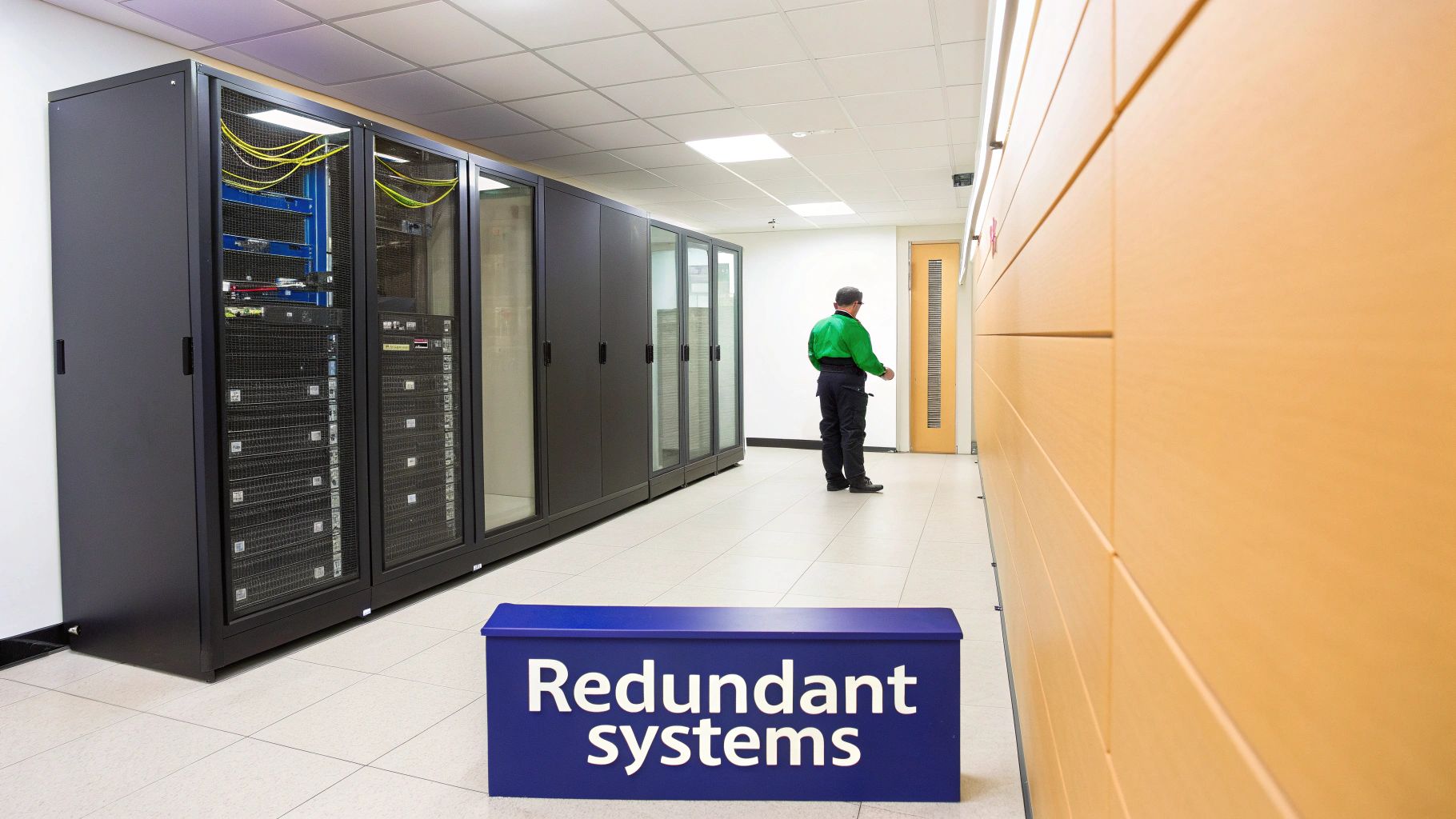
The big three are redundancy, failover, and load balancing. Each one has a specific job, but they all share the same goal: creating a tough, resilient system that can handle anything from a minor software glitch to a complete hardware meltdown.
Let’s break down how each one keeps you up and running.
At its core, redundancy is just the simple but powerful idea of having duplicates of your most important components. It’s like the spare tire in your car. You don’t use it every day, but it’s there, ready to go the moment a flat tire threatens to derail your trip.
In a tech environment, this means having backup hardware and software standing by, ready to take over. And it’s not just about servers. A truly redundant system duplicates everything that could possibly fail.
Redundancy is all about eliminating single points of failure. By making sure there's always a "spare tire" for every critical part of your setup, you build your first and most important line of defense against outages.
A spare tire is great, but it’s useless if you can’t quickly swap it out when you get a flat. That's where failover comes in. It’s the mechanism that does the switching for you—automatically and instantly. Think of it as a robotic pit crew that changes your tire the second it goes flat, all without you even needing to slow down.
Failover is the active process that makes redundancy useful. It is the automated response that detects a failure in a primary component and immediately redirects all operations to the redundant backup component.
Without a solid failover system, your redundant hardware just sits there collecting dust while your business grinds to a halt. A proper failover process should be completely invisible to your users. For instance, if the main server running your accounting software fails, the failover system instantly shifts all user connections to the backup server. Your team keeps working, often without ever realizing a problem occurred.
This automation is what separates a true high availability architecture from a simple backup plan. It's proactive, not reactive.
Now, picture rush hour traffic in a major city. If every car is forced down a single street, you get a massive jam. A load balancer is like an expert traffic cop, intelligently directing incoming requests across multiple servers to stop any single one from getting overwhelmed.
This helps high availability in two critical ways. First, it boosts performance and keeps users happy by spreading the workload evenly. This ensures fast response times, even during busy periods. Imagine an accounting firm during tax season with dozens of people pounding away at QuickBooks. A load balancer makes sure everyone gets a smooth, lag-free experience.
Second, it plays a huge part in the failover process. A smart load balancer can detect when a server is unhealthy or has failed completely. It will automatically stop sending traffic to the broken server and reroute it only to the healthy, operational ones. This dual role—optimizing performance and helping detect failures—makes load balancing an essential part of any resilient system.
To keep your system agile and able to deploy updates without causing downtime, it's also worth implementing robust CI/CD pipeline best practices, which automate how software is delivered. Together, redundancy, failover, and load balancing form a powerful trio that keeps your systems running, your team productive, and your business moving forward.
It's easy to lump high availability and disaster recovery together, but they play fundamentally different roles in keeping your business running. Getting the distinction right is key to building a truly resilient operation—they aren’t interchangeable. One is about stopping minor interruptions before they start, while the other is about bouncing back from a full-blown catastrophe.
Think of high availability as the automated fire sprinkler system in your office. It's designed to detect and extinguish a small, localized fire—like a single server failing—the moment it starts. The goal is proactive and immediate. It puts out the fire before it causes any real damage, letting everyone keep working with zero disruption.
In contrast, disaster recovery is the full-scale evacuation and rebuilding plan you execute after a major event like a flood, fire, or massive cyberattack has already leveled the building. DR is a reactive strategy focused on getting your business back on its feet after a catastrophe has brought operations to a screeching halt.
High availability is all about uptime. Its primary mission is to keep systems humming through common, isolated failures, like a hardware glitch or a software bug. It operates on a small scale, automatically switching to redundant components to prevent any interruption in service. This is why HA is so closely tied to seamless, always-on access.
Disaster recovery, however, is focused on recovery. Its job is to restore critical business functions from a secondary location after the primary site has become completely unusable. The scope here is massive, affecting entire systems or even whole data centers. While HA handles the hiccups, DR handles the knockouts.
High availability aims to prevent downtime. Disaster recovery aims to recover from downtime. A complete business continuity plan needs both to be effective.
For a deeper look at how these pieces fit into a larger strategy, check out our guide on the key differences between business continuity vs disaster recovery. It provides valuable context for building a truly comprehensive plan.
Another key difference is the timeline. High availability actions are measured in seconds or even milliseconds. The switch to a backup server happens automatically and is usually so fast that end-users never even notice a blip. It’s a real-time, preventative measure built for continuous operation.
Disaster recovery operates on a much longer timeline—think minutes, hours, or even days. Activating a DR plan is a major decision that involves restoring data from backups and bringing entire systems online at a different site. It's a deliberate, often manual process designed to bring a business back from the brink.
To make this crystal clear, here’s a quick breakdown of how these two strategies stack up against each other.
| Aspect | High Availability (HA) | Disaster Recovery (DR) |
|---|---|---|
| Primary Goal | Prevent service interruptions (Proactive) | Restore services after a major event (Reactive) |
| Scope | Handles localized failures (e.g., one server) | Addresses site-wide catastrophes (e.g., data center loss) |
| Activation | Automatic and instantaneous failover | Manual activation of a recovery plan |
| Performance Impact | Minimal to zero user impact | Significant downtime during restoration |
| Technology Used | Redundant servers, load balancers, clustering | Off-site data backups, secondary data centers |
This table shows that while both are essential, they solve very different problems with different tools and timelines. One keeps the lights on during a flicker, the other helps you rebuild after a blackout.
Historically, the need for robust availability solutions became painfully clear as businesses grew more dependent on technology. Before the widespread adoption of the cloud, on-premise servers were notorious for frequent outages. A 2008 study found that average annual downtime could cost enterprises $42,000 per minute, with some small businesses losing up to eight hours of productivity monthly from hardware failures alone. You can discover more insights about the evolution of cloud computing on Veritis.com. This context highlights why modern HA, often targeting 99.99% uptime or better, is no longer a luxury but a baseline expectation for accessing critical applications without interruption.
Talking about high availability is one thing, but the real value snaps into focus when you look at the numbers. To really know what a provider is promising, you have to understand how availability is measured. The language of HA is all about percentages, timeframes, and clear objectives that directly impact your business.
The most common metric is uptime, which is almost always shown as a percentage. While numbers like 99.5% and 99.99% look nearly identical on paper, the difference in actual downtime is massive. These percentages are the backbone of a Service Level Agreement (SLA)—the formal contract defining the service you can expect from a provider.
This infographic breaks down what those percentages mean in the real world, showing potential downtime per year.
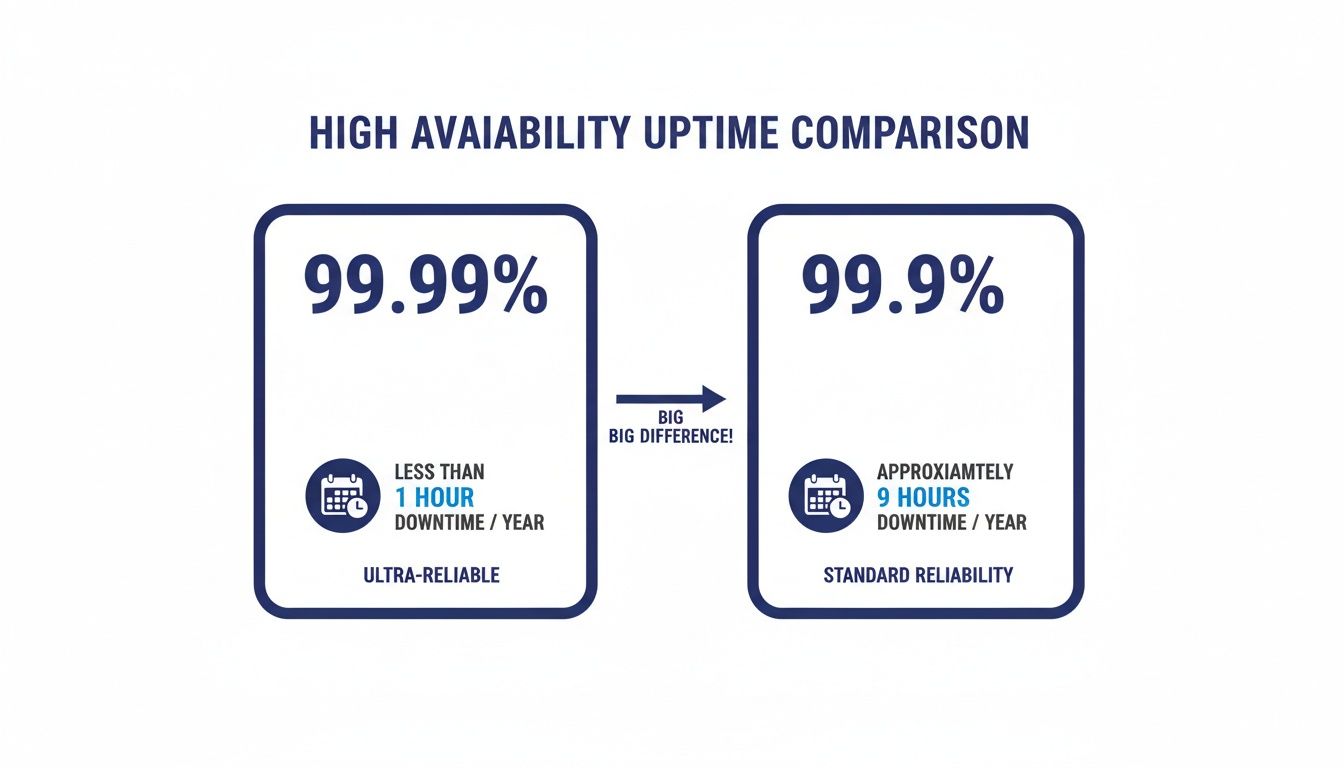
As you can see, a tiny decimal point can translate into hours or even days of lost productivity over a year.
While uptime is a great starting point, two other metrics paint a much clearer picture of a system's resilience: Recovery Time Objective (RTO) and Recovery Point Objective (RPO). These aren't just technical jargon; they represent critical business questions every organization needs to answer.
Imagine an accounting firm during the last week of tax season. Their RTO might be just a few minutes, since every hour of downtime means missed deadlines and frustrated clients. Their RPO would be just as aggressive—losing even an hour of data entered into QuickBooks would be a catastrophe.
RTO is about the time it takes to recover. RPO is about the amount of data at risk. Both are essential for knowing if a high availability solution truly meets your business needs.
The big shift to cloud infrastructure in the early 2010s was driven by these exact needs. Before the cloud, a 2015 report revealed 60% of enterprises suffered unplanned outages that averaged four hours, costing small businesses $300,000 a year in lost productivity—a crippling figure for any deadline-driven company. As Infrastructure-as-a-Service (IaaS) grows toward a projected $180 billion market by 2025, it’s because businesses are demanding solutions with better RTO and RPO. You can read more about cloud computing trends and statistics on CloudZero.com.
A Service Level Agreement (SLA) is where these metrics become a binding promise. It’s the provider’s written guarantee for uptime, RTO, and RPO. But a promise is only as good as your ability to verify it. That's where continuous monitoring comes in.
Effective monitoring tools keep an eye on system health in real-time, catching problems before they cause a full-blown outage. This proactive approach is fundamental to achieving true high availability. For a deeper dive, our guide on application performance monitoring best practices offers some valuable insights.
By understanding these key measurements, you can cut through the marketing noise and critically evaluate whether a hosting solution truly delivers the resilience your business demands.
Knowing the theory behind high availability is one thing, but turning that knowledge into real-world business advantages is what truly matters. For small and mid-sized businesses (SMBs) and professional services firms, the objective isn't just uptime—it’s about gaining peace of mind, predictable costs, and freedom from constant IT worries. This is where a managed hosting solution turns abstract concepts into practical, everyday reliability.

A provider’s uptime guarantee, like 99.5%, is far more than just a number. It’s a promise backed by a powerful infrastructure of redundant, commercial-grade dedicated servers. This setup ensures that if one piece of hardware goes down, another is already running and ready to take its place, keeping your critical applications like QuickBooks or your CRM accessible without skipping a beat.
This move to the cloud isn't a small trend; it's a massive shift in how businesses function. The post-2020 work-from-anywhere culture threw the limitations of on-premise servers into sharp relief, pushing cloud adoption into overdrive. Today, over 98% of organizations use the cloud in some capacity, with high availability as a core expectation. This demand is why the market is projected to grow from $912.77 billion to over $1.614 trillion by 2030, highlighting just how essential reliable, accessible systems have become.
Great technology alone doesn’t guarantee high availability. There’s a crucial, and often overlooked, component: the human expertise that monitors, maintains, and secures the whole environment. This is where 24/7 expert support becomes an active part of your HA strategy, not just a reactive one.
Think of it as having a dedicated crew of engineers watching over your systems around the clock. They act as a rapid-response team, spotting and resolving potential issues before they can spiral into significant downtime. This proactive oversight is what elevates a good infrastructure into a great one.
A truly resilient system combines powerful hardware with expert human oversight. The technology provides the redundancy, while the support team ensures that failover processes work as intended and that potential threats are neutralized immediately.
This blend of automated systems and expert support means you can get back to focusing on your business instead of managing servers. The result is a more stable, secure, and predictable IT environment that actually helps you hit your goals.
High availability goes beyond just keeping servers online. It’s also about making sure your data is secure, protected, and easily accessible from wherever your team is working. Several key features come together to create this holistic, resilient ecosystem, each one tackling a different aspect of what high availability means in a practical sense.
While implementing these HA solutions, it's also smart to keep an eye on operational costs. It’s worth exploring effective cloud cost optimization strategies that prioritize service levels to help you maintain top-tier performance without letting your budget get out of hand.
Ultimately, achieving high availability means finding a partner who translates technical specs into real-world benefits. It’s about uninterrupted access during tax season, transparent pricing that fits your budget, and the assurance that your data is always safe and available—empowering you to work with confidence from anywhere.
Even with a good grasp of the basics, some practical questions always pop up when businesses start thinking about a high availability solution. These are the real-world concerns we hear from professionals and business owners who want to make a smart, informed decision about their IT. Let's clear these up so you can move forward with confidence.
For the vast majority of small and mid-sized businesses, a 99.5% uptime Service Level Agreement (SLA) is an excellent and practical standard. On paper, that number translates to about 44 hours of potential downtime over an entire year. But here’s the key: that time is almost always used for scheduled maintenance, intentionally planned for nights or weekends to ensure it never impacts your workday.
Compare that to running your own server in a closet down the hall. A single hardware failure in an office server room can easily knock you offline for days, bringing productivity to a halt and racking up emergency IT bills. A professionally managed 99.5% SLA is a massive leap in reliability. It strikes the perfect balance between enterprise-grade performance and cost, making sure your critical applications are there when you need them.
Technically, yes. Realistically, it’s an incredibly complex and expensive project for most SMBs. A true HA setup is so much more than just buying a second server and plugging it in.
If you were to build it yourself, you'd need to invest in:
The total cost of ownership for a DIY high availability solution almost always skyrockets past the predictable subscription fee for a managed cloud hosting provider. For nearly all professional firms and SMBs, partnering with a provider is the more reliable and financially sound strategy.
The best way to start is with a simple internal audit of your needs. You don't need a deep technical analysis. Just ask yourself: which applications can our business absolutely not function without? This might be QuickBooks, your primary CRM, or specific legal software. Then, make a rough estimate of what an hour of downtime would actually cost in lost revenue or productivity.
Once you have that context, you can start evaluating providers. The most effective next step is to take advantage of a free trial or demo. This lets you test the performance, security, and user experience with your actual applications in the new environment, all without any financial commitment. From there, a quality provider will work with you to map out a seamless migration plan, making sure your data is transferred securely with minimal disruption.
This is a crucial distinction to understand. High availability itself doesn't prevent a ransomware attack, but it is an essential piece of a strong recovery plan. HA is all about uptime. If a primary server gets compromised or encrypted by an attacker, a redundant system can often take over to keep your business online.
However, ransomware is designed to spread across networks and can infect backups if they aren't properly isolated. This is where your provider's broader security and data protection features become your real defense.
Automated daily backups are your ultimate safety net. In the event of an attack, these backups allow you to restore your systems to a clean, uninfected state from a point in time before the attack ever happened. Think of it this way: high availability keeps the lights on during the immediate crisis, while a robust backup strategy is what lets you fully recover your data and get back to business safely.
Ready to secure your critical applications with a reliable, high-availability solution? The team at Cloudvara can help you migrate seamlessly to a dedicated cloud environment with a 99.5% uptime guarantee, 24×7 expert support, and automated daily backups. Start your free 15-day trial today and experience the peace of mind that comes with a truly resilient system.




