Monday morning at a small firm goes bad in a hurry. The office manager opens the server closet, finds water on the floor, and learns the local NAS won't power on. Someone still has a “backup,” but it's sitting in the same room, on the same network, in the same damage path, so it's dead too.
That's the moment most owners realize backup existence isn't the primary question. Backup completeness is. If your backup can't survive the same fire, flood, theft, or ransomware event that took out the primary systems, you don't have resilience. You have a false sense of it.
A lot of small firms still treat offsite backup like an optional extra. It isn't. A 2025 U.S. study reported that 48.5% of backup storage strategies rely on offsite backups, while only 2% of respondents said they do not take backups off-site at all. The same report said 44% use public cloud services for backup and about 40% use a second site or private cloud, which tells you offsite protection is now a mainstream business habit, not a niche disaster-recovery trick. That data matches what I see in the field. Firms that keep everything in one building are gambling that the building never becomes the problem.
For a small business, the risk isn't abstract. Fires, floods, theft, accidental deletion, and ransomware all do the same thing, they collapse the whole local recovery path at once. If your local backup lives beside your server, it can disappear with the server. That's why I tell owners that a copy at the same address is a safeguard, not a backup strategy. For a plain-English primer on how offsite storage fits into a broader cloud approach, this Cloudvara overview is a useful companion.
A local incident doesn't just remove files. It usually takes out credentials, application data, and the ability to rebuild the operating environment in the right order. That's why so many firms freeze after the initial damage, they can't tell what's gone, what's stale, and what can be restored.
Practical rule: if the backup can be lost in the same event as the server, it's not a recovery plan.
The business case is ugly but clear. A widely cited SMB backup report said the U.S. Small Business Administration has estimated 40% to 60% of small businesses never reopen after a disaster, and the same report said the average cost of data loss for businesses was more than $500,000 over a year. That report is old enough that I won't pretend the exact economics are timeless, but the direction is. Data loss remains a survival issue, not an IT inconvenience.
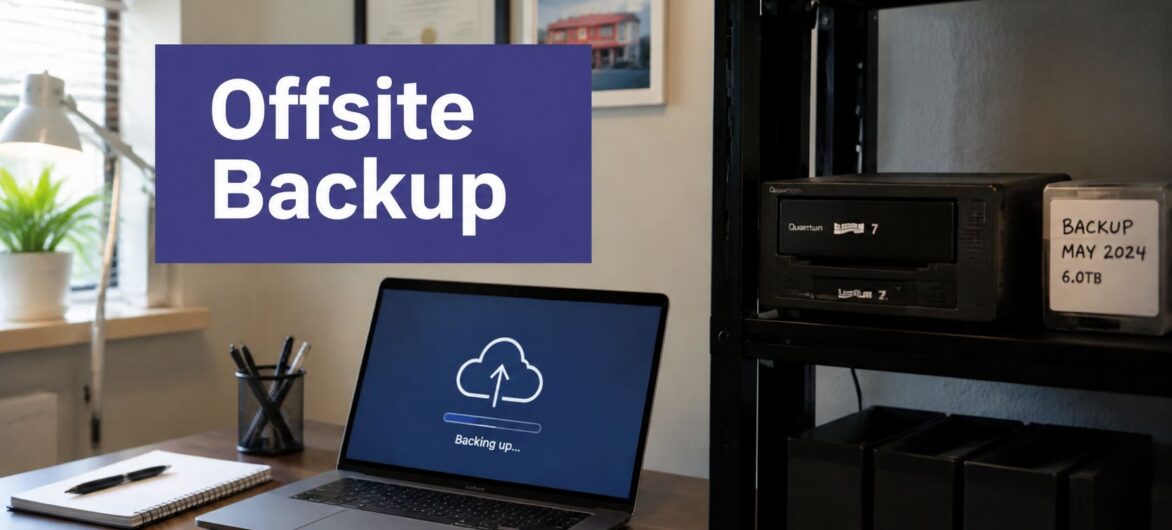
Offsite backup means at least one copy of business data lives somewhere physically separate from the primary systems. That separation is the whole point. If the office goes down, the backup doesn't go down with it. If ransomware encrypts the local network, the offsite copy is still outside the blast radius.
Use the safe analogy. Onsite-only backup is a fireproof safe in the same room as the papers. Better than nothing, but the room still matters. Offsite backup is the safe deposit box across town. Full replication is a photocopier running in another building, constantly keeping a second environment current. All three sound protective, but they solve different problems.

Backup is the copy. Disaster recovery is the ability to bring the business back. That distinction matters because a folder restore is not the same thing as getting accounting software, document systems, and login services running again. A lot of small-business setups protect files but ignore the surrounding environment, which leaves them unable to boot the business back into service.
If you want a clean way to map your current setup, start by asking three questions. Where is the copy stored, how far away is it, and what can be restored from it? If the answer is only “files,” then you're protecting documents, not continuity. For a broader conceptual overview of storage separation, Cloudvara's cloud storage explanation is a decent reference point.
There isn't one offsite model that fits every small business. There are four that show up repeatedly in the world, and each one carries a different burden on staff, budget, and recovery speed. If you're comparing vendors, compare them against the business problem first, not the feature list.
For anyone who wants a broader view of common protection approaches, this guide to backup types for your devices is a helpful companion. But the decision usually comes down to these four categories.
| Solution type | Recovery speed | Typical cost shape | Technical skill needed | Best fit |
|---|---|---|---|---|
| Cloud-hosted backup | Moderate to fast, depending on restore size | Predictable recurring cost | Low to moderate | Small firms that want automation and offsite separation without running infrastructure |
| Managed offsite backup services | Fast, because someone else runs the process | Higher recurring cost, lower internal labor | Low | Firms with thin IT staff that need hands-off operations |
| Tape rotation to an offsite vault | Slow for active restores, acceptable for archive retrieval | Lower recurring media cost, higher process overhead | Moderate | Cost-sensitive shops that can tolerate slower recovery |
| Replication to a secondary site or private cloud | Fastest for full-environment recovery | Highest infrastructure commitment | High | Firms that need shorter downtime and can support more complex recovery design |
A two-person nonprofit usually doesn't need replication to a second site. It needs simple offsite backup that runs without babysitting. A 40-person accounting firm, by contrast, often needs something closer to managed backup with image-level recovery so the office can keep moving after a server failure.
Cloudvara's managed backup as a service fits naturally in the decision set. It's one of the models worth evaluating if your team wants offsite protection without assigning a staff member to maintain it every week.
Tape still has a place, but only if you know why you're using it. I see it work best as an archive or a secondary safety layer, not as the only recovery plan. If you need quick access after a ransomware event or a hardware failure, tape usually feels cheap right up until restore day. Managed offsite services cost more, but they buy discipline. That matters more than people admit.
RPO and RTO sound like consultant jargon until a real outage forces the issue. RPO is how much data loss you can tolerate. RTO is how long you can stay down. If you don't define those two numbers per workload, you'll overspend on low-value systems and underprotect the systems that keep revenue, billing, and client service alive.

A busy QuickBooks file server is not the same as an archived HR folder. A law firm's document management system is not the same as the marketing website. A nonprofit donor database is not the same as a shared printer driver. Each one has a different business cost when it fails, so each one deserves a different recovery target.
The most practical pattern I see is this. Critical file servers often need 15-minute replication, because staff are working in them all day and every lost change hurts. Directory services are commonly protected with twice-daily backups, because losing identity services can freeze the whole office. Non-critical systems can often be backed up every 6 hours without creating needless overhead. That planning model is a solid starting point, then you tune it to the firm's actual workflow.
Use a simple worksheet:
For a structured way to connect those tiers to response goals, this SMB ransomware recovery plan is worth reading alongside your internal notes. The key is not to copy a generic template. It's to decide, in plain language, how much data loss and downtime each system can tolerate.
Cloudvara's backup and recovery planning page fits the same way of thinking. Use it only after you've defined the targets. Buying tools first and thinking later is how small firms end up with elegant software and weak recovery.
A backup that leaks data is just another problem. Small firms handling tax files, legal records, donor information, or medical-adjacent data need to treat the backup repository as sensitive data, not as a dump site. That means encryption in transit and at rest, access control, audit logging, and a clear answer to where the data is physically stored.
For accountants, the issue is often client financial data and tax documentation. For law firms, it's confidentiality and the practical risk of exposing attorney-client material. For nonprofits, it's donor records, grant files, and staff information. A generic cloud drive is not the same thing as a backup platform with controlled retention and restore discipline.
Immutable or air-gapped copies matter because ransomware doesn't just try to encrypt active systems. It looks for backups too. If the attacker can edit or delete the backup set, recovery becomes a negotiation. That's why I push firms to keep at least one copy that can't be casually altered by a compromised account.
Hard rule: if the same credentials can delete the production data and the backup copy, the backup isn't protected enough.
The other overlooked question is location. Some organizations have to care where backup data sits, especially when client contracts, industry rules, or internal policies restrict storage geography. Cloudvara's cloud security guidance is useful here because it pushes the conversation toward controls, not just storage capacity.
A lot of compliance-minded buyers only ask whether the documents are recoverable. That's too narrow. The core question is whether the firm can get back to work. In practice, that means protecting not just files, but also operating systems, application state, and server images when the business depends on a complete environment.
If your team can restore one PDF but can't launch the application that reads it, you've solved the wrong problem. That's why I keep insisting on restore completeness. It's not a nice-to-have. It's the difference between recovering evidence and resuming operations.
Sizing is where buyers get surprised. Offsite capacity usually needs to be planned at roughly 1.5× to 2× the active dataset because versioning and retention inflate the footprint. So 5 TB of active files often needs 7.5 to 10 TB of offsite capacity, especially once databases, email archives, and accounting data are in scope. That sizing rule is practical, not theoretical, and it saves you from buying too little storage on day one.
The sticker price is only part of the bill. Restore labor during an actual incident costs time, and time costs money. Egress charges, per-seat licensing, storage tier pricing, minimum commitments, and long contract terms all matter. A cheap-looking plan can become expensive once you need to move data out quickly or retain more history than the sales demo assumed.
I also tell owners to budget for recovery practice. If nobody has restored a file, a mailbox, or a server image before the outage, the first restore becomes a live-fire exercise. That's where managed services sometimes justify themselves, because they reduce the internal labor burden when pressure is highest.
For firms that can't absorb downtime, professional data recovery services from MDrepairs can be a fallback if the storage layer itself fails, but that's a rescue line, not a backup strategy. You still need a functioning offsite plan before hardware dies.
A vendor that can't answer those questions clearly isn't ready for a small business that depends on continuous client work. The right choice isn't the cheapest plan. It's the one that restores the exact environment your staff needs, on the timeline your business can live with.

Start with inventory, not software. List every critical system, then assign each one an RPO and RTO tier. If you don't know which systems matter most, you'll end up protecting the wrong ones first.

A successful restore drill in a small firm is simple. Someone picks a real file, restores it to a non-production location, confirms the application opens it, and documents how long the process took. Then they repeat it with a bigger recovery target. If the staff can't follow the steps without hunting for passwords or asking around for storage details, the plan is too fragile.
Document the procedure. Update it when staff leave. Remove departing employees from backup consoles and any systems that can approve restore requests. I've seen more backup problems caused by stale admin access than by broken software.
A short pilot beats a long contract every time. If you're evaluating a platform, use a trial period to test real workloads, not demo data. A service like Cloudvara offers a 15-day test, which is enough time to validate the workflow, verify restore steps, and decide whether the setup matches how your team works.
A small accounting practice usually lives and dies by the current QuickBooks file, client workpapers, and prior-year tax records. The right move is usually managed cloud backup with image-level protection, because the team needs quick restore of the active file and enough history to cover revisions and season-over-season work. The trade-off is simple, you pay for convenience and speed, and you stop pretending a single desktop copy is sufficient.
A law firm has a different problem. Matter repositories, email, and document systems carry confidentiality risk and deadline pressure, so immutable offsite copies and tested full-server restores matter more than slick dashboards. I'd rather see a firm use a slightly heavier platform that can bring back the full environment than a lightweight tool that only returns a few files after an outage.
A nonprofit usually has the thinnest IT margin of all. It needs a low-admin setup that protects donor records, grant files, and staff data without requiring one employee to babysit backups every night. The trade-off is that some recovery speed and customization may be sacrificed, but that's acceptable if the organization gets reliable offsite separation and predictable operations.
If you run a firm like this, stop buying backup based on storage alone. Buy it based on what has to come back, how quickly it has to come back, and who is going to restore it when the day goes bad. Cloudvara can help you centralize applications and validate an offsite recovery workflow, so use the 15-day trial to test your real data, your real restore steps, and your real downtime tolerance before you commit.