To truly secure remote access, you need a strategy that layers strong identity controls, secure network connections, and hardened endpoint devices. This isn't about just having a password and a VPN anymore. It's about building a model that constantly verifies users and protects data, no matter where it's accessed from.
The rapid shift to remote work has permanently changed how we do business. While it offers incredible flexibility, it also completely dissolves the traditional security perimeter. Long gone are the days of relying on the office firewall to keep everything safe.
Today’s threats are aimed squarely at the new weak points: unsecured home networks, personal devices accessing corporate data, and increasingly sophisticated phishing scams targeting remote employees. This new reality creates serious challenges, especially for professionals in fields like accounting and law where client data confidentiality is everything.
An unsecured connection used by an accountant working from home could expose sensitive financial records. A lawyer accessing case files from a coffee shop's public Wi-Fi could inadvertently breach client privilege. It's that simple, and the stakes are that high.
Your company's attack surface has exploded from a single, central office to hundreds of individual remote locations. Every single one is a potential entry point for attackers. This isn't just an IT problem to solve; it's a core business function that’s essential for protecting your most sensitive information and keeping the lights on.
A layered approach means that if one security control fails, another is in place to stop an attack. It’s like having multiple, different locks on your digital front door instead of just one.
This is why a modern, multi-layered security strategy is so vital. It’s about building defenses in depth.
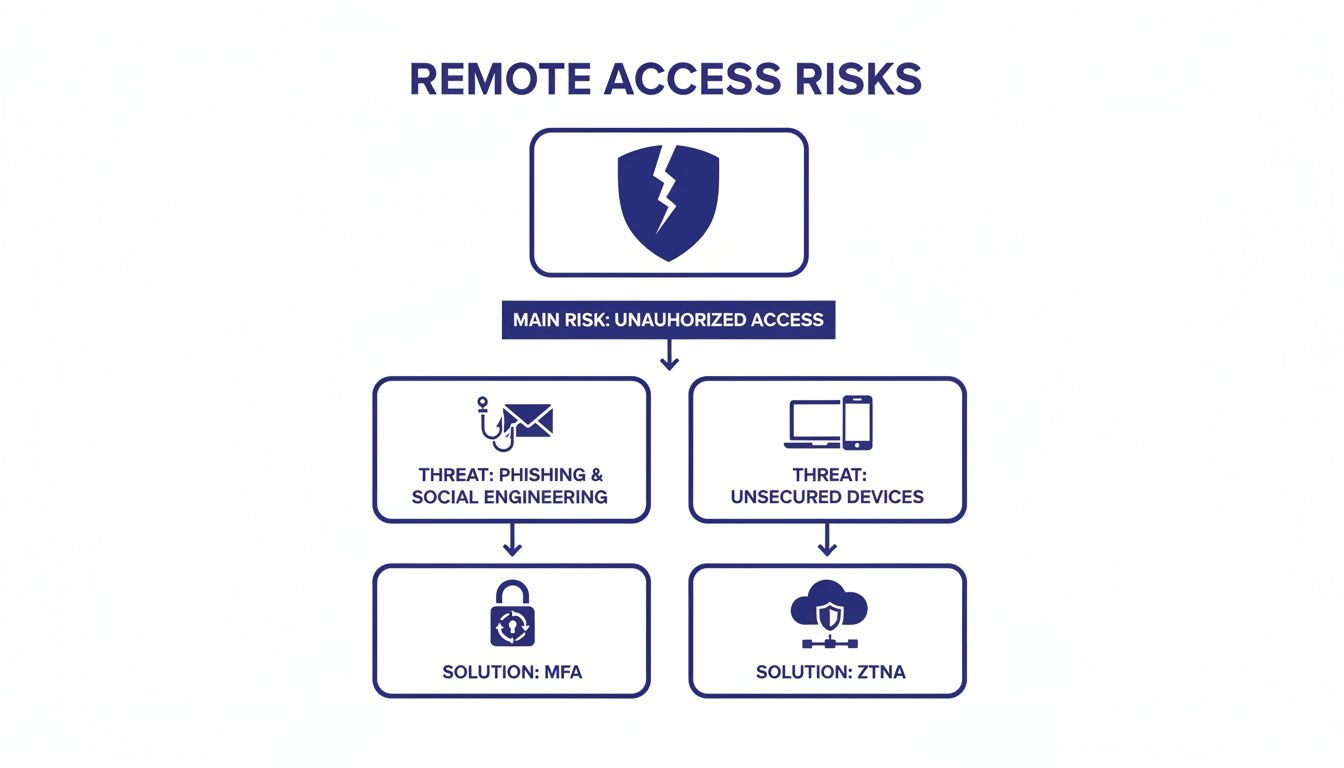
As you can see, common threats like phishing and unsecured devices are the root cause, but they lead to the primary risk of a data breach. The only way to counter this is with modern controls like Multi-Factor Authentication (MFA) and Zero Trust Network Access (ZTNA).
To simplify this, let's look at the most common threats we see in the field and the solutions that directly address them.
| Threat Vector | Primary Risk | Core Solution |
|---|---|---|
| Stolen or Weak Credentials | Unauthorized account access and data exfiltration. | Multi-Factor Authentication (MFA) |
| Unsecured Personal Devices | Malware spreading from personal to corporate networks. | Endpoint Detection and Response (EDR) |
| Public Wi-Fi Networks | Man-in-the-middle attacks, data interception. | VPN or Zero Trust Network Access (ZTNA) |
| Phishing and Social Engineering | Credential theft and malware installation. | Continuous User Security Training |
| Unpatched Software | Exploitation of known software vulnerabilities. | Automated Patch Management |
This table makes it clear: for every major threat vector, there is a foundational security measure that can dramatically reduce your risk. It’s about matching the right defense to the right problem.
The risk isn't just limited to your direct employees. I've seen countless situations where data breaches originate from the tools used by vendors, contractors, and partners.
In fact, a 2025 survey of IT practitioners found that nearly half—precisely 48%—of all data breaches involved third-party remote access tools. These incidents often come from surprisingly simple issues: misconfigurations, stolen credentials, or unpatched vulnerabilities in common remote work software. This is a blind spot for too many businesses.
It really underscores the need for a security model that accounts for every connection, not just the ones coming from your full-time staff. As organizations continue to embrace distributed teams, understanding that a huge percentage of people will remain partly remote is critical for building a security plan that will last.
If your network is a fortress, your team's login credentials are the keys to the main gate. It's no surprise that these credentials are the most targeted assets in nearly every cyberattack. Securing remote access effectively starts by moving beyond simply telling people to use strong passwords and implementing a modern identity security framework.
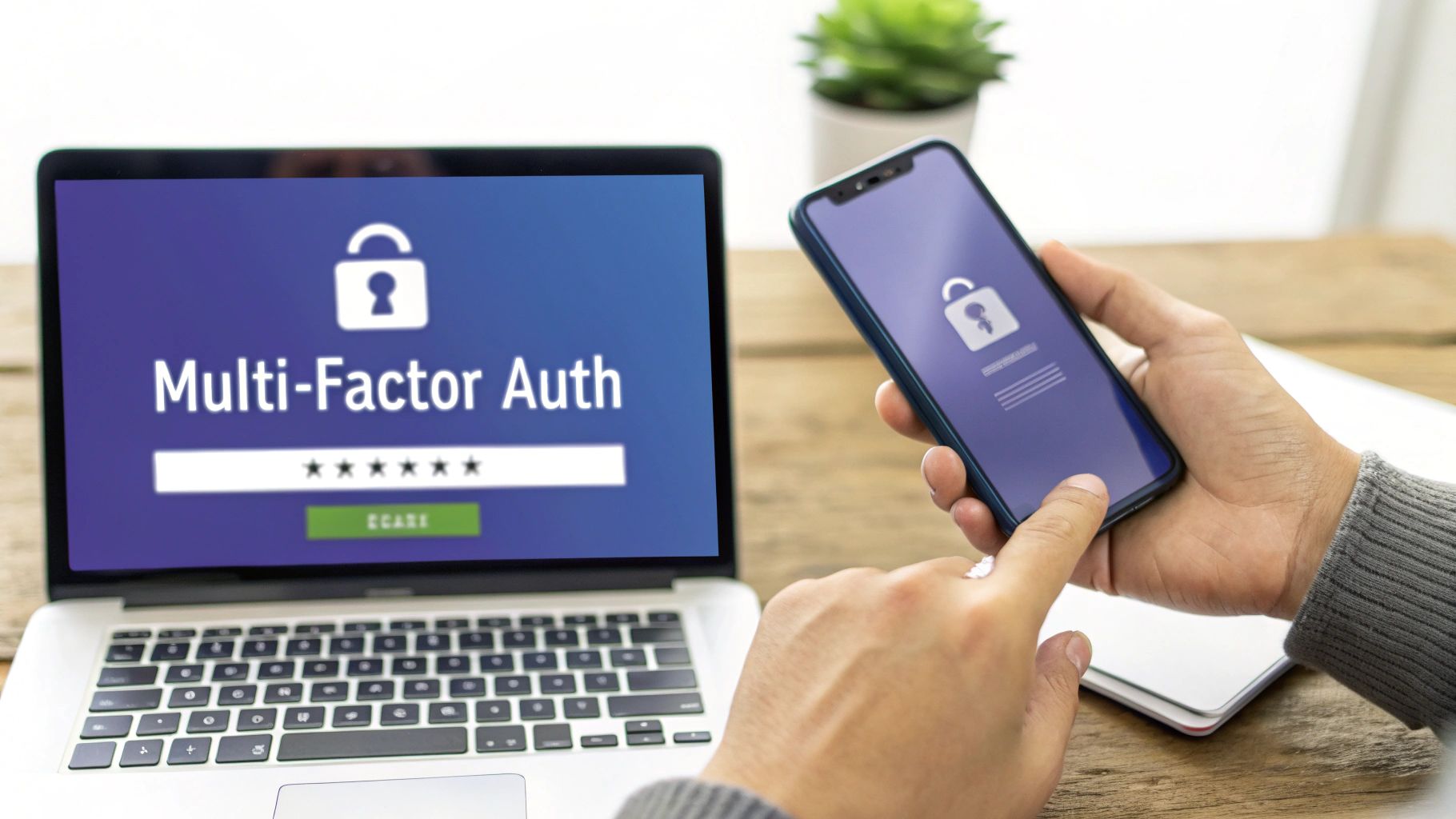
This process begins with a non-negotiable security control: Multi-Factor Authentication (MFA). MFA requires users to provide two or more verification factors to gain access, making it exponentially harder for an unauthorized person to log in, even if they've stolen a password.
Consider this real-world scenario: An accounting firm is targeted by a credential stuffing attack, where attackers use lists of usernames and passwords stolen from other data breaches to try and log into the firm’s systems. The attackers successfully find a valid password for one of the junior accountants.
Without MFA, this would be a catastrophic breach, giving them immediate access to sensitive client financial data. However, because the firm requires MFA, the attacker's login attempt from an unrecognized device triggers a push notification to the accountant's phone. She denies the request, the login fails, and the IT team is alerted to the compromised credential—stopping the breach before it even starts.
MFA is the single most effective control you can implement to prevent unauthorized access. It acts as a powerful security layer that neutralizes the threat of compromised passwords, which are involved in over 80% of data breaches.
This simple yet powerful technology is the cornerstone of modern remote access security. You can learn more about how it works by checking out our guide on https://cloudvara.com/what-is-two-factor-authentication/.
Once you've verified a user's identity with MFA, the next crucial question is: what should they be allowed to do? This is where the Principle of Least Privilege (PoLP) comes into play. It’s a simple concept: give users only the minimum levels of access—or permissions—needed to perform their job functions.
Many organizations, especially smaller ones, make the critical mistake of giving everyone administrative-level access for the sake of convenience. This is a recipe for disaster. If an employee with admin rights falls for a phishing scam, the attacker now holds the keys to your entire kingdom. They can install malware, steal data, and lock you out of your own systems.
Implementing PoLP means taking a deliberate approach to user permissions. An accountant needs access to accounting software and financial folders but has no reason to access the server's administrative settings. A marketing team member needs access to the company blog and social media tools, not the client database.
Applying this principle involves several key actions:
This approach significantly contains the potential damage from a compromised account. Instead of a full-blown network compromise, an attacker is restricted to the limited access of that one user, making the incident far more manageable.
A crucial layer in identity protection is understanding and implementing robust policies around privileged access. A deeper dive into what is Privileged Access Management (PAM) reveals that it's about controlling, monitoring, and securing accounts with elevated permissions.
These "super user" accounts are the ultimate prize for attackers. Securing them requires more than just PoLP; it demands dedicated oversight.
The recent surge in attack sophistication makes this more critical than ever. The IBM X-Force 2025 Threat Intelligence Index reports a massive 180% surge in weekly phishing attack volumes from 2023 levels. The report highlights that remote access vulnerabilities fueled 34% of global incidents, and compromised valid accounts were the entry point in 31% of critical infrastructure breaches. You can discover more about these evolving threats in the full IBM report.
This data paints a clear picture: attackers are actively hunting for valid credentials to bypass traditional defenses. Strong identity management, anchored by MFA and the Principle of Least Privilege, is your most effective defense against becoming another statistic.
Once you've confirmed a user’s identity, the next critical step is protecting the connection itself. This is the digital highway where all your sensitive data travels, and it needs to be fortified against eavesdroppers and unauthorized access. Think of it like this: you’ve checked the driver’s license at the gate, and now you need to make sure they travel in an armored car on a private road.
For years, the go-to armored car has been the Virtual Private Network (VPN). VPNs create an encrypted tunnel between a remote user and the company network, which is perfect for shielding data from prying eyes on public Wi-Fi at a coffee shop or airport. While that encryption is still absolutely vital, the classic VPN access model is starting to show its age.
The biggest issue with a traditional VPN is its "all-or-nothing" approach. Once a user connects, they are essentially placed inside the corporate network, often with sweeping access to everything on it. If an attacker manages to compromise those VPN credentials, they don't just get into a single application; they get a foothold inside your entire digital office, free to snoop around for valuable information.
This is where the modern successor to the VPN, Zero Trust Network Access (ZTNA), really changes the game. ZTNA operates on a completely different philosophy: never trust, always verify. Instead of granting broad access to the entire network, ZTNA grants access only to specific applications, and it does so on a per-session basis.
Every single request to access an application is individually authenticated and authorized. It doesn’t matter if the user is in the office or working from home—the verification process is identical. This approach creates a secure "micro-perimeter" around each application instead of just one large perimeter around the whole network.
Here’s how it works in the real world:
If that attorney's credentials were somehow stolen, the attacker would face the exact same tough checks. Even if they got past the MFA, their access would be limited to that single application, which dramatically contains the potential damage.
Zero Trust isn't just one product; it's a security model. It starts with the assumption that threats can exist both outside and inside the network. By treating every access request with suspicion, it drastically shrinks the attack surface an intruder can exploit.
Whether you’re using a VPN or transitioning to ZTNA, another powerful strategy for securing your data highway is network segmentation. This is simply the practice of dividing your network into smaller, isolated sub-networks, or segments. The primary goal is to prevent lateral movement—an attacker’s ability to hop from a compromised machine to other critical systems on the network.
Think of your network as a large ship. If it's just one big open hull and it springs a leak, the entire ship is going down. But if the ship is built with multiple, sealed watertight compartments (your segments), a leak in one area is contained and won't sink the whole vessel.
You can implement segmentation in a few logical ways:
Underpinning all of these strategies is the need to ensure data is protected from start to finish. It’s wise to explore various secure data transfer methods to safeguard information as it moves between these segments and your users.
By combining strong encryption with logical separation, you create a far more resilient and defensible infrastructure. You can learn more about building these defenses by exploring our comprehensive guide on https://cloudvara.com/what-is-network-security/ and how to apply its core principles.
Even with rock-solid identity controls and a secure network, your entire security strategy can fall apart if the devices themselves are vulnerable. Every laptop, desktop, and phone connecting to your network is a potential doorway for an attack. That’s why hardening these endpoints—securing them to shrink their attack surface—is an absolutely critical layer in any remote access plan.
An unpatched laptop is like a house with an unlocked window. It doesn't matter how strong the front door lock is; an intruder will always find the easy way in. Endpoint security isn't just an IT checklist item; it’s what turns every device into a fortified part of your defense.
The goal here is simple: make it as difficult as possible for malware or an attacker to get a foothold. This comes down to a mix of protective software, smart configurations, and consistent, disciplined maintenance.
A solid approach to endpoint hardening doesn’t require fancy or expensive tools. It starts with mastering the fundamentals. In our experience, consistently applying these core principles prevents the vast majority of common attacks.
Here are the non-negotiable basics for every single device that touches your company’s data:
Think of endpoint security as the digital version of vehicle maintenance. You wouldn't drive a car with faulty brakes or no airbags. In the same way, you shouldn't let a device connect to your network without a working firewall and up-to-date security software.
These foundational steps form the bedrock of a secure endpoint environment, but some services need extra attention.
Remote Desktop Protocol (RDP) is an incredibly useful tool for remote work, but it’s also a massive target for attackers. When left unsecured, it provides a direct line into your network. Simply exposing the default RDP port to the internet is one of the most common—and dangerous—mistakes we see companies make.
Securing RDP is a must-do. Here are the specific, actionable steps you should take right now:
For organizations that depend heavily on remote desktop, managing individual device settings can quickly become a nightmare. This is where solutions like hosted virtual desktops offer a more streamlined and secure alternative. By centralizing the desktop environment in a secure data center, you can enforce consistent security policies for every user, no matter what physical device they use to connect.
By systematically closing these common endpoint vulnerabilities, you shut the doors most attackers try to walk through. A hardened device, combined with strong identity and network controls, creates the layered defense you need to truly secure your modern workforce.
All the fancy firewalls and multi-factor authentication in the world won't save you if you treat security as a one-time setup. Real protection isn't a static wall you build once; it's a living, breathing process. It’s about creating a culture where security is an active, daily habit, not just a reaction to a crisis.
This means shifting from a "set it and forget it" mindset to one of constant vigilance. You need to be able to spot the faint signals of an attack before it becomes a full-blown breach, have a rock-solid plan to get back on your feet if the worst happens, and, most importantly, empower your people to be your first and best line of defense.
Think of your access logs as a security camera for your network. They record who connects, from where, and when, giving you a complete story of network activity. If you're not actively watching these logs, you're missing one of the most effective ways to catch an intrusion early. What you're looking for are the anomalies—the digital breadcrumbs that just don't fit the usual pattern.
A few red flags should always get your attention:
Don't wait to find these manually. Set up automated alerts that ping your IT team the moment something suspicious happens. A quick notification can be the difference between locking down a compromised account and cleaning up a massive data breach.
Let's be realistic: no defense is perfect. You have to operate with the assumption that a breach is not a matter of if, but when. This is where a robust, automated backup and recovery plan becomes your ultimate safety net, especially with ransomware attacks on the rise.
If a hacker encrypts all your critical files, a clean, isolated backup is what separates a manageable hiccup from a business-ending catastrophe.
Backups are your company's insurance policy. You hope you'll never need it, but if disaster strikes, it will be the single most important asset you have for keeping the lights on.
A solid backup strategy is more than just copying files. You need to follow the 3-2-1 rule: keep at least three copies of your data, store them on two different types of media (like a hard drive and the cloud), with one of those copies kept completely off-site. And here’s the most critical part: test your backups regularly. An untested backup is just a prayer.
Technology can only take you so far. The final, and arguably most crucial, piece of the puzzle is the human element. Your employees are on the front lines every single day. Without the right training, they can be an organization's biggest vulnerability. But with it? They become your most powerful security asset.
Regular, engaging security awareness training is non-negotiable. This can't be a dull, check-the-box presentation once a year. It needs to be a continuous program that makes security practical and relatable. This is one of the most powerful cybersecurity tips for small business owners because it amplifies every other security investment you make.
An effective training program should always include:
The risk is especially high in industrial environments. A 2025 SANS Institute survey on OT cybersecurity found that unauthorized external remote access was behind a shocking 50% of all reported incidents. What's more, only a meager 13% of organizations had fully implemented advanced security controls, revealing a massive gap in preparedness. A well-trained team is your best weapon against these kinds of pervasive threats.
To help you put all these pieces together, we've created a simple checklist.
This table summarizes the essential controls needed to build a comprehensive and resilient remote access strategy. Use it to audit your current setup and prioritize your next steps.
| Control Category | Action Item | Implementation Priority |
|---|---|---|
| Identity & Access | Implement Multi-Factor Authentication (MFA) for all remote access points. | High |
| Access Control | Enforce the Principle of Least Privilege (PoLP). | High |
| Network Security | Use a VPN or Zero-Trust Network Access (ZTNA) solution. | High |
| Endpoint Security | Deploy and maintain Endpoint Detection and Response (EDR) tools. | High |
| Network Security | Segment the network to isolate critical assets. | Medium |
| Monitoring | Set up active logging and automated alerts for suspicious activity. | Medium |
| Business Continuity | Establish and test a 3-2-1 backup and disaster recovery plan. | High |
| Human Element | Conduct regular security awareness training and phishing simulations. | High |
| Policy | Create and enforce a clear remote access policy for all users. | Medium |
By systematically addressing each of these areas, you move from a reactive security posture to a proactive one, turning potential vulnerabilities into well-defended strengths.
Even with a solid game plan, you're bound to have questions as you dial in your remote access security. Getting clear on these common sticking points helps you focus your time and money where they’ll have the biggest impact. Here are the straight answers to the questions we hear most from business owners and IT managers.
This isn’t about theory; it’s about giving you the confidence to take the right next steps to protect your team, wherever they’re working.
While a Virtual Private Network (VPN) is still a crucial tool for encrypting internet traffic, it’s no longer the complete, standalone solution it once was. Think of it this way: a traditional VPN often works on an "all-or-nothing" model. Once a user is connected, they can often see and access the entire network. If an attacker gets their hands on those VPN credentials, they’ve just been handed the keys to the kingdom.
That’s why modern security has shifted toward a Zero Trust model. This approach is much smarter, granting access one application at a time, for one session at a time, while constantly verifying both the user and their device. For most businesses, a layered defense is the only way to go—combining a VPN with Multi-Factor Authentication (MFA), endpoint security, and Zero Trust principles gives you truly robust protection.
If you only do one thing today, make it Multi-Factor Authentication (MFA). Roll it out across every single remote access point you have—email, collaboration tools, and especially your remote desktop or VPN client.
The overwhelming majority of cyberattacks hinge on stolen or weak passwords. MFA is the powerful barrier that stops these attacks cold, even if a hacker has a perfectly valid username and password. It's a relatively low-cost, high-impact move that delivers the biggest security bang for your buck, period.
Partnering with a managed cloud hosting provider simplifies and strengthens your remote access security in a few key ways. It pulls all your critical applications and data into one professionally managed, highly secure data center environment.
This means a team of experts handles the critical and time-consuming security tasks for you, like:
Good providers also offer built-in security features like two-factor authentication and run automated daily backups to make sure you can get back up and running no matter what. It lets your company benefit from enterprise-grade security infrastructure and expertise without the massive upfront cost and ongoing headaches.
Securing a Bring-Your-Own-Device (BYOD) environment starts with a crystal-clear policy that’s backed by the right technology. At a bare minimum, your policy must require that any personal device accessing company data has up-to-date antivirus software, an active firewall, and is locked with a strong password or biometric.
But there's a much simpler and more secure way to handle sensitive data on personal devices: a hosted remote desktop solution. With this setup, your applications and data never leave the secure host server. Nothing is ever stored on the employee's personal device.
This strategy effectively creates a secure bubble, isolating your company data from the potential mess of an unmanaged personal computer. It gives you a controlled and safe work environment, regardless of what device your team is using.
Ready to simplify and secure your remote access? Cloudvara centralizes your essential applications—from QuickBooks to industry-specific software—on a secure, high-performance cloud platform. Eliminate IT headaches and ensure your team can work safely from anywhere.
Start your free 15-day trial today and experience the difference.




