
A disaster recovery plan isn't just a document; it's a strategic roadmap detailing exactly how your company will get back on its feet after an unexpected disruption. This goes way beyond simple data backups. A real plan is a complete framework covering your people, processes, and technology to ensure business continuity and shield you from financial and reputational harm.
With a solid plan in hand, you shift from a reactive crisis mode to a proactive state of resilience.

For small and mid-sized businesses, ignoring disaster recovery is a high-stakes gamble most can't afford to lose. It’s easy to think "disasters" are dramatic events like floods or fires, but the most common threats are often far more mundane—and just as destructive.
A simple hardware failure, a localized power outage, or a successful phishing attack can bring your operations to a grinding halt.
Imagine an accounting firm paralyzed by a ransomware attack in the middle of tax season. Client data is encrypted, deadlines are looming, and every minute of downtime erodes the client trust you've spent years building. The direct financial cost is just the beginning; the long-term reputational damage can be devastating.
The consequences of being unprepared snowball far beyond the initial financial hit. They create a ripple effect that can destabilize an entire organization. Without a clear plan, chaos takes over. Employees don't know who to contact, clients are left in the dark, and critical decisions get made under extreme pressure.
Key impacts often include:
The harsh reality is that a huge percentage of small businesses never reopen after a major data loss. A disaster recovery plan isn't just an IT line item; it's a foundational element of survival.
Thankfully, awareness is growing, and it's driving massive investment in preparedness. The global market for disaster recovery solutions was valued at USD 7.59 billion and is projected to hit USD 54.94 billion by 2033, fueled by a staggering 24.6% compound annual growth rate. This explosive growth, highlighted in a report by Straits Research, shows that businesses worldwide are waking up to the realities of disruption.
Modern solutions have made robust disaster recovery accessible and affordable for everyone. Cloud-based platforms and managed services provide a practical safety net that was once only available to large enterprises. This empowers smaller businesses to build resilience, protect their assets, and ensure they can keep operating, no matter what comes their way. For a deeper dive, check out our guide on the differences between business continuity and disaster recovery.
Before you can build a disaster recovery plan, you have to define what "recovery" actually looks like for your business. It's a common misstep to chase a one-size-fits-all solution, which either leaves critical gaps in your defense or has you paying for protection you simply don’t need.
The entire foundation of a smart recovery strategy boils down to two key metrics: Recovery Time Objective (RTO) and Recovery Point Objective (RPO).
Forget the jargon for a second. These are just straightforward answers to two vital business questions:
Getting these right will guide every decision you make, from your budget and technology choices to your day-to-day operational priorities.
Your RTO is the stopwatch on your recovery. It dictates the maximum acceptable downtime for any given system or application. If you set an RTO of one hour for your accounting software, your goal is to have it fully operational within 60 minutes of a failure.
Think about a busy accounting firm in the middle of tax season. Their client-facing tax software might need an RTO measured in minutes. Every moment that system is down, billable work grinds to a halt, deadlines are put at risk, and client confidence starts to erode.
But what about their internal HR system for tracking vacation days? That could probably withstand an RTO of 24 hours without causing any real business disruption. It’s all about connecting a system’s availability directly to revenue and operational health. Digging into the specifics of backup and recovery planning is a great way to start mapping these dependencies.
A common mistake is assigning the same aggressive RTO to every single system. Prioritizing allows you to focus your resources where they matter most, protecting critical functions without overspending on non-essential ones.
While RTO is all about time, RPO is all about your data. It defines the maximum amount of data loss your business can tolerate, measured in time from the last successful backup. An RPO of 15 minutes means you can't afford to lose more than 15 minutes of new data entries or transactions.
Let's go back to our examples. For a law firm, the active case management system—where lawyers are constantly logging billable hours and updating client files—might demand an RPO that's close to zero. Losing even an hour of that work could create a nightmare for billing accuracy and case integrity. This requires frequent, almost continuous, backups.
On the other hand, that same firm's marketing database, which gets updated maybe once or twice a day, could easily have an RPO of 24 hours. If that system went down, restoring from last night's backup would be perfectly fine. The lower your RPO (meaning less acceptable data loss), the more intensive and frequent your backup solution needs to be.
Now it's time to turn these concepts into an actionable plan. The goal here is to get these ideas out of your head and onto paper, creating a concrete strategy that reflects your company’s unique needs.
Grab your team and use the worksheet below as a starting point. This isn't just a technical exercise; it's a business discussion. Be honest about the real-world impact of losing each application. This simple process will become the blueprint for your entire disaster recovery strategy.
| Application/Data | Business Impact of Downtime (Low/Med/High) | Acceptable Downtime (RTO) | Acceptable Data Loss (RPO) |
|---|---|---|---|
| QuickBooks/Accounting Software | High | 1-4 Hours | 15 Minutes |
| CRM/Client Database | High | 4-8 Hours | 1 Hour |
| Email Server/Communications | High | 1 Hour | 5 Minutes |
| Shared Company File Server | Medium | 8-12 Hours | 4 Hours |
| Internal HR/Payroll System | Medium | 24 Hours | 24 Hours |
| Website/Marketing Assets | Low | 48 Hours | 24 Hours |
Once completed, this worksheet gives you a clear, prioritized guide for your technology investments and procedural planning, ensuring your disaster recovery efforts are focused exactly where they need to be.
With your recovery goals defined, it’s time to build the actual framework that brings them to life. This is where we move past the theory of RTOs and RPOs and start assembling the practical, step-by-step plan. Think of it as the roadmap that connects your people, processes, and technology into a single, cohesive response strategy.
The whole idea is to create layers of preparedness. We'll start by taking a hard look at your business vulnerabilities and end with a clear plan of action that everyone on your team can actually follow when things go wrong.
Before you can protect anything, you need to know what matters most. That’s why the foundational first step is a Business Impact Analysis (BIA). Its sole purpose is to identify your mission-critical functions and pinpoint the real-world consequences of them going offline.
Think of it this way: if a storm knocks out power to your office, which failure hurts more? Is it the inability to access client billing records in QuickBooks, or is it the temporary loss of your internal marketing blog? The BIA forces you to answer these tough questions and assign a priority to every part of your operation.
For each key function, ask yourself:
This analysis feeds directly into the RTO and RPO targets you set earlier, ensuring your recovery efforts are laser-focused on what actually keeps the lights on.
Once you know what's critical, the next step is figuring out what could actually go wrong. A risk assessment isn't just about the big stuff like fires and floods. While you should account for those, the most common disasters are often far less dramatic but just as disruptive.
Your assessment should sort potential threats into a few key buckets:
For each risk you identify, evaluate its likelihood and potential impact. This is how you prioritize. A single server failure, for instance, might be highly probable but have a moderate impact if you have solid backups. A ransomware attack, on the other hand, might be less likely but would be catastrophic—demanding much more robust preventative measures.
This simple infographic neatly illustrates the two primary goals your disaster plan must address.
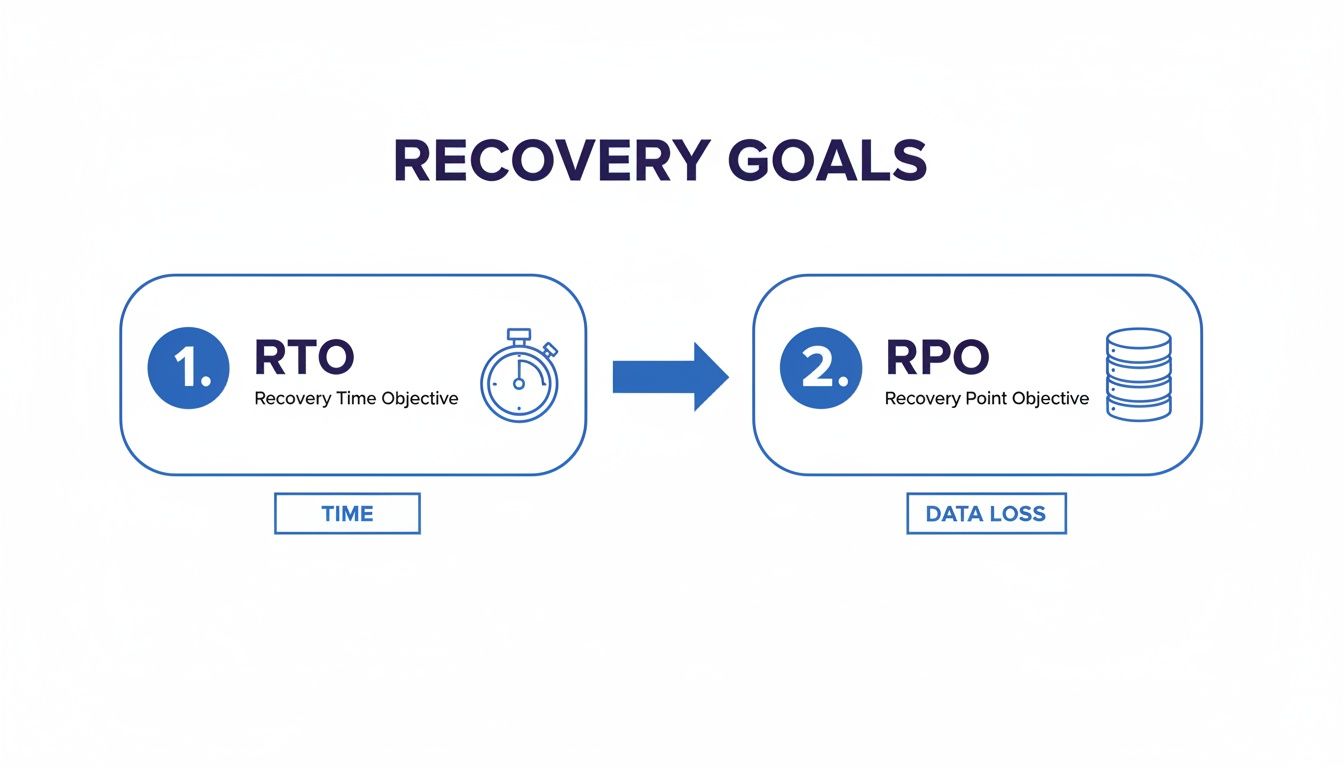
This visual cleanly separates your objectives into a time-based goal (RTO) and a data-based goal (RPO), which your risk assessment helps turn into real numbers.
You can't protect what you don't know you have. That’s why a detailed inventory of all your hardware and software assets is a non-negotiable step. This isn't just a list; it's the go-to resource for your recovery team when they need to rebuild your environment from the ground up.
Your inventory should include specifics like:
Having this inventory ready means that in the heat of a crisis, your team isn't scrambling to figure out what needs to be replaced or reinstalled. It provides a clear blueprint for restoration.
A plan is useless if nobody knows their part. Your framework must clearly define the disaster recovery team and assign specific responsibilities to each member. Who has the authority to declare a disaster? Who contacts clients? Who coordinates with vendors like Cloudvara to kick off failover procedures?
Just as important is a crisis communication plan. This dictates how you’ll talk to employees, clients, and vendors during a disruption. You should have pre-drafted message templates for different scenarios to ensure your messaging is clear, consistent, and reassuring—not panicked.
Globally, disaster costs now top $2.3 trillion annually when you factor in the ripple effects, a stark figure highlighting the price of being unprepared. The 2025 Global Assessment Report notes these preventable losses are climbing fastest in developed markets, making a solid plan more critical than ever.
To build a truly robust framework, you also need to consider the end-of-life for compromised or retired assets; professional secure data destruction services are a vital component here. Putting this all together is essential, and you can learn more about crafting a small business disaster recovery plan in our dedicated guide.

The old way of handling backups often created a false sense of security. Storing data on local servers, external hard drives, or even tapes feels tangible, but it also creates a massive single point of failure. If a fire, flood, or theft hits your office, those backups are just as vulnerable as your primary systems. They become useless right when you need them most.
This is the exact problem that modern cloud solutions were built to solve. Instead of keeping your digital safety net in the same room as your primary hardware, cloud-based disaster recovery moves your critical data and applications to secure, off-site data centers. That geographic separation is the first and most vital step toward building a truly resilient operation.
This move from physical media to cloud infrastructure has given rise to Disaster Recovery as a Service (DRaaS). DRaaS isn't just about storing files online; it’s a full replication of your IT environment—servers, applications, and all your data—in the cloud, ready to be switched on at a moment's notice.
The growth in this space speaks for itself. The DRaaS market is projected to hit between USD 7.0 billion and USD 17.0 billion by 2025, with recovery and backup services already claiming a 46% market share. As threats increase, more than 50% of businesses are switching backup providers to find better solutions.
This transition away from expensive on-premise hardware solves several core challenges that smaller businesses face when creating disaster recovery plans for companies.
Moving your recovery systems to the cloud unlocks a series of powerful benefits that are nearly impossible to get with traditional, on-premise setups. It makes enterprise-grade resilience accessible and affordable for any organization.
Here are the key advantages:
The core value is simple: you’re outsourcing the immense complexity of managing a secondary IT site to experts who do it at scale. This lets you focus on running your business, not your backup servers.
Let’s see how this plays out in the real world. Imagine a mid-sized law firm's office is suddenly closed because a burst pipe flooded their server room. With a traditional backup plan, they’d face days—if not weeks—of downtime trying to get new hardware and restore data from tapes, assuming those tapes are even readable.
Now, picture the same firm using a managed cloud hosting solution like Cloudvara. Their critical applications—case management software, document storage, and QuickBooks—are already hosted in the cloud.
The moment the office becomes inaccessible, the plan kicks into gear:
In this scenario, the firm's RTO is measured in minutes, not days. There’s no operational disruption, no lost billable hours, and no frantic calls to clients explaining delays. For companies weighing their options, understanding different Cloud Based IT Solutions is a crucial step toward building this kind of resilience. This is what modern operational readiness looks like. You can learn more by exploring our resources on cloud backup for small businesses.
It’s a huge accomplishment to finally create your company’s disaster recovery plan. But this is exactly where so many businesses stumble. They treat the plan like a trophy, file it away in a digital cabinet, and figure the job is done for good.
Here’s the thing: a DRP isn't a static document. It’s a living strategy that needs to be constantly maintained, tested, and refined to be worth anything when you actually need it.
An untested plan is just a theory—a collection of well-intentioned guesses. You have no real idea if your backups are recoverable, if your team actually knows what to do, or if your recovery timeline is realistic until you put it to the test. Regular drills are the only way to move from hoping you’re prepared to knowing you are.
Testing doesn’t have to mean shutting down your entire operation for a day. You can use several different methods, ranging from simple what-if discussions to full-blown simulations. The key is to get into a rhythm that builds confidence and preparedness over time.
Some of the most effective testing methods include:
The goal of testing isn't to get a perfect score. It's to find the cracks in your plan before a real disaster does. Every problem you uncover during a drill is a crisis you just avoided down the line.
To keep your testing organized and ensure you cover all your bases throughout the year, it's helpful to map out a schedule. This prevents testing from becoming an afterthought and turns it into a core business function.
| Quarter | Recommended Test Type | Objective | Key Personnel Involved |
|---|---|---|---|
| Q1 | Tabletop Exercise | Review a specific disaster scenario (e.g., ransomware attack) and discuss the documented response step-by-step to identify procedural gaps. | IT team, department heads, executive leadership. |
| Q2 | Walkthrough Test | Verify that key personnel can perform their assigned recovery tasks, such as accessing backup systems and communication channels. | Members of the official recovery team. |
| Q3 | Partial Failover Test | Test the recovery of a single non-critical application or server to the backup environment to validate technical procedures. | IT engineers, application owners. |
| Q4 | Full Failover Simulation | Simulate a complete site outage by transitioning all critical systems to the disaster recovery environment for a short period. | Entire recovery team, executive sponsors, select end-users. |
Having a structured schedule like this builds momentum and ensures that by the end of the year, you’ve validated your plan from multiple angles, from procedural understanding to technical execution.
Even when everyone agrees testing is important, it can still meet resistance. People might worry it will disrupt their work, or leadership might be nervous about the risks of a simulated failover. These are fair concerns, and you need to address them head-on.
The classic roadblock is the "we're too busy" excuse. The best way to get around this is to schedule tests far in advance, treating them like any other essential business meeting. Frame it not as an interruption but as an investment in the company’s survival.
Starting with a simple tabletop exercise is a great way to show value without causing any disruption, which often helps build the buy-in you need for more involved tests later. To dig deeper, check out our in-depth guide to effective business continuity plan testing.
Testing is one half of the equation; updating is the other. Your DRP has to evolve right alongside your business. If it doesn't, it will quickly become an outdated relic filled with wrong numbers and irrelevant procedures that could sink your response in a real crisis.
Make it a hard-and-fast rule to review and update your plan after any significant business change, such as:
By building a culture around regular testing and proactive updates, you transform your disaster recovery plan from a document on a shelf into a reliable, actionable tool ready to protect your business when it matters most.
Even with a clear framework in hand, it’s natural to have questions when you’re putting together a disaster recovery plan for your business. Most of the concerns I hear revolve around cost, common pitfalls, and how different pieces of the puzzle fit together. Let's tackle those head-on.
This is the big one, and the answer is that a solid plan is far more affordable than most people assume. For a small business, the real cost isn't in writing the document itself—it’s in the recovery tools you choose.
If you were building a traditional on-premise solution, you’d be looking at a hefty bill for duplicate hardware and extra software licenses. But cloud-based Disaster Recovery as a Service (DRaaS) completely flips the script, turning that huge capital expense into a predictable monthly operational cost.
This modern approach means you no longer have to buy and maintain a second set of physical servers. It’s a total game-changer, putting enterprise-grade recovery tools within reach for small and mid-sized businesses.
Without a doubt, the most common and damaging mistake is the "set it and forget it" mindset. I’ve seen it happen time and time again: a company spends weeks creating a beautiful, comprehensive plan, files it away, and then never looks at it again.
A disaster recovery plan isn't a one-and-done project; it's a living document.
If you’re not reviewing it quarterly and running at least one full failover test a year, you have no real guarantee it will work when you need it most. An untested plan is often no better than having no plan at all.
Technology changes, employees come and go, and new threats pop up all the time. Your plan has to keep up. An outdated plan gives you a false sense of security that’s arguably more dangerous than having no plan in the first place.
Not quite, but it’s an absolutely essential part of any modern recovery strategy. Managed cloud hosting solves the most complex, technical piece of the puzzle: making sure your applications and data are backed up and accessible from anywhere.
But a complete DRP covers critical non-technical elements that technology alone can't solve. These are the human parts of the plan.
Think of it this way: a powerful cloud infrastructure gives you a resilient foundation, and your DRP is the human roadmap that tells your team how to use it to get the business back on its feet.
Ready to build a resilient foundation for your business? Cloudvara provides the managed cloud hosting and automated daily backups that form the core of a powerful disaster recovery plan, ensuring your critical applications are always available. See how we can protect your operations with a free 15-day trial.




