
For any modern accounting firm, CPA practice management software is the central nervous system. This technology weaves client communication, project tracking, time and billing, and document management into a single, unified platform, finally putting an end to the chaos of disconnected spreadsheets and calendars. Think of it as the digital command center for your entire practice.
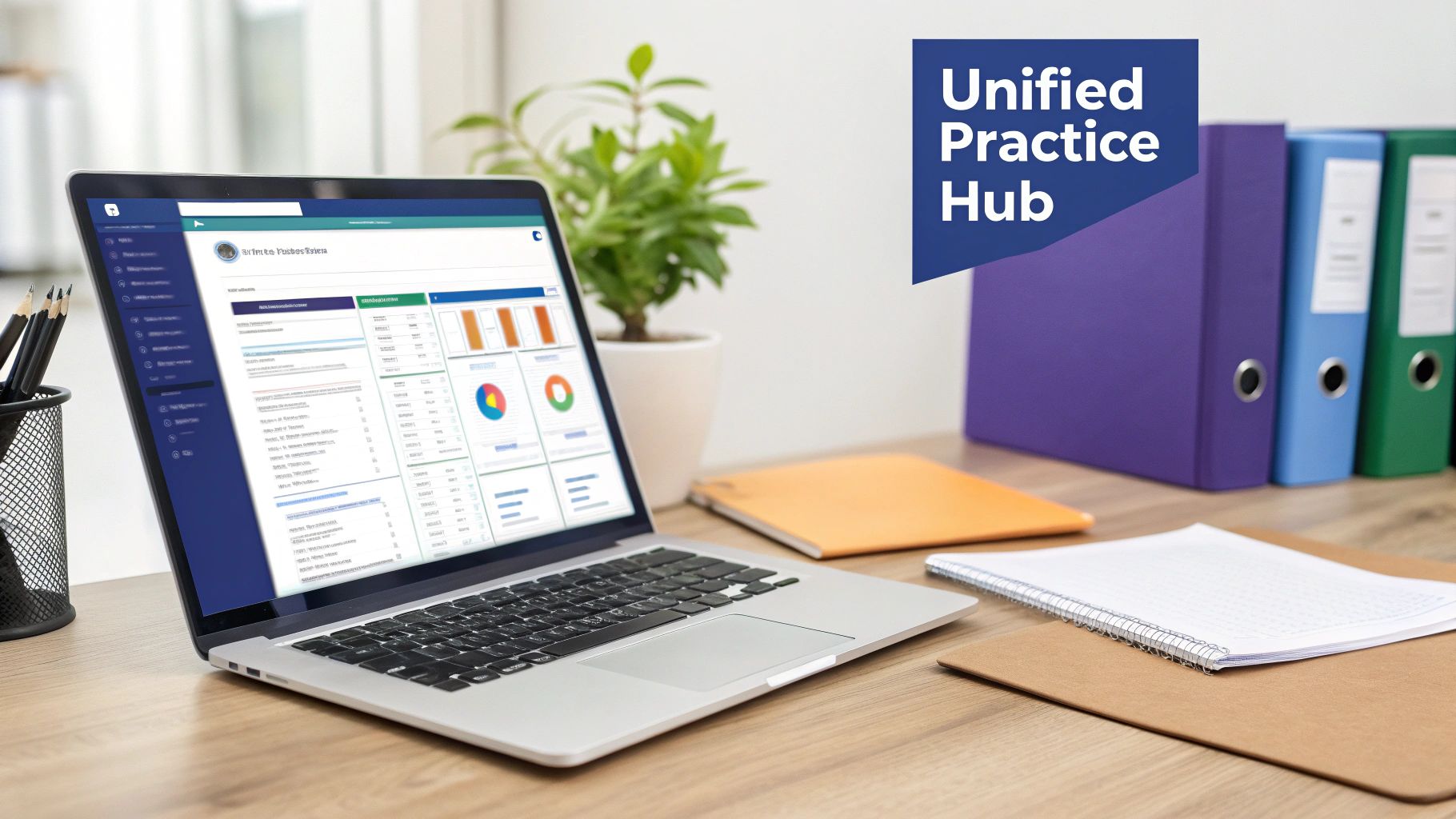
Imagine trying to conduct an orchestra where the violins are out of sync with the trumpets and the percussion is on a completely different tempo. That’s what running a CPA firm without centralized software feels like—talented professionals working hard, but without the coordination needed to create something truly great. CPA practice management software is the conductor, ensuring every part of your firm works in perfect harmony.
This software creates a single source of truth for all client work and firm operations. Instead of digging through endless email threads for a client request or checking multiple calendars to see a project's status, everything you need is in one place. Moving from disjointed manual processes to an integrated digital hub isn't a luxury anymore; it's a requirement for staying competitive.
The evolution of accounting tools has been incredible to watch. Decades ago, firms ran on paper ledgers, massive file cabinets, and manual time-tracking sheets. While they worked for their time, these methods were slow, riddled with potential errors, and created huge administrative bottlenecks. Then came standalone tools like spreadsheets and basic accounting programs, which were an improvement but often led to data silos where information was trapped in separate applications.
Modern CPA practice management software shatters those silos. It solves critical operational headaches by knitting all those separate functions into one cohesive system. This integration brings immediate benefits:
The core value of this software is its ability to transform a collection of individual tasks into a smooth, predictable, and profitable operation. It reduces administrative friction so your team can focus on what they do best: delivering exceptional client service.
This market is growing fast, which tells you just how important these platforms have become. The global Accounting Practice Management Software market is projected to hit USD 5.8 billion by 2033, growing at a compound annual rate of 7.2%. This surge is fueled by firms looking to handle complex financial work more efficiently, with cloud-based options leading the charge. For a closer look, check out our guide on cloud-based practice management software for CPAs.
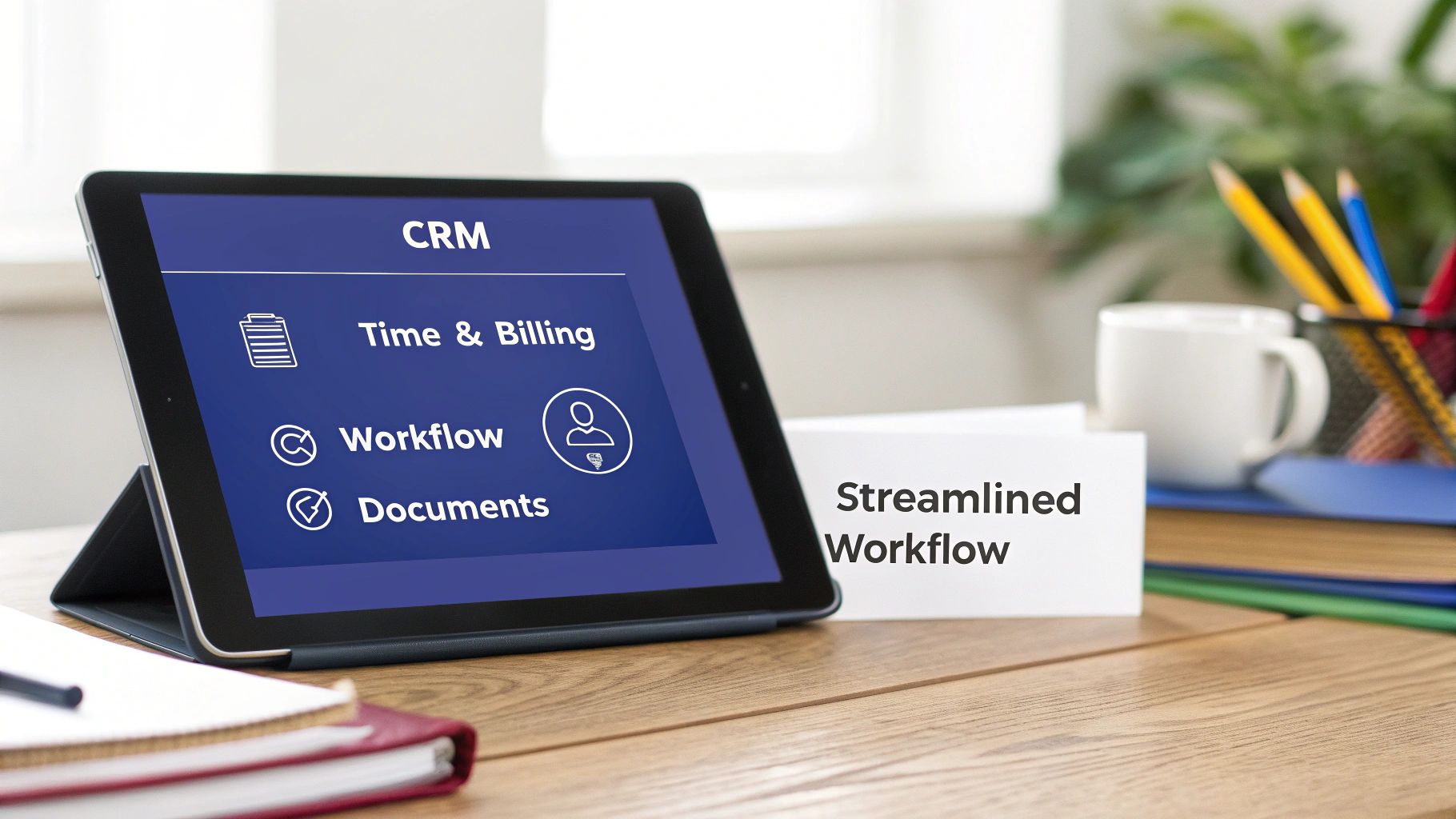
To really get what CPA practice management software can do, you have to look past a simple feature list. The real magic is in how these tools work together to create an operational rhythm that cuts down on manual work, minimizes errors, and empowers your team.
Think of it as the four pillars supporting your entire firm. These aren't just standalone tools; they're interconnected systems that share data, automate handoffs, and create a single, clear view of your entire practice. Let's dig into how each one solves a specific headache inside a busy CPA firm.
At its heart, the Client Relationship Management (CRM) function is your firm's digital Rolodex, but with superpowers. It’s the one central place for every piece of client information, from contact details and communication logs to service agreements and critical deadlines.
Instead of your team digging through old emails or scattered spreadsheets, they get instant access to a complete client history. This means anyone can pick up a client question with the full context, ensuring consistent and informed service every single time. A solid CRM is the starting line for every engagement and the foundation for every other feature.
Manually tracking hours and building invoices is a notorious time-drain for accountants. The time and billing feature in practice management software attacks this pain point head-on, automating the entire process from start to finish.
As your team works, they can log time directly against specific clients or projects using built-in timers or manual entries. This data flows right into the system, getting rid of separate timesheets and reducing the risk of lost billable hours.
When it’s time to invoice, the system pulls all the tracked time and expenses, applies the correct billing rates, and generates a professional invoice in just a few clicks. This automation not only saves countless admin hours but also speeds up your billing cycle, improving cash flow. In fact, firms using automated billing can cut their invoicing time by up to 80%.
A unified time and billing system transforms a tedious administrative chore into a simple, accurate, and fast process. It ensures you capture every billable minute and get paid faster for the valuable work you deliver.
Workflow automation is where this software truly shines, acting as a digital project manager for your whole firm. It lets you create standardized, repeatable templates for all your core services, from monthly bookkeeping to complex annual audits.
Imagine a new tax return engagement kicks off. With a workflow template, the software can automatically:
This systematic approach makes sure nothing falls through the cracks, especially during the chaos of tax season. It enforces consistency and quality across every project, no matter who's working on it. Many modern systems even show you how to automate accounts payable and other tedious financial tasks, driving efficiency even higher.
The final pillar is a secure, integrated document management system. Accounting firms handle a massive volume of sensitive client documents, and keeping them organized and safe is a top priority. Disjointed folders on a local server or multiple cloud accounts create both risk and inefficiency. You can learn more in our guide to document management software for accountants.
This feature provides a single, secure portal where all client files are stored and organized. Documents can be linked directly to clients and projects, making them easy to find. Features like version control ensure everyone is working from the most current file, while client portals allow for the secure exchange of documents, ending the need for risky email attachments once and for all.
Deciding where your CPA practice management software “lives” is one of the most critical choices you'll make. This isn’t just a technical detail—it fundamentally shapes your firm's costs, security, and ability to adapt.
Think of it like choosing how you get around: you can own a car, lease one, or use a ride-sharing service. Each gets you where you need to go, but the experience, cost, and responsibilities are worlds apart.
The traditional on-premise model means you buy software licenses and install them on servers you own and maintain in your office. For years, this was the only game in town, giving firms complete physical control over their client data.
This approach offers a high degree of customization and control. However, it also places the entire burden of IT management squarely on your shoulders. You’re on the hook for everything:
This model is becoming less common for small and mid-sized firms. The high costs and specialized IT expertise required to manage it effectively are a major hurdle, and the lack of easy remote access is a deal-breaker for firms embracing flexible work.
On the opposite end of the spectrum is cloud-native, or Software-as-a-Service (SaaS). Here, you access the software through a web browser for a monthly subscription fee. The vendor handles all the infrastructure, maintenance, security, and updates behind the scenes.
This model is incredibly popular for its simplicity and low barrier to entry. There are no huge upfront costs, and the software is accessible from anywhere with an internet connection. This trend is reshaping the market. Web-based options now hold a 47.81% revenue share in accounting software, and the USD 3.8 billion cloud segment is growing at an 8.0% CAGR, easily outpacing on-premise alternatives.
However, the convenience of SaaS can come with trade-offs. You might have less control over the software's features, and many firms find that powerful, feature-rich desktop applications are not available in a true SaaS model.
A hosted cloud solution offers a powerful middle ground, blending the benefits of both models. This is like leasing your favorite car—you get the performance and features you love without the long-term headaches of ownership.
In this setup, your firm’s preferred desktop software—the same powerful applications you're used to—is installed on a secure, private server in a dedicated data center. Your team accesses it remotely, just as they would a website.
This hybrid approach, offered by providers like Cloudvara, delivers key advantages:
When weighing your options, a definitive guide on the distinctions between Cloud Vs On-Premises can be invaluable. For many CPA firms, a hosted environment provides the ideal balance of control, security, and flexibility. For a deeper dive, you can also check out our guide on the difference between cloud and on-premise solutions.
To help you visualize the differences, here’s a breakdown of how the three models stack up. This table compares the key characteristics of each deployment model, helping firms decide which option best fits their needs for security, cost, and accessibility.
| Feature | On-Premise Server | Hosted Cloud (e.g., Cloudvara) | Cloud-Native (SaaS) |
|---|---|---|---|
| Initial Cost | High (Servers, licenses, setup) | Low (Setup fee, no hardware purchase) | Very Low (Subscription starts immediately) |
| Ongoing Cost | Variable (Maintenance, IT staff, electricity) | Predictable (Fixed monthly fee) | Predictable (Monthly/annual subscription) |
| IT Management | You manage everything (hardware, security, backups) | Provider manages infrastructure, security, and backups | Vendor manages everything in the background |
| Software Choice | Full control over desktop software versions | Use your preferred desktop software in the cloud | Limited to the vendor's web-based application |
| Remote Access | Difficult and complex to set up securely | Built-in; access from any device, anywhere | Native; access via web browser or mobile app |
| Security | Your responsibility to implement and maintain | Managed by experts in a secure data center | Managed by the vendor, but data is multi-tenant |
| Customization | High degree of control and customization | High; works with your existing software and add-ons | Low; limited to vendor-provided options |
| Best For | Large firms with dedicated IT staff and specific needs | Firms wanting desktop power with cloud flexibility | Firms prioritizing simplicity and low startup cost |
Ultimately, the right choice depends on your firm’s unique priorities. While on-premise offers total control and SaaS provides ultimate simplicity, a hosted cloud solution often hits the sweet spot for CPAs who need the best of both worlds.
Choosing the right CPA practice management software is a strategic move that will ripple through every corner of your firm’s operations. Think of it less like buying a new tool and more like hiring a new operations manager. The right choice can unlock new levels of efficiency, while the wrong one can create daily friction and frustration for your entire team.
Before you dive into demos and sales pitches, it’s best to create a clear framework for how you’ll evaluate your options. This isn’t just about ticking off feature boxes; it’s about finding a solution that fits your firm’s unique workflows, growth plans, and client service philosophy. A methodical approach ensures you make a smart choice that supports you for the long haul.
Start by mapping out what you actually need the software to do. Every firm is different, so a one-size-fits-all solution rarely works out. Get input from everyone on the front lines—partners, managers, and administrative staff—to build a realistic list of must-have capabilities.
Consider these key areas:
This decision-making process is mirrored across the industry. North America holds a dominant 53.7% share of the Accounting Practice Management Market, driven by the demand for integrated tools that automate bookkeeping, billing, and tax prep. Accounting firms themselves make up 38.4% of this market, showing just how universal the need is for solutions that can handle multi-client collaboration.
For any CPA firm, data security is everything. You're the guardian of your clients’ most sensitive financial information, and a breach could be catastrophic. When looking at potential software, you need to scrutinize its security protocols with the same rigor you’d apply to a financial audit.
Your software choice is also a security choice. The platform you select becomes a critical part of your firm’s defense against cyber threats and your commitment to client data privacy.
Make sure any potential solution offers robust security measures, including data encryption, two-factor authentication, and regular security audits. Compliance with industry standards like SOC 2 is a strong sign that a provider takes security seriously. For a more detailed breakdown, check out our guide on how to choose accounting software.
This decision tree can help you visualize the different deployment models and what they mean for your firm.
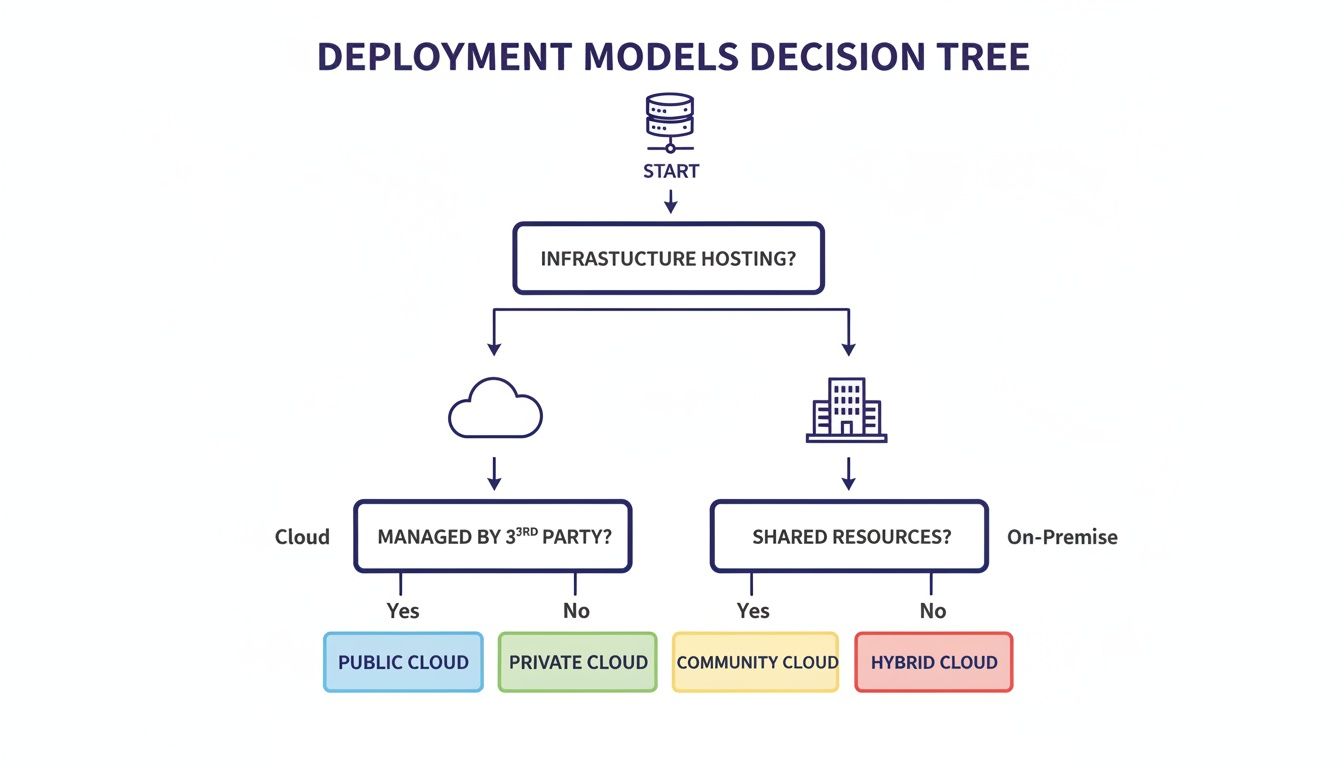
As you can see, the choice between cloud and on-premise options fundamentally shapes your firm's approach to security, cost, and accessibility.

A lot of CPA firms feel stuck. They depend on powerful, feature-rich desktop CPA practice management software—the kind that’s absolutely essential to daily operations—but running it on an in-office server is a constant headache. The high costs of IT upkeep, the nagging worry of a cybersecurity breach, and the inability to offer real remote work flexibility can seriously hold a firm back.
It's a classic dilemma. You love the software you use every day, but you hate the server closet and all the baggage that comes with it. Managing servers, running manual backups, and patching security holes is a full-time job that pulls your focus away from billable client work. It’s an operational bottleneck many firms just accept as the cost of doing business.
But what if you could keep the exact applications you know and trust—your practice management suite, QuickBooks, Microsoft Office—and run them in a modern, secure, and accessible cloud environment?
Cloudvara bridges that gap between powerful desktop software and the flexibility of the cloud. Instead of you maintaining a physical server, we host your applications on our secure, high-performance infrastructure. Your team gets remote desktop access to their familiar software from any device, anywhere, without ever sacrificing performance or security.
Think of it as giving your trusted on-premise software a cloud-enabled upgrade. This approach directly solves the biggest pain points tied to local servers:
With Cloudvara, you’re not changing your core workflows or retraining your staff on new software. You’re simply upgrading the engine that runs your firm, making it faster, safer, and more adaptable.
This isn’t just about convenience; it’s about building a more resilient and efficient firm. Working with Cloudvara delivers measurable advantages that directly impact your bottom line and operational stability. We provide a complete ecosystem designed specifically for the needs of accounting professionals.
Our service includes:
The value is clear: you get the full power of your desktop CPA practice management software combined with the security, accessibility, and peace of mind of a professionally managed cloud environment. To get a better sense of how this model works, learn more about our dedicated cloud hosting services. Let us handle the technology, so you can focus on what you do best—serving your clients.
Jumping into new practice management software always brings up a few questions. Below are straightforward answers to the things CPA firms ask us most, covering everything from cost and setup to security and integrations.
There’s no single price tag—it really depends on the model you choose, how many people need access, and what features are on your must-have list. You'll generally run into a few different pricing styles.
Cloud-native tools, or SaaS platforms, usually run on a per-user, per-month subscription, which can be anywhere from $40 to over $150 per user. On the other hand, old-school on-premise setups demand a hefty upfront investment for software licenses and server hardware, not to mention the ongoing costs for maintenance and support.
A hosted cloud solution like the one we offer at Cloudvara gives you a predictable monthly fee. It bundles everything—software access, top-tier security, IT support, and all the maintenance—into one payment. This makes it a much more cost-effective way to use powerful desktop applications without the headache of managing your own servers.
Getting set up can take anywhere from a few days to several weeks. A small firm switching to a simple cloud tool might be ready to go by the end of the week. But for a larger firm moving off a clunky legacy system, the transition will take more time to make sure everything comes over smoothly.
The process usually breaks down into four key stages:
Working with a partner like Cloudvara takes the technical burden right off your shoulders. Our experts handle the server setup and application installs, so your team can focus on getting comfortable with the new workflows.
Security is non-negotiable, and any reputable provider will have multiple layers of protection in place. Top-tier platforms encrypt sensitive client data both when it's being sent and when it's stored. They also go through regular third-party security audits and maintain compliance with standards like SOC 2.
If you stick with an on-premise system, all of that security responsibility lands squarely on you. One of the biggest advantages of using a secure hosting provider like Cloudvara is that you get enterprise-grade security without the enterprise-grade price tag. We’re talking managed firewalls, two-factor authentication, and daily off-site backups, all inside a compliant data center. It completely removes the security pressure from your team.
Absolutely. In fact, integration is one of the most important features of modern CPA practice management software. Most of the leading platforms are built to connect smoothly with the tools you already rely on, like QuickBooks, Xero, Sage, Lacerte, and Drake Tax.
This connectivity is what makes the magic happen—data flows automatically between your systems, which means no more double-entry and far fewer chances for costly mistakes. When you're looking at different options, just make sure the platform has proven integrations for your firm's specific toolkit. In a hosted environment, we run all your applications together, ensuring they talk to each other just as if they were on your local network.
Ready to modernize your firm without giving up the software you rely on? Cloudvara moves your essential applications to a secure, high-performance cloud environment. Get a free 15-day trial and experience the benefits of anywhere access and zero IT headaches. Start Your Free Trial with Cloudvara Today.




