
When people talk about cloud-based Sage 50, they're not referring to a single, off-the-shelf product. It’s more of a concept—the idea of taking the powerful, familiar desktop version of Sage 50 you know and making it accessible online. Instead of being chained to one office computer, you can get to your financial data anytime, from anywhere.

Think about your traditional desktop software for a moment. It's like having a fantastic toolkit in your workshop—incredibly useful, but you have to be physically present to use it. Moving to the cloud is like taking that entire toolkit and putting it into a secure, mobile case you can open from any location, on any device.
At its core, this shift means your company's critical financial data moves from a single, vulnerable hard drive to a protected online environment. But here's where things can get a bit confusing: the term "cloud" actually describes two very different ways of getting there.
The first option is Sage 50cloud, which you can think of as a hybrid model. Your core Sage 50 software still lives on your local computer, but it’s connected to the cloud to enable specific features like Microsoft 365 integration, remote data access, and automated backups. It definitely adds flexibility to the desktop version, but it isn't truly in the cloud.
The second path, which offers a more complete cloud experience, is fully hosted Sage 50. In this setup, a specialized provider like Cloudvara installs the complete desktop version of your Sage 50 software on their secure, high-performance servers. You and your team then log in through a remote desktop connection. This gives you all the power of the desktop application without any of the on-site hardware headaches. Understanding the robust features of Sage 50 accounting software makes it clear why this kind of anytime, anywhere access is such a game-changer.
To help you see the differences more clearly, here's a quick comparison:
| Feature | Traditional Desktop Sage 50 | Hybrid Sage 50cloud | Fully Hosted Sage 50 |
|---|---|---|---|
| Core Software Location | On-premise computer | On-premise computer | Cloud provider's server |
| Accessibility | Limited to one device | Limited, with some cloud-connected features | Any device, anywhere with internet |
| Team Collaboration | Difficult; prone to errors | Improved but still siloed | Seamless real-time collaboration |
| IT Management | Your responsibility | Your responsibility (software & hardware) | Managed by the hosting provider |
| Data Security | Your responsibility | Your responsibility (backups are cloud-assisted) | Managed by the hosting provider |
As you can see, the fully hosted model is the only one that truly frees you from the physical office.
This approach provides a true "work from anywhere" experience. It ensures every team member, whether in the office or remote, is working on the exact same, up-to-the-minute data file, eliminating version control issues entirely.
This shift isn't happening in a vacuum; it’s part of a much larger business trend. Global spending on public cloud services is on track to hit $723.4 billion in 2025, a huge leap from $595.7 billion in 2024. This is especially true for small and medium-sized businesses, where over half are expected to direct more than 50% of their tech budgets to the cloud by 2025. You can dig deeper into the growth of cloud computing services on CloudZero.com.
Taking your accounting to the cloud isn't just a technical upgrade; it delivers real, practical advantages that you'll feel in your daily operations and see on your bottom line. It’s all about turning abstract ideas like "flexibility" into tangible wins for your business.
Think about a project manager out on a construction site. They need to update job costs right now, not at the end of the day. With a cloud-based Sage 50 setup, they can grab a tablet and input material usage or labor hours on the spot. Suddenly, your financial data is always up-to-the-minute, which helps kill delays and protect project profitability.
This is what we mean by instant access—it gives your team the power to make smart decisions from anywhere.
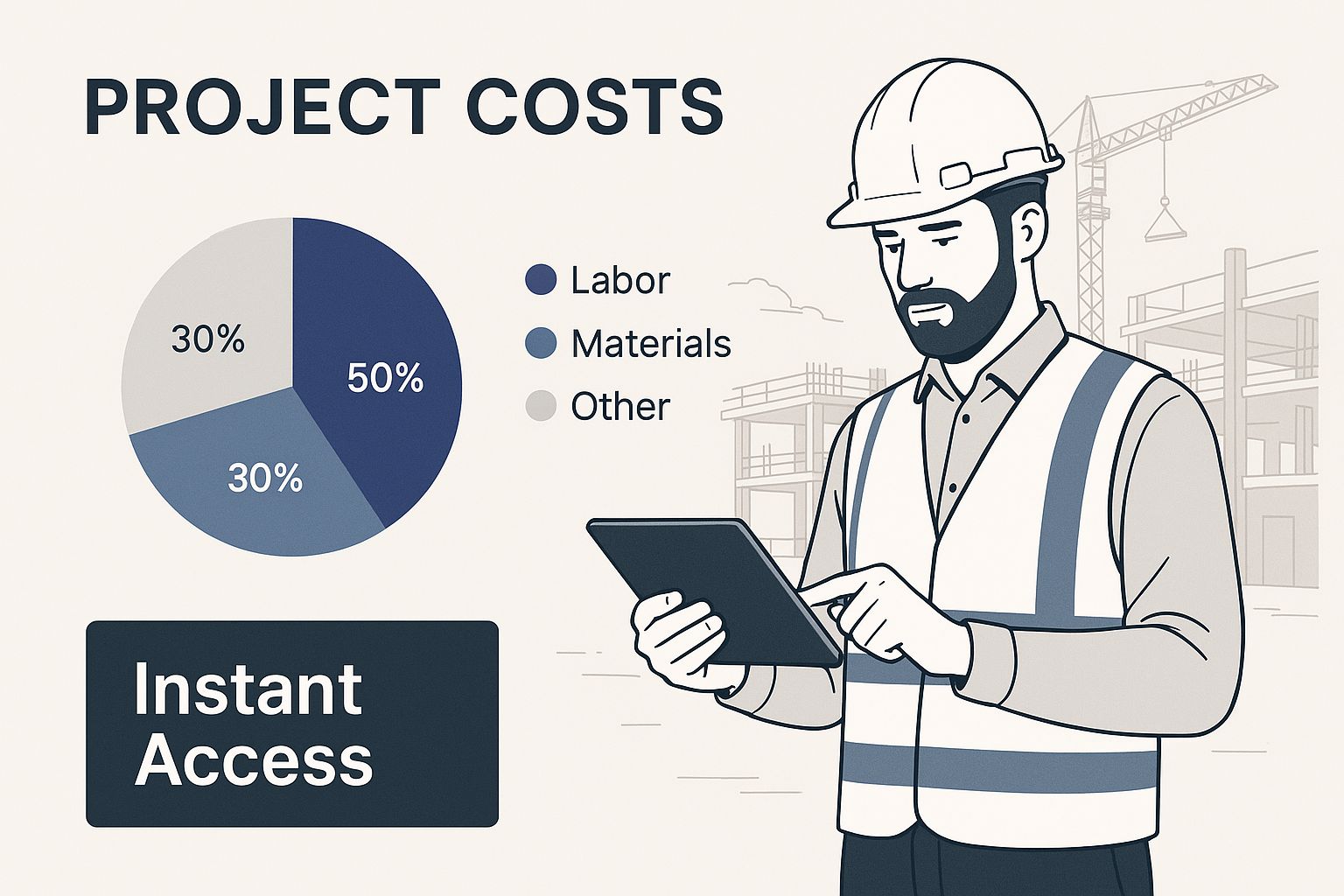
Being able to see and update financial information on the go is a huge operational advantage. It creates a direct, real-time link between what’s happening in the field and the numbers in your accounting office.
For a lot of business owners, the thought of putting sensitive financial data online can be a little unsettling. The reality, however, is that a quality hosting provider delivers enterprise-grade security that’s often far beyond what’s possible with an on-premise server tucked in a back office.
Here's an analogy: Your local server is like a safe in your office. It's secure, but it's still vulnerable to physical threats like a fire, flood, or even theft. A cloud hosting environment, on the other hand, is like a bank vault, protected by layer after layer of professional security.
These security measures typically include:
This kind of robust protection provides genuine peace of mind, ensuring your most critical business information is kept safe.
A cloud-based Sage 50 setup completely changes how your team can work together. Multiple users can access the same company file at the same time without worrying about creating conflicting copies or overwriting each other's entries. Your accountant can be pulling reports from their office while your bookkeeper processes invoices from home, all in perfect sync.
This unified approach means everyone on your team is working from a single source of truth. It puts an end to emailing sensitive files back and forth, which drastically cuts down on errors and makes the whole process more efficient.
And as your business grows, this model grows right along with you. Need to add a new user? Just contact your provider. There's no new hardware to buy or servers to configure. This agility is a big reason so many businesses are moving to the cloud. You can even see this trend in Sage's own performance—its underlying revenue grew by 9% in early 2025, a success driven partly by its cloud-connected products. You can read more about Sage's strategic growth in cloud solutions on Sage.com.
To learn more, check out our detailed guide on the benefits of cloud hosting for small businesses.
So, you're ready to take your Sage 50 accounting to the cloud. Great move. But it's not a one-size-fits-all jump. You have two main paths to consider, and the right one for you really depends on how your business operates. Let's break them down.
The first route is a hybrid model called Sage 50cloud. The name can be a little misleading, so let's clear it up. This is still the classic Sage 50 desktop software you're used to. It lives on your local office computer, but it's been given some clever cloud-connected features. Think of it like adding a smart thermostat to your house—the house is still in the same place, but now you can control some things remotely. With Sage 50cloud, you can sync data with Microsoft 365 and access certain information from afar.
Your second option is the real deal when it comes to cloud accounting: a fully hosted solution. In this setup, a specialized provider takes your entire Sage 50 desktop application and moves it onto their powerful, secure servers. Your team then logs in and uses it from anywhere, on any device, just by connecting to the internet. This is the "work from the beach" dream, fully realized.
To really get a feel for the difference, it helps to put them side-by-side. The decision boils down to where your software is physically located and who’s in charge of all the techy stuff.
Now, let's put that into context. Here’s a detailed breakdown to help you see how these two options stack up against common business needs.
| Attribute | Sage 50cloud (Hybrid) | Fully Hosted Sage 50 (True Cloud) |
|---|---|---|
| Core Software Location | Installed on a local computer in your office. | Installed on a provider's secure cloud server. |
| Accessibility | Limited remote access to specific data via cloud-connected features. Full program access is tied to the office machine. | Full desktop program access from any device with an internet connection (PC, Mac, tablet). |
| IT Management | You are responsible for the computer, software updates, local backups, and security. | The hosting provider manages all IT: server maintenance, updates, security, and data backups. |
| Collaboration | Collaboration is limited; generally for a single user at a time on the main program. | Multiple users can work in the same company file simultaneously, from different locations. |
| Security | Security depends on your local network and computer's protection measures. | Managed by experts with enterprise-grade security, including firewalls, encryption, and physical server security. |
| Scalability | Scaling requires upgrading your local hardware and infrastructure. | Easily scalable. Add or remove users and resources as your business needs change. |
| Best For | Businesses that want to keep their data on-site but add some modern remote features and automated backups. | Businesses needing complete location independence, multi-user access, and to outsource all IT headaches. |
Ultimately, choosing between a hybrid solution and a fully hosted one is about what your team needs to succeed.
The decision often comes down to this: Are you looking to add some helpful remote features to your existing office setup? Or do you need the total freedom to run your business from anywhere, without worrying about IT? Sage 50cloud offers the first, while a fully hosted environment delivers the second.
Making the right call now will save you a lot of headaches later. Dig into what you need most—is it accessibility, security, or getting IT management off your plate? As you weigh your options, take the time to explore potential cloud solution providers to see what they offer. A solid understanding of how to choose the right cloud provider will set you up for a partnership that truly helps your business grow.
So, who's the perfect candidate for a cloud-based Sage 50 setup? It’s not just for shiny new startups. The real sweet spot is for established, growing businesses that are stuck in a tricky middle ground—they've outgrown basic bookkeeping tools but aren't quite ready for a massive, budget-breaking ERP system.
Picture an accounting firm juggling the books for a dozen different clients. Their team needs instant, secure access to each client's file without the nightmare of emailing massive data files back and forth. A cloud setup lets them work on any client file, at any time, from anywhere.
Or think about a retail business with multiple storefronts. The leadership team needs a single, unified view of inventory and sales across every location to make smart decisions. A hosted Sage 50 environment delivers just that, ensuring every choice is based on live, accurate numbers.
This solution is tailor-made for small to midsize businesses, usually those with 10 to 200 employees. These are companies that have moved past simple invoicing and now need more muscle to manage their growth. They're looking for sophisticated tools for things like job costing, departmental reporting, and serious inventory tracking, but they want to skip the hefty price tag and complexity of enterprise software.
The numbers back this up. Sage 50 holds a solid market share of around 10.3% in the accounting software world, with its core user base firmly in the SMB sector. You'll find that companies with 10-50 employees, in particular, lean on it for robust financial controls without the enterprise-level overhead. For a deeper dive, check out the analysis on Sage 50's market position on AceCloudHosting.com.
Certain day-to-day frustrations are dead giveaways that it's time to move to the cloud. Do any of these hit a little too close to home?
If you’re nodding along to these points, you aren't just looking for a software update—you’re looking for a smarter way to operate. A cloud-based Sage 50 setup tackles the logistical bottlenecks that hamstring growing businesses.
At the end of the day, making this move is for any business that prizes agility, security, and efficiency. By switching to a flexible platform, you can stop worrying about IT maintenance and get back to what you actually do best: running your business. A great next step is to explore our guide on finding the right cloud accounting solution for your company's unique needs.
Deciding to move to a cloud based Sage 50 environment is a fantastic step. Now for the practical part: getting there without derailing your business. A successful migration isn't about just flipping a switch; it's a careful, planned process that, when done right, feels almost seamless.
Think of it like moving your business to a new, better office building. You wouldn’t just show up and start throwing boxes through the door. You’d map out the floor plan, label everything, and hire professionals to handle the heavy lifting. Moving your Sage 50 data to the cloud follows the same common-sense logic, broken down into a few key phases.
The journey always begins with a good, hard look at your current setup. This is where you’ll sit down with your hosting provider, like Cloudvara, to get on the same page about your specific needs. We’re not just moving a file—we’re recreating your entire working environment in the cloud.
We'll need to answer a few key questions together:
Getting this initial planning right prevents nasty surprises down the road. To make sure your financial data gets to the cloud in one piece, it helps to follow a well-defined data migration strategy playbook that can guide you from start to finish.
Before a single byte of data moves, it has to be clean and secure. Honestly, this is probably the most critical part of the whole process. Your main job here is to create a full, verified backup of your Sage 50 company file. This backup is your safety net—a perfect snapshot of your financial records.
A clean backup is non-negotiable. Before you create it, I always recommend running the data verification tools within Sage 50. It’s a simple check for integrity issues that ensures you’re not bringing old problems into your shiny new cloud environment.
Once that pristine backup is ready, it's time for the main event.
With all the planning and prep work done, the migration itself is typically handled entirely by your hosting provider. You’ll securely send your Sage 50 backup file to them, and their technical team takes the wheel. They install the Sage 50 application on their servers and then restore your company data within that new setup.
The final steps are all about getting your team ready to work:
This structured approach turns what could be a complex technical headache into a managed, predictable process. By focusing on careful planning and testing, you ensure your powerful new cloud based Sage 50 system works perfectly from day one. You can learn more about how a provider like Cloudvara handles Sage 50 in the cloud to get a clearer picture of what to expect.
Moving your company's financial nerve center is a big decision, and it’s only natural to have questions. You need to know exactly what you’re getting into when it comes to security, functionality, and the real bottom-line cost.
Let's walk through the most common concerns we hear from businesses just like yours when they consider a cloud-based Sage 50 setup.
This is almost always the first question asked, and for good reason. The truth is, a high-quality cloud hosting provider offers a level of security that most small businesses simply can't afford to build or maintain on their own. Your data isn't just out there on the internet; it's locked down behind multiple layers of professional-grade security.
Here’s a good way to think about it: your office server is like a sturdy safe in your building. A cloud environment is more like a private vault inside a bank, complete with 24/7 guards and surveillance. This includes:
When you add it all up, your financial data is often far safer in a managed cloud environment than on a server tucked away in a closet.
Your data's protection becomes the full-time job of a dedicated team of security experts. This takes the massive burden of fending off complex cyber threats off your plate and puts it onto a team that lives and breathes security.
Yes, absolutely. This is one of the biggest reasons to choose a hosted environment over a simplified, web-only accounting app. Because the hosting provider installs the full-featured desktop version of Sage 50 on their servers, the software works exactly like it does on your own computer.
That means all the third-party integrations and add-ons you depend on—whether for specialized construction job costing, manufacturing inventory management, or custom reporting tools—can be installed right alongside Sage 50 in the cloud. Your established workflow doesn't have to change; it just becomes accessible from anywhere.
It’s tempting to compare the monthly hosting fee directly against the one-time price of a new server, but that doesn’t tell the whole story. To get the real financial picture, you need to look at the Total Cost of Ownership (TCO).
An in-house server comes with a lot of hidden and ongoing expenses beyond the initial purchase. You have to factor in:
A cloud hosting solution takes all of those unpredictable, upfront capital costs and bundles them into a single, predictable monthly operating expense. This makes budgeting a breeze and almost always leads to significant long-term savings by getting rid of all those hidden IT headaches. Moving to cloud-based Sage 50 isn't just a tech upgrade; it's a much smarter financial move.
Ready to get the flexibility and security of the cloud without giving up the powerful Sage 50 software you know and trust? Cloudvara provides a dedicated, secure hosting environment built for your business needs, complete with 24/7 expert support. Start your free 15-day trial and see the difference for yourself at https://cloudvara.com.




