A week before April 15, a mid-sized CPA firm loses access to its phones, remote desktops, tax software, and client portal. The IT provider is investigating, but the filing queue can't wait. Staff begin using personal devices, partners call clients from mobile phones, and nobody can confirm which documents are current or which systems are safe to access.
The immediate problem looks technical. The underlying problem is broader: missed deadlines, possible IRS penalty exposure, interrupted client service, confidential data handled outside approved controls, and a reputation that took years to build. A similar failure at a law firm could disrupt litigation work or access to privileged files. At a nonprofit, it could interrupt donor communications, grant reporting, or program delivery.
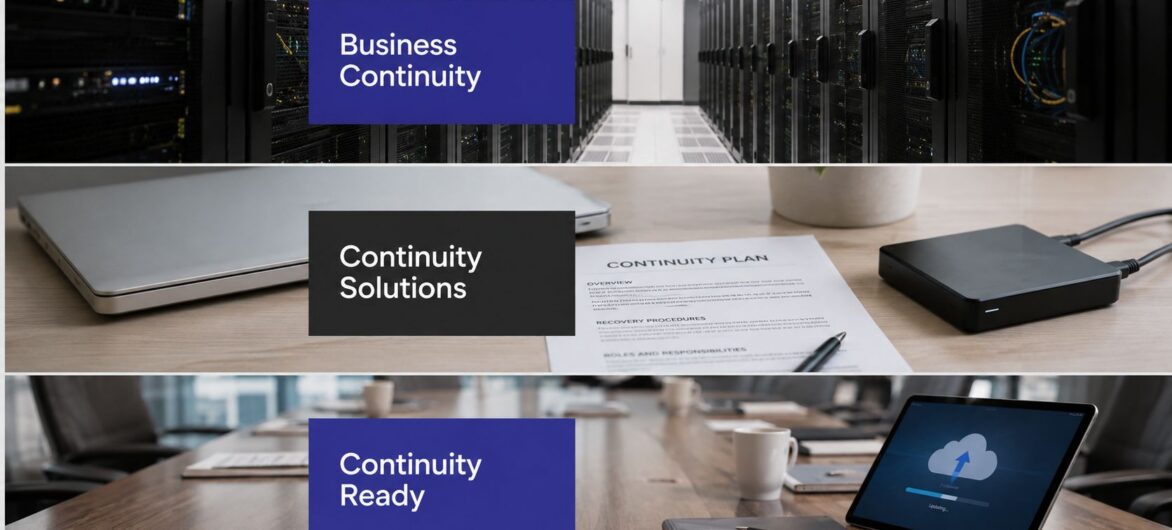
That's why business continuity solutions should be evaluated as a client-trust and compliance capability, not as a list of backup products. Historical data linked to FEMA reports that 40% of businesses don't reopen after a disaster, another 25% fail within one year, and organizations unable to resume operations within five days face a 90% failure rate within a year. For small businesses, the cited risk is even sharper, with 90% never reopening after a disaster (Revenue Memo's summary of business continuity statistics).
At the CPA firm, the outage spreads through every client-facing workflow. The phone system is unavailable, so clients can't reach their assigned teams. The remote desktop is frozen, leaving staff without tax applications, templates, prior-year workpapers, and email archives. The client portal is unreachable, so new documents keep arriving through unsecured personal accounts or not at all.
The managing partner doesn't experience this as a server failure. They experience it as a queue of uncompleted engagements, staff who can't verify instructions, and clients asking whether their filings are still on track. The firm may also need to demonstrate that it protected confidential information and maintained appropriate controls while systems were unavailable.
Practical rule: If the partner responsible for a client deadline can't explain what happens during an outage, the firm doesn't yet have a continuity capability. It has an IT dependency.
A redundant design can reduce reliance on one network path, server, or facility. The important question isn't whether redundancy exists on a diagram. It's whether employees can reach the right applications, with the right permissions, through a tested alternative route. A useful starting point is to review how redundant systems support operational availability and then connect that architecture to actual client-delivery obligations.
The same pattern appears in legal and nonprofit work. A legal team may need immediate access to a matter workspace, document history, and communication records. A nonprofit may need its donor database, payment processes, and grant records to keep operating while leadership communicates with funders and staff.
Continuity therefore has three audiences: the client waiting for service, the regulator or professional body expecting responsible handling, and the employees who need clear instructions. Technology supports all three, but it doesn't replace decisions about priorities, authority, communications, and acceptable recovery time.
Think of an airplane. A backup is like a parachute packed and stored for later. It preserves something that can be recovered, but it doesn't keep the aircraft flying. Disaster recovery is the procedure for deploying the reserve systems after a serious failure. Business continuity is the broader operating model that helps the pilot, crew, and passengers continue safely while the disruption is managed.
That distinction resolves a common misunderstanding:
A tax firm might back up tax files every day, but still be unable to serve clients if its remote access system, identity provider, phone platform, or practice-management application is unavailable. A law firm might have document copies but lack a secure way for attorneys to work with them. A nonprofit might recover its database but lose the communication process needed to update donors and staff.
Two engineering measures make the plan testable. Recovery Time Objective, or RTO, defines the maximum acceptable outage duration before a process becomes operationally unacceptable. Recovery Point Objective, or RPO, defines the maximum acceptable age of data after recovery. The research on RTO and RPO definitions explains why tighter targets require faster failover, more frequent replication, and closer backup synchronization.
For a CPA firm during a filing deadline, the tax application and client portal may need a much shorter RTO than an internal archive. A legal firm may assign a strict RPO to active matter files while allowing a longer recovery window for older reference material. The right target depends on the work, not on a vendor's default package.
A complete continuity solution also covers employees, vendors, facilities, communications, and decision rights. Someone must know who declares an incident, who authorizes emergency access, how clients receive updates, and how the firm verifies that recovered data is safe. A business continuity and disaster recovery comparison can help partners keep the terms separate, but the practical test is simple: can the firm continue its most important work while technology is being restored?
A working continuity environment behaves like a chain. Backup supplies recoverable information. Failover provides an alternate place to run. Orchestration coordinates the sequence. Security prevents the recovery path from becoming an attacker's shortcut. Access management gives authorized people the ability to work. Testing proves that the chain holds under pressure.
A business impact analysis connects those components to actual firm priorities by identifying which processes, applications, and dependencies matter most. The business impact analysis guidance from Cloudvara is a useful reference for turning general concern into workload-specific priorities.
Backup and restore should protect client files, configurations, databases, and application data. The failure point is often not the existence of a backup, but the absence of a verified restore. A law firm that can't restore a complete matter workspace may have copies without usable continuity.
Failover architecture supplies an alternative environment, location, or connection path. A nonprofit may need a resilient way to reach its donor system, while a CPA firm may need the tax environment and remote desktop to remain available. A failover site that nobody has activated is an assumption, not a capability.
Disaster recovery orchestration defines the order of operations. Identity, networking, databases, applications, and user access may have dependencies. A runbook stored only in one administrator's memory won't survive staff turnover or a stressful incident.
Security controls must remain active during recovery. Encryption, malware protection, monitoring, and administrative safeguards should apply to backups and alternate environments, not only production systems.
Access management determines who can enter the recovery environment and what they can do. Single-factor administrator access, shared credentials, and unclear emergency permissions create avoidable risk when teams are already under pressure.
Testing cadence turns documentation into evidence. Exercises should identify missing credentials, outdated contacts, incompatible versions, and recovery steps that look reasonable but fail in practice. For broader planning context, TekRecruiter's disaster recovery planning insights can complement a firm's technical review.
| Component | What It Does | Typical Small-Firm Failure | Business Risk Created |
|---|---|---|---|
| Backup and restore | Preserves recoverable data and systems | Backups exist but restores aren't verified | Lost files, incomplete work, and delayed client service |
| Failover architecture | Provides an alternate operating environment | The secondary environment hasn't been activated | Extended outage and missed deadlines |
| Recovery orchestration | Coordinates technical restoration | Procedures live in one person's head | Confusion, slow decisions, and inconsistent recovery |
| Security controls | Protects production and recovery assets | Recovery systems receive weaker protection | Ransomware spread or unauthorized access |
| Access management | Gives approved users controlled entry | Shared or single-factor administrative access | Credential misuse and compliance exposure |
| Testing cadence | Validates whether the plan works | Testing is postponed indefinitely | False confidence when an incident occurs |
A managing partner can make continuity spending easier to defend by translating it into an outage model. Start with the people who can't work, their loaded hourly cost, and the number of outage hours. Then add the cost of delayed client work, emergency support, missed deadlines, communications, remediation, and lost future trust.
The direct calculation is simple:
Unavailable staff × loaded hourly cost × outage hours = a starting downtime estimate.
That estimate still understates the risk for professional services. A missed tax deadline can create client and compliance consequences. A legal delay can affect a matter with an immovable court or transaction schedule. A nonprofit may need to explain an interruption to donors or grant administrators.
Industry summaries cite average enterprise downtime losses of about $5,600 per minute, while small businesses may lose roughly $25,000 per hour during outages. For the largest firms, cited losses can reach $15,000 per minute (Gitnux's business continuity statistics summary). Another industry report says enterprise downtime commonly exceeds $300,000 per hour, with some large organizations reporting losses between $1 million and $5 million per hour (Eon's disaster recovery cost analysis).

A local backup may look inexpensive because it stores data without providing a working environment, identity path, communication method, or tested restoration sequence. The relevant comparison is therefore not backup cost versus hosting cost. It's the cost of a recoverable file versus the cost of keeping the firm's critical work moving.
The economic case also reflects the scale of the market. The global business continuity management market is projected to grow from $773.81 million in 2025 to $1.94 billion by 2031, representing a projected 16.62% CAGR, according to the cited business continuity statistics summary. For a board memo, combine the firm's downtime estimate with its recovery targets and the consequences of missing client obligations. That creates a more defensible investment discussion than general claims about peace of mind.
The right continuity design depends on what the organization must protect, when demand peaks, and which obligations continue during an outage. A tax practice, a law firm, and a nonprofit may all need backups, secure access, and recovery testing, but their priority workloads and tolerance windows aren't identical.
Tax and accounting practices often face their greatest operational pressure during filing seasons. Their plan should prioritize tax applications, client portals, document management, practice management, email, and secure remote access for seasonal staff. The firm should set tighter targets for active engagements than for historical archives and confirm that restored applications integrate with the workflows staff use.
Law firms need to connect continuity with professional duties involving confidentiality, matter access, client communications, and deadlines. A recovery environment must preserve appropriate permissions and document history. E-discovery materials, privileged files, and litigation workspaces shouldn't be treated like ordinary shared folders.
Nonprofits typically balance operational needs against constrained budgets. They may prioritize donor databases, payment processing, grant records, communications, and program systems. A managed environment can be more practical than building and staffing a fully in-house recovery site, but leadership still needs to understand the service scope, responsibilities, and testing evidence.
| Dimension | Tax & Accounting | Law Firms | Nonprofits |
|---|---|---|---|
| Regulatory pressure | Filing obligations, client confidentiality, and tax workflow controls | Confidentiality, ethical duties, matter integrity, and deadline obligations | Grant conditions, donor expectations, privacy, and financial stewardship |
| Peak risk windows | Filing seasons and client deadline clusters | Trials, transactions, discovery, and closing periods | Grant cycles, fundraising campaigns, reporting periods, and major programs |
| Critical systems | Tax software, practice management, portals, document management, and email | Matter management, document systems, email, discovery tools, and secure access | Donor CRM, finance, grants, payment systems, communications, and shared files |
| Recommended RTO/RPO | Aggressive targets for active filing work, with priorities defined by engagement | Strict targets for active matters and current evidence, based on deadline and client risk | Tiered targets that protect mission-critical and financial systems within budget |
| Budget posture | Reduce seasonal disruption while controlling recurring infrastructure cost | Fund confidentiality, access control, and dependable matter recovery | Favor managed services when internal recovery expertise is limited |
The targets in the table are starting points, not universal promises. A managing partner should approve them after reviewing client commitments, application dependencies, data sensitivity, and the consequences of incomplete recovery. For firms seeking specialized technology planning, IT support for accounting firms offers a relevant lens on the operational needs of accounting practices.
Treat continuity as a project with ownership, acceptance criteria, and review dates. Buying a platform before defining the work it must protect often produces a technically polished environment that doesn't match the firm's most important obligations.
Phase one, written risk assessment. Identify outages that threaten revenue, client delivery, confidentiality, or compliance. Include cyber incidents, application failures, connectivity loss, facility problems, and vendor interruptions. Record dependencies instead of ranking risks by instinct.
Phase two, recovery targets. Assign RTO and RPO values by workload. Tier-one systems may require near-continuous availability, while lower-priority archives can wait longer. The partner group should approve the trade-offs because tighter targets usually require more infrastructure and operational discipline.
Phase three, delivery model. Compare in-house, hybrid, and fully managed approaches. Consider internal expertise, staffing coverage, application compatibility, budget predictability, and who will perform recovery tasks outside normal hours.

Phase four, architecture and configuration. Build backup schedules, offsite replication, failover environments, identity controls, secure remote access, and network alternatives. Document which system starts first and how users know that recovery is complete.
Phase five, roles and communications. Name the incident lead, technical owner, client communications owner, and executive decision-maker. Prepare messages for employees, clients, vendors, regulators, and funders. A continuity plan should work even when a key administrator is unavailable.
For operational context beyond technology, firms can also review commercial restoration services from AMPM Restoration Services when facility damage, water intrusion, or other physical disruption forms part of the risk picture.
Phase six, testing and review. Use tabletop exercises to rehearse decisions, failover drills to validate technical steps, and full recovery simulations to expose dependencies. Define pass or fail criteria, record lessons, assign corrective actions, and feed the results back into the risk assessment.
A recovery plan earns trust through evidence. The embedded walkthrough can support internal discussion, but it shouldn't replace a firm-specific exercise involving the people who will respond.
Cloudvara can be evaluated as one managed hosting option within the framework above. Its hosted environment centralizes applications and data, including accounting, tax, document management, CRM, and Microsoft applications, so authorized users can access them remotely from different devices and locations.
The continuity mapping is practical:

Those features don't automatically prove that a firm's continuity objectives are met. Partners should ask how backups are restored, how failover is initiated, which applications are included, how permissions are reviewed, and what evidence testing produces. They should also compare contract terms, encryption, audit records, data retention, support responsibilities, and client-specific compliance requirements.
The right choice may be in-house, hybrid, or managed hosting. Cloudvara's relevance depends on whether its hosted applications, remote access, backup approach, support model, and service commitments match the firm's risk profile and approved recovery targets.
Use this checklist before an audit, renewal, or continuity review:

Use a recurring schedule that matches business risk. Tabletop exercises help leaders rehearse decisions and communications, while technical failover tests show whether systems, access, and data recovery work together. A full recovery simulation should produce written findings, owners, deadlines, and evidence that corrections were retested.
A backup preserves data for later restoration. Continuity keeps essential work moving, which requires usable applications, secure access, communication procedures, assigned authority, and tested recovery steps. A firm can have excellent backups and still lack a way for employees to serve clients during the outage.
Cloud hosting can support compliance, but it doesn't satisfy every obligation automatically. The firm must review contracts, encryption, access controls, audit logs, retention, vendor responsibilities, and the specific requirements that apply to tax, legal, healthcare, nonprofit, or client engagements. Leadership remains responsible for confirming that the selected arrangement fits its duties.
Continuity isn't a document stored in a folder. It's an operating discipline that improves when people test it, measure it, and correct what they find.
Cloudvara offers hosted application access, automated daily backups, remote connectivity, two-factor authentication, 24/7 support, and a stated 99.5% uptime guarantee as one possible foundation for firm continuity. Visit Cloudvara to evaluate whether its hosted environment fits your applications, recovery targets, and client-trust obligations.




