For a small business, managing customer relationships is everything. Yet, enterprise-level software costs can be a significant barrier. The good news? A powerful Customer Relationship Management (CRM) system doesn't have to break the bank. The market is filled with robust, free CRM platforms designed specifically for the needs of growing businesses, from law firms and nonprofits to accounting professionals.
Choosing the right one can streamline your sales pipeline, automate tedious tasks, and provide a single source of truth for all customer interactions. To truly grasp the power of these tools, it's essential to understand the fundamental customer relationship management (CRM) basics. This foundational knowledge will help you evaluate which platform best fits your operational needs.
This guide dives deep into the 12 best free crm for small business options available today, helping you move beyond scattered spreadsheets to a scalable solution that supports your unique goals. We'll analyze not just features, but the practical limitations and ideal user profiles for each, ensuring you make an informed decision.
Inside this comprehensive resource list, you will find:
We've cut through the marketing jargon to provide a straightforward comparison, so you can find the perfect free CRM to organize your contacts, nurture leads, and ultimately, grow your business without the upfront investment.
HubSpot CRM consistently ranks as one of the best free CRM for small business options available, largely due to its powerful, user-friendly platform that is genuinely free forever. It offers a comprehensive suite of tools that extends beyond simple contact management, incorporating sales, marketing, and customer service functionalities even in its free tier. This makes it an ideal starting point for startups, solo entrepreneurs, and small teams in sectors like accounting or legal services who need a robust system without an initial investment.

The platform's intuitive interface ensures a smooth onboarding process, allowing users to quickly track deals, manage sales pipelines, and monitor customer interactions. Its generosity with contact limits is a major differentiator; you can store up to 1 million contacts without paying a dime. This scalability is a significant advantage for growing businesses that anticipate rapid expansion of their client base.
| Pro | Con |
|---|---|
| Extremely generous free plan for core CRM | Costs escalate quickly on paid plans |
| Intuitive and easy-to-use interface | HubSpot branding on free tools |
| Extensive integration marketplace | Limited to one sales pipeline |
HubSpot's free CRM is perfect for small businesses and startups needing a centralized system to manage customer relationships without a budget. It's especially valuable for firms looking for an all-in-one solution that can grow with them. For a deeper dive into how it compares with other options, you can explore our detailed analysis of the best CRM for small business.
Website: https://www.hubspot.com
Zoho CRM presents another powerful contender for the best free crm for small business, particularly for those who envision needing a broader suite of business tools in the future. Its free edition is designed for up to three users, making it a perfect fit for solo entrepreneurs and very small teams, such as boutique accounting firms or legal practices just starting out. The platform offers a robust set of core CRM features that cover the essentials of lead, contact, and deal management.
What truly sets Zoho apart is its seamless integration with the extensive Zoho ecosystem. As your business grows, you can easily connect the free CRM to other Zoho apps like Zoho Books for accounting or Zoho Desk for customer support, creating a unified system on an affordable scale. This integrated approach is a significant advantage, allowing for centralized data management and streamlined workflows without the complexity of managing multiple third-party integrations.
| Pro | Con |
|---|---|
| Excellent for teams of three or fewer | Limited customization and automation options |
| Deep integration with the vast Zoho ecosystem | Advanced analytics and AI are paid features |
| Includes basic workflow automation rules | User limit of three can be restrictive |
Zoho's free CRM is ideal for startups and small businesses that are already using or plan to use other Zoho products. It’s a strategic choice for companies that anticipate needing a comprehensive, integrated business suite without a high initial cost. For businesses considering a move to the cloud for such integrated systems, exploring the benefits of cloud for small business can provide valuable insights into maximizing efficiency and security.
Website: https://www.zoho.com/crm/
Freshsales, part of the Freshworks ecosystem, offers a sleek, sales-focused CRM designed for speed and ease of use. Its always-free plan provides an excellent entry point for small sales teams in sectors like professional services who need a clean interface and essential features without a complicated setup. The platform is built to help users manage contacts, track deals, and engage with prospects directly from the CRM, making it a strong contender for the best free crm for small business.

What sets Freshsales apart is its emphasis on productivity right out of the box. The free plan includes useful integrations with common tools like Gmail, Outlook, Zoom, and Microsoft Teams, allowing teams to work within their existing workflows. Its Kanban-style deal pipeline provides a clear, visual way to track sales progress, which is perfect for teams that value simplicity and efficiency.
| Pro | Con |
|---|---|
| Quick setup with a clean, modern UI | Advanced customization requires paid tiers |
| Useful productivity tools on the free plan | Free plan has user and feature limits |
| Scales into a full Freshworks ecosystem | AI-powered features are not in the free version |
Freshsales is ideal for small, agile sales teams that need a straightforward CRM they can implement quickly without extensive training. It’s particularly effective for businesses that rely heavily on direct communication channels like email and phone and want to integrate those activities into their CRM. To see how Freshsales fits into a broader technology stack, explore our guide on cloud-based software for small business.
Website: https://www.freshworks.com/crm/sales/
Bitrix24 stands out as more than just a CRM; it's a comprehensive collaboration workspace designed for teams. Its free plan is remarkably generous, offering CRM functionalities alongside project management, chat, and website building tools. What makes it a top contender for the best free crm for small business is its unique offer of unlimited users on the free cloud plan, a feature rarely seen elsewhere. This makes it a powerful choice for growing teams, from small accounting firms to expanding nonprofit organizations, who need a unified platform without per-user costs.

The platform consolidates a wide array of business functions into one interface, allowing users to manage leads, track deals, create invoices, and communicate with colleagues without switching applications. While the sheer number of features can present a steeper learning curve, the benefit of an integrated ecosystem is substantial for businesses aiming to streamline their operations. For firms that lack dedicated IT staff, comprehensive IT support for small business can be crucial for managing such a feature-rich system effectively.
| Pro | Con |
|---|---|
| Unlimited users on the free plan | Interface can be complex and busy |
| All-in-one platform with broad features | Limited storage (5 GB) on the free tier |
| Cloud and self-hosted options available | Advanced features require paid plans |
Bitrix24 is ideal for small to medium-sized businesses that need a single platform to manage sales, projects, and internal communications. Its unlimited user policy is a significant advantage for teams on a tight budget that are poised for growth. The option for a self-hosted version also appeals to businesses with specific data security and compliance requirements.
Website: https://www.bitrix24.com
Capsule CRM offers a simple, intelligent, and effective approach to customer relationship management, making it an excellent free CRM for small business owners who prioritize ease of use. Its "Free" plan is a genuine forever-free tier designed for individuals and micro-businesses. It strips away the complexity found in larger platforms, focusing on core functionalities that help solopreneurs and teams of two manage contacts, track sales opportunities, and stay organized without a steep learning curve. This makes it ideal for freelancers, consultants, or small service firms that need a straightforward system to get started quickly.

The platform’s clean and uncluttered interface is its standout feature, ensuring users can navigate their contacts, tasks, and sales pipeline with minimal training. While the free version has limitations, its simplicity is a significant advantage for those who find more comprehensive systems overwhelming. By integrating directly with tools like Gmail and Outlook, it streamlines daily workflows, allowing users to manage CRM activities without leaving their inbox. The clear and predictable upgrade path also provides a safety net for businesses as they grow.
| Pro | Con |
|---|---|
| Extremely quick to set up and learn | Free plan has a low contact limit (250) |
| Clean, intuitive, and clutter-free interface | Lacks advanced automation and reporting in the free version |
| Straightforward and affordable upgrade path | Limited to two users on the free plan |
Capsule's free CRM is perfect for solopreneurs, freelancers, and very small businesses that need a simple, no-frills tool to organize contacts and manage a basic sales process. Its simplicity is its strength, making it a great choice for users who are new to CRM software. As your business scales and requires more robust infrastructure, understanding the benefits of different hosting solutions becomes crucial; you can explore this further by learning about what is application hosting and how it supports growing software needs.
Website: https://capsulecrm.com
Vtiger CRM offers its "Pilot" edition as a powerful free forever plan designed for startups and small businesses needing more than just contact management. It uniquely bundles sales CRM features with basic marketing, help desk, and project management tools, making it one of the more versatile free CRM for small business options. This integrated approach allows a small team, like an emerging law firm or nonprofit, to manage multiple aspects of their operations from a single platform without any initial cost.
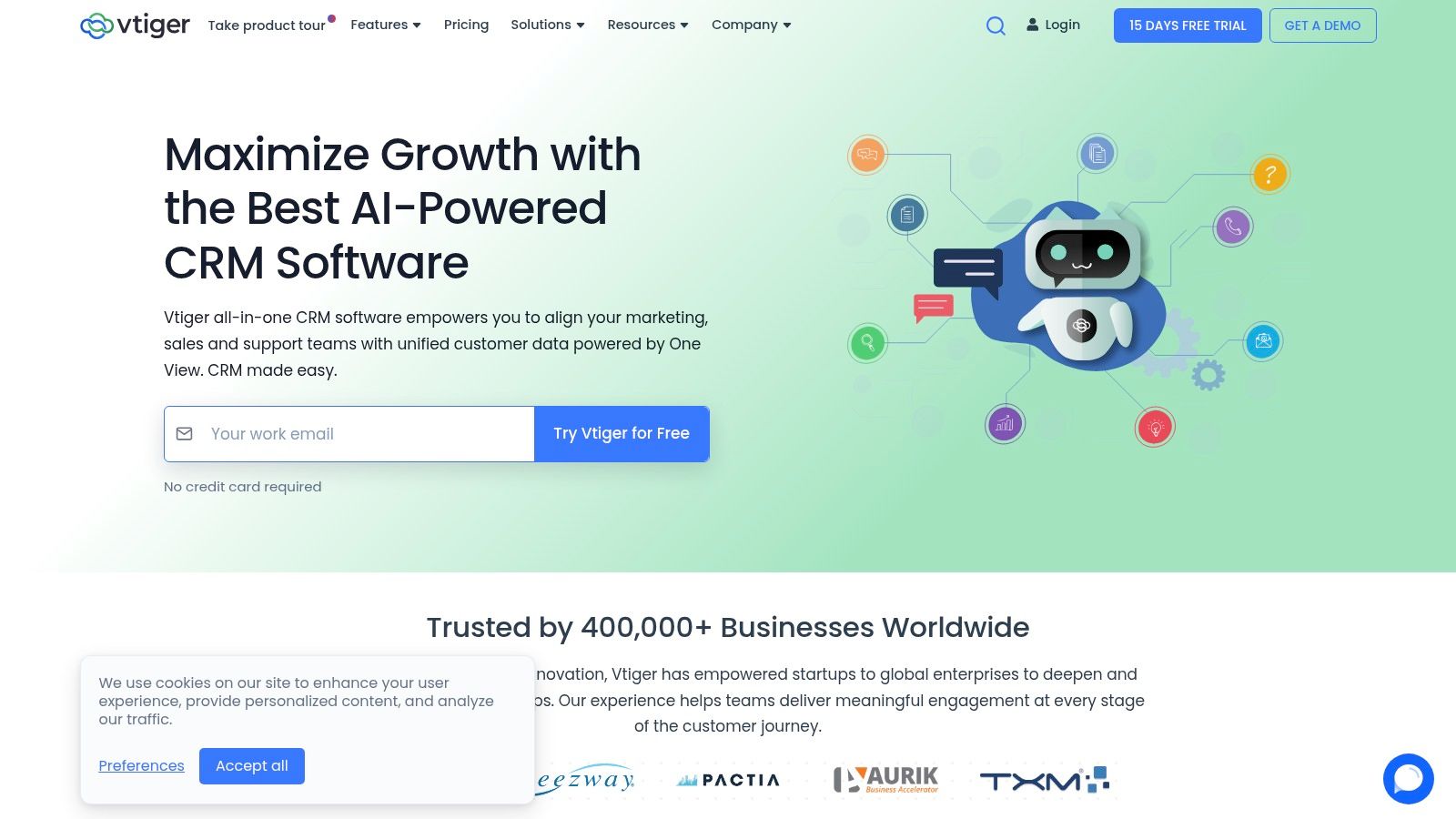
The platform provides a solid foundation for organizing leads, tracking deals through pipelines, and managing client interactions. Its inclusion of appointment scheduling pages and limited email campaigns in the free tier gives businesses immediate tools for lead generation and engagement. The user interface is functional, and with dedicated mobile apps, it supports teams that need to work on the go, a common requirement for consultants or field service professionals.
| Pro | Con |
|---|---|
| Bundles CRM, marketing, and help desk tools | Strict limits on users and records in the free plan |
| Clear and logical upgrade path to advanced features | More advanced AI and analytics are paid features |
| Supports up to 10 users for free | The user interface can feel less modern than some rivals |
Vtiger's free Pilot edition is ideal for small businesses and startups that need an all-in-one solution to manage sales, marketing, and customer support from day one. It is particularly well-suited for service-based businesses, such as small accounting firms or consulting agencies, that can benefit from its combined CRM and project management capabilities without an initial investment.
Website: https://www.vtiger.com
EngageBay stands out as an excellent free CRM for small business by offering a unified sales, marketing, and service platform without a price tag. It provides an impressive suite of marketing tools often reserved for paid tiers in other CRMs, making it a strong contender for nonprofits, startups, and small organizations needing more than just contact management. The platform aims to be an all-in-one growth engine, integrating functionalities that help businesses attract, engage, and nurture leads from a single dashboard.

The free plan generously supports up to 500 contacts and 1,000 branded emails per month, which is a perfect starting point for businesses building their initial client base. The consistent and clean user interface across its sales, marketing, and help desk modules simplifies adoption, ensuring teams can quickly leverage its powerful features without a steep learning curve.
| Pro | Con |
|---|---|
| Strong marketing features included for free | Limited to 500 contacts on the free plan |
| All-in-one sales, marketing, and service hub | Fewer third-party integrations than top competitors |
| Clean, consistent user interface | Advanced automation requires paid upgrades |
EngageBay is ideal for small businesses and nonprofits that need a powerful, integrated marketing and sales solution on a zero budget. It's particularly well-suited for organizations that want to run email campaigns, score leads, and manage customer relationships without juggling multiple disconnected tools.
Website: https://www.engagebay.com
Odoo CRM offers a unique proposition in the crowded market of free CRM tools. It's part of a much larger, open-source suite of business management applications. Odoo's "One App Free" model allows small businesses to use its powerful CRM module completely free for an unlimited number of users. This makes it an exceptionally cost-effective solution for teams needing a robust, standalone system with a clear, integrated path for future growth.
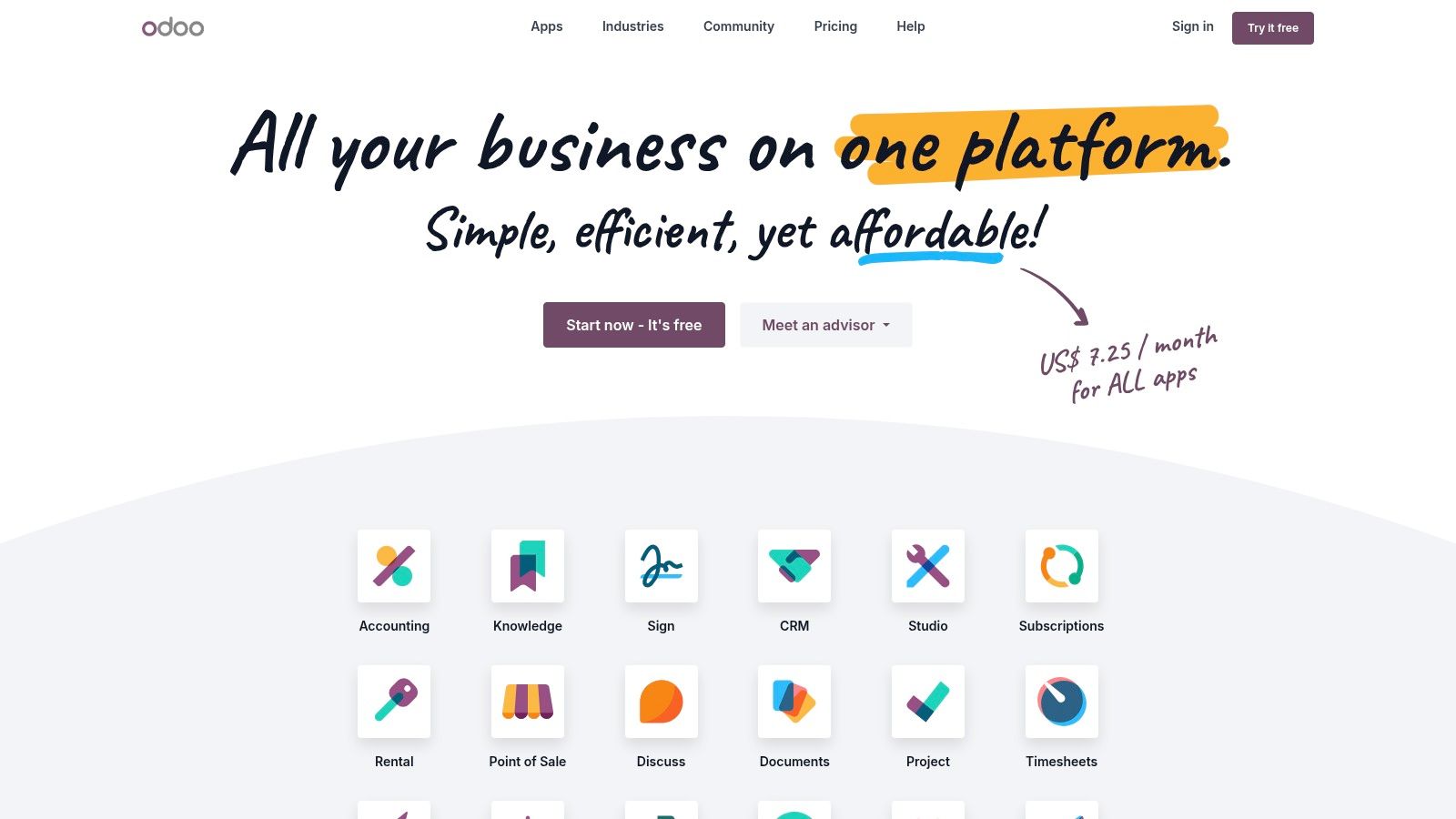
The platform provides a clean, Kanban-style pipeline view for managing leads and opportunities, along with activity scheduling and communication tracking. Its strength lies in its modularity; while the CRM is free, you can later add other Odoo apps like Invoicing, Sales, or eCommerce. This creates a seamlessly integrated business management ecosystem, a feature many competitors charge a premium for. This approach is ideal for businesses that anticipate needing more than just a CRM down the line.
| Pro | Con |
|---|---|
| Genuinely free for unlimited users (for the CRM app) | Adding a second app requires a paid subscription |
| Excellent upgrade path to a full business suite | The broader ecosystem can be complex to set up initially |
| Open-source with a large community and app store | May be overkill if you only ever need a basic CRM |
Odoo's free CRM is an excellent choice for small to medium-sized businesses that plan to scale their operations and eventually adopt a more comprehensive ERP-style system. It's one of the best free crm for small business options for those who want to start with a powerful, free contact management tool and later integrate it tightly with sales, invoicing, and project management without needing complex third-party integrations.
Website: https://www.odoo.com
Bigin by Zoho CRM is a pipeline-centric platform specifically designed for microbusinesses and solopreneurs who find traditional CRMs overly complex. It strips down the CRM to its essential functions, focusing on managing deals through a visual sales pipeline, making it an excellent choice for very small teams in fields like consulting or freelance services that need a simple, effective tool to get started quickly.
The platform’s major strength is its rapid implementation; users can be up and running in minutes, not days. Its clean, focused interface presents everything a small business needs without overwhelming them with unnecessary features. While the free plan is limited to a single user, it provides a powerful, no-cost entry point into organized sales management and serves as one of the best free crm for small business options for those just starting out.
| Pro | Con |
|---|---|
| Extremely fast to set up and implement | Free plan is for a single user only |
| Clean, uncluttered, and intuitive interface | Record limits (500) are quite low |
| Very affordable upgrade path from the free plan | Lacks advanced automation and reporting |
Bigin is ideal for individual entrepreneurs, freelancers, and microbusinesses who need a straightforward tool to manage their sales pipeline without any complexity. Its simplicity and focus make it perfect for users who are new to CRM software and want to graduate from using spreadsheets to a more organized system.
Website: https://www.bigin.com
Agile CRM makes our list of the best free crm for small business by offering a powerful all-in-one platform with a uniquely generous user limit. While many free plans cater to individuals, Agile’s free-forever tier supports up to 10 users, making it an excellent choice for small but growing teams in fields like consulting or legal services. It combines sales, marketing, and service functionalities into a single dashboard, providing essential tools to manage the entire customer lifecycle without any initial financial commitment.

The platform stands out by including marketing automation features, such as landing page builders and email campaigns, directly within its free offering. This integration allows small businesses to not only manage existing contacts but also actively generate and nurture new leads. While the user interface isn't as polished as some premium competitors, its functionality provides a solid foundation for teams needing a collaborative system from day one.
| Pro | Con |
|---|---|
| Free plan supports up to 10 users | Limited to 1,000 contacts on the free tier |
| Marketing tools included at no cost (with branding) | UI and integrations are not as polished as premium leaders |
| Simple appointment scheduling and email tracking | Email campaigns are limited and include branding |
Agile CRM is ideal for small teams (up to 10 people) and startups that need a unified CRM, marketing, and service platform without a budget. Its multi-user support is a significant advantage for collaborative environments like small accounting firms or non-profits that want to centralize customer data and outreach activities from the start.
Website: https://www.agilecrm.com
While not a CRM itself, G2’s Free CRM category is an indispensable research tool for any small business vetting software. It acts as a user-review marketplace where you can discover, filter, and compare CRM products that offer genuinely free plans. This platform leverages verified user reviews, satisfaction scores, and detailed product grids to help you shortlist options based on real-world feedback rather than just marketing materials. For professionals in accounting or law, this is an efficient way to validate a tool's suitability for their specific industry needs.
The platform's strength lies in its transparency and depth of data. You can quickly see how different products stack up in terms of user satisfaction, ease of use, and quality of support. By filtering for business size, you can focus on reviews from other small businesses, ensuring the feedback is relevant to your scale of operations. This approach helps de-risk the selection process, making it one of the best free resources for finding the right CRM.
| Pro | Con |
|---|---|
| Validates user experience before committing | Vendor pages can be promotional |
| Up-to-date listings of many SMB-focused tools | Reviews should be read broadly for a balanced view |
| Side-by-side comparisons speed up evaluation | Some listed tools may have regional availability |
G2 is an essential first stop for any small business owner, from a solo accountant to a growing nonprofit, who wants to perform due diligence. It's perfect for those who want to compare the market's best free CRM for small business options using unbiased, user-generated data before dedicating time to trials.
Website: https://www.g2.com/categories/crm/free
While not a CRM itself, Capterra’s free software directory is an invaluable research tool for finding the best free CRM for small business needs. It acts as a massive, searchable database of software, allowing users to filter specifically for products that offer a “Free Version.” This approach is perfect for small businesses, from law firms to nonprofits, that want to compare a wide range of options based on real user reviews and detailed feature lists.
The platform empowers you to create a customized shortlist by filtering results based on specific features, industry, and the number of users. Each product profile provides a comprehensive overview, including screenshots, key features, pricing information, and aggregated user reviews. This lets you quickly gauge whether a particular CRM aligns with your operational requirements, such as integrations with accounting software like QuickBooks.
| Pro | Con |
|---|---|
| Broad coverage of the CRM market | Depth and quantity of reviews vary by product |
| Excellent filtering for free CRM options | Some listings contain vendor-supplied marketing copy |
| Useful for quick comparisons and creating shortlists | Can be overwhelming due to the sheer number of options |
Capterra is the ideal starting point for any small business owner, accountant, or legal professional in the initial research phase. It’s perfect for those who want to conduct a broad market scan, compare multiple free CRM tools side-by-side based on user feedback, and quickly build a shortlist of platforms to test.
Website: https://www.capterra.com/customer-relationship-management-software/s/free/
| Product | Core features | UX & limits | Unique selling point | Best for | Free tier / Price |
|---|---|---|---|---|---|
| HubSpot CRM | Contact/deal tracking, meeting scheduler, email tracking, live chat, 1,000+ integrations | Intuitive UI, extensive training; some free-tool branding | Broad ecosystem + HubSpot Academy resources | Startups & small teams scaling into marketing/service | Generous free tier; paid tiers can be costly |
| Zoho CRM (Free) | Leads/contacts/accounts/deals, doc mgmt, mobile apps, basic automation | Mature UI, limited customization on free plan; 24×5 chat | Deep integration with Zoho suite for affordable expansion | Very small teams wanting cross-app growth | Free plan for early-stage teams; advanced features paid |
| Freshsales (Freshworks) | Contact/account/deal Kanban, Gmail/Outlook/Zoom/Teams integrations, dashboards | Clean UI, fast setup; free has user/field limits, AI in paid tiers | Sales-focused workflows and productivity templates | Small sales teams seeking quick deployment | Always-free plan with limits; paid adds AI/features |
| Bitrix24 | CRM + tasks, chat, website builder, contact center, API | Feature-rich but can feel complex; limited free storage | Unlimited users on free cloud plan; collaboration suite | Teams needing integrated workspace on a budget | Very generous free cloud plan; paid for advanced add-ons |
| Capsule CRM (Free) | Contacts, simple pipelines, tasks/activity log, add-ins | Very quick learning curve, clean UI; free caps users/contacts | Lightweight, no-bloat CRM for fast adoption | Solopreneurs & very small teams | Free-forever tier with contact/user limits |
| Vtiger CRM – Pilot | Leads/contacts/deals, email campaigns, basic help desk & projects | Rich free bundle but with strict usage limits | CRM + basic marketing/help desk in one free plan | Startups/SMBs wanting broader free toolset | Pilot free edition with limits on users/records/emails |
| EngageBay | Contact mgmt, pipelines, email marketing, segmentation, SMS | Consistent UI; fewer third-party integrations | Strong bundled marketing features at no cost | Nonprofits & small orgs needing marketing+CRM | Attractive free plan; higher volumes need paid tiers |
| Odoo CRM (One App Free) | Kanban pipeline, activities, tight Odoo app integrations | One-app free unlimited users; adding apps becomes paid | Cost-effective single-app model with seamless app upgrades | Teams planning to standardize on Odoo ecosystem | CRM free as one app; extra apps incur fees |
| Bigin by Zoho | Simple pipeline management, basic workflows, native apps | Extremely fast to implement; free is single-user | Pipeline-centric, ultra-simple CRM for microbusinesses | Microbusinesses & solopreneurs | Free single-user plan with low record limits |
| Agile CRM | Contacts/companies, deals, lead scoring, email campaigns, landing pages | Free up to 10 users; UI/integrations less polished | All-in-one CRM + marketing free for small teams | Small teams wanting multi-module CRM without cost | Free for up to 10 users; paid for higher limits/features |
| G2 – Free CRM Category | Filter free-plan CRMs, verified reviews, satisfaction scores | Real user feedback; vendor pages may be promotional | User-driven validation and side-by-side comparisons | Buyers researching and shortlisting CRMs | Free directory and reviews; links to vendor pages |
| Capterra – Free CRM Directory | Filter by free version, product profiles, screenshots, links | Broad coverage; review depth varies by product | Large directory for quick shortlists of free CRMs | SMB buyers comparing multiple vendors | Free directory/filtering; direct vendor links |
We've navigated the expansive landscape of free CRM solutions, from all-in-one powerhouses like HubSpot and Zoho CRM to specialized tools like Capsule and Vtiger. You now have a detailed breakdown of the features, limitations, and ideal use cases for the top contenders. The journey from knowing your options to implementing the right one requires a thoughtful, strategic approach.
The core takeaway is this: the best free CRM for your small business isn't a one-size-fits-all answer. It's the platform that aligns most closely with your unique operational workflows, growth ambitions, and tolerance for the inherent limitations of a free plan. A law firm's need for robust task management and document trails differs significantly from a nonprofit's focus on donor tracking and communication.
Choosing your CRM is less about finding a "perfect" tool and more about finding the "perfect fit" for right now. To move forward with confidence, follow these actionable steps:
Once you’ve made your choice, the final piece of the puzzle is implementation. A CRM doesn't operate in a vacuum; it’s part of a larger ecosystem that includes your accounting software, email clients, and other business-critical applications. For professionals in accounting and law, data security, accessibility, and reliability are paramount.
This is where your hosting environment becomes a strategic advantage. Instead of juggling disparate, locally installed programs, consider a unified cloud platform. Hosting your CRM alongside applications like QuickBooks, Sage, or Microsoft 365 in a secure, managed cloud environment eliminates IT headaches and ensures seamless data flow. It centralizes your entire software stack, making it accessible from anywhere while safeguarding sensitive client information with enterprise-grade security. By pairing the right free CRM with a robust hosting foundation, you're not just organizing contacts; you're building a resilient, future-proof operational core for your business.
Ready to unify your new CRM with your essential accounting and business software in a secure, high-performance cloud? Discover how Cloudvara can create a customized, fully-managed hosting environment that eliminates IT complexity and scales with your firm's growth. Explore our tailored cloud solutions today and build a truly integrated tech stack.