
In today's fast-paced digital landscape, managing your organization's documents efficiently and securely is no longer a luxury, it's a necessity. From legal contracts and financial records to project blueprints and client data, your information is the lifeblood of your operations. However, disorganized file shares, version control chaos, and compliance risks can quickly turn this asset into a significant liability. The best document management software (DMS) transforms this complexity into a streamlined, automated, and secure system.
This guide will navigate you through the top solutions available. We move beyond generic feature lists to provide a detailed analysis of each platform’s real-world strengths, limitations, ideal use cases, and crucial implementation factors. This empowers you to make an informed decision that aligns with your specific business needs, whether you are a law firm, accounting professional, or growing small business. To fully grasp the scope and benefits of these tools, consider exploring a detailed guide on Electronic Document Management Systems.
Our comprehensive reviews of platforms like Box, Microsoft SharePoint, and DocuWare will help you cut through the marketing noise. Each entry includes screenshots and direct links, giving you a clear, practical view of what to expect. We'll examine how these systems solve critical problems like workflow bottlenecks, security vulnerabilities, and regulatory compliance, helping you find the perfect fit to unlock new levels of efficiency and control over your most valuable information.
Box stands out as a top contender for the best document management software due to its enterprise-grade security, robust governance features, and seamless collaboration tools. It moves beyond simple cloud storage, functioning as a complete content cloud where teams can manage the entire lifecycle of their documents. Its user-friendly interface simplifies uploading, organizing, and sharing files both internally and externally with granular permission controls.
For professional services like law firms and accounting agencies, Box's strength lies in its compliance capabilities. It supports standards like HIPAA and offers advanced features such as legal holds and retention policies, making it ideal for managing sensitive client data. The platform's extensive integration library, with over 1,500 apps including Microsoft 365 and Salesforce, ensures it fits into existing tech stacks without disruption. For those new to this technology, you can explore the fundamentals of what a Document Management System (DMS) is to better appreciate Box's advanced capabilities.
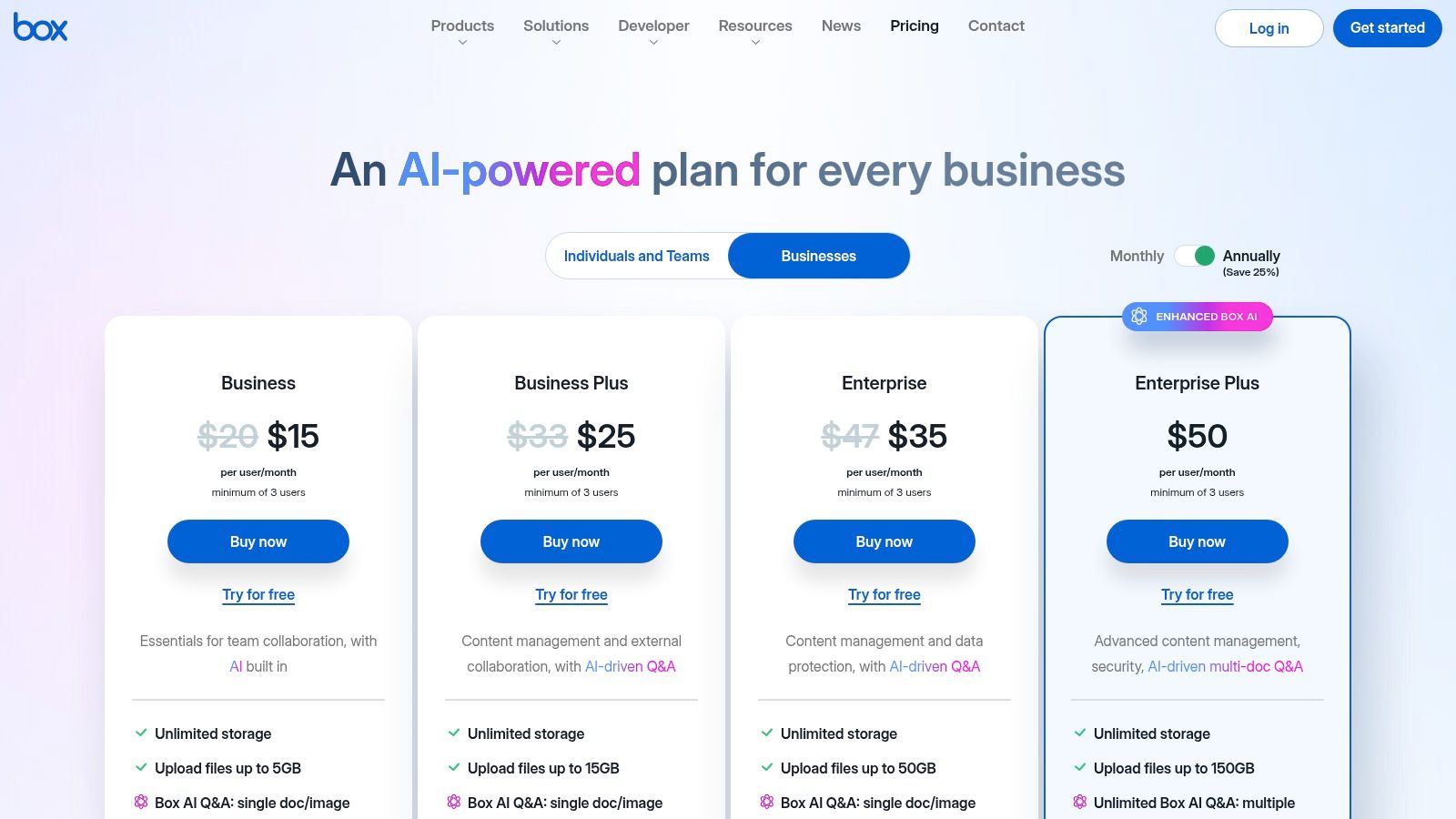
Box offers several tiers, starting with a free personal plan. Business plans begin at $15 per user/month (billed annually) for the Business tier, which includes unlimited storage and the built-in Box Sign for e-signatures. Higher-tier plans add advanced security, governance, and workflow automation.
Website: https://www.box.com/pricing/
Dropbox has evolved from a simple file-sharing tool into a legitimate contender for the best document management software, especially for teams valuing ease of use and rapid adoption. Its core strength lies in its industry-leading sync technology, which ensures documents are instantly available and up-to-date across all devices. This frictionless user experience makes it an excellent choice for businesses that need a system their employees can start using immediately with minimal training.
For small businesses, law firms, and creative agencies, Dropbox provides essential document management features like version history, file requests, and team folders with role-based access controls. Its native PDF editing and e-signature capabilities streamline common workflows without requiring third-party tools. While it may lack the complex, enterprise-grade governance of dedicated ECM platforms, its admin console offers strong audit logs and security controls sufficient for many regulated industries. Dropbox excels as a central hub for active collaboration and secure client-facing document exchange.
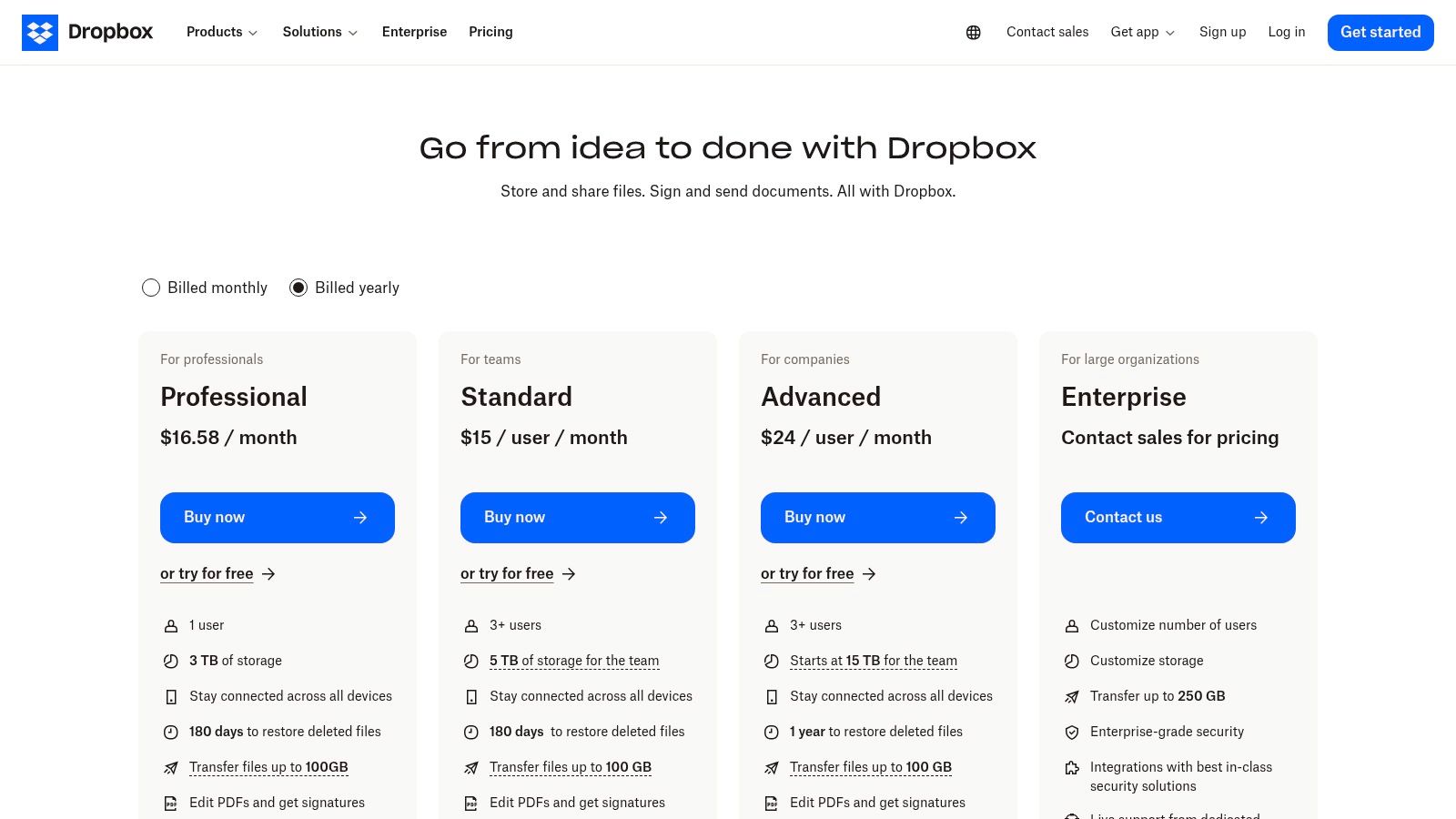
Dropbox offers several business plans, with the Standard plan starting at $15 per user/month (billed annually) for teams of three or more, providing 5,000 GB of shared storage. Higher tiers like the Advanced plan at $24 per user/month add more granular admin controls, security features, and unlimited storage to meet growing team needs.
Website: https://www.dropbox.com/business/plans-comparison
Google Workspace earns its spot as one of the best document management software options by integrating powerful, AI-driven document handling directly into the productivity suite that millions already use. Centered around Google Drive, it excels at real-time collaboration within Docs, Sheets, and Slides, making it a natural choice for teams that prioritize co-authoring and seamless workflows. Its familiar interface lowers the adoption barrier, allowing businesses to centralize files, manage versions, and control access with minimal training.
For small businesses and professional services, the platform's strength lies in its simplicity and powerful search capabilities that index content across the entire suite. Shared Drives provide team-owned storage, ensuring files remain accessible even if employees leave. Higher-tier plans add crucial governance features like data loss prevention (DLP), retention policies, and eDiscovery, making it a scalable solution for growing compliance needs. To make the most of the platform, it helps to understand document management best practices for small businesses which align well with Workspace's feature set.
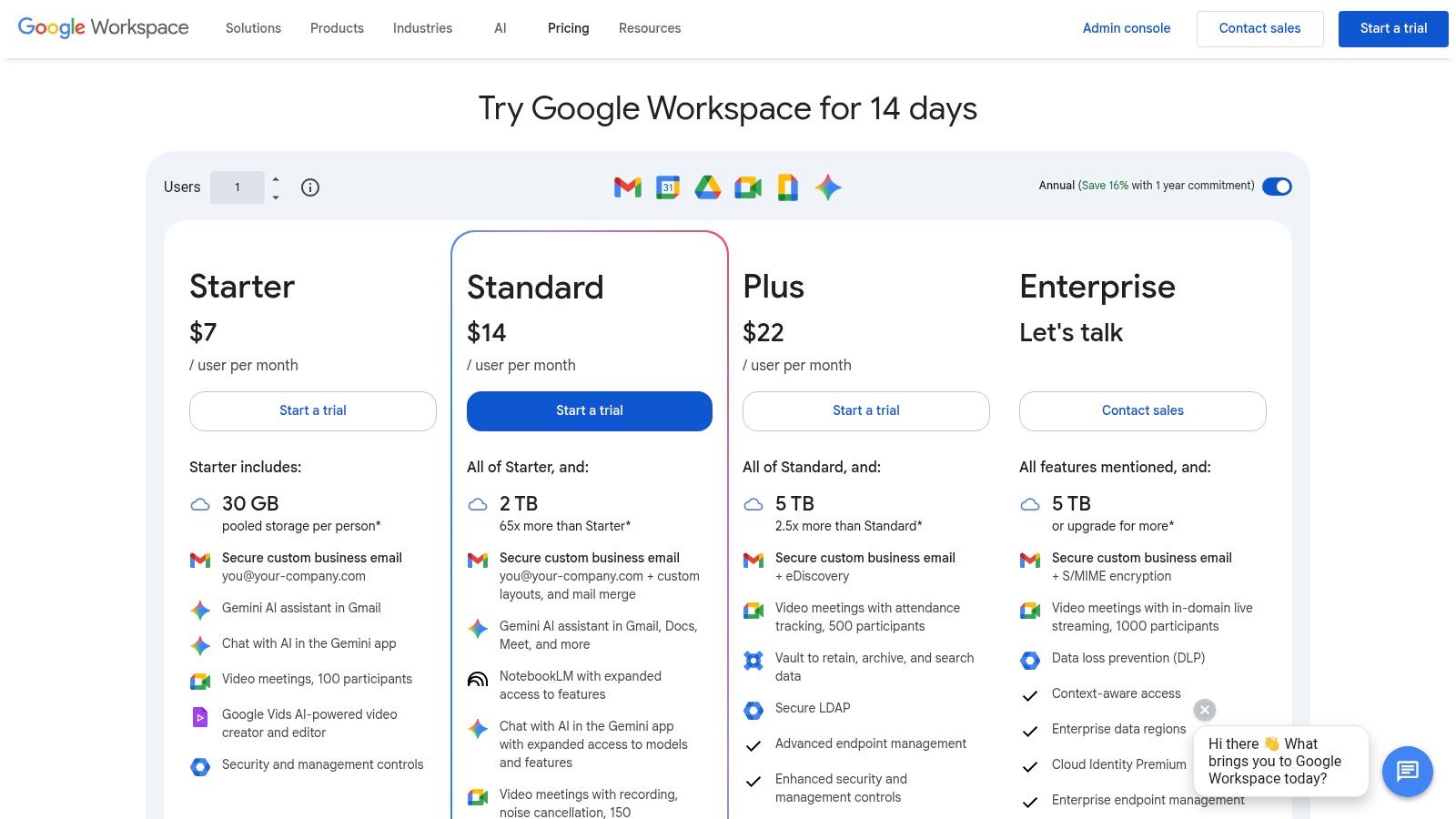
Google Workspace offers several plans, with business-grade features starting at $12 per user/month (billed annually) for the Business Standard tier, which includes 2 TB of pooled storage per user. Higher tiers like Business Plus and Enterprise introduce advanced security controls, archiving, and unlimited storage.
Website: https://workspace.google.com/pricing
As the backbone of Microsoft 365, SharePoint is a powerhouse contender for the best document management software, especially for organizations already embedded in the Microsoft ecosystem. It functions as both a powerful DMS and an intranet platform, enabling businesses to create collaborative sites, document libraries, and structured data repositories. Its deep integration with Office apps like Word and Excel allows for seamless co-authoring, version history, and approval workflows directly within the familiar Microsoft environment.
For professional services and enterprises, SharePoint's strength is its robust governance and compliance framework. Through Microsoft Purview, it offers advanced records management, retention policies, and eDiscovery capabilities essential for legal and accounting firms. The platform's integration with Microsoft Teams enhances this collaborative power, allowing teams to manage documents while communicating. Many businesses utilize Microsoft's ecosystem for unified communications and efficient document collaboration. You can learn more about a comprehensive Microsoft Teams Voice solution to see how these tools work together.
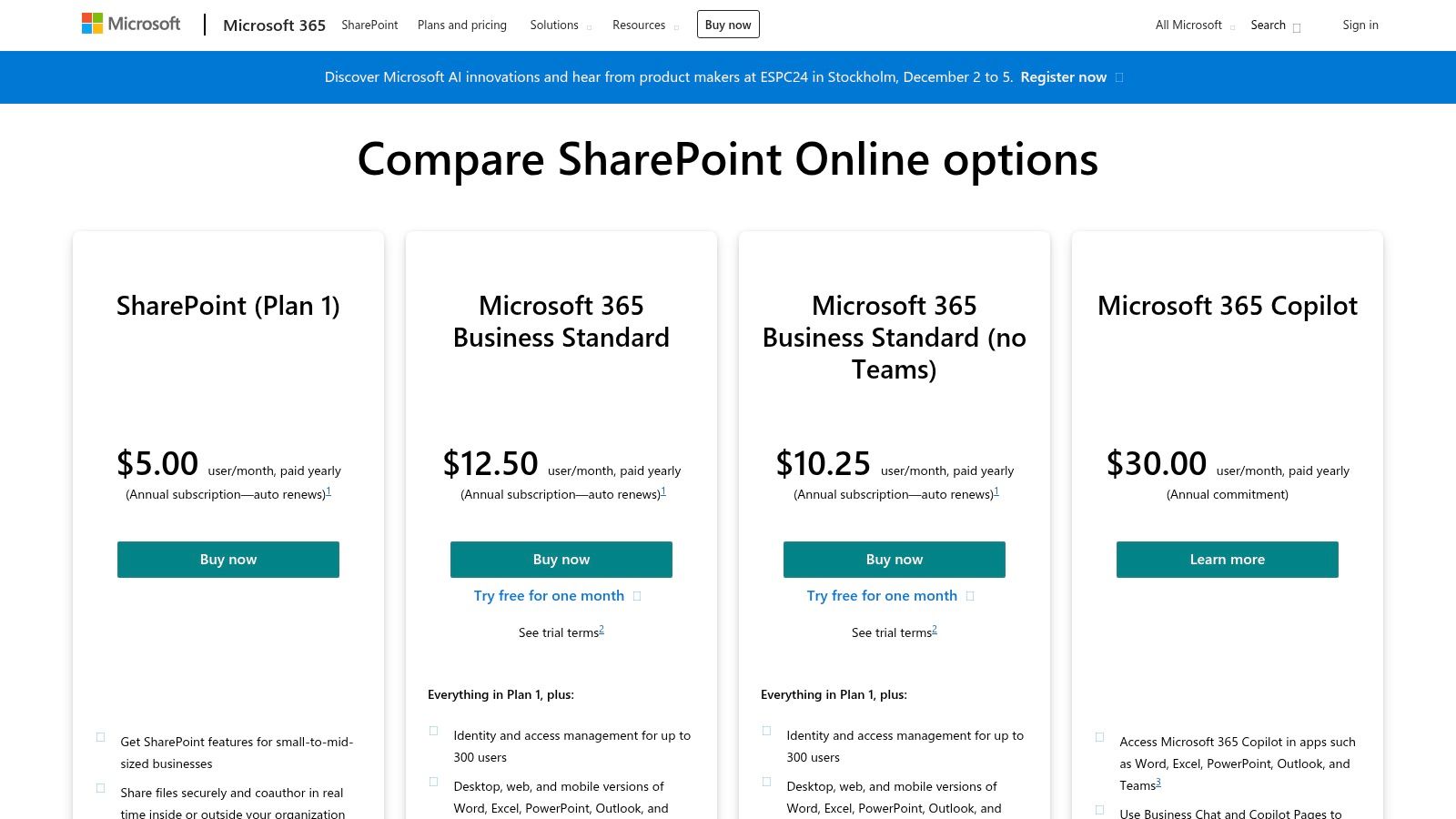
SharePoint is primarily available through Microsoft 365 bundles, but standalone plans start at $5 per user/month (Plan 1) which includes 1 TB of OneDrive storage per user. For more advanced features, Microsoft 365 Business Standard is $12.50 per user/month and includes the full suite of Office apps and services like Teams.
Website: https://www.microsoft.com/en-us/microsoft-365/sharepoint/compare-sharepoint-plans
Egnyte secures its spot as one of the best document management software options by focusing on secure, governance-rich file services for businesses, particularly those in regulated industries. It excels in offering a hybrid deployment model, allowing organizations to combine cloud storage with on-premises servers for optimized performance and control. This platform is built for security, providing robust tools for content lifecycle management, ransomware detection, and granular, role-based access controls.
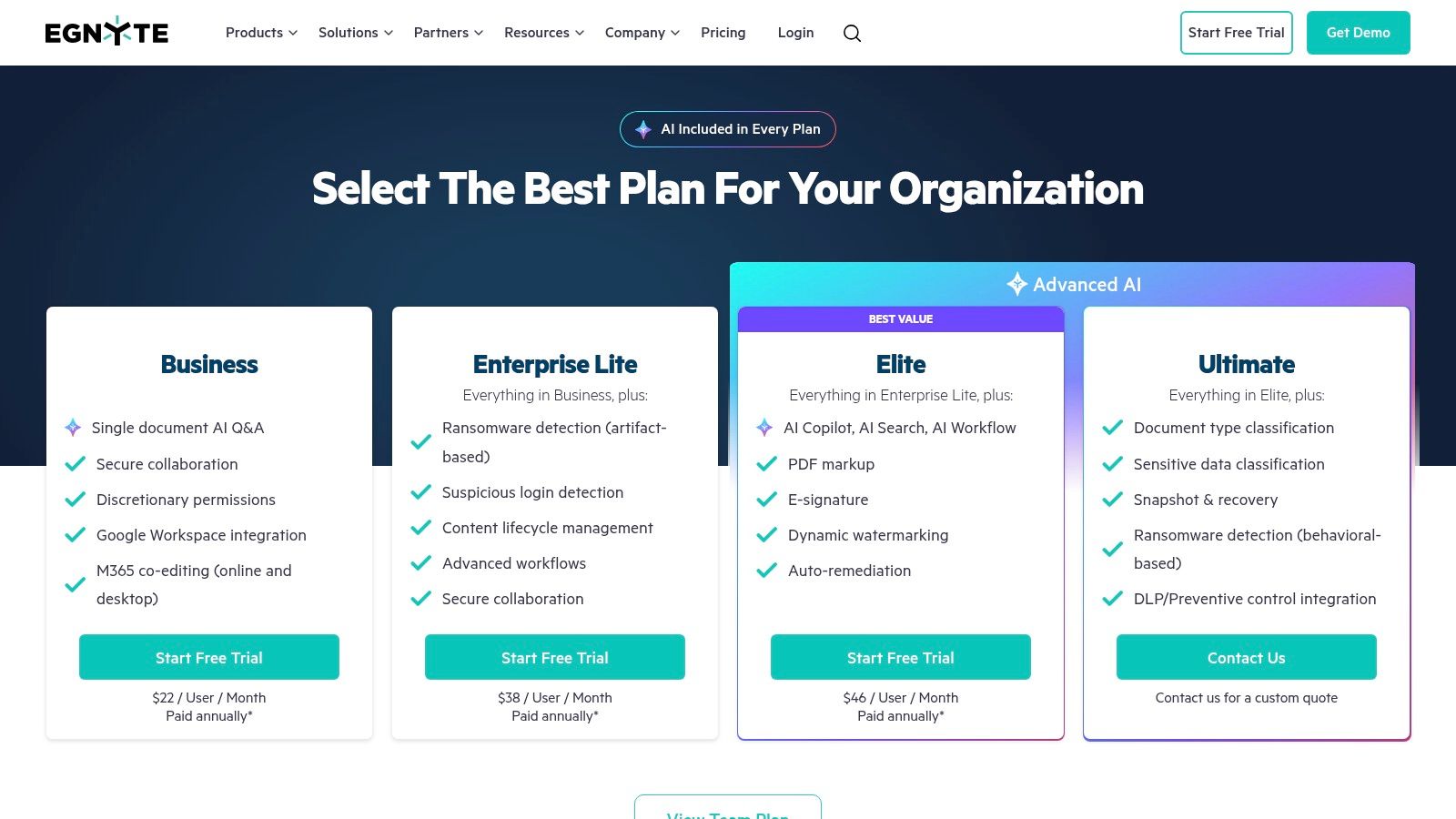
For organizations in life sciences, finance, or construction, Egnyte offers vertical-specific solutions with add-ons like Project Hub or eTMF to meet strict compliance needs. The platform's strength lies in its ability to manage content securely across distributed teams, ensuring that sensitive data is protected with features like file locking, versioning, and secure external sharing. This tailored approach makes it a powerful tool for businesses that require more than just standard cloud storage and need a platform that understands their specific compliance and security challenges.
Egnyte offers a 15-day free trial for its Business plan. Paid plans begin with the Business tier at $20 per user/month (billed annually), which includes core security and collaboration features. Enterprise-level plans offer advanced governance, ransomware protection, and hybrid deployment capabilities, requiring custom quotes.
Website: https://www.egnyte.com/pricing
M-Files offers a unique, metadata-driven approach to document management that distinguishes it from traditional folder-based systems. Instead of storing files in rigid hierarchies, it organizes content based on “what it is” rather than “where it is,” using metadata tags for context. This makes it an exceptionally powerful choice for the best document management software for organizations in regulated industries like finance, legal, and life sciences where findability and compliance are critical.
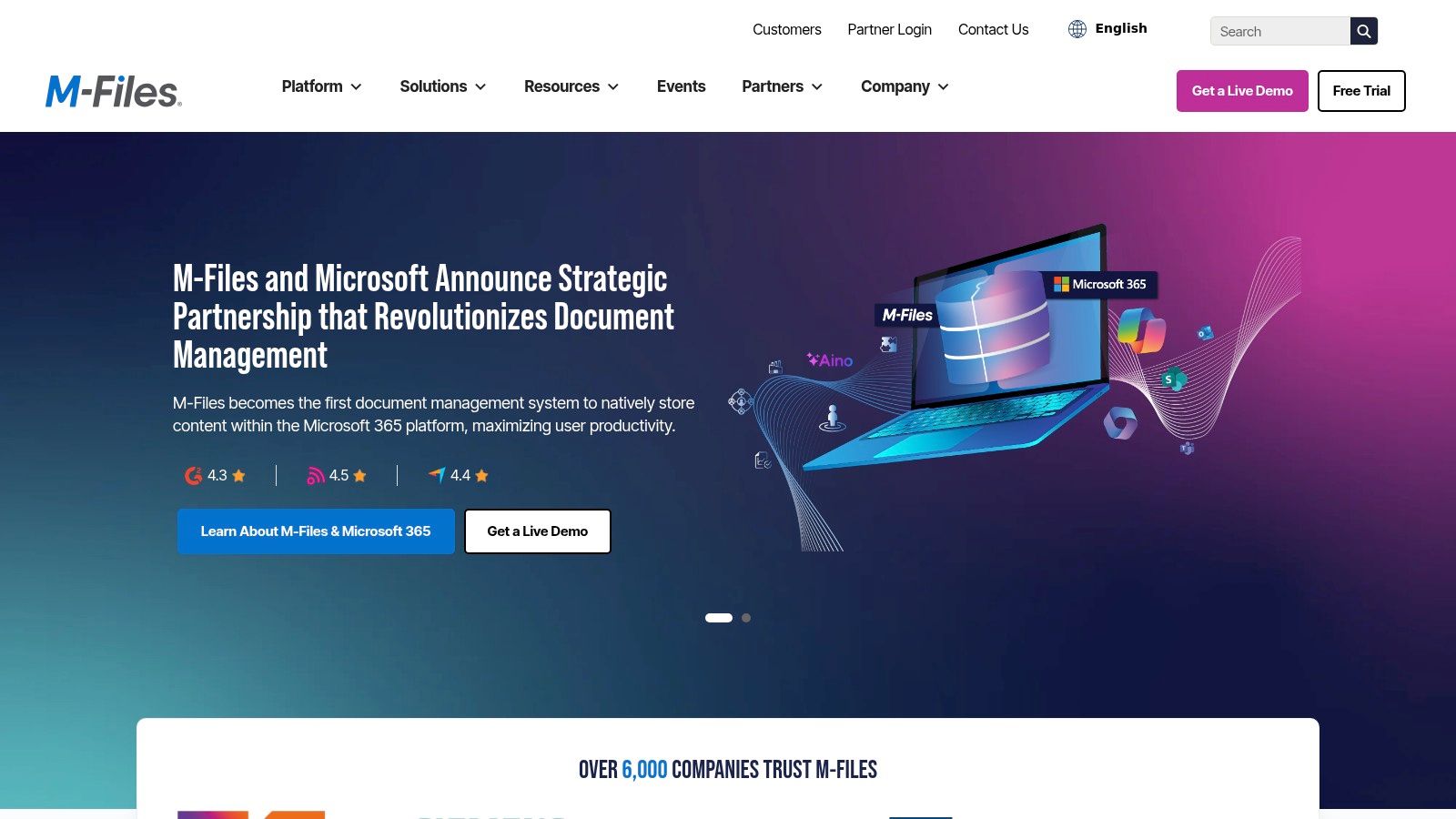
The platform’s intelligent information management capabilities leverage AI to automatically classify, tag, and secure documents, dramatically reducing manual effort and human error. M-Files excels at creating automated workflows for processes like contract approvals and invoice processing, with deep integrations into Microsoft 365, Teams, and Salesforce. Its flexible deployment options, allowing for on-premises, cloud, or hybrid setups, cater to businesses with specific data residency or security requirements, ensuring a seamless fit into complex IT ecosystems.
M-Files pricing is customized and available upon request through a consultation with their sales team. The platform is tailored to specific business needs, so costs vary based on the number of users, deployment model (cloud, on-prem, or hybrid), and required integrations.
Website: https://www.m-files.com/
DocuWare excels as a best document management software by combining powerful document management with sophisticated workflow automation, making it ideal for businesses looking to digitize core processes. It offers both cloud and on-premises deployments, providing flexibility for organizations with specific IT requirements. Its standout feature is Intelligent Indexing, which uses AI to automatically capture, index, and store documents, significantly reducing manual data entry for teams in accounting or HR.
The platform is particularly strong for departments with repeatable, high-volume tasks, such as accounts payable invoice processing or employee onboarding. DocuWare provides preconfigured solutions that streamline these common workflows right out of the box, accelerating implementation and ROI. This focus on structured processes makes it a go-to choice for businesses aiming to move beyond simple storage and create true digital efficiency. For those evaluating different deployment models, understanding the benefits of cloud-based document management can clarify why DocuWare’s cloud version is so popular.
DocuWare’s pricing is quote-based and varies by region and user count, often delivered through a network of certified partners. A free 30-day trial is typically available. Its cloud plans are structured in scalable tiers based on named users and storage, starting with a base package suitable for small teams and extending to enterprise-level solutions.
Website: https://www.docuware.com/
Laserfiche earns its place as one of the best document management software options for organizations that need robust automation, compliance, and flexible deployment. It goes beyond basic file storage by offering an enterprise content management (ECM) platform designed to digitize business processes. Its strengths lie in powerful workflow automation, electronic forms, and records management, making it an excellent fit for industries like government, education, and financial services that face strict regulatory requirements.
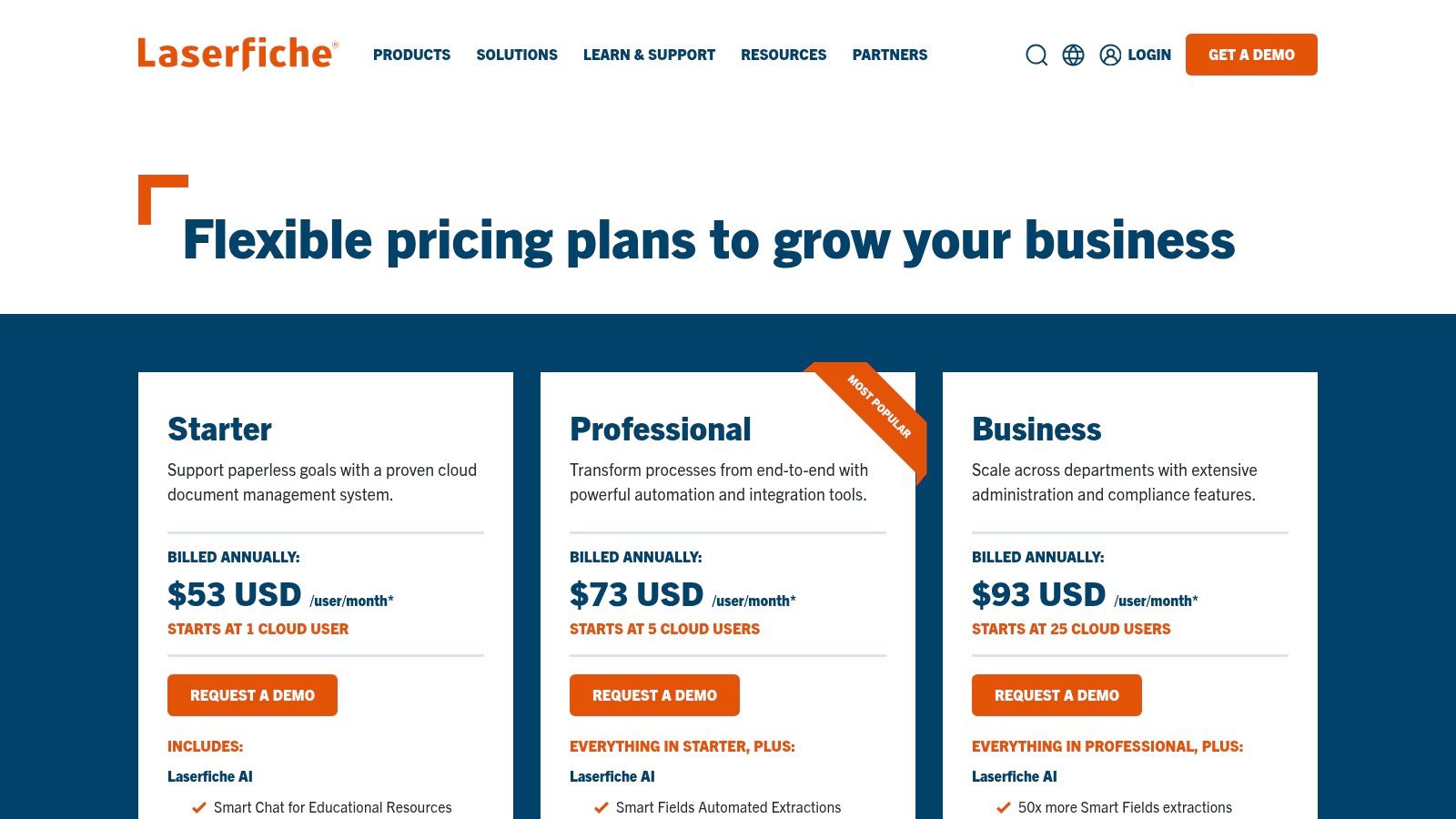
The platform is highly adaptable, offering both cloud-based SaaS and self-hosted deployment options to meet different IT and security policies. For accounting firms and legal practices, Laserfiche provides audit-ready features, including records lifecycle management and legal holds, to ensure information is managed securely and transparently. Its process automation tools, which include a template library for building workflows and forms, help teams streamline everything from client onboarding to invoice approvals, reducing manual effort and minimizing errors.
Laserfiche provides clear pricing, with the Cloud-based Business tier starting at $60 per user/month (billed annually). The on-premise solutions are available through custom quotes. The Business plan includes workflow automation, e-forms, and integrations with key apps like Microsoft 365, Salesforce, and DocuSign.
Website: https://www.laserfiche.com/products/pricing/
Hyland OnBase earns its place as one of the best document management software solutions for large, regulated enterprises seeking a comprehensive content services platform. It excels in managing complex processes through low-code application development, allowing organizations to build custom, content-centric workflows and case management solutions. Its strength lies in its ability to deeply integrate with core business systems like SAP, Salesforce, and Microsoft Dynamics, centralizing information and breaking down data silos.

This platform is particularly powerful in industries with strict compliance needs, such as finance, healthcare, and government. Its robust governance and records management features are designed for auditability and control, making it a viable option for organizations handling sensitive information. For professional services that require stringent data handling, understanding how solutions like Hyland address specific industry needs is crucial; for instance, you can explore the nuances of document management for law firms to see how these advanced features are applied. Hyland offers both cloud-based and self-hosted deployment options, providing flexibility for different IT infrastructure strategies.
Hyland’s pricing is typically quote-based, reflecting its modular, enterprise-focused nature where solutions are tailored to specific business needs. The platform is available through the AWS Marketplace with transparent contract tiers, but costs are generally higher and involve more complex implementation than SMB-focused tools.
Website: https://www.hyland.com/
Alfresco carves out its space as one of the best document management software options for organizations that need a highly customizable, open-source platform. As part of Hyland, Alfresco combines enterprise-grade content services with the flexibility of a modern, cloud-native architecture. It excels in managing unstructured content by leveraging rich metadata and powerful search, making it ideal for businesses with complex information governance and process automation needs.
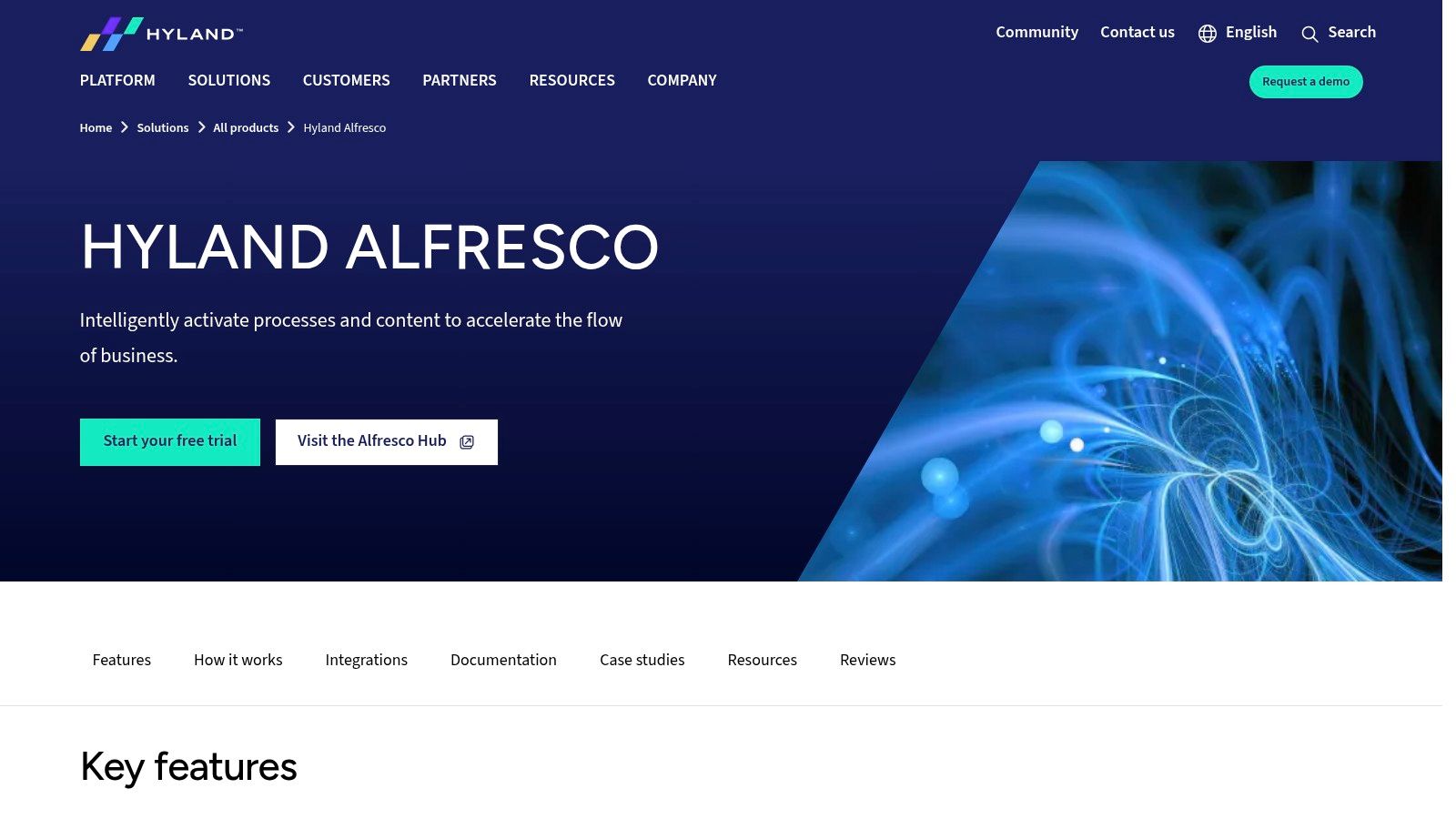
Unlike many out-of-the-box solutions, Alfresco's strength is its extensibility. Its open APIs and flexible deployment models (cloud, on-premises, or hybrid) make it a top choice for enterprises that want to build bespoke solutions or integrate document management deeply into their core applications. The integrated workflow and Business Process Management (BPM) engine allow for the automation of sophisticated, document-centric processes, from contract approvals to regulatory submissions, providing a powerful alternative to more rigid, turnkey systems.
Alfresco's pricing is customized based on specific deployment needs and scale, so it's quote-based and not publicly listed. It is designed for medium to large enterprises looking for a robust platform to build upon.
Website: https://www.hyland.com/en/solutions/products/alfresco-platform
OpenText Documentum is an enterprise-grade, cloud-native content platform recognized as one of the best document management software options for highly regulated industries. It is purpose-built for managing high-volume, critical content in sectors like life sciences, energy, and the public sector where strict governance and auditability are non-negotiable. The platform provides a unified, scalable repository that ensures content is secure, compliant, and accessible throughout its lifecycle.
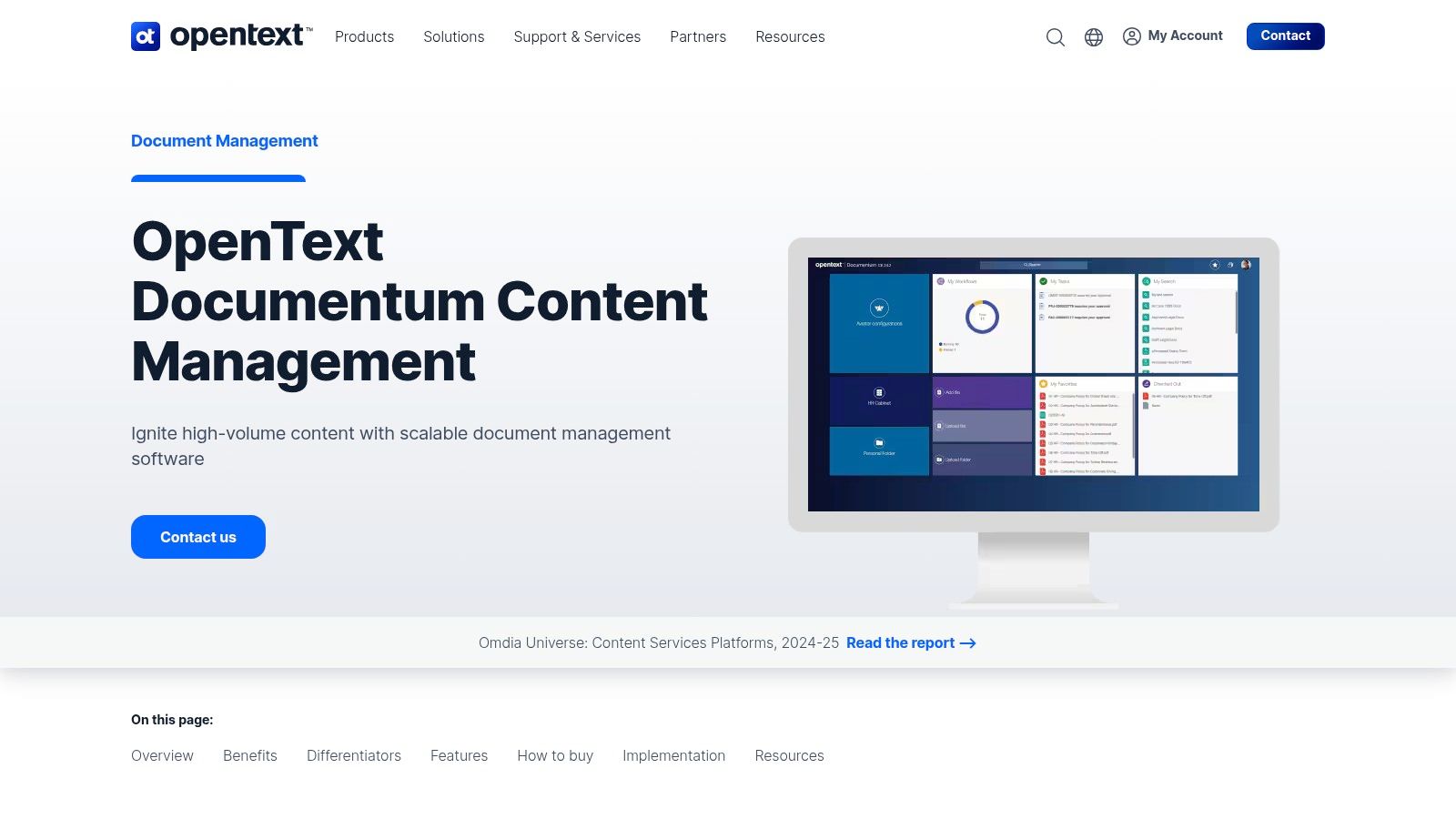
Documentum excels in complex environments by offering deep integrations with core business systems like Microsoft, SAP, and Salesforce. This connectivity allows it to serve as a central source of truth, enriching business processes with controlled information. The modern SmartView UI enhances the user experience, providing intuitive mobile access and simplifying tasks for a distributed workforce. Its strong product roadmap ensures frequent feature updates, keeping the platform at the forefront of enterprise content management.
OpenText Documentum uses quote-based pricing tailored to the specific needs and scale of the enterprise. This model is designed for large organizations and is not suitable for small teams looking for transparent, off-the-shelf pricing. Implementation requires careful planning and often involves certified partners or internal experts.
Website: https://www.opentext.com/products/documentum
Revver, formerly known as eFileCabinet, earns its spot as one of the best document management software options for small to mid-sized businesses, particularly in accounting, insurance, and property management. Its core strength is making sophisticated automation accessible without a steep learning curve. The platform centers around a no-code workflow builder that automates document routing, approvals, and notifications, helping teams eliminate manual bottlenecks and enforce procedural consistency.
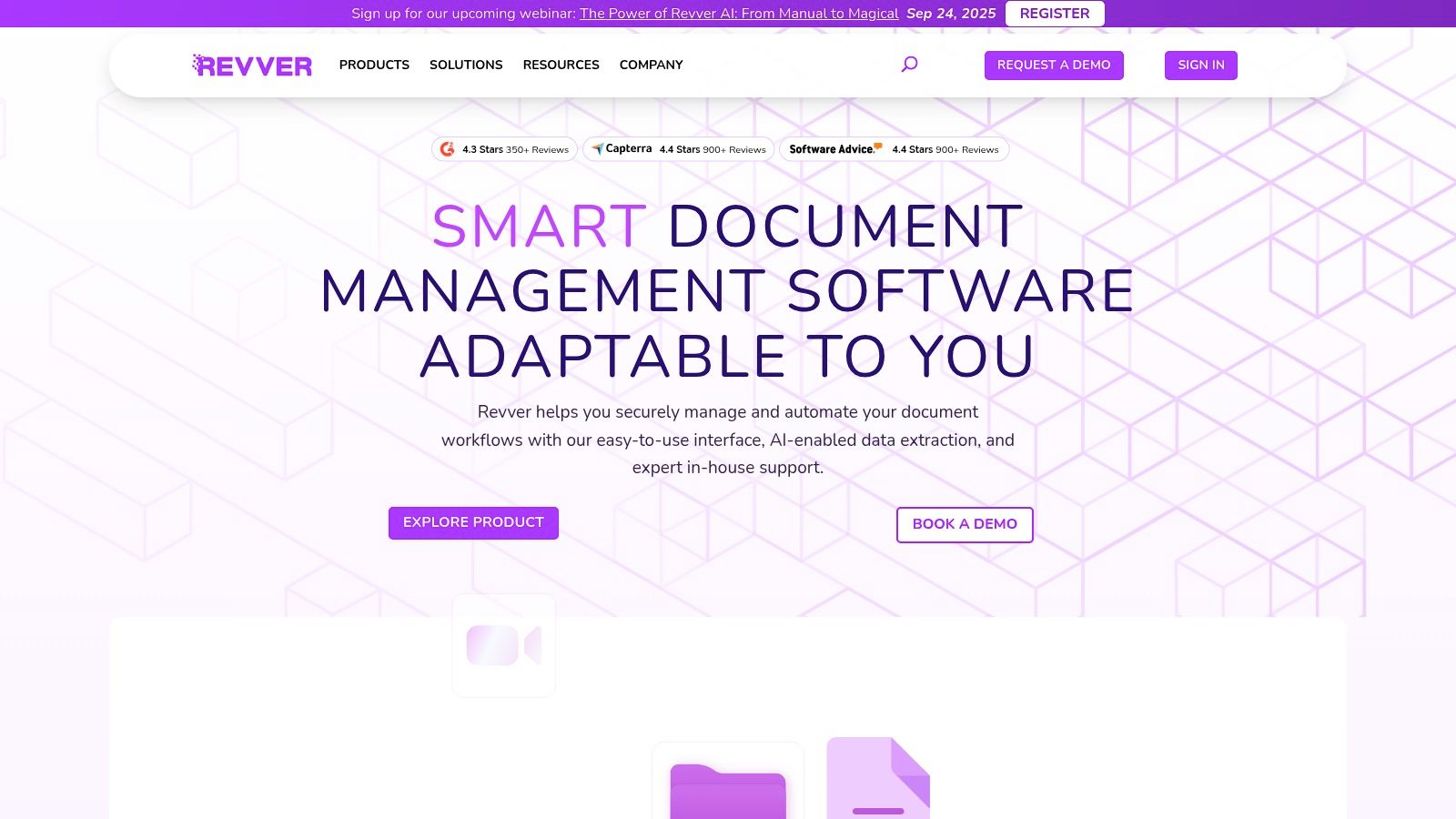
What sets Revver apart is its AI-powered data extraction. The Zonal OCR and Smart Extract AI features automatically identify and pull key information from documents like invoices or contracts, using it to populate metadata fields and kickstart workflows. This significantly reduces manual data entry and improves search accuracy. Revver's architecture is a prime example of effective cloud-based document management systems, offering secure guest user portals for seamless external collaboration with clients.
Revver does not publish its pricing online and requires potential customers to request a custom quote based on their specific needs for users, storage, and feature sets. The pricing is tailored to team size and complexity, ensuring a scalable solution.
Website: https://www.revverdocs.com/
| Product | Core Features | User Experience & Quality | Target Audience | Unique Selling Points | Price Points |
|---|---|---|---|---|---|
| Box | Unlimited storage, workflow automation, 1500+ integrations, strong compliance | Mature governance, granular sharing, scalable | SMBs to large enterprises | Advanced governance, extensive integrations | Tiered, some features need higher plans |
| Dropbox | Team folders, file versioning, e-sign, file requests | Easy to use, strong sync, good storage | Teams needing simple file sharing | Low learning curve, strong device sync | Competitive per plan |
| Google Workspace | Shared drives, AI summaries, strong app integration | Familiar UI, excellent co-authoring | Businesses using Google apps | AI-assisted features, seamless Google integration | Simple licensing tiers |
| Microsoft SharePoint | Document libraries, approval flows, advanced security | Good governance, integrates with Microsoft 365 | Microsoft 365 users | Strong retention, intranet + DMS in one | Included in M365 bundles or standalone plans |
| Egnyte | Role-based permissions, ransomware detection, hybrid options | Compliance-focused, hybrid-ready | Regulated industries, distributed teams | Hybrid deployment, strong compliance | Annual commitments preferred |
| M-Files | Metadata-driven, AI classification, CRM/ERP integration | Excellent search, flexible deployment | Compliance-heavy organizations | Metadata architecture, AI findability | Quote-based pricing |
| DocuWare | Intelligent indexing, workflow automation, prebuilt solutions | Enterprise-grade, partner support | SMBs & enterprises | Strong AP/HR workflows, trial available | Regionally variable, often quote-based |
| Laserfiche | Workflow automation, records management, SaaS/on-prem options | Clear pricing, robust compliance | Audit & compliance-focused firms | Cloud/on-prem flexibility, audit tools | Published tiers USD |
| Hyland OnBase | Low-code apps, case mgmt, SAP/Salesforce integration | Modular, enterprise-ready | Regulated large enterprises | Deep integrations, AWS marketplace availability | Quote-based pricing |
| Alfresco (Hyland) | Rich metadata, BPM, extensible APIs | Developer-friendly, cloud-native | Hybrid/cloud enterprises | Developer extensibility, modern architecture | Quote-based pricing |
| OpenText Documentum | Scalable repository, governance, Microsoft/SAP integration | Proven global scale, modern UI | Large regulated enterprises | Enterprise-grade compliance, mobile access | Quote-based pricing |
| Revver | No-code workflows, AI metadata extraction, guest access | Easy onboarding, U.S.-based support | SMBs in accounting, insurance | Industry templates, AI-powered extraction | Quote-based, not public |
Choosing the best document management software is more than just picking a digital filing cabinet; it's a strategic investment in your organization's efficiency, security, and future scalability. We've journeyed through a comprehensive landscape of solutions, from the accessible cloud storage of Box and Dropbox to the powerful, enterprise-grade platforms of Hyland OnBase and OpenText Documentum. The key takeaway is that the "best" system is entirely relative to your unique operational DNA.
A small law firm’s needs for granular access controls and audit trails are vastly different from a nonprofit’s need for cost-effective collaboration and simple document sharing. Similarly, an accounting practice that lives inside the Microsoft ecosystem may find SharePoint to be a seamless extension of their workflow, while a tech-forward company might lean towards Egnyte for its hybrid deployment flexibility and advanced security features. Your final choice hinges on a clear-eyed assessment of your specific requirements.
To move from analysis to action, distill your decision-making process into three core pillars: Needs, Integration, and Implementation. This framework will help you cut through the marketing noise and focus on what truly matters for your team.
Pillar 1: Re-evaluate Your Core Needs: Look back at the problems that initiated your search. Are you primarily solving for version control chaos, compliance and regulatory mandates (like HIPAA or FINRA), or the need for secure remote access? Create a prioritized checklist. If advanced, AI-powered metadata tagging and workflow automation are your top priorities, platforms like M-Files or Laserfiche should be at the top of your list. If straightforward, secure file sharing is the goal, Google Workspace or Dropbox might suffice.
Pillar 2: Map Out Your Integration Ecosystem: A DMS does not operate in a vacuum. It must communicate flawlessly with your existing software stack. Consider your primary tools: your CRM, accounting software (like QuickBooks or Sage), and practice management systems. An ideal DMS enhances these tools, it doesn't create new data silos. Investigate the quality of native integrations and the availability of robust APIs for any custom connections you might need. A powerful DMS that can’t talk to your core applications will quickly become an expensive island of isolated data.
Pillar 3: Plan for Implementation and Adoption: The most powerful software is useless if your team doesn't use it. Consider the implementation process. Does the vendor offer comprehensive onboarding and training? Is the user interface intuitive enough for the least tech-savvy person on your team? Factor in the total cost of ownership, which includes not just subscription fees but also potential migration costs, training time, and any necessary IT overhead for maintenance and security. For many organizations, especially those in accounting and legal fields without dedicated IT departments, managing the underlying server infrastructure can be a significant hidden cost and a major distraction.
This final consideration-the management of IT infrastructure-is where many businesses stumble. The burden of maintaining on-premise servers, ensuring data security, managing backups, and providing reliable remote access can overshadow the benefits of the DMS itself. This is precisely where leveraging a specialized cloud hosting provider can transform your implementation from a complex IT project into a seamless business upgrade. By hosting your chosen software in a managed cloud environment, you offload the entire technical burden, guaranteeing security, uptime, and accessibility. This allows you to focus solely on maximizing the value of your new system to serve clients and grow your business. Ultimately, selecting the best document management software is about empowering your team, and the right deployment strategy is a critical part of that equation.
Ready to pair your chosen document management software with a hassle-free, secure, and fully managed cloud environment? Cloudvara specializes in hosting critical applications for accounting, tax, and legal professionals, eliminating IT headaches and enabling secure remote access. Learn how Cloudvara can optimize your software performance and protect your sensitive data so you can focus on what you do best.




