Picking the best accounting software for small business isn't just about finding a tool; it's about installing a financial command center for your entire operation. The usual suspects—QuickBooks Online, Xero, and FreshBooks—always make the list, but the "best" choice really depends on how you do business. Are you a freelancer juggling clients, a fast-growing e-commerce shop, or a service firm billing by the hour?
Let's be clear: choosing your accounting software is a strategic decision, not just a bookkeeping task. The right platform moves beyond tracking debits and credits. It gives you a real-time, dashboard-level view of your cash flow, profitability, and overall financial health, turning raw numbers into smart, data-driven decisions that fuel your growth.
This isn't just a niche trend. The global accounting software market is set to jump from USD 17.7 billion in 2025 to a massive USD 44.2 billion by 2035. A big driver of that growth is the move toward integrated platforms, which already command a 42.30% market share by pulling all your financial reporting into one place and breaking down data silos.
Forget the idea of a one-size-fits-all solution. Finding the right software is about matching its strengths to your specific needs. One business might need rock-solid inventory management, while another is laser-focused on seamless time tracking and project invoicing. The right tool automates the tedious stuff, freeing you up to focus on what actually matters.
A great system will dramatically improve workflow efficiency through smart automation. If you want to dig deeper into that, Stewart Accounting Services has a great piece to help you Boost Growth with Accounting Process Automation.
Modern accounting software isn't just a record-keeping tool. It's an active partner in your business strategy, providing the clarity needed to navigate financial challenges and seize growth opportunities with confidence.
To get us started before the deep dive, here’s a high-level look at the leading solutions and who they’re built for. This quick overview should help you immediately spot which platforms are worth a closer look based on your business model.
Here is a high-level summary of the leading solutions and their ideal business fit. This table is a great starting point for identifying which platform aligns best with your operational needs.
| Software | Best For | Key Feature Highlight | Typical Price Range |
|---|---|---|---|
| QuickBooks Online | Overall Scalability | Comprehensive reporting and vast third-party integrations. | $30 – $200 / month |
| Xero | Growing Businesses & E-commerce | Strong inventory management and unlimited users on all plans. | $15 – $78 / month |
| FreshBooks | Service-Based Businesses | Excellent invoicing, time tracking, and project management. | $19 – $60 / month |
| Zoho Books | Businesses in the Zoho Ecosystem | End-to-end financial management integrated with CRM and other apps. | $0 – $275 / month |
Think of this as your shortlist. Now, let’s get into the specifics of what makes each of these platforms tick and which one will truly feel like it was made for your business.
Picking the best accounting software for small business isn't about ticking off features on a comparison chart. It’s about finding the right tool that fits snugly into your daily operations. Before you dive into software demos, it's worth taking a moment to define what "better" actually looks like for your company.
This means asking more specific questions. Instead of just asking if a tool handles invoicing, ask how it manages recurring invoices for your retainer clients or if it can automatically tack on late fees. Does it just log receipts, or can it categorize them automatically and link them to specific projects for true job costing?
Every business has its non-negotiables. The needs of a freelance consultant are worlds apart from those of a retail store with physical inventory. Start by pinpointing the financial tasks that eat up the most time or cause the biggest headaches.
Your evaluation should center on these core functions:
For a deeper dive into these points, our guide on how to choose accounting software offers an in-depth checklist to help you move forward with confidence.
The most powerful software on the planet is useless if your team finds it too confusing to use. The user experience is everything. During free trials, pay close attention to the interface. Is it intuitive? Can you find what you need without digging through endless menus? A clean, logical dashboard dramatically cuts down on the learning curve.
Also, think about who will be using it. If it’s just you and your accountant, that’s one thing. But what if project managers need to track their time and expenses? The software has to accommodate different user roles with the right permissions to keep sensitive financial data secure.
Your accounting software doesn’t live on an island. It needs to play nicely with the other tools you rely on, whether that’s your CRM, e-commerce platform, or payroll service. A lack of integration creates frustrating data silos and forces you into manual workarounds, which defeats the whole purpose of upgrading your tech.
This decision tree infographic can help you visualize how your business type points toward specific software needs.
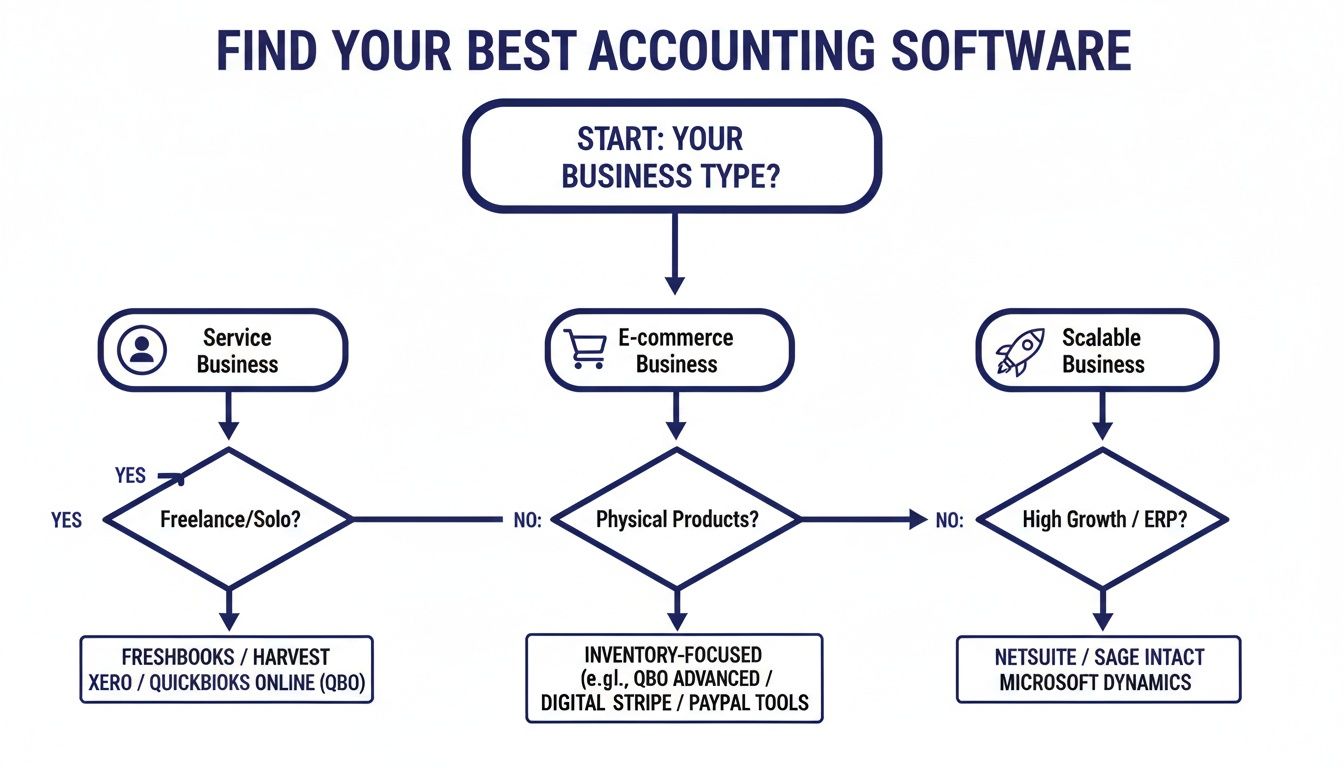
As the flowchart shows, service businesses live and die by invoicing, e-commerce stores absolutely need inventory management, and growing companies must prioritize solutions that won't hold them back.
Scalability is just as critical. The software you choose should support your business not just today, but three to five years down the road.
Choosing a platform that can't grow with you is a common and costly mistake. Migrating your entire financial history to a new system is a massive, disruptive headache that's best avoided.
Think about what's next for your business. Will you be hiring and need payroll? Do you have plans to expand internationally and need multi-currency support? Picking a scalable solution from the get-go ensures your financial foundation stays solid as you grow.
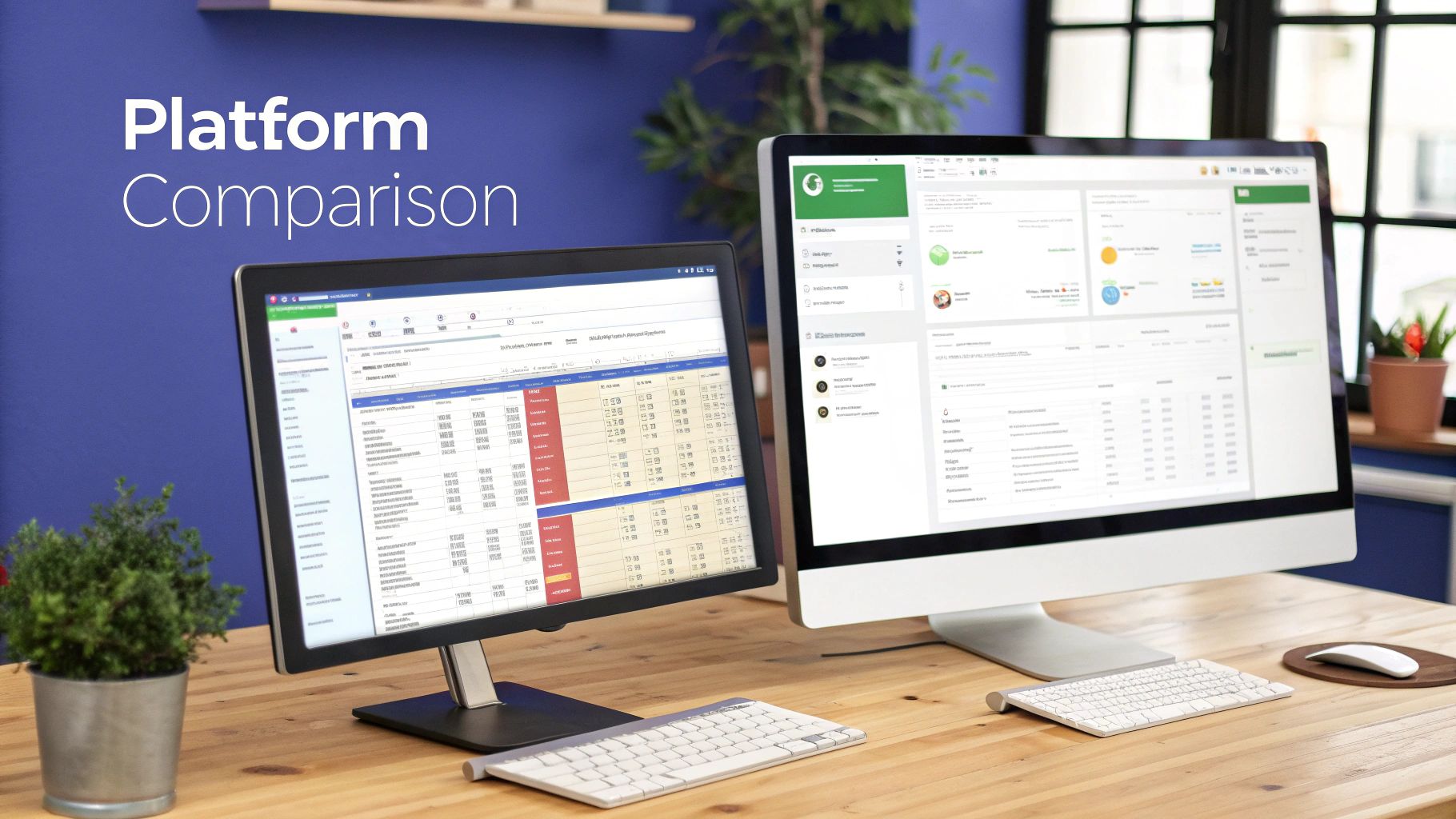
Now that you have a framework for choosing the right tool, it’s time to put the top contenders under a microscope. Generic feature lists rarely tell the whole story. The only way to find the right fit is to see how each platform performs in real-world scenarios you actually face every day.
Let’s move beyond simple pros and cons to analyze how these tools handle specific, critical tasks. This approach will give you a much clearer picture of how each software would actually feel in your workflow, helping you select the best accounting software for small business operations like yours.
For any online retailer, inventory is everything. It’s not just about counting units; it’s about tracking the cost of goods sold (COGS), managing stock across multiple channels, and forecasting demand. Let’s see how QuickBooks Online and Xero, two heavyweights in this space, really stack up.
QuickBooks Online’s Approach
QuickBooks Online (QBO) brings some serious, built-in inventory muscle to the table, especially in its Plus and Advanced plans. It gives you real-time tracking of stock levels, lets you set reorder points to prevent stockouts, and manages all your vendor details in one place.
When you make a sale, QBO automatically updates your inventory and calculates COGS using the first-in, first-out (FIFO) method. That’s a huge plus for businesses that need accurate, compliant financials without a ton of manual spreadsheet work.
Its reporting is also a major strength. You can pull reports on inventory valuation, profitability by product, and sales by item, giving you a clear window into what’s moving and what’s not.
Xero’s Approach
Xero also includes inventory tracking, but it takes a slightly different angle. Its core inventory function is great for the basics—tracking quantities, setting prices, and reporting on what’s on hand. You can easily see what you have and what it's worth.
Where Xero really shines is its open API and its massive ecosystem of third-party apps. For businesses with more complex needs, like multi-warehouse management or barcode scanning, Xero connects seamlessly with specialized inventory tools. This lets you build a powerful, customized system without cluttering the main accounting interface.
Key Differentiator: QuickBooks Online offers more comprehensive built-in inventory features, including FIFO costing, making it a great all-in-one solution. Xero provides strong fundamentals and excels through its best-in-class integrations, offering greater flexibility for businesses with highly specialized inventory needs.
So, what's the verdict? If you want a single platform to handle everything and FIFO is a must-have, QuickBooks Online is a strong contender. If your business already uses a specialized inventory system or you think you’ll need advanced features down the road, Xero’s flexibility is hard to beat.
Creative agencies, consultants, and other service-based businesses live and die by their ability to track time, manage projects, and send clean, accurate invoices. Let’s compare FreshBooks, which was built for this world, with Zoho Books, a powerful contender with a much broader scope.
FreshBooks: The Specialist
FreshBooks was designed from the ground up for service businesses, and it shows. Its time-tracking interface is incredibly intuitive, letting you and your team log hours against specific clients and projects with zero friction. Those hours can then be pulled directly onto an invoice in just a few clicks.
The platform is a rockstar at creating customizable, professional-looking invoices. You can automate late-payment reminders, accept online payments right from the invoice, and even charge retainers. This laser focus on the invoicing-to-payment cycle is a game-changer for improving cash flow.
FreshBooks also bakes in project management tools, letting you set budgets, track expenses against projects, and collaborate with your team and clients—all in one organized space.
Zoho Books: The Integrated Powerhouse
Zoho Books is part of the massive Zoho ecosystem, and that’s its superpower. While it offers solid time tracking and project management on its own, its true potential is unlocked when you connect it to other Zoho apps like Zoho CRM or Zoho Projects.
This integration creates a seamless flow from lead to final payment. You can convert an estimate into a project, track your time and expenses, and then generate an invoice without ever leaving the Zoho environment. That end-to-end system kills duplicate data entry and gives you a complete view of a client’s journey.
Its client portal is another standout feature. Clients can view and approve estimates, pay invoices, and review their project history, which adds a layer of transparency that builds strong relationships.
The broader shift toward https://cloudvara.com/cloud-based-accounting-solutions/ has been a game-changer for businesses of all types, offering flexibility and real-time data access that desktop software simply cannot match.
Startups need more than just basic bookkeeping. They need detailed financial reports to show investors, forecast growth, and make quick, strategic decisions. QuickBooks Online and Xero are again the top players here, but they serve slightly different needs.
QuickBooks Online for In-Depth Reporting
There's a reason QuickBooks Online is widely considered the industry standard for small business accounting, and its reporting suite is a big part of it. It offers a massive library of pre-built reports—over 80 in its Advanced plan—covering everything from standard financial statements to niche reports like "Sales by Customer Summary."
The customization options are powerful. You can filter, group, and modify reports to drill down into the exact data you need. For startups that need to track KPIs and present detailed financials to stakeholders, QBO’s robust reporting provides clarity and control right out of the box.
Xero for Visual and Collaborative Reporting
Xero also provides a strong set of financial reports, but its focus leans more toward usability and visual presentation. Its dashboards are clean and easy to interpret, giving you an at-a-glance view of your business’s health. Reports are also interactive, letting you click through to see the underlying transactions.
One of Xero's key advantages is that all its plans include unlimited users. This makes it incredibly easy and cost-effective to give access to your accountant, co-founders, and investors, fostering better collaboration around your numbers. While it may not have the sheer volume of reports as QBO, its core reports are solid, and the platform is built for sharing insights.
The rise of cloud accounting is undeniable. SaaS-based cloud deployments are projected to grab a 61.9% market share in 2025, offering small businesses significant cost savings—often 50-70% lower than on-premises options—along with automatic compliance updates. Tools like QuickBooks or Xero have democratized professional-grade accounting, enabling 70% of users to cut their bookkeeping time significantly.
When evaluating platforms, it's also smart to look at specialized options, especially if your business operates globally. Resources like this guide on Top Multi-Currency Accounting Software can be incredibly helpful.
To give you an even clearer side-by-side view, let's break down how these three contenders stack up across the most critical features for a small business.
| Feature Category | QuickBooks Online | Xero | FreshBooks |
|---|---|---|---|
| Invoicing | Highly customizable templates, progress invoicing, batch invoicing. Strong automation. | Clean, professional templates. Excellent recurring invoice and reminder features. | Best-in-class customization and branding. Built for service-based billing. |
| Inventory | Robust built-in tracking (FIFO method), reorder points, and COGS calculation. | Basic built-in tracking. Excels with deep integrations to specialized inventory apps. | Limited to simple stock tracking. Not ideal for product-heavy businesses. |
| Reporting | Extensive library of 80+ customizable reports. Industry standard for detailed analysis. | Strong core reports with excellent visual dashboards. Designed for collaboration. | Focused on project profitability, time tracking, and expense reports. |
| Time Tracking | Available as a built-in feature or via QuickBooks Time add-on for advanced needs. | Basic built-in time tracking; integrates well with third-party project management tools. | Core strength. Incredibly intuitive for teams to log hours against projects and clients. |
| Integrations | Over 750 app integrations, covering nearly every business function imaginable. | Over 1,000 app integrations, known for its open API and strong developer community. | Fewer integrations (around 100+), but focuses on quality connections for service businesses. |
| User Access | Plans are tiered by user count (1 to 25 users). | Unlimited users included in all plans, making collaboration easy and affordable. | Plans tiered by billable clients. Per-user fees apply for team members. |
| Mobile App | Full-featured app for managing nearly all accounting tasks on the go. | Highly-rated app with strong capabilities for invoicing, expenses, and bank reconciliation. | Excellent app focused on time tracking, invoicing, and expense capture from the field. |
This table highlights the core philosophies of each platform. QuickBooks aims to be an all-in-one powerhouse, Xero prioritizes flexibility and collaboration, and FreshBooks is the undisputed specialist for service-based businesses.
One of the first big decisions you'll make when choosing accounting software is where it will live: in the cloud or on your desktop. This choice shapes everything from your daily workflow and long-term costs to how you collaborate with your team and accountant. While both get the job done, they operate on completely different philosophies.
Desktop software is the classic model. You buy it once, install it on a specific computer, and all your financial data stays right there on the local hard drive. For decades, this was the only way, offering total control and the ability to work offline.
Cloud-based software, or Software as a Service (SaaS), runs on a subscription. You log in through a web browser or an app, and your data is stored securely on the provider's servers. This is the new standard for a reason.
The most immediate difference you’ll feel is accessibility. Desktop software tethers your finances to a single computer. Need to send an invoice from the road or check a client's payment status from home? Too bad, unless you're sitting in front of that specific machine.
This also throws a wrench into collaboration. Getting your accountant the data they need often means clumsy file transfers with a USB drive or setting up a clunky remote desktop—creating version-control headaches and security risks along the way. Cloud software completely eliminates this friction. You, your team, and your accountant can all log in securely from anywhere, at the same time, and see real-time information.
This isn’t just a passing trend. The market is overwhelmingly shifting to the cloud, which is projected to grab a 61.9% revenue share globally by 2025. This move is fueled by infrastructure cost savings of up to 60% and the simple reality of modern work, with an estimated 80% of North American small businesses now using remote-friendly systems.
Data security is another massive differentiator. With desktop software, you are the IT department. The responsibility for securing your financial data and backing it up rests squarely on your shoulders. A stolen laptop, a hard drive failure, or an office disaster could wipe out your records in an instant if you haven’t been meticulous about manual, off-site backups.
Cloud providers, on the other hand, build security and backups into their service. They use enterprise-grade security like encryption and multi-factor authentication, and they run automatic, redundant backups to keep your data safe. It’s a level of peace of mind that’s difficult and expensive to replicate on your own.
Key Takeaway: The choice often boils down to this: desktop offers a one-time cost and works offline, but the cloud delivers the accessibility, automated security, and seamless collaboration that modern businesses need to grow.
Still, some businesses have complex, industry-specific needs that are still best served by powerful desktop software. For a deep dive into this, our article comparing the difference between QuickBooks Online and Desktop breaks down the specific trade-offs. This is where a hybrid approach—hosting desktop software in the cloud—can give you the best of both worlds.
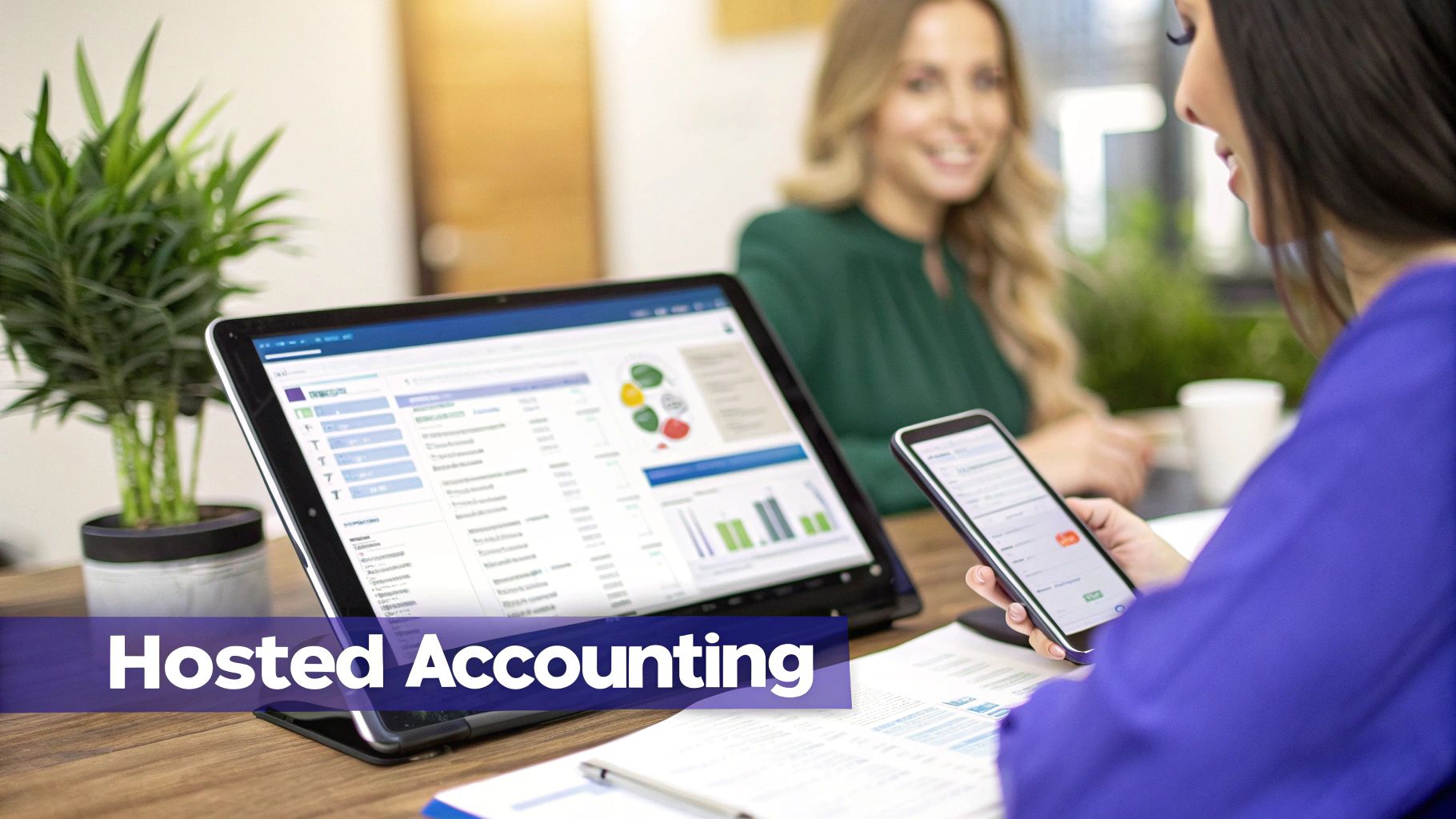
The choice between cloud and desktop accounting software often feels like a compromise. Do you go for the powerful, industry-specific features of a desktop application or the anytime, anywhere access of a cloud solution? There’s a third option that bridges this gap perfectly: application hosting. It gives you the best of both worlds without the trade-offs.
Hosting works by taking your licensed desktop software—the one you already own and know—and installing it on a secure, remote server. This simple shift means you can run the full-featured version of an application like QuickBooks Desktop from any internet-connected device. It’s the same powerful program you’re used to, just accessible from anywhere.
This hybrid approach fundamentally changes how you work, solving some of the biggest headaches small businesses face with traditional on-premise setups. It effectively turns your robust desktop platform into a secure, collaborative cloud tool.
Many businesses, especially in sectors like construction, manufacturing, or legal, depend on the deep job costing and inventory features found only in desktop software. But they still need the flexibility for teams to access data from the field or for their CPA to work on their books remotely. Hosting makes that happen.
Imagine a construction firm using a hosted version of its accounting software. Project managers on a job site can enter expenses and track costs in real time from a tablet. This immediate data entry ensures financial reports are always up-to-date, eliminating delays and giving a much clearer picture of project profitability.
By placing desktop software in a hosted cloud environment, you unlock its full potential. You get the robust functionality your business was built on, combined with the secure, remote accessibility that modern workflows demand.
This setup also centralizes your data for good. Instead of having multiple versions of a company file scattered across different computers, everyone on your team works from a single, live version. This simple change eliminates version control nightmares and ensures decisions are always based on the most current financial information. It’s a straightforward path to creating a single source of truth for your finances.
When you manage software on-premise, you are the IT department. You’re responsible for everything: performing regular data backups, installing security patches, and managing server maintenance. These tasks are critical but also time-consuming, pulling focus away from actually growing your business.
Hosting services take this entire burden off your shoulders. A dedicated provider handles all the backend management for you.
For CPAs managing multiple client files, hosting streamlines their entire workflow. They can securely access every client's books from a single dashboard without needing to remote into each client's office computer. Our guide to cloud hosting for QuickBooks provides more detail on how this setup can dramatically improve efficiency for accounting professionals and their clients.
Choosing the best accounting software for small business always brings up a few last-minute, practical questions. You’ve compared the features and watched the demos, but now you need clear answers to feel confident in your final pick. This section cuts through the noise with direct advice on the most common questions we hear from business owners.
Yes, you can absolutely switch your accounting software down the road, but it’s a project that demands a solid plan to avoid disrupting your business. Most modern cloud platforms have built-in tools to import your customer lists, vendor details, and chart of accounts pretty smoothly.
The real heavy lifting, however, comes with migrating historical transaction data. That process can get complicated fast. A best practice we always recommend is running your old and new systems in parallel for at least one month. This lets you double-check that everything is transferring correctly before you officially make the switch.
Planning your switch to line up with the end of a financial quarter or year can save you a massive headache. It creates a clean break for reporting and dramatically simplifies reconciling accounts between the old and new software.
And whatever you do, keep your accountant in the loop. They’re your best resource for ensuring data integrity and making sure your new setup is optimized from day one.
Your budget really hinges on your business's complexity. It's easy to get drawn in by a low monthly price, but you have to look at the total cost to get the real picture.
Always watch out for the add-ons. Fees for extra users, invoice payment processing, and premium integrations can sneak up on you. Calculating the total cost of ownership—not just the subscription sticker price—is the only way to know what you’re truly signing up for.
Absolutely. Think of your accounting software as a powerful tool for organizing your financial data, not as a replacement for a professional’s strategic advice. The software is the machine that gathers and sorts the numbers; your accountant is the expert who interprets what they mean for your business.
An accountant gives you guidance you just can't get from an app—things like tax planning, cash flow forecasting, and spotting growth opportunities hidden in your reports. Most modern platforms make it easy to grant your accountant direct, secure access to your books, which makes working together seamless and keeps your records accurate for tax season.
While every platform talks about data encryption, the single most critical security feature to look for is multi-factor authentication (MFA). MFA adds a simple but powerful layer of protection that makes it incredibly difficult for someone to get into your account, even if they somehow steal your password.
Beyond MFA, make sure the provider offers role-based user permissions. This feature gives you precise control over who can see and change different parts of your financial data. And finally, regular, automated backups are non-negotiable. It’s your ultimate safety net for disaster recovery and gives you peace of mind that your financial history is safe.
Ready to unlock the full potential of your accounting software with the security and accessibility of the cloud? Cloudvara provides secure, reliable hosting for QuickBooks and other essential business applications, giving you the best of both worlds. Learn more about our managed cloud solutions at https://cloudvara.com.




