
Infrastructure as a Service (IaaS) is a cloud computing model where you essentially rent the raw building blocks of IT—servers, storage, and networking—from a provider. Instead of buying and managing your own physical hardware, you access these resources over the internet on a pay-as-you-go basis.
Think of it like renting a fully equipped commercial kitchen. The owner provides the industrial ovens, plumbing, and electricity (the infrastructure). You, the chef, bring your own recipes, ingredients, and staff (your applications, data, and operating systems). It gives you complete flexibility without the headache of owning the building.

With IaaS, you have total control over what you build and how you run it, but you don't have to worry about buying or maintaining the expensive equipment underneath. Cloud providers like AWS, Google Cloud, or Microsoft Azure own and manage the massive data centers, servers, and storage arrays that power everything.
Your team just logs in and accesses these resources virtually to deploy whatever software you need, from a simple website to a complex data analytics platform. This model is a cornerstone of modern IT, providing the raw materials for digital innovation without the heavy upfront investment in hardware. It's a key part of the broader landscape of essential IT solutions for business growth, especially for companies moving away from on-premise systems.
A critical concept in IaaS is the shared responsibility model. This isn't just jargon; it’s the rulebook that defines who manages what. In short, the cloud provider is responsible for the security of the cloud, while you are responsible for security in the cloud.
Getting this division of labor right is fundamental to making IaaS work for you.
The global IaaS market was valued at around USD 97 billion in 2025 and is projected to explode to over USD 406 billion by 2032, growing at a compound annual growth rate (CAGR) of 22.7%. This incredible growth shows just how valuable and efficient the model has become for businesses everywhere.
So, where is the line drawn? Understanding this split is the key to a successful—and secure—IaaS setup. If you get these boundaries wrong, you can accidentally leave big security gaps or run into major operational problems down the road.
This shared model is a common thread across different cloud environments, including what is known as the public cloud, which you can learn more about here.
To make it crystal clear, here’s a breakdown of who typically handles what in an IaaS environment.
| Component | Managed by Cloud Provider (IaaS) | Managed by You (The Customer) |
|---|---|---|
| Physical Data Center | ✅ | ❌ |
| Physical Network | ✅ | ❌ |
| Physical Hosts (Servers) | ✅ | ❌ |
| Virtualization (Hypervisor) | ✅ | ❌ |
| Operating System | ❌ | ✅ |
| Middleware & Runtimes | ❌ | ✅ |
| Applications | ❌ | ✅ |
| Your Data | ❌ | ✅ |
| User Access & Identity | ❌ | ✅ |
| Client & Endpoint Protection | ❌ | ✅ |
As you can see, the provider takes care of the heavy, physical infrastructure. Your team takes over from the operating system up, giving you the freedom to build, configure, and secure your environment exactly how you see fit.

To really get what Infrastructure as a Service brings to the table, you have to look at its fundamental building blocks. IaaS is built on three pillars that completely replace their physical counterparts in a traditional data center: Compute, Storage, and Networking.
Think of them as the digital engine, fuel tank, and highway system for all your applications.
These components are delivered as fully managed services, freeing your team from the headaches of hardware maintenance. For perspective, Microsoft runs 98% of its own massive IT operations on its Azure cloud. That’s a powerful testament to the scale and reliability these core services provide, letting their teams focus on building software, not racking servers.
The first pillar is compute, which is just a straightforward way of saying "processing power." It’s what your applications need to actually run. In an IaaS model, this power is delivered primarily through virtual machines (VMs). A VM is a digital replica of a physical computer—complete with its own CPU, memory, and operating system—all running on a massive server in the provider's data center.
You can spin up a new VM in minutes, choosing the exact specs you need for a specific task. It's like having an endless supply of customizable computers on standby, ready to go whenever you need them without any physical setup.
Next up is storage, the component that holds all your data. IaaS providers don't offer a one-size-fits-all solution; instead, they give you different types of storage to suit various needs. Two of the most common are block and object storage.
This flexibility lets you pick the most efficient and economical storage solution for every single piece of data you manage.
Finally, networking is the glue that connects all your resources and makes them accessible over the internet. IaaS provides a whole suite of virtual networking tools that mimic a traditional on-premise network.
The core value of IaaS lies in abstracting these complex hardware components into simple, on-demand services. You get all the power and control of a private data center with the scalability and convenience of the cloud.
This includes things like virtual private clouds (VPCs) that create isolated, secure network environments, and tools like load balancers that spread incoming traffic around to make sure your applications stay responsive. To get a deeper view of how this all connects, check out our guide on what is cloud networking. These virtual tools are what make it possible to build secure, scalable, and resilient application architectures in the cloud.
The best way to really get a handle on Infrastructure as a Service is to see it next to its cloud siblings: Platform as a Service (PaaS) and Software as a Service (SaaS). Each one offers a different level of control and hands-on management. A simple pizza analogy cuts right through the jargon.
IaaS (Infrastructure as a Service): Think of this as renting a fully equipped commercial kitchen. You get the oven, stove, and workspace (the servers, storage, and networking), but you bring your own ingredients, recipes, and team. You’re in complete control of the final product.
PaaS (Platform as a Service): This is like using a meal-kit delivery service. The provider gives you the dough, sauce, and cheese (the operating system, databases, and development tools). You just add your unique toppings and bake it. It’s a dream for developers who want to build apps without getting bogged down by infrastructure management.
SaaS (Software as a Service): This is the equivalent of dining out at a pizzeria. You simply order and enjoy a finished pizza. The software is ready to use right out of the box, and the provider manages everything behind the scenes, from the app itself down to the servers. Common examples include tools like Gmail or Salesforce.
This graphic breaks down the foundational components that IaaS provides.
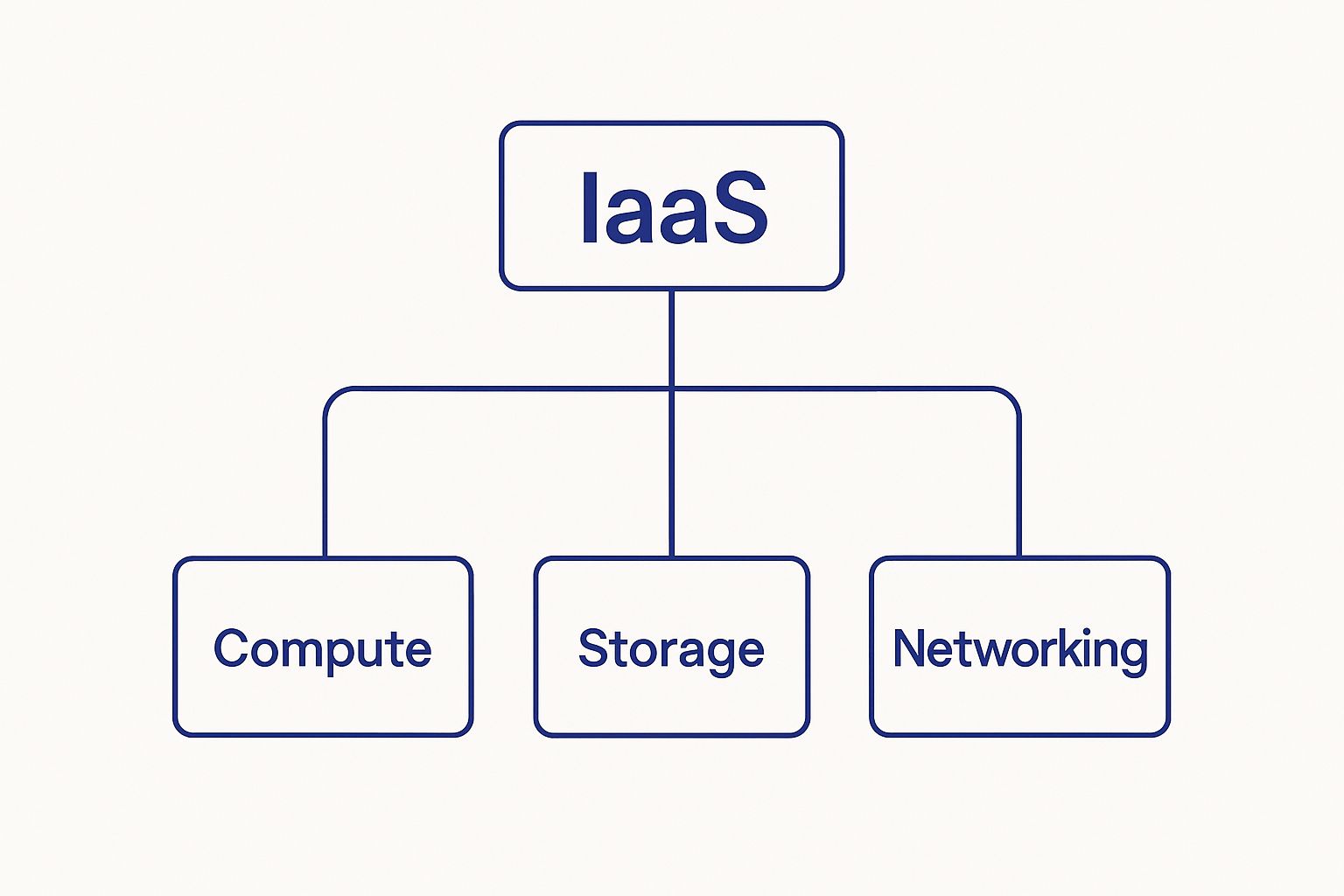
As you can see, IaaS gives you the fundamental compute, storage, and networking resources—the building blocks you need to create your own environment from the ground up.
The biggest difference between these three models boils down to one thing: the division of responsibility. With IaaS, your team handles the most, managing everything from the operating system all the way up to your applications and data. This freedom brings immense flexibility, but it also demands a good deal of technical know-how.
As you move up the stack from IaaS to PaaS and then to SaaS, you gradually hand over more management tasks to the cloud provider. This lightens your team's operational load but, in turn, narrows your options for control and deep customization.
The choice between IaaS, PaaS, and SaaS isn't about which one is "best"—it's about which one is the right fit for your goal. It's a strategic trade-off between control and convenience.
To make the differences even clearer, this table lays out a side-by-side comparison of the three cloud service models. It highlights where each model shines and who it’s best suited for.
| Attribute | IaaS (Infrastructure) | PaaS (Platform) | SaaS (Software) |
|---|---|---|---|
| Management Scope | You manage OS, middleware, runtime, data, and applications. The provider handles hardware. | You manage applications and data. The provider handles everything else. | The provider manages everything. You just use the software. |
| Flexibility | Maximum control and customization over hardware and software configurations. | Moderate flexibility. You control the application but not the underlying platform. | Minimal flexibility. Customization is limited to settings within the software. |
| Use Cases | Custom software development, hosting legacy apps, big data processing, disaster recovery. | Web and mobile app development, API creation, database management. | Email, CRM, project management, ERP, business productivity tools. |
| Ideal Users | System administrators, DevOps engineers, IT teams with deep technical expertise. | Software developers, application development teams. | End-users, small businesses, teams needing a ready-made solution. |
Each model serves a distinct purpose. IaaS provides the raw power, PaaS accelerates development, and SaaS delivers instant functionality. The right choice hinges entirely on your team's skills, resources, and project goals.
So, when would you actually choose one over the other? Let's look at some real-world situations.
Choose IaaS if: You need total control to build a highly customized application from scratch, run specialized legacy software, or meet strict compliance rules that dictate your server configurations. It's the go-to for teams with strong DevOps capabilities.
Choose PaaS if: Your main goal is to develop and launch a web application as quickly as possible. It lets developers focus entirely on writing code without ever worrying about server patching or OS updates, which dramatically speeds up the development lifecycle. This model is also common in modern application hosting environments where time-to-market is critical.
Choose SaaS if: You need a ready-made solution for a standard business function like email, customer relationship management (CRM), or project management. There’s no development needed—you just sign up and start using the software immediately.
Ultimately, understanding what Infrastructure as a Service is means recognizing its place as the foundational layer of the cloud. It offers the most power and flexibility for businesses that want to build their digital solutions from the ground up, giving them complete command over their virtual environment.

Digging into the nuts and bolts of Infrastructure as a Service is one thing, but feeling its impact on your bottom line is something else entirely. When you trade in physical servers for virtual resources, you unlock real business advantages in cost control, flexibility, and reliability.
By shifting from owning hardware to renting compute power, companies see a dramatic drop in capital expenditure (CapEx). IaaS runs on a pay-as-you-go model, converting a hefty upfront purchase into a predictable operational expense (OpEx). That frees up funds for product development, marketing, or anything else that drives growth.
This financial agility explains why IaaS adoption is soaring. The U.S. market hit USD 27 billion in 2024 and is set to climb to USD 292 billion by 2034. You can dive deeper into these figures by reading the full market research.
Need a dozen servers for a week of load testing? No problem. IaaS lets you spin up (and tear down) infrastructure in minutes, so you’re never stuck waiting on hardware procurement.
With IaaS, your infrastructure becomes a responsive tool that adapts to business needs in real time, rather than a rigid constraint that slows you down.
This dynamic capability is one of the core benefits of cloud hosting that traditional setups simply can’t match.
Top-tier providers maintain networks of redundant data centers around the globe. That level of reliability would be prohibitively expensive for most companies to build on their own.
Disaster recovery becomes a straightforward task. You can replicate critical workloads across regions and switch over in minutes if one site goes offline.
Key advantages include:
Infrastructure as a Service really proves its worth when you need serious computing power on demand without the commitment of buying hardware. These real-world scenarios show how different organizations use IaaS to cut costs, move faster, and stay resilient.
Think of an online retailer gearing up for a massive flash sale. In the past, they would have had to overbuy expensive hardware just to handle a few hours of intense traffic. With IaaS, they can automatically scale up their servers in minutes to meet the surge and scale back down just as quickly when the sale ends.
This is a classic example of IaaS matching resources directly to demand, ensuring a smooth customer experience even during peak load without wasting money on idle equipment.
A small fintech startup needed to create isolated "sandbox" environments for their developers to build and test new features. Buying and setting up physical servers for each developer would have been slow and expensive. Instead, they used IaaS to spin up virtual labs in just a few hours.
By adopting this workflow, they slashed their infrastructure expenses by 40%, freeing up precious budget to pour back into product development.
For a global corporation, downtime isn't an option. They built a disaster recovery plan by replicating their critical systems to secondary IaaS cloud regions on different continents. This move dramatically reduced their planned maintenance windows from days down to a few hours.
“IaaS disaster recovery slashed our recovery time by 75%, ensuring business continuity across our international branches.”
By mirroring their data across geographic zones, they built in a powerful layer of resilience without the massive capital investment or logistical headaches of managing physical data centers worldwide.
A media company had a recurring problem: huge weekly video processing jobs that created massive temporary files and demanded immense computing power. They now lease high-memory, GPU-enabled VMs on an IaaS platform just for the time it takes to run those encoding tasks. This on-demand approach cut their processing time by over 70%, helping them get content to market much faster.
Similarly, a software development team needed to test their application across dozens of different operating systems and configurations. IaaS let them spin up all the varied environments they needed in minutes, something that would have been impossible with physical hardware.
This flexibility allowed them to run tests simultaneously, shortening their bug-fix cycles by an impressive 30%.
The demand for IaaS is exploding globally, especially in emerging markets. The Southeast Asia Infrastructure Services market hit USD 2.53 billion in 2025 and is projected to grow at a 26.4% CAGR. Meanwhile, the Rest of Asia Pacific segment is forecasting a 25.4% CAGR as digital services and connectivity continue to expand. You can find more details in this market research report.
This kind of rapid growth shows exactly why so many businesses are making cloud infrastructure a core part of their strategy.
These scenarios aren't just theory—they're practical examples of how IaaS gives businesses the agility and power they need to compete.
Want to see how virtual infrastructure can support your remote team? Read our guide on hosted virtual desktops for remote access.
Even after getting the basics down, a few practical questions always pop up when people start seriously considering IaaS. Let's clear up some of the common uncertainties around providers, security, required skills, and how you actually pay for it all.
Think of this as the final check-in, connecting the core IaaS concepts to the real-world decisions you’ll need to make.
The IaaS market is dominated by a handful of massive players, often called "hyperscalers." While their core services are similar, each has its own distinct ecosystem and strengths.
Other major providers include Alibaba Cloud, Oracle Cloud, and IBM Cloud. The "right" choice really boils down to your specific needs, your current tech stack, and your budget.
Yes, but security in an IaaS world works on a shared responsibility model. This is a non-negotiable concept to understand. The cloud provider takes care of securing the physical infrastructure—the data centers, servers, and networking gear. Frankly, their security is often far more robust than what a single company could build on its own.
The provider is responsible for the security of the cloud, but you are responsible for security in the cloud. This distinction is the single most important principle of cloud security.
That means your team is on the hook for everything from the operating system up. This includes:
The provider gives you all the tools you need to be secure, but misconfigurations on your side are the leading cause of security breaches. Diligent management and regular security audits are absolutely essential.
Running an IaaS environment effectively requires a mix of old-school IT skills and new cloud expertise. Your team can't just know how to run servers anymore; they need to know how to orchestrate them in a dynamic, virtual setting.
Key skills for an IaaS team usually include:
These skills ensure your infrastructure isn't just up and running, but is also secure, efficient, and actually helping the business.
At its core, IaaS pricing runs on a pay-as-you-go model, which is one of its biggest draws. Instead of a huge upfront capital investment in hardware, you only pay for the resources you actually use, typically billed each month.
This metered usage applies to the main components:
While this model is incredibly flexible, it demands careful monitoring to avoid "bill shock." To help manage costs, providers also offer savings plans. You can lock in significant discounts by committing to a certain level of usage for one or three years (Reserved Instances) or use their spare capacity for a much lower price (Spot Instances), although those can be interrupted.
Ready to move your business to a secure, scalable, and cost-effective cloud environment? Cloudvara provides all-in-one application hosting with 24×7 support and a 99.5% uptime guarantee. We make the transition seamless so you can focus on what matters most. Start your free 15-day trial today and experience the benefits of a dedicated cloud IT advocate.




