At its core, data redundancy is the simple practice of storing the same piece of information in more than one place. Think of it like having a spare key for your house hidden somewhere safe. If you ever lose your main key, that backup copy ensures you aren't locked out. It’s a straightforward but incredibly powerful safety net.
While the word “redundant” often sounds wasteful, in the world of data management, it's a deliberate and critical strategy. This intentional duplication is the foundation of any reliable digital operation. It’s not about cluttering your systems; it's about building a fortress around your most valuable asset: your information.
By creating duplicates, businesses make sure that a single point of failure—like a corrupted file or a crashed server—doesn't bring everything to a grinding halt.
This approach is all about achieving two key business goals:
Data redundancy is the bedrock of business continuity. It transforms data from a fragile asset into a resilient resource that can withstand hardware failures, data corruption, and other unexpected disruptions.
For any organization, data is the engine of daily operations. Redundant storage strategies are essential for bouncing back quickly after a disaster, minimizing the staggering costs of downtime, which can average $5,600 per minute for large enterprises.
These systems are engineered to provide near-constant access. For instance, redundancies built into what cloud storage is help maintain an uptime of 99.99% for critical services.
To give you a clearer picture, here’s a quick summary of what data redundancy is all about.
| Concept | Primary Goal | Key Benefit | Main Challenge |
|---|---|---|---|
| Data Redundancy | To create multiple copies of data across different locations. | Ensures business continuity and data availability during failures. | Increased storage costs and potential for data inconsistency if not managed properly. |
Ultimately, understanding data redundancy means seeing it not as a technical byproduct but as a strategic investment. It’s the mechanism that keeps your customer records, financial data, and critical applications protected and available right when you need them most. You can explore more insights on data resiliency at GrandViewResearch.com.
Data redundancy isn't a one-size-fits-all strategy. Think of it as a layered approach, with different methods applied at various levels of your technology stack to build a robust safety net. Each type serves a specific purpose, from protecting against a single failed hard drive to ensuring your entire system stays online during a major outage.
By combining these strategies, you can build a system where reliability, availability, and recovery are baked into its DNA.
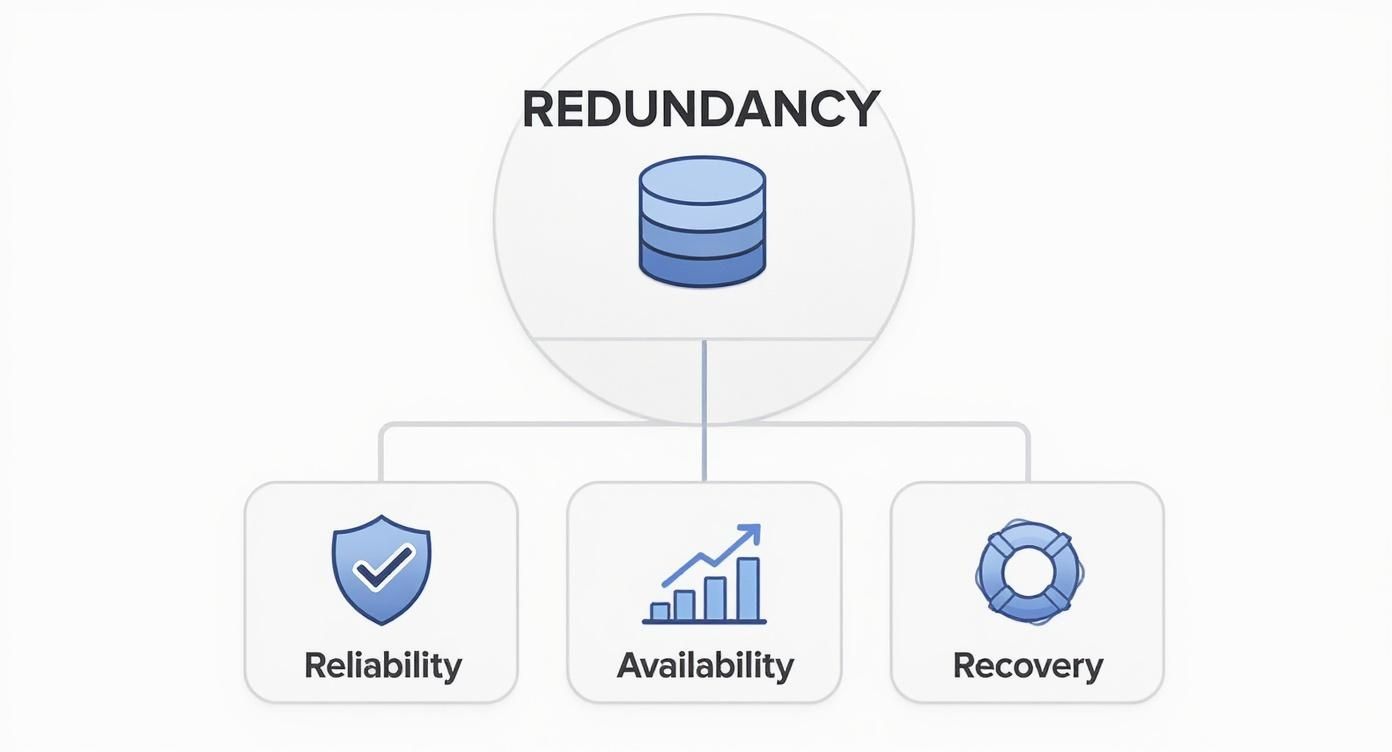
This visual shows how redundancy supports the core pillars of data protection. Each component is essential for creating a truly fault-tolerant system that keeps your business running, no matter what.
The most fundamental layer is at the hardware level, often handled with a RAID (Redundant Array of Independent Disks) configuration. Imagine RAID as a team of hard drives all working together to protect the same set of files.
If one drive in the array gives out—a very common point of failure in any server—the others already have the data needed to rebuild the lost information on the fly. It's your frontline defense, ensuring a single malfunctioning drive doesn't take your whole operation down with it.
Moving up the stack, we get to database redundancy. This involves creating duplicates of data either within a single database or across multiple database servers. A simple (though often problematic) example is storing a customer's address in both a "customers" table and a "shipping" table.
A far more effective method is database replication. Here, a primary database sends real-time updates to one or more secondary (or "replica") databases. If the main database ever goes offline, a replica can be promoted to take its place almost instantly, minimizing downtime for the applications that depend on it.
Database redundancy acts like a live understudy in a play. If the lead actor (primary database) suddenly cannot perform, the understudy (replica database) is ready to step in immediately, ensuring the show goes on without the audience noticing a problem.
People often use the terms "backup" and "replication" interchangeably, but they serve distinct—and equally important—roles in a solid redundancy plan. Both create copies of your data, but their timing and purpose are completely different.
Backups for Disaster Recovery: A backup is a point-in-time snapshot of your data, usually taken daily or weekly and stored in a separate location. Its main job is disaster recovery. If a catastrophic event like a ransomware attack or major data corruption hits, you can restore your entire system from a clean, recent backup. To learn more, you can explore various effective database backup strategies that businesses rely on to safeguard their information.
Replication for High Availability: Replication, on the other hand, is all about continuous, real-time copying. It creates a live mirror of your production system on a secondary server, which could be in the same data center or even in a different city. The primary goal here is high availability, ensuring that if your main system fails, the mirrored one can take over immediately with little to no data loss. This is absolutely critical for mission-critical applications where even a few minutes of downtime is unthinkable.
Deliberately duplicating your data might sound inefficient at first, but it’s actually one of the smartest moves a business can make to protect its operations. The real advantages are all about building a resilient, always-on digital environment. This intentional copying ensures that if one piece of your system fails, another is instantly ready to pick up the slack.
Picture an e-commerce site during a massive holiday sale. If the main server holding customer data suddenly crashes, a redundant system seamlessly takes over. For the customer, nothing changes—they keep shopping and checking out without a single clue there was a problem behind the scenes. That’s the magic of fault tolerance.
Ultimately, data redundancy is all about achieving high availability. It’s the promise that your applications and data stay accessible to customers, employees, and partners, no matter what’s happening with the hardware underneath. For businesses like accounting or law firms, where constant access to client files is a must, uptime isn’t just a nice-to-have metric. It’s a core requirement for building trust and hitting deadlines.
Redundancy gets you there by systematically eliminating single points of failure. The entire system is designed to absorb a failure in one spot because a perfect copy is always on standby.
The true value of data redundancy lies in its ability to turn a potential crisis into a minor, non-disruptive event. It’s the difference between a business-halting catastrophe and a seamless transition that goes completely unnoticed by your end-users.
Beyond just keeping the lights on, redundancy is your best defense against data corruption. It’s a silent threat, but statistics show data corruption can affect a surprising amount of stored information each year—some estimates put the rate as high as 0.1% to 0.5% for active datasets. Having redundant copies gives you a clean, uncorrupted version to restore from, keeping your information accurate. When you add geographic redundancy (storing copies in different physical locations), you’re also protected from localized disasters like fires or floods.
But perhaps the biggest strategic win is how redundancy underpins robust business continuity and disaster recovery planning. When a major incident hits—think a natural disaster or a crippling cyberattack—having duplicate data and infrastructure is what allows a company to get back on its feet quickly.
Here’s what that looks like in practice:
In the end, data redundancy isn't just a technical checkbox; it's a fundamental business investment. It delivers the operational resilience needed to protect revenue, keep customers happy, and ensure your company can weather any storm.
While data redundancy is a fantastic safety net, it isn't a silver bullet. It comes with its own set of trade-offs you need to manage carefully. For starters, storing multiple copies of the same information obviously takes up more space, which can drive up your storage costs, whether it's on a physical server or in the cloud. Managing all that duplicated data also adds a new layer of complexity to your IT strategy, demanding smart planning to keep everything in check.
But the most critical risk—the one that can turn your backup plan into a liability—is data inconsistency.
Imagine an accounting firm where two preparers are working on the same client's tax return. One updates the client’s income figures in one copy of the spreadsheet, while another updates their deductions in a different copy. Now you have two conflicting versions of the truth, and no one knows which one is accurate.

This is where unmanaged redundancy can backfire, actively corrupting your data's integrity instead of protecting it. Without a rock-solid system to keep all your copies in sync, you create confusion, erode trust in your data, and risk making critical decisions based on bad information.
It's helpful to see the good and the bad side-by-side. Every benefit that redundancy offers comes with an associated risk that needs to be managed.
| Benefit | Associated Risk |
|---|---|
| Fault Tolerance: Business continues even if a disk or server fails. | Data Inconsistency: Copies can fall out of sync, creating conflicting versions. |
| Improved Availability: Data is accessible from multiple locations, reducing downtime. | Increased Storage Costs: Storing multiple copies requires more physical or cloud space. |
| Disaster Recovery: A complete copy is available off-site after a major event. | Greater Complexity: Managing and synchronizing data across locations requires more effort. |
| Faster Data Access: Users can pull data from the nearest or fastest source. | Security Vulnerabilities: More copies create a larger attack surface for potential breaches. |
Ultimately, the goal is to get all the benefits on the left without falling prey to the risks on the right. That requires a deliberate strategy, not just a "copy and paste" approach.
Over time, redundant data has a tendency to multiply. This leads to what's often called "data bloat"—an exponential growth in storage that does more than just raise your monthly bill. It also expands your security footprint. Every extra copy of sensitive client or financial information is another potential target for a data breach.
This is why, when you implement redundancy, it's crucial to think through the considerations for data privacy and make sure every copy is managed with the same level of care.
This explosion in redundant data has created a massive need for secure data disposal. In fact, the global data destruction services market was valued at $8.68 billion in 2023, largely because companies need to safely get rid of outdated copies to meet regulations and minimize risk.
To build a redundancy strategy that actually works, you need to be ready for these common hurdles:
The core challenge of what is data redundancy isn't just storage; it's maintaining a single, authoritative version of the truth across multiple locations. Without this, your safety net can create more problems than it solves.
Navigating these challenges requires a proactive approach. A strong cloud data protection strategy—one that includes automated synchronization, regular audits, and robust security protocols—is the key to getting the benefits of redundancy without being bitten by the risks.
Effective data redundancy isn’t about mindlessly creating more copies—it’s about smart, strategic management. Without a clear plan, your safety net can quickly tangle into a mess of data inconsistencies and wasted resources. A well-defined framework ensures you get all the high-availability benefits without the chaos of conflicting information.
The first step is to establish a data management policy. Think of this as the rulebook for your data. It should outline exactly what gets duplicated, why it’s considered critical, and where the redundant copies will live. After all, not all data is created equal; client financial records demand a much higher level of redundancy than, say, temporary project files.

Manual processes are the enemy of data consistency. Relying on someone to remember to sync files is a recipe for disaster. This is where automation becomes your most valuable player, safeguarding the integrity of your redundant data.
The goal is to build a self-healing system where data integrity is maintained automatically. Smart management means trusting your processes, not just your people, to keep data accurate across every copy.
A backup or replica you’ve never actually tested is just a theory. You absolutely must verify that your redundant data is not only available but also fully restorable and uncorrupted. This means performing scheduled failover tests to ensure your backup systems can take over seamlessly when you need them most.
This is also a great reason to automate backups, which guarantees they happen consistently without anyone needing to lift a finger. This practice helps confirm that your recovery processes work exactly as you expect, turning your data redundancy strategy into a reliable and proven asset for business continuity. Without this validation, you’re just flying blind.
Knowing you need data redundancy is one thing. Actually building a flawless strategy is a whole other challenge. This is where a managed cloud hosting partner like Cloudvara steps in, turning complex principles into a seamless, hands-off reality for your firm.
Our entire infrastructure is built on layers of robust redundancy. It’s not an add-on; it’s the foundation that provides peace of mind and keeps your critical applications running without interruption.
It all starts with automated daily backups. Think of these as your ultimate safety net. Every single day, we create a complete, consistent snapshot of your entire environment. This isn't just good practice—it's essential for disaster recovery, ensuring that even in a worst-case scenario, your information can be restored from a recent, clean copy.
To protect you from localized disasters like power grid failures or natural events, we use data replication across geographically diverse data centers. Your data isn't just copied; it's actively mirrored in a completely separate physical location.
If one facility goes down, your applications can fail over to the secondary site, keeping your business online and operational.
We manage all the complexities of synchronization and security between sites, giving you enterprise-grade redundancy without needing an in-house IT army to orchestrate it. We handle the backend, so you can focus on your clients.
This high-availability architecture is why we can offer a 99.5% uptime guarantee. For professional services firms in accounting or law, that level of reliability isn't a luxury—it's a requirement. It means your team has constant, uninterrupted access to essential software like QuickBooks, Sage, or your case management systems, from any device, at any time.
Our comprehensive approach includes:
With Cloudvara, you get all the benefits of a sophisticated data redundancy strategy without the massive capital expense or management headaches. To see how this fits into a complete data protection plan, take a look at our managed backup services for a deeper dive into our solutions.
Let’s tackle some of the most common questions professionals have about data redundancy. Clearing these up will help you see how it applies to your business.
While they sound similar, they solve very different problems. Data redundancy is all about high availability and keeping your business running without a single hiccup. Think of it as a live, identical twin of your system, ready to take over the instant the primary one fails. It’s like having a co-pilot who can grab the controls immediately—no interruption, no downtime.
A data backup, on the other hand, is a snapshot of your data taken at a specific point in time. It’s stored offline, often in a totally different location, and its main purpose is disaster recovery. This isn't for immediate failover; it's your "break glass in case of emergency" plan for rebuilding after a catastrophe like a fire, flood, or a major ransomware attack.
Not at all. There’s a huge difference between smart, planned redundancy and the accidental kind. Intentional, managed redundancy is a lifesaver for business continuity. It’s the planned duplication that keeps your systems online even if a server gives out.
The bad kind is unintentional redundancy—think of having ten different versions of the same client contract saved across three different shared drives. This sort of chaos leads to data inconsistency, wasted storage, and a bigger attack surface for security threats. The goal is strategic duplication, not just making copies without a plan.
A smart redundancy strategy is all about improving reliability without creating data chaos. It’s about having the right copies in the right places, all perfectly synchronized.
It’s a classic double-edged sword. When managed correctly with automated synchronization, redundancy is a powerful tool to protect data integrity. If your main data file gets corrupted, you have a clean, perfectly matched copy ready to step in, preserving the accuracy of your information.
But if it’s not managed, redundancy will absolutely wreck your data integrity. You end up with multiple, conflicting versions of the "truth." One person works off the file saved on the desktop, another uses the one in the shared folder, and suddenly no one knows which numbers are correct. This leads to confusion, bad decisions, and a whole lot of cleanup.
At Cloudvara, we build intentional redundancy into our secure hosting to ensure your applications are always available and your data is consistently protected.
Discover how Cloudvara delivers peace of mind with a free 15-day trial.




