
Migrating your essential applications to the cloud unlocks powerful scalability and flexibility, but it fundamentally changes the rules of the game. The deployment methods that worked for on-premise servers often create risk and instability in a dynamic cloud environment. Simply lifting and shifting legacy practices is a recipe for production errors, costly downtime, and security vulnerabilities. The difference between a smooth, efficient cloud operation and one plagued by constant firefighting lies in the deployment strategies you choose.
Adopting modern software deployment best practices is no longer a luxury for elite tech companies; it is the essential foundation for any organization that wants to operate reliably, securely, and cost-effectively in the cloud. A well-defined strategy allows you to release new features and updates faster, respond to market changes with agility, and drastically reduce the risk associated with each new version of your software.
This guide provides a comprehensive, actionable roundup of ten critical practices that every development and operations team should master. We will move beyond theory and dive into practical implementation details for everything from fully automated CI/CD pipelines to advanced rollback strategies like blue-green and canary deployments. Mastering these techniques is the key to minimizing disruptions and gaining a true competitive advantage. For organizations just beginning their journey, navigating the initial move requires careful planning; a detailed cloud migration checklist can provide the structured path needed to manage the transition from on-premise infrastructure successfully. From there, the practices outlined below will ensure your deployments are not just successful, but optimized for the cloud.
Blue-Green deployment is a powerful release strategy that significantly reduces downtime and risk by running two identical production environments, commonly referred to as "Blue" and "Green." Only one environment, the "Blue" one, actively serves live user traffic at any given time. The "Green" environment remains idle, acting as a perfect staging ground for the next version of your application.
This technique is a cornerstone of modern software deployment best practices because it allows for fully isolated testing in a production-like setting.
The process is straightforward yet highly effective. First, you deploy the new version of your software to the inactive Green environment. Here, your team can conduct comprehensive tests, from smoke tests to full integration and user acceptance testing, without impacting live users. Once the new version is validated and confirmed to be stable, you switch the router or load balancer to direct all incoming traffic from the Blue environment to the Green one.
The Green environment now becomes the new Blue (live) environment, and the old Blue environment becomes the new Green (idle), ready for the next deployment cycle.
Key Insight: The primary benefit of Blue-Green deployment is near-instantaneous rollback. If any issues arise after the switch, you can immediately revert traffic back to the old, stable Blue environment, minimizing user impact.
To execute this strategy successfully, focus on these actionable steps:
This approach offers a robust way to release updates, but it's important to understand how it stacks up against other methods. To deeply understand how Blue-Green and Canary deployments compare, including their advantages and disadvantages, you can refer to this comprehensive comparative table on Blue-Green vs. Canary deployment strategies. This resource provides valuable context for choosing the right strategy for your specific needs.
Canary deployment is a cautious, incremental release strategy that minimizes risk by exposing a new software version to a small subset of users before a full rollout. Named after the "canary in a coal mine" analogy, this technique involves directing a small percentage of traffic, typically 5-10%, to the new version while the majority remains on the stable, current version.
This method is a core component of modern software deployment best practices because it provides real-world performance data and user feedback before the new version impacts your entire user base. Major tech companies like Google, Spotify, and Uber rely on canary releases to validate updates for critical services, from search algorithms to feature rollouts.
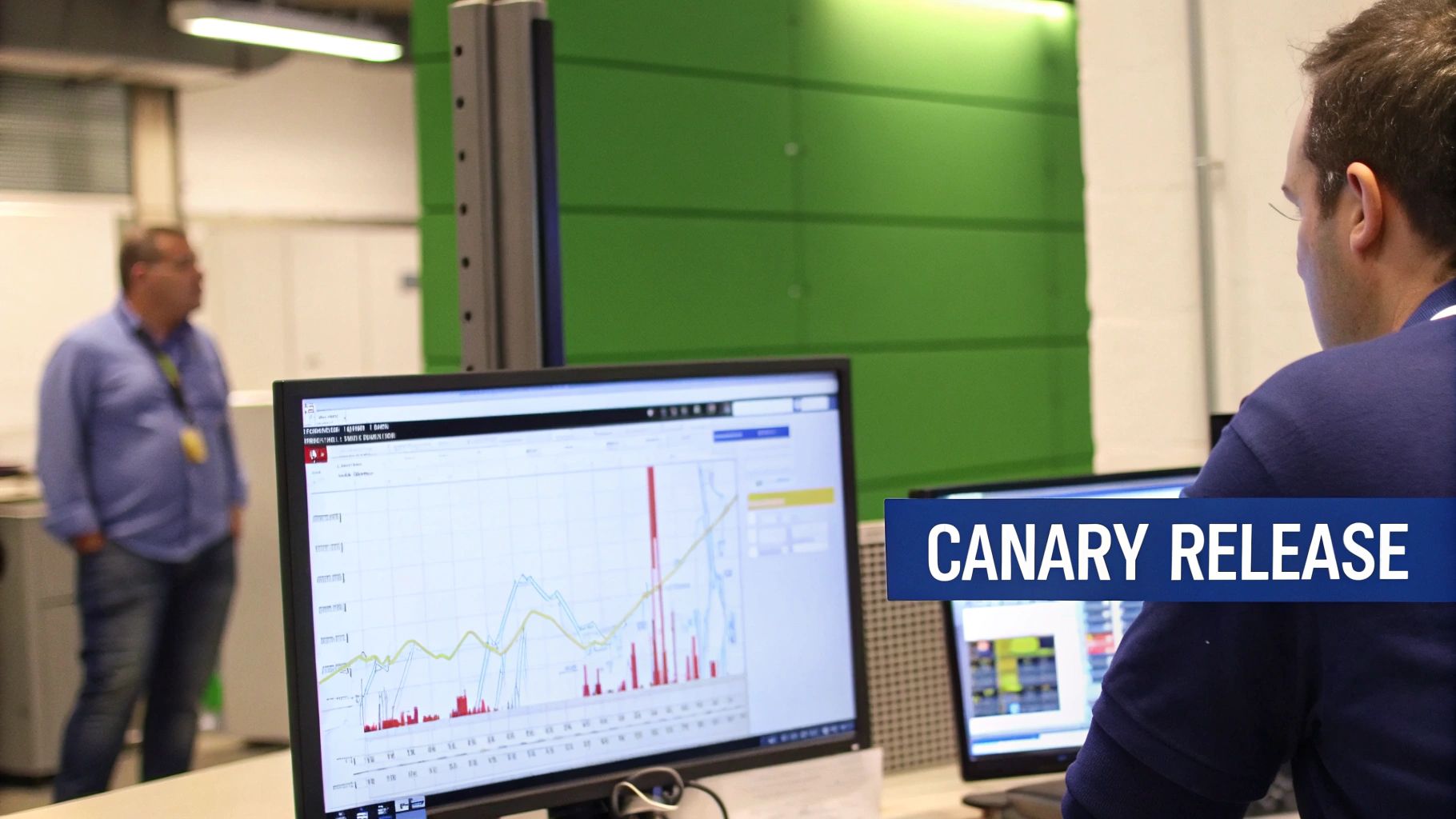
The process begins by deploying the new "canary" version alongside the stable production version. A load balancer or service mesh is configured to route a small fraction of live traffic to this new instance. The development team then closely monitors key performance indicators (KPIs) like error rates, latency, and CPU utilization for the canary group. If the metrics remain healthy and within acceptable thresholds, traffic is gradually increased in stages until 100% of users are on the new version.
If any issues are detected, traffic is immediately routed away from the canary, and the release is rolled back, affecting only the small initial user group.
Key Insight: The main advantage of a canary deployment is its ability to test new code with real production traffic and users. This provides an unparalleled level of confidence that is impossible to achieve in a staging environment alone.
To effectively implement a canary strategy, consider these actionable steps:
This video provides a great visual explanation of how canary releases work in practice.
Rolling deployment is a practical and widely used strategy that updates an application by incrementally replacing instances of the old version with the new one. Instead of updating all instances simultaneously, this method updates a subset of them, waits for them to become healthy, and then moves on to the next subset until the entire environment is running the new version.
This approach is a staple in software deployment best practices because it ensures zero downtime and provides a controlled, gradual release process. It's the default deployment strategy for orchestrators like Kubernetes, making it accessible and reliable for cloud-native applications.
The process involves gradually "rolling" out the new version across your server instances. An orchestrator or load balancer takes a small number of old instances out of service, deploys the new code on them, and performs health checks. Once these new instances are verified as operational and ready to serve traffic, they are added back into the active pool.
This cycle repeats until every instance in the production environment has been replaced. Throughout the process, the application remains available, as a mix of old and new instances continues to handle user requests.
Key Insight: The main advantage of a rolling deployment is its resource efficiency. Unlike Blue-Green, it doesn't require doubling your infrastructure, making it a cost-effective choice for achieving zero-downtime releases.
To execute a rolling deployment smoothly, consider these actionable steps:
maxSurge and maxUnavailable parameters to control the speed of the rollout. This lets you define how many extra instances can be created and how many can be offline at any given time.Feature Flags, also known as Feature Toggles, are a powerful technique that decouples code deployment from feature release. This practice allows you to modify system behavior without changing code, enabling you to turn features on or off in real-time. By wrapping new functionalities in conditional logic, teams can deploy code to production while keeping the features hidden from users until they are ready.
This method is a critical component of modern software deployment best practices, as it provides granular control over feature visibility and enables safer, more flexible release cycles. It allows for testing in production with minimal risk and supports gradual rollouts to specific user segments.

The core idea is to enclose a new feature within a conditional block (an if statement) that checks the state of a toggle. This toggle can be a simple configuration value, a setting in a database, or managed by a dedicated feature flag service. When the flag is "on," the new feature is visible and active for targeted users; when "off," the code is bypassed, and the system behaves as if the feature doesn't exist.
This allows development teams to continuously merge code into the main branch and deploy it to production, even if the features are incomplete. Companies like Netflix and Slack use this extensively to test new ideas and gradually introduce them to their user base, ensuring stability and gathering feedback along the way.
Key Insight: Feature flags fundamentally separate the technical act of deployment from the business decision of a feature release. This empowers product managers and business teams to control feature availability directly, without requiring another engineering cycle.
To integrate feature flags effectively, consider these actionable steps:
Integrating feature flags can be a key part of your overall technology plan, aligning releases with strategic goals. To see how this fits into a broader framework, you can learn more about building a successful cloud adoption strategy. This resource offers guidance on how to leverage modern practices to meet business objectives.
Continuous Integration and Continuous Deployment (CI/CD) represent the backbone of modern, agile software development. This practice automates the process of integrating code changes from multiple developers into a single shared repository (CI), then automatically building, testing, and deploying those changes to production environments (CD). It's a fundamental pillar of software deployment best practices, enabling teams to deliver value faster and more reliably.
This approach transforms the deployment process from a high-stakes, infrequent event into a routine, low-risk activity. Companies like Netflix and Amazon have famously used sophisticated CI/CD pipelines to deploy code thousands of times per day, proving its scalability and power.
The CI/CD pipeline is a series of automated steps. When a developer commits code, the CI server (like Jenkins, GitLab CI, or GitHub Actions) automatically triggers a build. This build is then subjected to a suite of automated tests, from unit tests to integration tests. If all tests pass, the Continuous Deployment portion of the pipeline takes over, packaging the artifact and deploying it to staging and then production environments.
This creates a rapid feedback loop, allowing teams to catch bugs early, reduce manual effort, and ensure that the code in the main branch is always in a deployable state.
Key Insight: CI/CD is not just about automation; it's a cultural shift. It forces teams to write better, more modular code and develop comprehensive automated tests, leading to a dramatic increase in software quality and development velocity.
To build an effective CI/CD pipeline, consider these actionable steps:
.gitlab-ci.yml). This makes your pipeline versionable, reviewable, and easy to replicate.Successfully implementing CI/CD is often a critical step when you migrate on-premise applications to the cloud, as it leverages the cloud's inherent automation capabilities to streamline your entire software lifecycle. This synergy is key to maximizing the benefits of your cloud investment.
Infrastructure as Code (IaC) is a fundamental practice for managing and provisioning technology infrastructure through machine-readable definition files, rather than physical hardware configuration or interactive configuration tools. This approach treats your infrastructure-including servers, networks, and databases-as software, allowing you to manage it with the same tools and processes used for application code.
This methodology is a cornerstone of modern software deployment best practices because it eliminates manual, error-prone setup and ensures that every environment is provisioned consistently and reliably. Companies like Netflix and Airbnb leverage IaC to manage their vast, complex cloud infrastructure at scale.
The process involves defining your infrastructure resources in declarative or imperative configuration files using tools like Terraform or AWS CloudFormation. These configuration files are stored in a version control system, such as Git, alongside your application code. When a change is needed, you simply update the code, submit it for review, and then an automated process provisions or modifies the infrastructure to match the new definition.
This creates a single source of truth for your infrastructure, making it reproducible, auditable, and easy to manage. Any environment, from development to production, can be spun up or torn down on demand with complete confidence in its configuration.
Key Insight: The most significant advantage of IaC is achieving environment parity. By defining infrastructure in code, you guarantee that your testing, staging, and production environments are identical, which drastically reduces "it works on my machine" issues.
To execute this strategy successfully, focus on these actionable steps:
Adopting IaC is essential for building a scalable and reliable deployment process. To gain a deeper understanding of the components you'll be managing, you can learn more about what cloud infrastructure entails. This knowledge provides a solid foundation for defining your resources as code effectively.
Containerization is the practice of packaging an application and its dependencies into a single, isolated unit called a container. Orchestration platforms then manage the lifecycle of these containers at scale. Technologies like Docker and Kubernetes have revolutionized software deployment best practices by ensuring applications run uniformly and reliably, regardless of the underlying infrastructure.
This approach solves the classic "it works on my machine" problem by creating a consistent, portable environment that encapsulates everything the software needs to run, from libraries and system tools to code and runtime.
The process begins with creating a container image, which is a lightweight, standalone, executable package. This image is built from a definition file (like a Dockerfile) that specifies all the necessary components. Once built, this image can be run as a container on any machine that has a container runtime installed.
Orchestration platforms like Kubernetes or Docker Swarm take this a step further by automating the deployment, scaling, and management of these containers. They handle tasks like load balancing, networking between containers, and self-healing, where failed containers are automatically replaced. Giants like Google, Spotify, and Netflix rely on Kubernetes to manage their massive, containerized workloads.
Key Insight: The core benefit of containerization and orchestration is portability and consistency. A containerized application will behave identically in development, testing, and production environments, drastically reducing deployment-related bugs.
To effectively leverage containerization, focus on these actionable steps:
Effective monitoring, logging, and observability are not just post-deployment activities; they are essential components of a robust deployment strategy. This practice involves gaining comprehensive visibility into your application and infrastructure's behavior by collecting metrics, centralizing logs, and implementing distributed tracing. This deep insight is a pillar of modern software deployment best practices, enabling teams to detect issues proactively, troubleshoot effectively, and make data-driven decisions.
Observability empowers you to understand the internal state of your systems from their external outputs, turning unknown-unknowns into known-unknowns.
The approach combines three key pillars. Monitoring involves collecting and analyzing quantitative data, like CPU usage, memory, and request latency, to track system health. Logging provides a time-stamped, detailed record of events that have occurred within the application, which is crucial for debugging specific incidents. Observability, the overarching concept, uses this data (along with distributed tracing) to allow you to ask arbitrary questions about your system's behavior without having to predefine the questions you might need to ask.
Companies like Google, with its Site Reliability Engineering (SRE) practices, and platforms like Datadog and New Relic have popularized this integrated approach, making it accessible for businesses of all sizes.
Key Insight: A deployment isn't truly successful until you can verify its health and performance in production. Observability provides the tools to confirm that a new release is behaving as expected and to rapidly diagnose any problems that arise.
To build a strong observability practice, focus on these actionable steps:
By integrating these elements, you can create a feedback loop that continually improves your deployment process. For a deeper dive into this area, explore these application performance monitoring best practices to enhance your strategy.
An Automated Testing Strategy is a comprehensive framework for validating software quality at every stage of the deployment pipeline. It involves layering different types of automated tests, including unit, integration, and end-to-end tests, to ensure that new code is correct, functional, and performs as expected before it ever reaches production. This practice is a pillar of modern software deployment best practices, as it systematically catches bugs early, reduces manual effort, and increases release confidence.
This approach replaces slow, error-prone manual testing with a fast, repeatable, and scalable verification process, enabling teams to deploy updates more frequently and reliably.
The strategy is built on the "Test Pyramid" concept, which advocates for a specific ratio of tests. The base is composed of a large number of fast unit tests that verify individual components in isolation. The middle layer has fewer integration tests, which check how different parts of the application work together. At the top are a small number of end-to-end (E2E) tests that simulate real user workflows through the entire application stack.
These tests are integrated directly into the CI/CD pipeline, running automatically whenever new code is committed. If any test fails, the pipeline halts, preventing the flawed code from being deployed.
Key Insight: A robust automated testing strategy creates a safety net that empowers developers. It allows them to refactor code and add new features with confidence, knowing that the test suite will immediately flag any regressions or unintended side effects.
To execute this strategy successfully, focus on these actionable steps:
Integrating a solid testing strategy is crucial, especially when moving applications. To ensure your testing plans are aligned with a broader migration effort, you can find more guidance in this detailed cloud migration checklist. This resource can help you incorporate testing as a core component of your migration plan.
A Staged Deployment Environment Strategy involves promoting code through a sequence of distinct environments, such as development, staging, and pre-production, before it reaches the live production environment. Each stage is designed to validate specific aspects of the software, from basic functionality to performance under load, in an increasingly production-like setting.
This methodical progression is a cornerstone of enterprise-grade software deployment best practices, ensuring that potential issues are caught and resolved early, long before they can impact end-users. It is particularly critical for industries with strict compliance and reliability requirements, such as finance and healthcare.
The core principle is a gated, sequential promotion process. A new feature or bug fix begins in a Development environment for initial coding and unit testing. Once it passes, it is promoted to a Staging or QA environment, where it is integrated with other code and subjected to comprehensive testing, including integration, regression, and user acceptance tests. Finally, it may move to a Pre-Production environment that is a near-perfect replica of production, used for final performance and stress testing.
Only after successfully passing through all these gates is the code approved for deployment to the Production environment. This tiered approach systematically de-risks the release process.
Key Insight: The power of a staged strategy lies in its "shift-left" approach to quality. By catching bugs, performance bottlenecks, and integration issues in lower environments, you drastically reduce the cost and complexity of fixing them later.
To effectively implement a multi-stage deployment pipeline, focus on these actionable steps:
| Strategy | Implementation complexity | Resource requirements | Expected outcomes | Ideal use cases | Key advantages |
|---|---|---|---|---|---|
| Blue-Green Deployment | Moderate — process and automation for cutover | High — duplicate production environments | Zero-downtime releases; instant rollback capability | Critical services requiring safe, fast switchovers | Instant rollback; full prod-like testing before go-live |
| Canary Deployment | High — traffic control and robust monitoring needed | Moderate — no full duplicate infra but needs routing & metrics | Gradual, measured rollouts; early issue detection | Feature rollouts, A/B testing, progressive delivery | Limits blast radius; real-user metric validation |
| Rolling Deployment | Low–Moderate — sequential instance updates | Low — no duplicate environment required | Gradual replacement; temporary mixed-version state | Stateless services and resource-constrained deployments | Cost-efficient; simple and well-understood |
| Feature Flags (Toggles) | Moderate — code changes and flag lifecycle management | Low–Moderate — flag service or configuration store | Decouples deployment from release; runtime control of features | Experiments, gradual exposure, kill-switch scenarios | Instant feature disable; supports continuous delivery |
| CI/CD | High — pipelines, tests, and automation required | Moderate–High — build/test runners and infra | Frequent, automated builds/tests and deployments; faster feedback | Teams aiming for rapid, reliable releases | Automates verification and delivery; reduces manual errors |
| Infrastructure as Code (IaC) | Moderate–High — learning and tooling setup | Low–Moderate — automation tools and state storage | Reproducible, versioned infrastructure; faster provisioning | Multi-environment setups and repeatable deployments | Consistent environments; auditable and repeatable changes |
| Containerization & Orchestration | High — container images, orchestration platform expertise | Moderate — container runtime and cluster resources | Consistent deployments, autoscaling, self-healing | Microservices, cloud-native and scalable workloads | Environment parity, portability, efficient scaling |
| Monitoring, Logging & Observability | High — integration across systems and dashboards | High — metrics/log storage and processing costs | Improved detection, diagnosis, and deployment safety | Production operations, canary and CD validation | Data-driven decisions; reduced MTTR; enables safe rollouts |
| Automated Testing Strategy | High — broad test suites and maintenance | Moderate–High — test environments and runners | Higher quality releases; fewer regressions | CI/CD pipelines and safety-critical applications | Catches bugs early; supports confident deployment |
| Staged Deployment Environments | Moderate — environment parity and promotion workflows | Moderate–High — multiple environments to maintain | Progressive validation before production; compliance support | Regulated industries and enterprise release processes | Clear quality gates; stakeholder validation before release |
Navigating the landscape of modern software delivery requires more than just good code; it demands a strategic, disciplined approach to deployment. Throughout this guide, we have explored a comprehensive suite of software deployment best practices designed to transform your release cycle from a high-stakes gamble into a predictable, value-driven process. From the risk-mitigating elegance of Blue-Green and Canary deployments to the foundational efficiency of CI/CD and Infrastructure as Code (IaC), each practice serves a critical purpose: to increase speed, improve reliability, and reduce manual toil.
By integrating automated testing, robust monitoring, and staged environments, you build a resilient system that catches errors before they impact users. This framework isn't just about adopting new tools; it's about fostering a culture of quality and continuous improvement. When these practices work in concert, the result is a powerful competitive advantage, enabling you to deliver features faster, respond to market changes with agility, and build unwavering user trust.
Mastering these techniques is the key to unlocking true development velocity. The ultimate goal is to make deployments a non-event-a routine, automated workflow rather than a source of stress and downtime. To make this a reality, consider the most critical takeaways from our discussion:
Implementing and maintaining the infrastructure required for these advanced software deployment best practices can be a significant undertaking, especially for small businesses, law firms, and accounting professionals. The complexity of managing cloud environments, ensuring security, and guaranteeing uptime can easily divert focus and resources from your core business objectives.
This is precisely where a strategic partnership becomes a force multiplier. Instead of building and managing this complex stack yourself, you can leverage a managed hosting provider to handle the foundational infrastructure. By migrating critical on-premise applications like QuickBooks, Sage, or proprietary legal and accounting software to a secure cloud host, you gain an enterprise-grade foundation without the associated overhead. A dedicated partner manages the servers, security, backups, and uptime, freeing your team to focus on innovation and application-level improvements. This managed approach doesn't replace these best practices; it provides the stable, reliable, and secure platform needed to implement them effectively. You get to focus on perfecting your deployment pipeline while your partner ensures the underlying environment is always optimized, patched, and performing at its peak.
Ready to build your deployment strategy on a foundation of security, reliability, and expert support? Let Cloudvara manage the infrastructure complexity so you can focus on what you do best. Explore our managed application hosting solutions at Cloudvara and see how we empower businesses to achieve deployment excellence without the IT burden.




