
Picking the right remote desktop software is a huge decision, especially for professional services firms juggling sensitive client data. Before you commit, you need to run a detailed remote desktop software comparison weighing security, performance, cost, and deployment models to find a solution that fits how your business actually works.
Remote desktop technology lets you access and control a computer from anywhere, just as if you were sitting right in front of it. For modern businesses, this is non-negotiable. It’s what powers hybrid work, enables instant IT support, and keeps things running smoothly no matter what. If you're new to the concept, you can learn more about what a remote desktop connection is and how it works behind the scenes.
The market for these tools is booming. The global remote desktop software space is set to grow from around $4.49 billion in 2025 to over $10.51 billion by 2035. That growth tells a story about how companies are shifting operations, but it's also worth noting that on-premise solutions still hold a hefty 39.80% market share—largely driven by security demands.
To make the right call, you need to measure every potential solution against a few core benchmarks. These are the pillars of a smart comparison.
The deployment model is the first big decision, and it influences everything else. Getting clear on the differences is essential before you start comparing specific software features.
| Deployment Model | Key Characteristic | Best For |
|---|---|---|
| Cloud-Hosted | Managed by a third-party provider, accessed over the internet. | Businesses that want predictable costs, easy scalability, and minimal IT overhead. |
| On-Premise | Housed on your own servers and managed by your in-house IT team. | Organizations needing absolute control over their data and security setup. |
| Hybrid | A mix of both cloud and on-premise infrastructure. | Companies with legacy apps or specific data sovereignty requirements. |
Remember, your remote desktop tool is just one piece of a much larger remote work strategy. For a wider view of the tools that keep virtual teams productive, you can explore other remote team management software options.
Picking the right remote desktop software is about more than just checking off features on a list. The best fit for your business comes from a real-world look at security protocols, day-to-day performance, and long-term costs. For law firms, CPA practices, and any business handling sensitive client data, getting this decision right is non-negotiable.
This decision tree gives you a simple framework to help organize your priorities—security, performance, and cost—as you start comparing options.
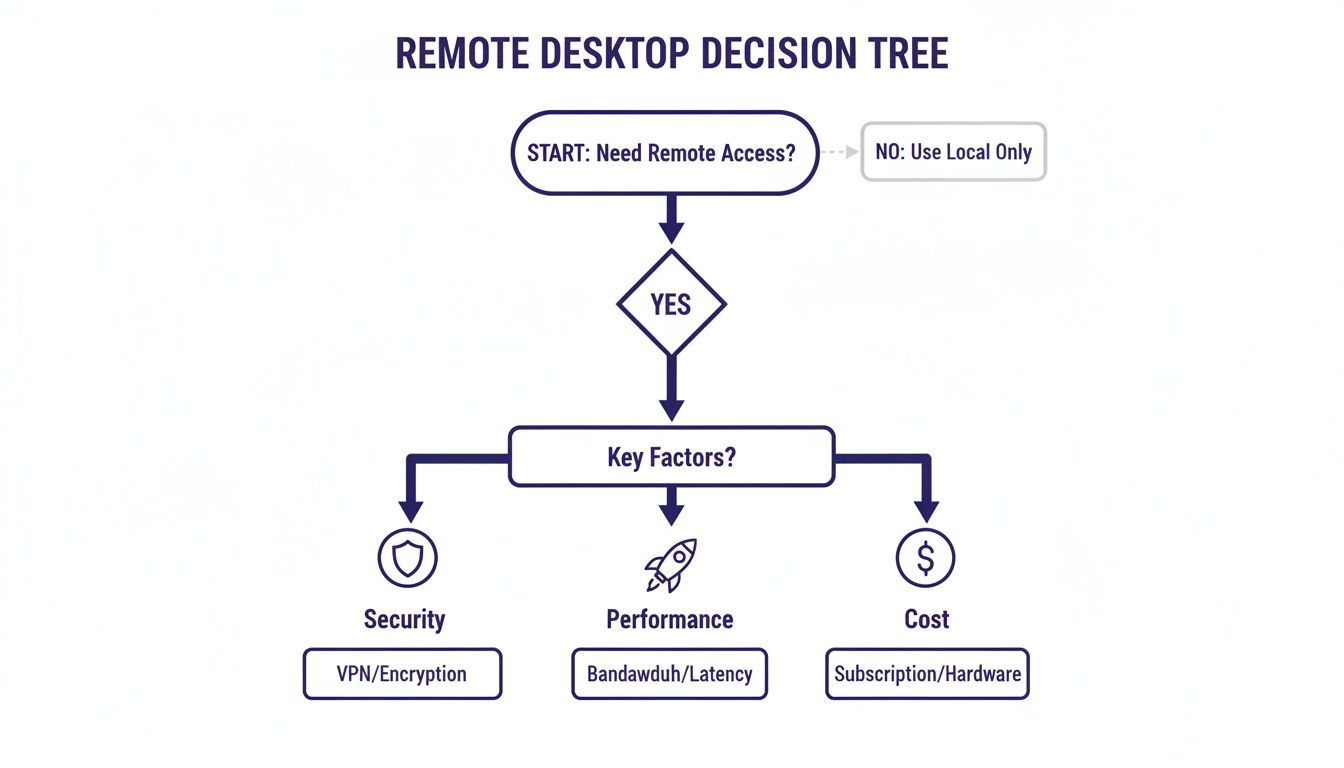
As the chart shows, your main business needs will naturally push one factor to the top of the list, pointing you toward a solution that fits how you actually work.
For any professional service firm, security is the bedrock of remote access. A single data breach can spiral into financial disaster, ruin your reputation, and trigger serious legal penalties. This is where your evaluation must begin.
Look for solutions that bake in robust, multi-layered security as a standard, not an expensive add-on. Key features include:
A common mistake is thinking a VPN is enough for secure remote work. While VPNs encrypt your connection, they can open your entire network to risk if a remote device gets compromised. In contrast, remote desktop solutions isolate access to a specific machine, drastically shrinking the potential attack surface.
Poor performance doesn't just frustrate your team; it grinds productivity to a halt. Laggy connections, slow file transfers, and constant drops are simply unacceptable in a professional setting. The goal should be an experience so smooth that users forget they aren’t working on their local machine.
Key performance indicators to watch for:
The choice between hosting your remote desktop setup in the cloud or on your own servers has huge implications for cost, maintenance, and security.
For a deeper look into the specifics, our guide on remote access security best practices offers some valuable insights.
To help you visualize the trade-offs, here’s a quick breakdown of how each model stacks up against common business needs.
This table provides a side-by-side comparison of Cloud, On-Premise, and Hybrid models against key business requirements for quick decision-making.
| Evaluation Criterion | Cloud-Hosted Solution (e.g., Cloudvara) | On-Premise Solution | Hybrid Solution |
|---|---|---|---|
| Initial Cost | Low (subscription-based, no hardware) | High (requires servers, licenses, space) | Moderate to High (combines both) |
| Ongoing Costs | Predictable monthly operational expense (OpEx) | Unpredictable capital expenses (CapEx) | Mix of OpEx and CapEx |
| Scalability | High (scale up/down on demand) | Low (requires new hardware purchases) | Moderate (cloud portion scales easily) |
| IT Management | Managed by provider; minimal internal IT needed | Requires dedicated in-house IT staff | Requires expertise in both cloud & on-prem |
| Security | Enterprise-grade; provider manages updates | Full control, but responsibility is 100% internal | Complex; requires integrated security policies |
| Accessibility | High (access from anywhere with internet) | Limited (often requires VPN, complex setup) | Flexible, but requires careful configuration |
| Best For | SMBs, firms with limited IT, high growth | Large enterprises with strict control needs | Businesses transitioning to the cloud |
Ultimately, the right deployment model aligns with your budget, IT resources, and long-term growth plans.
The monthly subscription fee is just the tip of the iceberg. To make a smart financial decision, you need to calculate the Total Cost of Ownership (TCO), which includes every direct and indirect expense over the solution's life.
When you’re comparing costs, be sure to factor in:
For most small and mid-sized businesses, a managed cloud solution often comes out ahead with a lower TCO by turning unpredictable capital costs into a stable, manageable operating expense.
When something goes wrong, you need fast access to people who can actually fix it. A slow or unhelpful support team can bring your entire business to a standstill.
Evaluate providers on:
A provider that acts like a true partner will offer proactive monitoring and support, often fixing issues before you even know they exist.
What’s your plan if a server crashes or a natural disaster hits your office? A solid backup and disaster recovery plan is fundamental to business continuity. Your remote desktop solution should include automated, frequent backups that are stored securely offsite.
Make sure the provider can restore your data and applications quickly to minimize downtime in an emergency. This is one of the biggest advantages of managed cloud solutions, where disaster recovery is typically built right into the service.
The choice between a cloud-hosted or an on-premise remote desktop setup is one of the biggest decisions you'll make. This single choice dictates your budget, IT workload, security responsibilities, and future scalability. It’s the architectural foundation for your entire remote access strategy.
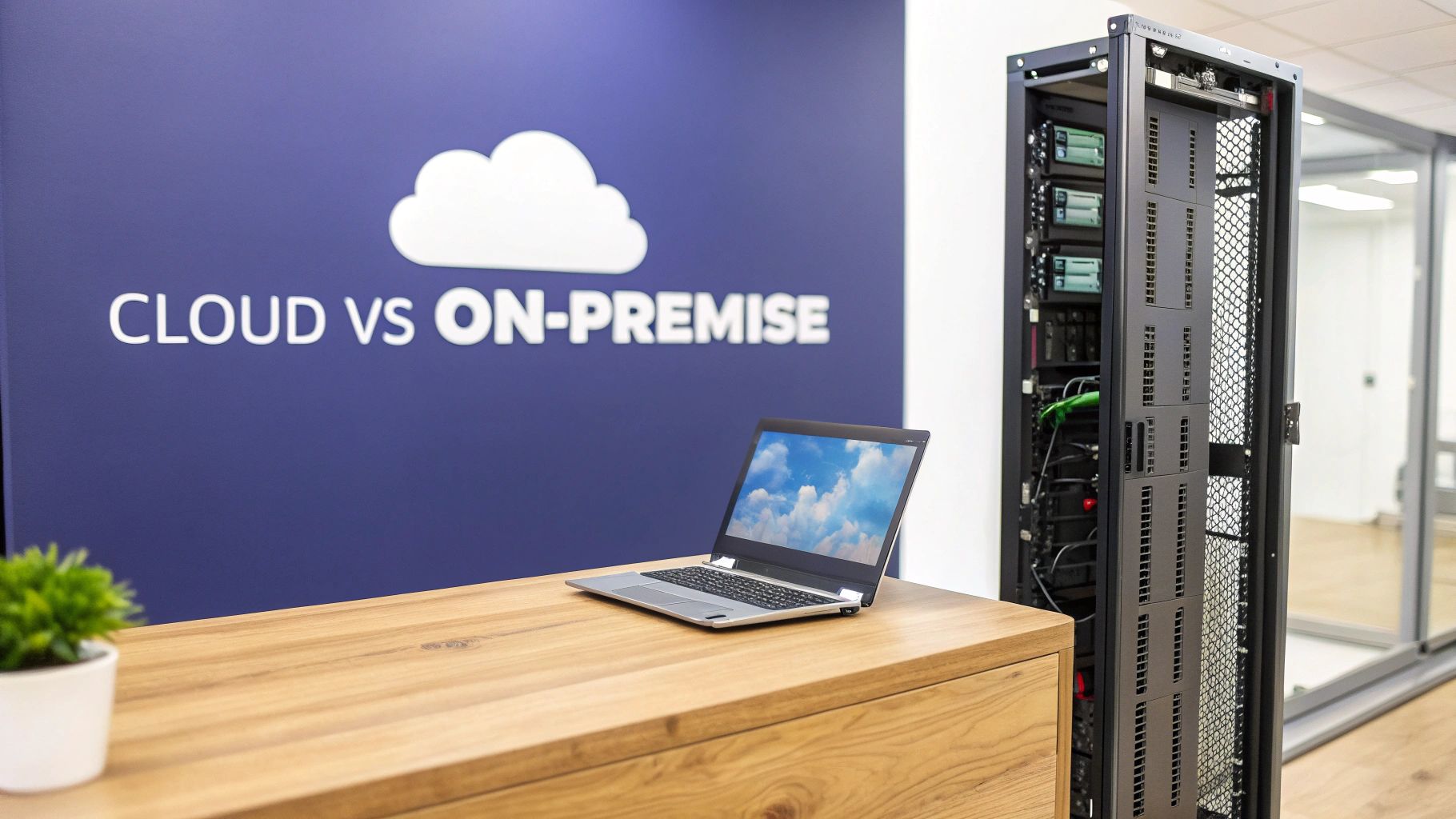
On-premise deployment gives you the ultimate level of control. You own the servers, you configure the network, and you dictate every security policy from the ground up. This approach can be appealing for firms with highly specific compliance needs or those that simply want to keep all data physically within their own walls.
But this control comes at a steep price. The upfront capital expenditure for servers, networking hardware, and software licenses is substantial. Beyond that initial investment, you are solely responsible for all ongoing maintenance, security patching, and hardware upgrades, which demands a dedicated and skilled in-house IT team.
For most small to mid-sized businesses, the on-premise model presents some serious hurdles. It’s not just about buying equipment; it’s about managing a complex ecosystem 24/7.
This model essentially forces you to become a data center operator on top of running your primary business. For a CPA firm or a law practice, this diverts critical resources away from serving clients and into managing complex IT.
In contrast, a cloud-hosted model shifts the entire infrastructure burden to a specialized provider like Cloudvara. Instead of buying servers, you pay a predictable monthly fee for access to a professionally managed, enterprise-grade environment. This approach converts a large, unpredictable capital expense (CapEx) into a stable, manageable operating expense (OpEx).
This fundamental shift offers clear benefits. Scalability becomes effortless—adding a new employee is as simple as adjusting your subscription. Security is handled by experts whose sole job is to protect data, often providing a level of protection that would be cost-prohibitive for an SME to replicate in-house. A deeper look into the differences between cloud and on-premise can bring even more clarity to this critical choice.
For organizations focused on growth, the cloud model is a strategic enabler. It frees you from the complexities of IT management, allowing you to focus on core business activities while benefiting from top-tier security and reliability.
When deciding between the two, a huge factor is how each option supports your overall business continuity planning (BCP). Cloud solutions inherently offer superior disaster recovery, since data is backed up and stored in secure, geographically diverse data centers.
Here’s a practical breakdown to guide your decision:
| Consideration | Choose On-Premise If… | Choose Cloud Hosted If… |
|---|---|---|
| Budget | You have a large upfront capital budget and prefer CapEx. | You prefer predictable monthly OpEx and minimal upfront costs. |
| IT Resources | You have a dedicated, experienced IT team to manage servers. | You have a small IT team or want to offload IT management. |
| Scalability | Your user base is static and predictable. | You expect business growth and need to scale resources easily. |
| Security | You have the expertise to manage all security and compliance in-house. | You want enterprise-grade security managed by experts. |
For most CPAs, law firms, and SMEs, the agility, cost-effectiveness, and robust security of a managed cloud solution make it the clear winner. It's the modern answer in any remote desktop software comparison.
For professional service firms like CPA practices and law offices, choosing a remote desktop solution is a high-stakes decision. This isn't about convenience; it's about upholding a foundation of trust and confidentiality. The right tool must function like a secure vault for client data, not just a simple access point. A single misstep can have serious consequences.

These industries operate under unique, non-negotiable rules that most businesses don't face. A data breach at a CPA firm could lead to IRS violations, while for a law firm, it could instantly shatter attorney-client privilege. The stakes are simply too high for a one-size-fits-all solution.
For accountants, tax season is an all-out sprint where performance and security are absolutely critical. They need flawless, high-speed access to resource-heavy applications like QuickBooks, Sage, and Lacerte from anywhere, without a hint of lag.
Slowdowns aren't just an annoyance—they cut directly into billable hours and damage the firm's bottom line. Any downtime can translate into missed filing deadlines and angry clients. The conversation has to be about how a remote solution performs under intense pressure.
Key requirements for accounting firms boil down to:
A managed cloud provider can tackle these needs head-on by offering environments specifically tuned for accounting software. For a deeper dive, see our insights on specialized IT support for accounting firms and how it aligns with these demands.
Law firms operate under an even stricter code centered on protecting attorney-client privilege. Every single document, email, and case note is confidential. The remote desktop software they choose has to be impenetrable.
Their needs revolve around absolute data control and undeniable security measures. This means end-to-end encryption for all data, both in transit and at rest, ensuring no unauthorized party can ever intercept communications or access case files.
For a law firm, the ability to produce a clear audit trail is non-negotiable. In the event of a dispute or e-discovery request, they must be able to prove exactly who accessed a specific document and when. A remote desktop solution that provides detailed, immutable logs is a critical defensive tool.
While large enterprises are major players in the remote desktop market, projected to command a 57.6% market share in 2025, their priorities often miss the mark for professional service SMEs. Big corporations focus on broad scalability and BYOD policies, but law and CPA firms must put granular security and application-specific performance first. You can find more on these market dynamics in this comprehensive remote desktop industry report.
For both CPAs and legal professionals, a self-managed, on-premise solution brings significant risks. The entire burden of maintaining compliance, applying security patches, and ensuring uptime falls on an internal team that likely lacks specialized cybersecurity expertise.
This is why a managed cloud solution consistently comes out on top in a direct remote desktop software comparison for these fields. It offloads the complex security and infrastructure headaches to experts, freeing the firm to focus on what it does best: serving clients. A provider like Cloudvara delivers the enterprise-grade security, guaranteed performance for industry software, and robust compliance framework these professions demand—all wrapped in a predictable cost model.
After weighing the different deployment models, a clear pattern emerges for small and mid-sized businesses, especially in fields like accounting and law. While on-premise solutions offer total control, they come with a steep price tag in both capital and in-house IT expertise—resources most SMEs just don't have. A managed cloud solution cuts right to the heart of the matter, solving the biggest challenges: security gaps, high IT overhead, and frustrating performance bottlenecks.
This isn't just about renting server space; it's about gaining a strategic partner. Instead of pulling your team away from their real jobs to manage complex infrastructure, you offload the entire burden to specialists. This frees everyone to focus on what actually drives the business forward—serving clients and growing revenue—not troubleshooting IT glitches.
For any business handling sensitive data, security isn't a "set it and forget it" task. It demands constant vigilance, patching, and monitoring to fend off a never-ending stream of cyber threats. A managed cloud provider delivers enterprise-grade security that would be financially out of reach for most SMEs to build and maintain themselves.
This means you get:
This level of expert oversight turns your security posture from a major liability into a competitive advantage. It’s something you can confidently tell your clients about.
A managed solution effectively democratizes enterprise-level security. It allows a ten-person law firm to benefit from the same robust defenses and expert oversight as a Fortune 500 company, without the seven-figure price tag.
Beyond security, a managed solution guarantees performance and reliability. Providers back their services with Service Level Agreements (SLAs) that promise high uptime—often 99.5% or greater—so your critical applications are always there when you need them. For business continuity, that's non-negotiable.
The demand for this kind of reliability is surging. North America currently leads the pack with up to a 35% global share in remote desktop software adoption, and its market is projected to hit $2,038.6 million by 2032. This growth is fueled by businesses demanding the exact kind of consistent performance and security that managed cloud providers excel at delivering. You can find more details in this report on the global remote desktop market and its regional trends.
Ultimately, the right provider becomes an extension of your team. With 24/7 expert support, you have a direct line to help whenever you need it, minimizing downtime and keeping your operations running smoothly. The combination of security, reliability, and expert oversight in our managed cloud services makes a compelling case for any SME looking to thrive. It’s the smart, strategic choice in any modern remote desktop software comparison.
When you're comparing remote desktop software, the same practical questions always come up, especially for firms that can't afford any mistakes with client data. Getting straight answers on security, migration, and daily performance is what separates a good choice from a great one. Let's tackle the most common questions head-on.
The single biggest threat is unauthorized access. It’s the open front door that leads to everything else—data breaches, ransomware, and compromised client files. This usually happens one of two ways: someone gets a hold of weak or stolen login credentials, or they exploit a software vulnerability that hasn't been patched.
That’s why you can't compromise on security features. Look for solutions where things like multi-factor authentication (MFA) and strong AES-256 encryption aren't optional extras but mandatory defaults. Proactive security monitoring is another non-negotiable, as it helps spot trouble before it escalates. These layers work together to build a serious defense.
This is where a managed cloud provider like Cloudvara really shines. They handle all the security configurations and patching for you. That alone dramatically lowers your risk compared to an on-premise setup where your team is on the hook for catching every new threat.
The thought of migrating your entire office to the cloud can be daunting, but with the right partner, it’s a well-managed and surprisingly smooth process. The complexity really depends on how many applications you have, the amount of data you're moving, and the provider’s experience.
A professional migration isn’t a mystery. It follows a clear, predictable plan:
Think about moving a critical app like QuickBooks or a legal practice management suite. It’s not just about copying files; it's about transferring the database and ensuring every user has the correct access rights. An experienced provider can get this done in just a few days with very little disruption.
Yes, in almost every case. This is often called 'Bring Your Own License' (BYOL), and it’s a standard feature with most reputable cloud hosting providers. It means you can continue using the licenses you already own for software like Microsoft Office or other industry-specific tools.
This is a huge plus for keeping costs under control since you avoid having to buy all new software. Before you sign with anyone, though, make sure to confirm their BYOL policy and double-check that it aligns with your software vendor's licensing terms. This keeps you fully compliant.
When set up correctly by a quality provider, a remote desktop should feel completely seamless—so much so that your team forgets they aren't working on a powerful local machine. Performance hinges on three things: the provider's server hardware, your office's internet speed, and how close you are to their data center.
The goal of any top-tier remote solution is to eliminate latency so completely that users forget they are not working on a local machine. This is achieved through powerful servers, optimized network routing, and infrastructure specifically tuned for demanding applications.
This ensures that even resource-heavy programs run smoothly without any of that frustrating lag. The best way to be sure? Always ask for a demo or a free trial. It's the only way to test the performance with your actual software and see for yourself before making a final decision.
Ready to see how a managed cloud solution can secure your data and boost your team's productivity? The expert team at Cloudvara can migrate your essential applications to a secure, high-performance cloud environment, backed by 24/7 support and a 99.5% uptime guarantee. Learn more about Cloudvara and start your free trial today.




