
For any modern law firm, legal practice management software is the central nervous system. It pulls together all the critical, moving parts of your practice—case files, billing, client communication—into one cohesive platform. Think of it as the digital conductor that ensures every part of your firm works in harmony, finally ending the chaos of scattered spreadsheets and siloed inboxes.

Imagine trying to lead an orchestra where every musician has a different sheet of music. That’s what a law firm looks like without a central system. One attorney tracks deadlines on a paper calendar, a paralegal manages documents in a maze of local folders, and the billing department is off on an island with its own accounting software. The result is pure inefficiency, missed deadlines, and frustrated clients.
Legal practice management software (LPMS) is the answer to this operational mess. It’s an all-in-one application built specifically to run the business side of a law firm. This frees up legal professionals to focus on what they do best—practicing law—instead of getting buried in administrative busywork.
At its core, LPMS often includes robust time tracking and billing tools, similar to a dedicated time tracking software for lawyers that helps maximize billable hours. But a true practice management platform goes much further, integrating those features into a much broader suite of tools.
It becomes the single source of truth for everything happening at the firm, unifying key operations that would otherwise be disconnected. This consolidation brings much-needed order to the complex workflows inherent in legal work.
Here are the key functions typically brought under one digital roof:
A well-implemented LPMS doesn't just organize a firm; it unlocks its potential. By automating repetitive tasks, it frees up billable hours that were previously lost to administrative churn, directly boosting the bottom line and improving client satisfaction.
This shift toward a centralized system isn't just a passing trend; it's a fundamental change in how successful law firms operate. The market has seen explosive growth, jumping from USD 2.06 billion in 2024 to USD 2.37 billion in 2025. Projections show the sector hitting USD 5.96 billion by 2032, which underscores the industry's widespread move toward digital tools for greater efficiency.
Ultimately, adopting this kind of software is about building a more resilient, efficient, and client-focused practice. For a deeper dive into modernizing your firm's infrastructure, check out our guide on cloud solutions for law firms.

To really understand what legal practice management software can do, you have to look past a simple feature list. This is about the interconnected tools that run the engine room of a modern law firm. Each part is built to solve a specific, daily headache that pulls attorneys away from what they do best: serving clients and thinking strategically.
Think of it less like a bundle of apps and more like a unified command center. When these core features work in harmony, they get rid of redundant data entry, slash the risk of human error, and create a single, reliable source of truth for everyone at your firm. Let’s break down the essential pillars that hold up a more efficient and profitable practice.
To get a clearer picture of how these components work together, here’s a quick overview of the core functionalities and the direct value they bring to a law firm's daily operations.
| Core Feature | Primary Function | Key Benefit |
|---|---|---|
| Case & Matter Management | Centralizes all case-related information, contacts, and deadlines. | Creates a single source of truth, improving team collaboration and reducing oversights. |
| Time Tracking & Billing | Captures billable hours in real-time and automates invoice generation. | Plugs revenue leaks from unbilled time and speeds up the entire billing cycle. |
| Document Management | Organizes, secures, and makes all case documents fully searchable. | Eliminates time spent searching for files and strengthens client confidentiality. |
| Client Portals | Provides a secure online space for client communication and document sharing. | Enhances the client experience, builds trust, and reduces administrative back-and-forth. |
Each of these features is powerful on its own, but their real value is unlocked when they function as a cohesive system, streamlining workflows from client intake to final invoice. Let's dig a little deeper into each one.
At the heart of any solid LPMS is its case management capability. It’s the digital version of a perfectly organized physical file, but infinitely more powerful. Instead of digging through stacks of paper, every shred of information tied to a matter is centralized and just a click away.
This includes:
This central hub ensures anyone touching a case has the complete, up-to-the-minute story. It kills the time wasted hunting for a document or chasing down colleagues for an update, making teamwork smooth and effective.
For most law firms, unrecorded time is lost money. Period. Juggling sticky notes, memory, and manual spreadsheets to track billable hours is a recipe for revenue leakage. Integrated time and billing tools are designed specifically to stop this financial drain.
With a proper LPMS, attorneys can log billable activities right as they happen—whether they’re drafting a motion, on a call with a client, or checking email on their phone. This simple habit of capturing time in the moment dramatically improves accuracy.
By capturing time contemporaneously, firms can increase their billable hours by 10% to 25% without working any harder. The software does the heavy lifting by turning tracked time into professional, accurate invoices with just a few clicks, accelerating the entire billing cycle.
On top of that, these systems easily manage complex billing setups like flat fees, contingency, and LEDES billing, all while tracking expenses tied to specific matters. This makes sure every cost is accounted for and that invoices are clear, detailed, and far less likely to be questioned by clients.
The days of overflowing file cabinets and expensive off-site storage are numbered. A core feature of modern legal software is a powerful document management system. It transforms your firm’s mountains of paper and digital files into a secure, organized, and completely searchable library.
Every document—from contracts and pleadings to emails and evidence—is stored and tagged within the relevant client matter. The immediate benefits are huge:
As your firm’s document archive grows, a strong management system becomes non-negotiable. For a deeper dive, you can learn more about specialized document management for law firms and how it safeguards your most critical assets.
Finally, client portals are quickly becoming a must-have for firms that truly care about the client experience. A secure portal offers a dedicated online space for clients to interact with their legal team, check case documents, and see progress without relying on insecure email chains or playing phone tag.
This simple feature creates a more professional and transparent relationship. You can share updates, upload documents for their review, and send messages in a secure, branded environment. For clients, it offers the peace of mind that comes with having 24/7 access to their case. It’s a powerful tool for strengthening relationships, building trust, and setting your firm apart from the rest.

Moving past a simple list of features, the real question every managing partner asks is, "What's the return on this investment?" Adopting legal practice management software isn't just a tech upgrade; it's a strategic move that drives real growth, efficiency, and stability. It completely changes how work gets done, turning administrative headaches into a competitive edge.
Understanding these benefits is key for any practice, from solo practitioners to large Law Firms juggling multiple specializations. So, let’s dig into the tangible results firms actually see after making the switch.
One of the first and most powerful changes is winning back lost time. Attorneys and paralegals spend a shocking amount of their day on non-billable administrative work—hunting for documents, manually updating calendars, or tracking down case information. Every minute spent on that is a minute not spent on client work.
Legal software puts these repetitive tasks on autopilot. Think about it: every document becomes instantly searchable, every deadline is automatically calendared for the whole team, and all case details live in one central hub. This isn't some far-off ideal; it's the daily reality for firms using an integrated system.
By automating routine administrative work, law firms can reclaim a significant portion of their day. This recovered time translates directly into more billable hours, boosting firm productivity and revenue without increasing headcount or workload.
This new efficiency frees up your legal professionals to focus their expertise on high-value activities that actually serve clients and generate income, instead of getting bogged down in the mechanics of just running the practice.
Nothing strains a firm’s finances like invoicing errors, billing delays, and a sluggish collections process. Traditional methods are often a mess of disconnected spreadsheets and accounting software that don’t talk to your case management tools. That disconnect is where mistakes happen and revenue gets lost.
A unified legal practice management platform connects time tracking directly to billing and invoicing. This seamless flow ensures every single billable minute is captured and accurately reflected on client invoices, slashing errors and plugging revenue leaks for good.
Firms using these systems see immediate improvements:
This streamlined financial workflow doesn't just save time—it accelerates your cash flow, giving the firm far greater financial stability and predictability. For more tools that can help with this, check out our guide on the best cloud-based law firm software.
In a crowded market, client satisfaction is everything. A disorganized firm risks creating a poor client experience, full of slow responses and a frustrating lack of transparency. When you centralize all client and case data in one platform, you empower your entire team to deliver better service. Any team member can pull up a complete case history in seconds to give clients fast, accurate answers.
On top of that, compliance and conflict checking are huge operational risks. Manually digging through decentralized records for potential conflicts is slow and dangerously prone to error. LPMS automates this critical step, running comprehensive checks in seconds and creating a documented audit trail. It turns a major liability into a simple, reliable part of your intake process, protecting your firm’s reputation and ethical standing.
Having powerful legal practice management software is a huge step forward, but the best features in the world don’t mean much if you can't access them when and where you need them. The platform your software runs on is just as crucial as the software itself. This is where cloud hosting comes in, acting as the key that unlocks your software's true potential.
Think of traditional, on-premise software like a vault cemented into your office floor. It’s secure, sure, but you can only get to what's inside by physically being there. Cloud hosting turns that vault into a secure, digital safe deposit box you can access from anywhere in the world with the right key. This simple shift transforms a rigid, office-bound tool into a flexible, resilient command center for the modern law firm.
The single biggest advantage of a cloud-hosted system is the freedom it gives your team. Attorneys are rarely tied to a single desk—they’re in court, meeting clients, or working from home. A cloud environment ensures your firm’s central nervous system travels with them, accessible from a laptop, tablet, or smartphone.
This anytime, anywhere access has a direct impact on productivity and client service. An attorney can pull up a critical case file during a deposition or update billing information from the courthouse steps. This level of flexibility isn't just a convenience; it's a massive competitive advantage that allows your firm to operate at full speed, no matter where your team is located.
The legal industry has overwhelmingly recognized these benefits. Cloud-based models now dominate the market, holding an impressive 68.8% market share. This widespread adoption reflects a clear understanding that the cloud delivers superior flexibility, faster implementation, and simplified IT management. You can discover more insights about this market trend on Coherent Market Insights.
For firms looking to modernize, understanding the fundamentals of this technology is key. You can learn more about what cloud hosting is and how it works in our detailed guide.
For any law firm, data security is non-negotiable. The idea of moving highly confidential client information off-site might seem intimidating, but a professional cloud hosting environment is almost always more secure than a server closet down the hall. Specialized providers build their entire business around protecting data.
This means your firm benefits from enterprise-grade security measures that would be prohibitively expensive to replicate in-house. These protections are layered and constantly updated to defend against emerging threats.
Key security advantages include:
This robust security posture helps your firm meet its ethical and legal obligations to protect client confidentiality, often far exceeding the capabilities of a typical on-premise setup.
As your law firm grows, so do your technology needs. With an on-premise server, growth often means facing a huge capital expense for new hardware and a complicated migration process. Cloud hosting eliminates this headache entirely.
Scaling your resources is as simple as adjusting your subscription plan. Need to add five new users? It can be done in minutes. This elasticity ensures you only pay for the resources you actually need, allowing your technology to grow seamlessly alongside your firm.
Beyond growth, the cloud provides a critical safety net for business continuity. What happens if your office experiences a fire, flood, or power outage? With an on-premise server, you could be facing catastrophic data loss and days—or even weeks—of downtime.
Cloud hosting providers, however, implement automated, daily backups to geographically separate locations. This means that even if your physical office is inaccessible, your entire firm can get back online and continue working from anywhere. It’s the ultimate insurance policy for your firm's most valuable digital assets, ensuring your operations are resilient in the face of the unexpected.
Picking and implementing legal practice management software can feel like a huge undertaking, but you can make it manageable by breaking it down into a clear, step-by-step roadmap. It’s not about finding some perfect, one-size-fits-all product. The real goal is finding the right fit for your firm’s unique DNA—your practice areas, your team’s workflow, and your vision for the future.
The first move is a thorough self-assessment. Before you even glance at a single vendor website, you need to get brutally honest about your firm’s biggest headaches. Are you bleeding billable hours because of clunky time-tracking? Is document management a chaotic mess of shared drives and conflicting versions? Is your billing cycle painfully slow, starving your cash flow?
By identifying your top three to five operational challenges, you create a focused lens through which to evaluate potential software. This simple step prevents you from being dazzled by flashy features you'll never use and keeps the focus on solving the real problems holding your firm back.
Once you have that clarity, you can start your search with a genuine purpose, making sure the final choice directly solves the issues that actually matter.
With your firm’s needs clearly mapped out, the vendor evaluation process becomes much more straightforward. Start by narrowing your options to platforms that specialize in your specific practice areas. A family law firm has entirely different needs than a corporate litigation practice, and the right software will reflect those nuances with tailored workflows and document templates.
Next, zoom in on integrations. Your new LPMS has to play well with the tools your team already lives in every day. Check for seamless connections with:
Finally, think about where you're headed. While a basic solution might work for you today, it’s wise to consider vendors that offer a platform that can scale. Your software should be able to grow with you, easily accommodating more users and advanced features as your firm expands.
Just picking the software is only half the battle. A smooth, well-planned implementation is what actually guarantees a positive return on your investment. A successful rollout really boils down to three key pillars: data migration, team training, and a rock-solid hosting foundation.
Data migration is often the step that feels the most intimidating. You’ll want to work closely with your chosen vendor to create a detailed plan for moving existing client data, case files, and financial records into the new system. A reputable provider will have a dedicated team to guide you through this, ensuring no critical information gets lost in translation.
Effective team training is just as crucial. Don’t just schedule a single webinar and call it a day. Instead, plan for phased training sessions that are specific to different roles within the firm. Attorneys, paralegals, and administrative staff all use the software differently, and targeted training will drive much higher adoption rates.
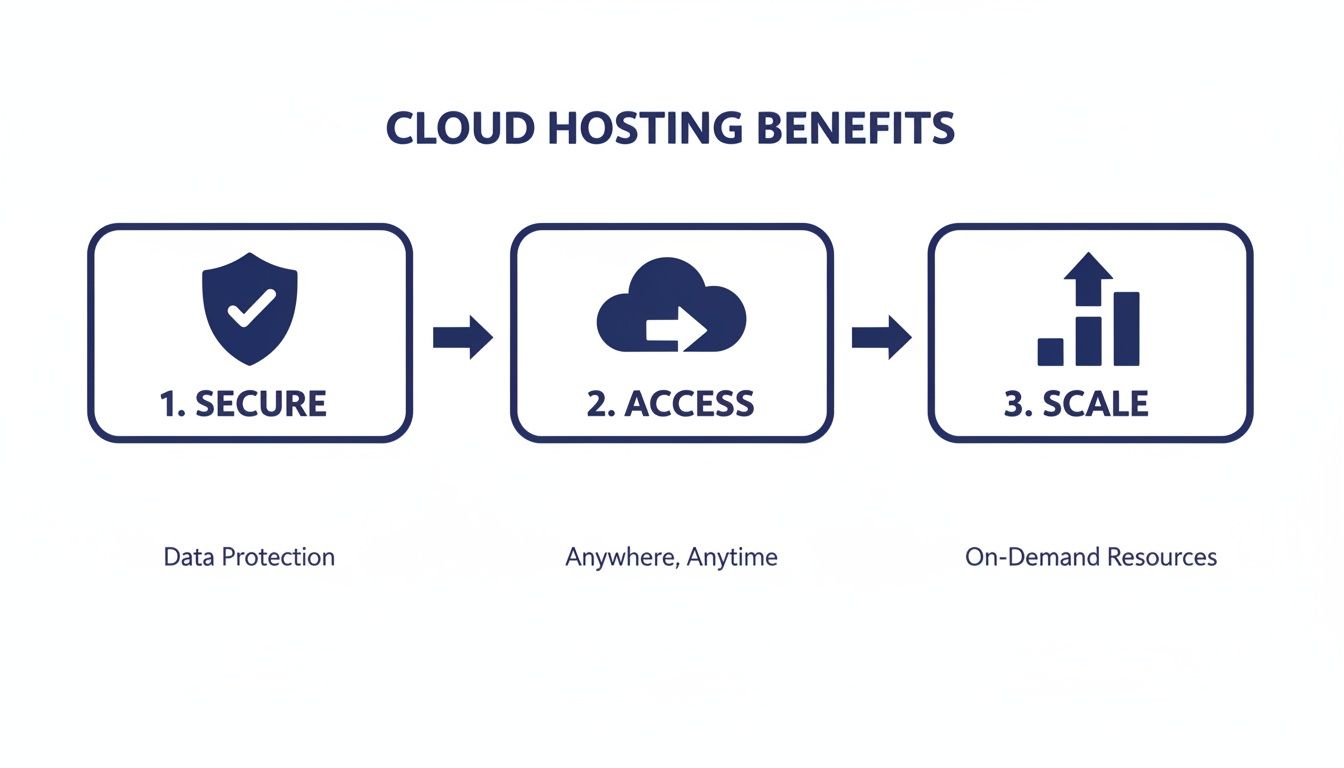
This process is grounded in a cloud environment that provides security, enables anytime access, and offers the flexibility to scale as your firm grows. Most importantly, your hosting is a strategic decision that should be made from day one. Choosing a specialized cloud hosting partner ensures your new LPMS is built on a high-performance, secure, and reliable infrastructure, preventing technical headaches down the road. For more detailed guidance, learn more about how to choose a cloud provider in our comprehensive article.
Even with a detailed guide, it’s natural to have practical questions when you're thinking about a big move like adopting new software. Firm leaders always want to know about the real-world impact on security, cost, and daily use. Let's get straight to the most common questions we hear about legal practice management software.
The goal here is to clear up any lingering doubts and give you the final pieces of the puzzle. By tackling these common curiosities head-on, you'll have the confidence to make a fully informed decision.
Absolutely—but the real question is about where it's hosted. That’s the critical detail. Stashing sensitive client files on a server in your back office might feel safe, but it often carries far more risk than a professional cloud environment.
When your legal software is hosted by a specialized provider, your firm’s data is wrapped in multiple layers of enterprise-grade security. These aren't just generic protections; they're designed specifically to meet the legal profession's demanding compliance and ethical standards.
Think of it like this:
In nearly every case, a dedicated cloud hosting environment delivers security that far exceeds what a typical law firm can build on-premise. It shifts the heavy burden of cybersecurity from your shoulders to experts whose only job is to protect digital assets.
This robust setup means your client data is protected by a defense-in-depth strategy, giving both you and your clients some much-needed peace of mind. The responsibility for maintaining that fortress falls to the hosting provider, freeing you up to practice law.
Yes, and honestly, this is one of the biggest game-changers of moving to a cloud-hosted solution. Traditional on-premise software effectively chains you and your team to the physical office, creating a massive bottleneck for a profession that’s always on the move.
A cloud-based system shatters those chains. It gives every authorized person on your team secure access to case files, client info, calendars, and billing tools from any device with an internet connection. An attorney can pull up a critical document in a courthouse hallway. A paralegal can update a case file while working from home. You can check on firm operations while traveling.
This kind of remote access isn't a luxury anymore—it's essential for any modern, resilient law firm. It guarantees your practice stays productive and responsive, no matter where your work takes you.
The pricing models can vary, but the industry has largely settled on a per-user, per-month subscription fee. This "Software as a Service" (SaaS) approach has become the standard because it makes powerful tools accessible and affordable for firms of every size.
Instead of a huge upfront investment in software licenses and server hardware, you pay a predictable monthly fee that's much easier to budget for. The costs can range quite a bit, typically from $50 to over $150 per user per month.
What drives that final price? A few key things:
When you're building your budget, just remember to factor in potential one-time setup costs, like migrating your existing data or getting the team trained up.
The difference really boils down to one simple question: where do your software and your data live? That single distinction has massive implications for your costs, security, accessibility, and maintenance headaches.
On-Premise Software: With this setup, you buy the software license and install it on your own servers, right there in your office. Your firm is then on the hook for everything—maintaining the hardware, managing security updates, running backups, and fixing anything that breaks. You get total control, but it comes with a ton of responsibility and expense.
Cloud-Based Software: Here, your software and data are hosted on powerful, remote servers managed by the software vendor or a specialized cloud provider. You access everything securely over the internet. This model completely removes the need to buy or manage your own servers. All the updates, security patches, and backups are handled for you, giving you far more flexibility and a lot less to worry about.
Ready to unlock the full potential of your legal practice management software with secure, reliable, and accessible cloud hosting? Cloudvara provides a dedicated cloud environment tailored for law firms, ensuring your mission-critical applications are always available and protected. Schedule your free consultation today!