Diving into a cloud migration without a solid plan is a recipe for disaster. Think of it as building a house without a blueprint—you’ll end up with unexpected costs, operational headaches, and a final product that doesn't quite work. The real work of a successful migration happens long before you move a single file.
This foundational phase breaks down into three core activities: auditing your current setup, defining clear business goals, and assembling your A-team. Getting this part right shapes every decision that follows and helps you sidestep those costly mistakes that trip up so many businesses.
Before any data moves to the cloud, the most critical work is done on paper (or, more likely, in a spreadsheet). A successful cloud migration isn't just a technical task; it's a strategic business move that requires careful planning, sharp objectives, and everyone on the same page. When companies rush this stage, they almost always run into scope creep, blown budgets, and a cloud environment that fails to deliver on its promises.
This is the time to ask the hard questions. What are we moving? Why are we moving it? And who’s going to be responsible for making it happen? Answering these with honesty and detail is what sets you up for a smooth transition to a platform like Cloudvara.
You can't map out a journey without knowing exactly where you're starting from. The first real step is a no-stone-unturned audit of your existing on-premise environment. This isn't just a quick glance—it's about creating a detailed inventory of every server, application, and database you intend to migrate.
Think of it like a home inspection before a big move. You need to check every room, open every closet, and understand how all the systems—plumbing, electrical, HVAC—are interconnected. For each application, you need to document:
The "why" behind your move to the cloud is just as important as the "how." Are you chasing cost savings? Do you need greater scalability to keep up with growth? Or is this all about beefing up your security and disaster recovery? Clear, measurable goals are the north star for your entire project.
Without a solid business case, it's incredibly easy to get lost in the technical weeds. For example, if cost efficiency is your main driver, you'll prioritize a migration strategy that ruthlessly cuts resource waste. If scalability is the goal, you might decide to refactor an application to better leverage cloud-native features. It's also worth identifying if your business needs the cloud in the first place. A well-defined cloud adoption strategy gives you a clear framework for every decision you’ll make.
A migration without defined business goals is just moving problems from your server room to someone else's. The objective isn't just to be on the cloud; it's to be better because of the cloud.
The broader cloud migration market is set for explosive growth, with projections estimating a rise from $232.51 billion to $806.41 billion by 2029. This isn't just hype; we're hitting a tipping point where companies must either migrate or risk being left behind by competitors who aren't bogged down by legacy systems.
To ensure your plan is robust, a readiness checklist can be an invaluable tool. It forces you to think through the critical areas before you get too far down the road.
This checklist summarizes the key assessment areas to evaluate before starting your migration. Answering these questions helps ensure all critical factors are considered, preventing surprises later.
| Assessment Area | Key Questions to Answer | Success Metric |
|---|---|---|
| Technical Audit | Have all applications, dependencies, and performance baselines been documented? | A complete inventory of all assets to be migrated, including performance data. |
| Business Alignment | Are migration goals clearly defined and tied to specific business outcomes (e.g., reduce costs by 15%, improve uptime by 5%)? | Signed-off business case with measurable KPIs. |
| Team & Skills | Do we have the right internal skills, or do we need external partners? Have key roles and responsibilities been assigned? | A fully staffed migration team with a clear project lead and stakeholder buy-in. |
| Security & Compliance | What are our data security requirements? Are there any regulatory constraints (e.g., HIPAA, GDPR) we must adhere to in the cloud? | A documented security plan that meets all compliance needs and is approved by the security officer. |
| Financial Planning | What is the total estimated cost of migration, including ongoing operational expenses? Has a budget been approved? | A detailed budget covering both one-time migration costs and recurring cloud subscription fees for one year. |
Running through a checklist like this ensures that you’ve covered your bases and are truly ready to move forward with confidence.
A cloud migration is a team sport, and you need players with expertise from all corners of the organization. This isn't just a job for the IT department.
You’ll want to assign a few key roles:
By doing the hard work upfront—a thorough audit, clear goals, and a cross-functional team—you build a solid foundation that dramatically increases your chances of a successful, on-time, and on-budget migration to Cloudvara.
Once you've mapped out your on-premise landscape, the next big question is: how do you actually get everything from Point A to Point B? The path you take to the cloud isn't one-size-fits-all. It dramatically impacts the cost, timeline, and overall complexity of your entire project. Choosing the right approach means taking a hard look at each application's unique needs and its role in your company's future.
This is where the "7 Rs" framework becomes incredibly useful. Think of it as a menu of options, ranging from a simple copy-and-paste job to a complete overhaul of your software. Understanding these strategies is the key to making smart decisions that balance your immediate needs with your long-term goals for your new Cloudvara environment.
The 7 Rs—Rehost, Replatform, Refactor, Repurchase, Relocate, Retain, and Retire—represent the different paths an application can take on its journey to the cloud. Each one comes with its own set of trade-offs in terms of speed, cost, and the level of cloud-native benefits you unlock at the other end.
A thorough assessment of your current setup is the first, non-negotiable step. It’s what informs every strategic choice you’ll make.
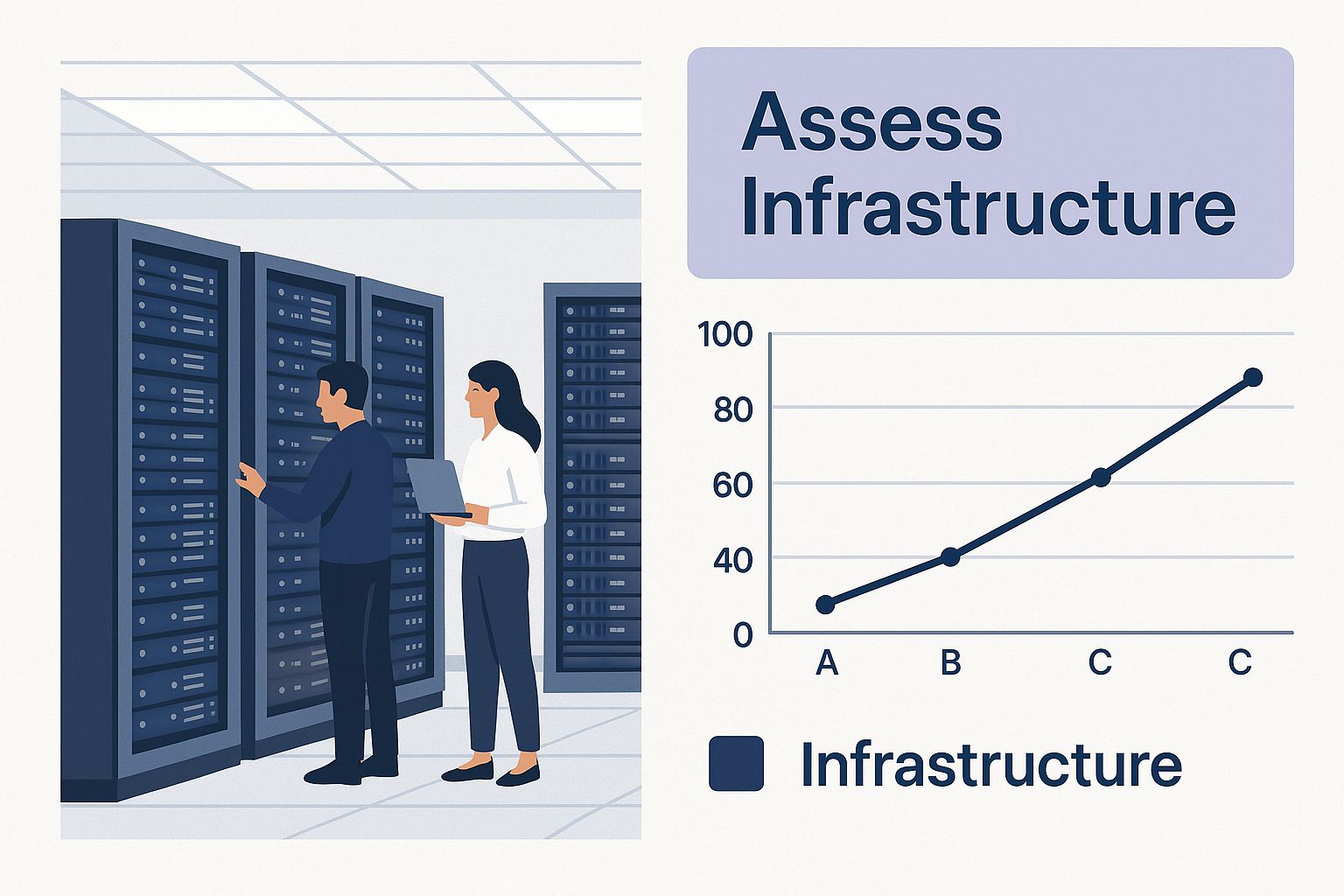
This initial deep dive is crucial. It tells you what you have, how it works, and which migration path makes the most sense. Let’s break down the most common strategies and see how they play out in the real world.
To help clarify these options, here's a quick comparison of the primary strategies you'll be considering.
| Strategy | Description | Complexity Level | Ideal Use Case |
|---|---|---|---|
| Rehost | Moving an application to the cloud with minimal or no changes. Also called "Lift-and-Shift." | Low | Migrating legacy systems quickly or when re-architecting isn't feasible. |
| Replatform | Moving an application with a few cloud-based optimizations, like switching to a managed database. Also called "Lift-and-Tinker." | Medium | Gaining some cloud benefits (e.g., automated backups) without a full rewrite. |
| Refactor | Re-architecting an application to fully leverage cloud-native features like microservices or serverless. | High | Core, high-value applications that need maximum scalability and performance. |
| Repurchase | Moving to a different product, typically a SaaS solution that replaces an existing application. | Low-Medium | Switching from an on-premise CRM or HR system to a cloud-based equivalent. |
| Relocate | Moving infrastructure to the cloud without changing the applications, often specific to VMware Cloud on AWS. | Low | For organizations heavily invested in a VMware environment. |
| Retain | Keeping an application on-premise because it's not ready or suitable for migration. | N/A | Highly specialized systems or applications with strict regulatory constraints. |
| Retire | Decommissioning an application that is no longer needed. | Low | Redundant or obsolete software discovered during the assessment phase. |
While you have seven options, most businesses find that the bulk of their work falls into the first three or four categories. Let's dig into those.
For most businesses, the decision usually boils down to a few key approaches.
This is the fastest, most straightforward path to the cloud. You essentially take a snapshot of your existing server—OS, apps, and all—and move it directly to a virtual machine in the cloud. It’s a direct transfer with almost no changes.
This strategy is a small but meaningful step up from rehosting. You move the application, but you make a few tweaks to take advantage of cloud services. A common move is migrating your app server as-is but swapping out your self-managed database for a managed cloud database.
Here’s where you get your hands dirty. You significantly modify or completely rewrite an application to fully exploit cloud-native features like serverless functions, containers, and microservices. This is the most complex and expensive approach by far, but it also delivers the biggest payoff in performance, scalability, and long-term cost efficiency.
The choice between Rehost, Replatform, and Refactor is a classic balancing act. You're trading speed and simplicity (Rehost) for deeper cloud integration and long-term benefits (Refactor).
So, how do you decide? The key is to match the migration strategy to the business value of the application itself.
And remember, sometimes the best strategy is not to move an application at all (Retain) or to simply get rid of it (Retire). A thorough audit might reveal that an app is rarely used or completely redundant, saving you migration effort and ongoing cloud costs.
Understanding your options is also a critical part of learning how to choose a cloud provider, as some providers are better suited to support specific migration models.
With all the strategic groundwork done and a migration path chosen, the project moves from planning to action. This is where the rubber meets the road—the hands-on process of moving your applications and data into your new Cloudvara environment. The main goal here is twofold: preserve data integrity and minimize operational downtime.
A successful move isn't just about getting to the cloud; it's about arriving with everything intact and your business running without a hitch. This phase is all about meticulous execution. It means turning your plans into a detailed timeline, testing the process with a pilot run, and carefully managing the final switch. Think of it as a well-choreographed performance where every step is practiced and timed perfectly.
Your migration strategy gave you the "what," but a solid project plan details the "who," "when," and "how." This document should break down the entire migration into small, manageable tasks with clear deadlines, owners, and milestones. It’s not just a to-do list; it’s your operational playbook for the entire process.
A strong plan absolutely must include:
Before you even think about moving a mission-critical application, you have to run a pilot migration. This involves picking a low-risk, non-essential application and taking it through the entire migration process from start to finish. This is your dress rehearsal, and it's invaluable.
A pilot test lets you validate your assumptions, tools, and processes in a safe environment. You’ll uncover unforeseen technical glitches, network configuration issues, or dependency problems that were missed during the initial audit. Trust me, fixing these issues on a non-critical system is far less stressful—and less costly—than discovering them while your primary CRM is offline.
A pilot migration isn't an optional step; it's the single best way to de-risk your entire project. It turns unknown variables into known challenges you can solve proactively.
Moving data is often the most sensitive part of the entire migration. The technique you choose will depend on the amount of data you have, how important it is, and your tolerance for downtime.
This is a key area where meticulous planning pays off. For a detailed look at the process, our guide on moving servers to the cloud provides deeper insights into the technical steps involved.
The cutover is the moment of truth—when you officially switch from your old on-premise system to the new cloud environment. There are two main ways to approach this.
| Cutover Strategy | Description | Best For |
|---|---|---|
| Direct Cutover | Also known as a "big bang" approach. You switch everything over at once during a planned outage window. | Smaller applications or when systems can afford a short period of downtime. |
| Phased Cutover | You migrate users or application components in waves, running both systems in parallel for a time. | Complex systems or when zero downtime is a critical business requirement. |
A phased approach is generally safer because it lets you identify and fix issues with a small group of users before the entire organization is affected.
The global cloud migration service market is expanding rapidly, projected to grow from USD 21.6 billion to approximately USD 251.1 billion by 2035. This growth is driven by businesses looking for the exact kind of streamlined, secure execution that a well-planned migration provides. You can learn more about these market trends and their drivers from recent industry analysis. By following a structured execution plan, your business can confidently become part of this successful trend.
Getting your applications and data moved over to the cloud isn't the finish line—it’s just the starting block. The real value, the true ROI of your migration, comes from what you do next. Proactive, smart management is what turns a one-time technical project into a sustainable competitive advantage.
This post-migration phase is all about continuous improvement. It’s a cycle of fine-tuning performance, locking down security, and mastering cost control to make sure your cloud investment is actually paying off. Without this focus, you risk letting your powerful new environment become inefficient and overpriced.
Your applications are now running in a new home, and like any move, they might need a few adjustments to feel comfortable and perform their best. The goal is to get beyond just running in the cloud and start running of the cloud, taking full advantage of what the platform can really do.
First thing’s first: establish performance baselines for your key applications in the Cloudvara environment. How do they stack up against your old on-premise metrics? Are they faster? Slower? This data is your road map, showing you exactly where to focus your optimization efforts.
Key areas I always look at for performance tuning include:
One of the biggest post-migration shocks I see businesses face is an unexpectedly high cloud bill. Because the cloud is so dynamic, costs can easily spiral out of control without vigilant oversight. Effective cost management isn't about being cheap; it's about being efficient and cutting out the waste.
The first step here is visibility. You need to use monitoring tools to get a granular view of exactly where every dollar is going. Tag your resources by department, project, or application so you can track spending with precision. This data will quickly highlight idle or oversized resources—the low-hanging fruit of cost savings. A development server left running over a weekend, for example, can add up to a significant and totally unnecessary expense over a year.
Your cloud bill is a direct reflection of your operational efficiency. Every dollar wasted on an idle server or oversized database is a dollar you can't invest in growth.
A common and highly effective practice is rightsizing. This just means analyzing your actual usage data over time and adjusting your provisioned resources to match. You might discover that a server you thought needed 16GB of RAM runs perfectly fine on 8GB, instantly cutting its cost. This is an ongoing process, not a one-and-done fix. For a deeper dive, exploring specific strategies around cloud cost optimization can give you a structured approach to keeping your budget in check.
Your security posture needs to adapt to its new surroundings. While Cloudvara provides a secure foundation, you are still responsible for configuring access and protecting your data within the cloud. It’s a shared responsibility.
Implement the principle of least privilege by using strict identity and access management (IAM) policies. This simply means users and applications should only have access to the resources they absolutely need to do their jobs, and nothing more. Make sure you audit these permissions regularly to remove any that are no longer necessary.
Finally, set up intelligent monitoring and alerting. You can't fix what you can't see. Configure alerts that ping you about:
By proactively managing performance, costs, and security, you transform your cloud migration from a simple infrastructure change into a powerful engine for business growth and resilience.
Knowing how to migrate to the cloud involves more than just flipping a switch; it's about seeing the roadblocks before you hit them. Plenty of cloud journeys run into turbulence, but you can save a ton of time, money, and headaches by learning from the most common mistakes. If you get ahead of these issues, you can navigate your migration with confidence.
One of the biggest tripwires I see is weak planning, especially when it comes to application dependencies. On-premise systems often have years of undocumented connections between apps and databases. Miss just one, and a smooth launch can turn into a frantic, late-night troubleshooting session after an unexpected outage.
Another classic mistake is letting costs run wild. The cloud's pay-as-you-go model is a double-edged sword. It offers incredible flexibility, but without solid governance, it can lead to "bill shock" faster than you can blink. A development environment left running over a weekend or an oversized database can quietly bleed your budget dry.
Failing to set up clear budget controls and monitoring from day one is a recipe for financial trouble. You wouldn't run a department without a budget, and your cloud environment is no different. The trick is to treat cloud spending like an ongoing operational expense, not a one-time capital investment.
To sidestep this trap, put these practices in place immediately:
Bill shock isn't a cloud problem; it's a governance problem. The cloud simply exposes a lack of financial discipline with brutal efficiency. Taking control of your spending is non-negotiable for long-term success.
Treating security as an afterthought is a critical and dangerous mistake. The cloud operates on a shared responsibility model. While Cloudvara secures the underlying infrastructure, you are responsible for securing your data and applications running on top of it. That means configuring access controls, managing user permissions, and keeping an eye out for threats.
A proactive security mindset has to be baked into your migration plan from the very beginning. This includes mapping your existing security policies to the new cloud environment and implementing strict identity and access management (IAM) rules. For a detailed checklist, check out our guide on 12 essential cloud security practices for businesses.
Moving to the cloud isn't just a technical shift; it changes how your team works. The skills needed to manage a dynamic cloud environment are different from those for static, on-premise servers. Just throwing your team into the deep end without proper training is a surefire way to cause frustration, inefficiency, and costly errors.
Invest in upskilling your IT staff on cloud fundamentals, cost management tools, and security best practices. When your team understands the new reality, they can manage the environment confidently and find new ways to create value. Today, with approximately 60% of business data stored in the cloud and about 94% of enterprises using cloud services, having a cloud-fluent team is no longer a luxury—it's a necessity. You can discover more insights about these cloud adoption trends on n2ws.com.

Even with the best-laid plans, a cloud migration will throw a few curveballs your way. From my experience managing these projects, knowing the answers to the usual "what ifs" helps keep things on track when the unexpected happens.
Think of this section as a field guide, drawing on insights from real-world migrations to give you clear, practical answers for the hurdles you're most likely to face.
This is the classic "it depends" question, but I can give you some reliable guideposts. The timeline really hinges on the scale and complexity of what you’re moving.
A straightforward "lift-and-shift" of a single application with a small database? You could be looking at just a few weeks. But if you’re re-architecting core business systems and moving terabytes of data, that kind of project can easily stretch over several months or even a full year.
The secret to an accurate timeline is a thorough initial assessment. The more you uncover in that discovery phase, the more realistic your project plan will be. For any significant project, I always recommend breaking the migration into smaller, manageable phases instead of attempting one massive—and very risky—move.
Without a doubt, it’s the hidden application dependencies. After years of running on-premise, systems develop all sorts of tangled, often undocumented connections. Missing just one link between an application and some forgotten database is all it takes to cause a cascade of failures right after you flip the switch.
The other big surprise that catches people off guard is cost management. The cloud's pay-as-you-go model is a huge advantage, but it can lead to "bill shock" fast if you aren't governing it properly. Without rigorous monitoring from day one, spending can spiral much quicker than you’d expect.
The most successful migrations are the ones that plan for surprises. Go in assuming you’ll find hidden dependencies, and build time into your schedule for investigation. And treat cost governance as a day-one priority, not something you’ll clean up after launch.
Protecting your data as it moves to the cloud isn't a single task—it's a multi-layered strategy that has to cover every stage of the journey. Security is a continuous process, not just a box to check.
Your security plan should be built on three core pillars:
Partnering with a provider like Cloudvara adds another foundational layer of security, since the underlying infrastructure is already managed to high industry standards.
For any migration that isn't trivially small, a phased approach is almost always the right call. A "big bang" cutover might sound faster, but the risk of major business disruption is just too high if something goes sideways.
Moving your workloads in carefully planned waves gives you some serious advantages:
You can group applications by business function, their technical complexity, or their dependencies. This methodical approach is a cornerstone of learning how to migrate to cloud successfully because it turns a daunting project into a series of achievable, low-risk steps.
Ready to start your seamless cloud journey? With Cloudvara, you get a dedicated cloud IT advocate that simplifies your migration and ensures your applications run on a secure, reliable, and scalable platform. Explore our solutions and start your free 15-day trial today at https://cloudvara.com.