
When you host an application in the cloud, you're essentially shifting your software from a local, in-house server to a secure, professionally managed data center. The process is straightforward: a managed provider like Cloudvara sets up a dedicated virtual environment, installs your applications, and migrates all your data.
The result? You get secure, any-device access to critical tools like QuickBooks or your case management software without the headache of maintaining physical hardware.
Moving your firm's essential software from an office server closet to a managed cloud environment is less about chasing new tech and more about smart business strategy. For accounting, legal, and other professional firms, the decision comes down to real-world outcomes that directly boost profitability, security, and day-to-day efficiency.
It’s about trading the constant worry of server maintenance, unexpected hardware failures, and data security risks for a predictable, reliable system that just works.
Too many firms operate in a reactive IT mode—a server crashes during tax season, or an employee can't access client files from home. This constant fire-fighting drains resources and kills productivity. Shifting to a hosted cloud environment completely changes that dynamic.
Let’s be honest: the goal isn’t just to “be in the cloud.” It’s about solving specific, nagging business challenges that get in the way of doing great work.
Think about a growing law firm. Its attorneys need secure access to case files from the courthouse, a client’s office, or their home office. An on-premise server makes this complicated and introduces security risks. By hosting their case management application in the cloud, they get instant, secure access from any authorized device. A logistical nightmare becomes a competitive advantage.
It's a similar story for an accounting firm facing a constant barrage of cybersecurity threats. A managed provider offers a level of protection that’s tough to replicate in-house. Cloudvara’s infrastructure, for example, includes:
Before we move on, let's look at a clear side-by-side comparison. For many firms, seeing the differences laid out like this makes the decision much clearer.
| Feature | On-Premise Hosting | Managed Cloud Hosting (Cloudvara) |
|---|---|---|
| Initial Cost | High upfront capital expense for servers, software, and setup. | Low to no upfront hardware costs. |
| Ongoing Costs | Unpredictable: electricity, cooling, maintenance, repairs, IT staff. | Predictable, fixed monthly operational expense. |
| Security | Responsibility falls entirely on your in-house team. Requires constant updates and monitoring. | Enterprise-level security, 2FA, and proactive threat management included. |
| Accessibility | Remote access is complex, often slow, and poses security risks. | Secure access from any device, anywhere with an internet connection. |
| Maintenance | Your team is responsible for all hardware repairs, software updates, and troubleshooting. | All maintenance, updates, and support are handled by the provider. |
| Scalability | Difficult and expensive. Requires purchasing new hardware. | Effortless. Resources can be scaled up or down on demand. |
| Data Backup | Manual or requires separate solutions. Often inconsistent. | Automated daily backups are standard, ensuring business continuity. |
Seeing it all in one place, it's easy to understand why so many firms are making the switch. The managed cloud model simply removes dozens of operational burdens, letting you focus on serving your clients instead of managing hardware.
Smart firms also host applications in the cloud to improve their financial models, including optimizing software licenses and shifting IT costs. Instead of a massive, upfront investment in a new server every few years, you move to a predictable monthly fee.
This model eliminates surprise repair bills and the need to have dedicated IT staff on payroll just to manage hardware. You can learn more about the specific financial and operational upsides by exploring the full list of benefits of cloud hosting.
A successful move to the cloud is won or lost long before any data gets moved. It starts with a clear-eyed look at your current operations—the good, the bad, and the genuinely frustrating. This isn't about writing a technical manual; it's about building a solid business case that lines up your IT strategy with your firm’s real-world goals.
The first move is a thorough inventory. Go beyond the obvious programs like your main accounting or legal software. You need to map out every single application your team uses, from the big-name CRMs down to the small, specialized utilities that are critical for just one or two workflows. You’d be surprised how often this audit uncovers dependencies and pain points you weren't even aware of.
Once you have that list, it's time to document the specific headaches your current setup is causing.
These pain points are the "why" behind your migration. Getting them down on paper helps you define what success will look like later.
With your inventory and pain points in hand, you can start setting clear, measurable goals. What does a "win" look like for your firm after this migration? Vague goals like "improve efficiency" just don't cut it. You have to get specific.
For example, an accounting firm's objective might be to "cut time spent on IT maintenance by 50% and guarantee 100% remote access for all staff during the chaos of tax season." A nonprofit might aim to "meet new grant compliance standards for data security by implementing a system with daily automated backups and two-factor authentication."
When you frame your objectives in business terms, the migration stops being an IT project and becomes a strategic initiative. It’s no longer about just moving software; it’s about enabling your team to work more securely and productively, from anywhere.
This visual really simplifies the journey. It shows the straightforward path from a clunky on-premise setup to a managed cloud environment, turning a complex process into a clear strategic move.
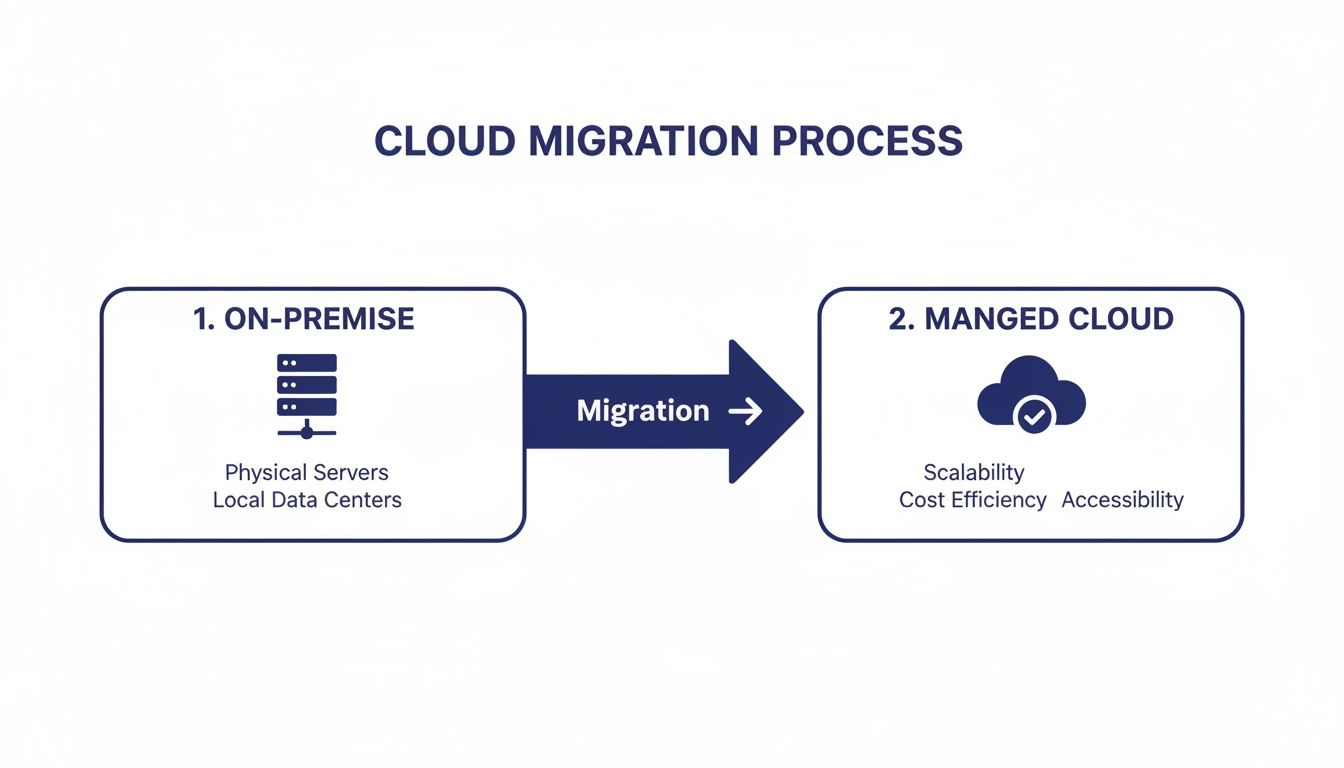
The key takeaway here is that a well-planned migration is a direct line from a high-maintenance, restrictive environment to a flexible, secure, and fully managed solution.
The final piece of your strategic plan is a realistic budget and timeline. First, calculate the true total cost of ownership (TCO) for your on-premise server. Remember to include everything: hardware, software licenses, electricity, cooling, and—most importantly—the staff hours spent on maintenance.
Compare that figure to the predictable monthly fee from a provider like Cloudvara. Most firms are surprised to find significant savings, especially when you factor in the "soft costs" of downtime and lost productivity.
Your timeline should be practical, too. It needs to account for testing, migrating all that data, and getting your team comfortable with the new setup. A well-managed migration doesn't happen overnight, but it also shouldn’t grind your business to a halt for weeks on end. To help structure your schedule, check out our comprehensive cloud migration checklist for a detailed breakdown of each phase. This kind of planning ensures your partnership with a hosting provider is set up for success from day one.
When you start looking to host an application in the cloud, you'll immediately run into a few key terms: public, private, and hybrid. While they might sound like technical jargon, this isn't just an IT decision. The choice you make here directly impacts your security, day-to-day performance, and your budget.
There’s no denying the public cloud is massive. It's on track to become a $488.5 billion market by 2026, with around 96% of companies already using it in some capacity. A staggering 94% even report better security after they made the switch. Those numbers are impressive, but they don't automatically mean it's the right fit for everyone.
Think of the public cloud like a modern, high-end apartment building. You get your own secure space, but you share the building’s core infrastructure—like the power grid and plumbing—with all the other tenants. Big providers like Amazon Web Services (AWS) or Microsoft Azure own and manage all the hardware, and you rent a slice of their massive computing power.
This model is a fantastic deal when it comes to cost and the ability to scale up on demand. But if you’re a law practice, accounting firm, or any business handling highly sensitive client data, that shared environment can create some real compliance and security headaches. You ultimately have very little control over the foundational infrastructure, which can be a non-starter.
A private cloud, on the other hand, is like owning your own standalone house. The entire environment—the server, the resources, everything—is dedicated exclusively to your organization. This is the model Cloudvara specializes in because it offers a completely isolated space for your applications and data.
This approach gives you the ultimate say in control, security, and performance.
For example, when firms weigh their options, a common comparison is an On-Premise vs Cloud PBX setup. A private cloud delivers the granular control of an on-premise system but with the anytime, anywhere accessibility that only the cloud can offer.
For professional services firms, the private cloud isn't just a preference; it's often a necessity. It provides a non-negotiable layer of security and performance reliability that protects your clients and your reputation.
The hybrid model is exactly what it sounds like: a combination of public and private clouds, designed to let data and applications move between them. A law firm might use a public cloud to host its public-facing website but keep its confidential case management system tucked away in a secure private cloud.
This approach offers a lot of flexibility, but it also adds a significant layer of complexity. Getting the two environments to talk to each other seamlessly and securely requires careful, ongoing management. While powerful, it's often more than what a small or mid-sized firm really needs, which is why the straightforward security of a fully managed private cloud is usually the more practical choice.
You can explore our detailed breakdown of cloud solutions for business to get a better sense of which model truly aligns with your firm's goals.

This is where the planning documents and strategic discussions turn into a real, functional workspace for your team. A managed provider like Cloudvara takes your blueprint and starts building your firm’s dedicated digital office, piece by piece. The whole process is methodical, designed to mirror your current workflows while layering on the security and accessibility benefits of the cloud.
This isn't just about spinning up a blank server. It's about meticulously configuring a secure, private environment that reflects how your business actually operates. It’s the core reason firms now host applications in cloud environments, a practice driving a market expected to hit $947.3 billion by 2026. With 84% of companies using private or hybrid clouds, this tailored approach has become the standard for businesses that can't afford to compromise on security.
First things first, we get your people set up. Every member of your team gets their own secure login credentials, which are then tied to specific permissions. This step is absolutely critical for keeping your data organized and secure.
For example, an administrative assistant might need full access to the scheduling software but should only have read-only permissions for sensitive financial reports. A partner at your law firm, on the other hand, would likely need unrestricted access to all case files. We define and lock in these roles from day one.
Once user accounts are ready, we configure remote desktop access for everyone. This is the secure gateway your team will use to log into the cloud server from any device, whether they’re at their desk, at home, or in a courthouse. Our goal is to make the experience feel exactly like sitting at their familiar office desktop.
The core principle here is consistency. The cloud environment should feel familiar to your team from the moment they first log in. This minimizes the learning curve and ensures productivity doesn't skip a beat during the transition.
With the user framework in place, we move on to installing and configuring your essential software. This covers everything from your primary accounting or legal practice management suite to everyday tools like Microsoft Office. A good managed provider handles all the technical legwork—installations, updates, and making sure everything plays nicely together.
At the same time, we activate the most important security layers.
Finally, we get your existing data lined up for migration. The cleaner and more organized your files are before the move, the smoother the final switch will be. This structured approach follows key software deployment best practices to ensure a stable and reliable launch.

The new cloud environment is built, your software is installed, and the user accounts are ready to go. So, what’s next? This is the most important phase before you flip the switch: validation.
Thorough testing is the difference between a smooth launch day and a chaotic one filled with frantic support calls. This isn't just about making sure things turn on. It's about confirming the system performs flawlessly under the real-world pressures of your daily operations.
This is exactly why a trial period, like Cloudvara’s 15-day free trial, is so valuable. It gives your team a sandbox to put the new system through its paces, ensuring every workflow runs like it should before your entire firm depends on it.
The best way to validate the new setup is through User Acceptance Testing (UAT). This is where you get a select group of your team members—the ones who live and breathe this software—to log in and do their actual daily jobs. Forget hypothetical scenarios. They should be running real reports, accessing client files, and using the exact software plugins they rely on every day.
Hosting business-critical apps in the cloud is now the standard, and for good reason. The global cloud market is projected to hit a staggering $1 trillion by 2026. This isn't just about chasing a trend; it's about results. A remarkable 94% of businesses report improved security after migrating, a crucial statistic for professionals in accounting and law who handle sensitive client data. You can see the full market growth insights on holori.com.
During UAT, you need to pay close attention to the performance metrics that directly impact your team's productivity. Don't just check if an application opens; see how it feels.
The goal of testing is to find problems before your team does. Every issue you identify and resolve during the trial period is one less interruption you’ll have to deal with after the official launch.
As you approach the final days of your trial, it's time for a final sweep. Use a checklist to make sure every critical component is ready for prime time. This last check ensures no small details get overlooked in the excitement of the launch.
Once these boxes are checked, you can move forward with confidence. You’ll know you’ve done everything possible to ensure a seamless transition when you host your application in the cloud.
Even after all the planning, setup, and testing, some very practical questions always pop up right before a firm pulls the trigger on hosting an application in the cloud. It makes sense. Moving core business operations is a big step, and you want total clarity on the details that impact your team's day-to-day work.
We’ve gathered some of the most common questions we hear from professionals in law, accounting, and other fields. Getting these concerns addressed is often the final piece of the puzzle.
This is usually the first and most important question we get, and the answer is a confident yes. One of the biggest advantages of working with a dedicated hosting provider like Cloudvara is that the environment is built just for you. Unlike one-size-fits-all platforms that box you into a specific setup, a managed cloud server is designed from the ground up to support your unique software ecosystem.
During the initial discovery phase, your provider should take a complete inventory of every piece of software your firm depends on. This isn't a quick glance; it's a deep dive that includes:
The cloud environment is then configured to be a perfect mirror of your current setup. The goal is to ensure every application works just as it did before—only now you get the huge perks of remote access and much stronger security. Your team keeps using the familiar tools they know and love, with zero disruption.
Security is, without a doubt, the top priority. A reputable cloud provider delivers an enterprise-grade security posture that is far more robust than what most small or mid-sized businesses can realistically build and maintain on their own. It’s a multi-layered strategy that protects you from both digital and physical threats.
For example, Cloudvara uses commercial-grade data centers with strict physical security, redundant power systems, and precise climate control to protect the servers themselves. On top of that, your data is shielded by advanced firewalls and proactive network monitoring that spots trouble before it starts.
For professionals in fields like law and accounting, client confidentiality isn't just a goal—it's a legal and ethical mandate. This level of security provides essential peace of mind and is critical for staying compliant with industry regulations.
This is all reinforced by security protocols applied directly to your environment. Things like mandatory two-factor authentication (2FA) and automated daily backups are standard. This combination ensures your sensitive information is protected from unwanted eyes and can be recovered in minutes if an issue ever arises.
This is where a managed service provider really proves its worth. When you host an application in cloud infrastructure with a partner, you’re not just renting server space—you're getting an extension of your IT department.
Forget about navigating impersonal ticketing systems or waiting on hold with a massive call center. You get direct, 24/7 access to a dedicated support team that already knows your specific setup inside and out. If an application feels sluggish, a user gets locked out, or you need to add a new team member, help is just a quick phone call or email away.
This responsive, hands-on support is designed to solve problems fast, minimize downtime, and keep your team productive. You get all the benefits of an expert IT staff without the high overhead costs.
Ready to see how a dedicated cloud environment can transform your firm's operations? With Cloudvara, you get a secure, fully managed solution that supports your specific applications and workflows. Start your free 15-day trial today and experience the benefits firsthand.




