Moving to the cloud is more than a simple tech upgrade. It's a strategic business decision that lets small companies operate with the same power and agility once reserved for massive corporations.
A cloud migration for small business means shifting your digital operations—everything from software to data—from a physical server in your office to a secure, online environment. Done right, this move can unlock serious cost savings, tighter security, and unmatched flexibility.
Let’s get real about what this move actually means. Think about your current setup. You probably have a server humming away in a back closet somewhere. That on-premise hardware required a big upfront investment, needs constant maintenance, and takes up physical space. It’s also a fixed resource. If you need more power for the holiday rush, you’re stuck unless you buy more expensive equipment that will sit idle the rest of the year.
Cloud migration completely flips that model on its head. Instead of owning the hardware, you’re essentially renting space and computing power from a provider like Amazon Web Services (AWS), Google Cloud, or Microsoft Azure. This pay-as-you-go approach wipes out hefty capital expenditures and replaces them with a predictable, manageable operational cost.
The impact of this shift is profound. For instance, a local retail shop can use a cloud-based inventory system to sync stock levels between its brick-and-mortar store and its e-commerce site in real time. This simple change prevents overselling and keeps customers happy.
Likewise, a boutique marketing agency can instantly scale its computing resources to handle a massive, data-heavy project for a major client, then scale right back down once the project is done. No more paying for powerful servers that collect dust most of the time.
This kind of flexibility is a core reason why cloud adoption has exploded. In fact, about 61% of small businesses now run over 40% of their core operations in the cloud—a significant jump from just a year ago.
The core advantage is clear: Cloud migration empowers small businesses to stop managing IT infrastructure and start focusing on growth and innovation. You gain access to enterprise-grade tools without the enterprise-grade price tag.
This operational shift brings several tangible benefits that directly boost your bottom line and sharpen your competitive edge. Moving to the cloud isn't just about technology; it’s a strategic tool for building a more resilient and efficient business. You can dive deeper by exploring the specific benefits of cloud migration for your company.
Here are the key upsides:
A successful cloud migration starts long before you move a single file. This is your planning phase, where you build a clear, actionable roadmap. Skipping this step is like starting a cross-country drive without a map—you might get somewhere eventually, but it won’t be efficient, and you'll hit plenty of costly detours.
Think of this blueprint as the foundation for your entire project. It’s where you define what success looks like, take stock of your current technology (no advanced IT degree required), and decide the fate of every application and piece of data you own. This upfront work ensures your migration has a clear purpose from day one.
The move to the cloud isn't just a trend; it's the standard. By 2025, an estimated 94% of organizations will be using cloud services. For small and mid-sized businesses, at least 60% now rely on cloud providers for most of their workloads. This massive shift away from legacy systems shows just how critical it is to get your strategy right.
Before you can figure out what to move, you need a complete picture of what you have. This inventory doesn't need to be overly technical. Just start by listing all the software your business uses—from your accounting package to your CRM system and even any custom-built tools.
For each application, ask a few simple questions:
This process helps you prioritize what matters most and often uncovers easy opportunities for improvement. Using a comprehensive cloud migration checklist can give you a structured way to track these details so nothing gets missed.
The image below shows how the key benefits—like lower costs, better scalability, and easier collaboration—flow directly from a well-planned move.
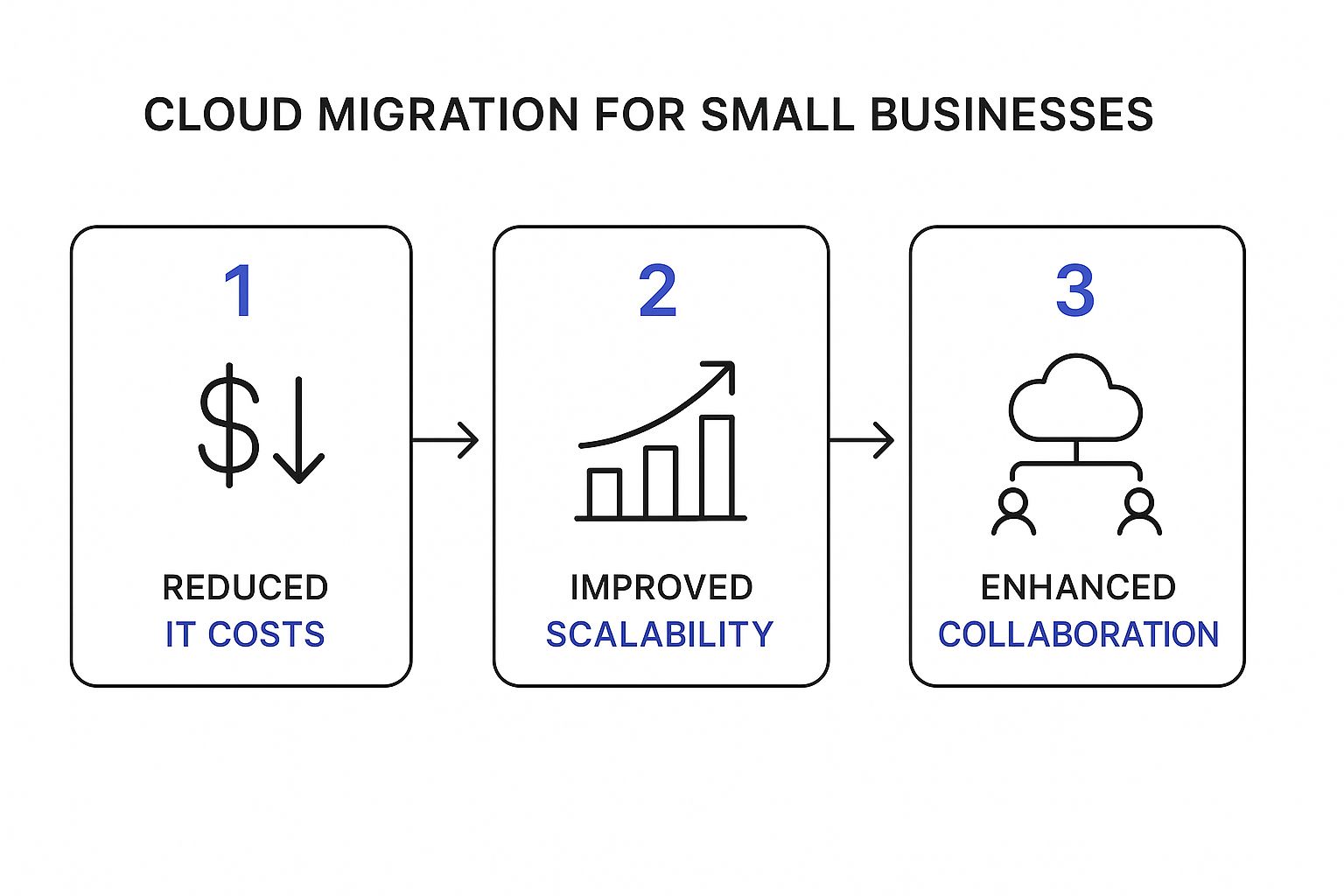
This turns a technical project into a real strategic advantage for your business.
Once you have your inventory, the next step is deciding how to move each piece. The industry uses a simple framework known as the "6 R's" to map out the different paths you can take. Think of them as different moving strategies for your digital assets.
Choosing the right migration strategy for each of your applications is one of the most important parts of the planning process. The "6 R's" framework provides a clear menu of options, ranging from a simple "lift and shift" to a complete overhaul.
| Strategy (The 'R') | What It Means | Best For | Small Business Example |
|---|---|---|---|
| Rehost | The classic "lift and shift." You move an application to the cloud with minimal changes. It’s the fastest and simplest path. | Legacy applications that are stable but need better infrastructure, or for a quick, low-risk first step into the cloud. | A law firm moves its on-premise document server to the cloud to give lawyers secure remote access without changing the software. |
| Replatform | The "lift and tweak." You move the application and make a few small cloud-specific optimizations to improve performance or cost. | Applications that can benefit from cloud features (like managed databases) without a full rewrite. | A retail business moves its e-commerce database to a managed cloud service like Amazon RDS to reduce maintenance overhead. |
| Repurchase | "Drop and shop." You ditch an old application and switch to a new, cloud-native solution, usually a SaaS product. | Outdated software where a modern, subscription-based alternative already exists (e.g., CRM, accounting, email). | An accounting firm switches from a desktop version of QuickBooks to QuickBooks Online for better collaboration and accessibility. |
| Refactor | Re-architecting the application to be fully cloud-native. It’s the most complex but offers the biggest rewards in scalability and features. | Core, custom-built applications that give you a competitive advantage and need to scale massively or evolve quickly. | A logistics company rebuilds its custom routing software to use microservices, allowing for faster updates and better performance. |
| Retain | Doing nothing for now. You keep the application on-premise because it's not a good candidate for migration yet. | Highly specialized legacy systems that are too costly to move, or applications that are already scheduled to be replaced soon. | A manufacturing plant keeps its factory floor control system on a local server due to ultra-low latency requirements. |
| Retire | Getting rid of software that is no longer used or provides little value. | Redundant, obsolete, or unused applications discovered during your inventory assessment. | A marketing agency realizes no one has used its old project management tool in two years and decides to decommission it. |
Remember, you don't have to use the same strategy for everything. The real power of this framework is in mixing and matching these approaches to fit the specific needs of each application and your overall business goals.

Picking a cloud provider isn't like buying office supplies; it's more like choosing a long-term business partner. This decision will define your IT operations for years, so you need to look past the flashy marketing and focus on what really matters for a small business.
While the tech world is dominated by the "big three"—AWS, Azure, and Google Cloud—the biggest name isn't always the best fit. For most small businesses, the deciding factors aren't the thousands of enterprise-level services you'll never touch. Your focus should be on practical things, like a user-friendly interface, predictable pricing, and customer support you can actually reach when something goes wrong.
The big players all have their strengths, but they’re built for different kinds of users. It helps to know who they are before you dive in.
But don’t stop there. Beyond these giants, there's a whole world of specialized cloud providers. These smaller, niche players often zero in on a specific industry, like healthcare or finance, or they offer a simplified experience tailored specifically to the needs of a cloud migration for small business. They can sometimes provide more personalized support and refreshingly straightforward pricing. Don't write them off.
One of the biggest gotchas for small businesses is realizing the price on the calculator isn't the final price on the bill. The financial commitment to cloud services is climbing fast. Forecasts show that small and medium-sized businesses will soon dedicate over half their tech budgets to the cloud.
With 54% of SMBs spending more than $1.2 million annually on cloud services—a huge jump from 38% just two years ago—getting the full cost picture is more critical than ever. You can read more about these accelerated cloud investments and what they mean for businesses.
To build a real-world budget, you have to look beyond the basic compute and storage costs. Hidden fees can inflate your monthly bill in a hurry if you're not paying attention.
The pay-as-you-go model is a double-edged sword. It offers incredible flexibility, but it also demands disciplined monitoring. Without a clear budget and regular oversight, costs can spiral unexpectedly.
To avoid sticker shock, make sure you factor in these often-overlooked expenses:
By building a budget that accounts for these variables, you can make a confident financial choice and ensure your cloud migration actually delivers the cost savings you're hoping for. Smart budgeting is the final, critical piece of your planning puzzle.
With a solid blueprint in your hands and the right cloud partner on board, it’s time to move from planning to doing. This is where the real work begins, but it shouldn’t be a source of stress. A successful migration isn't about flipping one giant switch and hoping for the best; it's about stringing together a series of small, calculated, and manageable wins.
The smartest way forward is a phased migration. This approach breaks the enormous task of moving your entire digital operation into smaller, digestible pieces. It gives your team a chance to learn, adapt, and build confidence with each step, dramatically cutting the risk of a major disruption that could hit your customers and your bottom line.
The best way to kick things off is with a pilot project—a small-scale, low-risk migration that serves as a dress rehearsal for the main event. Think of it as a test drive. You get to see how the car handles on a quiet street before you take it onto the highway.
This pilot shouldn’t involve your most critical, customer-facing systems. Instead, pick something that's important but not essential for day-to-day operations.
This hands-on experience is priceless. It will almost certainly uncover unexpected challenges—like a quirky software setting or a slower-than-expected data transfer speed—that you can solve before they become major headaches during a more critical move.
Before you can move anything over, you need to get your new digital home ready. This means configuring your cloud provider's environment to match your specific security and operational needs. It's less about complex coding and more about setting the right rules and structures from the get-go.
This setup usually involves a few key steps:
Don't think of this setup as a one-and-done task. You're laying the foundation for a secure, cost-effective, and scalable operation. Getting these core configurations right from the start will save you countless headaches down the road.
The "cutover" is the moment you officially switch from the old on-premise system to the new one in the cloud. When you're migrating in phases, you'll have several smaller cutovers instead of one massive, high-stakes event. Even so, careful planning is crucial for a seamless transition with minimal downtime.
Timing is everything. Schedule the cutover for a period of low business activity—think late Friday night or over a weekend. This gives you a buffer to troubleshoot any issues without impacting your team or customers during peak hours.
Communication is just as critical. Create a clear plan that lets everyone know what’s happening, when it's happening, and how it affects them. Your employees should know exactly what to expect. If a system they rely on will be temporarily unavailable, they need to be told well in advance.
For more complex projects, bringing in professional cloud migration services can provide the deep expertise needed to manage these technical and communication challenges flawlessly. This methodical, phased approach turns a daunting project into a predictable process of continuous improvement.

Successfully moving your operations to the cloud isn’t the finish line—it’s the new starting line. The real value of a cloud migration for small business emerges after the move, as you begin to fine-tune your new environment for peak performance, cost-efficiency, and robust security.
This post-migration phase is where you transform your setup from a simple digital copy of your old office into a truly dynamic business engine. Now’s the time to get familiar with the powerful, native tools your cloud provider offers. These aren't just add-ons; they are essential for shifting from reacting to IT problems to proactively managing your resources.
One of the biggest draws of the cloud is the pay-as-you-go model, but this flexibility demands vigilance. Without proper oversight, costs can creep up unexpectedly. Thankfully, every major cloud provider offers a suite of tools designed to give you complete financial control.
Start by setting up budget alerts. It's a simple but powerful feature that automatically notifies you when spending approaches a pre-set limit. Think of it as an early warning system that prevents month-end bill shock.
Beyond alerts, make it a habit to regularly dive into your provider's cost management dashboard. These tools break down your spending by service or project, helping you pinpoint exactly where your money is going. You can often identify "zombie" assets—like idle virtual machines or unattached storage volumes—that are running up costs without providing any value.
Your migration is complete, but your optimization journey is just beginning. Treat your cloud environment like a garden—it requires regular attention, pruning of unused resources, and careful management to thrive.
While cloud providers manage the security of the cloud, you are responsible for security in the cloud. This shared responsibility model is critical to understand. The provider secures the physical data centers, but you must secure your data and applications running inside their environment.
Your first and most critical action is to implement Multi-Factor Authentication (MFA) across all user accounts. This single step makes it significantly harder for unauthorized users to gain access, even if they manage to steal a password. It's a non-negotiable best practice.
Next, rigorously apply the principle of least privilege. This means every user and system should only have the absolute minimum permissions necessary to perform their specific job. Your marketing intern doesn’t need access to financial records, and your accounting software doesn't need permission to delete databases.
Protecting your data from accidental deletion or corruption is also vital. Implementing strong cloud data loss prevention strategies ensures that even if a mistake happens, your critical business information remains safe and recoverable.
True optimization goes beyond just managing costs and security; it’s about using the unique capabilities of the cloud to make your business more agile. A prime example is auto-scaling.
Imagine your e-commerce site gets featured on a popular blog, causing a massive, unexpected surge in traffic. With a traditional on-premise server, your site would likely crash. With auto-scaling configured, the cloud automatically adds more computing resources to handle the load and then scales back down when traffic returns to normal. You handle the demand flawlessly and only pay for the extra power when you actually need it.
To keep your small business's cloud environment robust, it's essential to consult a comprehensive guide to Tech and Cybersecurity for Business. This ongoing process of optimizing, securing, and adapting is how you unlock the full competitive advantage of the cloud.
Even the most well-thought-out plan comes with questions. That's natural. A cloud migration is a big step for any small business, and it’s smart to get a few things cleared up before you start. Here are some of the most common questions we hear from business owners weighing the move.
This is usually the first question on everyone's mind, and the honest answer is: it depends. There’s no flat rate. The final cost really boils down to the complexity of your current setup, how much data you’re moving, and whether you decide to bring in an expert to help.
For instance, a simple "lift-and-shift" to move a couple of basic applications might just be a few thousand dollars. But if you’re looking to refactor custom business software to work natively in the cloud, that's a much bigger project with a higher price tag.
The real shift is moving from big, one-off capital expenses (like buying a new server) to a predictable operational cost. Over time, many businesses find their total IT spending actually goes down, thanks to lower maintenance, energy savings, and the efficiency of paying only for what you use.
When it’s handled correctly, your data can be even safer in the cloud than on a server sitting in your office closet. Big providers like AWS and Azure pour billions of dollars into security every year—far more than any small business could afford. We're talking about physical security at data centers, redundant power, and incredibly sophisticated threat detection.
However, security is a partnership. The provider secures the global infrastructure, but you are responsible for securing how your team uses it. This is a critical point that can't be overlooked.
Your cloud provider builds the fortress, but you are in charge of the keys to the gate. Strong internal security practices are just as important in the cloud as they were on-premise.
This means your team needs to practice good security hygiene. You can get a deeper dive into building a solid defense by reviewing best practices for small business cloud security. At a bare minimum, this includes:
Nailing these basics will give your business an enterprise-grade security posture.
For a really simple move—say, switching from a desktop email program to a cloud service like Microsoft 365—you can probably manage it in-house. The setup wizards for those services are built to be user-friendly.
But for anything more complex, like moving critical business applications or databases, hiring an expert is a wise investment. A cloud consultant or managed service provider has done this hundreds of times. They know the common pitfalls, how to keep downtime to a minimum, and how to set up your new environment for peak performance and security from the get-go.
Paying for an expert upfront often prevents much larger costs, painful downtime, and massive headaches later on. Think of it as an investment in getting it right the first time.
This is a valid worry, but it actually highlights one of the biggest upsides of the cloud. If your office internet goes out, your team won't be able to access cloud services from that building. That's true. But all your systems are still up and running perfectly in the provider's data center.
This means your website stays online for customers, and your team can still access everything they need from home, a coffee shop, or even a mobile hotspot on their phone. This is a huge improvement over an on-premise server, where a local internet or power outage could take your entire business offline for everyone—customers included. Many businesses even keep a backup 5G internet connection just for this reason.
At Cloudvara, we specialize in making cloud migration simple and secure for small businesses. Our team handles the technical complexities so you can focus on running your business, not your IT. Explore our cloud hosting solutions and start your free trial today.