
The transition to a digital-first workplace has made efficient file organization and access non-negotiable. However, with countless options available, finding the best document management software (DMS) that aligns with your specific needs—from security and compliance to collaboration and workflow automation—can feel overwhelming. For professionals in tax, accounting, and law, as well as small businesses and nonprofits, the right system is more than just cloud storage; it's a central hub for secure, compliant, and efficient operations.
This guide cuts through the noise. We will provide a detailed analysis of the top 12 solutions, exploring their unique strengths, potential limitations, and ideal use cases for specific industries. We will equip you with the insights needed to select a platform that not only stores your files but actively enhances your team's productivity and secures your critical business information. To truly optimize your workflow with a DMS, it's also important to consider a broader suite of technology for modern work environments; explore other essential remote work tools to build a comprehensive digital toolkit.
Inside this comprehensive resource, you will find:
Let’s dive in and identify the perfect DMS to streamline your operations.
For organizations already embedded in the Microsoft ecosystem, leveraging SharePoint and OneDrive within a Microsoft 365 subscription is often the most logical and powerful choice for document management. This isn't just a file storage solution; it's a comprehensive platform that excels at integrating document workflows directly into the tools your team uses daily, such as Teams, Outlook, Word, and Excel. This native integration is its key differentiator, eliminating the friction of using third-party tools and reducing the need for extensive user retraining.
SharePoint acts as the central hub for team and organizational content, allowing for the creation of sophisticated document libraries with custom metadata, version history, and automated approval workflows. This structure makes it one of the best document management software options for firms needing robust governance. For instance, an accounting firm can create a dedicated SharePoint site for each client, using metadata to tag documents by fiscal year, document type (e.g., tax return, audit report), and status (e.g., draft, pending review, finalized). This deep level of organization and control is a core strength.
| Feature | Details |
|---|---|
| Primary Platforms | SharePoint Online for team libraries, OneDrive for Business for individual storage |
| Key Functionality | Version control, co-authoring, metadata, retention policies, eDiscovery, advanced search |
| Integration | Native, deep integration with Microsoft Teams, Office Suite, and Outlook |
| Storage | Starts at 1 TB of cloud storage per user on core business plans |
| Pricing | Included with Microsoft 365 Business plans, which start at $6.00 per user/month |
Pros:
Cons:
If you're exploring how these features fit into a broader strategy, you can get a more foundational understanding of document management systems. By leveraging SharePoint's capabilities, businesses can transform their scattered files into a secure, searchable, and compliant knowledge base.
Website: https://www.microsoft.com/en-us/microsoft-365/business/microsoft-365-plans-and-pricing
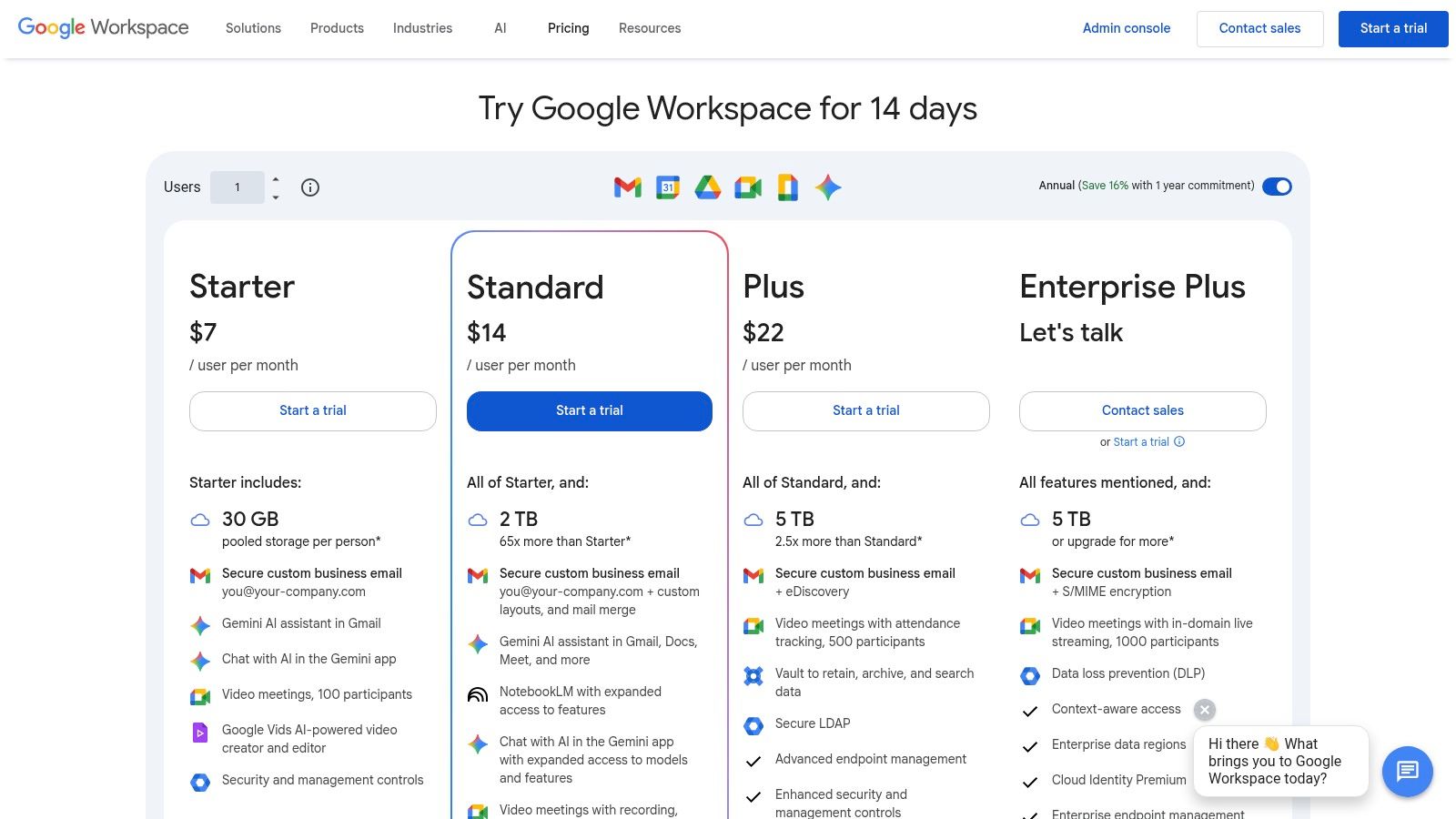
For organizations that operate within the Google ecosystem, Google Workspace offers a streamlined and highly collaborative approach to document management centered around Google Drive. Its core strength lies in its simplicity and cloud-native design, making real-time collaboration effortless across Docs, Sheets, and Slides. This makes it an exceptional choice for teams that prioritize speed and accessibility over complex, granular controls. The platform is designed to be intuitive, reducing administrative burden and allowing teams to get started with minimal setup.
Google Drive, combined with Shared Drives for team content, provides a solid foundation for organizing documents. While it may not have the deep, metadata-driven structure of systems like SharePoint, its powerful search capabilities often compensate, allowing users to find files quickly. For professional service firms, a Shared Drive can be set up per client, with folders organizing documents by year or project type. The addition of tools like Google Vault for retention and eDiscovery in higher-tier plans adds a necessary layer of governance, positioning it as one of the best document management software solutions for businesses seeking a user-friendly, web-first platform.
| Feature | Details |
|---|---|
| Primary Platforms | Google Drive for individual and team file management, Shared Drives for organizational content |
| Key Functionality | Real-time co-authoring, version history, advanced search, eSignature (in Docs), retention via Google Vault |
| Integration | Native integration with Gmail, Calendar, and the entire Google Workspace suite; extensive third-party integrations |
| Storage | Pooled storage per user, starting at 30 GB per user and scaling to 5 TB or more on higher plans |
| Pricing | Included with Google Workspace plans, which start at $6.00 per user/month |
Pros:
Cons:
If your team values a fast, web-first experience, Google Workspace provides a powerful and accessible environment for managing documents. Its collaborative tools are second to none, helping teams stay productive from any location.
Website: https://workspace.google.com/pricing
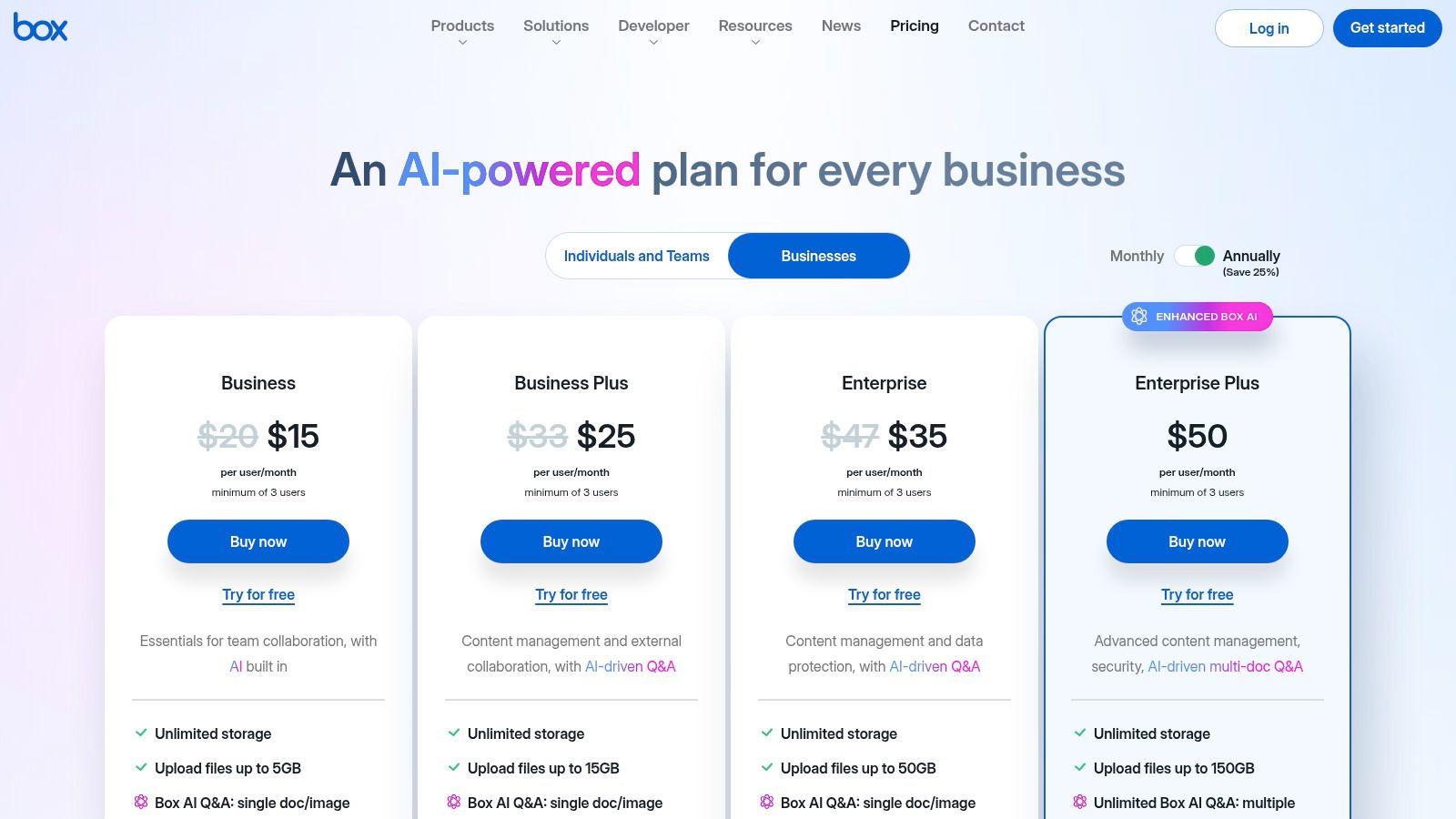
Box positions itself as an enterprise-grade cloud content management platform, making it a powerful contender for organizations prioritizing security, compliance, and seamless external collaboration. It moves beyond simple file storage by integrating advanced workflow automation, e-signatures, and AI-enhanced features directly into its core offering. This makes it one of the best document management software choices for regulated industries like finance, legal, and healthcare, where sharing sensitive information with clients, partners, and auditors is a routine necessity.
Its standout feature is its robust governance framework, which allows businesses to enforce strict security policies without hindering productivity. For instance, a law firm can use Box to create a secure client portal, inviting external counsel to collaborate on case files while using Box Shield to prevent accidental data leaks and unauthorized access. This focus on secure, auditable collaboration with external parties is a key differentiator from many competitors.
| Feature | Details |
|---|---|
| Primary Platforms | Cloud-based platform accessible via web, desktop, and mobile apps |
| Key Functionality | Workflow automation, Box Sign (e-signature), AI content tools, robust permissions |
| Integration | Deep integrations with Microsoft 365, Google Workspace, Salesforce, and 1,500+ other apps |
| Storage | Unlimited storage included on all Business plans and higher |
| Pricing | Business plans start at $15.00 per user/month (minimum 3 users) |
Pros:
Cons:
The platform’s mature administrative controls and APIs also make it highly customizable for specific business needs, solidifying its place as a top-tier document management solution for organizations with complex requirements.
Website: https://www.box.com/pricing/business
Dropbox Business has evolved far beyond its simple file-syncing roots into a robust document management platform, particularly well-suited for small to medium-sized businesses (SMBs) and creative teams. Its core strength lies in its simplicity and best-in-class synchronization technology, making it incredibly easy for teams to adopt and use without extensive training. The platform excels at providing a centralized, secure space for team collaboration with features like team folders, granular sharing permissions, and file requests.
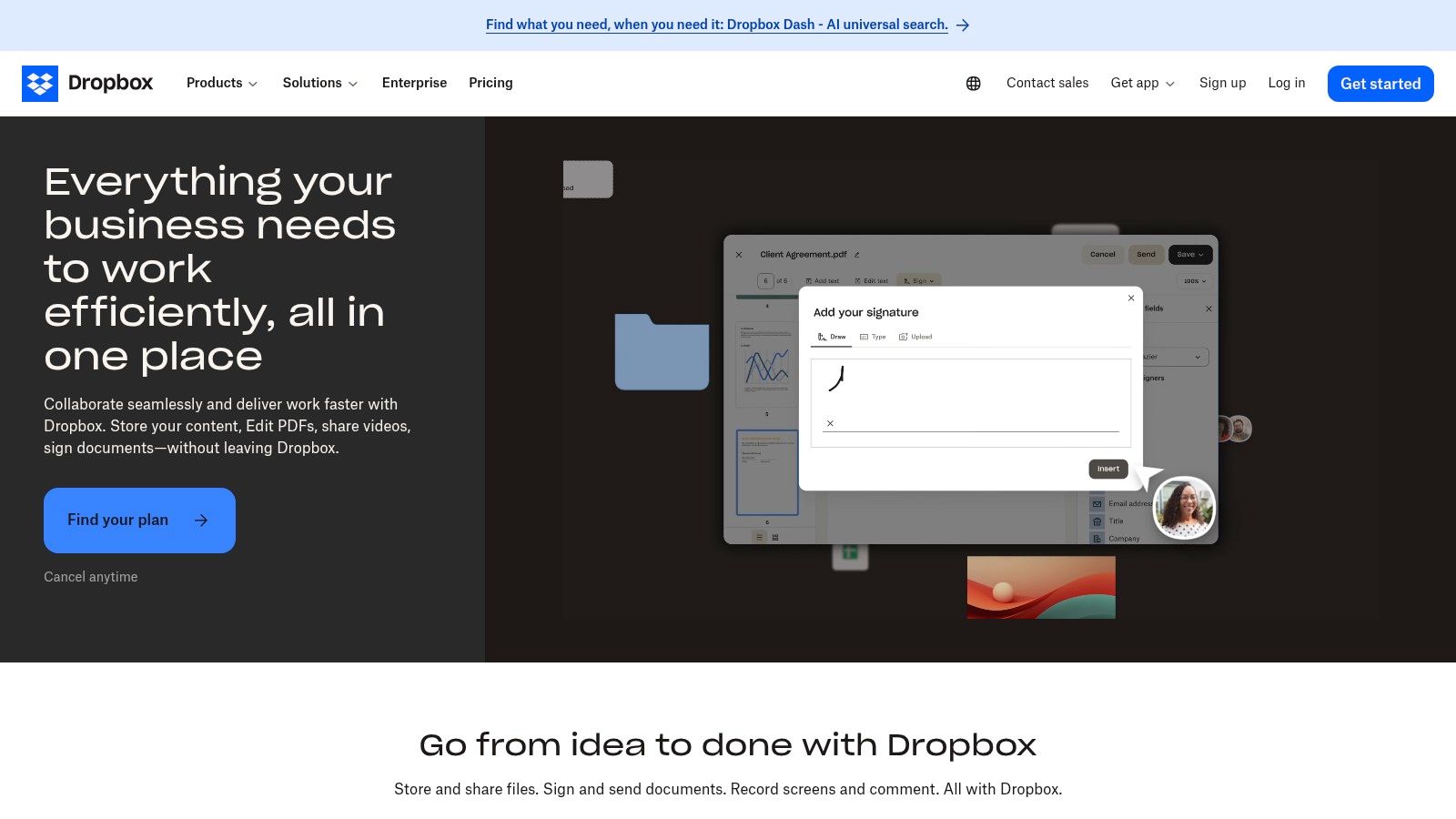
Unlike more complex enterprise systems, Dropbox Business focuses on core document workflows that are essential for daily operations. This includes integrated PDF editing and e-signature capabilities directly within the platform, which streamlines processes for law firms or accounting professionals needing to finalize client agreements or tax forms. Its reputation for being one of the best document management software options for ease of use is well-deserved, offering a clean interface that prioritizes quick access and reliable file sharing.
| Feature | Details |
|---|---|
| Primary Platforms | Team folders for centralized content, user spaces for individual work |
| Key Functionality | Fast file sync, version history, file requests, integrated e-signature, PDF editing |
| Integration | Extensive third-party support including Slack, Zoom, Microsoft 365, and Adobe |
| Storage | Starts at 5 TB of team storage on the Standard plan |
| Pricing | Business plans start at $15 per user/month (when billed annually) |
Pros:
Cons:
For teams prioritizing straightforward collaboration and reliable cloud storage, Dropbox Business offers a powerful yet accessible solution. Its focus on core functionality ensures users can manage their documents efficiently without the complexity of larger systems.
Website: https://www.dropbox.com/business
Egnyte carves out its niche by blending secure, compliant file sharing with robust content governance, making it one of the best document management software options for regulated industries. Where many platforms focus solely on collaboration or storage, Egnyte provides a unified content platform that addresses both, with a strong emphasis on data security, lifecycle management, and regulatory compliance. This makes it an ideal choice for businesses in sectors like financial services, life sciences, or architecture and engineering (AEC), which handle sensitive data and require stringent controls.
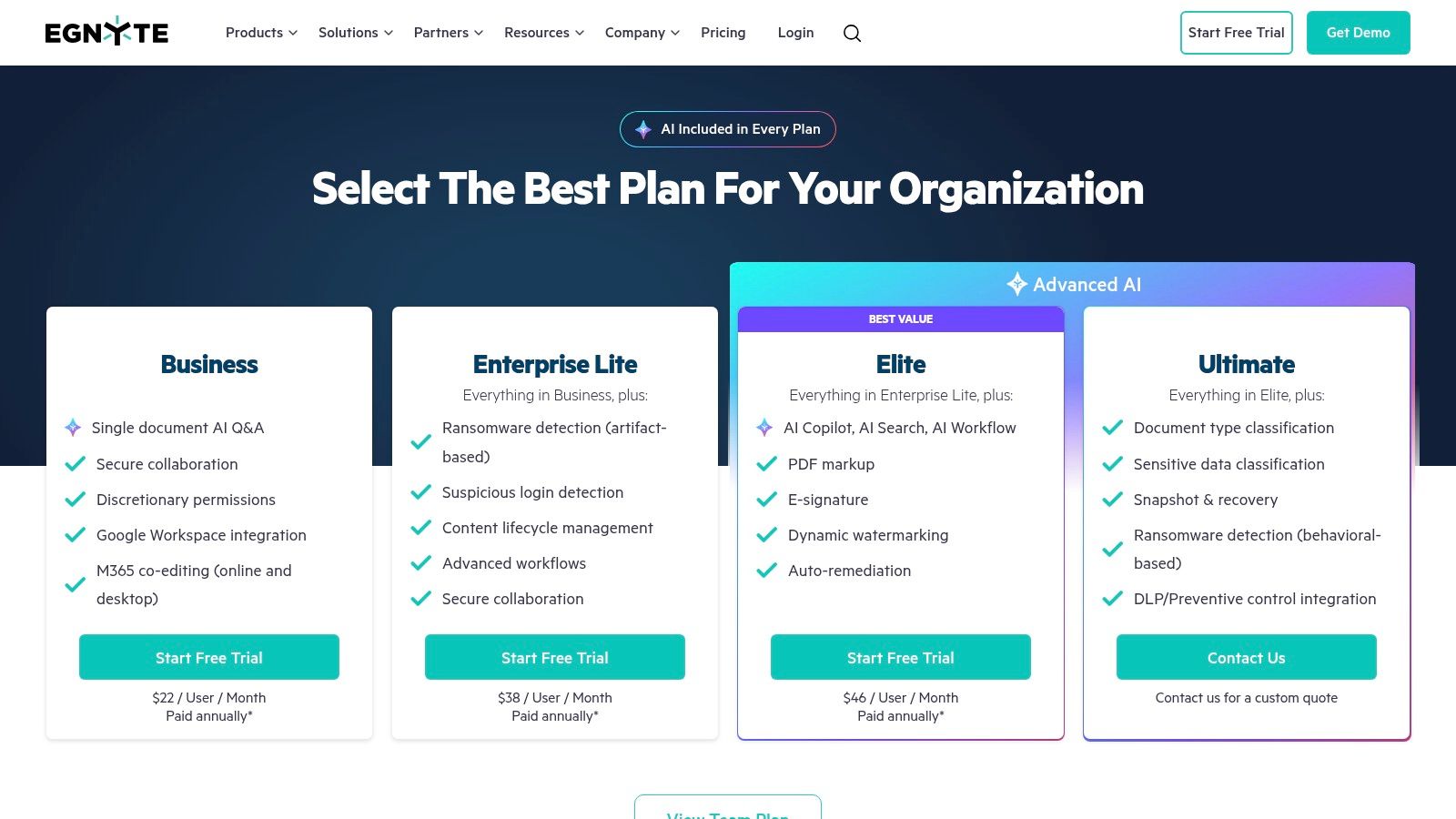
The platform’s strength lies in its governance-first approach. For a law firm, this means setting up role-based permissions to ensure only specific attorneys can access sensitive case files, implementing retention policies that align with legal requirements, and utilizing audit trails to track every document interaction. Egnyte also integrates smoothly with everyday tools like Microsoft 365 and Google Workspace, allowing teams to collaborate within familiar applications while benefiting from Egnyte's powerful backend security, including ransomware detection.
| Feature | Details |
|---|---|
| Primary Platforms | Secure cloud storage with desktop and mobile access |
| Key Functionality | Role-based permissions, data classification, lifecycle management, ransomware detection, audit trails |
| Integration | Native integrations with Microsoft 365, Google Workspace, Salesforce, and specialized AEC tools |
| Storage | Business plan starts at 1 TB of total storage |
| Pricing | Business plans start at $20.00 per user/month, with advanced features in higher-tier plans |
Pros:
Cons:
Egnyte is more than just cloud storage; it's a comprehensive governance platform designed to protect and manage a business's most critical digital assets. By focusing on security from the ground up, it empowers organizations to collaborate safely and efficiently.
Website: https://www.egnyte.com/pricing
M-Files takes a fundamentally different approach to document management by prioritizing what a document is over where it is stored. This metadata-driven system organizes content based on its context, such as a client, project, or case, rather than forcing users to navigate complex folder hierarchies. This makes it an exceptionally powerful solution for organizations in regulated industries like finance and legal, where audit trails and compliance are non-negotiable. Its ability to connect with existing network folders and SharePoint libraries without data migration makes it a flexible overlay for established systems.
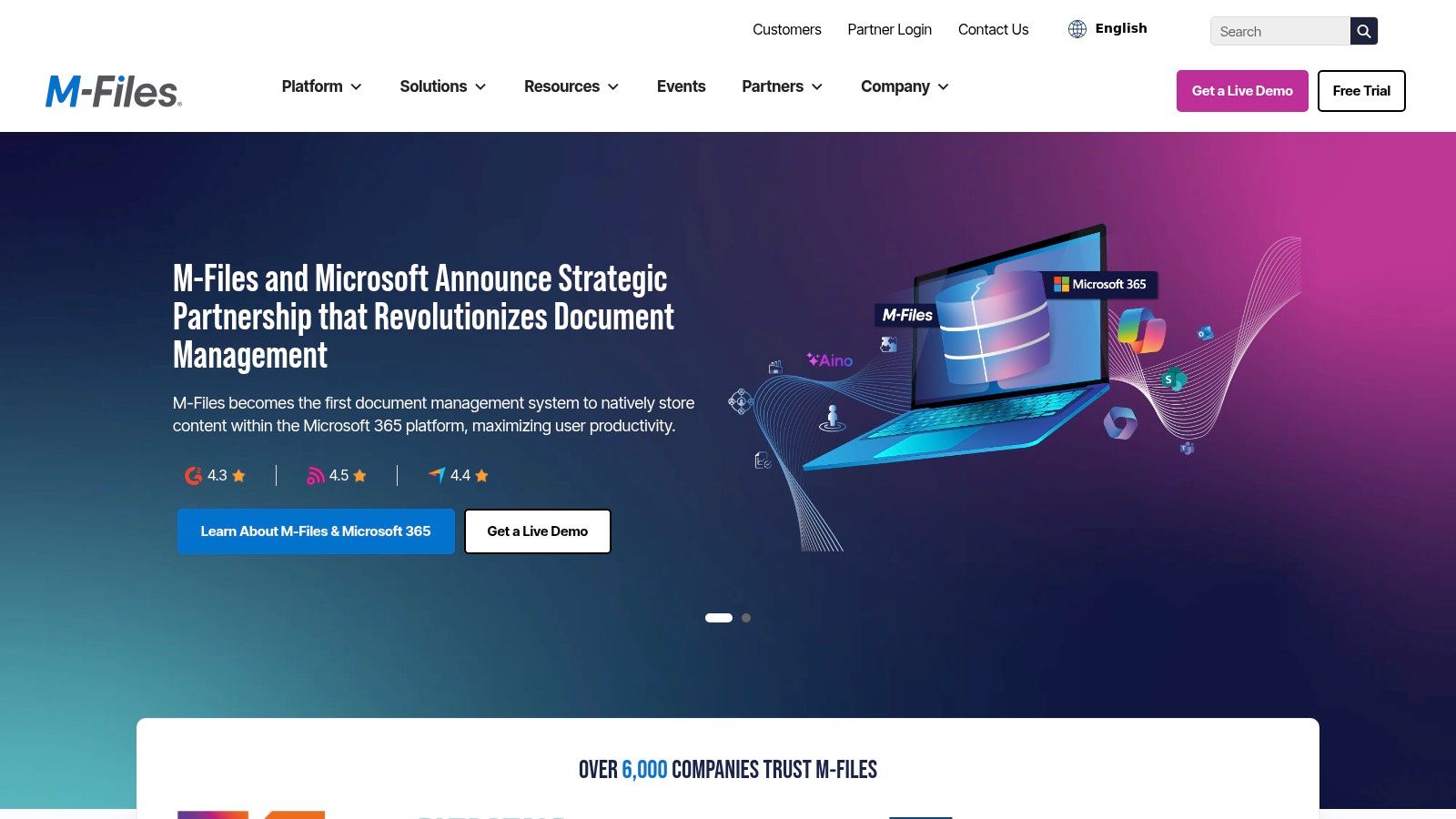
The platform excels at automating document-centric workflows, ensuring that processes like contract approvals or invoice processing follow predefined rules. This level of automation, combined with its robust search that finds documents based on their content and metadata, positions M-Files as one of the best document management software choices for firms seeking to improve efficiency and reduce human error. Its unique architecture supports on-premises, cloud, and hybrid deployments, offering flexibility that few competitors can match.
| Feature | Details |
|---|---|
| Primary Platforms | Cloud, on-premises, or hybrid deployments with desktop and mobile access |
| Key Functionality | Metadata-driven organization, workflow automation, version control, access permissions, advanced search |
| Integration | Deep integration with Microsoft 365, Salesforce, and other business systems via connectors |
| Storage | Varies based on deployment type (cloud or on-premises) and plan |
| Pricing | Available by quote only; tailored to specific business requirements |
Pros:
Cons:
For those considering various deployment models, you can gain more insight by exploring the benefits of cloud-based document management systems. M-Files provides a sophisticated, repository-neutral solution that brings intelligence and automation to your information ecosystem.
Website: https://www.m-files.com/
Laserfiche offers a powerful, all-in-one solution that goes beyond simple storage by deeply integrating document management with business process automation. Its key differentiator is the ability to manage the entire content lifecycle, from document capture via electronic forms to automated archival based on records management policies. This makes it one of the best document management software options for organizations in highly regulated industries like finance, government, or healthcare, where compliance and process integrity are paramount.
The platform excels at turning static documents into active participants in a workflow. For example, a new client onboarding process can start with a Laserfiche e-form, which automatically creates a client folder, routes the information for approval, and archives the final agreement according to predefined rules, all without manual intervention. Features like AI-powered data extraction further streamline these processes by pulling key information directly from unstructured documents.
| Feature | Details |
|---|---|
| Primary Platforms | Cloud-based SaaS, Self-hosted options available |
| Key Functionality | Workflow automation, electronic forms, records management, AI data extraction |
| Integration | Connectors for Salesforce, Microsoft 365, and other major business systems |
| Storage | Based on subscription tier, designed to be scalable for enterprise needs |
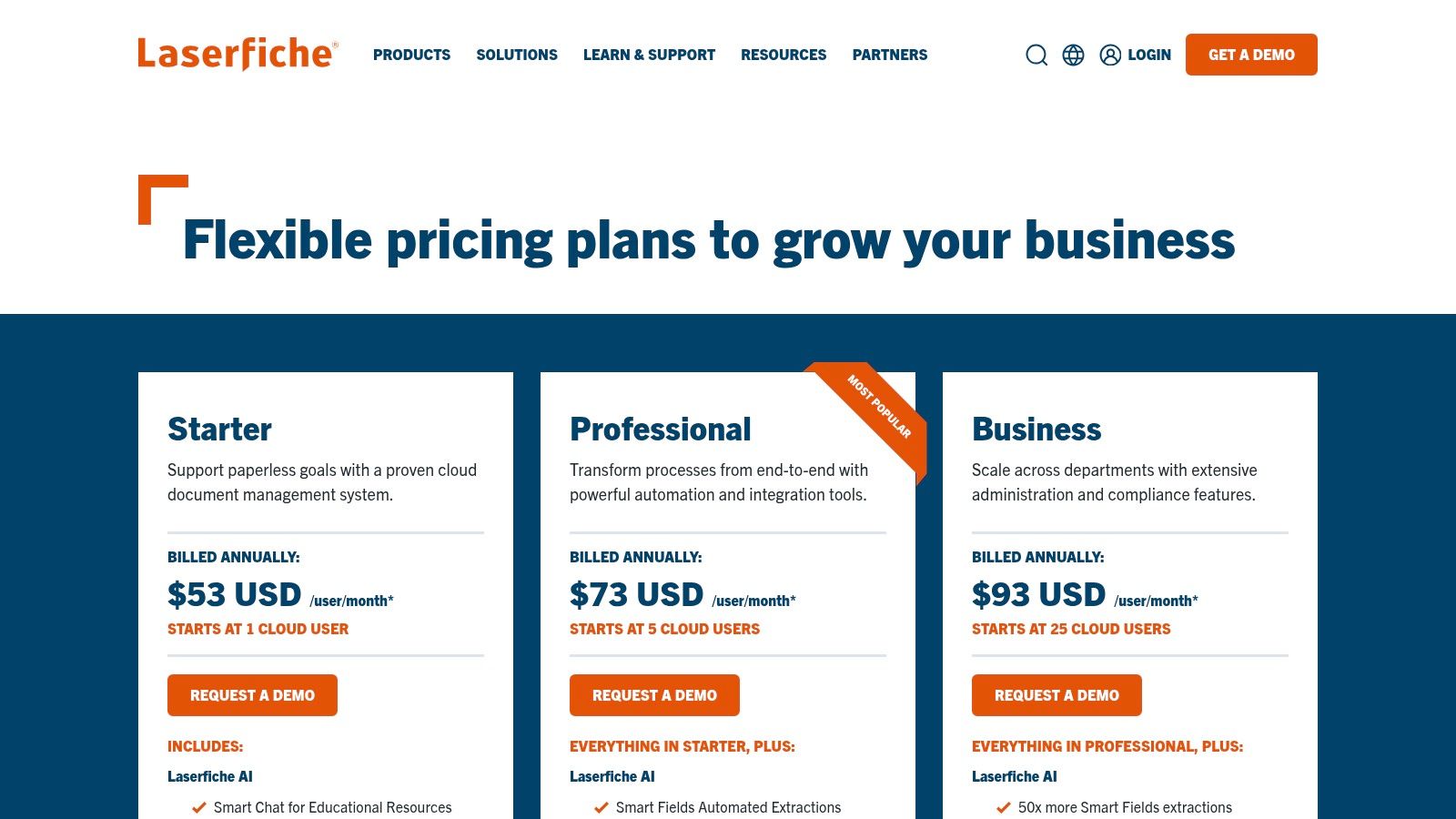
| Pricing | Starts at $50 per user/month, with custom enterprise pricing |
Pros:
Cons:
Laserfiche is ideal for organizations looking to build a true digital workplace, where document management is the foundation for broader operational efficiency and strict compliance.
Website: https://www.laserfiche.com/products/pricing/
DocuWare is a powerful cloud-based platform that excels at transforming manual, paper-based processes into streamlined digital workflows. It stands out by combining robust document storage with intelligent automation tools, making it one of the best document management software options for mid-sized businesses and enterprises focused on process optimization. Its core strength lies in its ability to automatically capture, index, and route documents, which significantly reduces manual data entry and accelerates business cycles like invoice approvals or employee onboarding.
The platform’s intelligent indexing, for example, can automatically read key information from a scanned invoice and use it to populate metadata fields, kickstarting an approval workflow without human intervention. This focus on deep automation and workflow management is what sets DocuWare apart, moving it beyond simple file storage into a true business process management tool. It's particularly well-suited for departments like accounting or HR that are heavily reliant on structured, repeatable document processes.
| Feature | Details |
|---|---|
| Primary Platforms | Cloud, On-Premises |
| Key Functionality | Intelligent indexing, workflow automation, e-forms, document archiving, e-signatures |
| Integration | Connectors for major ERP and CRM systems like SAP, Oracle, and Microsoft Dynamics |
| Storage | Offered in flexible, scalable bundles based on organizational needs |
| Pricing | Quote-based only; not publicly listed. Pricing depends on user count, storage, and features. |
Pros:
Cons:
DocuWare's robust security and compliance features also make it a strong candidate for industries with strict regulatory requirements. For a deeper look at how its features are applied, you can explore the benefits of document management for law firms. By centralizing and automating document-heavy tasks, DocuWare helps organizations achieve greater efficiency and control.
Website: https://start.docuware.com/contact-us
Hyland's Alfresco Content Services is an open, cloud-native enterprise content platform designed for organizations with complex IT environments and a need for high customizability. Unlike many turnkey SaaS solutions, Alfresco's strength lies in its open-standards foundation, offering unparalleled flexibility for integration and extension. This makes it one of the best document management software choices for large enterprises, government agencies, or regulated industries that require tailored workflows and specific deployment models, including on-premises or hybrid cloud.
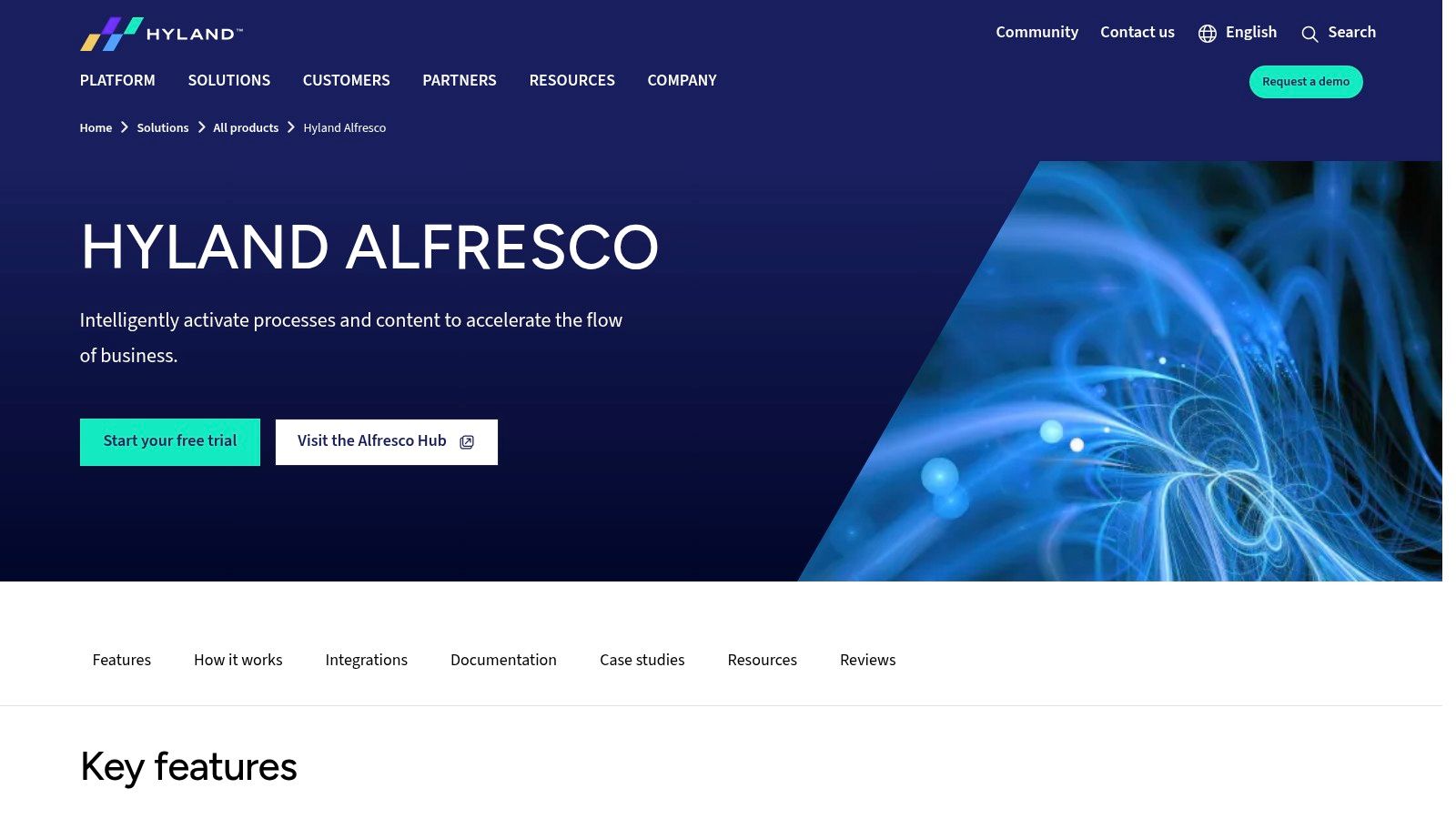
The platform provides robust governance services, enabling strict control over the document lifecycle with features like retention management, audit trails, and records management to ensure compliance. For example, a global financial services firm could use Alfresco to build a custom solution that integrates with its core banking systems, applying specific regional compliance policies to client documents based on metadata. This level of deep, API-driven integration and process automation is where Alfresco truly excels.
| Feature | Details |
|---|---|
| Primary Platforms | Cloud-native, with on-premises and hybrid deployment options |
| Key Functionality | Records management, metadata, advanced search, process automation, comprehensive APIs |
| Integration | Strong integration with Microsoft 365, Google Drive, and other enterprise systems via open standards |
| Storage | Dependent on deployment model and enterprise agreement |
| Pricing | Enterprise pricing available upon request; no public pricing tiers |
Pros:
Cons:
For organizations with specialized needs, like legal departments, Alfresco's power can be a game-changer. Discover more about its applicability as one of the best document management software for law firms. By leveraging its open architecture, businesses can build a truly bespoke content services platform that aligns perfectly with their operational requirements.
Website: https://www.hyland.com/en/solutions/products/alfresco-platform
Rubex by eFileCabinet is a purpose-built document management solution that targets small to medium-sized businesses, particularly in regulated industries like finance, accounting, and HR. Its primary differentiator is its focus on simplicity and security, offering a user-friendly interface that doesn't require extensive IT support to deploy. This approach makes it one of the best document management software options for smaller firms that need robust features like audit trails, role-based permissions, and secure client portals without the complexity of enterprise-level systems.
The platform excels at creating structured, template-based filing systems that ensure organizational consistency. For example, an accounting practice can create a predefined folder structure for all new clients, automating the setup for tax years and document types (e.g., W-2s, 1099s, financial statements). Features like Zonal OCR for automated data extraction and built-in workflow automation further streamline processes, reducing manual data entry and document routing. The inclusion of unlimited secure guest user accounts on most plans is a significant benefit for firms that frequently collaborate with external clients.
| Feature | Details |
|---|---|
| Primary Platforms | Cloud-based (Rubex), Desktop, and mobile apps |
| Key Functionality | Secure client portal, workflow automation, Zonal OCR, e-signature integration, audit trails |
| Integration | Native integration with Microsoft Office, Salesforce, and other business applications |
| Storage | Varies by plan, often starting around 1 TB and scaling up |
| Pricing | Pricing is quote-based and requires contacting the sales team directly |
Pros:
Cons:
Rubex by eFileCabinet is ideal for smaller organizations that prioritize ease of use and compliance but do not have the resources to manage a more complex system. Its focus on security and structured organization makes it a strong contender for any small firm handling sensitive client information.
Website: https://www.efilecabinet.com/
For organizations that are just beginning their search or need to compare a wide range of options, G2's document management category serves as an invaluable research hub. Rather than a single software, it’s a comprehensive US-focused marketplace that aggregates thousands of verified peer reviews, side-by-side comparisons, and detailed feature lists. This allows users to filter potential solutions based on specific criteria like company size, user satisfaction ratings, and essential features, making it a crucial first step in finding the best document management software.
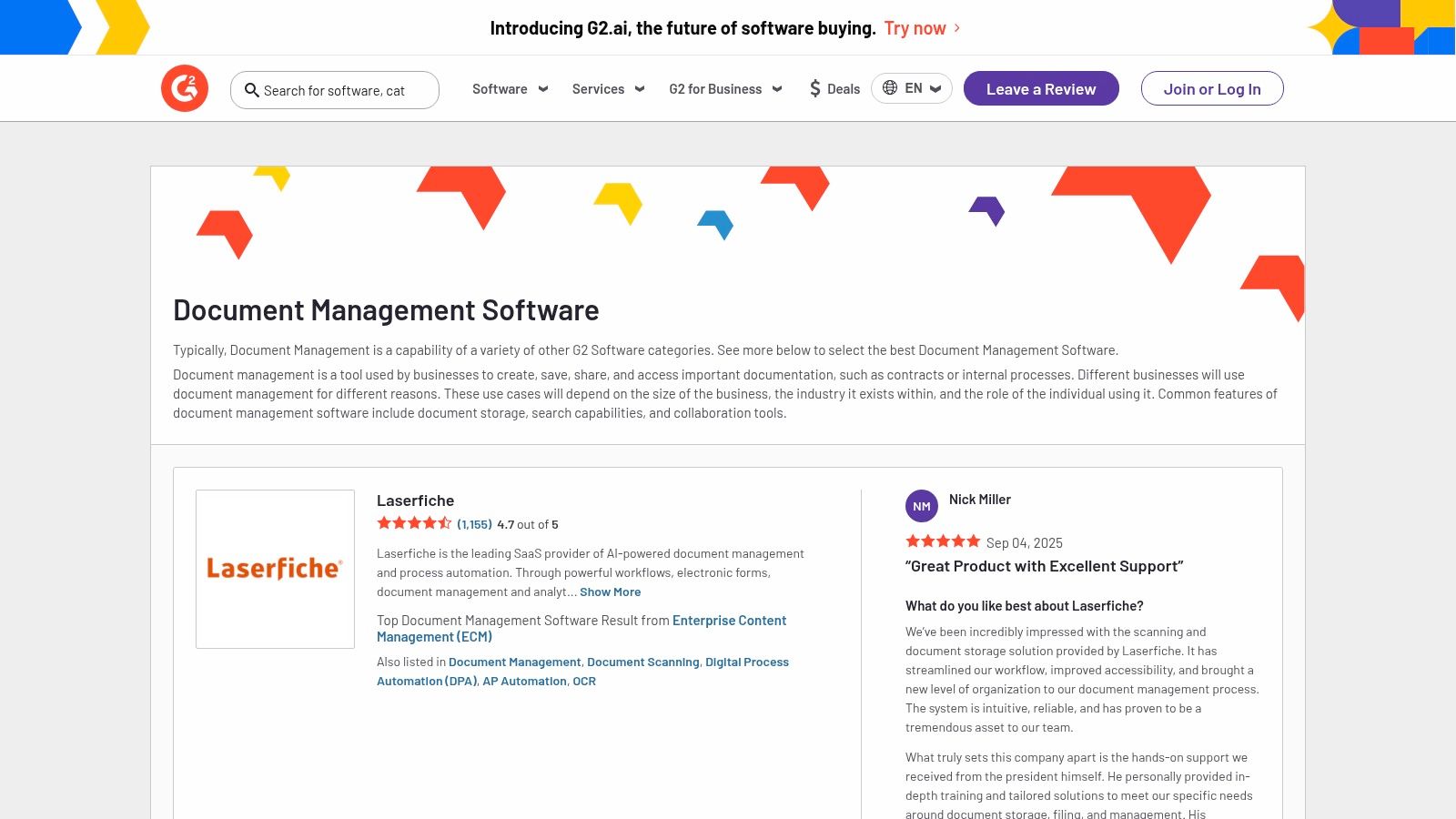
The platform’s strength lies in its user-generated content, which provides unfiltered insights into real-world performance, implementation challenges, and customer support quality. A law firm, for instance, can filter for tools with high ratings in eDiscovery and compliance, then read reviews from other legal professionals to understand how each platform performs in practice. This transparency helps cut through marketing jargon and identify tools that genuinely meet niche industry requirements.
| Feature | Details |
|---|---|
| Primary Platforms | Web-based software review and comparison marketplace |
| Key Functionality | User reviews, comparison grids, feature filtering, vendor profiles, and trial access links |
| Integration | Acts as a research aggregator, linking out to vendor websites for direct integration details |
| Storage | Not applicable; it is a review platform, not a storage provider |
| Pricing | Free to use for software buyers; vendors pay for enhanced listings and marketing features |
Pros:
Cons:
By using G2, decision-makers can build a data-backed shortlist of candidates before committing to demos. It empowers buyers with the collective experience of thousands of users, ensuring a more informed and confident selection process.
Website: https://www.g2.com/software/document-management
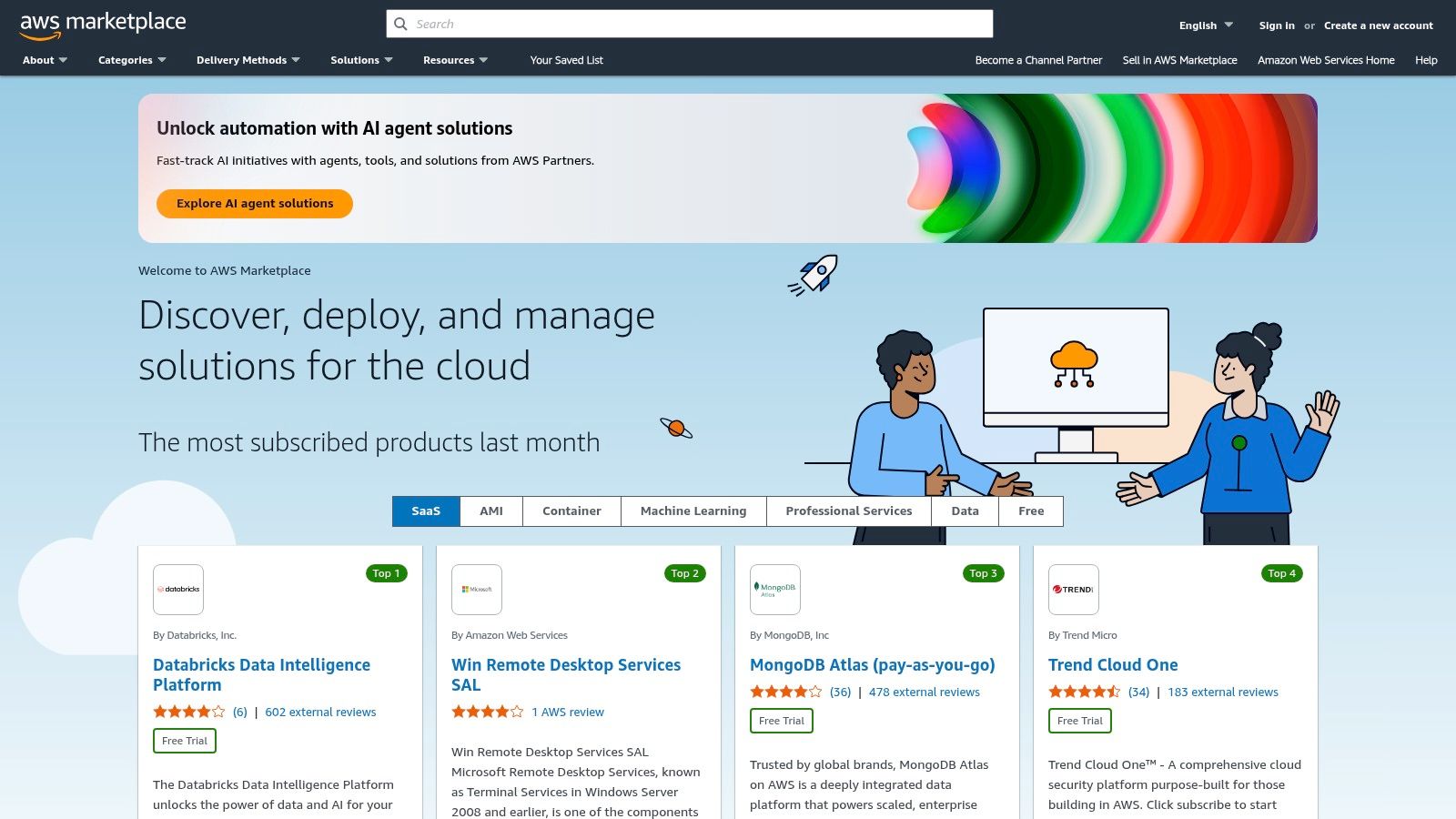
For organizations deeply invested in the Amazon Web Services (AWS) cloud infrastructure, AWS Marketplace serves as a powerful procurement and deployment platform rather than a single document management software. Its unique value lies in offering a curated catalog of third-party document and content management solutions that can be launched directly into your AWS environment with just a few clicks. This streamlines the entire acquisition process, from trial to purchase and billing, consolidating everything under your existing AWS account.
This approach is ideal for tech-savvy firms, such as a rapidly growing accounting firm or a legal practice with an established cloud strategy, that want to leverage the scalability and security of AWS. Instead of vetting vendors independently, they can browse and deploy solutions like enterprise search, intelligent document processing (IDP), or full-featured DMS platforms. This makes AWS Marketplace one of the best document management software hubs for teams that prioritize infrastructure integration and unified billing over a single off-the-shelf product.
| Feature | Details |
|---|---|
| Primary Platforms | A marketplace of third-party SaaS and Amazon Machine Image (AMI) based solutions |
| Key Functionality | Varies by vendor; includes DMS, enterprise search, intelligent document processing |
| Integration | Native deployment and billing integration with the AWS ecosystem |
| Storage | Leverages AWS storage services like Amazon S3, providing immense scalability |
| Pricing | Varies widely; includes pay-as-you-go, subscriptions, or bring-your-own-license (BYOL) |
Pros:
Cons:
Exploring the offerings on the marketplace can provide a clearer picture of how document management in the cloud can be tailored to specific operational needs. For those considering this path, you can get a better understanding of document management cloud solutions. By using the AWS Marketplace, businesses can find and deploy a system that fits perfectly within their existing cloud architecture.
Website: https://aws.amazon.com/marketplace
| Solution | Core Features | User Experience & Quality | Value Proposition | Target Audience | Price Points & Unique Selling Points |
|---|---|---|---|---|---|
| Microsoft 365 (SharePoint/OneDrive) | Document libraries, versioning, MS app integration | Familiar Microsoft UX, broad admin controls | Strong Office/Teams integration, scalable | SMB to enterprise | 1 TB/user storage, advanced features via add-ons |
| Google Workspace (Drive) | Real-time collaboration, pooled storage | Quick setup, web-first experience | Google-first stack, easy migration | SMBs, Google-centric orgs | 2-5 TB pooled storage, Gemini AI in select plans |
| Box | Unlimited storage, e-signature, compliance | Robust governance, strong external collaboration | Enterprise-grade security & compliance | Enterprises needing compliance | Business tiers with paid compliance add-ons |
| Dropbox Business | Team folders, versioning, PDF tools | Simple UX, fast sync | SMB-friendly pricing and integrations | SMBs | 5 TB/team storage standard, advanced tiers available |
| Egnyte | Role-based permissions, ransomware detection | Security/compliance-focused experience | Industry-specific add-ons, strong governance | Regulated industries | Enterprise plans, add-ons increase costs |
| M-Files | Metadata-driven org, workflow automation | Highly rated, supports hybrid/cloud/on-prem | Flexible deployment, strong audit trails | Regulated industries | Quote-based pricing, partner implementation required |
| Laserfiche | Workflow automation, e-forms, AI extraction | Scales small to large teams | Deep records management & AI features | Small to enterprise | Pricing excludes implementation, higher tiers for automation |
| DocuWare | Intelligent indexing, workflows, scalable bundles | Flexible & scalable user/storage options | Complete cloud feature sets | Organizations needing flexible scaling | Quote-based, implementation may be required |
| Hyland Alfresco Content Services | Metadata management, governance, APIs | Customizable, complex IT environment ready | Open standards, extensive integrations | Enterprises with complex IT needs | Enterprise pricing, partner-led implementation |
| Rubex by eFileCabinet | Role permissions, OCR, workflow, e-signature | Easy for small businesses | Clear tiered plans, SMB-friendly | Small firms | Pricing often requires vendor contact |
| G2 – Document Management Category | User reviews, filters, side-by-side comparison | Transparent peer feedback | Helps shortlist by niche and budget | Software buyers & researchers | Free access, but purchases through vendor platforms |
| AWS Marketplace – DMS Listings | Fast AWS deployment, pay-as-you-go or BYOL | Scalable AWS-managed infrastructure | Unified billing, broad solution variety | AWS-centric organizations | Variable pricing models, including private offers |
Navigating the landscape of document management solutions can feel overwhelming, but the journey to digital efficiency begins with a clear understanding of your specific needs. As we've explored, the market offers a diverse range of options, from the ubiquitous, ecosystem-integrated platforms like Microsoft 365 and Google Workspace to highly specialized, compliance-focused systems such as M-Files, Laserfiche, and DocuWare. The best document management software is not a one-size-fits-all solution; it's the one that aligns perfectly with your organization's unique operational DNA.
For small businesses, law firms, and accounting professionals just starting to digitize, the familiarity of SharePoint or Google Drive can provide a low-friction entry point. These platforms leverage existing workflows and user knowledge, making adoption smoother. However, for organizations in highly regulated sectors like legal, finance, or healthcare, the conversation must shift towards advanced security, granular access controls, and automated compliance workflows. This is where platforms like Egnyte, with its hybrid deployment capabilities, and Rubex, with its client-centric portal features, truly demonstrate their value.
Before you commit to a platform, step back and conduct a thorough internal audit. Your final decision should be a strategic one, rooted in a clear assessment of your current processes and future goals. Consider these critical factors:
Choosing the software is only the first step. A successful implementation requires careful planning, stakeholder buy-in, and a phased rollout strategy. Start by mapping your most critical document-centric workflows and identify key areas for automation. To ensure a comprehensive evaluation before making your final decision, we encourage you to consult additional top document management software lists and reviews to gain diverse perspectives.
Ultimately, investing in the right document management system is an investment in your organization's future. It’s about more than just storing files; it's about transforming static information into a dynamic, secure, and accessible asset that empowers your team, enhances client service, and drives sustainable growth.
Ready to deploy your chosen document management software without the headache of managing on-premise servers? Cloudvara provides secure, high-performance cloud hosting for your DMS, ensuring reliable access, automated backups, and expert IT support. Let us handle the infrastructure so you can focus on maximizing your new system's potential by visiting Cloudvara to learn more.





