Your business is growing. Revenue is up, your team is expanding, and your accounting workflow feels smaller than the company it is supposed to support. Reports take longer. Permissions feel too rigid. You export data to spreadsheets because the system does not quite fit how your business runs.
That is the moment people start looking at alternatives to QuickBooks.
QuickBooks still holds a dominant share of the cloud accounting market, with estimates ranging from 44.17% to 62%. That reach matters. It means accountants know it, bookkeepers know it, and many business owners start there by default. But market leadership is not the same as universal fit. As companies add entities, more users, more locations, more approval steps, or more specialized reporting needs, the cracks become apparent.
I see this pattern. A business does not leave QuickBooks because it failed. It leaves because the business changed first.
Sometimes the issue is operational. A services firm needs better time tracking and client billing. A product business needs stronger inventory control. A nonprofit needs cleaner fund reporting. A multi-entity company needs consolidation without spreadsheet gymnastics. In other cases, the software is fine, but the delivery model is not. Teams want secure remote access, better backup discipline, and a practical way to keep desktop accounting tools available without maintaining an office server.
If that sounds familiar, this guide is built for you. It sorts the strongest alternatives to QuickBooks by business size and complexity, from freelancer-friendly tools to full ERP platforms. It also covers the trade-offs that matter in practice, not just feature checklists. If your needs are industry-specific, this example on why QuickBooks isn't enough for church fund accounting shows how fast a general ledger can become the wrong tool for the job.

Xero is the closest thing to a direct QuickBooks challenger for many small and midsize businesses. It has broad recognition, a mature app ecosystem, and a practical feature set addressing the core jobs most companies need done every day.
The biggest structural advantage is simple. Xero offers unlimited users on every plan, which makes it attractive for growing teams that do not want access costs rising every time another manager, bookkeeper, or outside advisor needs visibility. That positioning is one reason it is described as the biggest global competitor to QuickBooks Online, with pricing that ranges from $20 to $80 per month.
Xero works well for businesses that want cloud accounting without rebuilding every process around an ERP. It is strong when your priorities are:
For small firms comparing mainstream cloud options, Cloudvara’s guide to top cloud-based accounting solutions for small businesses is a useful companion if access and hosting are part of the decision.
Xero is not the best fit because it is popular. Lower tiers can feel restrictive when invoice or bill volume climbs. More advanced inventory and multi-currency capability sit higher up the plan ladder. If your business has complex stock, manufacturing, or layered approvals, Xero can become an “apps plus process discipline” solution rather than an all-in-one answer.
Practical take: Xero is the right move when QuickBooks feels too cramped, but your business is still an SMB, not an ERP buyer.
It is also a strong option for international operations and firms with overseas stakeholders. This regional view of Xero accounting in the UAE shows why businesses with cross-border needs often shortlist it early.
Direct website: Xero

A consultant finishes a client project on Friday, sends the invoice the same day, logs billable hours without chasing spreadsheets, and sees which work was profitable. That is the kind of business FreshBooks is built for.
FreshBooks is one of the clearest QuickBooks alternatives for freelancers and service firms. It focuses on billing, time tracking, expenses, and client work management in a way that feels more natural for non-accountants than a general-purpose accounting platform. For the right business, that focus is a strength, not a limitation.
FreshBooks fits businesses that sell time, expertise, or fixed-fee projects. Consultants, agencies, designers, lawyers, coaches, and other small professional firms usually care less about inventory and more about getting invoices out fast, collecting payment, and reviewing project margins.
What tends to matter most in practice:
I usually recommend FreshBooks when the owner says, "I need to bill clients accurately, track my time, and keep my books organized enough for tax season." That is a different requirement from a retailer, wholesaler, or multi-entity company evaluating accounting software.
FreshBooks becomes less attractive once the business outgrows simple service accounting. Inventory-heavy operations, more complex approval structures, and deeper reporting needs can push a company toward a broader platform. Lower-tier plan limits can also matter if you manage a large number of small clients rather than a smaller book of high-value accounts.
This highlights a critical decision point. FreshBooks works well for businesses that want accounting wrapped around client billing. It is a weaker fit for businesses that need accounting to sit at the center of operations.
If you are comparing it against Intuit's cloud and desktop options, this breakdown of the differences between QuickBooks Desktop and QuickBooks Online helps clarify what you may be giving up or gaining by switching categories entirely. If you are still narrowing the field, this guide on how to choose accounting software is worth reviewing before you commit to a migration path.
Practical take: FreshBooks is a strong choice for freelancers and service businesses that need clean billing workflows first, and deeper accounting complexity second.
Direct website: FreshBooks
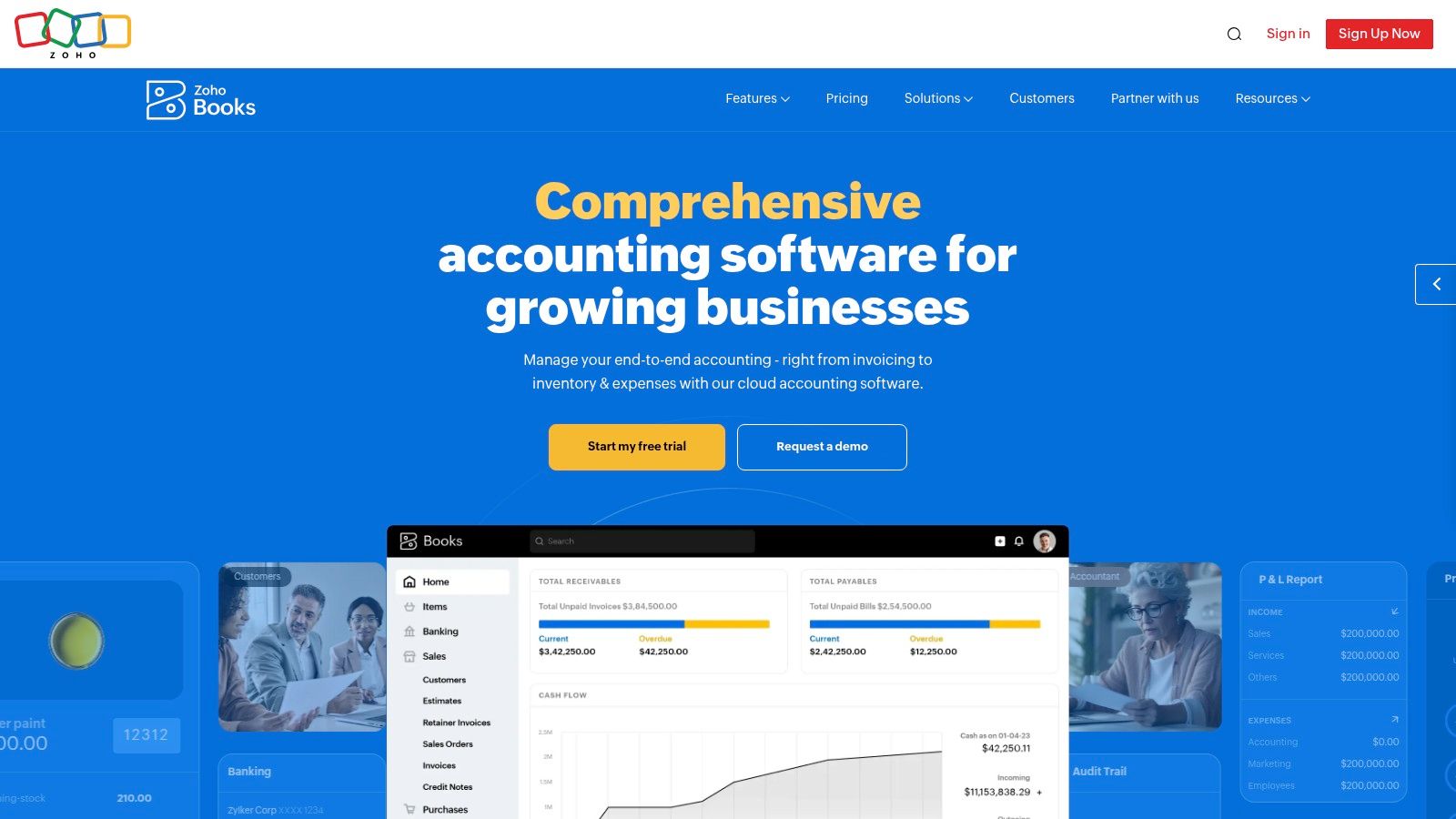
A common scenario looks like this. The business has outgrown basic invoicing, the owner wants approvals and cleaner month-end processes, and the team is tired of copying data between sales, expenses, inventory, and accounting tools. Zoho Books fits that middle ground well.
It is one of the better QuickBooks alternatives for small and midsize businesses that want accounting software connected to a broader business system. The accounting features are solid on their own. The bigger advantage shows up when the company also uses other Zoho apps for CRM, inventory, projects, or expenses.
Zoho Books usually works best for businesses that are past the freelancer stage but still too small to justify a full ERP. I see it as a practical step for companies that need tighter controls, repeatable workflows, and room to grow without taking on an enterprise implementation.
Its value comes from a few specific strengths:
That matters in practice. Accounting software is easier to keep clean when sales, purchasing, and expense records are tied together instead of patched together through spreadsheets. If you are weighing cloud systems more broadly, this overview of the benefits of cloud accounting for growing businesses helps frame why teams often choose integrated online tools over isolated desktop workflows.
Zoho Books is not the simplest option on this list. The more Zoho apps a company adds, the more setup decisions it has to make around roles, workflows, and process design. That can be a strength for a business with clear operational needs. It can also feel like too much software for a company that only needs basic bookkeeping and invoicing.
There is also a category fit issue. Zoho Books sits between lightweight accounting tools and larger finance systems. That is a useful position, but it means some companies will outgrow it, while others will never use enough of its functionality to justify the effort of configuring it well.
Practical take: Zoho Books is a strong choice for growing SMBs that want automation and app-to-app continuity, especially if they already use the Zoho ecosystem. It is a weaker fit for businesses that want the simplest possible bookkeeping tool or need enterprise-grade finance complexity.
Direct website: Zoho Books

A common small-business scenario looks like this. One person is sending invoices, watching cash flow, and trying to keep bookkeeping current at night or on weekends. In that case, Wave often makes more sense than QuickBooks because the goal is not finance sophistication. The goal is to stay organized without adding another monthly bill or a complicated setup project.
Wave fits the first rung of this guide’s decision framework. It is aimed at freelancers, solo operators, and very small service businesses that need invoicing, expense tracking, and basic accounting in one place. For that audience, simplicity is the product.
Wave works best for businesses with low transaction volume and straightforward reporting needs. Typical examples include:
The trade-off is clear. Wave removes cost and setup friction, but it also keeps the feature set narrow. That is usually a good bargain for a business that is still proving demand or operating with one owner and no finance staff.
It also helps clarify a bigger selection point across this article. Some QuickBooks alternatives are built to support growth into multi-entity reporting, inventory, or department-level controls. Wave is built to keep very small businesses from overbuying software.
Growth is usually the breaking point.
Wave becomes a weaker fit once a business needs deeper inventory tracking, more advanced reporting controls, broader payroll support, or more formal approval workflows. Bank connections can also vary by institution, which matters if you want a highly automated bookkeeping process with minimal manual review.
Those limits are manageable if you choose Wave with a short horizon in mind. They become expensive when a business treats Wave as a permanent system even after operations get more complex. I usually advise owners to ask one question before choosing it: will the business still be simple a year from now?
If the answer is yes, Wave is a sensible low-cost option. If the answer is no, it is often better to migrate once into a system with more headroom instead of adopting a temporary tool and replacing it soon after.
That same planning logic applies to infrastructure. Some businesses adopt a newer cloud app like Wave for one entity while still relying on desktop accounting in another. In those mixed environments, Sage 50 cloud hosting for remote desktop accounting access can help keep older workflows available while the broader finance stack evolves.
Practical take: Wave is a strong QuickBooks alternative for freelancers and micro-businesses that want simple accounting with minimal cost and setup. It is a weak fit for companies that already need operational depth or expect near-term growth in staff, reporting, or process complexity.
Direct website: Wave

Not every business wants to go browser-first. Some still prefer the control and familiarity of a desktop accounting experience when they rely on detailed inventory, job costing, or customized reporting habits. That is where Sage 50 stays relevant.
Sage 50 is a strong QuickBooks alternative for businesses that want full-featured small-business accounting but are not eager to trade a desktop workflow for a SaaS model. Construction, light manufacturing, and distribution firms land here because the product handles operational accounting better than many lighter cloud tools.
Desktop software is easy to dismiss until you are the one dealing with unstable office networks, legacy add-ons, or customized reporting habits. Sage 50 gives businesses a familiar Windows-centric environment with stronger operational depth than many entry cloud apps.
It is a solid fit when you need:
The trade-off is convenience. Desktop-style software can create remote access headaches if you host it the old-fashioned way on an office machine.
Infrastructure becomes part of software selection here. Many accounting tool comparisons ignore deployment and security questions, even though those issues matter to firms handling sensitive data and remote staff. That gap is called out directly in this analysis of accounting software infrastructure and deployment concerns.
If Sage 50 fits your workflow, hosting determines whether it feels modern or outdated. A cloud-hosted deployment can give your team centralized remote access without asking you to maintain your own server stack. For businesses considering that route, Cloudvara’s page on Sage 50 cloud hosting is directly relevant.
Sage 50 is not as slick as modern SaaS tools. That is true. But for some businesses, what works matters more than what looks newest.
Direct website: Sage 50 Accounting

A common breaking point looks like this. The bookkeeper can still close the month, but consolidated reporting takes too long, approvals live in email, and department heads keep asking for views the system cannot produce cleanly.
That is the point where Sage Intacct starts to make sense.
Sage Intacct fits companies that have moved beyond basic bookkeeping and now need finance controls, cleaner reporting, and a system that can support a more formal accounting function. It is often shortlisted by multi-entity businesses, services firms with segmented reporting needs, and organizations preparing for tighter audits or investor scrutiny.
The difference is not just feature count. The structure is better suited to finance teams that need consistency across entities, departments, locations, or product lines.
Sage Intacct is usually a good fit when you need:
This section matters in the broader QuickBooks alternative decision because Sage Intacct sits in the middle of the market. It is a larger step than freelancer or small-business tools, but it is not yet a full operational ERP in the NetSuite sense. For a company growing in complexity faster than headcount, that middle tier can be the right answer.
Implementation effort is the first one. Process discipline is the second.
Sage Intacct works best when the business already knows how it wants approvals, reporting structures, and entity relationships to work. If those decisions are still fuzzy, the software will expose that quickly. I have seen teams blame the platform when the underlying issue was inconsistent internal process design.
Cost is another trade-off. Pricing is quote-based, modules add up, and setup usually takes more planning than small-business accounting buyers expect. The return is stronger reporting and better control. The downside is a heavier lift at the start.
This is why Sage Intacct is rarely the right answer for freelancers, simple service firms, or owner-managed businesses that just want invoicing and standard financial statements. It is better for companies building a finance function that can scale.
For firms that still depend on legacy accounting workflows alongside newer cloud tools, deployment also deserves attention. Cloud hosting can help secure access to both modern apps and older desktop systems during a phased transition, which matters when migration happens in stages rather than all at once.
Sage Intacct earns its keep when finance needs to run the business, not just record what already happened.
Direct website: Sage Intacct

NetSuite is not a substitute for QuickBooks in the casual sense. It is a move into ERP.
That distinction matters because many businesses waste time comparing NetSuite as if it were a larger bookkeeping package. It is broader than that. NetSuite brings financials, operational data, inventory, analytics, and multi-subsidiary support into one environment for companies that need shared visibility across the business.
NetSuite becomes relevant when the company is dealing with multiple entities, international operations, inventory-heavy workflows, or the need to unify finance and operations. Verified data points to NetSuite OneWorld for global multi-subsidiary operations, with strong support for real-time analytics, inventory management, and supply chain tools.
It is the right shortlist candidate when you need:
Verified analysis also notes that ERP alternatives such as NetSuite can reduce month-end close times by integrating financial planning and business intelligence, instead of leaning on QuickBooks-style Excel dependency.
The software can be powerful. The buying process is rarely simple.
Quote-based pricing, implementation scope, partner choice, module selection, and renewal planning all matter. This is not the product to buy because a sales demo looked polished. It is the product to buy when your company needs ERP breadth and is prepared to govern the rollout.
From a finance leadership perspective, the strongest argument for NetSuite is usually consolidation and visibility. From an operational perspective, it is process standardization. From a small-business perspective, it is too much system.
If you are solving basic accounting pain, Xero, Zoho Books, or Sage Intacct will be a cleaner fit. If you are standardizing a complex, multi-entity business, NetSuite belongs in the conversation.
Direct website: Oracle NetSuite
A common breakpoint looks like this. The finance team has outgrown QuickBooks, operations wants inventory and project data tied to accounting, and leadership already runs much of the company through Microsoft tools. In that situation, Microsoft Dynamics 365 Business Central deserves a serious look.
Its appeal is not just accounting depth. It is fit. Businesses that already work in Outlook, Teams, Excel, and Power BI usually find adoption easier when finance lives inside the same broader software environment instead of becoming another disconnected app.
Business Central sits in the middle ground between small-business accounting software and full-scale enterprise ERP. That makes it a practical option for companies that need stronger controls, broader workflows, and cleaner reporting without jumping to the heaviest systems in this category.
The strongest reasons to shortlist it are clear:
Microsoft positions Business Central as part of its wider Dynamics platform, with built-in connections across its business application stack and reporting tools. For companies that want finance data to feed management reporting without constant exports, that matters.
Business Central usually requires a planned implementation, not a fast self-serve rollout. The software can work very well, but partner selection, chart of accounts design, approval workflows, reporting structure, and user training have a direct effect on whether the project succeeds.
Buyers often misjudge the product on this point. They compare subscription prices and miss the setup effort. A company with straightforward accounting needs may find Xero or Zoho Books easier to buy and easier to run. A company with growing operational complexity may decide the extra work is justified because it gets tighter process control and fewer system handoffs.
The trade-off is straightforward. Business Central asks for more planning up front, and in return it can give a growing business better structure across finance and operations.
For this guide’s decision framework, Business Central fits best in the upper end of the SMB range. It is a strong candidate for firms that have outgrown entry-level accounting software, want ERP-like breadth, and prefer to build around the Microsoft ecosystem rather than replace it.
Direct website: Microsoft Dynamics 365 Business Central

Odoo is for businesses that want to build a unified stack and are willing to tolerate more setup to get it.
That is the honest summary. Odoo is not the easiest switch from QuickBooks, but it can be one of the most flexible. Its accounting app is only part of the story. The primary appeal is the broader modular platform around it, including inventory, CRM, ecommerce, subscriptions, and operational workflows.
Odoo becomes interesting when a business is frustrated by disconnected apps. Instead of stitching together accounting, CRM, and inventory through layers of integration, Odoo lets you run them as native modules in one system.
That makes sense for companies that want:
Verified market analysis describes Odoo’s modular open-source platform as a specialized answer for unified business process automation. That positioning is important. Odoo is less about replacing QuickBooks one-to-one and more about replacing a stack of disconnected systems.
Flexibility means configuration effort. Odoo can be excellent, but when someone owns process design. Without that discipline, modular software turns into a patchwork.
For that reason, I do not recommend Odoo to businesses that want simpler bookkeeping. I recommend it to businesses that aim to simplify operations by consolidating tools.
If your accounting pain is really a systems architecture problem, Odoo deserves a hard look. If your accounting pain is mostly invoicing, reconciliation, and monthly close, it may be more platform than you need.
Direct website: Odoo
Patriot Accounting is a small-business product with a clear value proposition. Keep things simple. Keep costs controlled. Pair accounting and payroll without overcomplicating the back office.
That focus makes it easy to overlook, but for owner-operators and small organizations, it can be a smart choice.
Patriot is a practical fit for contractors, local service businesses, and small nonprofits that want straightforward accounting and need payroll in the same orbit. It does not try to compete with ERP platforms or broad app ecosystems. It is trying to be usable.
What tends to appeal:
Patriot does not belong on the same shortlist as Xero, Zoho Books, or Sage Intacct for a scaling company. Its integration ecosystem is smaller. Advanced inventory and multi-entity needs push beyond its comfort zone. If your business is growing into departmental approvals, complex reporting, or cross-system automation, you will outgrow it.
Still, not every business needs “headroom” as much as it needs clarity.
For a small company moving away from spreadsheet bookkeeping or escaping a more bloated system, Patriot can be one of the easier alternatives to QuickBooks to adopt. I would choose it for simplicity, not for sophistication.
Direct website: Patriot Accounting
A comparison table is useful only if it helps narrow the field. The practical question is not which product has the longest feature list. It is which one fits the size of your business, the complexity of your processes, and the systems you still need to keep running during a transition.
Use this table to sort the options into three groups. Simple tools for freelancers and very small businesses. Mid-range platforms for growing SMBs that need stronger controls and integrations. ERP-level systems for companies dealing with multi-entity reporting, inventory depth, approvals, or broader operational complexity. Hosting also matters if you need secure access to older Windows software alongside newer cloud apps.
| Product | Best for | Core features | Ease of use and implementation | Price point and hosting fit |
|---|---|---|---|---|
| Xero | Growing SMBs and accountant-led firms | Bank feeds, invoicing, expense capture, app marketplace, collaboration across users | Easy to learn for finance teams. Setup is usually straightforward, but app configuration still takes planning | Mid-range subscription pricing. Best for cloud-first teams, especially if they also need centralized access to other finance tools |
| FreshBooks | Freelancers, consultants, and service businesses | Invoicing, time tracking, proposals, retainers, client-friendly billing workflows | One of the easiest products to adopt. Works best when accounting needs are light to moderate | Lower to mid-tier pricing. Good fit for simple cloud operations |
| Zoho Books | Small businesses that want automation and may already use Zoho apps | Double-entry accounting, workflows, multi-currency, client portal, tax support in supported regions | Easier to justify if you already run Zoho. Standalone use is still solid, but the full value comes from the wider suite | Competitive pricing. Strong option for cloud-based teams that want one vendor across several business functions |
| Wave | Solo operators and very small businesses in the US or Canada | Basic bookkeeping, invoicing, receipt capture, payment and payroll add-ons in supported markets | Fast to start and easy to maintain. Limits show up once reporting, approvals, or integrations become more important | Low-cost entry point. Best for simple operations, not for businesses building complex workflows |
| Sage 50 Accounting (US) | Businesses that still need desktop accounting, stronger inventory, or job costing | Inventory, job costing, purchase orders, reporting, desktop control | More setup and maintenance than pure cloud tools. Familiar for teams comfortable with Windows-based accounting | Higher effort than cloud-native tools, but often worthwhile for companies that need desktop depth and secure remote access |
| Sage Intacct | Mid-market firms with multi-entity needs or more formal finance operations | Dimensional general ledger, consolidations, project accounting, contract revenue support, approvals | Implementation usually needs planning, training, and process discipline | Premium pricing. Better fit for companies that have already outgrown small business accounting software |
| Oracle NetSuite | Fast-growing companies that want finance and operations in one ERP | Financials, inventory, order management, reporting, multi-entity support | Significant implementation effort. Best handled with clear requirements and experienced help | Enterprise-level pricing. Strong fit when accounting cannot be separated from operations |
| Microsoft Dynamics 365 Business Central | SMBs standardized on Microsoft 365 and related tools | Accounting, purchasing, inventory, reporting, workflow, Microsoft ecosystem connections | Flexible, but setup quality depends heavily on partner execution and process design | Mid to upper-tier pricing. Good choice for companies that want accounting tied closely to Microsoft systems |
| Odoo Accounting (Odoo ERP) | Businesses that want modular ERP adoption and are comfortable with configuration | Accounting plus optional CRM, inventory, manufacturing, e-commerce, and custom modules | Flexible enough for very different businesses, but configuration choices can create complexity quickly | Modular pricing. Attractive if you want room to expand, but governance matters to keep the system manageable |
| Patriot Accounting | Very small US businesses that want simple accounting and payroll alignment | Income and expense tracking, invoicing, reconciliation, payroll connection | Very easy to set up. Light feature set keeps training and daily use simple | Low monthly cost. Best for owner-led businesses that value clarity over depth |
One caution from experience. Buyers often compare these tools as if they all solve the same problem. They do not. Wave, FreshBooks, and Patriot are practical for simple bookkeeping and billing. Xero and Zoho Books are better for growing companies that need stronger integrations and cleaner controls. Intacct, NetSuite, Business Central, and Odoo belong in a different buying process because implementation, reporting design, and long-term administration matter as much as feature count.
If your shortlist includes both cloud-native platforms and legacy desktop software, do not treat access and security as an afterthought. A workable setup may need both. New cloud apps for daily accounting, plus secure hosting for desktop products or related Windows applications that cannot be retired yet.
Choosing among alternatives to QuickBooks is not about replacing one dashboard with another. It is about matching the software to the shape of your business.
For freelancers and solo operators, the right answer is simple. Wave keeps costs low. FreshBooks makes client billing cleaner. Patriot works for very small teams that want straightforward accounting and payroll. These tools are best when ease of use matters more than deep control.
For growing SMBs, the conversation changes. Xero is the strongest all-around option when collaboration and app flexibility matter. Zoho Books is compelling if automation and broader app integration are high priorities. Sage 50 still makes sense for companies that prefer a desktop workflow and need stronger inventory or job costing. These are not “better” in the abstract. They are better when your business needs more structure without taking on a full ERP.
Then there is the next tier. Sage Intacct, NetSuite, Microsoft Dynamics 365 Business Central, and Odoo all solve larger problems. They make sense when accounting is tied tightly to operational complexity, multi-entity reporting, formal approvals, deeper analytics, or system consolidation. At that point, the wrong decision is not buying too little feature depth. It is underestimating implementation effort, change management, and long-term administration.
That is why I recommend using a simple decision framework.
Start with business size and process complexity. If the owner still runs most financial decisions directly, stay with a tool designed for small teams. If you now have department heads, outside accountants, internal approvers, or multiple legal entities, move upmarket.
Then look at what is broken. If billing is the pain, start with FreshBooks. If access and collaboration are the pain, start with Xero. If workflows are fragmented across apps, look at Zoho Books or Odoo. If reporting and controls are the problem, shortlist Sage Intacct or Business Central. If global operations and broad process integration are driving the search, NetSuite deserves attention.
Migration discipline matters just as much as software choice. Before switching, export your chart of accounts, customer and vendor lists, open invoices, open bills, and any reporting history you need for reference. Pick a clean transition point, usually at the start of a month, quarter, or fiscal year. Reconcile bank and credit card accounts before the cutover. Map your chart of accounts deliberately instead of importing everything blindly. Decide which reports must match your old system and which ones can be redesigned. Train users on their day-to-day tasks, not generic navigation. If possible, run both systems briefly during the transition so you can catch errors before they hit close.
One factor too many software roundups ignore is infrastructure. The tool is only half the solution. Accounting professionals also need to know where data lives, how access is controlled, how backups work, and what happens if a workstation fails or a team member needs secure remote access. That concern is important for firms handling sensitive client financial data.
In this context, Cloudvara is useful. If you choose a cloud-native application, Cloudvara can still support the surrounding business stack and centralize secure access. If you choose a desktop-based product like Sage 50, Cloudvara can host it in a dedicated cloud environment so your team can work from anywhere without maintaining your own server. Cloudvara provides 24/7 support, automated daily backups, and a 99.5% uptime guarantee. It also supports remote desktop access, two-factor authentication, and a broad range of accounting, tax, CRM, document management, and Microsoft applications.
The right accounting platform gives you cleaner books. The right hosting approach gives you continuity, security, and less IT drag. Together, they give your business room to grow.
Cloudvara helps businesses move beyond local servers and fragile office setups by hosting accounting and business applications in a secure dedicated cloud environment. If you need reliable access to QuickBooks, Sage, tax software, CRM tools, document systems, or Microsoft apps from any device or location, explore Cloudvara.




