Think back to the days of physical photo albums. They were stuck on a shelf in one house, vulnerable to spills or fading, and you had to be physically present to see the pictures. Now, compare that to an online photo gallery.It’s accessible from any device, you can share it with anyone, and the photos are safely backed up.
That’s the exact same shift we’ve seen with accounting cloud services.
Instead of installing accounting software on a single computer in your office, you access it securely over the internet. This model, often called Software as a Service (SaaS), means you can log in and manage your company’s finances from anywhere, at any time.
Your service provider handles all the technical headaches—the servers, the security, the updates. This frees you up from playing IT specialist and lets you focus on your business.
The move to the cloud isn't just a minor upgrade; it’s a complete change in how businesses handle their financial data. Traditional, on-premise software kept your books tied to a physical location. This created data silos, made collaboration a nightmare, and left you vulnerable to a single hard drive crash.
Cloud accounting smashes through those barriers. It creates a single, centralized hub for all your financial information, which delivers some immediate wins:
This isn't just a passing trend. It’s a fundamental evolution in how modern businesses operate. The explosive growth of the cloud accounting market tells the whole story.
For independent contractors, managing finances efficiently is the difference between thriving and struggling. Understanding how cloud services can streamline your work is a game-changer. For a deeper dive, you might find this comprehensive guide to accounting for contractors in the UK useful.
The numbers back this up. In 2024, the global cloud accounting software market was already valued at $23.11 billion. It’s projected to soar to $87.22 billion by 2035. That kind of growth shows just how much value businesses are getting from these platforms. And if you're looking for a simple breakdown of the basics, our guide on what cloud accounting is for business owners is a great place to start.
![A modern office with diverse team members collaborating around a large screen displaying financial dashboards, illustrating the collaborative benefits of cloud accounting.] (https://cdn.outrank.so/0c71ee21-9a78-455b-8eaf-c8756005ef41/73b3743a-08fc-408d-9d82-029bafc2bfcf.jpg)
Moving your accounting to the cloud is much more than a simple software upgrade. It’s a strategic move that delivers real, measurable growth by changing how you see and use your financial data. It turns static numbers into a live tool for making smarter decisions.
When you centralize your data online, you get an accurate, up-to-the-minute snapshot of your business's financial health. This real-time visibility lets you jump on opportunities and fix problems right away, instead of waiting for last month's reports to tell you what happened.
Think of your financial dashboard like an airplane's cockpit. With old-school accounting, you're flying with instruments that only update once a month. With the cloud, you have a live feed of every critical metric, allowing you to adjust your course with precision and confidence.
This immediate access leads to faster, more informed choices. You can track your cash flow daily, see how profitable a project is in real-time, and pull custom reports in minutes. That kind of agility gives you a huge advantage in a market that never slows down.
By putting live financial data at your fingertips, cloud platforms empower proactive management instead of reactive problem-solving. It’s the difference between navigating with a live GPS versus a folded paper map.
The numbers back this up. Businesses that use cloud accounting exclusively report 15% year-over-year revenue growth and bring in five times more clients than their peers. These platforms also slash labor costs by as much as 50%, proving just how powerful this shift can be.
One of the first things you'll notice is how much less time you spend on manual, repetitive work. Cloud accounting platforms automate the tedious workflows that used to eat up hours every week.
All this newfound efficiency frees up your team to focus on work that actually grows the business. Better yet, it creates a seamless environment for teamwork. Your accountant can log in from their office to review the books, while your sales team adds expenses from the road. This makes working together effortless, no matter where everyone is.
Many companies also find that cloud platforms make it easier to work with outside experts, gaining the advantages of outsourcing accounting without being limited by location. The benefits of cloud hosting for small businesses, in particular, go far beyond just accounting, creating a solid foundation for scalable growth. You can learn more about how cloud technology fuels business growth in this analysis: https://cloudvara.com/benefits-of-cloud-hosting-for-small-businesses/
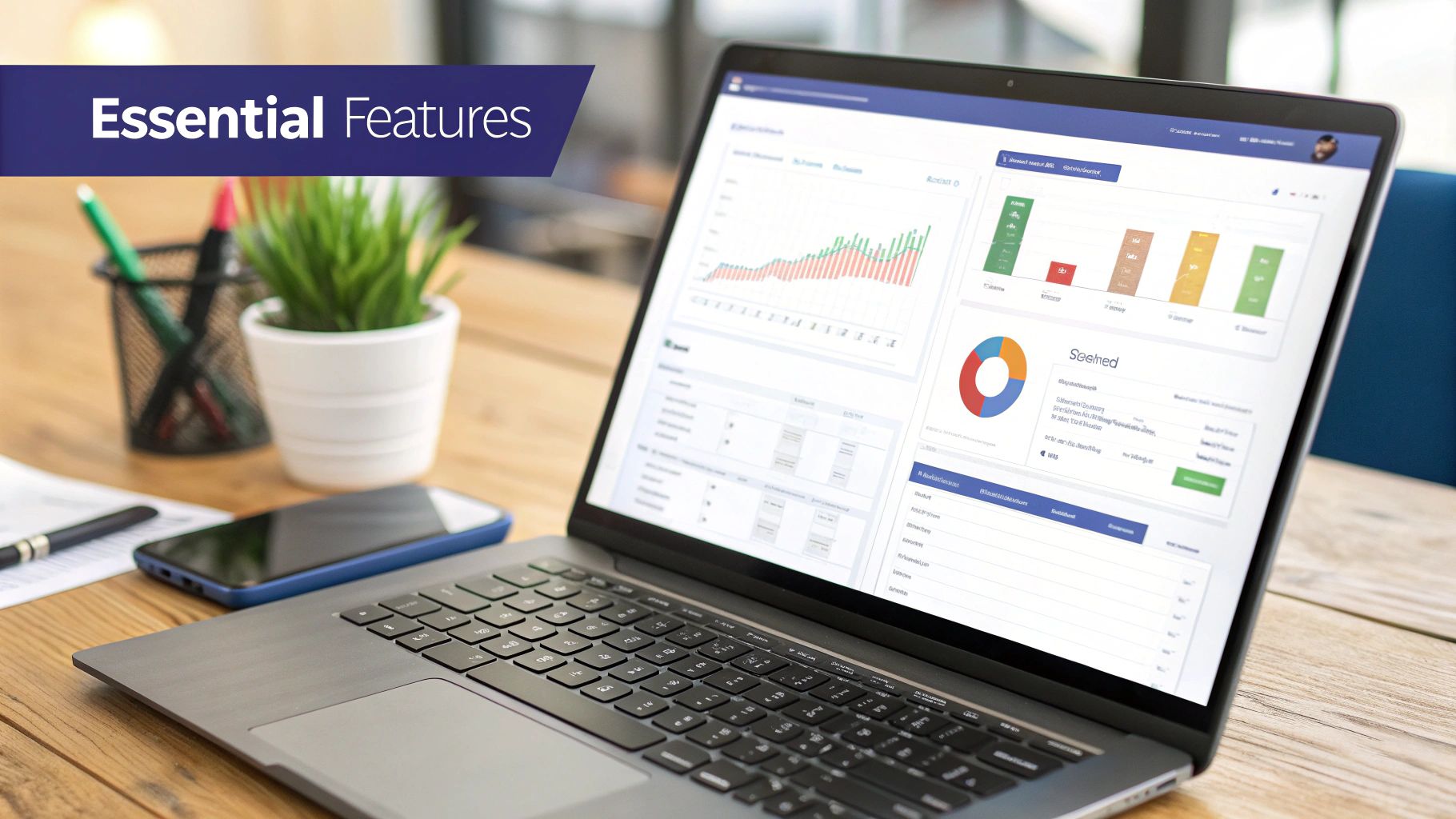
Not all platforms offering accounting cloud services are built the same. When you're choosing one, you have to look past the flashy marketing and zero in on the core functions that will actually help you run your business. Think of this as your buyer’s guide to the non-negotiable features you’ll need.
The first thing you’ll notice is the dashboard. This is your financial command center, and it should give you an immediate, at-a-glance overview of your business's health. It needs to clearly display key metrics like cash flow, profit and loss, and outstanding invoices without making you hunt through complicated menus.
A great dashboard turns raw data into actionable intelligence, helping you spot trends and make quick decisions. If the main screen is cluttered or confusing, the rest of the software will probably be a chore to use.
The real magic of cloud accounting is its power to automate the repetitive stuff, which has a direct impact on your cash flow and efficiency. Two features are absolutely essential here: automated invoicing and robust expense tracking.
A solid invoicing system lets you whip up professional, branded invoices in seconds and set up recurring billing for repeat clients. Even better, it should automatically send out payment reminders. This one feature alone can dramatically cut down the time you spend chasing late payments.
For expense management, look for a tool with receipt capture. This lets you snap a photo of a receipt with your phone, and the software uses technology to automatically read the vendor, date, and amount, then neatly categorize the expense for you. It’s the end of the dreaded shoebox full of faded receipts.
The goal here is simple: get you paid faster and give you an accurate, real-time picture of your spending with as little manual effort as possible. This frees up countless hours for more strategic work.
Your accounting software doesn’t operate in a vacuum. To give you a complete financial picture, it needs to connect with your bank and the other business tools you use every day.
Direct bank reconciliation is a must-have. This feature syncs with your business bank accounts and credit cards, automatically pulling in transactions. It turns the painful, time-consuming task of reconciliation into a quick, straightforward process.
Seamless integration capabilities are also vital. Your platform should connect easily with the other software you rely on, such as:
Finally, strong financial reporting tools are non-negotiable. At a bare minimum, the software must be able to generate standard reports like the balance sheet, income statement, and cash flow statement. Custom reporting capabilities are even better, as they let you build reports that track the specific metrics that matter most to your unique business.
Making the right choice is crucial. Taking the time to understand the full scope of available cloud-based accounting solutions will give you clarity on which features will best serve your needs.
When evaluating different platforms, it helps to see these essential features laid out side-by-side. The table below breaks down the must-haves by category, showing you what to look for and why it matters.
| Feature Category | Key Functionality | Business Impact |
|---|---|---|
| User Interface | Intuitive Dashboard | Provides a quick, at-a-glance view of financial health, enabling faster, more informed decision-making. |
| Automation | Automated Invoicing & Reminders | Speeds up the payment cycle, improves cash flow, and reduces time spent on administrative follow-up. |
| Automation | Receipt & Expense Capture | Eliminates manual data entry, reduces errors, and provides a real-time, accurate picture of business spending. |
| Connectivity | Direct Bank Reconciliation | Simplifies the reconciliation process, saves hours of manual work, and ensures financial records are always up-to-date. |
| Connectivity | Third-Party Integrations | Creates a unified tech stack by syncing data from CRM, payroll, and inventory systems, eliminating data silos. |
| Reporting | Standard & Custom Reports | Generates essential financial statements and allows for tailored reports to track specific KPIs for strategic planning. |
Ultimately, the right software should feel less like a tool you have to use and more like a partner that actively helps you manage and grow your business. By prioritizing these core features, you can find a solution that delivers real value day in and day out.
Handing your financial data over to a third party can feel like a big leap of faith. The good news? With the right provider and smart habits, your information is often far safer in the cloud than on a server tucked away in an office closet.
Major cloud providers—the backbone of most accounting cloud services—invest a fortune in security measures that are simply out of reach for the average small business. This framework is built on multiple layers, starting with data encryption both in transit (as data travels online) and at rest (while stored on servers). Add in multi-layered firewalls, intrusion detection systems, and regular third-party security audits, and you've got a digital fortress guarding your information.
This infographic breaks down the core security process top providers use to protect financial data.

As you can see, it's a robust, multi-step defense system that begins with encryption and never stops, thanks to continuous monitoring.
While top-tier providers build the fortress, you hold the keys to the gate. Strong internal security practices are just as vital as the provider's infrastructure. It’s a shared responsibility, and your team's actions play a huge part in keeping data safe.
The most effective security strategy combines powerful technology with educated users. Here are the practical steps every business should take to fortify its side of the security equation:
Security in the cloud isn’t just about technology; it’s a partnership. The provider secures the infrastructure, while you secure the access points. When both sides are strong, your financial data is exceptionally well-protected.
The trust in this security model is fueling massive growth. Spending on public cloud infrastructure reached $94 billion in the first quarter of 2025 alone, a 23% jump from the previous year. This market is dominated by giants like AWS, Microsoft Azure, and Google Cloud, which collectively hold over 60% of the market share. You can discover more insights about cloud market growth on cloudzero.com.
Ultimately, building a secure environment is an ongoing process that combines the provider's robust systems with your team's diligent practices. For a more detailed walkthrough, check out our guide on how to implement effective cloud security solutions in 2024.
A successful move to the cloud is a carefully orchestrated process, not a sudden jump. Moving your financial operations over to new accounting cloud services demands a clear roadmap to keep disruptions to a minimum and get your team ready from day one. In fact, the whole thing hinges on thoughtful preparation before a single piece of data gets moved.
The first step is a frank assessment of your current system. This isn't just about listing the software you use; it’s about really understanding your team's workflows, their biggest pain points, and what you actually need from your reports. Where are the processes grinding to a halt? What are the data bottlenecks? Answering these questions helps you build a practical wishlist, pointing you to a platform that solves your real-world problems.
Before you can migrate anything, your data needs to be clean, accurate, and organized. Think of it like packing before a big move—you wouldn’t bring junk to your new house. This is the perfect chance to archive old records that are just collecting dust, fix those lingering data entry mistakes, and standardize all your formats once and for all.
The old saying "garbage in, garbage out" is the golden rule here. The accuracy of your future financial reports depends entirely on the quality of the historical data you bring over. A clean dataset ensures the transfer goes smoothly and prevents old issues from corrupting your shiny new system.
The most common migration failures don't happen during the transfer itself. They happen because of poor planning and messy data at the start. A methodical approach turns a potentially chaotic process into a manageable project.
Once your data is in great shape, the migration can begin. Most cloud providers have tools to help import data from common desktop software, but you should always run a small test first. A trial run with a sample of your data helps you spot any mapping issues before you commit to moving everything.
For a more structured approach, a detailed guide can be your best friend. A good checklist keeps everyone on the same page and makes sure no critical steps are missed.
A solid migration plan is the bedrock of a smooth transition. To help you stay organized, we've put together a step-by-step checklist outlining the key phases and actions you'll need to consider.
| Phase | Key Action Items | Pro Tip |
|---|---|---|
| 1. Assessment & Planning | • Evaluate current accounting software and workflows. • Define migration goals and success metrics. • Select a cloud provider that fits your needs. |
Involve your accounting team from the start. They know the day-to-day pain points better than anyone. |
| 2. Data Preparation | • Cleanse, deduplicate, and standardize existing data. • Archive old or irrelevant financial records. • Perform a full backup of your current system. |
Don't underestimate this step. A clean dataset prevents 90% of post-migration headaches. |
| 3. Test Migration | • Migrate a small, non-critical subset of data. • Test core functionalities and reports in the new system. • Identify and resolve any data mapping errors. |
A test run is non-negotiable. It’s your chance to find and fix issues without risking your live data. |
| 4. Full Migration | • Schedule the migration during a low-activity period. • Execute the full data transfer. • Verify data integrity and completeness post-migration. |
Communicate the migration timeline clearly to your entire team to minimize operational surprises. |
| 5. Go-Live & Training | • Configure user roles, permissions, and integrations. • Conduct thorough training sessions for all users. • Run old and new systems in parallel for one cycle. |
Hands-on training is key. Ensure everyone feels confident before you officially switch off the old system. |
Following a structured plan like this one turns a daunting task into a series of achievable steps. For an even more detailed breakdown, our comprehensive cloud migration checklist offers a great framework to keep your project on track.
After your data is successfully moved over, the final phase is all about configuration and training. This is where you’ll set up user permissions, customize dashboards to fit your workflows, and connect essential integrations like your bank feed or payroll system.
Finally, schedule dedicated training sessions for your team. You want to make sure everyone understands the new way of doing things and feels confident using the platform. Set a firm go-live date, run your old and new systems side-by-side for a short period to double-check accuracy, and then officially make the switch. A well-planned migration guarantees a seamless transition to a much more efficient financial future.
The evolution of accounting cloud services doesn’t stop at remote access or basic automation. The next leap is already here, and it's powered by Artificial Intelligence (AI) and machine learning embedded directly into financial software.
This isn’t some far-off concept from a sci-fi movie. AI is actively changing how businesses handle their finances by tackling complex tasks that once ate up hours of manual work. Think of it as giving your accounting software a brain—one that can learn, predict, and even offer advice.
For decades, an accountant's day was often filled with tedious data entry and reconciliation. AI is flipping that entire model on its head. It automates the most time-consuming grunt work, freeing up financial professionals to focus on higher-value tasks.
Instead of just recording what happened last month, AI-powered systems can now anticipate what’s likely to happen next. This shift transforms accountants from historical record-keepers into forward-looking strategic advisors who can steer the company with data-backed insights.
AI in cloud accounting changes the conversation from, "What were our numbers last quarter?" to "What will our cash flow look like in six months, and how can we improve it?" This proactive capability is a true game-changer.
So, what does this actually look like in the real world? The applications are both practical and powerful, with a direct impact on a company’s bottom line and its ability to adapt quickly.
Here are a few ways AI is making a difference right now:
These advancements are making financial management smarter and more insightful than ever before, giving businesses a much clearer view of what lies ahead.
Even after seeing all the benefits, it's natural to have a few lingering questions before making the switch to accounting cloud services. Let's tackle some of the most common ones head-on so you can move forward with confidence.
Yes, and in many cases, they’re far more secure than what a small business could build on its own. Reputable cloud accounting platforms don't just meet security standards; they live and breathe them.
These services are built on world-class infrastructure from providers like AWS or Google Cloud, using things like end-to-end data encryption and multi-factor authentication to lock down your information. They also go through constant, independent security audits to stay ahead of new threats. It’s like having an elite cybersecurity team on your payroll, without the massive expense.
Without a doubt, the biggest game-changer is real-time data accessibility and collaboration. It fundamentally shifts how you interact with your financial information.
Imagine your entire team—and your accountant—all working from the exact same, up-to-the-minute numbers, no matter where they are. That's what a cloud system delivers. This single source of truth gets rid of confusing data silos and conflicting spreadsheet versions, paving the way for faster, smarter decisions based on what’s happening right now.
This shift moves your accounting from a historical record to a live, dynamic tool for business management, allowing you to react to opportunities and challenges instantly.
It’s often much easier than people expect. The complexity really depends on the state of your data and the platform you’re moving to, but leading providers have poured resources into making the transition as painless as possible.
Most offer simple data import tools, clear step-by-step guides, and have support teams ready to walk you through it. If you take a little time to clean up your data before you start, the migration process is usually a straightforward project that pays off for years to come.
Ready to centralize your applications and empower your team with secure, anytime access? Cloudvara offers a reliable cloud hosting solution that brings all your essential software—from accounting and tax to CRM—into a single, high-performance environment.
Discover how our dedicated servers and 24×7 support can reduce your IT burden. Get started today at Cloudvara.