At the end of the day, the choice comes down to one core trade-off: cloud servers offer flexibility with pay-as-you-go pricing, which is perfect for businesses with variable demand. On the other hand, a dedicated server provides maximum control and predictable costs for organizations with stable, high-performance needs.
It's a question of whether you need on-demand scalability more than you need absolute authority over your hardware.
Picking the right infrastructure is one of those critical decisions that quietly impacts your organization's performance, budget, and security for years to come. The "cloud server vs. dedicated server" debate isn't about which one is better in a vacuum—it's about which is the right fit for your specific operational reality. For accountants, law firms, and small businesses, this choice frames how you handle everything from sensitive client data to the software you use every day.
This decision also puts you right in the middle of a massive market shift. The global servers market was valued at around USD 136.69 billion in 2024 and is expected to hit USD 237 billion by 2032. That growth is overwhelmingly fueled by businesses moving to the cloud, which tells you just how many companies are prioritizing more flexible solutions.
To help you get your bearings, let's look at the key differences.
A cloud server is a virtual server that runs in a shared, multi-tenant environment. Think of it like leasing a high-end apartment in a large, amenity-rich building—you get access to great features like scalability and redundancy without having to own the physical structure. This virtualized approach is a core part of modern cloud infrastructure.
In contrast, a dedicated server is an entire physical machine leased exclusively to one client. This is more like owning a single-family home. You have complete control over the property, from the hardware to the software, and you never have to worry about a "noisy neighbor" impacting your performance.
The decision boils down to a strategic trade-off: The cloud’s dynamic flexibility versus a dedicated server's predictable power and isolation. Aligning your choice with your business goals is the key to success.
To make things even clearer, here’s a quick table breaking down the essential differences. It’s a great way to see the two options side-by-side and quickly spot which one aligns better with your priorities.
| Attribute | Cloud Server | Dedicated Server |
|---|---|---|
| Resource Model | Resources are virtualized and shared across multiple physical machines. | All physical resources (CPU, RAM, storage) are exclusive to you. |
| Scalability | High and rapid; resources can be scaled up or down almost instantly. | Slower; requires physical hardware changes and potential downtime. |
| Cost Structure | Pay-as-you-go (OpEx); costs fluctuate based on usage. | Fixed monthly or annual fee (CapEx/OpEx); costs are predictable. |
| Performance | Generally high, but can be affected by other tenants ("noisy neighbor" effect). | Consistently high and predictable since resources are not shared. |
| Control & Customization | Limited to the provider’s offerings; less control over hardware. | Full control over hardware, operating system, and all software. |
| Best For | Businesses with fluctuating traffic, startups, and development projects. | High-traffic websites, data-intensive applications, and regulated industries. |
This high-level view gives you a solid starting point. Now, we'll dig deeper into each of these areas to give you the context needed to make a fully informed decision.
To make the right call between a cloud server vs dedicated server, you have to look past the sales pitches and think about how each one handles real-world business pressures. The best choice isn't universal; it comes down to what you value most across four key areas: performance, cost, security, and scalability.
A law firm's priorities will look very different from an e-commerce store's, so let's break down these attributes to see where each server type truly shines.
Performance isn't just about raw speed—it’s about consistency. A dedicated server is the undisputed champion of predictable performance. Because you get exclusive access to all the hardware resources (CPU, RAM, and storage), your applications run in a completely isolated environment.
This means no "noisy neighbors" hogging resources and slowing you down. It’s a huge advantage for resource-hungry accounting software or databases that need constant, uninterrupted processing power.
A cloud server, on the other hand, operates in a multi-tenant environment. While it's generally very fast, performance can theoretically fluctuate if another user on the same physical machine has a massive traffic surge. However, where cloud servers truly excel is in reliability. Modern cloud platforms are built with high availability in mind, so if one physical server fails, your virtual server is automatically moved to another one with almost no downtime.
A dedicated server delivers unrivaled, consistent performance by cutting out resource competition entirely. A cloud server offers superior reliability with built-in redundancy, failing over to healthy hardware automatically to keep you online.
This difference is critical. A law firm might choose the steady speed of a dedicated server for its case management software. Meanwhile, a nonprofit will likely value the high uptime of a cloud server for its donation portal, where even a few minutes offline can mean lost contributions. Regardless of your choice, understanding the basics of website speed optimization is key to a good user experience.
The way you pay for these servers is fundamentally different, and each model fits a specific budgeting approach.
A startup launching a new app would probably lean toward the cloud's low barrier to entry and flexible spending. In contrast, an established CPA firm with consistent software usage might prefer a dedicated server for its fixed monthly cost, which makes financial planning a breeze. For a deeper dive, it's helpful to see how this compares to other options, like a VPS vs dedicated server.
For any professional service firm, security is non-negotiable. This is especially true when handling sensitive client financial records or confidential legal documents.
A dedicated server gives you a physically isolated environment, which means you have the ultimate control over your security setup. You're the only tenant, which drastically shrinks the attack surface and simplifies meeting strict compliance standards like HIPAA or GDPR. You’re in charge of the firewalls, the updates, and every access protocol.
Cloud servers are also incredibly secure, but they function on a shared responsibility model. The provider secures the underlying hardware and network, but you are still responsible for securing your own virtual server, applications, and data. While major providers offer powerful security tools, the simple fact that you're sharing hardware with others introduces a theoretical risk that just doesn't exist with a dedicated box.
For a healthcare provider handling patient data, the physical isolation of a dedicated server could be the deciding factor for compliance. But for a marketing agency, the robust, managed security features offered by a provider like Cloudvara might be more than enough—and far less of a headache to maintain.
Technical specs are one thing, but seeing how servers perform in the real world is how you’ll solve the cloud server vs dedicated server debate for your business. The right choice hinges on your daily operational demands, not just a list of features. So, let's walk through a few common scenarios to see how each server type fits.
The broader market trends can offer some context. In 2023, cloud hosting accounted for a massive 63% of all new server deployments worldwide, with dedicated servers making up 22%. That heavy lean toward the cloud shows a clear preference for flexibility and on-demand resources. You can dig deeper into these trends in this server hosting services report.
But that trend doesn’t make the cloud the default answer for everyone. Some business models have specific needs that make a dedicated server the smarter, more strategic investment.
Think about a digital marketing agency juggling multiple client campaigns at once. One campaign might be a small social media push, but another is a huge product launch set to bring in unpredictable waves of traffic. This kind of variability is exactly where a cloud server shines.
For an agency like this, the pay-as-you-go model of a cloud server is a perfect financial match. It links hosting costs directly to campaign activity, which aligns perfectly with their project-based revenue. Plus, the ability to spin up new environments in minutes helps them get new client projects off the ground faster.
A cloud server's on-demand scalability isn't just a feature; for a marketing agency, it’s a core operational tool that aligns IT spending directly with client activity and prevents performance bottlenecks during critical campaigns.
Now, let's switch gears to a law firm handling incredibly sensitive case files, client financial records, and privileged communications. Their priorities aren't traffic spikes—they're all about absolute security, data confidentiality, and meeting strict compliance rules from bodies like the Bar Association or GDPR.
For this firm, a dedicated server is almost always the right call. The physical isolation of a dedicated machine adds a powerful security layer right out of the gate. Since no one else is sharing the hardware, the attack surface is significantly smaller, which simplifies compliance audits.
Performance is just as critical. Software for case management and document review can be extremely demanding. A dedicated server guarantees that 100% of the CPU and RAM are always available for these essential applications, giving attorneys and paralegals consistent, predictable speed without any "noisy neighbor" slowdowns from other users. With a managed solution like Cloudvara, the firm gets all the benefits of a dedicated environment while the provider handles the maintenance and security, freeing them from needing a large in-house IT team.
Finally, consider a non-profit organization. For most of the year, their website traffic is pretty modest. But during their big end-of-year fundraising drive or an annual telethon, traffic explodes. During those peak periods, their donation portal has to be rock-solid and completely reliable.
A cloud server is the perfect fit here. They can run on a lean, low-cost server setup for ten months of the year. Then, as their major campaigns kick off, they can instantly scale up to handle tens of thousands of simultaneous donors. The built-in redundancy of cloud platforms also guarantees high availability, which is crucial—every minute of downtime could mean thousands in lost donations. This is a classic example where exploring cloud hosting for small business can uncover solutions that are both powerful and budget-friendly.
Understanding who does what is one of the most practical parts of this decision. When you’re comparing a cloud server vs dedicated server, the day-to-day responsibilities couldn't be more different, and that directly hits your time and budget. Are you managing just your software, or are you responsible for the whole hardware stack?
For most professional firms, this is where the rubber meets the road. It’s not just about specs or price; it’s about who gets the call for late-night reboots, security patches, or when a hard drive fails. This single choice determines whether you need an in-house IT wizard or can lean on outside support.
A cloud server runs on what’s called a shared responsibility model. The cloud provider handles all the physical stuff—the actual servers, the networking gear, and the storage arrays. Their entire job is to keep that underlying hardware humming, secure, and available.
That leaves your team to manage everything from the virtual machine on up. Your plate will typically include:
This model is a huge win for organizations without a dedicated IT department. It completely removes the headache of physical hardware maintenance, letting you focus on the software that actually runs your business.
With a cloud server, you’re the master of your software domain but a tenant of the physical hardware. The provider guarantees the foundation is solid; you’re responsible for building and maintaining everything on top.
A dedicated server puts you in the driver’s seat. That’s both its greatest strength and its heaviest burden. You are the sole tenant of the physical machine, which means you have the final say on every single aspect of its operation. It also means you’re responsible for everything.
Full ownership includes tasks like swapping out a failing hard drive, updating firmware, and managing the server's physical environment. The dedicated server market, valued at around US$14.26 billion in 2023, keeps growing because for some, this level of control is non-negotiable for security or performance reasons. You can find more insights on the web hosting market share on wpbeginner.com.
This hands-on model demands serious technical know-how. For a law firm or accounting practice, the time and focus required for system administration can easily pull you away from billable work.
Let’s be honest: many small to mid-sized businesses don’t have an IT team on standby to manage either server type effectively. This is where managed services come in, acting as your outsourced IT department for all things server-related.
Whether you go with a cloud or dedicated server, a managed service provider like Cloudvara can take all the complex, time-sucking administrative tasks off your hands. We’re talking proactive monitoring, security patching, software updates, and 24/7 technical support. By offloading these duties, you get all the benefits of your chosen server environment without the administrative nightmare.
With this approach, your team is free to focus on client work and strategic growth, knowing the technical backbone of your business is in expert hands. You can learn more about how managed cloud services can give your team back its time and focus. This ensures your server—cloud or dedicated—is a powerful asset, not a nagging liability.
Okay, you've weighed the options in the cloud server vs dedicated server debate. Now it's time to translate all that information into the right choice for your business and create a clear plan to get there. This section gives you a simple framework to make the call and a practical checklist to ensure the switch goes smoothly.
To move forward with confidence, you need to be honest about what truly matters to your organization. The scoring matrix below is a quick self-assessment tool. Just rate each business need from 1 (low priority) to 5 (critical) to see which server model is the natural fit for your strategic goals.
This simple exercise cuts through the noise. A high score in Budget Predictability might point you toward a dedicated server, while a top score for Rapid Scalability is a strong signal that the cloud is your best bet.
| Business Need | Importance (1-5) | Favors Cloud Server | Favors Dedicated Server |
|---|---|---|---|
| Rapid Scalability | ✓ | ||
| Budget Predictability | ✓ | ||
| Peak Performance | ✓ | ||
| Data Security | ✓ | ||
| High Availability | ✓ | ||
| Low Upfront Cost | ✓ | ||
| Full Customization | ✓ |
Once you fill this out, a clear pattern should emerge, guiding you toward either the hands-on control of a dedicated server or the flexible power of a cloud provider.
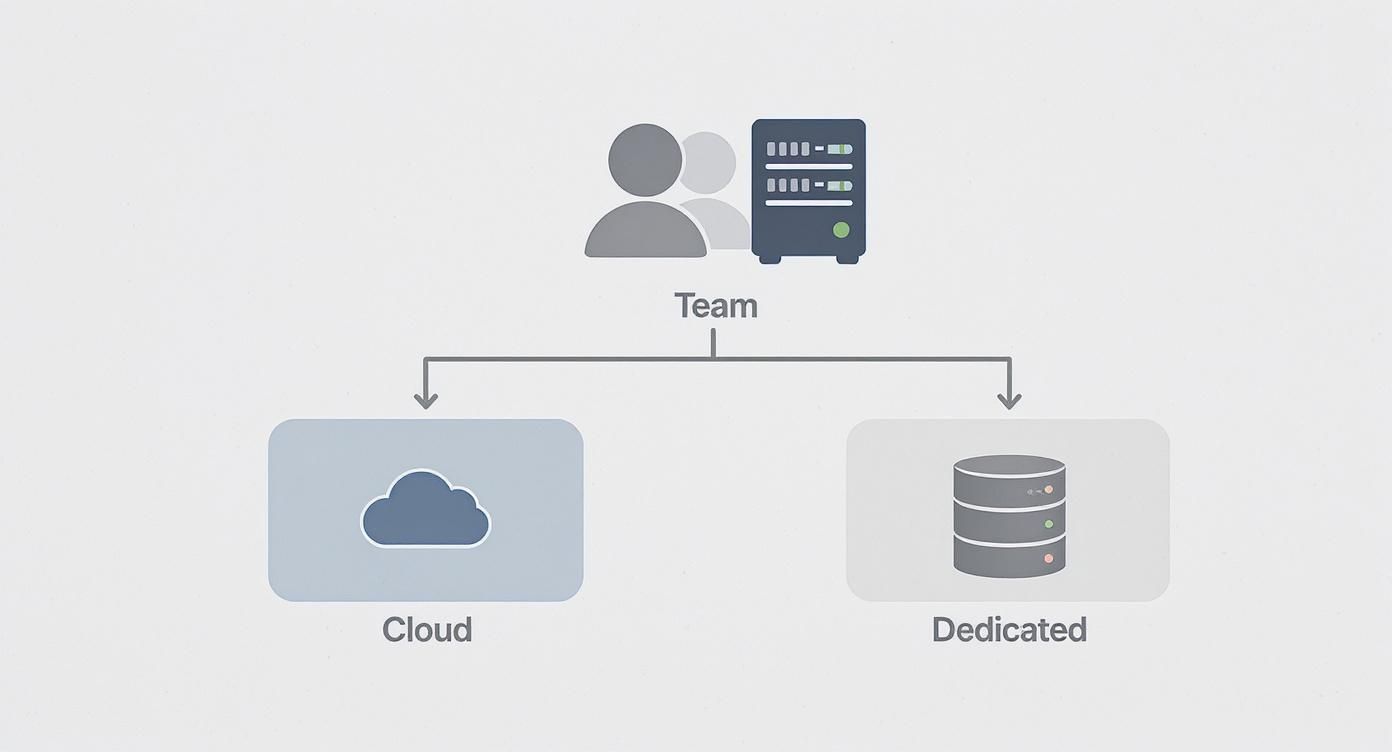
The choice often boils down to this: if you want a provider to manage the infrastructure while giving you immense flexibility, the cloud is the way to go. If your work demands total control over your own hardware, a dedicated server is the answer.
Once you’ve made your choice, the next phase is planning the move. A well-organized transition minimizes downtime and prevents data loss. It’s also helpful to understand general data center migration best practices to get a broader sense of the process.
A successful migration isn't about speed; it's about precision. Meticulous planning in the pre-migration phase is the single most important factor in preventing costly disruptions and ensuring a smooth transition to your new environment.
Use the following checklist to guide your team. For those heading to a virtual environment, our guide on moving servers to the cloud offers a more detailed look at the specifics.
Choosing between a cloud and dedicated server always comes down to a few practical questions about security, cost, and day-to-day management. Here are some straightforward answers to the most common queries we hear from business leaders.
When you’re weighing a cloud server vs dedicated server, security often boils down to one thing: control.
A dedicated server gives you the ultimate level of security because it’s physically isolated. You are the only business on that machine, which completely removes the risks that come with sharing hardware. This single-tenant setup means you have total authority over security rules, firewalls, and compliance settings. It’s why law firms, accountants, and healthcare providers handling sensitive data under regulations like HIPAA or GDPR often lean this way.
Cloud servers are also incredibly secure, but they function on a shared responsibility model. The provider locks down the core infrastructure, but you’re in charge of securing your own virtual space. While top-tier providers give you powerful security tools, the shared hardware introduces a theoretical risk that just doesn't exist on a dedicated box.
For organizations where data confidentiality is non-negotiable, the physical isolation of a dedicated server provides a security advantage that's tough to beat.
Not always. A cloud server almost always wins on lower upfront costs because of its pay-as-you-go model. This is a huge plus for startups and businesses with fluctuating workloads, since you only pay for what you use and avoid paying for idle power.
However, a dedicated server can be more cost-effective over time for businesses with predictable, high-demand needs. The fixed monthly price is easy to budget for and often ends up being lower than paying for consistently high resource usage on a cloud platform. Cloud bills can get surprisingly steep if you’re constantly running at full capacity, especially once you factor in data transfer fees.
Think of it this way: renting a car (cloud) makes sense for a weekend trip, but leasing one (dedicated) is usually cheaper for your daily commute.
The skill level required for each option is worlds apart.
This is exactly where managed services shine. For either server type, a partner like Cloudvara can take on all the complex administrative work, giving you the performance you need without the management headaches.
Yes, moving between server types is a well-trodden path, but it demands careful planning to avoid downtime and data loss. Shifting from a dedicated server to the cloud means moving all your data, applications, and settings from a physical machine to a virtual one.
A typical migration involves these steps:
It’s completely doable, but it’s a process that requires technical precision to pull off smoothly.
No matter which path you choose, having the right partner makes all the difference. Cloudvara provides fully managed cloud and dedicated server solutions tailored to the unique needs of accounting firms, law practices, and small businesses, ensuring your infrastructure is a powerful asset, not a distraction. Explore our secure hosting solutions at https://cloudvara.com.